Matter Document Management Systems: Architecture, Features, and Buyer Guide
A matter document management system is a specialized legal content repository that organizes, indexes, and secures files around discrete client legal matters, enforcing ethical walls, audit trails, and matter-level access permissions. Unlike general cloud storage, matter-based document management isolates case files, simplifies evidence collection, and provides structured metadata extraction across active matters.


Why Law Firms Require Matter-Centric Document Management Systems
When a law firm manages active litigation across generic cloud storage, the system breaks at the boundary between matters. In standard enterprise IT, permissions cascade down through broad departmental folders, files belong to static corporate groups, and search queries span across corporate repositories. In legal practice, that architecture risks ethical violations, privilege waivers, and unauthorized access across conflicting cases. Litigating against an opposing corporate entity in one case cannot risk having associates on another matter view privileged work product or confidential settlement discussions.
According to the American Bar Association 2024 Cloud Computing TechReport, approximately 75% of legal professionals use cloud computing platforms to manage law practice operations and legal matters. Yet deploying general-purpose storage without matter isolation forces legal teams to manually police folder trees, build fragile permission workarounds, and risk cross-matter data leaks.
A matter document management system is a specialized legal content repository that organizes, indexes, and secures files around discrete client legal matters, enforcing ethical walls, audit trails, and matter-level access permissions. In generic file storage tools like Google Drive, Dropbox, or OneDrive, a folder is just a folder. There is no concept of a client matter, no separation between opposing parties, and no built-in mechanism to prevent an accidental drag-and-drop from exposing confidential discovery across unrelated cases.
When outside counsel, expert witnesses, or clients need access to specific case files, administrators in generic platforms are forced to create nested shared folders. A single mistake in permission inheritance can grant external collaborators access to internal strategy memos, billing records, or unredacted medical files.
General cloud drives also lack legal document profiling. Files sit as unstructured blobs without metadata indicating whether a pleading has been filed with the court, which party produced a discovery batch, or what Bates range corresponds to an evidentiary exhibit. As active caseloads grow, retrieving critical case files becomes a slow search through fragmented folders and ambiguous file names. Purpose-built legal solutions replace this disorder with isolated repositories, structured indexing, and controlled external delivery.
Related guides
- Best Case Management Software for Lawyers: Evaluation and RankingsLegal case management software organizes matter records, docket dates, billable time, and client communications into a...
- ShareFile for Legal: Secure Document Exchange and Law Firm PortalsShareFile for Legal provides law firms with encrypted file sharing, branded client portals, and audit trails to replace...
- Legal Tech Startups: The Emerging Tools Modernizing Law Firm WorkflowsLegal tech startups are replacing fragmented administrative tasks with specialized automation for matter intake,...
- Remote Deposition Exhibit Sharing: Managing and Introducing Exhibits OnlineRemote deposition exhibit sharing is the procedural and technical method of presenting, marking, and distributing...
- Case Management Systems for Law Firms: Architecture, Workflows, and StorageA case management system for law firms organizes matter records, court deadlines, billing entries, and client...
- Document Management Software Workflow: Optimizing Matter Intake, Routing, and ReviewA document management software workflow establishes a structured operational pipeline for handling legal files from...
More on this subject: Legal Teams (270 guides)
The Technical Architecture of Matter-Based Document Management
The architectural difference between general cloud storage and a matter DMS lies in how data is partitioned and indexed. Rather than forcing an entire organization into a single shared file system, a matter-centric system organizes documents into dedicated matter workspaces mapped to specific clients and case numbers.
Workspace-Level Boundary Isolation and Ethical Walls
In enterprise file sharing, permission models typically rely on inheritance: grant access to a parent directory, and the user gains access to every subfolder beneath it. In legal practice, permission inheritance is an operational hazard. An outside co-counsel brought in for an appeal should never see settlement discussions, billing ledgers, or conflict memos stored in adjacent folders.
Modern matter document management architectures enforce workspace isolation. Each matter operates as an independent, organization-owned workspace with its own access list. Permissions are established at the workspace level, ensuring that attorneys, paralegals, and outside specialists reach only the files tied to their assigned matters.
When an ethical wall is required to prevent a conflict of interest, administrators simply exclude conflicted personnel from the matter workspace. Because workspaces are partitioned, conflicted team members cannot discover, search, or view the existence of privileged records within that matter.
Standardizing the Matter Taxonomy
Predictable document retrieval requires an orderly folder taxonomy applied uniformly across every case. When individual attorneys create idiosyncratic filing systems, team members waste non-billable hours hunting for misfiled pleadings.
A standardized matter hierarchy divides legal files into functional operational directories using numbered prefixes to lock the sorting order:
Client_Acme_Holdings/
└── Matter_2026_0142_Acme_v_PacificLogistics/
    ├── 01_Pleadings/
    │   ├── Filed/
    │   └── Working_Drafts/
    ├── 02_Discovery/
    │   ├── Requests_and_Responses/
    │   ├── Incoming_Productions/
    │   ├── Outgoing_Productions/
    │   └── Deposition_Transcripts/
    ├── 03_Motions_and_Orders/
    ├── 04_Correspondence/
    │   ├── Court/
    │   ├── Opposing_Counsel/
    │   └── Client/
    ├── 05_Evidence_and_Exhibits/
    │   ├── Marked_Exhibits/
    │   └── Multimedia_Deposition_Video/
    ├── 06_Client_Source_Records/
    ├── 07_Work_Product_and_Strategy/
    └── 08_Closing_and_Billing/
Each directory isolates distinct categories of legal work product:
- 01_Pleadings: Contains formal court filings, complaints, answers, counterclaims, summonses, and signed judicial orders. Subdividing this directory into
Filed/andWorking_Drafts/prevents unfiled drafts from being served inadvertently. - 02_Discovery: Houses formal discovery exchanges. Separating incoming productions from outgoing Bates-stamped productions prevents accidental cross-contamination during review.
- 03_Motions_and_Orders: Stores dispositive motions, legal memoranda, supporting declarations, and proposed orders.
- 04_Correspondence: Archives formal letters and written communications with opposing counsel, court clerks, and clients, organized chronologically or by recipient.
- 05_Evidence_and_Exhibits: Holds evidentiary documents, marked deposition exhibits, and trial demonstration materials with verified custody notes.
- 06_Client_Source_Records: Keeps original client documents, including financial records, contracts, emails, and medical files in their original form.
- 07_Work_Product_and_Strategy: Isolates internal research memoranda, case strategy outlines, and witness interview notes to keep privileged material clearly separated.
- 08_Closing_and_Billing: Stores engagement agreements, retainer invoices, settlement statements, and formal closing documentation.
File naming conventions must follow the same operational discipline. Using a date-first format (YYYY-MM-DD_DocType_Description_Party_Status.ext) organizes files chronologically regardless of operating system:
2026-10-15_MOT_Summary-Judgment_Def-Pacific_FILED.pdf2026-08-12_EXH-A_Commercial-Lease-Agreement_Pltf-Prod_Bates000104.pdf2026-09-04_DEP-VID_David-Chen-Vol-01_Full-Session.mp4
Per-File Version History vs. Suffix Proliferation
Manual document versioning through file names like Brief_v2_edit_partner_FINAL.docx creates version confusion. Associates inadvertently edit outdated drafts, and paralegals struggle to determine which version was filed with the clerk.
A purpose-built matter DMS maintains per-file version history. When an attorney opens a brief, edits citations, and saves the file, the system preserves previous versions in an orderly revision stack. Legal teams can inspect previous drafts, compare modifications, and restore earlier states if necessary, eliminating manual version suffixes.
Detailed Activity Logging for Operational Accountability
Managing client records requires continuous operational visibility. A detailed activity log records changes across the organization, workspaces, and shares. It logs uploads, edits, moves, deletions, membership changes, and share creation, showing who modified what and when. This operational record provides managing partners and IT leads with clear accountability across active matters.
Five Core Capabilities Required in a Modern Matter DMS
Law firms evaluating matter document management software should focus on five foundational capabilities that separate specialized legal repositories from generic cloud drives:
1. Matter Workspace Isolation
The platform must support self-contained, organization-owned workspaces dedicated to individual matters or clients. Permissions must be configurable at the organization, workspace, and share levels, ensuring that matter files remain strictly partitioned. Workspace isolation prevents conflict leaks and enforces ethical walls without complex administrative scripting.
2. Automated Bates and Version Tracking
During litigation discovery and transaction diligence, tracking document versions and evidentiary numbers is essential. A modern matter DMS maintains an auditable record of document revisions without duplicating files. Teams can track document provenance from initial client ingestion through production, ensuring that filed exhibits and served disclosures match canonical records.
3. Granular Access Permissions Across Internal Teams and External Parties
Legal operations require distinct access boundaries for different participant roles. Internal attorneys require full editing and drafting access, staff paralegals require document organization and indexing capabilities, and external parties require strictly scoped access.
When delivering discovery to opposing counsel or sharing draft agreements with co-counsel, the system must allow sharing a single folder or exhibit collection through an external share link. This shares only the required documents without exposing the broader matter workspace.
4. Large Evidentiary File and Multimedia Handling
Modern litigation routinely involves massive files: multi-gigabyte deposition video recordings, digital forensic disk images, surveillance camera footage, and high-resolution medical imaging scans.
General-purpose cloud storage tools and legacy on-premises servers frequently restrict file sizes, forcing law firms to rely on physical external hard drives or consumer transfer tools that break security controls.
A modern matter DMS must accommodate high-capacity uploads natively. Fastio provides maximum upload limits of 25 GB on Starter, 50 GB on Business, and 100 GB on Enterprise plans. Browser-based HLS video streaming allows litigation teams to review video depositions directly within the matter workspace without downloading massive files to local workstations.
5. Secure Client Delivery and Collection Portals
Unencrypted email attachments remain a persistent vulnerability for inadvertent disclosure of attorney-client communications. Email file size limits also force paralegals to split discovery productions into multiple messages.
A modern matter DMS replaces email attachments with branded client portals:
- Send Shares: Deliver transactional closing binders, pleadings, or discovery productions through custom branded links with optional passcodes, expiration dates, and download controls.
- Receive Shares: Collect sensitive tax returns, corporate governance files, and evidentiary records directly from clients through branded upload links, allowing external parties to submit files without creating an account.
- Exchange Shares: Establish bidirectional collaborative spaces for joint defense agreements, deal negotiations, or outside expert consultations, functioning as secure virtual data rooms.
- Integrated E-Signature: Send engagement letters and settlement agreements directly from the workspace using e-signature with signers arranged in sequence or parallel. The system includes an optional one-time passcode per signer and generates a tamper-evident audit certificate, filing the executed agreement directly back into the matter workspace.
Enforcing Download Restrictions on Sensitive Case Exhibits
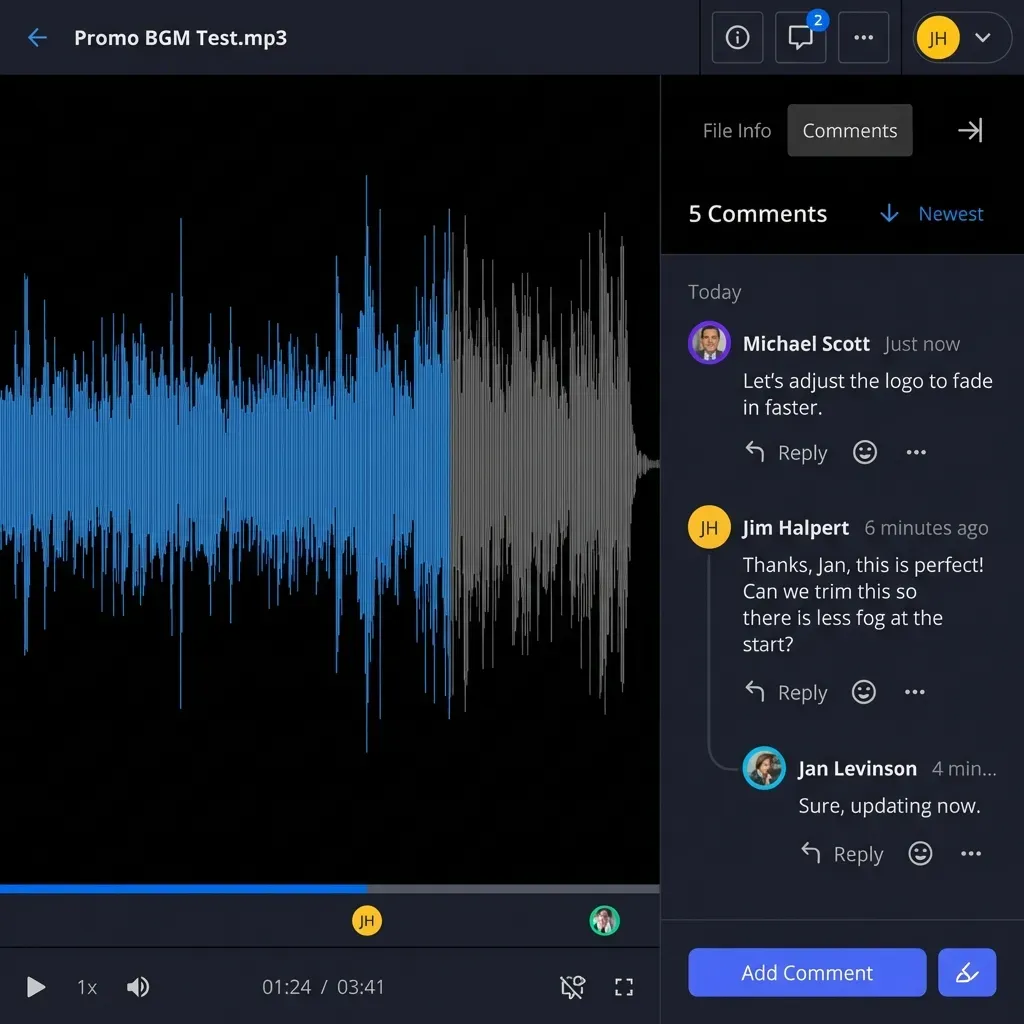
During contentious litigation or confidential settlement discussions, attorneys often need to provide opposing counsel or expert witnesses with document review access while preventing files from being downloaded or distributed. With Fastio, administrators can configure shares that disable file downloads, allowing outside parties to inspect evidentiary records in their browser while keeping files secured inside the workspace.


Deploy Matter-Isolated Workspaces for Your Practice
Organize client matters into dedicated workspaces with granular access controls, branded client portals, and automated document extraction. Monthly plans start with a 14-day free trial requiring a credit card, including Starter at $29/mo, Business at $99/mo, and Enterprise at $299/mo.
Structured Metadata Extraction: Moving Beyond Legacy OCR
Traditional legal document management systems, such as legacy installations of iManage or Worldox, relied heavily on manual document profiling. Every time an attorney or paralegal saved a document, the software presented a mandatory profiling dialog requiring client numbers, matter codes, document types, and author initials.
In practice, manual profiling introduces massive operational friction. Attorneys facing court deadlines frequently entered junk values or saved files directly to their local desktop drives to bypass the dialog, resulting in unindexed local document silos. Legacy optical character recognition (OCR) servers only produced flat text files for keyword search, leaving critical transaction dates, counterparties, and financial terms locked inside unstructured documents.
Extracting Structured Case Data with Metadata Views
Modern matter document management software replaces manual profiling cards with automated data extraction. With Metadata Views, legal operations teams turn unstructured matter files into an interactive, queryable database.
Instead of writing complex OCR templates or regex parsing scripts, users describe the target data fields in natural language. The system generates a typed schema supporting Text, Integer, Decimal, Boolean, URL, JSON, and Date & Time formats, extracts the values from workspace documents, and populates a filterable spreadsheet beside the files:
┌────────────────────────────────┬──────────────┬──────────────────┬──────────────┬──────────────┐
│ Document Name                  │ Doc Type     │ Execution Date   │ Counterparty │ Governing Law│
├────────────────────────────────┼──────────────┼──────────────────┼──────────────┼──────────────┤
│ Master_Services_Agreement.pdf  │ Contract     │ 2026-03-15       │ Global Corp  │ Delaware     │
│ Commercial_Lease_Ext.pdf       │ Real Estate  │ 2026-06-01       │ Apex Realty  │ New York     │
│ Non_Disclosure_Bilateral.pdf   │ NDA          │ 2026-01-10       │ TechLogix    │ California   │
│ Equipment_Financing_Note.pdf   │ Loan Agr     │ 2026-08-22       │ Metro Credit │ Texas        │
└────────────────────────────────┴──────────────┴──────────────────┴──────────────┴──────────────┘
Metadata Views operate across scanned PDFs, Word documents, spreadsheets, presentations, and image files. Teams can add new schema columns at any time without reprocessing the underlying files.
Practical Applications for Litigation and Transactional Teams
Structured metadata extraction transforms three core legal workflows:
- Contract Due Diligence: In mergers and acquisitions or corporate restructuring, deal teams review hundreds of supplier agreements, leases, and customer contracts. Metadata Views extracts contract effective dates, counterparties, termination notice windows, change-of-control provisions, and liability caps, allowing associates to sort and export contract portfolios in minutes.
- Discovery Production Indexing: When incoming discovery arrives from opposing counsel, litigation paralegals extract Bates begin and end ranges, document dates, producing custodians, and confidentiality designations into a structured view, creating an instant production log.
- Pleading and Docket Management: Legal assistants can extract court filing dates, docket numbers, motion hearing dates, and presiding judge names from judicial orders, generating an organized case schedule without manual data entry.
Hybrid Search and Intelligence Mode
Combining structured metadata with hybrid search allows legal teams to retrieve documents by exact keyword, metadata value, or semantic concept.
When Intelligence Mode is enabled on a workspace, files are indexed for retrieval-augmented generation (RAG). Attorneys and litigation teams can query the case record using conversational search, receiving answers backed by direct citations to the source documents. Rather than skimming through hundreds of pages of deposition transcripts, litigators can ask specific factual questions and review cited transcript excerpts directly.
Buyer Guide: Evaluating Enterprise Incumbents vs. Agile Cloud Workspaces
Selecting a matter document management system requires evaluating your firm's administrative capacity, technical infrastructure, and collaboration requirements. The market divides into three distinct architectural models:
1. Traditional Enterprise Legal DMS (iManage, NetDocuments)
Enterprise platforms like iManage Work and NetDocuments represent the incumbent standard inside large Am Law firms.
- Strengths: Deep integration with desktop Microsoft Outlook, advanced document check-in and check-out, complex records retention policies, and mature document assembly integrations.
- Limitations: High enterprise contract costs, multi-user minimum commitments, complex implementation timelines requiring third-party consultants, and rigid external sharing interfaces that create friction for clients.
- Best For: Large firms with 50 or more attorneys and dedicated internal IT departments capable of managing enterprise software infrastructure.
2. General Corporate Cloud Storage (SharePoint, Box, Google Drive)
Horizontal cloud storage tools are often adopted by small law firms seeking an inexpensive, familiar file sharing solution.
- Strengths: Included in existing enterprise office subscriptions, broad brand recognition, and basic mobile access.
- Limitations: Lack of native matter isolation, dangerous permission inheritance traps, manual folder creation and maintenance, external login barriers for clients, and no specialized video deposition streaming or legal metadata extraction.
- Best For: Solo attorneys with minimal litigation document volumes and basic administrative file storage needs.
3. Modern Front-Office Cloud Workspaces (Fastio)
Modern cloud workspace platforms provide matter-isolated environments designed for agile legal teams and external client collaboration.
- Strengths: Dedicated, organization-owned matter workspaces with zero IT infrastructure required; branded client portals (Send, Receive, Exchange) that allow clients to view and upload files without login friction; high-capacity uploads with browser-based HLS video streaming for deposition reviews; automated Metadata Views for document extraction; built-in e-signature with tamper-evident audit certificates; and transparent pricing plans starting with a 14-day free trial requiring a credit card.
- Limitations: Focuses on cloud workspace collaboration and document extraction rather than legacy billing and accounting functions.
- Best For: Boutique and mid-sized law firms, litigation boutiques, and corporate transactional practices that need secure matter repositories and frictionless client delivery without enterprise software overhead.
Comparing Legal Document Management Architectures
Five Questions to Ask Before Choosing a Matter DMS
Before committing your firm to a multi-year software contract, evaluate prospective platforms against these five operational criteria:
- How does the system enforce matter boundaries? Confirm whether the platform isolates files into discrete workspaces or merely relies on nested folders where permission inheritance can expose confidential records.
- What is the client onboarding experience? Test how an external client or witness uploads discovery documents. If the recipient must create a third-party account or navigate complex verification steps, client compliance will suffer.
- Can the platform handle high-capacity discovery assets? Verify maximum per-file upload caps and confirm whether litigation teams can review deposition video recordings directly in the browser without local downloads.
- How does the software handle document indexing? Determine whether the platform forces attorneys to fill out manual profiling cards, or whether it provides automated structured metadata extraction across contracts and discovery batches.
- What are the true setup and administrative costs? Look beyond per-seat software licenses. Calculate the total cost of implementation, professional service consultants, storage overages, and ongoing IT administrative overhead.
Sources
References used to verify factual claims in this guide.
-
Approximately 75% of legal professionals use cloud computing platforms to manage law practice operations and legal matters.
Frequently Asked Questions
What is a matter document management system?
A matter document management system is a specialized legal content repository that organizes, indexes, and secures files around discrete client legal matters, enforcing ethical walls, audit trails, and matter-level access permissions. Unlike general cloud storage, a matter DMS partitions documents by case number and client, preventing cross-matter contamination and providing legal-specific tools like version tracking and metadata extraction.
How does a matter document management system differ from general cloud storage?
General cloud storage platforms organize files into corporate departmental hierarchies where permissions inherit downward through folder trees. A matter DMS isolates files into dedicated matter workspaces with independent access lists, preventing ethical conflicts and unauthorized access. Purpose-built legal workspaces also include high-capacity discovery handling, browser-based deposition video streaming, structured metadata extraction, and branded client file portals.
What features should a law firm look for in a matter DMS?
A law firm evaluating a matter DMS should look for dedicated matter workspace isolation, role-based access permissions, per-file version history, a detailed activity log of modifications, high-capacity file uploads for evidentiary records, browser-based video streaming for depositions, structured metadata extraction for contract analysis, and branded client portals for secure file delivery and collection.
How do boutique and mid-sized law firms enforce ethical walls without complex IT infrastructure?
Boutique law firms enforce ethical walls by deploying cloud platforms with workspace-level isolation. Instead of managing complex directory scripts or folder permission inheritance, administrators create dedicated matter workspaces and assign permissions exclusively to non-conflicted attorneys and staff. Conflicted personnel are omitted from the workspace, preventing them from discovering or viewing privileged records.
How does a matter DMS handle large video depositions and forensic evidence?
Modern litigation matters involve multi-gigabyte video depositions, forensic phone extractions, and massive discovery archives. Specialized cloud workspaces support high-capacity file uploads, offering maximum upload limits of `25 GB` on Starter, `50 GB` on Business, and `100 GB` on Enterprise plans, alongside browser-based HLS video streaming. This allows trial teams to review video depositions directly in the matter workspace without downloading massive files to individual laptops.
Can clients upload documents to a matter workspace without creating an account?
Yes, modern matter workspaces like Fastio offer branded Receive shares that allow clients to upload sensitive tax records, corporate documents, and discovery files directly into a designated matter workspace using a secure web link, without requiring the client to create an account or sign in.
How does structured metadata extraction improve legal document review?
Structured metadata extraction uses automated tools like Metadata Views to convert unstructured legal filings, contracts, and discovery productions into typed spreadsheets. Instead of paralegals manually typing dates, counterparties, and Bates numbers, the system extracts these fields automatically, allowing case teams to filter and sort documents by specific metadata values.
Related Resources

Deploy Matter-Isolated Workspaces for Your Practice
Organize client matters into dedicated workspaces with granular access controls, branded client portals, and automated document extraction. Monthly plans start with a 14-day free trial requiring a credit card, including Starter at $29/mo, Business at $99/mo, and Enterprise at $299/mo.