Legal OCR Software: Converting Scans, Pleadings, and Discovery Files into Searchable Assets
Standard optical character recognition frequently scrambles legal pleadings, ignores Bates numbers, and leaves discovery files unsearchable. Modern legal ocr software pairs layout-aware character recognition with structured metadata extraction and centralized matter workspaces. This guide explains how law firms can replace slow desktop scanning with automated batch conversion and indexed matter repositories.

Why Standard OCR Fails on Scanned Legal Pleadings and Discovery Files
When litigation teams receive large production dumps or retrieve archival case records from physical storage, relying on generic desktop OCR creates silent discovery failures. Standard character recognition treats every page as an isolated grid of characters, ignoring the structural conventions of legal practice. It collapses numbered pleading columns into running text, merges margin annotations with case captions, misreads faint Bates numbers, and discards table borders across financial exhibits. When litigation paralegals and attorneys run keyword searches across these records, critical evidence fails to surface because the underlying text layer is fractured or misaligned.
Legal ocr software applies optical character recognition tailored to legal document formatting, converting scanned pleadings, contracts, and evidentiary exhibits into indexed, searchable digital records. Unlike general-purpose tools, legal document OCR accounts for the spatial hierarchy, marginalia, and procedural markings unique to litigation files. Standard desktop software treats a court filing identically to a magazine page or a business memo, causing predictable failures across common litigation document types:
Pleading Paper Structure. Courts in some states, notably California, require pleading paper with numbered lines down the left margin (commonly 28 per page), a formal case caption with bracketed party designations, and certificates of service. Standard OCR engines read horizontally across the entire page, interleaving line number 14 with the substantive arguments of a motion for summary judgment. A query for a specific phrase fails because the line number splits the words in the underlying text layer.
Bates Stamps and Endorsement Markings. Production numbers stamped in margins or placed over colored exhibit stickers disrupt standard OCR bounding boxes. A standard engine often splits Bates prefixes such as DEF-001042 into fragmented characters or skips them entirely, making it impossible to locate records by Bates range.
Third-Party Discovery Inconsistencies. Incoming discovery productions rarely arrive in clean digital formats. They include multi-generation photocopies, skewed faxes, dark borders from scanner glass, receipts with thermal fading, and handwritten endorsements. Standard engines replace degraded text with nonsensical punctuation strings rather than applying adaptive binarization to recover letterforms.
Tabular Exhibits and Financial Schedules. Evidentiary disclosures frequently center on financial statements, billing ledgers, medical billing logs, or damage calculation spreadsheets. Standard OCR strips away the column boundaries, flattening rows into disjointed strings of numbers. When an attorney searches for a specific payment entry, the association between the date, vendor, and dollar figure is lost.
The Cost of Undetected Blind Spots. When a litigation paralegal searches a discovery database and receives zero results for a key term, the team assumes the opposing party produced no responsive documents. In reality, the documents were present, but the flawed text layer prevented retrieval. Uncovering that evidence during deposition preparation or at trial creates severe operational and procedural liabilities.
Related guides
- Electronic Case Files: How to Organize and Manage Digital Legal RecordsAn electronic case file is a structured digital repository containing all pleadings, discovery, correspondence, and...
- Legal Knowledge Management Software: Systems, Precedent Retrieval, and WorkspacesLegal knowledge management software organizes, indexes, and surfaces a law firm historical work product, precedents,...
- Paperless Document Management Software: Transitioning Law Practice Files to Digital RepositoriesPhysical filing cabinets and off-site paper archives trap critical legal knowledge in static banker boxes, delaying...
- Paralegal Software Programs: Essential Tools for Legal SupportParalegal software programs help legal support teams coordinate case files, assemble pleadings, index discovery...
- PracticeMaster Guide: Practice Management and Modern File WorkspacesPracticeMaster from Tabs3 provides centralized matter management, conflict checking, and calendar tracking for boutique...
- Summation Legal Software: Managing Legacy Case Databases and Modern AlternativesSummation legal software is a legacy litigation support and case management platform historically used by law firms to...
More on this subject: Legal Teams (211 guides)
Three Architecture Models for Legal Document OCR
Law firms and legal operations departments evaluate three primary architectural tiers when selecting ocr software for lawyers: desktop PDF utilities, cloud OCR APIs, and AI-native structured workspaces. Choosing the right model depends on document volume, team collaboration requirements, and downstream usage.
Desktop PDF Utilities Desktop applications such as ABBYY FineReader PDF and Adobe Acrobat Pro have served law firms for decades. They provide an interactive environment where a paralegal can inspect scanned pages, run OCR on an individual file, apply manual redactions, and correct recognition errors.
- Primary Strengths: Immediate visual feedback, desktop PDF editing, side-by-side text verification, and local execution.
- Operational Bottlenecks: Processing ties up local workstation CPU and memory, making batch processing of large document productions impractical. Files remain trapped on individual hard drives, creating version confusion when multiple paralegals work on the same matter. Desktop tools do not create a centralized, shared search index accessible to the entire firm.
Cloud OCR and Document Understanding APIs Enterprise cloud services such as Amazon Textract, Google Document AI, and Microsoft Azure Document Intelligence process high-volume document batches through managed cloud APIs. These platforms use trained machine learning models to detect key-value pairs, identify table structures, and recognize handwriting across scanned pages.
- Primary Strengths: Elastic cloud scalability, high throughput on thousands of pages, and native detection of tables and forms.
- Operational Bottlenecks: These platforms are developer-facing APIs rather than out-of-the-box legal workspaces. They return raw JSON structures or detached text files that require custom software development to become usable by litigation teams. They also lack native matter organization, permission controls, and secure client sharing layers.
AI-Native Document Parsers and Structured Workspaces Modern systems such as LlamaParse and Fastio Metadata Views represent the shift toward structured document processing. Instead of simply generating flat text layers, layout-aware parsers such as LlamaParse turn documents into structured representations that preserve reading order, hierarchy, and table relationships, while Fastio Metadata Views allows legal operations teams to define typed schemas (such as case names, filing dates, docket numbers, and contract terms) using natural language, automatically populating structured, filterable databases directly within the matter workspace.
- Primary Strengths: Preserves document structure for AI search and retrieval, extracts structured fields without rigid templates, and integrates directly with centralized matter workspaces.
- Operational Bottlenecks: Requires adopting matter-centric cloud storage rather than relying on local network folders.
A Four-Step Pipeline for Ingesting and Searching Matter Records
Moving from physical paper scans or unstructured digital discovery exports to a high-performance matter repository requires a standardized ingestion pipeline for pdf ocr for law firms. By establishing an automated four-step workflow, law firms can eliminate manual processing bottlenecks and ensure that every case record is indexed for rapid retrieval.
Centralized Ingestion and Preprocessing Incoming discovery records, third-party productions, and physical scans should land directly in a dedicated, organization-owned matter workspace rather than on local desktops. Law firms can connect their existing cloud repositories, including Google Drive, Dropbox, Box, and OneDrive, via Cloud Sync on a schedule or on demand, or use one-time imports to bring files directly into the workspace without downloading them locally. Network copiers and digital intake portals can deposit scans directly into matter staging folders. If you run your own OCR step, preprocessing cleans the images first: deskewing misaligned pages, removing punch-hole marks and scanner borders, and applying adaptive contrast thresholding to maximize character legibility.
Layout-Aware Text Recognition and Bates Capture Run the cleaned images through an OCR engine configured for legal document layouts, such as a desktop tool or cloud OCR API from the categories above. The engine identifies distinct bounding zones: the numbered pleading margin, the caption block, footnotes, and the body text. By isolating line numbers from the argument paragraphs, the software generates an underlying searchable text layer that preserves natural reading order. Concurrently, the engine scans the lower and upper margins for Bates stamps, recording the production prefix and sequential numbers into dedicated document metadata fields. This ensures that searching for a Bates number locates the exact page without cluttering body text searches.
Structured Metadata Extraction with Metadata Views Standard full-text search often falls short when litigation teams need to compare hundreds of filings or review contract portfolios. Fastio Metadata Views transforms unstructured legal documents into a queryable database without requiring OCR templates or custom code. Team members describe the fields they need in plain English: Document Title, Filing Date, Docket Number, Presiding Judge, Motion Type, Moving Party, and Relief Sought. The AI engine inspects the recognized files, builds a typed schema (Text, Date, Integer, Boolean, JSON), and populates a sortable, filterable view. Legal teams can add new columns at any time without reprocessing the underlying files.
Matter-Centric Storage and Hybrid Search Indexing Once recognized and structured, files reside in org-owned matter workspaces. With Intelligence Mode enabled, documents are automatically indexed for hybrid search, which combines keyword search, semantic search by conceptual meaning, and filtering by metadata value. An associate researching an evidentiary point can search for concepts like indemnification caps or environmental disclosures and instantly retrieve relevant clauses across thousands of discovery pages, complete with direct citations to the source file.


Organize and Search Scanned Legal Files in Matter Workspaces
Keep scanned pleadings, discovery files, and exhibits in matter workspaces with hybrid search and Metadata Views extraction. Monthly plans start with a 14-day free trial, which requires a credit card.
Maintaining File Governance, Integrity, and Access Controls
In litigation matters, making files searchable is only half the battle; maintaining clear file governance and protecting confidential work product matters just as much. A modern legal document management system must enforce strict operational controls while supporting multi-user collaboration across legal workspace solutions.
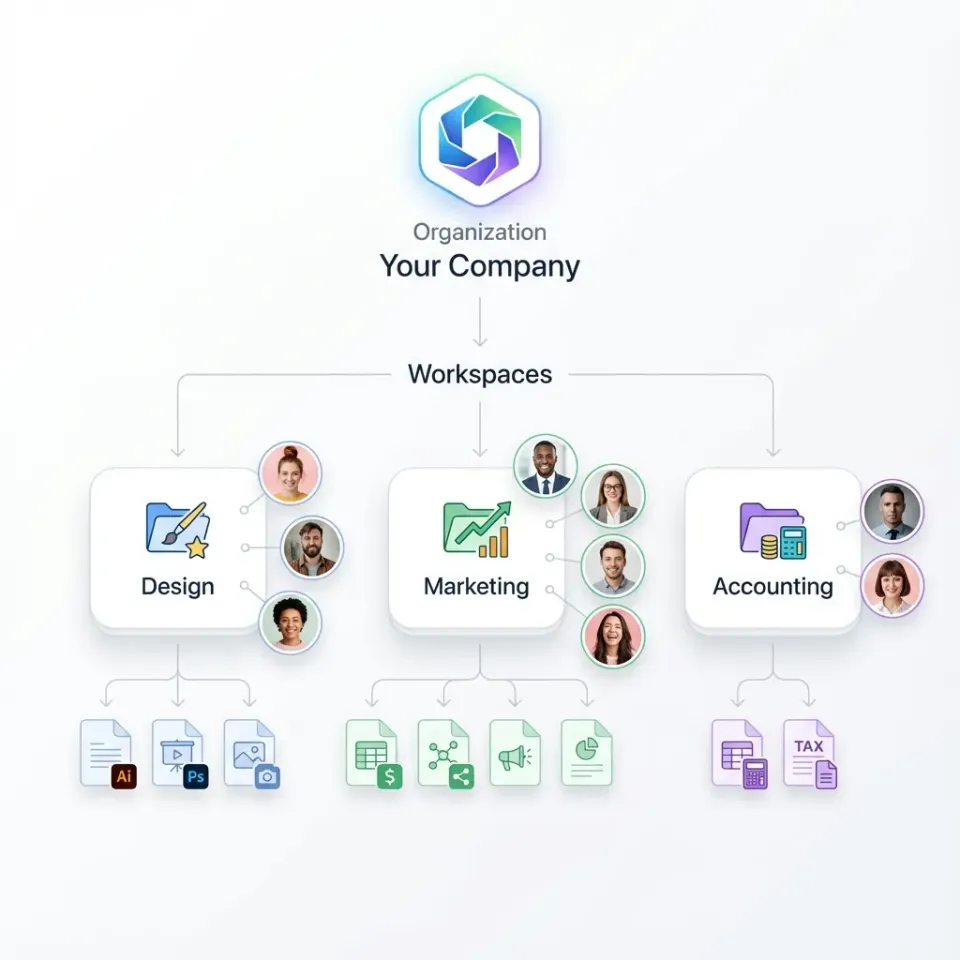
Firm-Wide Matter Organization Scattered file locations represent a severe risk in civil litigation. Fastio organizes files around dedicated, org-owned workspaces for each client and matter. When a matter closes or staffing changes, files stay with the organization rather than disappearing with an individual user's account. This matter-centric structure keeps pleadings, transcripts, and evidence consolidated in a single searchable environment.
Role-Based Permissions and Scoped Sharing Access governance in legal environments requires strict boundaries. In Fastio, role-based permissions are set per organization, workspace, and share through member roles. Every workspace member accesses matter records according to their assigned role. To give external co-counsel or expert witnesses access to specific matter documents without exposing the rest of the workspace, teams create a dedicated share holding those files. When sharing discovery sets, trial exhibits, or expert reports with external co-counsel, expert witnesses, or clients, teams create branded shares (Send, Receive, or Exchange). These shares can be configured with per-recipient access, expiration dates, and disabled file downloads, so recipients can view sensitive litigation files in the browser without a download option.
Detailed Activity Log of Changes Keeping a record of document modifications helps litigation teams see who changed what and when. Fastio maintains a detailed activity log that records every change made within the organization and its workspaces: file uploads, edits, moves, deletions, membership changes, and share creation. The activity log tracks changes made by people and automated agents alike. It focuses strictly on modifications and does not record read-only events such as views or downloads.
Advisory File Locks and Version History Trial preparation involves multiple attorneys and paralegals simultaneously reviewing exhibit lists, amending pleadings, and drafting jury instructions. To coordinate edits, team members and automated agents can acquire advisory per-file locks (lock-acquire and lock-release) through MCP tooling. A lock indicates who currently holds an active lease on a file. Advisory locks do not prevent writes; if concurrent edits occur, Fastio's per-file version history preserves every version, allowing teams to review changes and restore earlier drafts without data loss.
In-Workspace E-Signatures Litigation operations frequently require rapid execution of engagement agreements, protective order stipulations, expert witness retainers, and client declarations. Rather than routing files through third-party signature tools, legal teams can send documents for signature directly from the workspace using e-signature tools. The platform supports sequential or parallel signer routing and optional one-time passcodes per signer. Upon completion, a tamper-evident audit certificate and the fully executed copy file automatically back into the matter workspace.
Evaluating Legal OCR Software: A Procurement and Rollout Checklist
For practice managers, IT leads, and tech-responsible partners, selecting the right legal document OCR solution requires looking beyond marketing claims. Implementing the wrong software can result in wasted licensing costs, staff frustration, and flawed discovery productions. Review the following practical criteria before rolling out a new solution:
Real-World Document Stress Testing Do not evaluate OCR tools using clean, computer-generated PDFs. Assemble a representative test set of authentic discovery files: multi-generation photocopies, wrinkled receipts, medical records with handwriting, and pleadings with court file stamps. Check whether the software outputs accurate text or unsearchable character strings. Engines that perform well on pristine office documents often fail completely when faced with skewed or low-contrast litigation records.
Pleading Format and Layout Preservation Ensure the OCR engine handles two-column court pleadings without interleaving line numbers into body paragraphs. Confirm that caption boxes, footnotes, and header and footer metadata are recognized as distinct structural elements. The software should preserve paragraph boundaries and multi-column reading orders so that text copied from a PDF retains its legal citations and formatting.
Batch Processing and Scalability Evaluate how the software performs under real litigation volumes. Incoming productions can span tens of thousands of pages across hundreds of separate PDF files. Desktop applications that process documents sequentially on a local computer create unacceptable bottlenecks during fast-moving litigation deadlines. Cloud-based and server-side processing eliminates workstation lockup and ensures processing queues do not stall local practice operations.
Large-File and Multimedia Storage Modern civil litigation encompasses far more than text files. Depositions arrive as multi-gigabyte video files, while construction and patent litigation involve high-resolution digital media and site inspection scans. Choose a workspace platform capable of handling large files, complete with built-in HLS video streaming for browser-based deposition playback.
Predictable Subscription Pricing Traditional litigation support vendors frequently impose complex per-page click fees or processing surcharges that cause discovery budgets to spiral out of control. Choose transparent software-as-a-service models where storage, seats, and compute are clearly defined. Monthly plans start with a 14-day free trial that requires a credit card. Review workspace options and plan structures on the Fastio pricing page:
Usage beyond plan allowances follows standard metered rates for storage, bandwidth, and AI processing credits as documented on the pricing page.
Sources
References used to verify factual claims in this guide.
-
Modern legal OCR software handles legal-specific document complexity like Bates numbering, stamps, dense formatting, and mixed layouts.
Frequently Asked Questions
What is legal OCR software?
Legal OCR software is optical character recognition technology specialized for legal documents, including court pleadings, discovery productions, contracts, and evidentiary exhibits. Unlike generic OCR, it preserves multi-column reading orders, isolates pleading line numbers, reads Bates stamps, and prepares document text for legal search indexing and structured data extraction.
How do law firms make scanned PDFs searchable?
Law firms make scanned PDFs searchable by processing document images through an optical character recognition engine that generates an invisible text layer aligned with the visual page. Modern workflows automate this process by ingesting scans into central matter workspaces, applying image deskewing and cleanup, running layout-aware OCR, and indexing the resulting text for full-text and semantic search.
Why does standard OCR struggle with legal pleadings and Bates stamps?
Standard OCR struggles with legal pleadings because it assumes single-column horizontal text flow. When reading formal pleading paper, it often reads across the page and interleaves the left-margin line numbers into the substantive sentences. It also misinterprets Bates stamps located in margins or across exhibit stickers, splitting alphanumeric prefixes into corrupted character fragments.
What is the difference between desktop OCR and server-side OCR for law firms?
Desktop OCR runs on local workstations, requiring users to open and process files individually. While useful for manual review, redaction, and editing single filings, it consumes workstation processing power and keeps files in local silos. Server-side or cloud OCR processes large batches of documents automatically in the background, feeding searchable files directly into a central, shared matter repository.
How does structured metadata extraction differ from standard legal OCR?
Standard legal OCR creates a searchable text layer beneath a document image, enabling basic keyword searching. Structured metadata extraction, such as Fastio Metadata Views, analyzes the text to identify and extract specific data fields, such as filing dates, docket numbers, judge names, party roles, and indemnification caps, into a typed, filterable database without requiring custom templates or code.
Can legal OCR software accurately recognize handwriting on discovery exhibits?
Modern legal OCR software powered by machine learning and vision-language models can recognize clear handwriting on contracts, marginal notes, and medical records with reasonable accuracy. However, heavily degraded handwriting or cursive annotations on low-resolution scans still require human verification to ensure complete evidentiary reliability.
Related Resources

Organize and Search Scanned Legal Files in Matter Workspaces
Keep scanned pleadings, discovery files, and exhibits in matter workspaces with hybrid search and Metadata Views extraction. Monthly plans start with a 14-day free trial, which requires a credit card.