Connecting LangGraph Multi-Agent Graphs to MCP Tool Rooms
LangGraph MCP integration connects stateful agent graphs to external Model Context Protocol servers for standardized tool execution. By moving beyond hardcoded local Python functions, multi-agent systems discover tools dynamically, isolate execution environments, and share persistent workspace storage. Learn how to configure a LangGraph MCP client, orchestrate specialized nodes, and prevent concurrency conflicts across parallel agents.

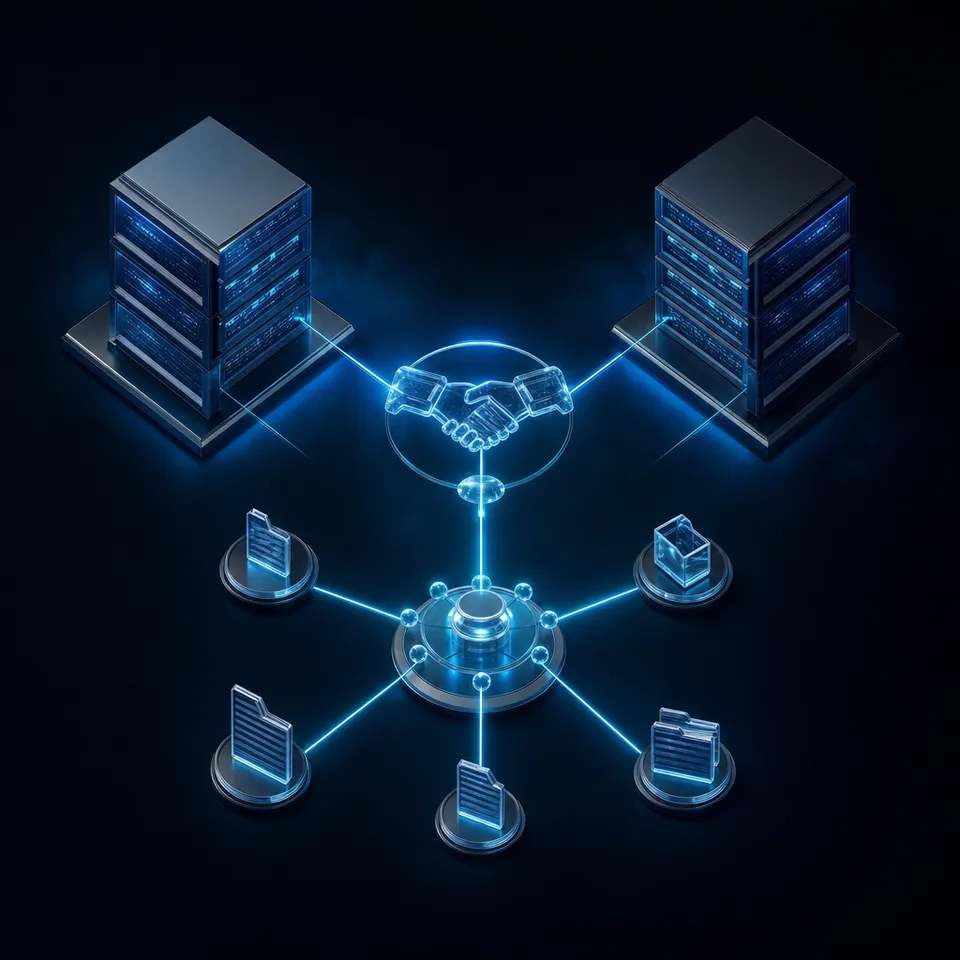
Why Multi-Agent LangGraph Systems Need MCP Architecture
Two autonomous agent nodes running inside the same graph execution will inevitably collide when they attempt to write scratchpad outputs, intermediate code files, or data reports to an uncoordinated local directory. A researcher node downloads source documents while a writer node attempts to read a partial draft from the same folder. Context degrades, files overwrite without notification, and neither node possesses visibility into the other agent's filesystem operations.
LangGraph solves graph-level control flow by managing memory, state transitions, and execution order across directed edges. However, internal graph state stored in memory checkpointers is distinct from external workspace state. When agents generate datasets, edit markdown documents, parse PDFs, or produce assets, they require access to external filesystems, databases, and APIs.
Hardcoding native Python tool functions directly into agent nodes creates severe operational friction in production multi-agent systems:
- Tight runtime coupling. Every external capability requires packaging local dependencies, credentials, and drivers into the central application container. Adding a new tool requires redeploying the graph service.
- No cross-framework portability. A Python tool written as a LangChain structured tool cannot be shared with external coding agents, background daemons, or systems written in TypeScript or Go.
- Missing session isolation. Parallel agent branches executing concurrent subtasks share the same process filesystem, creating race conditions and path conflicts.
- Fragmented credential management. API keys and service tokens must be distributed across every node rather than scoped at dedicated service boundaries.
The Model Context Protocol (MCP) addresses this divide by establishing an open standard for how applications surface tools, prompts, and context to language models. LangGraph MCP integration connects LangGraph stateful agent graphs to external Model Context Protocol tools and resources, allowing nodes to execute standardized filesystem and data actions.
Instead of bundling custom execution logic into node handlers, a LangGraph graph acts as an intelligent client. Individual nodes discover capabilities dynamically from remote or local MCP servers, execute tool calls over standardized transports, and read structured outputs back into the graph state. When those MCP servers connect to Fastio workspaces, agent nodes gain persistent, versioned storage that remains accessible across sessions and visible to human team members.
Related guides
- How to Orchestrate MCP Agents in a WorkspaceMCP workspace agent orchestration is the architectural pattern of coordinating multiple AI agents within a shared...
- How to Configure Autogen MCP Integration for Multi-Agent SystemsAutogen MCP integration standardizes how multi-agent systems access external tools, replacing custom connectors with a...
- Best MCP Servers for CRM Integration: Salesforce, HubSpot & ZendeskCRM MCP servers let AI agents access and update customer records without complex API integration. This guide compares...
- How to Integrate Fastio MCP with OpenAI SwarmFastio MCP integration provides OpenAI Swarm agents with a unified, persistent workspace to share context, lock files...
- How to Set Up an MCP Gateway for Multi-Agent SystemsGuide to mcp gateway setup: An MCP gateway centralizes requests from AI agents to multiple servers. This guide shows...
- How to Implement Fastio MCP with LangGraphIntegrating Fastio's MCP server with LangGraph lets your stateful agent workflows read, write, and share files across...
More on this subject: MCP and Model Context Protocol (244 guides)
How Native LangChain Tools Differ from Dynamic MCP Tool Rooms
Understanding when to use native LangChain tools versus remote MCP servers is fundamental to designing maintainable multi-agent architectures.
Native LangChain tools are in-process Python functions decorated with @tool or subclassed from BaseTool. They execute in the same memory space as your LangGraph runtime. This approach works well for simple computations, in-memory string formatting, or internal state transformations. However, as an agent system expands to multiple specialized roles, managing dozens of disparate tool dependencies inside a single container becomes fragile.
Model Context Protocol servers run outside the agent process, communicating over standardized transports such as Streamable HTTP or standard input and output (stdio). A single MCP server acts as a tool room: a dedicated environment that encapsulates its own dependencies, authentication mechanisms, and storage boundaries.
Dynamic Discovery and Catalog Management
In a traditional LangGraph setup, every tool schema is fixed when the graph compiles. If you update a tool parameter or add a capability, the entire service must be rebuilt and redeployed.
With an MCP client integration, a LangGraph agent queries the server catalog at runtime using the standard protocol method. The agent receives tool definitions, argument schemas, descriptions, and operational hints directly from the server. If a team updates a storage server to support additional metadata fields or content formats, running agent graphs discover those capabilities on their next connection cycle without code modifications. You can review the protocol specifications in the LangChain Model Context Protocol documentation.
Cross-Agent Portability Across Ecosystems
Enterprise agent workflows rarely operate in isolation. A research graph built in LangGraph might analyze market data, while a developer using Claude Code or Cursor modifies code files, and an operational team inspects incoming deliverables.
When tools are locked inside LangChain Python wrappers, interoperability requires writing duplicate integration glue for every client framework. By packaging workspace and storage actions behind an MCP server, every agent framework accesses the identical tool room. Fastio exposes its consolidated MCP toolset over remote Streamable HTTP, allowing LangGraph graphs, autonomous coding agents, and desktop assistants to collaborate within the same project directories. Teams looking for shared environments can explore Fastio storage for agents.
How to Connect a LangGraph Multi-Agent Graph to MCP Servers
Building a LangGraph multi-agent architecture with MCP tool calling requires three core components: an MCP client transport that communicates with the server, an adapter layer that converts protocol definitions into LangGraph-compatible tools, and a state graph that routes tasks between specialized nodes.
Installing Required Dependencies
To run LangGraph with modern MCP client capabilities, install the core orchestration packages. Ensure your virtual environment contains the necessary runtime libraries:
pip install langchain langgraph langchain-openai httpx python-dotenv
LangChain provides official support for connecting agents to Model Context Protocol servers through the langchain.mcp namespace (introduced in LangChain 1.4.0) or through client adapters built on standard transports.
Implementing the Multi-Agent State and MCP Client
In this implementation, we configure a LangGraph multi-agent team comprising a supervisor agent, a research node, and a documentation writer node. The agents connect to a remote MCP server endpoint at https://mcp.fast.io/mcp/tools using an API key sent as an Authorization: Bearer header, providing access to cloud storage, semantic search, and document creation.
import asyncio
import os
from typing import Annotated, Any, Dict, List, Literal
from typing_extensions import TypedDict

from langchain_core.messages import BaseMessage, HumanMessage, SystemMessage
from langchain_openai import ChatOpenAI
from langgraph.graph import END, START, StateGraph
from langgraph.graph.message import add_messages
from langgraph.prebuilt import ToolNode

### Define graph state holding conversational messages and workspace context
class AgentTeamState(TypedDict):
    messages: Annotated[list, add_messages]
    active_workspace: str
    current_agent: str
    pending_review: bool

### Environment configuration
FASTIO_API_KEY = os.environ.get("FASTIO_API_KEY", "your-api-key")
OPENAI_API_KEY = os.environ.get("OPENAI_API_KEY", "your-openai-key")
MCP_ENDPOINT = "https://mcp.fast.io/mcp/tools"

### Node 1: Supervisor router
def supervisor_node(state: AgentTeamState) -> Dict[str, Any]:
    messages = state["messages"]
    system_prompt = (
        "You are the orchestrator of a research and writing team. "
        "Review the conversation history and select the next specialist to act: "
        "'researcher' to gather workspace files, 'writer' to synthesize documents, "
        "or 'complete' if the goal is satisfied."
    )
    model = ChatOpenAI(model="gpt-4o", temperature=0)
    decision = model.invoke([SystemMessage(content=system_prompt)] + list(messages))
    content = decision.content.lower()
    ###
    if "researcher" in content:
        next_agent = "researcher"
    elif "writer" in content:
        next_agent = "writer"
    else:
        next_agent = "complete"
    ###
    return {"current_agent": next_agent}

### Node 2: Researcher specialist
async def researcher_node(state: AgentTeamState) -> Dict[str, Any]:
    workspace_id = state.get("active_workspace", "market-analysis-2026")
    query = state["messages"][-1].content
    ###
    model = ChatOpenAI(model="gpt-4o", temperature=0)
    prompt = (
        f"You are a workspace research specialist operating in workspace '{workspace_id}'. "
        f"Your task is to analyze documents related to: {query}. "
        "Formulate structured findings for the writer."
    )
    response = await model.ainvoke([SystemMessage(content=prompt)] + list(state["messages"]))
    return {"messages": [response]}

### Node 3: Documentation writer
async def writer_node(state: AgentTeamState) -> Dict[str, Any]:
    workspace_id = state.get("active_workspace", "market-analysis-2026")
    model = ChatOpenAI(model="gpt-4o", temperature=0)
    prompt = (
        f"You are a technical documentation writer. Using the research provided in the chat, "
        f"produce a comprehensive project brief to store in workspace '{workspace_id}'."
    )
    response = await model.ainvoke([SystemMessage(content=prompt)] + list(state["messages"]))
    return {"messages": [response], "pending_review": True}

### Define conditional routing logic
def route_next_agent(state: AgentTeamState) -> Literal["researcher", "writer", "__end__"]:
    current = state.get("current_agent", "complete")
    if current == "researcher":
        return "researcher"
    elif current == "writer":
        return "writer"
    return END

### Construct the LangGraph StateGraph
builder = StateGraph(AgentTeamState)
builder.add_node("supervisor", supervisor_node)
builder.add_node("researcher", researcher_node)
builder.add_node("writer", writer_node)

### Wire graph execution edges
builder.add_edge(START, "supervisor")
builder.add_conditional_edges("supervisor", route_next_agent)
builder.add_edge("researcher", "supervisor")
builder.add_edge("writer", END)

compiled_graph = builder.compile()
Handling Tool Output Types and Server Errors
When an agent node executes an MCP tool call, the server returns content blocks adhering to the protocol specification:
- Text Content: Standard string output representing query responses, file listings, or status confirmations.
- Structured Content: JSON-typed payloads returned as tool artifacts. For example, Fastio Metadata Views extract typed schemas (dates, numbers, counterparties) from unstructured documents without manual OCR parsing.
- Error Objects: If a tool fails (such as an invalid path or missing parameter), the server returns
isError=True. In LangGraph, the adapter surfaces this as a failed tool message, giving the model an opportunity to inspect the server message and correct its parameters on the next turn. Transport disconnects or HTTP timeouts raise client exceptions, allowing the graph runtime to trigger retry policies.


Give your LangGraph agents a shared workspace
Connect your multi-agent graphs to persistent, versioned workspaces with a consolidated MCP toolset. Monthly plans start with a trial of up to 14 days requiring a credit card, with plans starting at $9.99/mo.
How to Coordinate Parallel Nodes in Session-Isolated Workspaces
As multi-agent graphs grow in complexity, developers frequently employ fan-out patterns where multiple nodes execute in parallel. For instance, a supervisor node might dispatch three researcher nodes concurrently: one searching technical specifications, another parsing financial tables, and a third checking compliance notes.
When parallel branches execute simultaneously, unmanaged filesystem access causes severe race conditions:
- Write-write conflicts. Two nodes attempt to create or update an artifact at identical paths, resulting in truncated files or silent overwrites.
- Dirty reads. Node B reads an intermediate file that Node A has only partially written.
- Context fragmentation. Intermediate files scattered across unmonitored directories leave human operators with no audit trail of which agent authored which change.
Folder Partitioning and Namespace Boundaries
The first defensive strategy is path partitioning within the workspace. When constructing node state, pass an isolated working directory path to each agent branch:
- Researcher Alpha writes exclusively to
/workspaces/{id}/scratchpad/technical/ - Researcher Beta writes exclusively to
/workspaces/{id}/scratchpad/financial/ - The synthesizer node reads from both scratchpad directories and writes the merged output to
/workspaces/{id}/deliverables/
Because Fastio workspaces support granular folder-level permissions, each agent's API credentials can be scoped to specific directories, preventing accidental writes outside its designated domain.
Advisory File Locking and Version Preservation
In workflows where multiple agents must collaborate on the same documents, folder partitioning alone is insufficient. Fastio provides advisory per-file locking designed for coordinating distributed writers across workspaces and shared storage.
Before modifying a file, an agent acquires an advisory lock through the storage actions lock-acquire, lock-status, and lock-release. When an agent holds a lock, its identity is visible to collaborators and peer agents. If another node attempts to acquire the same lock, the server returns an HTTP 409 response.
The lock functions as an advisory lease: it automatically expires unless renewed by a periodic heartbeat, preventing abandoned runs from blocking the workspace indefinitely. Furthermore, because locks are advisory rather than mandatory barriers, unlocked concurrent writes do not fail catastrophically. Fastio retains full per-file version history on every write, allowing teams to inspect prior revisions, compare diffs, and restore previous states if an agent makes an unintended edit.
Neutral Ground Shared Workspaces
Multi-agent architectures function most reliably when storage is not trapped inside a proprietary vendor silo. Fastio workspaces provide a neutral ground where LangGraph agents, peer frameworks (such as CrewAI or AutoGen), local CLI agents, and human collaborators interact on the same files.
Instead of relying on ephemeral chat messages to pass complex project state, agents post intermediate artifacts directly into shared workspaces. A LangGraph researcher deposits a parsed dataset, an external coding agent reads the dataset to generate visualizations, and a human team member reviews the final deliverables inside branded Content Portals with zero login friction.
How to Implement Human-in-the-Loop Inspection for MCP Tools
Autonomous execution is powerful, but enterprise deployments require human oversight before irreversible actions take place. Deleting project directories, publishing client-facing shares, or initiating external transfers demand explicit human verification.
Pausing Graphs on Destructive Tool Annotations
The Model Context Protocol specification includes tool annotations that allow servers to declare operational hints, such as read_only_hint and destructive_hint. LangGraph evaluates these annotations to provide dynamic human-in-the-loop controls.
Rather than hardcoding a fragile list of dangerous tool names inside your graph logic, nodes inspect the tool's MCP metadata at runtime:
from langgraph.checkpoint.memory import InMemorySaver
from langgraph.types import Command, interrupt

def verify_mcp_tool_execution(tool_call: dict, tool_metadata: dict) -> bool:
    annotations = tool_metadata.get("mcp", {}).get("tool", {}).get("annotations", {})
    is_destructive = annotations.get("destructive_hint", False)
    ###
    ### If the tool is marked destructive or targets a production path, interrupt
    if is_destructive or "delete" in tool_call.get("name", ""):
        decision = interrupt({
            "reason": "Destructive tool execution requested",
            "tool": tool_call.get("name"),
            "arguments": tool_call.get("args")
        })
        return decision.get("approved", False)
    ###
    return True
When the graph encounters an interrupted node, execution pauses and saves its exact point in the run to a checkpointer. A human reviewer inspects the pending action, verifies the parameters, and issues a resume command:
### Human approves the pending execution
resumed_state = compiled_graph.invoke(
    Command(resume={"approved": True}),
    config={"configurable": {"thread_id": "session-402"}}
)
Detailed Activity Logs and Chain of Custody
Governance in production agent deployments extends beyond inspection checkpoints. Security and operational teams must be able to reconstruct the exact sequence of events that produced a business deliverable.
Fastio maintains a detailed activity log that captures every human and agent action across workspaces, folders, and shares. When a LangGraph node authenticates through the Fastio MCP server, the audit log records:
- The authenticated agent token and caller identity.
- The exact file operations executed (reads, uploads, metadata queries, lock acquisitions).
- Timestamps and version transitions for modified documents.
- External share access and download events.
This record shows who accessed and changed each file, ensuring that autonomous agent actions remain accountable, traceable, and secure. Combined with workspace intelligence, team leads can query historical workspace events using natural language.
Operational Resilience and Connection Lifecycle
Deploying LangGraph graphs against remote MCP servers in production requires deliberate resilience patterns:
- Connection recovery. Remote Streamable HTTP connections can experience transient network interruptions. Implement exponential backoff retry strategies around client calls.
- Token lifetime management. Use scoped API tokens with appropriate expiration policies rather than permanent root keys.
- Activity monitoring. Rather than having agents poll every resource directly, monitor workspace changes using the WebSocket live activity feed or activity polling (
GET /current/activity/poll/{entity_id}). - Workspace organization. Ensure temporary scratchpad directories created during agent runs are archived or cleaned up after task completion to maintain organized workspaces.
Sources
References used to verify factual claims in this guide.
-
LangChain connects agents to Model Context Protocol servers using MCPAdapter with support for FastMCP transports.
Frequently Asked Questions
How do I use MCP tools in LangGraph?
To use MCP tools in LangGraph, connect an MCP client adapter to a local or remote MCP server using Streamable HTTP or stdio transports. Discover available tools using the adapter's tool discovery method, and pass the resulting tool definitions directly to a LangGraph ToolNode or agent factory. The LangGraph agent can then invoke the MCP tools as standard function calls during graph execution.
Can LangGraph agents call remote MCP servers over HTTP?
Yes, LangGraph agents can connect to remote MCP servers over Streamable HTTP endpoints. By providing the server URL (such as `https://mcp.fast.io/mcp/tools` for Fastio) and an Authorization Bearer header, the MCP client establishes a persistent connection, discovers the server tool catalog, and executes actions without requiring local subprocess installations. Developers can explore the integration details at /storage-for-agents/.
How do you pass persistent state between LangGraph and an MCP storage server?
LangGraph manages internal conversation history and node routing in its state checkpointer, while external project artifacts are written directly to the MCP storage server. Agents pass file paths, workspace identifiers, and metadata keys within the graph state. Intermediate and final documents reside on the MCP server, where they benefit from per-file version history and audit logging across execution sessions.
What is the difference between LangGraph memory checkpointers and MCP storage?
LangGraph checkpointers store graph execution state, such as message history, variable snapshots, and active node pointers, enabling time-travel debugging and pause-and-resume workflows. MCP storage servers provide persistent filesystem capabilities, document indexing, and structured metadata extraction for the actual files, code, and reports produced by the agents.
How can multiple LangGraph agents avoid overwriting files in a shared MCP room?
Agents avoid file conflicts by combining folder partitioning with advisory file locking. By assigning distinct subdirectories to parallel nodes and acquiring advisory file leases before writing to shared paths, agents prevent concurrent race conditions. Fastio per-file version history ensures that prior revisions remain recoverable if concurrent writes take place.
How does human-in-the-loop work with MCP tools in LangGraph?
MCP tools advertise operational hints such as destructive_hint in their metadata annotations. LangGraph nodes evaluate these hints before dispatching calls. When a destructive tool is called, LangGraph triggers an interrupt that suspends execution and persists the run state, allowing a human operator to inspect parameters and approve or cancel the action before execution resumes.
Related Resources

Give your LangGraph agents a shared workspace
Connect your multi-agent graphs to persistent, versioned workspaces with a consolidated MCP toolset. Monthly plans start with a trial of up to 14 days requiring a credit card, with plans starting at $9.99/mo.