Google Drive Upload Large Files: Overcoming Browser and API Limits
Uploading multi-gigabyte files to Google Drive often triggers browser timeouts, dropped sockets, and upload failures. While Google Drive supports individual files up to 5 TB within a 750 GB daily quota across user accounts, web interfaces cannot reliably handle large transfers over variable connections. Teams can bypass browser constraints by executing chunked transfers with the Google Drive Resumable Upload protocol or synchronizing files directly into an intelligent workspace.


How to Upload Large Files to Google Drive: Limits and Architecture
Google Drive enforces an individual file size limit of 5 TB and a 750 GB daily upload ceiling across user accounts. These thresholds apply whether an upload originates from the web interface, the Google Drive desktop client, or custom API scripts interacting with the Google Drive v3 REST endpoints.
Understanding the distinction between individual file size ceilings and aggregate transfer limits is essential for engineering reliable file intake workflows. Individual user drives (My Drive) and team-oriented repositories (Shared Drives) share the same underlying ingestion engine. When a single archive exceeds the 750 GB threshold, Google Drive permits the active file upload to complete, but the user account cannot initiate another upload until the rolling 24-hour quota window resets.
Uploading large files to Google Drive involves transferring multi-gigabyte payloads via Google Drive Resumable Upload protocol or automated workspace sync to prevent browser timeouts and upload failures. Standard desktop users rarely reach absolute capacity limits, yet development teams, media editors, machine learning engineers, and data analysts routinely encounter transfer interruptions when uploading multi-gigabyte files.
The following table outlines the formal limits enforced across Google Drive storage tiers:
When ingestion volumes exceed these constraints or when network instability interferes with long-running uploads, teams must look past basic web interfaces toward structured chunked upload protocols and persistent cloud sync pipelines.
Related guides
- Google Drive Resumable Upload: Architecture, Limits, and Workspace SolutionsGoogle Drive resumable upload is an HTTP protocol for transferring files larger than 5 MB in chunks, using a temporary...
- How to Upload Large Files to Google Drive without TimeoutsStandard single-stream uploads to Google Drive often fail due to network timeouts and process crashes. Implementing the...
- Can ChatGPT Upload Files to Google Drive? How to Save AI OutputsChatGPT cannot natively upload, write, or export files directly back to Google Drive; its native integration is...
- Google Shared Drive Best Practices: Architecture, Limits, and OrganizationGoogle Shared Drives centralize file ownership across organizations, but unmanaged sprawl quickly triggers item caps,...
- Notion File Upload Limits: Size Caps by Plan and Large-File WorkaroundsNotion limits individual file uploads to 5MB on the Free plan and provides unlimited file uploads with a 5GB maximum...
- How to Fix the Google Drive Download Quota Exceeded ErrorWhen multiple active AI agents and developers pull files from a single shared Google Drive link, they easily trigger...
More on this subject: Agent File and Document Workflows (394 guides)
Why Browser-Based Uploads Fail on Multi-Gigabyte Payloads
Consumer troubleshooting guides frequently advise users to clear their browser cache, toggle hardware acceleration, or disable extensions when a large file upload freezes. For multi-gigabyte payloads, this advice fails to address the underlying transport architecture. Web browsers are designed for short request-response cycles, not durable, multi-hour file transmissions.
Browser upload failures stem from several architectural limitations:
- Monolithic HTTP Streams: The standard web client uses multipart/form-data to send an entire file over a single HTTP connection. If a network blip drops a packet late in a multi-gigabyte transfer, the TCP connection terminates and the upload fails completely. The browser cannot inspect where the transfer halted and forces the user to restart from byte zero.
- Memory Allocation Pressure: Modern browser rendering engines run each tab in an isolated sandboxed process with finite heap memory. Processing massive file streams through JavaScript File and Blob interfaces causes garbage collection pauses and high RAM consumption, leading to sudden tab crashes.
- Operating System Sleep States: Background tabs in Chromium and WebKit browsers throttle timers and background CPU execution to preserve laptop battery life. If an engineer switches windows or steps away, the operating system can place the network interface into a low-power state, severing the open socket.
- Residential and Corporate Firewall Timeouts: Intermediate NAT gateways, corporate proxies, and stateful firewalls drop idle or long-duration TCP connections that exceed preset session lifetimes, terminating transfers without signaling the client.
These constraints make the browser web interface unsuitable for production ingestion of massive media libraries, database snapshots, model checkpoints, or raw telemetry sets. When browser transfers repeatedly stall, engineers can explore dedicated storage infrastructure through Fastio alternatives to Google Drive designed for programmatic ingestion.
How to Implement the Google Drive Resumable Upload Protocol
To overcome browser limitations and transient network errors, developers use the Google Drive Resumable Upload protocol. This protocol breaks large payloads into a sequence of smaller chunks transmitted across distinct HTTP requests. If a connection drops, the application queries Google Drive for the last confirmed byte offset and resumes transmission without restarting from scratch.
Google Drive chunked uploads require payload chunks in multiples of 256 KB except for the final byte range. The base multiple is 256 KiB (262,144 bytes). Sending any intermediate chunk that is not an exact multiple of 256 KiB triggers an immediate HTTP 400 Bad Request error. Production systems typically use chunk sizes between 5 MB and 16 MB (such as 8,388,608 bytes) to balance network efficiency against memory usage.
Technical Steps for Resumable Chunked Uploads
- Initiate the resumable session by sending an authorized POST request with file metadata to obtain a session URI.
- Extract the unique session endpoint from the
Locationresponse header. - Read the source file in sequential byte blocks aligned to multiples of 256 KiB.
- Transmit each block with a PUT request specifying the
Content-LengthandContent-Rangeheaders. - Process the
HTTP 308 Resume Incompleteresponse to confirm the committed byte range before uploading subsequent blocks. - Query the session URI with an empty byte range if a network interruption occurs to determine the exact resume point.
Resumable Upload Session Initialization
The client initiates the upload by transmitting metadata to the Google Drive API upload endpoint:
POST /upload/drive/v3/files?uploadType=resumable HTTP/1.1
Host: www.googleapis.com
Authorization: Bearer YOUR_OAUTH_ACCESS_TOKEN
Content-Type: application/json; charset=UTF-8
X-Upload-Content-Type: video/mp4
X-Upload-Content-Length: 10737418240

{
  "name": "raw_footage_archive.mp4",
  "parents": ["FOLDER_ID"]
}
If the initial request succeeds, Google returns an HTTP 200 OK status with a unique session URI located in the Location header:
HTTP/1.1 200 OK
Location: https://www.googleapis.com/upload/drive/v3/files?uploadType=resumable&upload_id=xa29AqsDJw...
Content-Length: 0
Transmitting Chunks and Handling Resumption
The client sends chunks sequentially to the session URI using standard PUT requests. For an 8 MiB chunk (8,388,608 bytes) of a large multi-gigabyte video archive:
PUT https://www.googleapis.com/upload/drive/v3/files?uploadType=resumable&upload_id=xa29AqsDJw... HTTP/1.1
Content-Length: 8388608
Content-Range: bytes 0-8388607/10737418240

[BINARY_PAYLOAD]
Google Drive responds with HTTP 308 Resume Incomplete and includes a Range header indicating the highest received byte:
HTTP/1.1 308 Resume Incomplete
Range: bytes=0-8388607
If an intermediate network fault occurs, the client queries the upload status by sending an empty PUT request:
PUT https://www.googleapis.com/upload/drive/v3/files?uploadType=resumable&upload_id=xa29AqsDJw... HTTP/1.1
Content-Length: 0
Content-Range: bytes */10737418240
The returned Range header reveals the exact byte offset where transmission must resume, eliminating data re-transmission.


Connect Google Drive to an Intelligent Workspace
Sync large files from Google Drive on schedule, index content for semantic search, and give AI agents instant access through the Fastio MCP server. Monthly plans start with a 14-day free trial.
Automating Large File Ingestion with Workspace Sync
While writing custom resumable upload scripts solves transport fragility, maintaining dedicated upload pipelines creates engineering overhead. Teams must manage OAuth credential refreshes, exponential backoff retries, local disk staging, and API rate limits.
An alternative approach connects Google Drive to a persistent cloud workspace using automated background synchronization. Fastio provides Cloud Sync to link external storage directly with shared workspaces. Cloud Sync connects Google Drive, Dropbox, Box and OneDrive folders to a workspace, one-way or two-way, on a schedule or on demand.
How Workspace Cloud Sync Solves Large File Ingestion
- Server-to-Server Data Movement: Files transfer directly between cloud storage backends over high-bandwidth datacenter networks. The transfer runs independently of local client machines, avoiding browser crashes and local ISP connection drops.
- Scheduled and On-Demand Ingestion: Teams can configure sync intervals that pull newly uploaded data during off-peak hours or trigger updates on demand when project batches land in Google Drive.
- Preserved File Versioning: Every synchronized file retains a complete per-file version history. When collaborators update an archive or design model, the workspace preserves prior iterations rather than overwriting existing records.
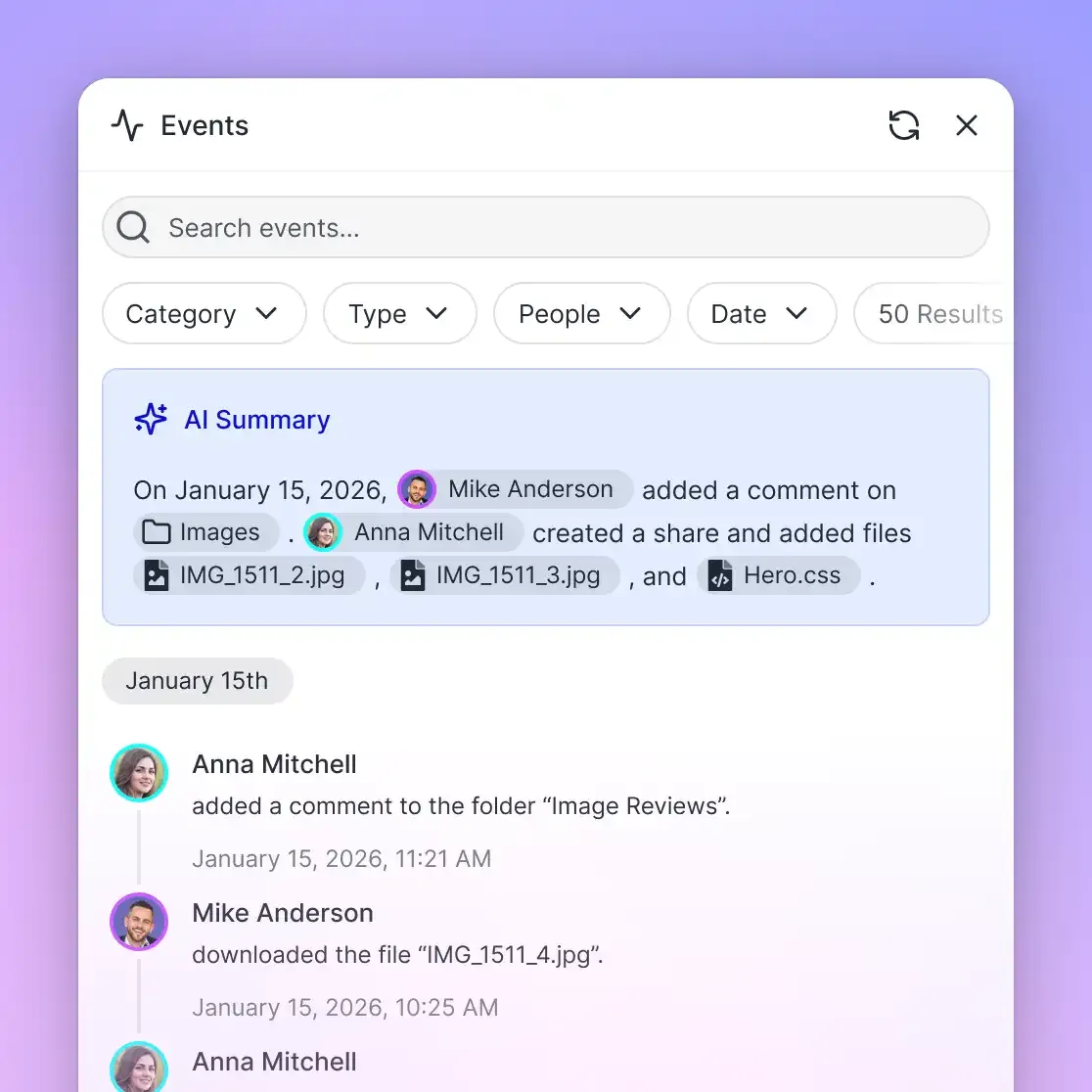
- Detailed Activity Auditing: A detailed activity log records storage modifications across the workspace, capturing uploads, edits, moves, deletions, and permission changes made by human users and automated agents.
By pairing Google Drive storage with an automated workspace sync schedule, organizations decouple client upload reliability from local workstation constraints.
Optimizing Agent Access: MCP and Direct Workspace Retrieval
Once multi-gigabyte files reside in cloud storage, downstream workflows introduce another bottleneck: providing autonomous AI agents access to file contents without saturating bandwidth or blowing context limits.
When agents connect directly to Google Drive via native connectors, retrieving answers from large files often requires pulling entire files or large directory trees into the agent's host memory. In an agent workflow, downloading an entire multi-gigabyte document collection or archive consumes minutes of execution time, draws down API request quotas, and easily crashes client runtimes.
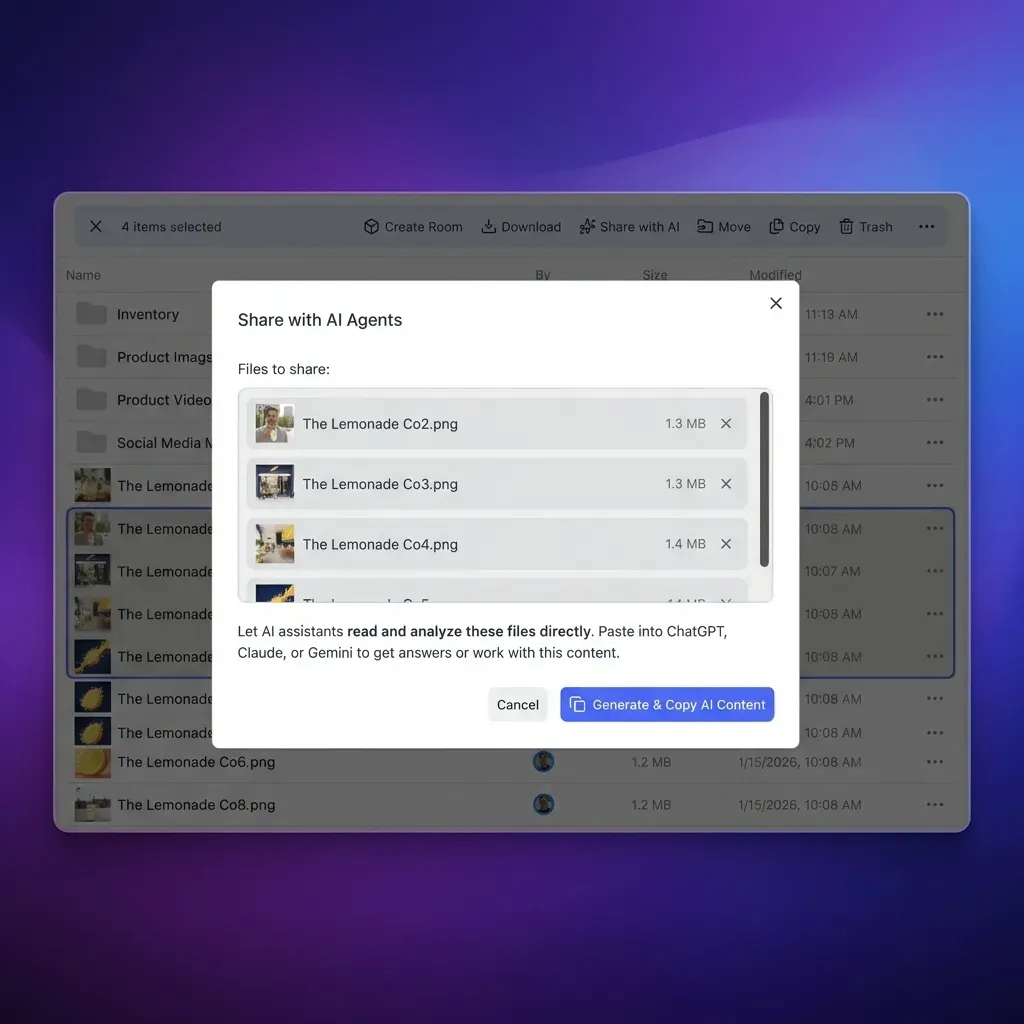
Fastio addresses this retrieval bottleneck through native Model Context Protocol (MCP) connectivity and workspace Intelligence Mode, as documented in the Fastio agent guide. When Intelligence is enabled on a workspace, files synced from Google Drive are automatically indexed for semantic search and metadata extraction.
Architecture: Google Drive, Cloud Sync, and Fastio MCP
[ Google Drive Folder ]
           │
           ▼  (Cloud Sync: Scheduled or On-Demand)
[ Fastio Workspace ] ───► [ Intelligence Mode ] (Auto-Indexing & RAG)
           │
           ▼  (Streamable HTTP / OAuth)
[ Remote Fastio MCP Server ]
           │
           ▼
[ AI Agent: Claude Code / Cursor / Gemini CLI ]
Instead of downloading raw archives, agents query the Fastio remote MCP server over Streamable HTTP. The agent issues targeted semantic searches against the indexed content or extracts structured tables using Metadata Views. The agent retrieves only the relevant paragraphs or schema-matched fields, leaving the source files stored securely in the workspace.
Connector benchmarks across cloud storage providers are documented at Fastio Benchmarks. By handling large file indexing at the workspace layer, teams avoid the latency and token overhead of raw file downloads.
To support diverse data volumes, Fastio workspace tiers scale across individual practitioners and enterprise engineering teams, with complete details available on the Fastio pricing page:
Monthly subscriptions include a 14-day free trial (credit card required), giving teams complete access to workspace synchronization, a consolidated MCP toolset, and intelligent document extraction.
Production Pipeline Architecture: Error Handling and Checksums
Operating enterprise-grade file pipelines requires defensive error handling across both Google Drive API interactions and workspace sync events. Network sockets fail, authentication tokens expire, and storage quotas fill up unexpectedly.
Exponential Backoff for 5xx and Rate Limit Responses
When uploading large chunks via the Google Drive API, requests may occasionally receive HTTP 429 Too Many Requests, HTTP 500 Internal Server Error, or HTTP 503 Service Unavailable. Production clients must implement truncated binary exponential backoff:
- Wait a baseline interval (such as 1 second) plus a random jitter after the first failure.
- Double the wait time on subsequent retries (2s, 4s, 8s, 16s, up to 32s).
- Abort after a defined retry threshold (typically 5 attempts) to prevent infinite loops during extended outages.
Resumable URI Lifecycle and Re-Authentication
Google Drive resumable upload session URIs remain active for approximately one week. However, the OAuth access token passed in the initial session creation request may expire in 60 minutes. Because the unique session URI itself contains authorization context, subsequent PUT chunk requests do not require the Authorization header. If a transfer spans several hours, the client can continue pushing chunks directly to the session URI without refreshing the OAuth token for that specific upload stream.
End-to-End Checksum Verification
Large file transfers can occasionally suffer from silent bit rot or network corruption. The Google Drive API computes an MD5 checksum on the uploaded file upon completion. Upon transmitting the final chunk, the API returns the file resource object containing the md5Checksum field. Production pipelines should calculate the local file's MD5 hash before uploading and verify that it matches the hash returned by Google Drive:
{
  "kind": "drive#file",
  "id": "1A2B3C4D5E6F7G8H9I0J",
  "name": "raw_footage_archive.mp4",
  "mimeType": "video/mp4",
  "md5Checksum": "c4ca4238a0b923820dcc509a6f75849b",
  "size": "10737418240"
}
When using Fastio Cloud Sync, checksum verification and integrity auditing happen automatically at the storage layer. Any modified file creates a distinct version in the per-file version history, ensuring that data pipelines maintain verifiable provenance across every sync cycle.
Sources
References used to verify factual claims in this guide.
-
Google Drive enforces a 750 GB daily upload ceiling for each user.
-
Google Drive chunked uploads require payload chunks in multiples of 256 KB except for the final byte range.
Frequently Asked Questions
What is the maximum file size you can upload to Google Drive?
The maximum individual file size you can upload to Google Drive is 5 TB. This ceiling applies to all standard file types across personal Google Accounts and Google Workspace editions, provided your account has sufficient available storage.
Why does uploading large files to Google Drive fail or freeze?
Uploading large files in web browsers often freezes due to TCP socket timeouts, browser tab memory constraints, or background execution throttling. Standard browser uploads use a single HTTP connection without chunk resumption, meaning any brief network interruption forces the upload to restart from the beginning.
How do you do resumable chunked uploads to Google Drive?
Resumable uploads require sending an initial POST request to the Google Drive API upload endpoint with file metadata to acquire a session URI. The file payload is then uploaded in sequential byte chunks using HTTP PUT requests with Content-Range headers. Chunks must be multiples of 256 KiB, and intermediate progress is confirmed using HTTP 308 Resume Incomplete status codes.
What happens when you reach the Google Drive 750 GB daily upload limit?
Google Drive enforces an individual file size limit of 5 TB and a 750 GB daily upload ceiling across user accounts, meaning any single file that crosses the threshold completes uploading before further uploads lock for the remainder of the rolling 24-hour quota window.
Does Fastio sync large files directly with Google Drive?
Yes. Fastio Cloud Sync connects Google Drive, Dropbox, Box and OneDrive folders to a workspace, one-way or two-way, on a schedule or on demand. Sync operations run server-to-server, bypassing local browser and bandwidth limitations while providing automatic indexing for AI agent retrieval.
How do AI agents access large files stored in Google Drive without downloading whole folders?
By syncing Google Drive folders into a Fastio workspace, files are automatically indexed for semantic search. AI agents connect to the Fastio remote MCP server over Streamable HTTP and execute targeted semantic queries or metadata extractions, retrieving specific answers without downloading multi-gigabyte files into local memory.
Related Resources

Connect Google Drive to an Intelligent Workspace
Sync large files from Google Drive on schedule, index content for semantic search, and give AI agents instant access through the Fastio MCP server. Monthly plans start with a 14-day free trial.