How to Handle Google Drive Connector Rate Limits in AI Workflows
A Google Drive connector rate limit occurs when an AI agent or RAG pipeline exceeds Google Drive's API request quotas (typically per-user per-minute thresholds) while crawling files or fetching metadata. Direct API traversal triggers HTTP 429 errors and latency spikes during recursive directory scans. Decoupling file storage from agent retrieval through scheduled cloud sync and pre-indexed workspace search eliminates rate limit bottlenecks while slashing token overhead.


Understanding the Google Drive Connector Rate Limit in AI Systems
When an autonomous AI agent traverses a cloud folder hierarchy to answer an inquiry, recursive directory lookups and file downloads can consume thousands of API quota units in seconds. When multiple agents or team members query the connector concurrently, Google Drive responds with HTTP 429 or 403 rate limit errors, stalling the agent mid-reasoning.
A Google Drive connector rate limit occurs when an AI agent or RAG pipeline exceeds Google Drive's API request quotas (typically per-user per-minute thresholds) while crawling files or fetching metadata. Building production agent workflows requires understanding how Google meters programmatic access and why agentic search patterns clash with traditional cloud drive rate limits.
Google Drive API Quota Architecture and Units
Programmatic access to Google Drive operates under a quota unit model rather than a simple flat request count. Google assigns different point weights to different API methods based on the computational and storage resources required to fulfill them:
- Read Methods (5 Quota Units): Lightweight metadata inspections, such as checking file properties or retrieving permissions with
drive.files.get. - Edit Methods (50 Quota Units): Modifying metadata, updating properties, moving parents, or touching file records.
- List Methods (100 Quota Units): Querying folder contents or searching files with
drive.files.list. - Download and Export Methods (200 Quota Units): Downloading binary file payloads with
drive.files.getusingalt=media, or converting Google Docs, Sheets, and Slides viadrive.files.export.
Google Cloud projects are metered against two primary velocity thresholds: a project-wide limit of 1,000,000 quota units per minute, and a per-user limit of 325,000 quota units per minute within a project. When an application exceeds these ceilings, Google returns specific status codes:
In official documentation on Google Drive API usage limits, Google explains: "If you exceed a quota, you'll receive a 403: User rate limit exceeded HTTP status code response. Additional rate limit checks on the Drive backend might also generate a 429: Rate limit exceeded response. If this happens, you should use an exponential backoff algorithm and try again later."
Why AI Connectors Trigger Throttling
A human browsing Google Drive clicks through one folder at a time, generating a few dozen quota units over several minutes. In contrast, an autonomous AI connector functions like a web spider. When asked a broad question such as "find our latest master service agreement with vendor liability terms," the connector attempts to locate the right file by scanning directory trees.
The primary operational drivers behind connector throttling include:
- Recursive Folder Traversal: AI agents do not know where relevant documents live in advance. An agent recursively inspects subdirectories by issuing sequential
drive.files.listcalls. At 100 quota units per call, traversing a corporate Drive with 30 nested subfolders burns 3,000 quota units in a few seconds before retrieving a single byte of actual document text. - Document Payload Ingestion for In-Memory Chunking: Naive RAG connectors download entire files over HTTP, parse their text locally, and split them into chunks for the LLM. At 200 quota units per download, downloading 40 candidate PDF contracts or policy manuals consumes 8,000 quota units in one sweep.
- Multi-User and Multi-Agent Concurrency: In team environments, multiple users or subagents sharing an OAuth client ID or service account draw against the exact same per-user quota pool. A burst of concurrent agent inquiries quickly exhausts the 325,000 per-user per-minute ceiling.
- Repetitive Polling Loops: Pipelines that poll the Drive changes API repeatedly to detect new files generate continuous baseline consumption, leaving little headroom for interactive agent requests.
Related guides
- How to Fix AutoGen Rate Limits: Handling 429 Errors in Multi-Agent WorkflowsAn AutoGen rate limit occurs when multiple autonomous agents in a group chat collectively exceed host model request or...
- Gemini API Rate Limits: Tier Quotas, 429 Handling, and Large-Payload WorkflowsGemini API rate limits govern requests per minute (RPM), tokens per minute (TPM), and requests per day (RPD) across...
- Cerebras Rate Limits: Wafer-Scale Inference Tiers, TPM Caps, and Payload OptimizationCerebras rate limits govern the frequency of requests and token throughput permissible per minute when querying...
- Cohere Rate Limits: API Keys, Production Tiers, and 429 HandlingCohere rate limits are programmatic caps on the number of requests per minute (RPM) and tokens per minute (TPM) that a...
- DeepSeek R1 Rate Limits: API Quotas, Concurrency & Server Busy FixesDeepSeek R1 rate limits govern the concurrent requests and tokens per minute enforced on the deepseek-reasoner...
- DeepSeek Rate Limits: API Quotas, Concurrency Caps, and MCP WorkaroundsDeepSeek rate limits are API throughput controls that restrict the frequency of client requests (RPM), token processing...
More on this subject: Agent Security and Governance (73 guides)
Why Exponential Backoff Breaks AI Agent Workflows
Standard developer documentation recommends catching HTTP 429 and HTTP 403 userRateLimitExceeded responses and applying truncated exponential backoff with jitter. Under this pattern, a client that encounters an error waits 1 second, then 2 seconds, 4 seconds, 8 seconds, and 16 seconds before retrying the call.
While exponential backoff is suitable for background ETL pipelines or overnight data batch jobs that can pause for minutes without consequence, it breaks interactive AI agent workflows.
The Problem With Client-Side Retries in Agentic Loops
When an interactive coding assistant, research agent, or chat copilot encounters rate throttling, exponential backoff creates severe compounding failures across four distinct dimensions:
- Compounding End-to-End Latency: Autonomous agents often execute multi-step plans requiring multiple tool calls in sequence. If an agent hits rate limits across three separate file requests, exponential backoff introduces 15 to 30 seconds of forced sleep. End users waiting for an answer in chat or an IDE interface assume the agent has crashed and abandon the session.
- Execution Budget and Step Timeouts: Modern agent execution runtimes (including Claude Code, Cursor, OpenClaw, and custom LangGraph graphs) enforce maximum execution step counts and per-tool timeout limits. A tool call blocked in a retry sleep loop frequently trips these safety watchdogs, aborting the entire task with an unhandled exception.
- Prompt Context Saturation: When an agent framework catches an API error, the error payload and retry diagnostic messages are typically appended to the LLM conversational message history. Exposing raw HTTP 429 error messages and backoff traces consumes context tokens and prompts the LLM to hallucinate debugging suggestions rather than completing the assigned business objective.
- The Architectural Root Cause: The deeper issue is architectural: treating Google Drive's REST API as an interactive search index or real-time vector store. Google Drive was engineered as a document storage service for human collaboration, not as a sub-second retrieval database for high-frequency agent tool calls.
How to Avoid Google Drive Connector Rate Limits With Decoupled Architecture
Eliminating connector rate limits requires decoupling file storage from live agent retrieval. Instead of forcing an AI agent to crawl Google Drive's REST API during user interactions, production systems separate file synchronization from the agent query path.
Three Architectural Strategies to Eliminate Rate Limits
- 1. Asynchronous Scheduled Sync: Maintain files in Google Drive where teams collaborate every day, but synchronize content into an intermediate workspace on a schedule or on demand. Because file transfer occurs in the background, file ingestion never competes with user-facing agent queries for Google Drive API quotas. Cloud Sync connects Google Drive, Dropbox, Box and OneDrive folders to a workspace, one-way or two-way, on a schedule or on demand.
- 2. Pre-Computed Hybrid Search Indexing: When documents arrive in the intermediate workspace, background workers extract text, generate vector embeddings, and build BM25 lexical keyword indexes. When an agent needs information, it executes hybrid search queries directly against the pre-computed index. The agent retrieves relevant passages and citations without downloading whole files or touching the Google Drive API.
- 3. Standardized Remote Model Context Protocol (MCP) Endpoints: Rather than granting agents low-level storage commands that require 40 separate API calls to find a file, connect agents to a remote MCP server. The agent executes a single, high-level search tool call over Streamable HTTP, receiving targeted excerpts and citations in one round-trip.
In benchmark testing of cloud storage connectors in Claude Cowork (published at https://fast.io/benchmarks/), Fastio was measured the fastest and the lowest cost of the providers tested. Separating storage synchronization from live inference eliminates recursive crawling and on-demand payload downloads from the agent query path.


Eliminate Google Drive Connector Rate Limits in Your AI Pipeline
Connect your team's cloud folders to an intelligent workspace with built-in semantic search, per-file version history, and high-throughput MCP access. Monthly plans start with a 14-day free trial, which requires a credit card. Plans are Starter at $9.99/mo, Business at $49.99/mo, and Enterprise at $199.99/mo.
Implementing Decoupled Storage With Fast.io and Model Context Protocol
Transitioning from fragile live crawling to an indexed workspace requires three straightforward setup steps: linking your cloud drive, enabling automated indexing, and connecting your agents to the remote MCP server.
Step 1: Connect Existing Storage via Cloud Sync
You do not need to migrate files or alter your team's day-to-day folder habits. Cloud Sync connects Google Drive, Dropbox, Box and OneDrive folders to a workspace, one-way or two-way, on a schedule or on demand. SharePoint document libraries are supported through the OneDrive connector.
Synchronization runs in the background. Because synchronization transfers files on a configured schedule or on demand rather than synchronously during user chat sessions, it respects Google Drive quotas and avoids runtime throttling.
Step 2: Activate Workspace Intelligence
Turn on Intelligence Mode in the workspace settings. Fast.io automatically extracts content from PDFs, Word documents, spreadsheets, presentations, and scanned pages. The system chunks document text, builds dense vector embeddings, and indexes content for hybrid retrieval: full-text keyword matching, semantic meaning search, and search-by-metadata-value.
When new files land via Cloud Sync, Intelligence Mode indexes them in the background. There is no need to write custom parsing scripts, provision an external vector database, or manage vector chunk stores.
Step 3: Connect AI Agents Over Streamable HTTP MCP
Fast.io provides a hosted Model Context Protocol server that communicates over Streamable HTTP. Each class of AI client connects to a dedicated endpoint:
- Claude Applications (Desktop, Web, Mobile, Cowork): Connect at
https://mcp.fast.io/mcp/tools. Sign in with OAuth in the browser to select permissions and authorize workspaces. In Claude, open Customize, select Connectors, add a custom connector, paste the endpoint, and complete the sign-in. - Coding Agents (Claude Code, Cursor, Cline, VS Code): Connect at
https://mcp.fast.io/mcp/code. - ChatGPT and Codex: Install the Fastio plugin from the plugin directory, or configure a custom server at
https://mcp.fast.io/mcp/operations. - Custom Frameworks and Headless Agents: Connect your Python scripts, LangGraph pipelines, or OpenClaw agents to
https://mcp.fast.io/mcp/toolsorhttps://mcp.fast.io/mcp/codeby passing a scoped API key as anAuthorization: Bearer <api key>header.
For example, to configure Cursor to query your indexed workspace, add the following configuration to ~/.cursor/mcp.json or your project's .cursor/mcp.json:
{
  "mcpServers": {
    "fast-io": {
      "url": "https://mcp.fast.io/mcp/code"
    }
  }
}
To connect Claude Code in your terminal, run the following setup command:
claude mcp add --transport http fast-io https://mcp.fast.io/mcp/code
Run /mcp inside Claude Code to complete the browser authentication. For comprehensive endpoint parameters and configuration guides, refer to the Fast.io MCP setup documentation and the Fast.io developer skill reference.
Comparing Direct API Traversal to MCP Search
Consider an inquiry where an agent must find a termination notice requirement across 20 client contracts:
- Direct Google Drive API Connector: The agent lists files across multiple folders (20 calls, 2,000 quota units), identifies 15 matching contract files, and downloads each full PDF (15 calls, 3,000 quota units). The entire sequence consumes 5,000 quota units, takes 18 seconds, and risks HTTP 429 throttling if other team members run queries simultaneously.
- Decoupled Fast.io MCP Endpoint: The agent issues a single
searchtool call over MCP with the query "termination notice period". The pre-indexed workspace evaluates dense semantic vectors and lexical keywords across the corpus, returning the exact relevant clauses with file citations in sub-second response times. The live inquiry consumes zero Google Drive quota units.
Managing Multi-Agent Concurrency and Workspace Governance
When scaling AI workflows beyond a single assistant to multi-agent teams, shared storage requires coordination primitives to prevent overwrite conflicts, audit changes, and enforce organizational boundaries.
Advisory File Locking and Version History
When autonomous agents generate research summaries, financial models, or updated documentation, multiple agents may attempt to write to the same workspace simultaneously. Fast.io supports advisory per-file locking through dedicated MCP actions:
- Acquire an advisory lock with
lock-acquireon thestorage_managetool. - Inspect existing lock status with
lock-statuson thestoragetool. - Release a completed lock with
lock-releaseon thestorage_managetool.
An advisory file lock is a per-file lease that expires unless heartbeated by the holding agent. Other agents and team members can inspect who holds the lock before writing. If concurrent writes do take place, per-file version history preserves every version, allowing human operators to inspect changes and restore prior versions without data loss.
Workspace Activity and the Events Feed
Production agent pipelines must react to document changes without polling APIs. Rather than making periodic list requests that deplete quotas, agents can subscribe to the workspace activity events feed using WebSockets or HTTP long-polling (GET /current/activity/poll/{entity_id}?wait=95&lastactivity={timestamp}). When a teammate uploads a revised contract or Cloud Sync finishes syncing a Google Drive folder, the event feed notifies the listening agent immediately.
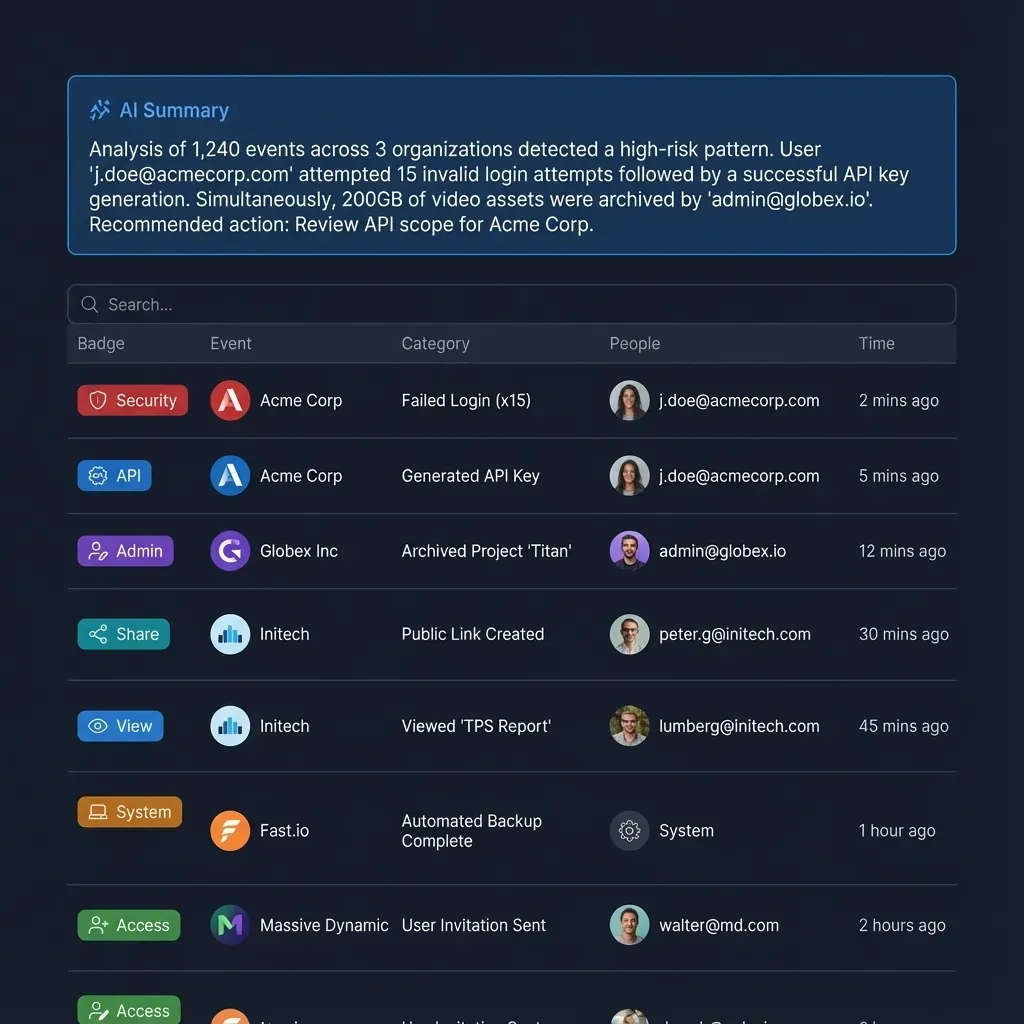
Fast.io also maintains a detailed activity log of changes across the organization, tracking uploads, edits, moves, deletions, membership changes, and share creations for both people and autonomous agents.
Structured Extraction With Metadata Views
When workflows require structured tabular data rather than raw text passages, Metadata Views turn unstructured documents into a live, queryable database. Teams describe desired fields in plain English, and the platform constructs a typed schema matching files in the workspace. Agents can create Views, trigger automated extraction, and query structured records across contracts, invoices, and reports via MCP without custom OCR code.
Organization Plans and Capacity
Every Fast.io organization runs on a paid subscription designed for scalable human and agent collaboration. Review plan specifications on the Fast.io pricing page:
Monthly plans start with a 14-day free trial that requires a credit card. Credits meter AI search and intelligence processing. Additional credits cost $10 per 100,000 credits, while storage beyond the plan is billed at $0.015 per GB a month and extra bandwidth is $0.04 per GB.
Sources
References used to verify factual claims in this guide.
-
Google Drive API enforces per-project and per-user quota units per minute, returning HTTP 403 or 429 errors when exceeded.
Frequently Asked Questions
Why does my AI agent hit rate limits on Google Drive?
AI agents hit Google Drive rate limits because their search patterns involve recursive folder traversals and frequent file downloads. Listing folder contents costs 100 quota units and downloading a file costs 200 quota units. An agent scanning dozens of files rapidly depletes Google's 325,000 quota units per minute per-user limit, triggering HTTP 429 and HTTP 403 errors.
What are the Google Drive API rate limits for connectors?
Google Drive API enforces a project limit of 1,000,000 quota units per minute and a per-user limit of 325,000 quota units per minute. Different API methods consume different amounts of quota: metadata reads cost 5 units, edits cost 50 units, folder listings cost 100 units, and file downloads or document exports cost 200 units.
How do I prevent HTTP 429 errors when connecting AI tools to Google Drive?
To prevent HTTP 429 errors, decouple file storage from live agent queries. Instead of having agents crawl Google Drive directly, synchronize your cloud folders into an intelligent workspace on a schedule. The workspace pre-indexes documents for vector and keyword search, allowing agents to retrieve relevant excerpts over MCP in a single call without consuming Google Drive API quota.
Does Fast.io sync with Google Drive?
Yes. Cloud Sync connects Google Drive, Dropbox, Box and OneDrive folders to a workspace, one-way or two-way, on a schedule or on demand. Files can also be imported as a one-time transfer via cloud import.
How does the Fast.io MCP server reduce API call volume compared to direct Drive integration?
A direct Google Drive integration requires an agent to call list methods repeatedly to locate files and download full documents to read snippets, generating dozens of high-cost API calls. The Fast.io MCP server allows agents to query pre-computed vector and keyword indexes directly. A single MCP search call retrieves the exact required text excerpts and source citations, eliminating live file crawling.
Can multiple AI agents query the same workspace without triggering rate limits?
Yes. Fast.io serves agent search queries from its own indexed workspace infrastructure over Streamable HTTP. Because agent queries target pre-computed indexes rather than querying Google Drive live, dozens of concurrent agents can retrieve documents simultaneously without depleting external cloud drive quotas.
Related Resources

Eliminate Google Drive Connector Rate Limits in Your AI Pipeline
Connect your team's cloud folders to an intelligent workspace with built-in semantic search, per-file version history, and high-throughput MCP access. Monthly plans start with a 14-day free trial, which requires a credit card. Plans are Starter at $9.99/mo, Business at $49.99/mo, and Enterprise at $199.99/mo.