Choosing a Filesystem MCP Server Alternative for Shared Agent Workspaces
Although Gartner predicts that 15% of day-to-day work decisions will be made autonomously through agentic AI by 2028, standardizing how these agents share file states remains a primary friction point. This comparison evaluates local filesystem MCP servers against cloud-persistent network alternatives that resolve state conflicts, support shared workspaces, and let agents and people work on the same files.

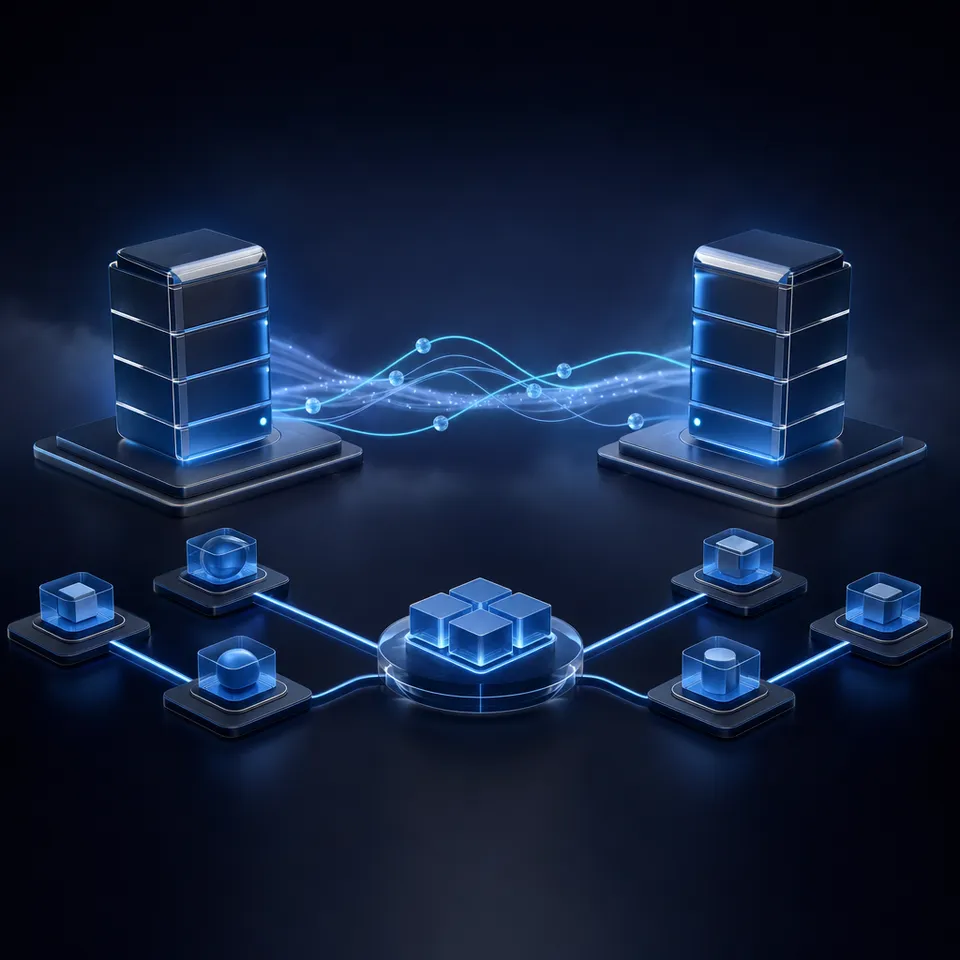
Why Standard Stdio MCP Filesystem Servers Fail in Multi-Agent Workflows
While Gartner predicts that 15% of day-to-day work decisions will be made autonomously through agentic AI by 2028, standardizing how these agents share file states remains a primary friction point. Large language models in production typically execute within containerized sandboxes or isolated developer environments. When these systems need to read or write files, developers commonly install the standard Model Context Protocol (MCP) filesystem server. However, this server communicates strictly via standard input and output (stdio) streams, which restricts access to the local machine where the host process resides.
For engineering teams running multiple autonomous systems, this local-only design creates severe operational bottlenecks. In a typical setup, a developer might run Claude Code on a local terminal, Cursor on a desktop, and an autonomous framework like CrewAI or AutoGen on a remote staging server. Because standard filesystem MCP servers are bound to individual machines via standard input and output, files generated by one system remain stranded on that machine. There is no shared context, no unified history, and no simple way for one system to inspect the output of another.
This isolation leads to frequent workflow failures. If a research agent on a cloud instance writes a documentation draft to a temporary directory, a writer agent running locally cannot access it. If two agents attempt to edit the same configuration file simultaneously across different sessions, they lack a shared lock or state mechanism. This results in agents overwriting each other's changes, silent data loss, and outdated file versions. Human teammates are left completely in the dark, unable to inspect what the systems are doing until the tasks fail or code is pushed to a remote repository.
To build collaborative spaces where multiple agents and human engineers work together, teams must move past local file boundaries. They require a filesystem MCP server alternative that provides a secure, persistent, and centralized storage layer. By shifting file operations from local-only streams to network-based architectures, teams can establish shared workspaces where humans and software agents coordinate on the same file context, share data pipelines, and verify outputs in real time.
Related guides
- FastAPI MCP: Exposing APIs as MCP Servers for AI Agent TeamsBuilding a FastAPI MCP server enables engineering teams to turn Python endpoints into Model Context Protocol tools for...
- How to Set Up a Gmail MCP Server for Email AutomationRunning multiple email automation agents without a shared environment leads to conflicting drafts and duplicate...
- Open WebUI MCP Setup: Adding Model Context Protocol Tools to Self-Hosted AIOpen WebUI supports the Model Context Protocol natively through Streamable HTTP connections, allowing self-hosted...
- Zed MCP Setup: Configuring Context Servers in the Zed EditorConfiguring a zed mcp environment connects the Zed editor AI assistant to local and remote context servers for codebase...
- How to Build a Shared Filesystem MCP Server for AI Agent RoomsMost modern coding agents use MCP for local tool calling, but isolating these tools to single developer machines limits...
- Google Drive MCP Server in Python: Building Custom Tools vs Remote WorkspacesA Google Drive Python MCP server exposes Google Drive files and directory search to AI agents as standardized Model...
More on this subject: MCP and Model Context Protocol (244 guides)
What Exposing Directory Structures Over Secure Network Transports Resolves
A filesystem MCP server alternative is any Model Context Protocol implementation that exposes directory structures to AI models over secure network transports rather than local-only stdio connections. Exposing storage over standard network protocols like HTTP or Server-Sent Events (SSE) allows developers to connect multiple independent agent sessions to a single, persistent data repository. This shift from local execution to network-based storage changes how agents interact with files.
In a standard filesystem MCP configuration, the allowed directories are hardcoded in a local configuration file on the developer's machine. The agent can only see what is on that local disk. By contrast, a remote filesystem MCP server alternative moves the storage host to the network. The server translates standard filesystem commands, such as listing directory contents, reading file contents, or writing files, into secure web requests. This network transport allows any authorized agent, regardless of where it is running, to read and write files within a unified storage space.
Security remains a critical concern when opening file access over a network. Unlike local processes that rely on operating system permissions, remote filesystem MCP servers must enforce precise access controls. A secure implementation uses scoped API keys, token authentication, and encrypted transit protocols to ensure only authorized agents can access specific folders. This prevents unauthorized systems from reading sensitive data or writing malicious files to the shared network storage.
Using a network transport also enables better integration with automated workflows. Because the filesystem is hosted on the network, it can trigger events whenever files are created or modified. For example, when an agent writes a new report to a directory, the storage server can send a webhook to alert other systems or human managers. This converts the passive filesystem into an active coordination layer for the entire team, simplifying handoffs and keeping developers informed of agent progress.
How to Evaluate Filesystem MCP Server Alternatives: Local, Git, and Cloud Sync
When designing a shared directory structure for AI workflows, developers typically choose between three main architectures: standard local filesystem servers, Git-based MCP interfaces, and traditional cloud sync storage providers like Google Drive, Dropbox, or Box. Each approach presents distinct trade-offs for multi-agent systems and team collaboration.
Standard local filesystem servers are simple to set up but remain strictly isolated to the host machine. While they are useful for single-developer tasks, they fail in distributed team environments. Git-based MCP servers offer a structured alternative. They allow agents to pull repositories, create branches, and merge code. However, Git is designed for text-based codebases. It is inefficient for handling large datasets, raw media files, design mockups, or unstructured PDF documents. The overhead of committing and pushing changes for every minor file update makes Git too slow for real-time collaboration.
Traditional cloud sync systems like Google Drive, Dropbox, and Box are often retrofitted for agentic workflows. It is important to be fair and specific when evaluating these tools. They were built for human file synchronization and office collaboration, not for autonomous programmatic access. When an agent attempts high-frequency writes, these systems often introduce synchronization lag, conflicting file copies, and rate limit failures. However, they remain highly effective for human file sharing and client delivery. The challenge is connecting these human-facing repositories to agentic systems without introducing sync conflicts or complex API wrappers.
A true cloud-persistent remote MCP server alternative bridges this gap. It provides the low-latency programmatic access of a local filesystem while maintaining the centralized, secure storage of a cloud drive. This allows developers to run high-frequency writes, store large datasets, and handle client deliverables in a unified space.
Below is a comparison of how different filesystem architectures handle multi-agent coordination:



Establish secure shared workspaces for your agents
Connect your autonomous agents and human developers to shared Fastio workspaces using the remote MCP server. Maintain version history, coordinate file handoffs, and scale with usage-based credits. Start your 14-day trial.
Transitioning to Cloud-Persistent Workspaces with Fastio
To solve the local machine restriction and coordinate multiple systems, organizations deploy Fastio as their remote filesystem MCP server alternative. Fastio provides shared workspaces where humans and software agents collaborate on the same files and shares. Instead of isolated local drives, Fastio hosts directory structures on a persistent cloud layer that agents access via standard web protocols.
The Fastio MCP server supports remote HTTP/SSE connections for multi-agent workflows. It exposes streamable HTTP at /mcp and legacy Server-Sent Events at /sse. Developers can configure their local IDE extensions, such as Claude Code or Cursor, to connect directly to the Fastio endpoint. By defining a remote connection instead of a local stdio process, the agent instantly gains the ability to read and write files within a secure, centralized workspace. Human team members can view the workspace through the Fastio web interface, creating a clear window into autonomous actions.
Using a centralized workspace means an overwrite never silently destroys earlier work. Every file uploaded to Fastio maintains a complete version history. If multiple systems attempt to modify the same build configuration, Fastio tracks each revision separately, allowing teams to restore previous versions if needed. Human actions and agent modifications are recorded in the activity log, which is retained according to your plan. The activity log provides a record of file operations, membership updates, and billing changes, showing who did what and when.
Fastio also includes automated tools that expand what a filesystem can do. When workspace Intelligence Mode is enabled, the platform automatically indexes files for semantic search and AI chat. Agents can run a hybrid search that combines exact full-text matching with semantic retrieval, letting them locate specific passages across thousands of pages. If the workflow requires extracting structured data, developers can use Metadata Views to turn documents into a queryable database. By defining schema fields in plain English, the system automatically extracts data from PDFs, images, and Word files, populating columns like text, integers, and dates. This structured extraction is accessible via the MCP server, enabling agents to query database records programmatically. Refer to the document data extraction product page for implementation details.
Fastio plans include seats, with usage-based credits for AI work. Plans are structured to fit different operational scales, offering Starter at $9.99, Business at $49.99, and Enterprise at $199.99 monthly. Monthly plans start with a trial of up to 14 days (credit card required); annual plans have no trial. To configure the workspace, an agent can sign up and build the directory structure, then transfer ownership to a human teammate. The human creates the organization, enters their billing details to start the trial, and assumes ownership. The agent retains administrative access to continue managing files and shares without interrupting production operations. Refer to the Fastio pricing guide for more details.
Configuring Shared Agent Workspaces for Collaborative Handoffs
Shared agent workspaces function as neutral ground where different tools and human operators collaborate. A shared workspace can host Claude, Codex, Cursor, Gemini, OpenClaw, CrewAI, LangGraph, and AutoGen side by side. Instead of locking files to a specific framework's memory, these tools communicate by writing files and triggering events within a shared Fastio workspace. This neutral architecture ensures that different agentic frameworks can access the same data without compatibility issues.
Inside a shared workspace, a file handoff is a concrete action. For example, a research agent running on a cloud server might scrape market data and compile a draft report. Instead of passing a raw string over a webhook, the research agent writes the file draft_report.md to a shared /handoffs/outbox/ directory. A writer agent running on a local terminal sees the upload in the workspace events feed, reads draft_report.md from the folder, and generates the final client-facing version in the /handoffs/deliverables/ directory. The human manager can monitor this progress in real time through the activity feed, step in to review the draft, and approve the final version.
Fastio enables developers to enforce strict security boundaries. Agents are granted scoped access to specific folders, preventing them from reading directories they do not need. When sharing files with clients, agents can generate branded shares. These shares can be set to expire automatically or remain durable, with per-recipient access controls that can be revoked individually. This ensures that client-facing portals remain secure and controlled. Refer to the agent storage page and the collaboration page to design your shared workspace architecture.
By establishing a central Fastio workspace, development teams can permanently move beyond isolated, single-player AI assistance. They can build durable, collaborative environments where human developers and software agents share context, coordinate handoffs, and deliver verified results to clients. To get started, developers can connect their tools to the Fastio MCP endpoint, set up their first shared directory, and invite human teammates to collaborate. The transition from local file sync to a cloud-persistent shared workspace ensures that your automated systems remain secure, auditable, and productive.
Sources
References used to verify factual claims in this guide.
-
Gartner predicts that 15% of day-to-day work decisions will be made autonomously through agentic AI by 2028.
-
A filesystem MCP server alternative is any Model Context Protocol implementation that exposes directory structures to AI models over secure network transports rather than local-only stdio connections.
-
Plans are structured to fit different operational scales, offering Starter at $9.99, Business at $49.99, and Enterprise at $199.99 monthly. Monthly plans start with a trial of up to 14 days (credit card required); annual plans have no trial.
Frequently Asked Questions
Is there a remote filesystem MCP server?
Yes. A remote filesystem MCP server alternative connects AI agents to storage over network transports like HTTP or Server-Sent Events (SSE) instead of local-only stdio. This enables agents running on different machines or cloud environments to read and write files in a centralized cloud workspace.
What is the default filesystem MCP server?
The default filesystem MCP server is a local process that communicates via standard input and output (stdio). It runs on the developer's local machine and restricts the AI agent's access to specified local directories, preventing multi-agent coordination or cloud-based persistence.
How does a remote filesystem MCP server handle version conflicts?
A cloud-persistent remote MCP server like Fastio maintains a complete file version history and a detailed activity log. When multiple agents access the same workspace, changes are saved as new versions, so an overwrite never loses the prior version and humans can review and restore prior versions.
Related Resources

Establish secure shared workspaces for your agents
Connect your autonomous agents and human developers to shared Fastio workspaces using the remote MCP server. Maintain version history, coordinate file handoffs, and scale with usage-based credits. Start your 14-day trial.