Enterprise Search Best Practices: Architecture, Permissions, and Retrieval Quality
Enterprise search best practices are the technical and operational guidelines used to index, secure, and retrieve internal business documents across distributed teams and automated agents. Bounding candidate files by workspace membership keeps answers within what each asker can reach, while scheduled synchronization and hybrid indexing maintain high relevance. Snippet-level source citations and scoped Model Context Protocol connections enable people and AI tools to query company knowledge with checkable answers.


Why Enterprise Search Best Practices Require Architectural Bounding
A 2012 McKinsey Global Institute report estimated that the average interaction worker spends nearly 20 percent of the workweek looking for internal information or tracking down colleagues who can help with specific tasks. When organizations try to fix this by deploying a basic keyword search bar or a generic chat assistant with no structure behind it, people can still miss the document they need. Older enterprise search tools often crawled file servers and matched keywords against file names and text. One answer is an intelligent company brain: a unified knowledge layer where contracts, technical specifications, operational decisions, project notes, standard operating procedures, onboarding documentation, and agent outputs live, index upon arrival, and answer natural language questions with source-level citations.
Enterprise search best practices are the technical and operational guidelines used to index, secure, and retrieve internal business documents across distributed teams and automated agents.
Modern enterprise search architectures rely on six foundational operational pillars:
- Workspace segmentation: Grouping corporate documentation into dedicated, domain-specific workspaces bounded by member roles rather than relying on per-document access settings.
- Scheduled synchronization: Ingesting external cloud files on a schedule or on demand, so administrators control when changes arrive.
- Snippet-level source citations: Returning exact file names, page numbers, and text snippets alongside every search result or generated answer to make answers checkable.
- Scoped agent connectivity: Exposing workspace content to autonomous software agents through standardized Model Context Protocol (MCP) endpoints with scoped credentials.
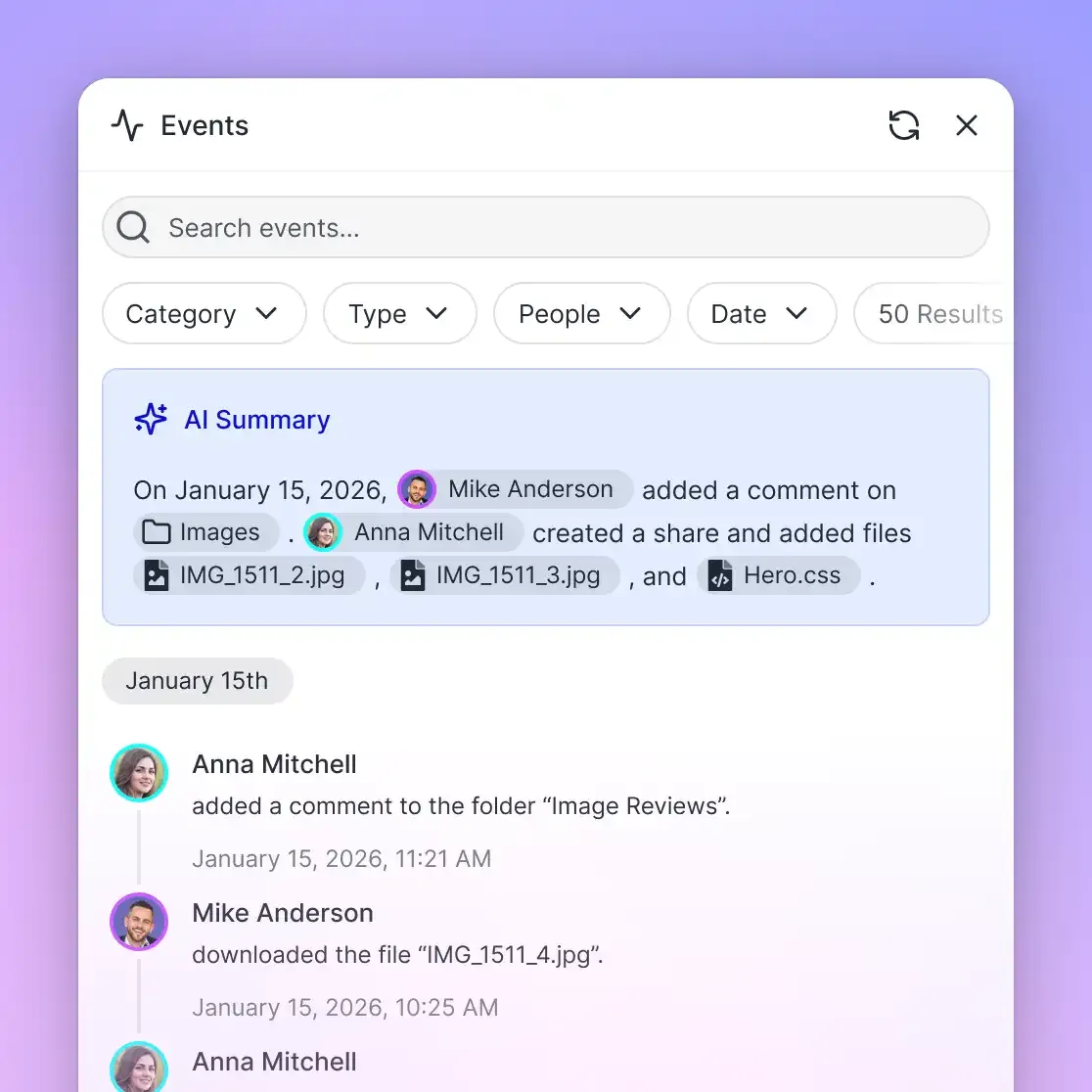
- Detailed activity logging: Recording document creation, modification, movement, deletion, and permission changes to maintain administrative traceability.
- Stale content auditing: Pruning superseded versions and moving historical drafts into segregated archive repositories to prevent index contamination.
In an intelligent workspace platform like Fastio, with Intelligence on, files are indexed as they arrive for full-text lexical search, semantic matching, and automated summarization. Answers cite the exact files, pages, and snippets used in synthesis. By providing a single place where both human staff and software agents collaborate, organizations close the gap between document authoring, storage, and contextual retrieval.
File Parsing and Multi-Format Ingestion
Internal documentation spans diverse file formats, including PDFs, scanned records, Word documents, spreadsheets, presentations, and plain text. Ingestion engines must parse these varied formats without losing structural hierarchy. When an ingestion parser flattens headings, tables, and lists into unformatted text strings, the semantic boundaries that give corporate policies their meaning disappear.
For unstructured documents such as technical specifications or onboarding guides, formatting documents in clean Markdown or structured text keeps heading trees intact during chunking. When documents contain structured forms such as invoices, purchase orders, client agreements, or vendor evaluations, standard full-text indexing often fails to extract typed fields accurately.
Fastio addresses structured document extraction through Metadata Views. Instead of relying on manual OCR templates or brittle extraction rules, users describe the target fields in natural language. The system designs a typed schema (Text, Integer, Decimal, Boolean, URL, JSON, Date & Time), matches workspace files, and automatically populates a filterable spreadsheet. Metadata Views process PDFs, images, office files, presentations, and scanned pages. While workspace Intelligence handles natural language queries across prose, Metadata Views provide the structured data layer, enabling teams and autonomous agents to filter document corpuses by extracted attributes before executing semantic searches.
Scheduled Cloud Synchronization versus Ingestion Sprawl
Enterprise files rarely originate in a single repository. Distributed teams routinely produce documents in external cloud platforms. Connecting these external repositories to an enterprise search index requires a dependable synchronization architecture.
Cloud Sync connects Google Drive, Dropbox, Box, and OneDrive folders to a Fastio workspace, one-way or two-way, on a schedule or on demand. SharePoint libraries connect directly through the OneDrive connector. External files can also be brought in as a one-time cloud import without requiring local disk operations.
Scheduled or on-demand sync gives administrators control over when external changes reach the workspace:
- Predictable timing: Changes arrive on a set schedule, or when someone runs a sync after a batch of edits, so teams know when new files become searchable.
- Saved states: A sync run brings in files as they were saved at that point, and a synced file that changed at the source gets a new version in the workspace's version history.
- Curated scope: Each sync connects a chosen folder, so administrators decide which parts of a drive enter the search index.
An essential access principle governs Cloud Sync: files synced from an external drive take the Fastio workspace's permissions, not the source drive's sharing settings. External sharing links, public folders, and third-party access control lists do not follow the file into the workspace. The Fastio workspace establishes a clean, authoritative permission boundary.
Related guides
- Top Coveo Alternatives for Enterprise Document Search and AI WorkspacesTraditional enterprise search platforms require connector integration and query-based licensing. Some Coveo...
- Moveworks Alternatives: Enterprise AI Search and Service Desks ComparedMoveworks alternatives are enterprise search tools, service desk assistants, and intelligent workspaces that help...
- Best Glean Alternatives for AI Workplace Search in 2026Glean alternatives provide AI workplace search and knowledge retrieval across company assets without quote-only...
- Guru vs Confluence: Choosing the Right Knowledge ArchitectureChoosing between Guru and Confluence comes down to whether your team needs verified knowledge cards or structured wiki...
- Best Coda Alternatives for Team Wikis, Docs, and Company BrainsCoda blends flexible documents with relational formulas, but browser lag on complex tables, formula maintenance...
- Best Confluence Alternatives for Modern Company Brains in 2026Modern engineering and knowledge teams are moving away from bloated page-based wikis toward unified company brains that...
More on this subject: AI Tool Directories and Comparisons (246 guides)
How Permission Bounding Prevents Internal Data Leaks
A Gartner survey of 4,861 digital workers, released in May 2023, found that 47% struggle to find information or data needed to effectively perform their jobs. When IT teams attempt to solve this challenge by applying broad search crawlers across company drives, they can introduce security risks. Inadvertent internal data leaks can occur when retrieval systems surface executive compensation sheets, pending merger briefs, or personnel files to unauthorized team members simply because an algorithm matched semantic keywords.
A search system that indexes every document in one place and checks permissions only after retrieving candidate results depends on every access rule and metadata tag being right. A misconfigured access rule or a missing tag can expose a confidential snippet. Search should answer only from content the asker is allowed to reach.
Fastio implements strict, role-based access controls assigned per organization, workspace, and share by member role:
- Organization roles: Owner, admin, and member.
- Workspace roles: Owner, admin, member, guest, and view.
- Bounded retrieval scope: Search and Intelligence queries retrieve answers strictly from the workspaces and shares the asking person or agent belongs to.
A critical design reality of Fastio is that permissions exist exclusively at the organization, workspace, and share levels. There are no folder-level or file-level permissions within a workspace. Every member of a workspace accesses all files within that workspace according to their assigned role. Consequently, documents that must remain restricted to specific teams (such as legal negotiations, executive compensation, or private client projects) must reside in their own dedicated workspace or share.
A workspace's join setting defaults to letting any member of its parent organization join, and its member-management setting defaults to letting any workspace member add others. When provisioning sensitive departmental repositories, administrators should change the join setting to admins and owners only (or organization owners only), invite the right members, and limit member management to admins and owners.
Scoping API Keys and Connection Roles for AI Agents
Modern enterprise search platforms serve automated software agents alongside human staff. Autonomous coding assistants, research bots, and reporting agents require programmatic access to workspace storage. If an agent operates with excessive privileges, an errant prompt injection or tool execution error can compromise sensitive files.
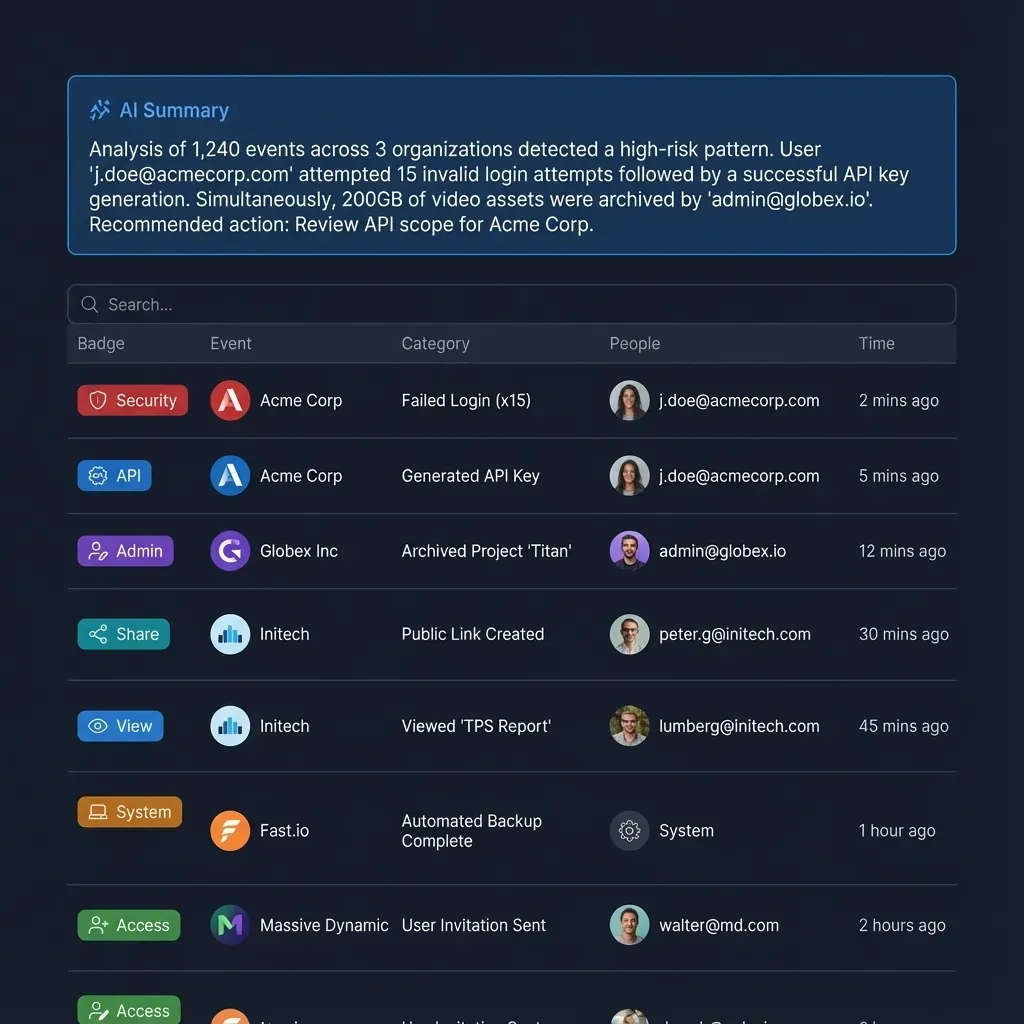
In Fastio, API keys carry explicit scopes and act with the exact permissions of the user who created them. An API key possesses no independent role or special privilege. An agent using a key reaches only the workspaces and shares its creating user belongs to, within the key's scopes.
When an integration requires read-only context retrieval, choosing Read Only on the Review Permissions screen keeps the agent from changing anything. With a Read Only connection, tools that change, delete, or upload data are not offered to the agent at all. Because write tools are not offered, no refusal messages, error codes, or step-up authentication flows are involved. The agent queries internal documentation without any capability to alter workspace contents.
Auditing Mutations with the Detailed Activity Log
Maintaining administrative oversight over corporate knowledge requires transparency into workspace modifications. Distributed teams need to verify when standard operating procedures change, who uploaded contract revisions, and when access permissions were modified.
Fastio provides a detailed activity log that records organizational and workspace changes:
- File modifications: File uploads, content edits, file moves, and deletions.
- Access updates: Membership additions, role adjustments, and permission changes.
- External collaboration: Share creation.
The detailed activity log records changes made by people and agents alike, giving an audit trail of workspace changes. For external client deliveries where downloading must be restricted, Fastio shares let administrators disable file downloads, so recipients can inspect files in the browser without saving local copies.
How to Balance Lexical and Semantic Retrieval for High Precision
Retrieval quality determines whether an enterprise search system earns user adoption or creates costly confusion. When employees and AI models search internal documents, single-strategy retrieval engines routinely fail:
- Lexical search (keyword matching): Excellent for exact matches, such as product SKUs, software error codes, employee IDs, and specific legal clause references. However, lexical search fails when queries use synonyms or natural language phrasing that differs from the author's vocabulary.
- Dense semantic search (vector embeddings): Captures conceptual intent, context, and topical relationships, finding relevant passages even when distinct words are used. However, semantic vector search struggles with exact alphanumeric strings, tax identifiers, and specific numeric thresholds.
Optimizing enterprise retrieval requires hybrid search: combining full-text lexical indexing, semantic vector matching, and search-by-metadata-value. In Fastio, enabling Intelligence on a workspace activates hybrid search across the workspace's documents, spreadsheets, and notes (audio and video are not text-indexed). Team members and connected agents find documents by exact keyword, high-level meaning, or structured metadata attributes.
Equally important are checkable citations. Language models can generate plausible yet erroneous summaries when querying internal data. Fastio provides snippet-level citations to make answers checkable. Answers from workspace Intelligence cite the exact source file, page number, and text excerpt used in synthesis, allowing users and autonomous agents to check claims directly against source records.
Chunking Strategies and Context Window Optimization
Retrieval-augmented generation pipelines divide source documents into text blocks called chunks before generating vector embeddings. How a system chunks documents directly impacts search precision and LLM comprehension.
Naive chunking divides text into arbitrary token counts with static overlap. This approach routinely fractures critical context:
- Clause truncation: An arbitrary split can separate a policy requirement from its mandatory exceptions, causing retrieval to return incomplete rules.
- Table disruption: Token-based chunking breaks data tables across multiple segments, severing column headers from data rows.
- Pronoun isolation: Chunks containing relative phrasing ('under these conditions') lose their governing subject if the antecedent resides in an earlier chunk.
Structure-aware chunking reduces these failures by respecting natural document boundaries. By parsing Markdown headings, numbered lists, and table rows, a structure-aware indexer keeps related conceptual blocks together. Attaching the document heading path (for example, Human Resources > Benefits > Parental Leave Policy) to each chunk embedding preserves hierarchical context when individual passages are retrieved into an agent's context window.
Maintaining Context Beside Files with Collaborative Notes
Much of an organization's critical context never appears in formal static documents. Operational nuances, implementation decisions, meeting summaries, and agent execution plans often reside in ephemeral chat threads or personal notes.
Fastio captures this contextual knowledge through Collaborative Notes kept directly beside files in the workspace. Notes provide a shared canvas where team members and AI agents document operational guidelines, file summaries, and project background.
Collaborative Notes co-edit live in real time: people and agents with the same note open see each other's labeled cursors and edits as they type. Version history keeps earlier versions of notes and files, so teams can review past edits or restore an earlier version. With Intelligence on, notes kept directly alongside primary files are searchable with them, so background reasoning turns up in the same searches.


Deploy an indexed company brain with permission-bounded search
Unify internal documents, scheduled cloud synchronization, and agentic MCP connections in an intelligent workspace. Monthly plans start with a 14-day free trial that requires a credit card.
Connecting AI Agents to the Company Brain via Model Context Protocol
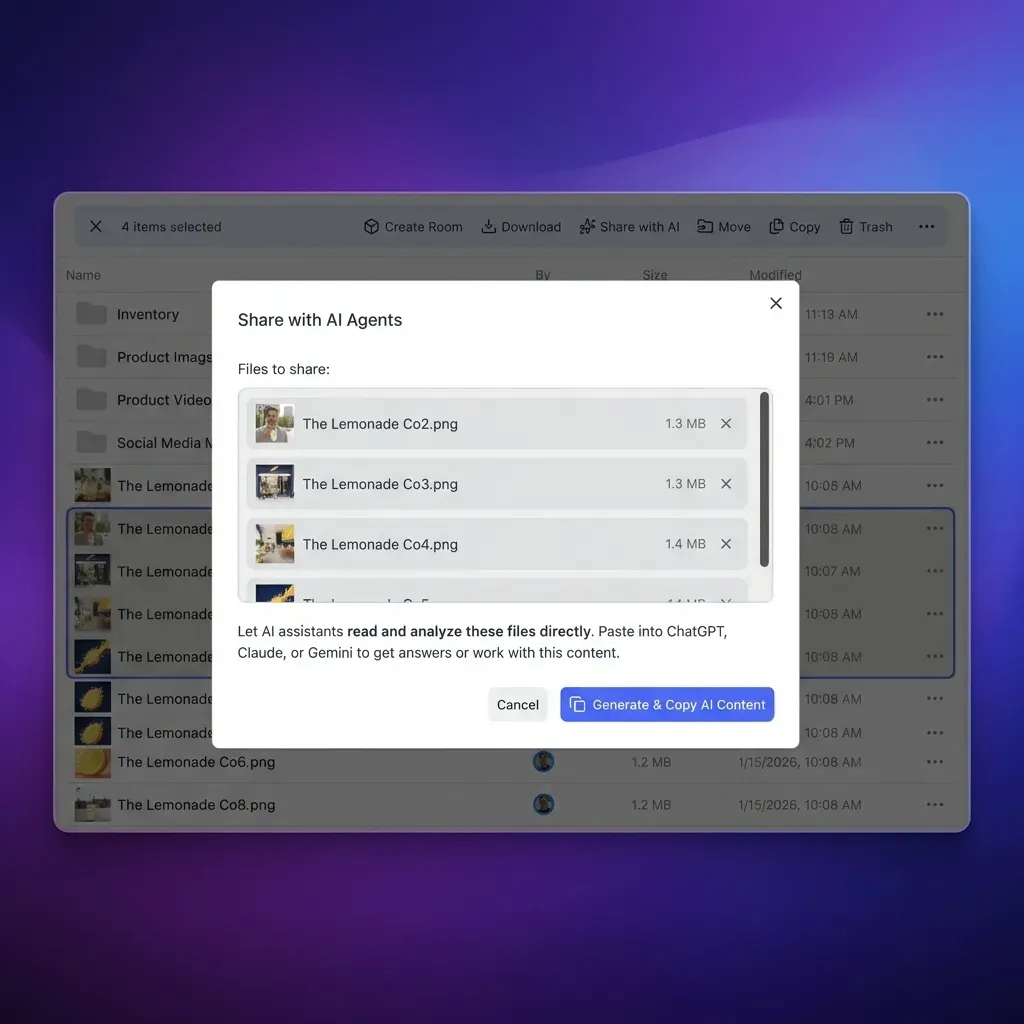
Enterprise search is not merely a search bar in an employee web portal. Autonomous AI agents running in developer environments, terminal workflows, and automated pipelines require programmatic access to corporate knowledge. Whether analyzing client agreements, reviewing software architecture, or preparing executive summaries, agents need to query the company brain directly using storage for agents.
The Model Context Protocol (MCP) provides the open, industry-standard interface for connecting AI models to external tools and storage. Fastio provides a remote MCP server hosted at mcp.fast.io over Streamable HTTP, offering dedicated endpoints tailored to specific client runtimes:
- Claude applications: Claude web, Claude Desktop, Claude mobile, and Claude Cowork connect at
https://mcp.fast.io/mcp/tools. - ChatGPT and Codex: The Fastio plugin is the preferred setup for both (install it from ChatGPT's plugin directory, or in Codex with
codex plugin add fast-io@openai-curated-remoteor the Plugins tab). A custom MCP server connects athttps://mcp.fast.io/mcp/operations. - Coding agents: Developer runtimes, including Claude Code, Cursor, Gemini CLI, Cline, Roo Code, and Devin, connect at
https://mcp.fast.io/mcp/code.
Setup steps and documentation for human users are available at https://mcp.fast.io/docs, with detailed agent onboarding guidelines provided at https://fast.io/llms.txt and tool references at https://mcp.fast.io/skill.md.
External chat applications authenticate using browser-based OAuth. During connection, users encounter a Review Permissions screen where they choose Read Only or Read & Write and select which organizations and workspaces the connection can access. Headless background workers, CI/CD scripts, and automated agents authenticate by passing a scoped API key as an Authorization: Bearer <api key> header on the connection.
Fastio organizes MCP tooling into distinct read and management interfaces. On the tools endpoint, read operations use dedicated read tools (storage, workspace, share), while writes such as uploads, deletions, moves, or permission changes go to the matching _manage tool (upload_manage, storage_manage, workspace_manage, share_manage), and a write sent to a read tool is refused. On the code endpoint, search finds content or API endpoints and execute runs read-only (GET) calls, while execute_manage handles writes. This separation helps prevent agents from inadvertently performing write operations during retrieval tasks.
Multi-Agent Coordination and Advisory File Locks
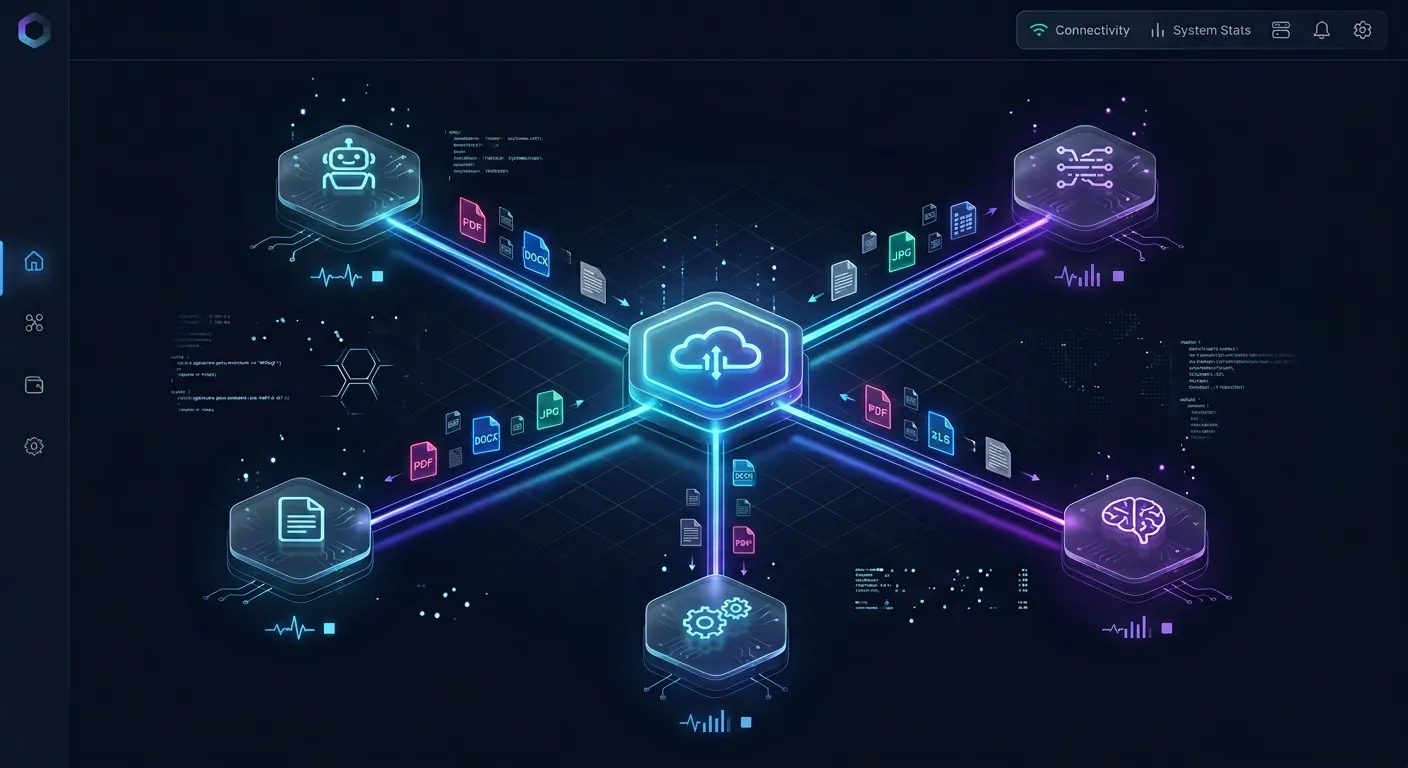
When multiple autonomous agents collaborate in a shared workspace, coordinating concurrent file updates is essential to prevent conflicting edits.
Fastio provides advisory per-file locks in workspace and share storage. Agents acquire and release a lock with the lock-acquire and lock-release actions on the storage_manage tool, and check one with lock-status on the storage tool. A lock expires unless it is renewed.
An advisory lock signals to other agents and team members that a file is currently being modified. Because locks are advisory, they never block writes or create unresolvable deadlocks. If concurrent writes occur, both writes land, and version history keeps the earlier version. Agents inspect lock status before initiating modifications, which helps them avoid overlapping edits.
Client Delivery and Scoped Sharing
Enterprise search capabilities often need to extend to external clients, auditors, or partners without exposing internal organizational infrastructure. Delivering project files through unsecured email attachments or generic cloud links fragments context and compromises access control.
Fastio enables controlled external delivery through branded shares:
- Send shares: Deliver finished documents or media packages through a branded portal.
- Receive shares: Provide a secure upload destination where external clients upload files directly into a designated workspace folder.
- Exchange shares: Establish a two-way collaborative folder for reciprocal file sharing.
Send shares can carry an expiration date and, with link access, a password. Depending on the share's access setting, recipients can open a share in the browser without an account, and guests do not take an organization seat. When handling sensitive intellectual property or proprietary reports, administrators can disable file downloads on the share, so recipients view documents online without downloading them.
Maintaining Index Hygiene and Long-Term Retrieval Quality
An enterprise search implementation is not a static installation. Without continuous operational governance, index quality degrades as teams generate new documents, deprecate policies, and restructure projects. Outdated drafts, superseded contracts, and duplicate files pollute vector embeddings, causing search models to retrieve obsolete information.
Maintaining high retrieval quality requires active index hygiene:
- Version lifecycle management: Archive superseded documents when updated policies take effect. Rather than leaving obsolete drafts in active team folders, move them to dedicated archive workspaces. Because Fastio search queries only retrieve files from workspaces the user or agent belongs to, moving historical files to restricted archive workspaces removes them from everyday search results.
- Vocabulary tuning: Monitor common search queries that return zero results. In many cases, information exists but remains undiscovered due to internal acronyms or terminology mismatches. Creating a centralized glossary document in the workspace resolves acronym ambiguities for both human searchers and AI retrieval pipelines.
- Regular permission audits: Review workspace memberships and the join and member-management settings periodically. Check that former team members are removed and that sensitive project workspaces remain restricted to authorized personnel.
Measuring Retrieval Relevance and Query Failure Modes
Evaluating enterprise search performance requires monitoring three critical retrieval benchmarks:
- Mean Reciprocal Rank (MRR): Measures how high the first relevant document appears in the search result list. High MRR indicates that users find the necessary document without scrolling through extraneous links.
- Groundedness and citation accuracy: Evaluates whether AI-generated summaries derive strictly from cited source snippets rather than ungrounded language model assumptions.
- Ingestion latency: The time required for newly uploaded or synced documents to become fully searchable. In Fastio, with Intelligence on, uploaded files are indexed as they arrive, and synced files arrive with each scheduled or on-demand sync run.
When users report poor search relevance, administrators should investigate three common failure modes: formatting degradation (documents with unlabelled tables or broken headers), permission over-restriction (users searching for documents in workspaces they have not joined), and index dilution (excessive duplicate drafts competing with authoritative records). Addressing these operational factors restores retrieval precision.
Workspace Sizing and Growth Planning
Scaling enterprise search infrastructure requires matching organizational file volume and agent query frequency to appropriate plan tiers. Fastio provides predictable subscription models detailed on the Fastio pricing page:
Monthly subscriptions begin with a 14-day free trial that requires a credit card and concludes early if trial credits run out. Annual plans start paid with no trial period. In Fastio, seats count organization members only; external clients accessing shared links do not consume seats.
Credits cover AI work: chat, file ingestion, agent runs, and document processing. Storage beyond the plan is $0.015 per GB a month and extra bandwidth $0.04 per GB, billed separately and not in credits.
Sources
References used to verify factual claims in this guide.
-
A 2012 McKinsey Global Institute report estimated that the average interaction worker spends nearly 20 percent of the workweek looking for internal information or tracking down colleagues who can help with specific tasks.
-
A Gartner survey of 4,861 digital workers, released in May 2023, found that 47% struggle to find information or data needed to effectively perform their jobs.
Frequently Asked Questions
What are the key components of enterprise search?
The core components of modern enterprise search include an ingestion and parsing layer for multi-format documents, a hybrid indexing engine combining lexical and semantic search, strict role-based permission boundaries, snippet-level citation generation, and programmatic Model Context Protocol (MCP) endpoints for autonomous AI agents.
How do you improve relevance in enterprise search?
Improving relevance requires combining full-text keyword indexing with semantic vector embeddings, structuring documents with clear Markdown heading hierarchies, and pruning superseded drafts into archive workspaces. Utilizing Metadata Views to extract typed attributes also allows users and AI agents to filter documents prior to running semantic queries.
How do permissions work in enterprise search systems?
In Fastio, permissions are assigned per organization, workspace, and share by member role. Workspace roles are owner, admin, member, guest, and view; organization roles are owner, admin, and member. There are no folder-level or file-level permissions within a workspace. Search and Intelligence queries answer strictly from the workspaces and shares the user or agent has permission to access, so search does not surface files from workspaces the asker has not joined.
How can autonomous AI agents query enterprise documents through the Model Context Protocol?
Autonomous AI agents connect to Fastio's remote Model Context Protocol (MCP) server over Streamable HTTP for [storage for agents](/storage-for-agents/). Chat clients connect at `https://mcp.fast.io/mcp/tools`, ChatGPT and Codex connect at `https://mcp.fast.io/mcp/operations`, and coding agents connect at `https://mcp.fast.io/mcp/code`. Setup instructions are available at https://mcp.fast.io/docs. Agents authenticate via OAuth or scoped API keys, retrieving citation-backed snippets into their context windows.
How does hybrid search improve retrieval quality over standard vector search?
Standard vector search captures conceptual meaning but often fails to retrieve exact alphanumeric identifiers, software error codes, tax IDs, and specific legal clauses. Hybrid search combines full-text lexical indexing with dense semantic vector matching, providing high precision for exact terms alongside broad conceptual recall.
Does enterprise search synchronize continuously with external cloud storage drives?
Fastio Cloud Sync connects Google Drive, Dropbox, Box, and OneDrive folders on a schedule or on demand rather than continuous real-time sync. Running sync on a schedule or on demand lets administrators control when changes arrive, and synced files take the Fastio workspace's permissions.
Related Resources

Deploy an indexed company brain with permission-bounded search
Unify internal documents, scheduled cloud synchronization, and agentic MCP connections in an intelligent workspace. Monthly plans start with a 14-day free trial that requires a credit card.