Guru vs Confluence: Choosing the Right Knowledge Architecture
Choosing between Guru and Confluence comes down to whether your team needs verified knowledge cards or structured wiki pages. Both now offer AI answers and MCP servers for agents, so the deciding questions are how knowledge stays current and where the working files live. Comparing verification, search, and agent access shows where each tool fits and where a workspace that holds the source files fits instead.


The Core Divide: Guru vs Confluence in Knowledge Architecture
A 2012 McKinsey Global Institute report found that the average interaction worker spends an estimated 28 percent of the workweek managing e-mail and nearly 20 percent looking for internal information or tracking down colleagues who can help with specific tasks. Over a decade later, the challenge of organizing institutional memory has only intensified. Modern organizations generate thousands of documents, customer tickets, architectural proposals, and pull requests every quarter. How a company organizes this information dictates whether employees spend their mornings shipping work or hunting through siloed repositories for an authoritative answer.
The debate between Guru and Confluence represents two opposing philosophies of information management:
- Guru: The Verified Card and Knowledge Agent Layer. Guru stores the knowledge teams write as Cards in Collections, and its Knowledge Agents also answer from connected sources such as Google Drive, SharePoint, Confluence, and Notion. Answers reach people in the Guru app, the Chrome extension, Slack, and Microsoft Teams. Its defining mechanism is verification: every Card has a named verifier, a person or a group, and Knowledge Agents can verify or unverify content based on how it is used.
- Confluence: The Macro-Documentation Tree. Confluence treats knowledge as comprehensive, structured documents nested within hierarchical "spaces" and "pages." Built as the documentation backbone of the Atlassian suite, it provides deep table-of-contents trees, complex macros, rich text templates, and tight integration with Jira issue tracking.
While Guru organizes verified snippet cards and Confluence structures nested wiki documentation, an intelligence-enabled company brain unites source files and AI agent retrieval into a single living repository. Choosing the right architecture requires understanding how knowledge is created, how quickly it degrades, and whether autonomous software agents must interact with the same source documents as human teams.
Related guides
- Nuclino Alternatives: Modern Knowledge Bases & Company Brains ComparedNuclino alternatives are collaborative knowledge bases and company brain tools that offer team documentation, live...
- Best Confluence Alternatives for Modern Company Brains in 2026Modern engineering and knowledge teams are moving away from bloated page-based wikis toward unified company brains that...
- Helpjuice Alternatives: Top Knowledge Bases & Company Brains ComparedHelpjuice alternatives are knowledge management platforms designed to structure organizational information, accelerate...
- Guru Pricing Breakdown: Packages, AI Credits, and Knowledge Base CostsGuru now sells quote-based packages rather than published per-seat plans, and it meters AI work through a shared pool...
- Google ADK vs OpenAI Agents SDK: Picking the Right Agent FrameworkGoogle ADK and OpenAI Agents SDK take opposite approaches to the same problem: building reliable AI agents. ADK gives...
- GitBook Alternatives: Modern Documentation and Knowledge Workspaces for Technical TeamsGitBook alternatives are technical documentation platforms that allow engineering and product organizations to create,...
More on this subject: AI Tool Directories and Comparisons (246 guides)
How Guru and Confluence Keep Knowledge Current
The primary failure mode of internal documentation is not authoring friction; it is information decay. When an engineering team publishes an API specification or an operations team drafts a client refund procedure, the document is accurate on day one. By day ninety, underlying systems have changed, pricing tiers have shifted, and team responsibilities have moved. Without an explicit mechanism to police accuracy, documentation repositories turn into digital graveyards.
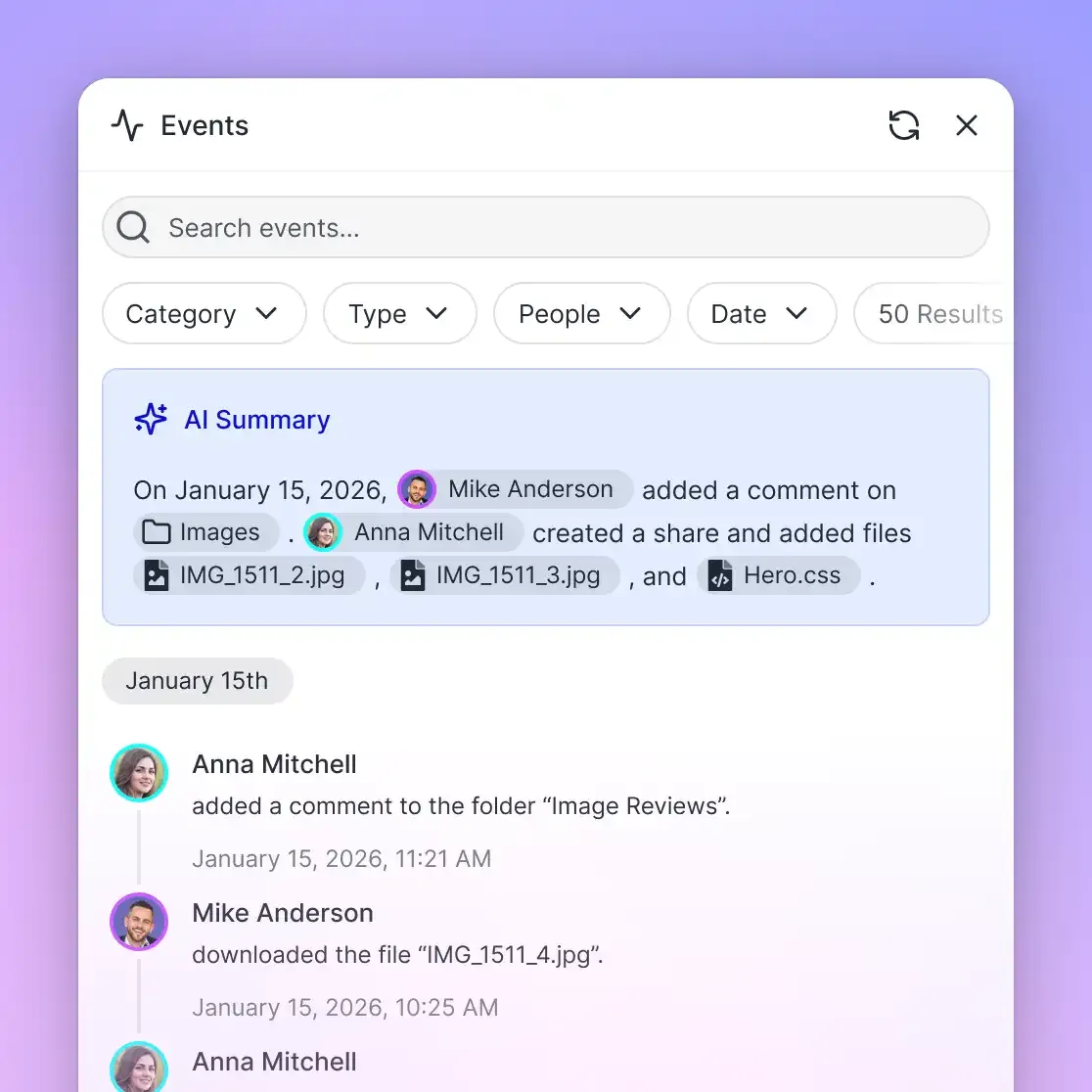
Guru addresses this problem through verification. Every Card has a verifier, a person or a group accountable for keeping it current, and a verification interval: 30, 60, or 90 days, 6 months, or 1 year, or "Does not expire" for evergreen content, which is the default for Collections created after January 2026. When a Card comes due, Guru notifies the verifier through Slack, email, or the web app, and the verifier can verify it with one click or edit it first. Knowledge Agents add automatic checks, verifying or unverifying content based on usage, such as how often it appears in answers marked helpful. The verification status shows up in search results and AI answers, which gives sales engineers and support representatives a signal of whether an answer has been checked.
Confluence handles accuracy at the page and space level. It records page version history, and space admins can turn on content statuses such as Rough draft, In progress, and Ready for review. On Premium and Enterprise plans, approvals request formal signoff on a page and can be required before publishing, and the content manager lets space admins filter inactive pages and archive them or change their owner or status in bulk, with automation rules for ongoing cleanup. Review happens when a team sets these tools up for a space, rather than through a verifier attached to every page.
The difference is where verification lives. In Guru, every Card carries a verifier and a status that appears wherever the content is used. In Confluence, page history records what changed, and confirming that a page is still valid is a workflow a team adds through content statuses, approvals, or content manager reviews.
Scheduled verification still asks for expert time, and every interval a team sets adds reminders to a verifier's queue. Guru's documentation recommends "Does not expire" for most content, with Knowledge Agents handling ongoing quality checks, and Cards that go unverified and unused land in an auto-archive queue. A Card that summarizes a long technical process can also leave out detail that still lives in the original PDFs, spreadsheets, and drawings, which is one reason Guru connects those external sources as well.
Architecture Breakdown: Comparing Cards, Wikis, and Intelligent Workspaces
To evaluate Guru, Confluence, and modern intelligent workspaces objectively, teams must look past interface aesthetics and examine how each platform handles data modeling, governance, and system boundaries.
The table below contrasts the fundamental characteristics of Guru, Confluence, and Fastio's intelligence-enabled company brain:
Guru does not publish prices: its pricing page describes packages tailored to an organization's scale, knowledge complexity, and AI maturity. Confluence publishes per-user plans and a Free plan for up to 10 users, though the Free plan does not include Rovo. For early-stage companies and small software engineering teams, Confluence offers the lower starting point, especially when Jira is already the project tracker of record. For revenue-focused teams where inaccurate sales quotes or wrong support instructions carry immediate revenue risk, Guru's verification model is the reason to ask for a quote.
The Atlassian Ecosystem and Context Sprawl
Confluence derives its market dominance from its direct link to the broader Atlassian product suite. For software engineering teams, the integration between Jira issues, Bitbucket repositories, and Confluence documentation is deep. An engineer can write an incident postmortem from a Confluence template, link the related Jira work items, and keep the write-up beside the project's other pages.
Because Confluence permits deep nesting of pages, spaces multiply as departments add project spaces, archive spaces, and team sandboxes. Without regular cleanup, cross-space search can return several similar pages, and readers rely on page owners, content statuses, or approvals to tell which page is current. On Premium and Enterprise, space admins can use the content manager to find inactive pages and archive them.
Summary Cards and the Source Files Behind Them
Guru solves the navigation problem by meeting users wherever they work. Through its Chrome extension and its Slack and Microsoft Teams apps, an employee can ask a question where they already work and get a cited answer drawn from verified Cards and connected sources.
The challenge comes when a Card summarizes a document that lives somewhere else. The engineering spec lives in a cloud drive as a PDF or Markdown document, the legal agreement lives in a contract repository, and the marketing roadmap lives in a slide deck. A summary Card and its source document are then two things to keep current, and they can drift apart. Guru's answer is to connect those sources, so Knowledge Agents answer from the documents and can mark them verified or unverified based on usage, while the files stay in their original systems.


Move Beyond Guru vs Confluence to a Living Company Brain
Unify company knowledge, native source files, and autonomous AI agents in one intelligent workspace with citation-backed search. Monthly plans start with a 14-day free trial.
How AI Agents Expose the Limits of Static Documentation
The emergence of autonomous AI agents has changed the assumptions behind traditional knowledge management. In historical setups, internal documentation was written by humans exclusively for other humans to read. Readers understood implied team conventions, recognized outdated formatting, and intuitively knew when to check with a colleague before acting on an ambiguous sentence.
Autonomous AI agents operating in tools like Claude Code, Cursor, Codex, and custom agentic runtimes do not possess human intuition. When an agent is tasked with generating an RFP response, refactoring a legacy microservice, or drafting an employee onboarding brief, it requires direct access to high-fidelity source documents.
In this environment, the two tools differ from a workspace that holds the files in three places:
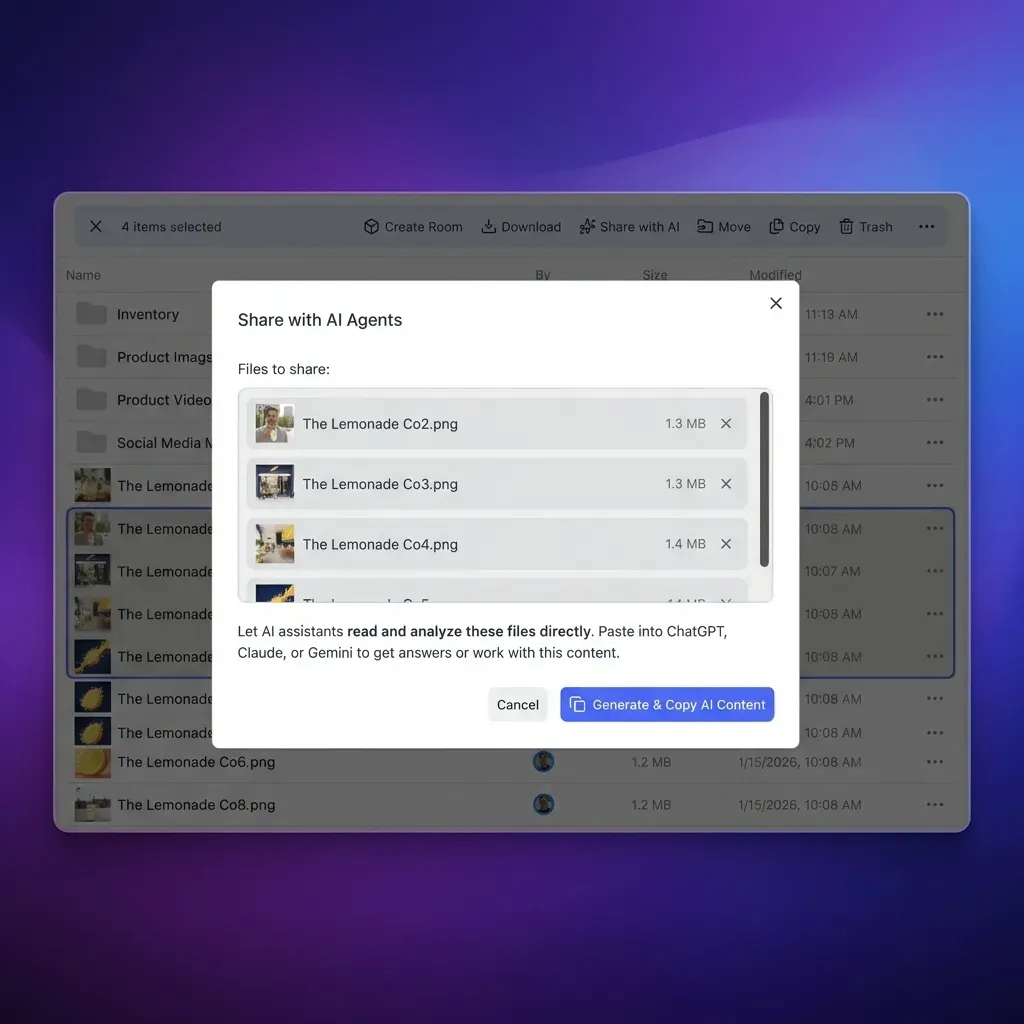
- Answers versus whole documents: Guru's MCP server gives AI tools cited, permission-aware answers from Guru's knowledge layer, and Guru states that tools connected through MCP do not access raw documents or unverified data. That suits question answering. An agent working through a multi-step API integration or a 40-page master services agreement, table by table, needs the full file, with its schemas and appendices, in front of it.
- Pages versus files: Atlassian's MCP server lets agents search and summarize Confluence and Jira and create or update pages and work items. The unit an agent works with there is the page or the work item, while a Fastio workspace gives the agent the source files themselves.
- Where permissions are set: Confluence sets access with space permissions and page restrictions, and view restrictions inherit from parent pages. Atlassian's MCP server acts with each user's existing permissions, and admins can allow or block AI access by site, space, or classification. Scoping an agent means reviewing those settings for the account it signs in with.
An intelligence-enabled company brain built on Fastio takes a different approach: it keeps the files themselves in the workspace and indexes them there. Instead of forcing teams to rewrite documents into cards or format them into wiki pages, Fastio allows organizations to store native files, including PDFs, spreadsheets, presentations, and technical notes, directly in shared workspaces.
When Intelligence Mode is enabled on a workspace, files are automatically indexed for keyword and semantic search upon arrival. When human team members or autonomous AI agents query the workspace, the built-in retrieval engine returns precise, citation-backed answers that point directly to the source files, pages, and snippets.
Agent access is standardized through the remote Model Context Protocol (MCP) server. Personal agents and general clients connect at https://mcp.fast.io/mcp/tools, while coding agents like Claude Code, Cursor, and Cline connect at https://mcp.fast.io/mcp/code over Streamable HTTP. Setup documentation is available at Fastio MCP documentation.
Crucially, permissions in Fastio are set per organization, workspace, and share by member role (owner, admin, member, guest, and view for workspaces; owner, admin, and member for organizations). There are no folder-level or file-level permissions inside a workspace. Search and Intelligence answer exclusively from the specific workspaces and shares that the requesting user or agent belongs to. An agent whose account belongs only to a technical documentation workspace cannot retrieve confidential executive memos or financial audit records kept in another workspace. Because any organization member can join a workspace by default, restrict the join setting on workspaces that hold sensitive material.
When to Choose Guru, Confluence, or an Intelligent Company Brain
Choosing the right knowledge architecture depends on your organizational structure, your technical dependencies, and the role AI agents play in your daily operations. No single platform fits every scenario, but clear operational trade-offs can guide your decision.
When Confluence is the Right Choice
Confluence remains the default recommendation for organizations that meet specific criteria:
- Your engineering workflow runs entirely on Jira: If your product managers write user stories in Jira, your developers track sprints in Jira, and your QA teams log bugs in Jira, Confluence provides the deepest out-of-the-box integration available.
- You produce long-form, formal technical documentation: Teams maintaining extensive architectural specifications, compliance manuals, and multi-chapter operational runbooks benefit from Confluence's page trees, custom page templates, and rich layout controls.
- You need entry-level pricing for small software teams: Confluence's Free plan for up to 10 users and its published per-user plans make it an economical starting point for early-stage software startups. The Free plan does not include Rovo, so AI search starts on the paid plans.
When Guru is the Right Choice
Guru is the optimal choice for organizations with heavy communication and customer support needs:
- Your team spends all day in Slack, Teams, and browser tabs: If your support agents, account executives, and sales engineers rarely visit a dedicated wiki, Guru's extension-first model brings knowledge directly to their active window.
- Inaccurate answers carry immediate business risk: If reciting an outdated pricing tier, wrong return policy, or expired promotional code damages customer trust, Guru's named verifiers and Knowledge Agent checks show a verification status in search results and AI answers, which can justify its review overhead and quote-based pricing.
- You need a lightweight FAQ and knowledge layer over existing apps: If your documentation is already scattered across multiple platforms and you simply need an answer-verification overlay, Guru aggregates answers without requiring a full document migration.
When to Build an Intelligence-Enabled Company Brain
An intelligence-enabled company brain on Fastio is the right choice when your team wants a single place where working files live, are indexed, and can be queried by people and AI agents alike:
- Humans and AI agents collaborate on the same documents: If your team uses autonomous agents in Claude Code, Cursor, Codex, or ChatGPT to research specs, write code, or draft client briefs, Fastio provides a shared workspace with native MCP access and version history.
- You want to eliminate manual wiki maintenance: Instead of requiring staff to copy document contents into wiki pages or write repetitive Guru cards, Fastio indexes source files as they arrive when Intelligence is on.
- You need structured document extraction alongside semantic search: Through Metadata Views, teams can describe extraction fields in natural language (such as contract renewal dates, counterparties, or invoice line items), and AI populates a sortable, filterable spreadsheet without OCR templates or manual data entry.
- You have existing cloud storage repositories: Through Cloud Sync, Fastio connects Google Drive, Dropbox, Box, and OneDrive folders to a workspace, one-way or two-way, on a schedule or on demand (never continuous, live, or real-time). Teams can also connect SharePoint libraries through the OneDrive connector. Synced files immediately adopt the permissions of the Fastio workspace they populate.
Monthly plans start with a 14-day free trial, which requires a credit card. Review plan options and subscription tiers on the Fastio pricing page and explore how Fastio Company Brain bridges human documentation and autonomous agent execution.
Sources
References used to verify factual claims in this guide.
-
The average interaction worker spends an estimated 28 percent of the workweek managing e-mail and nearly 20 percent looking for internal information or tracking down colleagues who can help with specific tasks.
Frequently Asked Questions
What is the difference between Guru and Confluence?
The primary difference lies in structure and delivery. Guru organizes knowledge into modular Cards designed to be accessed through browser extensions and chat apps, with named verifiers and Knowledge Agent checks to keep content accurate, and its Knowledge Agents also answer from connected sources. Confluence organizes knowledge into long-form pages nested in hierarchical spaces, acting as a destination wiki tightly integrated with Jira and the Atlassian product suite.
Can Guru replace Confluence as a wiki?
Guru can replace Confluence for teams that primarily use their wiki for quick reference, company FAQs, internal SOPs, and support answers. However, Guru struggles to replace Confluence for deep engineering documentation, complex technical specifications, multi-page product manuals, or organizations that rely heavily on Jira issue linking and rich macro layouts.
Which is better for small teams, Guru or Confluence?
Confluence is generally more accessible for small teams on a budget because it offers a Free plan for up to 10 users and publishes per-user pricing for its paid plans, which include Rovo. Guru does not publish prices; it quotes packages to each organization's scale, knowledge complexity, and AI maturity, which suits teams that want verified answers across many sources.
How do AI agents access knowledge in Guru versus Confluence?
Guru runs an MCP server alongside AI Knowledge Agents, while Confluence connects agents through the Atlassian MCP server, with Rovo as Atlassian's AI. In contrast, in Fastio the working files live in the workspace, so agents search them directly through the Model Context Protocol (MCP) over Streamable HTTP, take file locks, co-edit Notes, and save outputs beside the sources under one set of workspace and share permissions.
Does Fastio sync with Google Drive and other cloud drives?
Yes. Fastio provides Cloud Sync for Google Drive, Dropbox, Box, and OneDrive folders. It operates one-way or two-way, on a schedule or on demand, but is never continuous, live, or real-time. Teams can also connect SharePoint document libraries through the OneDrive connector. Synced files immediately adopt the permissions of the Fastio workspace they populate rather than retaining source drive sharing settings.
What is the difference between Intelligence Mode and Metadata Views?
Intelligence Mode provides unstructured document intelligence, automatically indexing files for semantic search, natural language summarization, and AI chat with citations to source files and pages. Metadata Views provide structured document extraction, using AI prompts to design typed schemas (Text, Integer, Decimal, Boolean, URL, JSON, Date & Time) that populate a filterable spreadsheet from PDFs, images, and documents without requiring OCR templates.
How does a company brain make AI answers checkable compared to traditional wikis?
Guru's Knowledge Agents also give cited answers, so the difference is what a citation points to. In Fastio, AI answers cite the files, pages, and snippets they draw on, and those sources are the working files in the workspace rather than a copy written for a wiki. People and agents can open the cited passage, compare it with the answer, and check the file's version history, which makes each answer checkable.
Related Resources

Move Beyond Guru vs Confluence to a Living Company Brain
Unify company knowledge, native source files, and autonomous AI agents in one intelligent workspace with citation-backed search. Monthly plans start with a 14-day free trial.