Distributed File System Architectures for Multi-Agent Collaboration
Coordinating parallel autonomous AI agents requires moving beyond isolated containers. This guide examines how distributed file system architectures provide a shared, versioned storage substrate to maintain consistency and prevent state corruption in multi-agent environments.

Why Agent Swarms Need Distributed File Systems
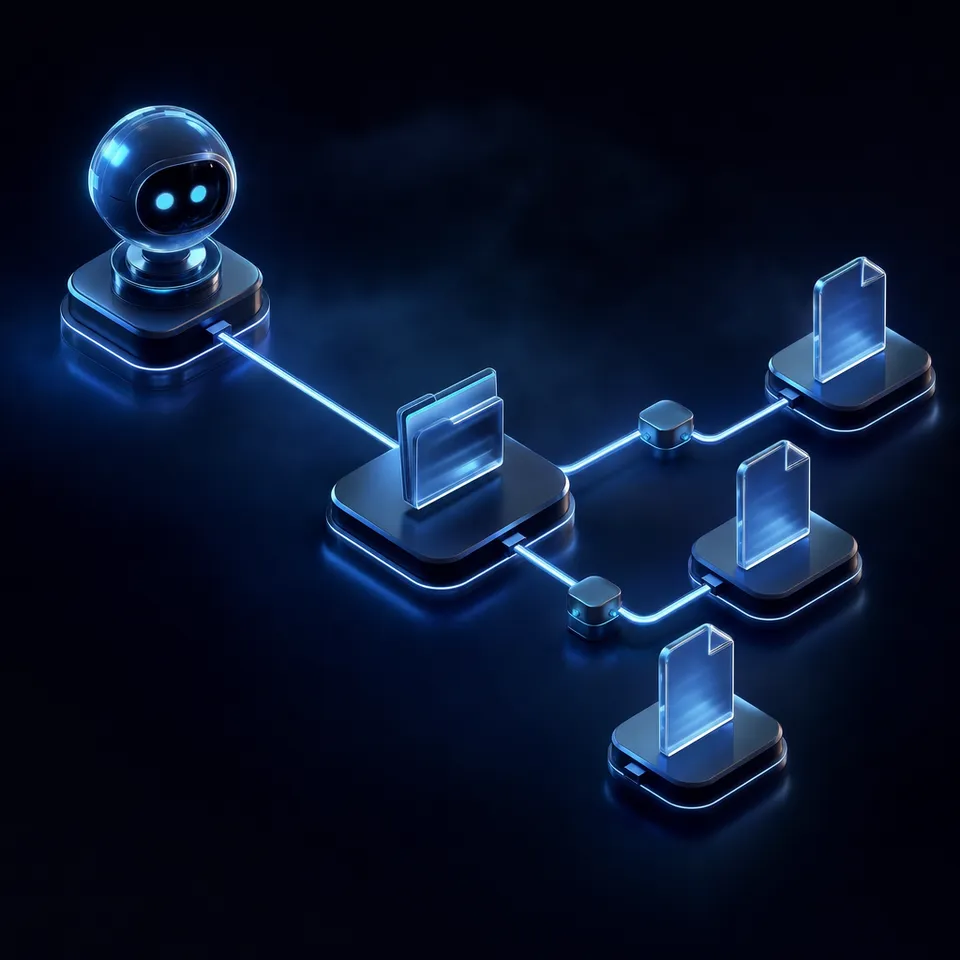
According to Gartner, at least 15% of day-to-day work decisions will be made autonomously through agentic AI by 2028, up from 0% in 2024. As organizations transition from isolated chatbots to collaborative swarms, they quickly hit a state synchronization wall. If two coding agents pointed at the same directory write changes simultaneously, they will happily overwrite each other's work without realizing they have introduced syntax errors. When autonomous agent swarms run in parallel containers, they operate in isolated local file systems, meaning one agent cannot see the intermediate output of another, stalling the entire collaboration pipeline. To coordinate these independent processes, developers must implement a persistent shared storage layer that acts as the single source of truth.
In a typical local development environment, an engineer runs a single agent that reads from and writes to the local disk. This approach works well for isolated tasks, such as generating a script or parsing a single file, because the agent has exclusive access to the storage. However, as the complexity of the workflow increases, developers must decompose tasks among multiple specialized agents. For example, a research agent might collect data, a writer agent might compose a draft, and an editor agent might review the content. If these agents run in parallel containers on a cloud platform, their file systems are completely isolated. Without a shared storage layer, the writer agent cannot access the data collected by the research agent, and the editor agent cannot see the draft written by the writer agent.
To address this, developers sometimes attempt to store state in memory or pass file contents through API payloads. This method quickly fails as files grow in size, leading to context window congestion and API timeouts. Once a container terminates or an API connection drops, the entire execution history is lost, leaving no way to resume or debug the process. Standard cloud object storage, such as Amazon S3 or Google Drive, offers persistence, but it lacks the real-time collaboration features, version history, and standard protocols like the Model Context Protocol (MCP) required for autonomous coordination. An agent swarm needs a shared storage substrate where files are treated not as cold archives, but as dynamic, shared contexts that agents can read, write, and query in real time.
Related guides
- Multi-Agent File Sharing: Patterns, Storage & CodeHow multiple AI agents share, read, write, and collaborate on files in production systems. Covers storage...
- How to Implement Multi-Agent Context Sharing PatternsMulti-agent context sharing patterns are architectural frameworks that define how AI agents exchange state and memory....
- How to Use the LangChain File System for Persistent DataThe LangChain file system integration enables AI agents to read, write, and organize files on local disks or cloud...
- How to Share Files Between Multiple AI AgentsMulti-agent file access lets AI agents read, write, and share files through a centralized storage system with proper...
- How to Track C++ File Modifications with std::filesystem::last_write_timeTracking file modification times is essential for C++ applications synchronizing local files with shared workspaces....
- Modernizing File Server Resource Manager for Agentic WorkflowsModernizing File Server Resource Manager configurations for agentic workflows allows teams to transition from rigid...
More on this subject: Agent File and Document Workflows (346 guides)
How Distributed Filesystems Compare to Network Filesystems
To design a reliable coordination layer, developers must understand the technical differences when comparing a distributed filesystem vs network filesystem. While both technologies permit remote access to files over a network, their internal architectures, consistency models, and scaling behaviors are different.
A Network File System (NFS) is built on a client-server architecture. A central server hosts the physical files, and clients use the NFS protocol to mount the remote directory onto their local operating systems. To the local client, the mounted directory appears as local storage, and the operating system handles read and write requests transparently. However, NFS relies heavily on the central server to manage all file metadata and coordinate access. In a multi-agent environment where twenty or thirty agents run parallel processes and continuously write intermediate files, the central NFS server quickly becomes a bottleneck. When multiple agents attempt to write to the same directory or read the same configuration files simultaneously, the server introduces serialization delays. Agents are forced to wait for access, resulting in connection timeouts, slow runs, and execution failures.
A distributed file system (DFS) takes a completely different approach. A distributed file system (DFS) allows multiple clients and processing nodes to access physically separated files over a network as if they were local, forming the foundation of state persistence in multi-agent swarms. Instead of storing all data on a single central server, a DFS splits files into blocks and distributes them across a cluster of multiple storage nodes. The system uses a unified namespace, presenting a single logical folder structure to the clients while storing the actual data blocks in different physical locations.
Because data is distributed and replicated across multiple nodes, a DFS eliminates the single point of failure inherent in NFS. If a storage node crashes during a long-running agent task, the DFS automatically redirects requests to a replica node. This replication provides high availability and fault tolerance, ensuring that the collaboration pipeline continues to run smoothly even during hardware failures.
Consensus Protocols and Replication in Traditional DFS
Maintaining consistency across multiple physical storage nodes requires sophisticated coordination. Traditional DFS setups require complex replication protocols (like Paxos or Raft) to maintain data consistency. These protocols ensure that all nodes in the cluster agree on the layout and state of the file system before any write operation is confirmed.
For example, in Ceph, a leading open-source distributed storage system, data consistency is maintained by a Monitor cluster and a set of Object Storage Daemons (OSDs). The Monitor nodes use the Paxos consensus algorithm to maintain agreement on the cluster map, which contains the authoritative state of the cluster's topology, membership, and configuration. When a client wants to write a file, it does not query a central metadata server. Instead, it uses the Controlled Replication Under Scalable Hashing (CRUSH) algorithm to calculate which OSD is the primary owner of the placement group where the file blocks belong. The client writes directly to that primary OSD. The primary OSD then replicates the data to secondary OSDs. Only when the secondary OSDs confirm they have successfully written the blocks does the primary OSD return a success response to the client.
Similarly, other systems like the Hadoop Distributed File System (HDFS) use a master-slave architecture. A central NameNode manages the file system namespace, directory tree, and block mappings, while multiple DataNodes store the actual blocks. To ensure high availability and prevent split-brain scenarios, HDFS must configure a standby NameNode. This setup requires running a quorum of JournalNodes that use a consensus protocol to synchronize metadata changes between the active and standby NameNodes, managed by Apache ZooKeeper.
While systems like Ceph and HDFS offer strong durability, they are incredibly complex to deploy, configure, and scale. Setting up a cluster requires managing server hardware, networking, disk arrays, and cluster orchestration tools. For AI developers, the operational overhead of maintaining a traditional DFS cluster is a major distraction from building agent logic and coordination strategies.
Steps for Implementing Metadata Views as a Shared Database
When multiple autonomous AI agents collaborate in a shared workspace, they do not just read and write raw bytes of data. They extract key facts, search for meaning across documents, and update schemas. In this environment, the storage layer must function as an agentic distributed database. The file system must understand the content of the files to help agents find relevant information.
Instead of writing custom parsing scripts or running separate document processing pipelines, developers can use Metadata Views to turn unstructured files into a live, queryable database. Describe what fields you want extracted in natural language, and the system automatically designs a typed schema. The schema supports seven field types: Text, Integer, Decimal, Boolean, URL, Date & Time, and JSON. The system then scans the files in the workspace, classifies which documents match, and populates a sortable, filterable spreadsheet with the extracted fields.
For example, in a research and content generation workspace, one agent can upload multiple PDFs containing scientific studies. A Metadata View can automatically extract the study titles, publication dates, and sample sizes from the documents. A downstream writer agent can then query this structured grid via MCP, filtering for studies with a sample size greater than one thousand. This turns unstructured file storage into a queryable relational database. To learn more about this capability, read the documentation on Metadata Views.


Deploy a distributed file system for your agents
Connect your autonomous tools to a managed distributed file system built for agent coordination. Start with a 14-day Business Trial (credit card required). Plans start with Starter at $9.99/mo, Business at $49.99/mo, and Enterprise at $199.99/mo.
Practical Coordination Patterns for Shared Agent Spaces
Coordinating how multiple autonomous agents interact within a shared workspace is essential to prevent race conditions. Without clear boundaries, parallel agents will write to the same files, corrupting the state and causing run failures.
The Blackboard Pattern is a proven model for agent coordination. In this design, the shared workspace acts as a central blackboard where all agents read and write. To prevent conflicts, developers establish clear folder hierarchies. For example, a research agent reads from /inputs/ and writes findings to /research-data/. A writer agent reads from /research-data/ and writes drafts to /drafts/. Finally, an editing agent reads from /drafts/ and writes polished versions to /outputs/. This directory layout keeps agent activities isolated.
To prevent conflicts when agents do write to the same files, the storage substrate must keep a complete per-file version history. Fast.io automatically records every write as a new version. If two agents attempt to update a configuration file simultaneously, the system preserves both versions. The coordinating agent or human reviewer can inspect the version history, review the edits, and restore previous states without data loss.
In addition, agents must be able to react to updates in the workspace. While developers often assume they can use file-created webhooks, Fast.io does not offer file-event webhooks. The real mechanism for reacting to a file arriving is the workspace activity long-poll endpoint (GET /current/activity/poll/{entity_id}?wait=95&lastactivity={timestamp}) or the WebSocket activity feed.
How to Deploy Fast.io as a Managed Storage Substrate
Fastio acts as a managed, real-time shared substrate where agents and humans access files via HTTP/WebSockets. This eliminates the operational complexity of deploying Ceph, HDFS, or custom database replication. Developers get instant persistent storage with semantic indexing and built-in RAG once Intelligence is enabled for the workspace.
Agents connect to Fast.io using the Model Context Protocol (MCP) server, which exposes Streamable HTTP at https://mcp.fast.io/mcp/code. This allows development tools like Cline, Claude Code, Cursor, and Gemini to interact with the workspace using standard tools. When you enable Intelligence Mode on a workspace, Fast.io automatically indexes all incoming files for semantic search. Agents can query the storage using the unified search endpoint GET /current/workspace/{workspace_id}/storage/search/ with their query passed in the search parameter, narrowing the scope with files_scope or folders_scope. The workspace returns matching files alongside citation-backed semantic answers, serving as a ready-made RAG repository.
To connect an agent like Cline, developers add the Fast.io MCP server to their cline_mcp_settings.json file (for complete setup guidance, refer to the Fast.io documentation):
{
  "mcpServers": {
    "fastio": {
      "type": "streamableHttp",
      "url": "https://mcp.fast.io/mcp/code",
      "disabled": false
    }
  }
}
When Cline connects, sign in to Fast.io with OAuth in the browser window that opens. The Review Permissions screen lets you select Read Only or Read & Write access and choose which organizations and workspaces the connection can reach. When the workspace is configured, agents can read and write files directly, and then hand over the entire environment to humans. An agent can create an organization, build the workspace, and transfer the organization to a human client using a claim link. Monthly plans start with a Business Trial of up to 14 days (credit card required); annual plans have no trial. Plans start with Starter at $9.99/mo, Business at $49.99/mo, and Enterprise at $199.99/mo. This ensures a clean transition from agent execution to human management. To learn more about connecting your agents, refer to the page on storage for agents.
Fast.io runs on cloud infrastructure partners, including Google Cloud Platform and Cloudflare, that are certified to industry-leading security standards. In addition to running on certified infrastructure, Fast.io secures agent data with granular permissions at the organization, workspace, folder, and file level. Every single file operation and access event is recorded in the activity log, giving human administrators complete visibility into what each agent has done in the shared workspace. This combination of persistent storage, real-time coordination tools, and rigorous security features makes Fast.io the ideal substrate for multi-agent collaboration.
Sources
References used to verify factual claims in this guide.
-
At least 15% of day-to-day work decisions will be made autonomously through agentic AI by 2028, up from 0% in 2024.
Frequently Asked Questions
What is a distributed file system example?
A distributed file system example is Hadoop Distributed File System (HDFS) or Ceph. These systems store files across multiple physical servers but present a single logical namespace to clients.
Why do multi-agent systems need a distributed file system?
Multi-agent systems need a distributed file system to provide a persistent, consistent state layer. It prevents data corruption and ensures that agents running in different containers can access shared files and intermediate outputs.
How does Fastio differ from a traditional distributed file system?
Fast.io differs from a traditional distributed file system by acting as a managed, real-time shared substrate accessible via HTTP and WebSockets. It includes semantic indexing for RAG once Intelligence is enabled for the workspace, automatic metadata extraction, and per-file version history, eliminating the need to manage infrastructure.
Related Resources

Deploy a distributed file system for your agents
Connect your autonomous tools to a managed distributed file system built for agent coordination. Start with a 14-day Business Trial (credit card required). Plans start with Starter at $9.99/mo, Business at $49.99/mo, and Enterprise at $199.99/mo.