Devin AI Use Cases for Engineering Teams
Official Devin docs report 6-12x efficiency gains when teams scope multi-step coding work correctly, and Nubank published 8x engineering-time gains on a multi-million-line ETL migration. This guide maps the strongest Devin AI use cases, the three good-fit criteria Cognition publishes, and the failure modes listicles usually skip.


What counts as a strong Devin AI use case
Cognition's official use-case docs state that customers achieve 6-12x efficiency gains when they use Devin well, across deployments described as hundreds of enterprises. That range is the thesis for this article: Devin AI use cases are not "any coding prompt," they are multi-step software engineering workloads where an autonomous agent can plan, implement, test, and hand back changes for human review. Nubank's published case study on the same product site goes further, reporting an 8x engineering-time efficiency gain and over 20x cost savings on a multi-million-line ETL modernization.
Devin AI use cases work when the work looks more like a factory line than a blank canvas. Official guidance centers on three criteria:
- Parallel tasks. Large projects break into isolated, repetitive subtasks so many sessions can run at once. Cognition's example is upgrading tens of thousands of Java files as independent slices.
- Clear instructions. Each task needs structure for the solution, test expectations, existing patterns, constraints, and dependencies.
- Verification methods. Objective checks such as CI green, unit tests, or browser user-flow checks let the agent know when it is done.
If a ticket fails two of those three tests, keep it with a human or an interactive pair-programming tool. If it passes all three, Devin is in its lane: long-horizon work that would otherwise consume scarce senior hours on mechanical refactoring, migration, and quality debt.

Related guides
- 7 Practical OpenClaw Use Cases for AI Agent TeamsOpenClaw connects messaging apps, LLMs, and automation skills into a single agent framework that runs on your own...
- How to Set Up a GitHub Copilot Shared Workspace for Engineering TeamsEngineering teams often struggle with inconsistent suggestions and fragmented context when using AI assistants. Setting...
- Inside Devin AI: The Architecture and Engine Behind Cognition's Autonomous EngineerCognition Devin AI combines a cloud-based reasoning model with a secure, containerized Devbox environment equipped with...
- How to Use Devin AI: A Developer's Getting Started TutorialLearn how to use Devin AI as an autonomous software engineer to solve coding tickets from scratch. This developer...
- Devin AI Agent: How the Autonomous Engineer WorksCognition's Nubank case study reports an 8x engineering-time efficiency gain and over 20x cost savings when Devin...
- The Developer Guide to Devin AI Codebase MigrationPlatform migrations represent a substantial financial and operational risk. This guide outlines how to use Devin AI to...
More on this subject: Devin (103 guides)
Eight proven Devin AI use cases
The list below mirrors official enterprise use-case categories, the public gallery, and customer stories. Each entry includes a one-line fit check so you can scan for your backlog.
1. Language and framework upgrades
Fit: Same transformation applied across many modules with CI as the scoreboard.
Version upgrades are the classic enterprise workload. Official examples include Java 8→17, Python 2→3, PHP 7→8, Angular and React major releases, and Spring Boot 2→3. The human investment is a migration playbook plus a small set of golden PRs. Parallel Devin sessions then grind through the remaining files. Failures show up as compiler errors or red tests, which is exactly the feedback loop autonomous agents need.
2. Large code migrations and refactors
Fit: High volume, pattern-heavy moves that are too messy to script fully and too boring for senior engineers.
Cognition positions migrations as a primary enterprise use case: JavaScript to TypeScript, MongoDB to PostgreSQL, COBOL modernization, SAS to PySpark, SOAP to REST or GraphQL, monorepo to submodule splits, and in-house framework moves. The gallery includes concrete patterns such as a REST-to-GraphQL migration split into conflict-free work packages, and MongoDB-to-Postgres schema and query rewrites. Nubank's ETL story is the flagship: after teaching Devin with completed migration examples, subtask time dropped from roughly 40 minutes to about 10, with engineers reviewing PRs instead of hand-editing every data class.
3. Test generation and coverage campaigns
Fit: Modules with clear interfaces, existing test utilities, and a coverage target you can measure.
Devin's official library includes auto-generated unit and integration tests, QA testing, and gallery playbooks for payment-service coverage. Desktop best-practice docs are more cautious and useful: basic unit-test generation often covers roughly 60-70% of cases, while edge coverage tracks how specific the prompt is. That means Devin is strong for bulk baseline coverage overnight (the gallery even shows eight parallel sessions writing tests across untested modules), not for inventing deep domain edge cases without examples.
4. Vulnerability and standards remediation
Fit: Scanner output or style rules that map to isolated file-level fixes with automated verification.
Official continuous quality use cases cover SonarQube-style remediation, code smell cleanup, consistent error handling, type annotations, internationalization, and style enforcement. These jobs are high volume and low product risk when CI enforces the bar. Hand Devin the report, the fix pattern, and the PR template. Keep humans on design-level security decisions.
5. Incident triage, bug fixing, and postmortems
Fit: Alerts and bug reports with logs, reproduction steps, and a defined "done" state (root-cause note, failing test, or fix PR).
Homepage and gallery material emphasize investigating Datadog incidents, auto-triaging production errors, debugging from log-backed bug reports, generating postmortems after incident resolution, and opening fix PRs for recurring error queues. The agent shines when observability data is available and the scope is a single failure class. It weakens when the outage needs cross-team product judgment or production write access you are not willing to grant.
6. CI repair and scheduled engineering chores
Fit: Recurring, well-bounded jobs with the same entry conditions every night or week.
Official automation examples include auto-fixing failing CI on pull requests, weekly dependency upgrade PRs, nightly end-to-end runs against staging, daily design-system audits, feature-flag cleanup after release, and weekly changelogs from merged PRs. These Devin enterprise use cases compound: once the schedule and playbook exist, the team reviews artifacts instead of running the chore manually.
7. Spec-driven feature implementation
Fit: Features with written specs, OpenAPI contracts, design references, and existing code patterns to copy.
Gallery examples include implementing Express routes from an OpenAPI spec with validation and tests, building a Stripe checkout flow, dockerizing a Django stack, adding i18n locales, and turning Figma mockups into components via MCP. Devin is not a replacement for product discovery. It is a fast implementer when acceptance criteria are already written and the repo has patterns to follow.
8. Documentation, PR review, and backlog burn-down
Fit: Maintenance work that engineers delay because it is important but not urgent.
Official use cases include auto-generated documentation and system diagrams for legacy code, PR review with visual QA, feature-flag and dead-code removal, and clearing engineering backlogs from GitHub, Jira, and Linear. Gallery entries add PR auto-fix before merge, PRD-to-ticket decomposition, and bulk planning of backlog items with confidence-scored plans. These are high ROI for teams that already have ticket hygiene and review gates.
For a scannable shortlist of the best Devin AI use cases: parallel migrations, bulk upgrades, coverage campaigns, scanner-driven remediations, log-backed bug loops, scheduled chores, spec-backed features, and documentation or backlog burn-down.



Keep Devin plans, logs, and handoffs in one workspace
Use a shared Fast.io workspace with Intelligence Mode, version history, and MCP access so agent artifacts stay searchable for the whole team. Monthly plans start with a trial of up to 14 days (credit card required); annual plans have no trial.
When not to use Devin AI
Most listicles invent aspirational workloads. Official guidance is narrower. Devin struggles when work cannot be parallelized, instructions stay vague, or success cannot be verified without human taste.
Ambiguous product work. Greenfield product decisions, UX exploration without a design system, and "make it better" tickets lack the verification methods Cognition lists as essential. Interactive tools still win for open-ended design iteration.
Single-shot integration guesses. Desktop best-practice docs note that multi-step API discovery and integration work is fragile for single-call assistants, and that repo-wide multi-edit accuracy needs careful multi-step prompting. Treat "find every API and wire a new partner" as a human-led design with Devin only after the contract is fixed.
Sample data and proprietary domain edges. Desktop guidance is blunt: generated sample data for highly specific internal APIs is low-confidence. The same caution applies to edge-case tests without annotated examples.
Unsafe production autonomy. Incident response is a strong use case for investigation and draft fixes. It is a weak use case for unsupervised production mutations. Keep write paths behind review.
Unscoped monorepo rewrites. Architecture modernization appears in the official library, but only after you slice the work. "Rewrite the monolith this quarter" without package boundaries, migration playbooks, and CI gates will burn agent hours and reviewer patience.
A practical rule of thumb: if a senior engineer cannot write a one-page runbook with examples and a pass/fail check, the ticket is not yet a Devin AI use case. Spend the hour writing the runbook. Then scale the agent.
How teams scope migration and quality workloads
When teams ask when to use Devin AI on enterprise work, the answer is usually "after the first manual golden path." Nubank's pattern is the template: collect completed human migrations, turn some into teaching examples, keep others as an evaluation set, and only then unleash parallel sessions. Cognition reports that fine-tuning and examples doubled task completion scores on that migration set and cut subtask time roughly 4x.
A reliable operating sequence looks like this:
- Pick one migration class. Example: convert a coherent package set from JavaScript to TypeScript, or upgrade one service across a Spring Boot major version.
- Write a playbook. Include file selection rules, forbidden changes, test commands, and PR size limits.
- Ship a small set of human-reviewed golden PRs. These become pattern memory for prompts, Knowledge, or playbooks.
- Define verification. Compile, unit tests, integration smoke, and browser checks for user-facing surfaces.
- Parallelize only after conflict analysis. Split by package or directory so sessions do not thrash the same files.
- Review as a product. Engineers merge PRs, not console dumps. Measure hours spent prompting and reviewing versus hours previously spent editing.
The same sequence applies to test generation and standards cleanup. A coverage campaign without a module priority list becomes random. A vulnerability backlog without severity gates becomes noise. Devin multiplies process quality. It does not invent it.
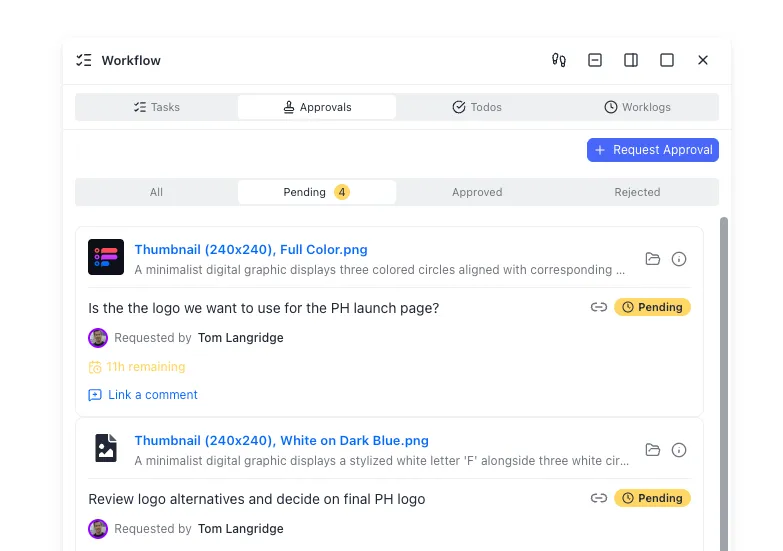
Where agent outputs need a shared team workspace
Devin sessions produce more than code: plans, diffs, logs, screenshots, playbooks, postmortems, and evaluation notes. GitHub (or GitLab) remains the source of truth for merged code. Local disks and ephemeral sandboxes are fine for a single session. Team-scale agent programs need somewhere durable for the surrounding artifacts.
Many teams start with object storage (S3), a docs drive (Google Drive or Dropbox), or ticket attachments. Those work until someone needs semantic search across last month's migration notes, per-file history of a playbook revision, or a clean handoff from an agent-created folder to a human owner. That is the coordination layer problem.
Fast.io is one option for that layer: org-owned shared workspaces where humans and agents share the same files, with per-file version history, granular permissions, and a detailed activity log. Enable Intelligence Mode so session notes and runbooks become searchable by meaning, not only by filename. Agents can use Fast.io through a consolidated MCP toolset over Streamable HTTP and legacy SSE endpoints, documented on the agent storage guide. Ownership transfer lets an agent assemble a workspace and hand it to a human while keeping admin access. Monthly Starter, Business, and Enterprise subscriptions start with a trial of up to 14 days (credit card required); annual plans have no trial. Real work requires a paid organization subscription after the trial.
Treat Fast.io as the workspace around Devin, not as a built-in Devin feature. Keep source control for code. Keep Devin for multi-step engineering execution. Keep a shared intelligent workspace for the artifacts, reviews, and handoffs that make agent output usable by the whole team. More on that pattern lives at /storage-for-agents/.

Choosing the next Devin workload on your backlog
Start with volume and verification, not with novelty. Score candidate tickets on three axes: how many near-identical subtasks exist, how clear the runbook can be, and how objective the pass/fail check is. Migrations and upgrades usually win first. Coverage and scanner cleanup win second. Spec-backed features and incident loops win once integrations and access policies are in place.
Avoid stacking five new automations in week one. Run one migration class to a reviewed merge rate you trust. Capture the failures as playbook updates. Only then add scheduled chores or bulk test generation. Cognition's public materials stress that Devin improves as it sees more examples of your task class. Your process should do the same.
If you need a definition you can put on an internal wiki: Devin AI use cases are multi-step software engineering workloads where an autonomous coding agent can plan, implement, test, and hand back changes for human review. Everything else is either interactive assistance or pure human work.
Sources
References used to verify factual claims in this guide.
-
Customers achieve 6-12x efficiency gains when using Devin effectively, with proven use cases described across hundreds of enterprises. Good Devin workloads share parallel tasks, clear instructions, and verification methods such as CI, unit tests, or browser checks. Official enterprise examples include Java upgrades, COBOL modernization, SAS to PySpark, JavaScript to TypeScript, NoSQL to SQL, and clearing engineering backlogs.
-
Nubank reported an 8x engineering time efficiency gain and over 20x cost savings using Devin on a multi-million-line ETL migration, with subtask times reduced from roughly 40 minutes to about 10 after fine-tuning. Fine-tuning and examples doubled Devin task completion scores on Nubank's migration evaluation set and improved task speed about 4x.
-
Basic Devin Desktop unit-test generation should reliably generate roughly 60-70% of unit tests, with edge-case quality depending on user prompting.
-
Official use-case gallery categories include Incident Response, Migrations, Feature Development, Data & Analytics, Project Management, Automations, Code Quality, and Devin Optimization.
Frequently Asked Questions
What are the best Devin AI use cases?
The strongest official use cases are parallel code migrations and framework upgrades, bulk test generation, scanner-driven quality fixes, log-backed bug and incident loops, scheduled engineering chores such as dependency PRs and CI repair, and documentation or backlog burn-down. They share three traits from Cognition's docs: parallel subtasks, clear instructions, and objective verification.
When should you use Devin AI?
Use Devin when a senior engineer can write a short runbook with examples and a pass/fail check, and when the work splits into many similar packages. Official docs point to 6-12x efficiency gains under those conditions. Skip Devin for ambiguous product design, unsupervised production changes, and single-shot integrations against poorly documented internal APIs.
Can Devin handle code migrations?
Yes. Code migration is one of Cognition's primary enterprise categories, including JavaScript to TypeScript, NoSQL to SQL, COBOL modernization, SAS to PySpark, cloud platform moves, and large ETL refactors. Nubank's published case study reported 8x engineering-time efficiency and over 20x cost savings after teaching Devin with completed migration examples and reviewing its PRs.
Is Devin good for writing tests?
Devin is a good fit for bulk unit and integration test campaigns when modules have clear interfaces and existing test utilities. Desktop best-practice guidance notes that basic unit-test generation often covers roughly 60-70% of cases, with edge coverage depending on prompt quality. Use parallel sessions for baseline coverage, then have humans review domain edge cases.
What makes a bad Devin enterprise use case?
Vague greenfield features, multi-repo rewrites without package boundaries, integrations that require inventing partner contracts, and any workflow without CI or browser verification. Official good-fit criteria require parallelizable work, clear instructions, and objective checks. If you cannot measure done, the agent cannot either.
How do you store Devin session artifacts for the team?
Keep merged code in Git. Put plans, logs, playbooks, screenshots, and review notes in a durable shared store. Object storage or a docs drive works at small scale. For agent-heavy teams, a workspace with version history, permissions, semantic search, and MCP access (such as Fast.io) keeps humans and agents on the same files without relying on ephemeral sandboxes.
Related Resources

Keep Devin plans, logs, and handoffs in one workspace
Use a shared Fast.io workspace with Intelligence Mode, version history, and MCP access so agent artifacts stay searchable for the whole team. Monthly plans start with a trial of up to 14 days (credit card required); annual plans have no trial.