Dashworks vs Glean: What Changed After HubSpot Acquired Dashworks
Dashworks and Glean took different approaches to enterprise AI search. Dashworks searched connected apps live at question time instead of building an index, while Glean indexes content from 275+ connectors and maps it in an Enterprise Graph. HubSpot agreed to acquire Dashworks on April 16, 2025; the standalone Dashworks service stopped accepting sign-ups that day and disabled logins on July 16, 2025. This guide compares the two designs, explains what Glean offers today, and covers when a team needs a workspace where agents and people keep the files themselves.


How AI Search Over Workplace Apps Works
Enterprise AI search tools connect to the apps a company already uses, such as Google Drive, Microsoft 365, Slack, Confluence, Notion, Jira, Salesforce, and GitHub, and answer questions across them. They do not replace document storage: the files stay in the source apps. A full rollout of an AI enterprise search platform can take four to twelve weeks, depending on the number of integrations, permission complexity, and change management involved, according to one search vendor's implementation guide.
Dashworks and Glean reached the source apps in two different ways:
- Live search at question time (Dashworks): for every connected app except HRIS systems and Google Sites, Dashworks made real-time search API calls to the app when someone asked a question, instead of pre-indexing that app's data. It synced only a few employee directory fields from HRIS apps and relied on exports for Google Sites.
- An index and a graph (Glean): Glean's connectors retrieve content, permissions, identities, metadata, and activity signals from source apps, and Glean stores searchable documents, metadata, and permission information in a tenant-scoped index. It maps the relationships between people, content, and activity in what it calls the Enterprise Graph. For some sources, Glean also offers real-time access, querying the source at request time without adding that content to its index.
In both designs, when an employee asks a question, the system retrieves the passages that person is allowed to see and passes them to a large language model, which writes an answer that points back to the sources.
Both designs also leave the working files where they are. That matters once AI agents produce work as well as look it up: the agent's search tool and the place its output is saved are separate systems, each with its own permissions.
Related guides
- Best Coda Alternatives for Team Wikis, Docs, and Company BrainsCoda blends flexible documents with relational formulas, but browser lag on complex tables, formula maintenance...
- Best Confluence Alternatives for Modern Company Brains in 2026Modern engineering and knowledge teams are moving away from bloated page-based wikis toward unified company brains that...
- Moveworks Alternatives: Enterprise AI Search and Service Desks ComparedMoveworks alternatives are enterprise search tools, service desk assistants, and intelligent workspaces that help...
- Best Glean Alternatives for AI Workplace Search in 2026Glean alternatives provide AI workplace search and knowledge retrieval across company assets without quote-only...
- Top Coveo Alternatives for Enterprise Document Search and AI WorkspacesTraditional enterprise search platforms require connector integration and query-based licensing. Some Coveo...
- Guru vs Confluence: Choosing the Right Knowledge ArchitectureChoosing between Guru and Confluence comes down to whether your team needs verified knowledge cards or structured wiki...
More on this subject: AI Tool Directories and Comparisons (246 guides)
Dashworks vs Glean: Status, Features, and Approach
The biggest difference between the two today is availability. HubSpot agreed to acquire Dashworks on April 16, 2025, and Dashworks then shut down its standalone service, while Glean is still sold as an enterprise AI platform. The table below compares the two designs alongside a Fastio workspace.
Dashworks' acquisition announcement says it was built for small and mid-market companies, while Glean builds an index and graph across many enterprise systems. For anyone choosing a tool now, the practical question is what replaces Dashworks, not which of the two to buy.
Glean: Enterprise Graph, Assistant, and Agents
Glean connects to 275+ apps through native and MCP-based connectors and builds what it calls the Enterprise Graph, which captures the relationships between people, content, and activity across an organization. Glean says it analyzes content, activity, and people to understand how each person works, and that it inherits and strictly enforces each source's permissions, so users only see what they are allowed to see. The graph draws on three kinds of data:
- Content: documents, tickets, chat messages, and code from connected apps.
- Activity signals: how people create, edit, and work with that content.
- People and identities: who people are and how they relate to teams and projects, from the identity data the connectors bring in.
Because Glean grounds results in each person's role and the way their team works, two people who type the same query can see different results. An engineer asking for a "project phoenix update" might see pull requests and Jira tickets, while a product marketer sees launch drafts and meeting notes.
Glean Assistant answers questions across connected apps, such as what blockers came up in yesterday's mobile release review, and Glean describes its answers as secure, explainable, and permission-aware. Teams can bring several people into the same Glean chat (in beta), and Glean Agents lets teams build agents with an agent builder for workflows such as IT help desk answers or sales onboarding. For AI tools outside Glean, its Remote MCP Server connects an MCP host to the organization's Glean knowledge graph and the tools an administrator has enabled; Glean describes the server as tenant-specific and permission-aware.
Dashworks: Live Search, Model Choice, and Topics (Through July 2025)
Dashworks focused on fast setup. Its site promised setup within minutes because most apps did not need an initial sync. Teams connected tools such as Google Drive, Notion, Confluence, Slack, Jira, and GitHub, and Dashworks searched them live whenever someone asked a question.
Its assistant, Dash AI, ran in a web app, a Slackbot, and a Chrome extension; from the Chrome address bar, a user could type "dash" followed by a question. The Business plan let teams choose among leading models, which Dashworks listed as including GPT-4o, Claude, and Gemini models. Custom bots could be limited to specific Google Drive folders, Slack channels, or Confluence spaces.
Dashworks also had topics: shared spaces where teammates could be tagged with @mentions to work on an answer together, and where files could be attached for question answering. From January 2025, public shared topics let teams share chosen answers with people outside the company, under an org-wide setting that admins could turn on or off.
On April 16, 2025, HubSpot announced an agreement to acquire Dashworks and said the Dashworks team would join HubSpot's AI product group to improve search and context gathering across Breeze, HubSpot's AI tools. Dashworks' migration guide set the shutdown dates: no new sign-ups from April 16, 2025, the Dashworks API discontinued on April 23, 2025, and logins to the web app and Slackbot disabled on July 16, 2025. Teams that used Dashworks needed to move to another tool.
How Each Approach Handled Permissions
In enterprise search, an AI answer must never include text from a document the asking person cannot open. Dashworks and Glean both enforced source permissions, through different mechanisms.
Glean's connectors bring in permissions and identities along with content, and Glean stores permission information in its index alongside the documents. When a user asks a question, results and AI answers include only what that person is allowed to see. Glean says data updates as soon as it changes in the source application, including permission rules, which are reflected immediately in results. Its connector documentation adds that crawl schedules vary by connector and deployment, so it is worth confirming how each source you connect sends changes.
Any search tool that covers a whole tenant also faces the oversharing problem. Cloud drives often hold files shared with settings such as "Anyone in the organization with the link can view." Before enterprise search, few people found those files because few people had the link. Once search covers the tenant, those files can appear in results for everyone the setting allows. Glean addresses this with Glean Protect, which detects sensitive content across connected sources, surfaces findings for review, and hides overshared documents from showing up in Glean.
Dashworks used the permissions of the asking user's own app connections when someone asked in the web app or in a Slack direct message. In Slack channels, or when a bot was tagged, it used the bot's app connections, so admins set up bot connections with accounts whose access suited the channel. Because Dashworks searched most apps live, its site said permission changes took effect instantly.
Either way, the source systems' sharing settings decide what search can show. Auditing loosely shared folders before turning on enterprise search is a useful preparation step for any of these tools.


Keep your team's files and AI search in one workspace
Store, version, and query company documents in persistent workspaces with built-in Intelligence and MCP access. Monthly plans start with a 14-day free trial (credit card required). Plans are Starter at $29/mo, Business at $99/mo, and Enterprise at $299/mo.
What Dashworks' Exit Means for Pricing and Buying
Dashworks cannot be bought today. Its pricing page still lists a Team plan at $12 per seat a month ($10 billed yearly), a Business plan at $15 per seat a month ($12 billed yearly) with a 10-seat minimum, and a custom Enterprise plan, but its migration guide says it stopped accepting new sign-ups on April 16, 2025, and disabled logins on July 16, 2025.
Glean does not publish prices: its pricing address leads to its home page, and buying starts with a demo. Glean publishes no seat minimum, contract term, or onboarding fee, so ask for each in writing during the sales process.
When comparing the cost of any enterprise search tool, the license is only part of the total. Plan for:
- Setup and permission review: connecting each source, choosing what content AI may use, and reviewing overshared files before launch.
- API usage in the source apps: crawls and live searches both call the source apps' APIs, and tools such as Jira, Salesforce, and Zendesk set their own rate limits.
- Ongoing administration: connectors need attention when source apps change authentication or APIs, or when teams reorganize folders and permissions.
Former Dashworks users who also run HubSpot can ask HubSpot about Breeze, its AI tools, which the Dashworks team joined HubSpot to work on. Teams that need search across many enterprise systems, with agents built on that index, can evaluate Glean. Teams whose main need is a shared place where people and agents keep, edit, and search the working files can look at an intelligent workspace.
Where an Intelligent Workspace Fits for AI Agents
Glean, like Dashworks before it, answers questions about files that live in other apps. The working files stay in Google Drive, SharePoint, Confluence, and the rest, and those apps remain where documents are created, versioned, and edited.
That boundary shows when organizations deploy AI agents. Tools like Claude Code, Cursor, Codex, and OpenClaw need more than answers: they need a shared place where they can read project background, coordinate with teammates, and save finished deliverables.
When an agent writes a fifty-page technical architecture document, an extracted contract dataset, or a client proposal while using a search layer over other apps, the file goes to one of those apps, and the search layer sees it once its connector picks up the change. How two agents coordinate edits to the same file depends on what that app offers. The search tool and the file's home are two systems with two sets of permissions.
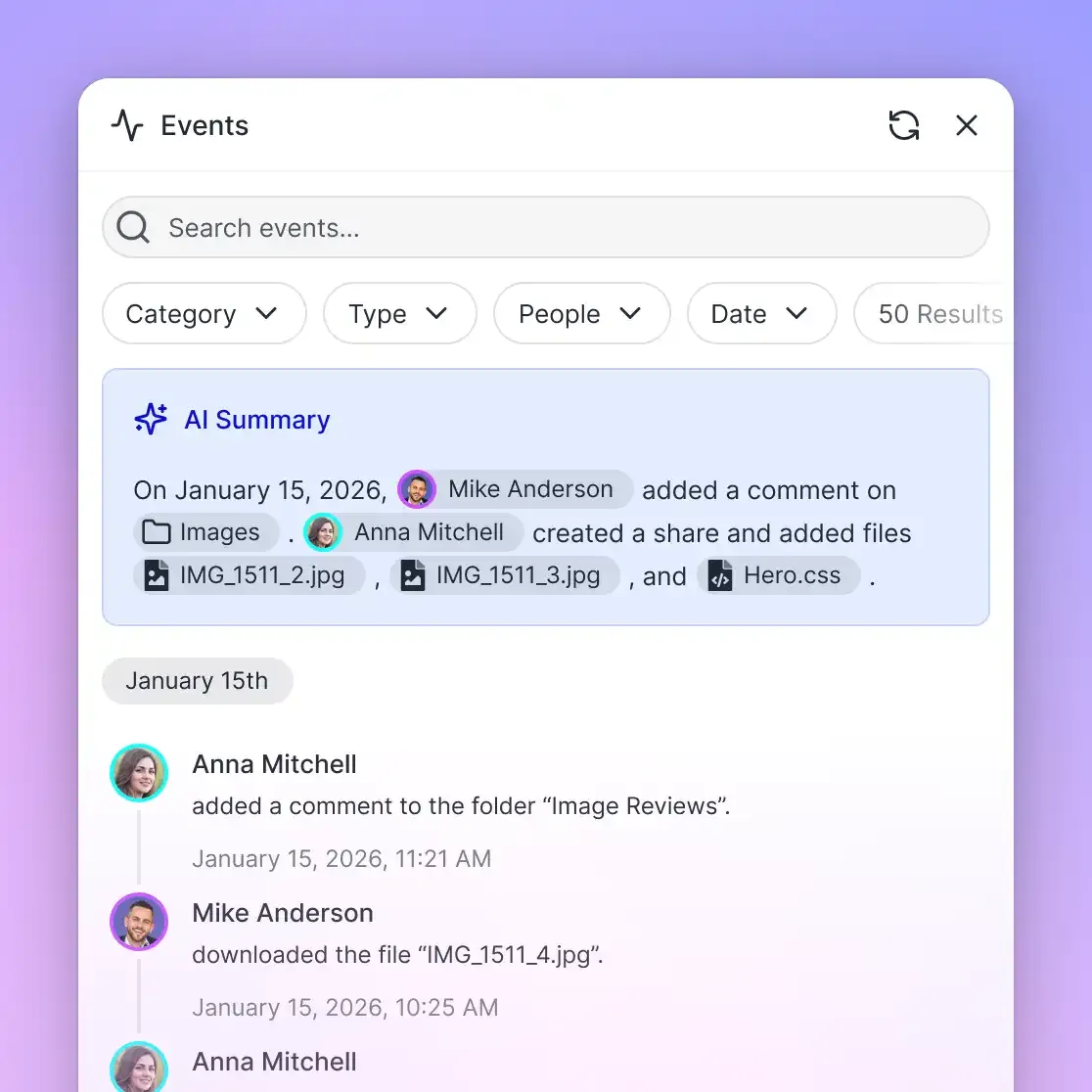
This is where an intelligent workspace like Fastio fits the company brain idea. Fastio combines cloud storage, workspace and share permissions, and built-in AI in one place, so the files agents search are the files they edit.
In a Fastio workspace with Intelligence enabled, files are indexed as they arrive for keyword and semantic search. When an employee or an AI agent asks a question, the answer comes with citations pointing to specific files, pages, and text snippets, so it can be checked. There is no separate vector database to set up, and files uploaded to the workspace are indexed where they live.
Files enter the company brain through direct upload or through Cloud Sync. Cloud Sync connects Google Drive, Dropbox, Box, and OneDrive folders to a workspace, one-way or two-way, on a schedule or on demand. Bringing files into workspaces this way puts them under one set of workspace permissions instead of four different sharing models.
Fastio's permissions do not depend on copying access lists from other systems:
- Permissions are set per organization, workspace, and share by member role (owner, admin, member, guest, view). There are no folder-level or file-level permissions, so there is no inheritance tree to audit inside a workspace.
- Material that only specific team members or agents should reach goes in its own workspace or share. Any organization member can join a workspace by default, so restrict the join setting on sensitive workspaces.
- Files synced from another drive take the Fastio workspace's permissions, rather than the link settings of the source system.
- Search and Intelligence answer only from the workspaces and shares the asking person or agent belongs to.
For development teams building agentic workflows with storage for agents, Fastio runs a remote Model Context Protocol (MCP) server over Streamable HTTP. Agents connect at https://mcp.fast.io/mcp/tools (for general clients and personal agents like OpenClaw and desktop assistants) or https://mcp.fast.io/mcp/code (for coding agents like Claude Code, Cursor, and Devin Desktop). Agents can search the workspace, read project files, acquire advisory file locks, and write updated deliverables directly into workspace storage. Every file keeps its full version history, so concurrent agent writes do not erase earlier versions, and human collaborators can review changes in the detailed activity log.
When structured data extraction is required, Fastio provides Metadata Views. Instead of relying solely on conversational summaries, teams define schema fields in plain English. Fastio automatically extracts typed data (Text, Integer, Decimal, Boolean, URL, JSON, Date & Time) across contracts, invoices, and technical specs, populating a sortable, filterable spreadsheet without requiring custom OCR rules.
Fastio offers Starter, Business, and Enterprise plans, each with set allowances of seats, storage, workspaces, and monthly AI credits. Monthly plans start with a 14-day free trial, which requires a credit card; full tier details and seat allowances are published on the Fastio pricing page. For teams moving from search into agent work, keeping storage and intelligence in one workspace means the files agents search are the files they work on.
Sources
References used to verify factual claims in this guide.
-
A full rollout of an AI enterprise search platform can take four to twelve weeks.
-
Dashworks was acquired by HubSpot and stopped accepting new sign-ups on April 16, 2025, discontinued its API on April 23, 2025, and disabled logins on July 16, 2025.
-
The Dashworks team joined HubSpot's AI product group to work on search and context gathering across Breeze.
-
Dashworks searched most connected apps with real-time API calls instead of pre-indexing their data.
-
Glean offers 275+ connectors and enforces source permissions.
-
Glean runs a tenant-specific, permission-aware Remote MCP Server.
Frequently Asked Questions
How does Dashworks compare to Glean?
Dashworks searched connected apps live when someone asked a question, while Glean builds an index and an Enterprise Graph from 275+ connectors. The bigger difference today is availability. HubSpot agreed to acquire Dashworks in April 2025, and the standalone Dashworks service stopped accepting sign-ups on April 16, 2025, and disabled logins on July 16, 2025. Glean is still sold as an enterprise AI platform with an assistant, search, agents, and a permission-aware remote MCP server.
Is Dashworks still available after the HubSpot acquisition?
No. Dashworks' migration guide says it accepted no new sign-ups from April 16, 2025, discontinued the Dashworks API on April 23, 2025, and disabled logins to the web app and Slackbot on July 16, 2025. HubSpot said the Dashworks team would join its AI product group to improve search and context gathering across Breeze, HubSpot's AI tools.
How much does enterprise AI search cost?
It varies by vendor. Glean does not publish prices, so buying starts with a sales conversation; ask for any seat minimum, contract length, and onboarding fee in writing. Dashworks' pricing page still shows per-seat plans, but the service stopped accepting sign-ups in April 2025. Fastio publishes its plans (Starter at $29 a month, Business at $99 a month, and Enterprise at $299 a month), with a 14-day free trial on monthly plans that requires a credit card.
What is the difference between an enterprise search overlay and an intelligent workspace?
An enterprise search tool connects to documents stored in other apps (like Google Drive, Confluence, and Slack) and answers questions about them, while the files stay in those apps. An intelligent workspace, such as Fastio, is a shared cloud environment where files are stored and versioned, and indexed as they arrive when Intelligence is on. People and AI agents can search with citations, extract structured metadata, and create or edit files in the same place.
How do Dashworks and Glean handle document permissions and access control?
Both enforced source permissions. Glean brings in each source app's permissions with the content, enforces them on every result, and says permission changes are reflected immediately; Glean Protect can also hide overshared documents. Dashworks searched with the asking user's own app connections, or with a bot's connections in Slack channels. Fastio sets permissions on the organization, workspace, and share by member role, and its search answers only from the workspaces and shares the asker belongs to.
Related Resources

Keep your team's files and AI search in one workspace
Store, version, and query company documents in persistent workspaces with built-in Intelligence and MCP access. Monthly plans start with a 14-day free trial (credit card required). Plans are Starter at $29/mo, Business at $99/mo, and Enterprise at $299/mo.