Cline vs Aider: IDE Agent vs Git CLI Pairing
Cline vs Aider is less a quality contest and more a control-model choice. Cline is an approval-gated multi-surface coding agent with Plan/Act modes and MCP, while Aider is a terminal-first, git-oriented pair programmer. Same models can power both; the product shape decides how you review, commit, and hand work to teammates.


Cline vs Aider: same models, different control surfaces
AIMultiple's 2026 A-CODE-CLI benchmark ran leading agentic coding tools on the same foundation model (Claude Sonnet 4.6) and still saw backend correctness range from 77.3% down to 55.4%. That 22-point gap came from orchestration, not model choice. The finding is the right frame for Cline vs Aider: both can talk to strong cloud models, but they put the human in a different place in the loop.
Cline vs Aider compares an approval-gated multi-surface coding agent with MCP and Plan/Act modes against a terminal-first git-oriented pair-programming CLI. US search interest for the head-to-head query sits around 50 monthly searches in DataForSEO data, small volume that still maps to a real decision developers make after they leave autocomplete behind.
If you only compare "which one writes better code," you miss the product difference that shows up in week two. Cline is built so you can plan without writing files, then act with explicit approvals across IDE, CLI, Kanban multi-agent boards, and SDK embedding. Aider is built so each edit lands as a git commit you can /undo, /diff, and review with normal git tools. Those are different jobs.
Most public comparisons stop at commit style. The harder questions are who can see the plan, where artifacts live after the session, and how MCP-connected storage turns a solo agent run into a team review. That is the gap this article fills.
Neither row is "better" in the abstract. Pick the row that matches how your team already reviews code.

Related guides
- Claude Code vs. Windsurf (Now Devin Desktop): CLI Autonomy vs. IDE WorkspacesChoosing between a command-line agent and an integrated development environment shapes your daily coding loop. While...
- How to Install and Use the Devin AI CLICognition positions Devin AI CLI as a local coding agent that runs on your machine, separate from cloud Devin in a VM....
- Cline vs Trae: Open-Source Coding Agent vs ByteDance AI IDE ComparedCline and ByteDance's Trae represent two divergent philosophies for agentic software engineering. Cline embeds a...
- Kilo Code vs Cline: Open-Source Coding Agent ComparisonCline is free for individual developers under Apache 2.0, with its public repo past 64,000 GitHub stars, while pairwise...
- Cline vs OpenCode: In-Editor Agent or Terminal Agent?Cline and OpenCode represent two distinct design models for open-source AI coding agents: in-editor assistance and...
- How to Use Git Worktrees with Cline for Parallel AI CodingRunning multiple autonomous AI coding agents in a single Git directory causes file collisions, test port contention,...
More on this subject: Cline (105 guides)
What Cline optimizes for
Official Cline docs describe it as an AI coding agent that lives in your editor and your terminal. It can read and write files, run terminal commands, use a browser, and build features through conversation, with every action requiring explicit approval. That human-in-the-loop default is the product identity, not a toggle buried in settings.
Surfaces beyond a single pane
Cline is not only a VS Code extension. The documented applications include:
- VS Code extension and JetBrains plugin for in-editor work
- CLI (
npm i -g cline) for interactive chat or headless automation - Kanban multi-agent boards with per-card worktrees, auto-commit, and dependency chains
- SDK (
@cline/sdk) that embeds the same agent core into custom apps and automations
Docs also list broader editor support, including Cursor, Devin Desktop (formerly Windsurf), Antigravity, Zed, and Neovim via ACP mode. The practical takeaway: Cline is a multi-surface agent platform, not a single UI gimmick. If your team splits time between IDE review and CI-adjacent scripting, you stay in one agent family.
Plan mode and Act mode
Plan & Act is the workflow most comparisons under-explain. In Plan mode, Cline can read the codebase, run searches, and discuss strategy, but cannot modify files or execute commands. That constraint is intentional. It keeps the session on architecture, edge cases, and approach before any write happens.
Act mode carries the full planning conversation forward, then allows file changes and command execution against that plan. You can cycle back to Plan when the task gets harder than expected. For large work, /deep-planning extends the planning phase so Cline explores systematically, identifies affected files, and asks clarifying questions before implementation.
You can also assign different models to Plan and Act. A common pattern is a stronger reasoning model for planning and a faster model for implementation. That split is a cost and quality control, not a party trick.
MCP as the extension surface
Cline's MCP overview documents both local and remote server configuration. Local servers use STDIO (command + args). Remote servers use Streamable HTTP (recommended) or legacy SSE, with headers for auth. CLI users get a wizard via cline mcp; IDE users edit MCP settings from the panel or config file.
That matters when the agent needs more than the repo: issue trackers, internal APIs, document stores, or cloud workspaces. You keep approval on tool calls, limit autoApprove to safe tools, and treat MCP servers as part of the trust boundary. Cline does not invent the tools; it hosts the protocol and the approval UX.
What Aider optimizes for
Aider's pitch is direct: AI pair programming in your terminal. You install it, open a git repo, pick a model, and chat about the change. Public homepage metrics (as of this writing) report on the order of 44K GitHub stars and 6.8M installs, which is a useful adoption signal even if stars are not a quality score.
Git is the product
Aider is tightly integrated with git. It works best when the project is already a repo. When it edits files, it commits with a descriptive message (Conventional Commits style by default). Dirty files get committed first so your uncommitted work stays separate from agent edits. /undo discards the last AI change. /diff shows changes since your last message. /commit and /git cover more history management.
That design answers a real fear: "what if the model ruins three files and I cannot roll back?" With Aider, the answer is normal git history, not a proprietary snapshot format. Reviewers who live in PRs and git log get a trail that matches their existing process.
You can disable auto-commits, dirty commits, or git entirely, but the happy path assumes you want AI edits as reviewable commits. Attribution options can mark Aider in author/committer metadata or add Co-authored-by trailers.
Repo map instead of dumping the monorepo
Aider builds a concise map of the git repository: important classes and functions with types and signatures. The map helps the model see how modules relate without stuffing every file into context. For larger repos, Aider ranks files with a graph of dependencies and fits the most relevant symbols into a token budget (influenced by --map-tokens).
In practice, that is Aider's answer to "does this work on a real codebase?" It is not multi-agent Kanban. It is not Plan mode with a hard write ban. It is structured context selection for sequential pair programming in the terminal.
What Aider is not trying to be
Aider supports cloud and local LLMs, 100+ languages, lint/test loops, images and web pages in chat, voice-to-code, and editor watch modes where comments can drive work. Those features stay inside a pair-programming frame. If you need browser-driven agent loops, multi-card parallel agents, or first-class MCP marketplace UX, you are looking at Cline's surface, not Aider's core identity.
For pure terminal speed and git hygiene, Aider is often the lower-ceremony choice. You stay in the shell, keep a clean AI commit trail, and avoid switching into a multi-mode agent UI.

Where comparisons stop short: handoff, artifacts, and storage
Feature matrices rarely ask what happens after the agent session ends. Code that only exists on one laptop is not a team outcome. Specs, patch notes, screenshots, evaluation traces, and "what we decided in Plan mode" all need a home that is not a private chat buffer.
Local disks and git remotes remain the default. Many teams push agent commits to GitHub or GitLab and stop there. That works for source. It fails for the surrounding artifacts: long Plan-mode writeups, MCP-generated reports, export bundles for clients, and intermediate files that never belong in the main branch. Generic object storage (S3 and similar) or Drive/Dropbox folders can hold binaries, but they usually lack agent-native query, permission granularity, and a clean path for agent-to-human ownership.
What breaks in practice
Plan context dies with the session. Cline can write a markdown plan file for later, but that file still needs shared storage if a teammate continues the work.
- Aider commits are excellent for code review and weak for non-code deliverables. Binary outputs, research notes, and client-facing packs need another system.
- MCP tools that write only to
/tmpcreate silent loss. Remote MCP storage is how tools become durable team assets. - Parallel Cline Kanban cards need isolation and a merge story. Worktrees and auto-commits help locally; shared review still needs a durable place for results.
A practical shared layer
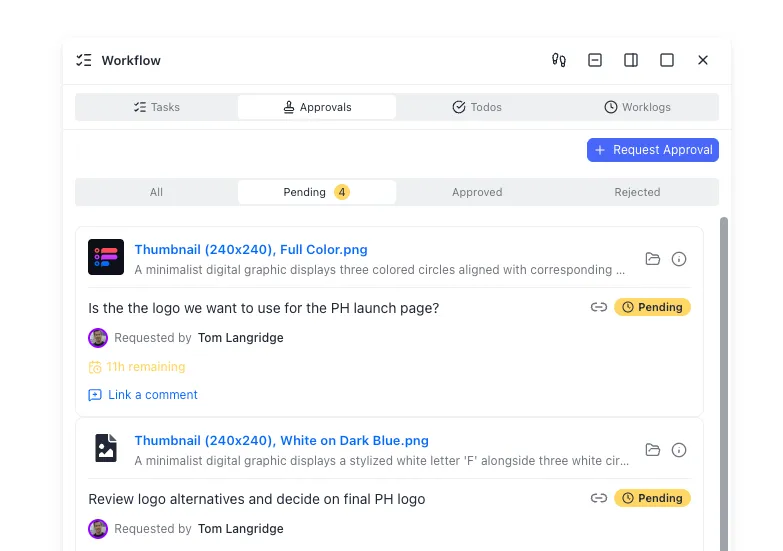
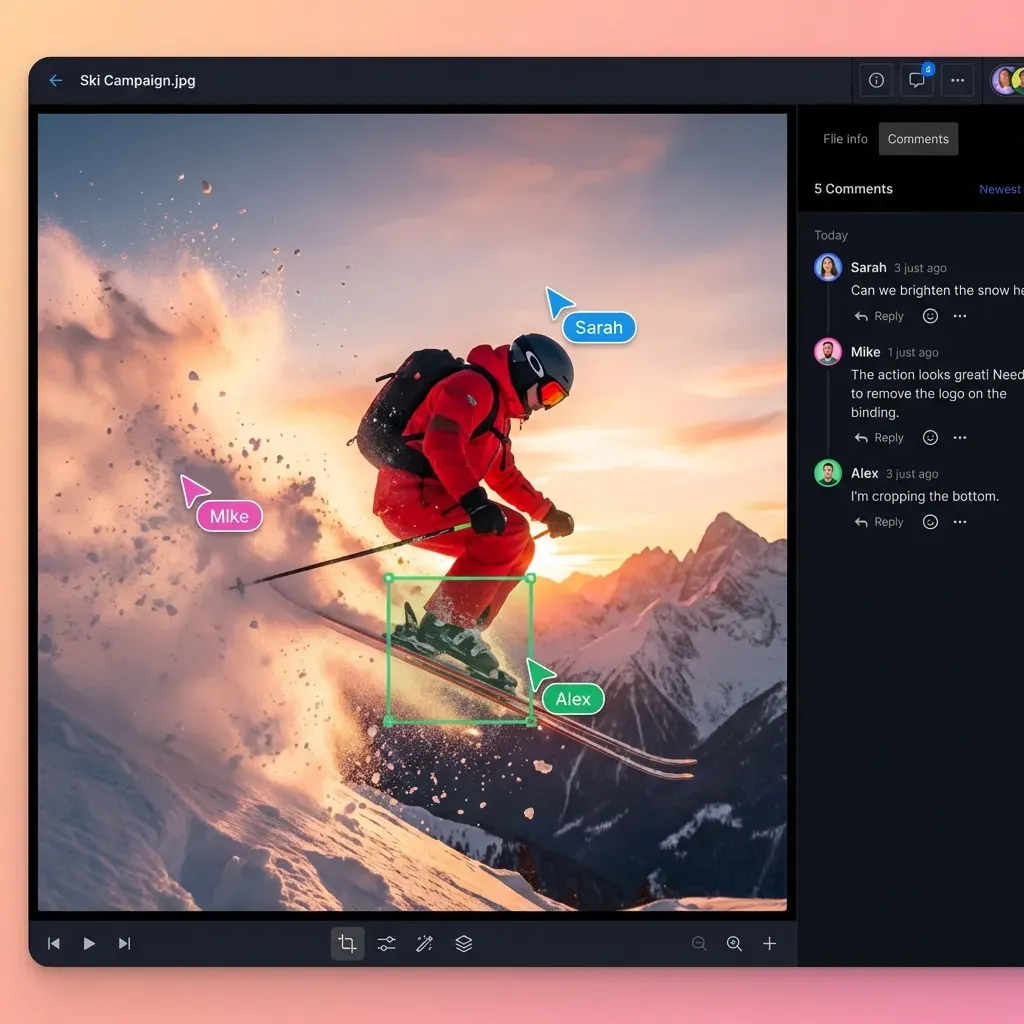
After git remotes and object storage, many agent teams add an intelligent workspace so humans and agents share the same files. Fast.io is one option in that category: org-owned workspaces, per-file version history, granular permissions, and a detailed activity log. Intelligence Mode indexes files for semantic search and citation-backed chat. Agents can connect through Fast.io's MCP endpoints (Streamable HTTP at /mcp, legacy SSE at /sse) using the same remote MCP pattern Cline documents.
A useful pattern for Cline: keep source control in git, connect Cline MCP to Fast.io for plans, design docs, and handoff packs, then open a branded Send share when a human outside the repo needs a review link. Aider users can still upload post-session artifacts via API, web UI, or a small script after /commit, then let reviewers chat with the pack under Intelligence Mode.
For structured extraction from PDFs, contracts, or design briefs that agents produce, Metadata Views turn documents into typed, filterable fields without hand-built OCR rules. That is separate from Intelligence Mode search: search finds meaning; Metadata Views build a spreadsheet-like layer over document fields.
Ownership transfer matters when an agent scaffolds the workspace and a human takes billing and governance. The human starts the org's 14-day free trial (credit card required). Plans run Starter $9.99/mo, Business $49.99/mo, and Enterprise $199.99/mo. Real workspace work runs on a paid organization subscription after the trial.



Keep Cline and Aider outputs in one shared workspace
Store plans, patches, and handoff packs where agents and humans can both read them. Connect MCP-capable clients to Fast.io workspaces with version history and search, then start a 14-day free trial.
How to choose for refactors, terminal work, and team review
Is Cline better than Aider? Only relative to the job. Prefer Cline when you want multi-surface access, hard separation between planning and writes, approval-gated tools, MCP extensibility, and optional multi-agent Kanban. Prefer Aider when you want terminal ergonomics, automatic commits, /undo discipline, and repo-map context for sequential pair programming.
Large refactors
For large refactors, start with clarity of scope, not brand loyalty.
- Use Cline Plan mode (or
/deep-planning) when the change touches many modules, needs architecture tradeoffs, or you do not trust the first write pass. Explore freely, write the plan to a markdown artifact, then switch to Act with checkpoints enabled when available in your setup. - Use Aider when the refactor is well bounded, you want every successful step as a commit, and you will review with
git logand PR diffs. Repo map helps the model keep module relationships straight without opening the whole tree. - Hybrid is valid. Some teams plan in Cline, implement with Aider for commit hygiene, or reverse that when Kanban parallelization is the bottleneck.
Multi-file refactors fail more often from missing context and weak verification than from which CLI logo is on the terminal. Budget time for tests, lint, and a human pass regardless of tool.
Does Cline work in the terminal like Aider?
Yes, Cline has an official CLI for interactive chat and headless automation. The experience is still Cline's agent model: tools, approvals, MCP, and Plan/Act concepts, not Aider's auto-commit pair-programmer loop. If "terminal like Aider" means "git-native auto-commits as the center of gravity," Aider remains closer. If it means "I can drive the agent without VS Code," Cline CLI qualifies.
Decision shortcuts
Mostly VS Code/JetBrains, need visual diffs and tool approvals: Cline
- Mostly shell, want AI commits and
/undo: Aider - Need MCP remote tools and shared non-code artifacts: Cline + remote MCP storage (Fast.io or another MCP-capable store)
- Need parallel agents on a board: Cline Kanban
- Need clean AI commit history for code review culture: Aider
- Need embeddable agent core in custom product: Cline SDK
Model choice is orthogonal. Both ecosystems support bring-your-own keys and multiple providers. Revisit models when quality or cost slips; revisit the tool when the control model fights your review culture.
A sample week that uses both honestly
Monday: Cline Plan mode on a payment webhook redesign; save the plan markdown to a shared workspace. Tuesday: Aider implements the first backend slice with auto-commits on a feature branch. Wednesday: Cline Act mode with MCP hits staging diagnostics and updates the runbook doc in the workspace. Thursday: human review of git PR plus Intelligence Mode chat over the design pack. Friday: Kanban card for residual UI polish if the board is already in your toolchain.
That week is not "more tools for their own sake." It is matching surfaces to tasks while keeping artifacts out of personal chat history. If neither control model fits your review culture, the field of Cline alternatives covers Cursor, Claude Code, Roo Code, GitHub Copilot, and Continue for other shapes.
Setup patterns that avoid common traps
Good comparisons should leave you with install-level instincts, not just a winner badge. Keep configuration boring and reversible.
Cline setup instincts
- Start in Plan mode for anything that is not a one-line fix. Official guidance recommends planning first so Act mode inherits context.
- Configure MCP only for servers you trust. Prefer environment variables for secrets. Keep
autoApproveempty until a tool is proven safe. - Prefer Streamable HTTP for remote MCP endpoints. Set
typetostreamableHttpexplicitly; omitting type can fall back to legacy SSE. - For multi-agent Kanban, treat each card worktree as temporary isolation and merge through your normal PR process.
- Write plans and ADR notes to a shared workspace early so a teammate can continue without replaying the chat.
Example remote MCP shape (values are illustrative; follow current Fast.io MCP skill docs for live auth headers):
{
  "mcpServers": {
    "fastio": {
      "type": "streamableHttp",
      "url": "https://YOUR_MCP_HOST/mcp",
      "headers": {
        "Authorization": "Bearer YOUR_TOKEN"
      },
      "disabled": false,
      "autoApprove": []
    }
  }
}
Use the live endpoint and headers from storage for agents when you wire this up.
Aider setup instincts
- Run Aider only inside a git repo you are willing to dirty with AI commits, or use a dedicated branch.
- Learn
/undoand/diffbefore long sessions. They are the safety rails. - Keep pre-commit policy intentional. Default Aider behavior can skip hooks unless you enable verification options documented in git integration.
- Use repo map budget knobs when monorepos feel "lost." Map quality often matters more than another system prompt paragraph.
- Export non-code outputs (benchmarks, design notes, screenshots) to shared storage after the chat, not only to the branch.
Shared traps for both
Measuring only token spend. Orchestration quality and review cost dominate.
- Leaving secrets in chat. Use env-based MCP credentials and provider key stores.
- Skipping human review on multi-file changes. Approval UX is not a substitute for code review.
- Assuming MCP storage is "set and forget." Permissions, retention, and who owns the org still need a human owner.
- Forcing one tool company-wide without task segmentation. Terminal pair programming and multi-surface agent work can coexist.
If your bottleneck is "the agent wrote code but nobody else can find the supporting files," fix storage and permissions before you swap models again. If your bottleneck is "I cannot see what changed," Aider's commit trail or Cline's explicit approvals will do more than a different system prompt.
For agent onboarding and MCP connection details, start at storage for agents. Product pricing and trial details live at /pricing/.
Sources
References used to verify factual claims in this guide.
-
AIMultiple's A-CODE-CLI benchmark found backend correctness ranging from 77.3% to 55.4% across agentic CLI tools run on the same Sonnet 4.6 model, a 22-point gap attributed to orchestration.
-
Aider's homepage reports approximately 44K GitHub stars and 6.8M installs. Aider works with 100+ programming languages and supports cloud and local LLMs.
-
DataForSEO US monthly search volume for 'cline vs aider' is about 50.
-
Cline is an AI coding agent for editor and terminal with explicit approval for every action, and applications spanning CLI, Kanban, VS Code, JetBrains, and SDK.
-
Cline Plan mode can explore without modifying files; Act mode executes with planning context retained.
-
Cline MCP supports local STDIO servers and remote Streamable HTTP or SSE servers.
-
Aider auto-commits edits with descriptive messages and provides /undo and related git-aware chat commands.
-
Fast.io organization plans include Starter $9.99/mo, Business $49.99/mo, and Enterprise $199.99/mo with a 14-day free trial.
Frequently Asked Questions
Is Cline better than Aider?
Neither is universally better. Cline is stronger when you want multi-surface access (IDE, CLI, Kanban, SDK), Plan/Act separation, approval-gated tools, and MCP. Aider is stronger when you want terminal pair programming with automatic git commits and easy undo via git history. Choose based on review culture and interface preference.
Should I use Aider or Cline for large refactors?
Use Cline Plan mode or deep planning when the refactor needs exploration and architecture decisions before any writes. Use Aider when the scope is clearer and you want each successful change as a reviewable git commit. Many teams plan in one tool and implement in the other, or keep both and assign by task shape.
Does Cline work in the terminal like Aider?
Cline has an official CLI for interactive and headless use, so you are not locked to VS Code. It still behaves like Cline (tools, approvals, MCP, Plan/Act), not like Aider's auto-commit pair-programmer loop. If git-native auto-commits are the main requirement, Aider remains closer.
Does Cline support MCP?
Yes. Cline documents MCP for local STDIO servers and remote Streamable HTTP or SSE servers. You can configure servers in the IDE MCP panel or with the CLI wizard (`cline mcp`), then approve tool calls as they appear.
How does Aider use git differently from Cline?
Aider centers on automatic commits after edits, with `/undo`, `/diff`, and related commands so AI changes stay reviewable in normal git history. Cline can work with git and even auto-commit in Kanban worktrees, but its default product emphasis is approval-gated actions and Plan/Act rather than auto-commit as the core loop.
How should teams store plans and non-code artifacts from either tool?
Keep source in git. Put plans, research packs, client-facing bundles, and MCP outputs in shared storage with version history and access control. Options include object storage, Drive-style folders, or an intelligent workspace such as Fast.io with MCP access, semantic search, and ownership transfer for agent-to-human handoff.
Related Resources

Keep Cline and Aider outputs in one shared workspace
Store plans, patches, and handoff packs where agents and humans can both read them. Connect MCP-capable clients to Fast.io workspaces with version history and search, then start a 14-day free trial.