Agentic AI Architecture: Components, Patterns, and Design Guide
Agentic AI architecture is the layered system design that lets autonomous agents perceive inputs, reason about goals, use tools, and store results across sessions. This guide walks through the six layers of a production agentic system, compares orchestration patterns, and maps concrete technology choices to each layer so you can build an architecture that actually works in production.

What Agentic AI Architecture Actually Means
Most "agentic AI architecture" articles draw a box labeled "Agent" with arrows pointing to "Tools" and "Memory" and call it a day. That explains roughly nothing about how to build one.
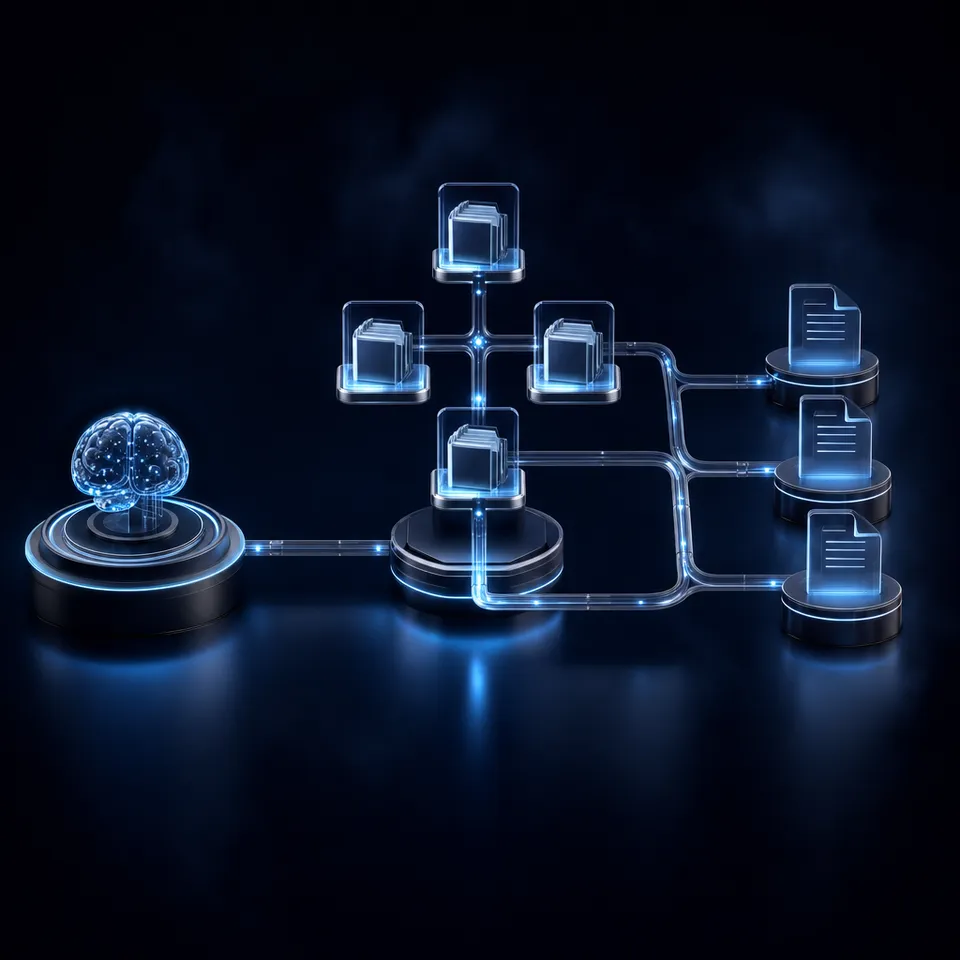
Agentic AI architecture is the full system design that enables an autonomous agent to perceive inputs, reason about what to do, execute actions through tools, remember what happened, and coordinate with other agents or humans. It is not a single component. It is the relationship between six distinct layers, each with its own technology choices and failure modes.
The term gained traction after Google Cloud published a dedicated architecture component guide in April 2026, breaking agentic systems into discrete, composable building blocks. Before that, most teams were reinventing the same layered structure from scratch, often discovering the same gaps (especially around persistent storage and human handoff) only after deployment.
Here is the six-layer model this guide uses:
- LLM Core: The reasoning engine that interprets inputs and decides what to do next
- Planning Layer: The strategy module that decomposes goals into executable steps
- Memory Layer: Short-term context and long-term knowledge persistence
- Tool Integration Layer: APIs, functions, and protocols that let the agent act on the world
- Orchestration Layer: Coordination logic for multi-agent systems and workflow management
- Storage and Delivery Layer: Persistent file storage, workspaces, and human handoff
Each layer can be swapped independently. You can change your LLM without touching your orchestration. You can upgrade your memory system without rewriting your tools. That modularity is the whole point of thinking in layers rather than monolithic agent frameworks.
Related guides
- How to Design AI Agent Microservices Architecture PatternsMonolithic AI agents don't scale. Poor architecture kills many AI projects. Microservices split complex agents into...
- How to Design AI Agent Architecture Patterns for Production SystemsAI agent architecture patterns are reusable design structures that define how autonomous agents perceive, reason, and...
- How to Build an Agentic AI System from ScratchMost agentic AI tutorials stop at the orchestration layer: pick a framework, define agents, connect an LLM. But...
- Best AI Agent Frameworks for Java in 2026Java developers building AI agents no longer need to switch to Python. Eight production-viable frameworks now offer...
- 7 AI Agent Templates That Actually Save You Time in 2026AI agent templates give you a working foundation instead of an empty file. This guide covers seven proven starter kits...
- Best AI Agent Frameworks for Golang in 2026Go developers building AI agents have real options now. Seven frameworks offer tool calling, multi-agent orchestration,...
More on this subject: Agent Frameworks and Patterns (52 guides)
Layer 1: The LLM Reasoning Core
The foundation model sits at the center of every agentic system. It is not "the agent." It is the reasoning engine the agent uses to interpret inputs, evaluate options, and generate action plans. The distinction matters because the same LLM can power different agent behaviors depending on the layers wrapped around it.
Choosing a Foundation Model
Three factors drive model selection for agentic workloads:
- Tool-calling reliability: The model needs to produce structured function calls consistently, not just good prose. Claude, GPT-4, and Gemini all support native tool calling, but accuracy varies by task complexity.
- Context window size: Agents accumulate context fast. A coding agent reading files, running tests, and tracking errors can burn through 100K tokens in a single task. Models with 128K-200K context windows (Claude, GPT-4o, Gemini 1.5) handle this better than smaller-window models.
- Cost per token: Agentic workloads are token-heavy. A single agent session can consume 10-50x more tokens than a standard chat interaction because the agent reasons, acts, observes, and reasons again in a loop.
Model-Agnostic Design
Build your architecture so the LLM is a pluggable component, not a hard dependency. This means:
- Abstract model calls behind a unified interface (most frameworks already do this)
- Store prompts and system instructions separately from model-specific formatting
- Test with at least two different model providers before committing to one
The practical benefit: when a new model drops that is faster or cheaper for your workload, you swap it in without rewriting your agent logic. Teams that hardcode model-specific features into their core loop regret it within six months.
Layer 2: Planning and Reasoning
The planning layer determines how an agent breaks a complex goal into executable steps. Without it, the LLM just responds to prompts. With it, the agent can decompose "research this market and write a report" into a dozen coordinated actions.
Reasoning Patterns
Four patterns dominate production systems in 2026:
Chain of Thought (CoT): The agent thinks step by step before acting. Simple to implement, works well for linear tasks, but struggles when the task requires branching or backtracking.
ReAct (Reasoning + Acting): The agent alternates between reasoning about the current state and taking an action, then observing the result before reasoning again. This is the default pattern in most agent frameworks because it naturally handles feedback loops. The agent reasons, acts, observes, and adjusts.
Tree of Thoughts (ToT): The agent explores multiple reasoning paths in parallel and evaluates which path looks most promising before committing. More expensive in tokens but better for tasks with ambiguous solutions, like debugging or architecture decisions.
Reflection: After completing a task (or failing), the agent reviews its own output and identifies improvements. This is often layered on top of ReAct: the agent completes a draft, critiques it, and revises. Research from Google DeepMind shows that adding a reflection step improves task completion rates by 15-25% on complex benchmarks.
Planning in Practice
Most production agents use ReAct as the base pattern and add reflection for quality-sensitive outputs. Tree of Thoughts is reserved for high-stakes decisions where the token cost is justified.
The planning layer does not execute actions directly. It outputs a structured plan (often as a JSON object or function call sequence) that the execution layer carries out. This separation matters for auditability: you can log every plan the agent generates, review it before execution, and add human approval gates at specific steps.



Give your agents a workspace that persists
Fastio provides shared workspaces with built-in RAG once Intelligence is enabled, MCP access, and ownership transfer.
Layer 3: Memory Architecture
Memory is where agentic systems succeed or fail in production. An LLM has no memory between API calls. Without an external memory system, every agent session starts from zero, and the agent cannot learn from past interactions or maintain context across long workflows.
Short-Term Memory (Working Context)
Short-term memory holds the information the agent needs right now: the current task, recent tool outputs, intermediate results, and the conversation so far. In most frameworks, this is the context window itself, managed through prompt engineering.
The challenge is context window management. A coding agent processing a large codebase can fill its context window within minutes. Strategies for handling this include summarizing older context, using sliding windows that drop the oldest messages, and offloading intermediate results to external storage.
Long-Term Memory (Persistent Knowledge)
Long-term memory stores durable facts, user preferences, learned procedures, and prior decisions that the agent retrieves when relevant. This is where vector databases (Pinecone, Weaviate, Qdrant, pgvector) and knowledge graphs (Neo4j) come in.
The typical architecture for long-term memory:
- Agent generates an output or receives new information
- An embedding model converts it to a vector representation
- The vector is stored in a database with metadata (timestamp, source, confidence)
- On future queries, the agent retrieves relevant memories using semantic similarity
- Retrieved memories are injected into the prompt as additional context
This is essentially RAG (Retrieval-Augmented Generation) applied to the agent's own history rather than external documents.
Memory vs. RAG
A common question: how does agent memory differ from RAG? The short answer is that RAG retrieves from external knowledge bases (documents, databases, APIs), while agent memory retrieves from the agent's own prior experiences. In practice, both use the same underlying technology (vector search, embedding models), but they serve different purposes.
The more interesting distinction is between traditional RAG and agentic RAG. Traditional RAG follows a fixed retrieve-then-generate pipeline. Agentic RAG uses an agent to dynamically decide what to retrieve, from which sources, and whether the initial retrieval was sufficient, executing follow-up queries if needed. NVIDIA's research shows that agentic RAG outperforms traditional RAG on complex multi-hop questions where a single retrieval pass misses critical context.
Practical Memory Design
Start with short-term memory only (the context window). Add long-term vector memory when you have a concrete use case: a support agent that needs to remember past tickets, a coding agent that should learn from previous debugging sessions, or a research agent that builds cumulative knowledge. Do not add memory infrastructure speculatively.
Layer 4: Tool Integration and MCP
Tools are what turn a chatbot into an agent. Without tools, the LLM can only generate text. With tools, it can read files, query databases, call APIs, send emails, execute code, and interact with any system that exposes a programmable interface.
How Tool Calling Works
Modern LLMs support native function calling. You provide the model with a list of available tools (name, description, parameter schema), and the model outputs structured JSON indicating which tool to call with which arguments. The agent runtime executes the tool and feeds the result back to the model for the next reasoning step.
The quality of tool descriptions matters more than most teams realize. A vague description like "searches the database" leads to incorrect tool selection. A precise description like "searches the customer database by email address and returns the customer record including subscription status and last login date" dramatically improves accuracy.
Model Context Protocol (MCP)
MCP, originally released by Anthropic in late 2024, has become the standard protocol for connecting agents to tools. It has been compared to "USB-C for AI," a universal connector that lets any agent talk to any tool through a common interface.
By 2026, MCP has native support from Anthropic, OpenAI, Google, and Microsoft. The protocol uses JSON-RPC 2.0 and supports two transport modes: stdio for local tools and HTTP with Server-Sent Events for remote services. It exposes three capability types:
- Tools: Executable functions the agent can call
- Resources: Read-only data the agent can access
- Prompts: Templates that guide how the agent interacts with specific tools
The practical benefit of MCP is composability. Instead of writing custom integrations for every tool, you connect to MCP servers that expose standardized interfaces. Community-built MCP servers exist for GitHub, Slack, PostgreSQL, Stripe, and hundreds of other services. Fastio exposes its workspace operations through MCP with a consolidated MCP toolset covering file management, AI search, and workspace administration.
Building a Tool Layer
Start with the minimum set of tools your agent actually needs. A research agent might need web search, document reading, and file writing. A coding agent needs file read/write, terminal execution, and version control. Resist the urge to give your agent 50 tools on day one, as tool selection accuracy drops as the number of available tools increases.
Organize tools into logical groups and use MCP servers where available rather than building custom integrations. For tools that modify state (writing files, sending emails, executing code), add confirmation steps or sandbox the execution environment.
How to Choose the Right Orchestration Pattern
Orchestration determines how agents coordinate work. For a single agent handling one task, orchestration is simple: a loop of reason-act-observe. For multi-agent systems handling complex workflows, orchestration becomes the hardest architectural problem.
Single-Agent Patterns
Linear chain: The agent processes steps sequentially. Step 1 completes, its output feeds step 2, and so on. Simple and predictable, but slow for tasks with independent sub-steps.
Router pattern: A routing agent receives the request, classifies it, and delegates to a specialized handler. Think of a customer service system that routes billing questions to one agent and technical issues to another. Microsoft's Azure AI documentation recommends this as the starting pattern for most production systems.
Multi-Agent Patterns
Hierarchical orchestration: A supervisor agent assigns tasks to worker agents and aggregates results. The supervisor handles planning and delegation while workers handle execution. This maps well to workflows like "research five competitors and compile a report," where the supervisor breaks the research into five parallel tasks.
Peer-to-peer collaboration: Agents communicate directly with each other, passing context and results without a central coordinator. More flexible than hierarchical, but harder to debug because there is no single point of visibility into the workflow state.
Pipeline (sequential handoff): Agents process work in stages, like an assembly line. An ideation agent generates ideas, a research agent evaluates them, a writing agent produces content, and an editing agent polishes it. Each agent is specialized for its stage and passes structured output to the next.
Framework Choices
The framework landscape has consolidated around a few production-grade options:
- LangGraph: Graph-based agent orchestration with explicit state management. The default choice for teams that need auditability, conditional branching, and human-in-the-loop approval steps. LangGraph surpassed CrewAI in GitHub adoption during early 2026, driven by enterprise use cases where deterministic control matters.
- CrewAI: Role-based multi-agent coordination with fast prototyping. Excellent for getting a working demo in hours, though teams often migrate to LangGraph when they need production-grade state management. Adopted by roughly 60% of the Fortune 500 for prototyping.
- OpenAI Agents SDK: OpenAI's first-party framework for building agents with handoff patterns and guardrails built in.
- Google Agent Development Kit (ADK): Google's framework for building agents that works alongside Vertex AI and Google Cloud services.
Practical Orchestration Advice
Start with a single agent and the ReAct pattern. Only introduce multi-agent orchestration when you have a concrete problem that a single agent cannot solve: the task requires genuinely different expertise at different stages, or you need parallel execution for performance. Adding agents adds coordination overhead, and that overhead is not free.
Layer 6: Persistent Storage and Delivery
This is the layer most architecture guides skip, and it is the one that causes the most production failures. An agent can reason, plan, use tools, and coordinate with other agents, but if it cannot persistently store its outputs and hand them off to humans, the work is lost when the session ends.
The Storage Problem
LLMs are stateless. Agent sessions are ephemeral. When a coding agent generates a report, a research agent compiles findings, or an automation agent produces deliverables, those outputs need to live somewhere durable. The options, roughly ordered by sophistication:
Local filesystem: The agent writes files to disk. Works for single-machine setups but breaks when agents run in containers, serverless functions, or across distributed infrastructure. No access control, no versioning, no way for a human to access the output without SSH access.
Object storage (S3, GCS, Azure Blob): Durable and scalable, but raw object storage has no concept of workspaces, permissions hierarchies, or file intelligence. You end up building a file management layer on top of it.
Shared workspaces: Purpose-built platforms where agents and humans share the same file system with permissions, versioning, and search. This is where agents write outputs and humans pick them up, without needing to know how the agent infrastructure works.
Why Persistent Storage Matters for Agents
Salesforce research on enterprise agent deployments found that agents with persistent storage complete 89% more complex workflows than stateless agents. The reason is straightforward: complex tasks span multiple sessions. A research project that runs over several days needs somewhere to store intermediate findings. A content pipeline that moves through ideation, research, writing, and editing needs shared state between stages.
Persistent storage also enables the ownership transfer pattern, where an agent builds something (a workspace, a report, a project deliverable) and hands it to a human who takes over from there. Without shared storage, handoff means copy-pasting text from a chat window.
Workspace Architecture for Agents
A production-ready agent storage layer needs:
- Structured workspaces: Not a flat bucket, but organized folders with metadata
- Granular permissions: Different access levels for different agents and humans (org, workspace, folder, file)
- File versioning: Track changes over time, especially when multiple agents write to the same workspace
- Searchability: The ability to find files by content, not just filename, which means indexing and semantic search
- Programmatic access: APIs or MCP endpoints that agents can call directly
Fastio provides this as a managed service: shared workspaces with permissions, automatic file indexing once Intelligence is enabled for the workspace (built-in RAG with citations), MCP access via Streamable HTTP at /mcp, and ownership transfer so agents can build workspaces and hand them to humans. Fastio plans bundle seats, storage, and monthly credits, with a 14-day Business Trial to evaluate the platform.
You can also build this layer yourself with S3 plus a metadata database plus a search index plus an auth system, but you are essentially building a file management platform. For most teams, using an existing workspace platform and focusing engineering effort on the agent logic is the better tradeoff.
Delivery: Getting Agent Output to Humans
The final piece is delivery. How does the agent's work reach the person who needs it? Options include:
- Branded shares: Generate a shareable link with custom branding that a client or colleague can access without logging in
- Webhooks: Notify downstream systems when an agent completes a task or produces a deliverable
- API polling: Have a dashboard or application check for new agent outputs periodically
- Direct workspace access: Give humans access to the same workspace the agent writes to, so they see results as they appear
This last approach, shared workspace access, is the most natural for teams where agents and humans collaborate on the same project. The agent writes files, the human reviews them, the agent revises based on feedback, all within the same workspace.
Sources
References used to verify factual claims in this guide.
-
Google Cloud published a dedicated architecture component guide in April 2026
-
Agents with persistent storage complete 89% more complex workflows than stateless agents
-
LangGraph surpassed CrewAI in GitHub stars during early 2026 CrewAI adopted by roughly 60% of the Fortune 500 37% average gap between lab benchmark scores and production deployment performance CrewAI's multi-agent systems use roughly 18% more tokens than comparable single-agent implementations
-
MCP donated to the Agentic AI Foundation under the Linux Foundation
Frequently Asked Questions
What are the components of agentic AI architecture?
An agentic AI architecture has six core components organized in layers. The LLM reasoning core interprets inputs and generates action plans. The planning layer decomposes goals into steps using patterns like ReAct or Chain of Thought. The memory layer provides short-term context (the working window) and long-term persistence (vector databases for prior experience). The tool integration layer connects the agent to external systems through APIs and protocols like MCP. The orchestration layer coordinates single or multi-agent workflows. The storage and delivery layer persists outputs and handles handoff to humans. Each layer is independently swappable, so you can change your model provider without rewriting your orchestration logic.
How do you design an agentic AI system?
Start with the simplest architecture that solves your problem. Pick a foundation model that supports native tool calling (Claude, GPT-4, or Gemini). Implement the ReAct pattern for reasoning. Add only the tools your agent actually needs. Use the context window for short-term memory and add vector-based long-term memory only when you have a concrete use case for it. Choose an orchestration framework like LangGraph or CrewAI based on whether you need production-grade state management or fast prototyping. Add persistent storage early, because agents that lose their outputs between sessions cannot handle multi-step workflows. Test with real workloads, not just demos, since benchmarks show a 37% average gap between lab scores and production performance.
What is the difference between agentic AI and RAG architecture?
RAG (Retrieval-Augmented Generation) is a fixed pipeline: retrieve relevant documents from a knowledge base, inject them into the prompt, and generate a response. Agentic AI architecture wraps an entire autonomous system around the LLM, including planning, tool use, memory, and orchestration. The agent decides what to retrieve, when to retrieve it, and whether the retrieval was sufficient. Agentic RAG is the hybrid where an agent dynamically manages the retrieval process, executing follow-up queries or switching knowledge sources when the first retrieval misses context. Traditional RAG is a component that can exist inside an agentic architecture, but an agentic system does much more than retrieve and generate.
What tech stack do you need for agentic AI?
A minimal production stack includes a foundation model (Claude, GPT-4, or Gemini), an orchestration framework (LangGraph for production control or CrewAI for rapid prototyping), a vector database for long-term memory (pgvector if you already use PostgreSQL, or Pinecone/Weaviate for managed options), MCP-compatible tool servers for external integrations, and persistent workspace storage for agent outputs and human handoff. For the storage layer, you can use S3 with a custom metadata layer, or a managed workspace platform like Fastio that bundles storage, permissions, search, and MCP access. Most teams also need an observability layer (LangSmith, Langfuse, or custom logging) to debug agent behavior in production.
How does MCP fit into agentic AI architecture?
MCP (Model Context Protocol) is the standardization layer for tool integration. Instead of writing custom API wrappers for every service your agent needs, MCP provides a universal protocol (JSON-RPC 2.0) that lets agents discover and invoke tools through a common interface. MCP servers exist for GitHub, Slack, databases, cloud services, and file management platforms. In your architecture, MCP sits in the tool integration layer and replaces bespoke integrations with composable, standardized connections. This means you can add new tools by connecting a new MCP server rather than writing and maintaining custom integration code.
Should I use a single agent or multi-agent architecture?
Start with a single agent. Multi-agent architectures add coordination complexity that is only justified when you have genuinely different expertise requirements at different stages of a workflow, or when you need parallel execution for performance. A single agent with the ReAct pattern and good tool access handles most tasks. Move to multi-agent when you hit specific failure modes: the task requires switching between fundamentally different skill sets (research vs. writing vs. code), the agent's context window fills up from handling too many responsibilities, or you need to process independent sub-tasks in parallel. CrewAI's benchmarks show multi-agent systems use roughly 18% more tokens than equivalent single-agent implementations, so the complexity has a measurable cost.
Related Resources

Give your agents a workspace that persists
Fastio provides shared workspaces with built-in RAG once Intelligence is enabled, MCP access, and ownership transfer.