Fastio Desktop 0.5: Parallel Uploads and a Faster Finder
Fastio Desktop 0.5 adds parallel uploads, a far faster Finder on large accounts, request timeouts that end silent stalls, and better sync.
Fastio Desktop has had three releases on macOS: 0.4.15, 0.5.0, and 0.5.1. The headline is 0.5.0, which is almost entirely about speed and stability on large accounts. Here is what changed and why you will notice it.
Uploads now run in parallel
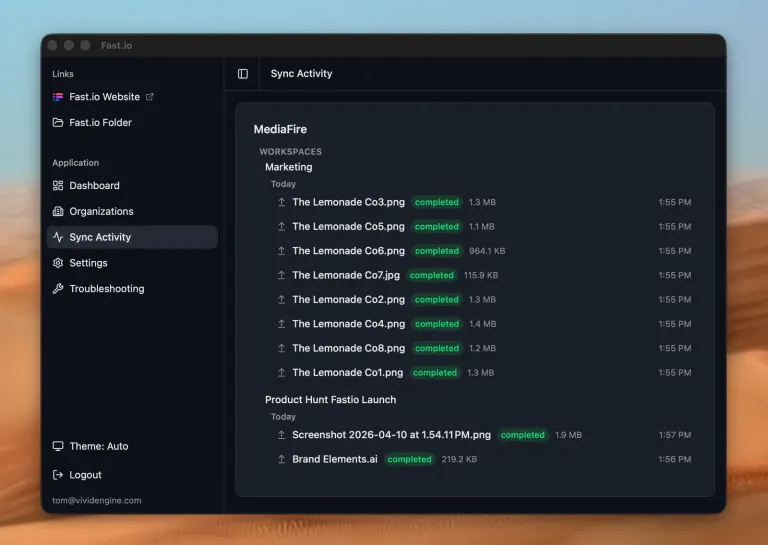
Until 0.5.0 the app uploaded one file at a time, and the pieces of a single large file went up one after another too. Both are now parallel. The second part matters more than it sounds: one big file can use your whole connection instead of trickling through it.
How many run at once is yours to set, in Settings, Files and Sync, Advanced. The range is 1 to 16 and the default is 4. Changes take effect immediately, so you can turn it down when you need the bandwidth elsewhere and turn it back up later.
Interrupted uploads also resume more reliably. We fixed a case where resuming after a restart could skip part of a file.
Finder is much faster on large accounts
Browsing folders and opening files was doing far more database work than it needed to. On accounts with thousands of folders, that was the difference between a folder opening instantly and taking most of a minute. That work is gone.
The background catalogue the app builds so your files appear in Spotlight and Recents used to cover the entire account. It is now scoped to recent activity, so it finishes in minutes rather than hours and stops competing with everything else the app is doing.
There are also fewer cases where the Finder integration gets stuck and has to rebuild itself.
Fewer silent stalls
Network requests now have time limits. Previously a request that connected and then never answered could hang indefinitely, quietly stopping sync and the background token refresh until you restarted the app. Nothing looked broken. Nothing was moving.
Two related fixes: a slow background job can no longer disable the timer that scheduled it, and signing in no longer starts two full sync passes at once. Diagnostics and error reports now capture the evidence that matters when something does go wrong.
Settings, reorganised
The settings page is now four collapsible groups, each showing its current values at a glance. New controls cover appearance (Auto, Light, Dark), how often the app checks for updates, how long logs are kept, and the upload concurrency above.
0.4.15: downloads that survive a bad connection
0.5.0 landed on top of 0.4.15, which was mostly download reliability work for large accounts and bulk transfers.
- Interrupted large downloads resume instead of restarting from zero, and the auth token refreshes per chunk rather than being snapshotted once at the start.
- Download concurrency is bounded: 5 small files (under 10 MB) at a time, 1 large.
- A per-chunk stall timeout so a dead connection cannot hold the queue.
- In-progress transfers age by last progress, not by start time, and the false “app or extension restarted” label is gone.
- The Finder integration stopped re-registering itself about 90 seconds into every launch. Its wedge clock had been accruing time across app downtime.
- Failed uploads got a dedicated page, and the list is paged and bounded.
- Error reports cap transfer history and trim the least useful sections first.
0.5.1: sync propagation
0.5.0 made things fast. 0.5.1 made remote changes show up when they should.
- Files created remotely are no longer discarded. The events poll was only seeing folder events; it now admits the transfer subcategory too.
- Remote deletes stay deleted. Tombstones now survive the sweep that consumes the pre-flag, so deletes stop reappearing from stale listings.
- Demand is no longer dropped. The working-set signal re-arms when the interval gate defers rather than dropping the demand. A 222 second propagation gap was observed before that fix.
- A replacement signal is no longer suppressed. A failed or discarded enumerator signal no longer blocks the one that comes after it.
- Long-polling and the events poll keep running during the full walk, which removes a multi-minute blackout in push detection.
- The full walk interval is fault driven: 30 minutes after a fault, extending to a 4 hour cap.
- Local database work: jittered retry with backoff on write contention, batched updates, a new composite index, and read errors propagated instead of defaulting to empty.
- Networking: a shared connection pool, HTTP/2 keep-alive, and coalesced transport-fault logging.
0.5.1 also adds a download concurrency slider (1 to 8, default 5) alongside the upload one, runs syncs concurrently per container with folder marks drained ahead of container marks, and moves signal emission to a dedicated worker thread with coalescing.
Download the latest build from the Desktop App page.
Related Posts
Fastio Desktop 0.5.2 and 0.5.3: Delete Correctness and Faster Listings
Fastio Desktop now confirms deletes with the server before removing files, resolves concurrent edits correctly, and stops Finder listings from queuing.
Gemini 3.6 Flash by Default, Plus Upload and Workspace Fixes
Gemini 3.6 Flash is now the default across AI features, alongside fixes to uploads, deletes, previews, and the workspace join gate.
Fastio Desktop 0.4.13 and 0.4.14: Local Storage Control
Fastio Desktop now lets you choose what lives on disk, shows background downloads, tells the truth about interrupted transfers, and clears stale files.