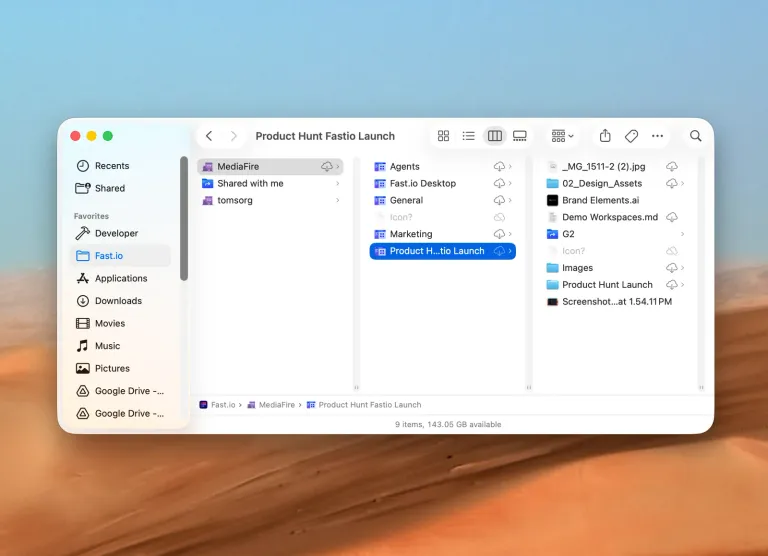
Fastio Desktop 0.4.13 and 0.4.14: Local Storage Control
Fastio Desktop now lets you choose what lives on disk, shows background downloads, tells the truth about interrupted transfers, and clears stale files.
Two Fastio Desktop releases shipped for macOS: 0.4.13 and 0.4.14. The first hands you control over what actually lives on your disk. The second is a reliability release, and the most interesting thing in it is a cleanup job that had been silently doing nothing.
You Decide What Stays on Disk
Fastio Desktop now has a local storage setting. You can keep files on demand, so content arrives when you open a file. You can keep files downloaded, so they stay on disk once fetched. Or you can keep a full workspace local, so everything in it is on your machine whether you have opened it or not.
This is the first phase of finer grained control.
Background Downloads Are Visible
macOS does some file fetching on your behalf, and until now that work was invisible. The app looked idle while your disk was busy. Those background downloads now show up on the dashboard, so what you see matches what is happening.
Interrupted Transfers Report Honestly
A transfer that got interrupted used to sit at “in progress” forever. It now reports what actually happened instead of leaving you to guess whether it is stuck or still working.
Retries That Cannot Duplicate a File
In 0.4.14, the API client retries connection level failures on a short ladder: 250ms, then 1s, then 3s.
Send and receive faults are treated differently. Those retry GET and HEAD only. A POST is never replayed, because a POST that already reached the server would create a second copy of a file you uploaded once.
Listing Resumes Instead of Starting Over
Walking storage used to be all or nothing. Now:
- A failed page resumes from where it failed instead of discarding the whole folder.
- A failed folder is re-queued instead of losing its entire subtree.
- A circuit breaker ends the pass when the network is actually gone, rather than grinding through failures one at a time.
Storage list page size also went from 100 to 500, so large folders take far fewer round trips.
The Sweep That Silently Did Nothing
This one is worth explaining properly.
The app keeps a local database describing everything it knows about your files. After syncing, a sweep runs to remove stale nodes: entries for files that no longer exist in the cloud. That sweep asked the database about every candidate in a single query.
The local database accepts at most 32,766 bound parameters in one query. Past that ceiling, the sweep silently did nothing. It did not surface an error and it did not partially run. It just stopped mattering.
The effect was that files you deleted elsewhere never disappeared from your Mac. They stayed in Finder, looking real, long after they were gone from the workspace.
Those lists are now chunked or filtered so they stay under the limit. Deletions made elsewhere now clear locally the way they always should have.
Upload Jobs and Renames
- Upload job retention. A job whose staged file is gone is now retired and recorded in Activity instead of lingering. A job that still has bytes on disk is kept, because it can still finish.
- Renames stick. A rename you made locally could be reverted by sync, or lost entirely if the API call failed. Now only pushed changes may be retired, and renames made after the sync snapshot are rechecked before anything is applied.
- Error Report moved. It now sits at the top of the Troubleshooting page, so you are not hunting for it when something is wrong.
Why This Batch Matters
Most of this is about the app telling you the truth. A dashboard that shows background work, transfers that admit when they were interrupted, and a local view that matches what is really in your workspace all add up to the same thing: you stop having to second guess what the app is doing.
The storage setting is the other half of that. Disk space is yours to spend, and now you get to decide how much of it a workspace takes.
Both releases are macOS. Download the latest build from the Desktop App page.
Related Posts
Fastio Desktop 0.5.2 and 0.5.3: Delete Correctness and Faster Listings
Fastio Desktop now confirms deletes with the server before removing files, resolves concurrent edits correctly, and stops Finder listings from queuing.
Fastio Desktop 0.5: Parallel Uploads and a Faster Finder
Fastio Desktop 0.5 adds parallel uploads, a far faster Finder on large accounts, request timeouts that end silent stalls, and better sync.
Hardening Access: Scoped Tokens, Previews, and OAuth Consent
Byte serving now requires scoped tokens, previews moved behind an authenticated path, and OAuth consent shows the scope a caller actually asked for.