OpenClaw vs Zapier: How to Choose the Right Automation Tool
OpenClaw is an autonomous AI agent that reasons through complex tasks dynamically. Zapier is a no-code workflow platform that reliably executes predefined trigger-action automations across 7,000+ apps. This guide compares their architectures, pricing, and use cases, then explains the hybrid approach where Zapier handles structured routing and OpenClaw handles reasoning, with Fastio as the shared file layer between them.


What OpenClaw and Zapier Actually Do
These two tools get compared constantly, but they work in fundamentally different ways. Understanding that difference saves you from picking the wrong one.
Zapier is a no-code workflow platform built around a simple model: when something happens in one app, do something in another app. You create "Zaps" by choosing a trigger (a new email arrives, a form gets submitted, a row appears in a spreadsheet) and then defining the actions that follow. Zapier connects to over 7,000 apps out of the box, and its visual builder means anyone on your team can set up automations without writing code. The platform has been running since 2011, processes billions of task executions monthly, and offers a high availability SLA.
OpenClaw is an open-source AI agent you run on your own machine. Instead of following predefined steps, it takes a goal and figures out how to accomplish it. Tell it "research these five competitors and write a comparison report" and it will browse websites, read pricing pages, synthesize what it finds, and produce the report. It runs on macOS, Linux, and Windows, supports multiple LLM backends (Claude, GPT, local models), and communicates through channels like WhatsApp, Telegram, Slack, and Discord. Created by Peter Steinberger and released under the MIT license, OpenClaw crossed 100,000 GitHub stars by February 2026.
The distinction comes down to this: Zapier waits for a trigger and runs the steps you defined. OpenClaw pursues a goal and decides the steps on its own.
That is not a value judgment. Predictable automation and autonomous reasoning are both useful. The question is which problems you are trying to solve.

Related guides
- Claude vs Perplexity: Choosing the Right AI Tool for Your WorkflowClaude and Perplexity solve different problems despite both being labeled "AI assistants." Claude is a reasoning engine...
- How to Choose Between Devin AI and Claude for Code AutomationDevin AI and Claude represent two distinct methodologies for automated coding, separating remote cloud-hosted...
- OpenClaw vs Make: How to Choose Between an AI Agent and a Visual Workflow BuilderOpenClaw is an autonomous AI agent that reasons through tasks and adapts on the fly. Make is a visual workflow builder...
- OpenClaw vs n8n: Agent AI vs Workflow Automation ComparedOpenClaw is an autonomous AI agent that decides what to do next. n8n is a workflow automation tool that runs the steps...
- How to Automate OpenClaw Workflows with Zapier MCPOpenClaw agents are good at reasoning, but they need a way to act on that reasoning across your existing tools. Zapier...
- OpenClaw vs LangChain: Choosing the Right Agent Framework for 2026Choosing between OpenClaw and LangChain comes down to autonomy versus building blocks. LangChain provides broad tools...
More on this subject: OpenClaw Setup and Guides (199 guides)
Side-by-Side Feature Comparison
This table summarizes the core differences between the two tools.
The numbers make the tradeoff clear. Zapier has the integration breadth: 7,000+ apps means almost anything your team uses already has a connector. OpenClaw has the reasoning depth: every task it runs can browse the web, read files, write code, and make judgment calls that would require dozens of conditional branches in a traditional workflow tool.
Neither tool can fully replace the other. A Zapier Zap that syncs your CRM to your email tool runs reliably every time without burning LLM tokens. An OpenClaw agent that triages customer support tickets and drafts personalized responses does something Zapier's trigger-action model was never designed.


Give Your Agents a Shared Workspace for File Handoff
Generous storage with built-in RAG, MCP server access, and permissions that keep staging separate from production.
When OpenClaw Is the Better Choice
OpenClaw wins when the task requires reading, reasoning, and adapting based on what it finds. If you cannot define every step in advance, you need an agent, not a workflow.
Research and synthesis. You need a competitive analysis covering pricing, features, and positioning for five products. That means visiting websites, reading documentation, comparing approaches, and writing a coherent summary. Each step depends on what the previous step discovered. OpenClaw handles this naturally because it reasons about what to do next rather than following a fixed sequence.
Unstructured content processing. A folder of PDFs arrives every week from different vendors, each with a different format. You need to extract key data points, flag anomalies, and update a tracking spreadsheet. The variations across document formats make this impractical to encode as a Zap with static field mappings. OpenClaw reads each document, understands its structure, and adapts its extraction approach accordingly.
Multi-step communication. A customer asks a question on Discord that requires checking internal docs, querying a database, and posting a formatted answer. The right response depends entirely on the question. OpenClaw can chain these actions together without you mapping every possible question to a workflow branch.
Code and content generation. Draft a blog post based on research findings, review a pull request against project conventions, or generate API documentation from source code. These are judgment-heavy tasks where the output quality depends on understanding context, not just moving data between fields.
The pattern: if you find yourself building increasingly complex conditional branches in a workflow to handle edge cases, the task probably belongs to an agent.
Before you commit to OpenClaw specifically, it is worth knowing what else is out there. Our OpenClaw alternatives guide compares six other agent frameworks, from ZeroClaw to Lindy AI, on the same reasoning-heavy criteria.

When Zapier Is the Better Choice
Zapier wins when the workflow is well-defined, runs frequently, and needs to work the same way every time. Predictability matters more than flexibility here.
App-to-app data sync. New lead in your CRM triggers a welcome email, adds them to a nurture sequence, and creates a task for the sales team. This workflow has a known input, known outputs, and zero ambiguity. Zapier executes it perfectly without burning LLM tokens on decisions that do not require reasoning.
Payment and finance workflows. When a Stripe payment succeeds, update your accounting software, generate an invoice, and notify the customer. These processes need audit trails, and Zapier's execution logs show exactly what happened at each step. For compliance-sensitive work, that visibility is non-negotiable.
Marketing automation. Form submission triggers a sequence: add the contact to your email platform, tag them by interest, notify the sales channel, and update a dashboard. Zapier's 7,000+ app connectors mean you probably already have native integrations for every tool in the chain.
Team operations. When a new hire is added to your HR system, create their accounts across Slack, Google Workspace, Notion, and your project management tool. Zapier handles this kind of structured provisioning cleanly, and the visual builder means an ops team member can maintain the workflow without developer involvement.
The pattern: if the task has a known trigger, known steps, and known outputs, and it needs to run reliably at scale, Zapier is purpose-built for it. You do not need an LLM to decide whether to send a welcome email.
Running Both Tools Together
Most teams using OpenClaw seriously also use Zapier for structured automation. The two tools layer together naturally: Zapier handles the routing and API plumbing, OpenClaw handles the thinking.
Zapier as the integration layer
Zapier's strength is connecting apps. Instead of giving OpenClaw direct API credentials for every service, you can expose Zapier webhooks that the agent calls when it needs to interact with external tools. The agent sends a request to a automation hooks URL, and Zapier handles the authenticated API call on the other side. This gives you credential isolation (keys stay in Zapier's vault), visual debugging (every integration step is inspectable in the Zap editor), and approval gates before sensitive actions execute.
Zapier also offers an MCP integration, which means OpenClaw can access Zapier's entire app ecosystem through the Model Context Protocol with scoped permissions and managed authentication.
OpenClaw as the reasoning layer
When a Zapier trigger receives something that requires judgment, it can hand off to OpenClaw. A new support ticket arrives, Zapier routes it to the agent for classification and draft response, then picks up the output and routes it through an approval workflow before sending. The trigger-action framework stays reliable. The reasoning happens where it needs.
Fastio as the shared file layer
Both tools need somewhere to read and write files. Local filesystems do not work when agents and workflows run on different machines. Cloud drives like Google Drive or Dropbox work for basic drops but lack built-in indexing and granular agent permissions.
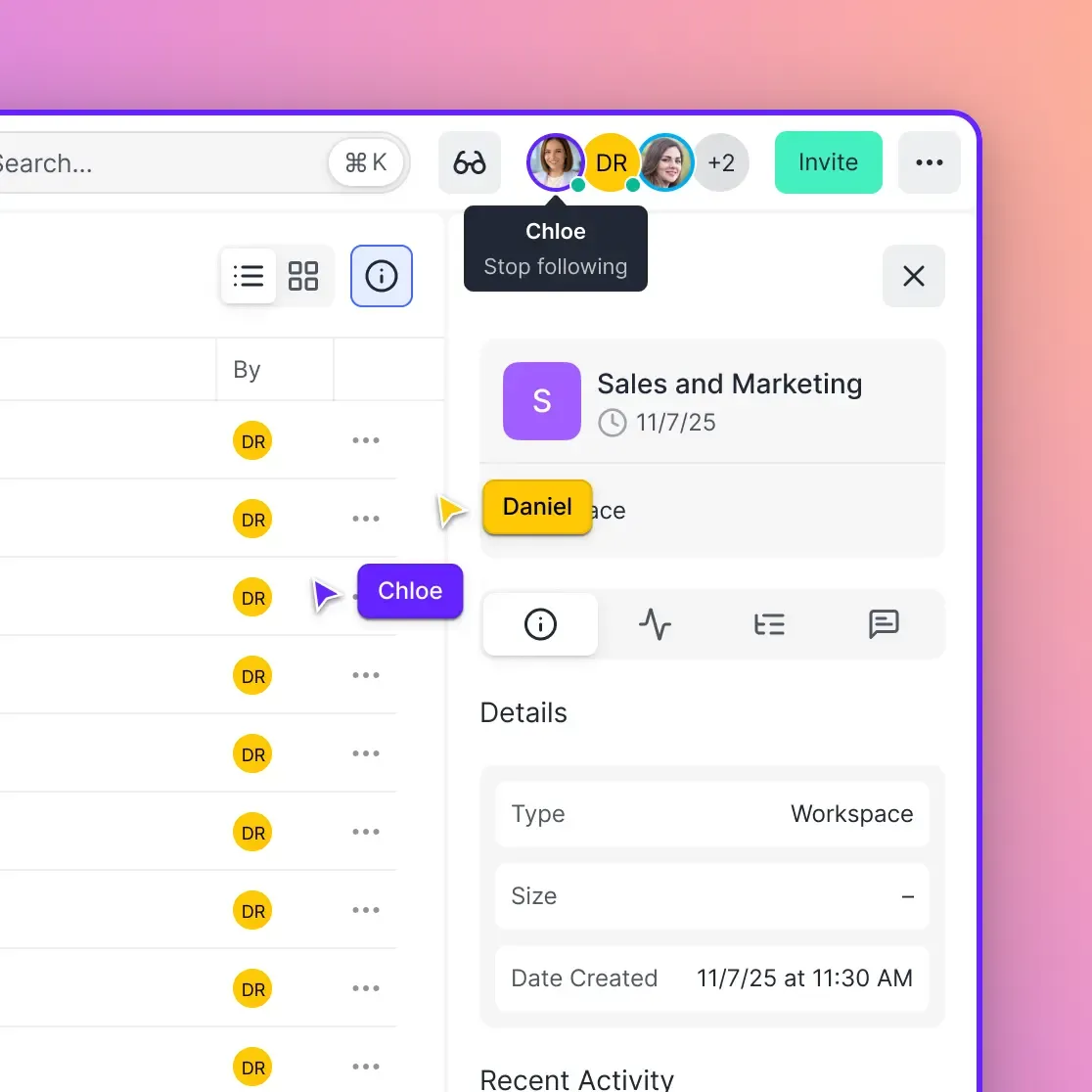
Fastio workspaces provide the shared layer. OpenClaw writes research reports, generated content, or extracted data to a workspace. Zapier workflows pick up those files and distribute them: attaching to emails, posting to Slack, or syncing to a client portal.
Files uploaded to Fastio are indexed and searchable once Intelligence is enabled for the workspace, supporting semantic search and citation-backed chat. That means OpenClaw can search previous outputs by meaning, not just filename. And because Fastio supports granular permissions at the org, workspace, folder, and file level, you can give the agent write access to a staging workspace while restricting production content to human reviewers.
The Fastio MCP server gives OpenClaw direct access to workspace operations, uploads, AI queries, and file organization. Zapier can use its own webhook triggers for third-party events, while a custom integration can use Fastio's REST API, activity polling, or WebSocket events feed to coordinate workspace changes.
For teams evaluating storage options, the Business Trial runs with Business-plan capabilities for 14 days and requires a credit card. See the pricing page for current details.
Pricing Compared
Cost structure is one of the biggest differences between these tools. Zapier charges per task execution. OpenClaw is free to run, but LLM usage adds up.
Zapier pricing
Zapier offers five tiers. The Free plan gives you 100 tasks per month with single-step Zaps only. The Starter plan costs $19.99 per month for 750 tasks. The Professional plan runs $49 per month (billed annually) for 2,000 tasks with multi-step Zaps, filters, and paths. The Team plan costs $299 per month for 50,000 tasks with shared workspaces and advanced permissions. Enterprise pricing is custom.
The key consideration: task volume scales your costs directly. A moderately active team running CRM sync, marketing automation, and support workflows can burn through 2,000 tasks per month quickly, pushing real costs to the Team tier.
OpenClaw pricing
OpenClaw itself is free and open source under the MIT license. Your costs come from two places: hosting and LLM API usage.
Self-hosting on your own machine costs nothing beyond electricity and the API key. Running on a VPS typically adds $5 to $24 per month for the server. LLM API costs vary by usage, from under $20 per month for light use to $80+ for heavy workloads.
For managed hosting, Blink Claw charges approximately $45 per month flat with LLM costs included and no per-task limits. That predictable pricing appeals to teams running high volumes of agent tasks.
Cost comparison for a small team
A 10-person team running both tools might spend $299 per month on Zapier Team (50,000 tasks) plus $45 per month on Blink Claw, totaling roughly $344 per month. For teams that self-host OpenClaw, the combined cost drops to $299 plus $30 to $80 in LLM usage, depending on volume.
Compare that to running Zapier alone at the Team tier with complex code steps and Paths to approximate what OpenClaw does natively. You would likely hit task limits faster and spend more time maintaining multi-branch Zaps than the agent subscription costs.
Sources
References used to verify factual claims in this guide.
-
Zapier connects to over 7,000 apps 22% of Zapier customers have employees running OpenClaw without IT approval
-
OpenClaw crossed 100,000 GitHub stars by February 2026
-
Zapier Team plan costs $299 per month for 50,000 tasks Blink Claw managed hosting costs approximately $45 per month flat Zapier processes billions of task executions monthly Zapier offers a 99.99% uptime SLA
Frequently Asked Questions
Should I use OpenClaw or Zapier?
It depends on the type of work you are automating. Use Zapier for structured, repeatable workflows between apps, like CRM sync, payment processing, and marketing automation. Use OpenClaw for tasks that require reasoning and judgment, like research, content generation, and support triage. Many teams run both.
Can OpenClaw replace Zapier?
Not entirely. OpenClaw excels at reasoning-heavy tasks but lacks Zapier's 7,000+ native app integrations, enterprise governance features, and high availability SLA. For structured trigger-action automations that need to run reliably at scale, Zapier remains the stronger choice. The two tools work best as complementary layers.
Is OpenClaw cheaper than Zapier?
For high-volume automation, often yes. Managed OpenClaw hosting through Blink Claw costs approximately $45 per month flat with no per-task limits. Zapier's Team plan costs $299 per month for 50,000 tasks. However, self-hosted OpenClaw has variable LLM API costs that can be unpredictable under heavy usage, while Zapier's per-task pricing is transparent.
What can OpenClaw do that Zapier cannot?
OpenClaw can browse the web, read and write files, execute code, and make judgment calls about what to do next. It handles open-ended tasks like competitive research, document analysis, and personalized communication where the steps depend on the content. Zapier is limited to predefined trigger-action sequences between supported apps.
Can I use OpenClaw and Zapier together?
Yes, and this is the recommended approach for many teams. Zapier handles structured integrations and trigger routing while OpenClaw handles reasoning-heavy tasks. They connect through webhooks or Zapier's MCP integration. Adding a shared workspace like Fastio gives both tools a persistent file layer for reading and writing outputs.
Is OpenClaw safe to use for business automation?
OpenClaw is open source and self-hosted, which means security is your responsibility. Zapier's comparison page notes that 22% of their customers have employees running OpenClaw without IT approval, and security researchers have flagged a portion of community-contributed ClawHub skills as potentially malicious. For business use, audit any skills you install, restrict system access, and use a shared workspace with granular permissions to limit what the agent can reach.
Related Resources

Give Your Agents a Shared Workspace for File Handoff
Generous storage with built-in RAG, MCP server access, and permissions that keep staging separate from production.