How Law Firms Structure Document Collaboration for Drafting and Redlines
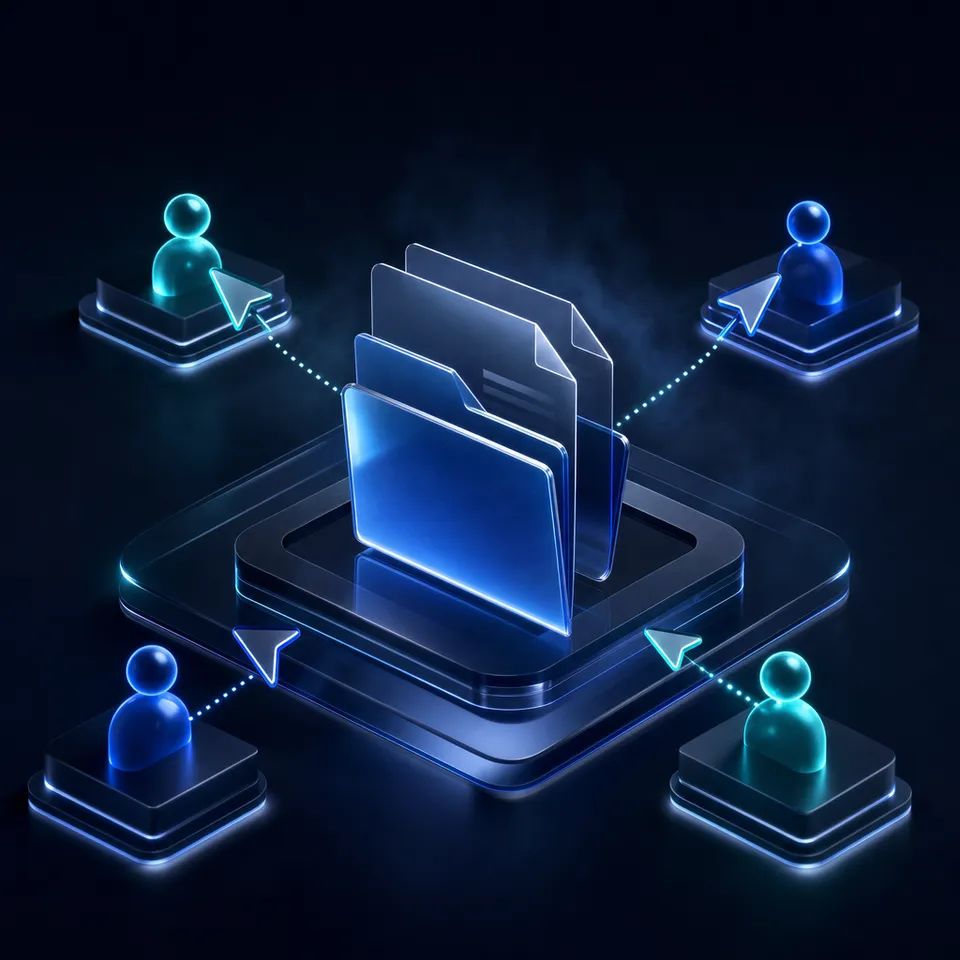
Law firm document collaboration encompasses the systems and processes that enable attorneys, paralegals, and outside parties to co-author, redline, and revise legal instruments with strict version control and immutable change histories. When teams draft briefs or negotiate agreements, disjointed email attachments cause overwritten clauses and leaked metadata. Structured practices prevent collisions by isolating active drafts, using granular permissions, and logging every file revision.

Why Email Chains and Scattered Redlines Break Legal Drafting
When three attorneys independently edit local copies of a sixty-page credit agreement received over email, reconciling their competing revisions into a single authoritative instrument requires hours of manual comparison and risks dropping negotiated clauses. Document drafting in a law firm is not a casual writing exercise. It is a multi-party negotiation where every comma, cross-reference, and defined term carries binding legal consequences.
When legal teams lack centralized collaboration systems, drafting defaults to uncoordinated email attachments. A junior associate drafts an initial version in Microsoft Word and distributes it to the deal team. A partner marks up changes on a tablet while traveling. A subject-matter specialist edits the tax representations on a desktop workstation. Meanwhile, outside co-counsel marks up an older version sent two days earlier. Within twenty-four hours, the firm possesses four divergent versions of the same instrument, each containing edits that must be manually inspected, verified, and merged.
Law firm document collaboration encompasses the systems and processes that enable attorneys, paralegals, and outside parties to co-author, redline, and revise legal instruments with strict version control and immutable change histories. Effective attorney document collaboration requires replacing ad-hoc email circulation with matter-centric workspaces and real-time coordination. Without these controls, legal teams face severe operational friction and ethical exposure.
The Breakdown of Unmanaged Version Sprawl
The root cause of drafting errors is version sprawl. In traditional workflows, files circulate with appended labels such as "Draft_v2_JW_edits.docx" and "Draft_v2_final_approved_v3.docx". This pattern creates immediate ambiguity regarding which file represents the true current state of the transaction or litigation brief.
When multiple contributors work on parallel copies, three distinct failure modes occur:
- Overwritten Deal Terms: An associate incorporates edits from one partner while overlooking a critical change made by another partner to an indemnification cap.
- Orphaned Revisions: A paralegal updates cross-references in an outdated draft, requiring the work to be repeated when the actual master document is identified.
- Reconciliation Delay: Senior attorneys spend billable hours running manual three-way comparisons in Word instead of analyzing legal exposure.
Manual reconciliation is vulnerable to cognitive fatigue. Late at night before a court filing deadline or closing date, attorneys reviewing redlines can easily miss that an opposing party modified a disclosure schedule or altered a default interest rate.
Confidentiality and Metadata Exposure Hazards
Circulating Word documents externally creates profound risks under the rules of professional conduct. Every word processing file contains layers of invisible metadata, including:
- Detailed revision histories showing previous drafting positions and deleted text.
- Reviewer comments highlighting internal debate, client weaknesses, or legal doubts.
- Document author identities, internal file server paths, and modification timestamps.
- Embedded template data disclosing prior client matters.
Under American Bar Association ethical guidelines regarding technical competence and confidentiality of client information, lawyers must take reasonable steps to prevent the inadvertent disclosure of privileged work product. Sending unscrubbed documents to opposing counsel or external parties can inadvertently waive attorney-client privilege or expose proprietary client negotiation limits. Effective legal collaboration requires systems that enforce clean external releases and preserve complete internal auditability.
Related guides
- Matter Management System: Structuring Workspaces, Budgets, and Legal DocumentsA matter management system serves as the operational engine for corporate legal teams and firms, unifying intake,...
- Document Management Software for Small Law Firms: Simple Cloud SolutionsFor solo and boutique practices, managing case files and client records without a dedicated IT department can lead to...
- Boutique Law Firm Software: Crafting a Specialized Tech StackBoutique law firms require specialized legal tech tools tailored for niche practices like intellectual property or...
- Law Firm Cloud Backup: Defensible Data Redundancy and Version ProtectionLaw firm cloud backup protects sensitive matter files, discovery archives, and client records against accidental...
- Legal Tech Solutions: The Modern Law Firm Technology GuideLegal tech solutions encompass software applications and digital platforms engineered to coordinate legal operations,...
- The Best Legal Document Management Software for Mac UsersMac-based law firms face unique challenges with traditional document management systems that lack native desktop...
More on this subject: Legal Teams (211 guides)
How Law Firms Structure Document Collaboration Workspaces
To eliminate version chaos and protect client confidentiality, law firms must establish structured workspaces organized around client matters rather than individual user accounts. A matter-centric architecture ensures that all drafts, supporting research, client records, and external communications reside in a single, access-controlled environment.
Structuring a Matter-Centric Workspace Hierarchy
Legal workspaces should reflect how attorneys actually work on a case or transaction. Instead of scattering files across personal drives, the firm maintains an organized directory structure for each active matter:
Matter-2026-Acme-Refinancing (Workspace)
├── 01_Client_Intake_and_Source_Docs
├── 02_Active_Drafting
│   ├── Credit_Agreement
│   └── Security_Instruments
├── 03_Internal_Review_and_Notes
├── 04_Opposing_Counsel_Transmittals
│   ├── Inbound_Markups
│   └── Outbound_Releases
└── 05_Final_Executed_Documents
This structure creates clear physical boundaries between work-in-progress drafts, internal discussions, and externally released instruments. Associates drafting new language work inside the designated drafting directory, while client-facing files reside in isolated folders.
Enforcing Granular Permissions Across the Practice
A flat access model presents unacceptable risks for legal practices. Different participants require strictly calibrated permissions:
- Responsible Partners: Full administrative control to manage access, review audit trails, and approve final transmittals.
- Associates and Staff: Editing rights within active drafting folders, with restricted access to sensitive billing files or partner-only assessments.
- External Experts and Co-Counsel: Scoped access limited strictly to relevant technical or evidentiary directories.
- Clients: View-only or receive-only access to designated deliverable folders, preventing unintended alterations to master drafts.
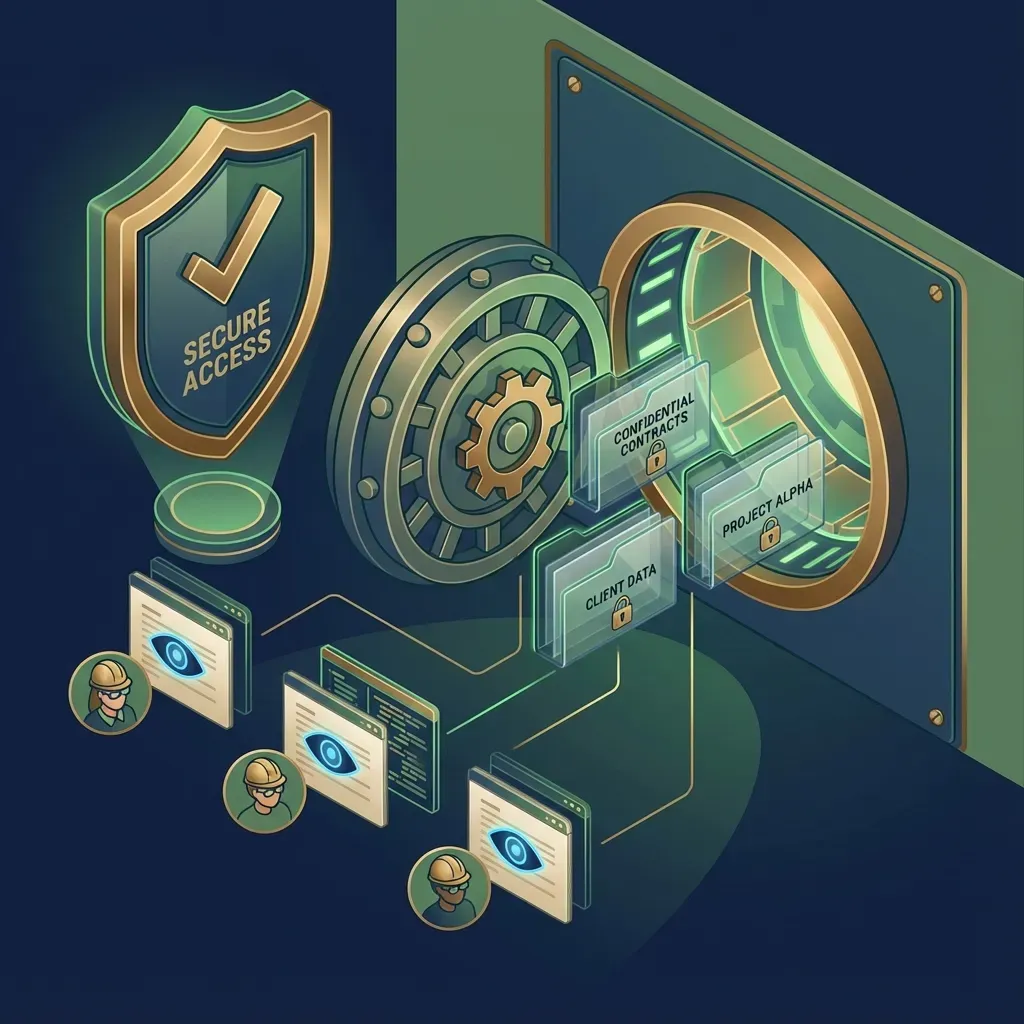
By applying permissions at the workspace, folder, and individual file levels, firms ensure that sensitive litigation strategies remain restricted to the authorized matter team.
Structuring Discovery and Contract Data with Metadata Views
Large matters generate hundreds of contracts, court pleadings, and evidentiary records. Locating critical provisions across dense document collections often consumes valuable paralegal and associate hours.
Modern legal teams use Metadata Views to turn static document folders into structured, queryable databases. Rather than manually opening every agreement to record dates and governing law in an external spreadsheet, attorneys define the fields they need extracted in natural language. The system extracts structured fields such as:
- Counterparty legal entities and signature blocks.
- Effective dates, termination triggers, and renewal windows.
- Governing law, dispute resolution venues, and liability caps.
- Defined terms and covenant categories.
This extraction works across scanned discovery PDFs, Word agreements, and formal pleadings. Attorneys can filter and sort matters by contractual obligations or jurisdictional terms directly from the workspace view, transforming passive document archives into active operational intelligence.
Coordinating Strategy with Collaborative Notes
Drafting legal briefs and complex agreements requires extensive internal brainstorming, outline development, and punch-list coordination before drafting formal contract clauses. Relying on disconnected chat messages or email chains for this preliminary work fragments matter context.
Teams maintain real-time alignment by using Collaborative Notes within the matter workspace. Attorneys, paralegals, and practice managers co-edit research outlines, deposition strategy summaries, and transaction closing agendas in a unified space. Because these notes live alongside the authoritative documents, internal context remains directly connected to the matter files without cluttering formal contract drafts with informal commentary.
A Four-Stage Protocol for High-Stakes Document Drafting
High-stakes legal drafting requires a disciplined, repeatable operational protocol. Successful collaborative drafting in law firms depends on clear boundaries so multiple authors can contribute without overwriting critical clauses. Implementing a four-stage drafting protocol ensures that every participant knows their responsibilities from initial outline to final execution.
Stage 1: Drafting Isolation and Ownership Discipline
The most effective way to prevent conflicting edits is operational isolation during active drafting sprints. When drafting a primary instrument, such as an appellate brief or commercial lease:
- Designate a Lead Drafter: One attorney owns primary editing authority for a specific drafting cycle. Other team members provide feedback via comments or Collaborative Notes rather than editing the master text directly.
- Check-In Protocols: When passing editing responsibilities between team members, the departing author saves a formal revision milestone before handing off the document.
- Segmented Section Drafting: For large commercial agreements, divide schedules and exhibits among junior attorneys while the lead partner maintains the core terms. Recombine sections only after individual components pass internal review.
Stage 2: Structured Internal Peer Review
Once an initial draft is prepared, internal review must proceed systematically without creating divergent document branches:
- Commentary Over Inline Overwrites: Senior reviewers place contextual comments and questions on specific clauses instead of deleting text unannounced. This allows junior drafters to understand the legal rationale for modifications.
- Tracked Changes Conventions: When revisions are required, reviewers maintain tracked changes so that all proposed modifications remain visible to the lead drafter.
- Consolidated Review Passes: The lead drafter reviews all internal comments in a single pass, accepting approved changes and rejecting superseded proposals to maintain a clean, single active file.
Stage 3: Automated Diff Generation and Redlining
Before circulating revisions to clients or outside parties, attorneys must generate an accurate redline comparing the current draft against previous milestones. Traditional legal drafting relies heavily on manual redlines generated inside desktop software, which often miss minor formatting alterations, altered numbering, or modified punctuation.
Modern workspaces maintain automatic, per-file version history. Every time a document is updated, the platform records an immutable snapshot with timestamps and user attribution. Attorneys can compare any two historical points in time:
- Compare the current internal draft against the version sent to opposing counsel.
- Compare opposing counsel's returned draft against the baseline version they received.
- Verify that accepted internal edits did not alter standard boilerplate protections.
Automated visual diffs provide immediate clarity, highlighting inserted phrases in green and deleted passages with strike-through formatting, eliminating the uncertainty of manual document comparisons.
Stage 4: Clean Finalization and Metadata Scrubbing
The final stage of legal drafting is preparing the document for external delivery or formal court filing:
- Accepting and Finalizing Revisions: All tracked changes must be formally accepted or rejected. Leaving unresolved tracked revisions in an outbound file is a critical professional risk.
- Removing Hidden Properties: Strip document author properties, internal server directories, template identifiers, and hidden markup using document inspection tools.
- Format Conversion: Convert negotiated agreements into clean, standardized PDF formats for execution. If sending editable files to opposing counsel, generate a clean, scrubbed DOCX file containing only agreed-upon language.
- Archiving the Authoritative Baseline: Store the final executed copy or filed pleading in the matter's permanent archive folder, where the activity log records when the final version was stored.


Protect Legal Matter Drafting with Versioned Workspaces
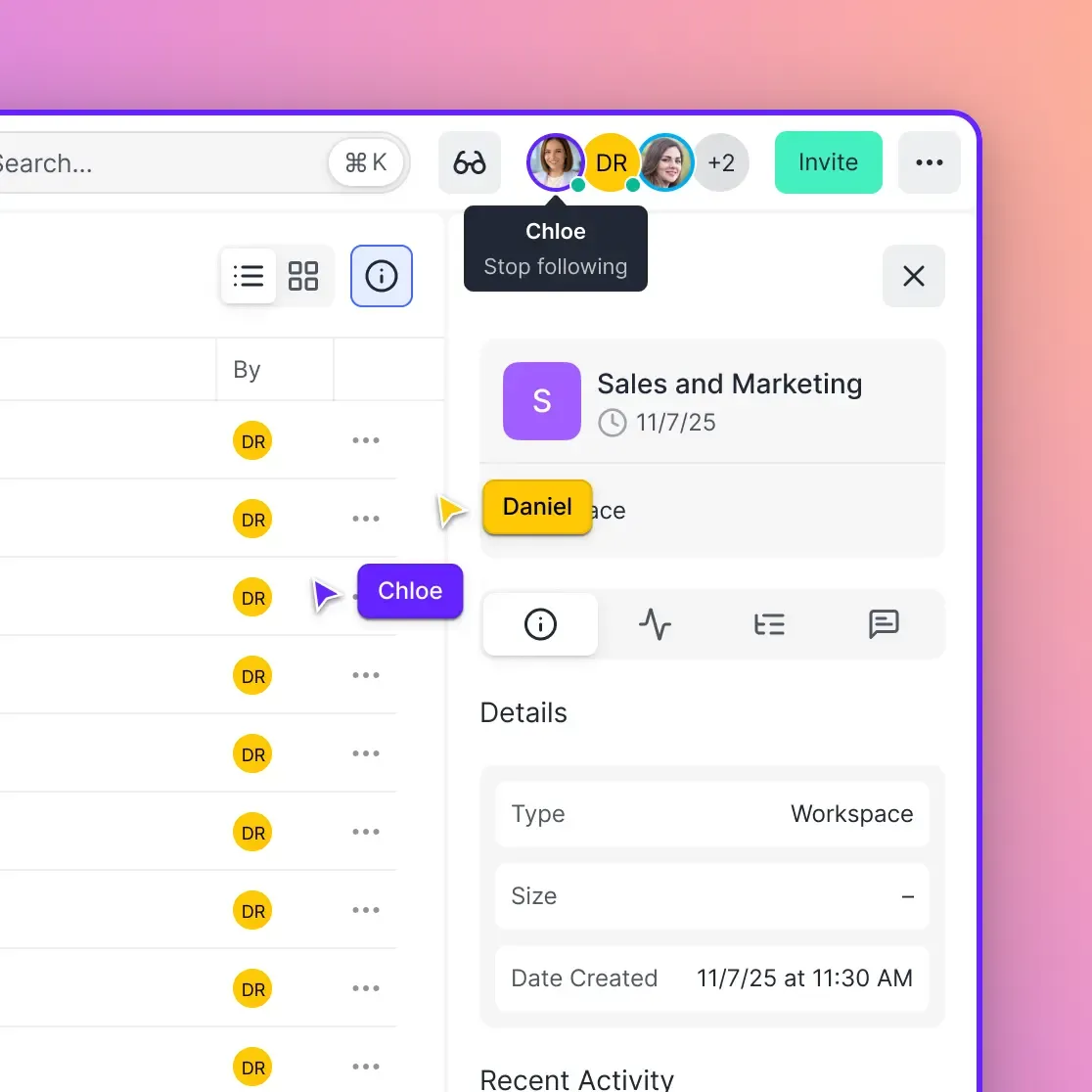
Keep attorney drafting, client reviews, and law firm document collaboration organized with granular permissions and a detailed activity log. Start your 14-day free trial.
Managing Parallel Revisions from Opposing Counsel and Outside Parties
Internal document management is only half the battle. Legal drafting is fundamentally adversarial and multi-party. The greatest friction occurs when outside parties, including opposing counsel, regulatory agencies, or corporate clients, re-enter the drafting loop via uncoordinated channels.
Triaging Inbound Markups from Outside Counsel
Opposing counsel rarely uses your firm's internal tools. In most matters, opposing attorneys email back a modified Word file or scanned PDF containing unexpected changes, conflicting redlines, and rejected proposals. Handling these inbound files requires a strict intake discipline:
- Immediate Ingestion: Save the inbound file directly into the matter's
Opposing Counsel Transmittalsdirectory. Do not leave the attachment sitting solely in an attorney's personal email inbox. - Independent Comparison: Never rely on the redline provided by opposing counsel. Attorneys occasionally make "silent edits," which are modifications made without enabling tracked changes. Run an automated visual diff between the inbound file and the exact version your firm previously delivered.
- Internal Mark-Up Isolation: Before responding to opposing counsel, create an internal review copy to annotate negotiable points, evaluate client risk, and prepare alternative language.
According to the 2026 ILTA technology survey reported by LawNext, 76% of law firms use or explore Microsoft 365 Copilot for document tasks. While general office tools handle basic text generation, legal document collaboration software must provide strict matter boundaries, immutable audit logs, and version control that prevents unauthorized disclosures.
Replacing Risky Email Attachments with Scoped Client Shares
Circulating draft contracts to clients via email attachments introduces severe security vulnerabilities. Clients frequently forward attachments to external advisors, accountants, or family members, risking unintended waiver of privilege and loss of document control. Furthermore, client revisions returned via email often collide with concurrent internal edits.
Firms address this friction by using secure client portals and branded share links:
- Direct Web Access: Clients open a secure, branded link in their browser to review case materials, eliminating the need to download large attachments or install proprietary software.
- View-Only Restrictions: For sensitive settlement drafts or litigation disclosures, enable view-only modes that prevent unauthorized downloads or copying.
- Expiring Links and Domain Restrictions: Set automatic expiration dates on shared review drafts and restrict access strictly to verified client email domains.
- Receive-Only Client Uploads: Provide clients with dedicated receive folders where they can securely upload evidentiary files, financial statements, and executed agreements directly into the matter workspace without email size limits.
This approach ensures that the firm retains complete visibility over who accessed, viewed, or downloaded specific documents throughout the engagement.

Comparing Legal Document Collaboration Tools and Workspaces
Legal operations managers and IT leaders evaluating document collaboration tools must balance ease of use against strict governance and security requirements. Understanding how traditional legal systems compare with general cloud storage and modern intelligent workspaces helps firms choose the right foundation for their practice.
Comparing Collaboration Approaches for Law Firms
Selecting the Right Approach for Your Practice
Firms should evaluate their technology investments based on matter volume, team distribution, and collaboration complexity:
- Enterprise Litigation Practices: Large firms with dedicated legal IT staff often maintain enterprise legal document management systems for core filings, but deploy specialized cloud workspaces for multi-firm joint defense groups, expert witness exchanges, and heavy media handling.
- Boutique and Mid-Sized Firms: Growing firms require agile systems that provide enterprise-grade access controls and audit trails without the six-figure setup costs and heavy desktop software dependencies of legacy platforms.
- Transactional Teams: Deal-focused practices benefit from rapid diff comparisons, structured client delivery portals, and automated contract data extraction that accelerates closing checklists.
Implementation Checklist for Legal Operations
Rolling out collaborative drafting tools requires operational discipline alongside technology adoption. Legal operations leads should follow this practical sequence:
- Establish Standard Naming Conventions: Enforce uniform matter workspace naming, such as
ClientName-MatterID-Description, ensuring clear searchability across the firm. - Define File Finalization Rules: Require teams to formally archive finalized agreements in dedicated, read-only closing folders immediately upon signing or filing.
- Educate Teams on Metadata Management: Train all associates and paralegals to inspect outbound documents and use secure client portals instead of unencrypted email attachments.
- Audit Permissions Quarterly: Conduct regular permission reviews across active matters to remove access for departed staff, concluded co-counsel arrangements, and inactive outside experts.
Sources
References used to verify factual claims in this guide.
-
According to the 2026 ILTA technology survey, 76% of law firms use or explore Microsoft 365 Copilot for document tasks.
Frequently Asked Questions
How do multiple attorneys collaborate on the same legal brief?
Multiple attorneys collaborate effectively on a legal brief by establishing clear ownership boundaries and using centralized matter workspaces. Rather than circulating conflicting Word attachments over email, the team designates a lead drafter for specific sections, uses contextual commenting for peer review, and relies on automated version history to track modifications. Internal outlines and case strategy are coordinated in Collaborative Notes, while formal drafts remain isolated in protected drafting folders.
How do law firms prevent version conflicts when co-authoring documents?
Law firms prevent version conflicts by eliminating local file copies and maintaining an authoritative master document within an access-controlled workspace. Team members follow structured handoff protocols, checking in revisions before another attorney begins editing. Automated per-file version history captures every change as an immutable snapshot, allowing attorneys to generate visual diffs between revisions and review past changes without overwriting active work.
What is the best way to handle redlines and track changes across a legal team?
The most reliable way to manage redlines is to separate internal peer review from external contract negotiations. Internally, attorneys use tracked changes and targeted comment threads to refine phrasing, which the lead author consolidates before creating a milestone version. For external exchanges, firms run automated visual comparisons between their authoritative draft and the markup returned by outside counsel, ensuring that all modifications are identified before preparing the next draft.
How should law firms scrub document metadata before external release?
Before releasing documents to opposing counsel, regulatory agencies, or external parties, law firms must accept or reject all outstanding tracked revisions and delete internal comments. Attorneys should use document inspection tools to remove author identities, internal network paths, and revision histories. Final agreements should be converted into clean PDF files, while editable files must undergo metadata stripping to avoid inadvertent disclosure under professional conduct rules.
Why are email attachments hazardous for legal document collaboration?
Email attachments create severe security and operational risks for law firms. Circulating files via email inevitably causes version sprawl, as multiple recipients create divergent local drafts that must be manually reconciled. Email also increases the risk of privilege waivers, as messages can be accidentally forwarded to unauthorized third parties. Furthermore, unscrubbed attachments can expose confidential metadata and internal author comments.
How can legal AI tools assist document collaboration without exposing confidential files?
Legal AI tools assist collaboration by extracting structured contract terms, summarizing key provisions, and performing semantic search across matter repositories. To protect client confidentiality and attorney-client privilege, AI tools must operate strictly within scoped permissions that isolate data by matter. Using consolidated MCP toolsets and typed extraction schemas like Metadata Views ensures that agents only access documents explicitly authorized for that matter.
Related Resources

Protect Legal Matter Drafting with Versioned Workspaces
Keep attorney drafting, client reviews, and law firm document collaboration organized with granular permissions and a detailed activity log. Start your 14-day free trial.