Nuclino Alternatives: Modern Knowledge Bases & Company Brains Compared
Nuclino alternatives are collaborative knowledge bases and company brain tools that offer team documentation, live note-taking, and file organization for modern teams. While Nuclino excels at fast, lightweight card-based notes, fast-growing teams often outgrow its per-user storage limits and notes-first model. This guide evaluates five leading alternatives across file capacity, access permissions, hybrid search, and autonomous AI agent connectivity.

Why Teams Outgrow Nuclino's Card-Based Knowledge Model
When an organization scales its operations beyond brief text notes, knowledge systems built on lightweight cards begin to fracture. Teams document a procedure or architecture in a card-based wiki, but the working spreadsheets, high-resolution media, PDF agreements, and engineering models remain stored across cloud drives. The separation creates an operational disconnect: human employees must manually update card notes whenever working documents change, and autonomous AI agents querying the wiki receive stale summaries disconnected from source assets.
Nuclino alternatives are collaborative knowledge bases and company brain tools that offer team documentation, live note-taking, and file organization for modern teams. Nuclino earned its reputation by providing a clean interface, fast note editing, and multiple visual representations of team documents, including nested lists, kanban boards, visual tables, and mind-map graph views. For early-stage startups and small teams seeking a lightweight wiki, this speed and visual simplicity reduce friction.
However, as teams expand, Nuclino file attachment limits frequently push fast-growing teams toward dedicated document workspaces. With file storage capped at 10GB per user on the Starter plan and 20GB per user on the Business plan, storing multi-gigabyte media, engineering builds, or massive document archives quickly exhausts allocated capacity. Beyond raw capacity caps, three operational constraints push engineering and operations teams to seek alternatives:
- Notes First, Files Second: Nuclino is built around written items, with PDFs, presentations, and datasets attached to them. Sidekick, Nuclino's AI assistant on the Business plan, answers questions from workspace content, but teams that run on large document collections often want the files themselves to be the primary object, with structured fields extracted across them.
- The Split-Brain Problem: Because large assets cannot live comfortably inside Nuclino items, teams store files in third-party cloud drives and paste URLs into notes. When working files are updated, the corresponding wiki notes fall out of sync, leading to documentation decay.
- Disconnected Working Files: Modern operations rely on AI agents such as Claude Code, Cursor, Codex, and custom frameworks to read specs, generate reports, and update repositories. Nuclino offers an API and an MCP server for its items, but working files kept in external drives stay outside that connection, so agents cannot open those documents there, take advisory file locks on them, or save outputs beside them in one workspace.
Solving these challenges requires moving from static cards to an intelligent workspace where documents, notes, and search operate as a unified system.
Related guides
- Helpjuice Alternatives: Top Knowledge Bases & Company Brains ComparedHelpjuice alternatives are knowledge management platforms designed to structure organizational information, accelerate...
- Best Confluence Alternatives for Modern Company Brains in 2026Modern engineering and knowledge teams are moving away from bloated page-based wikis toward unified company brains that...
- GitBook Alternatives: Modern Documentation and Knowledge Workspaces for Technical TeamsGitBook alternatives are technical documentation platforms that allow engineering and product organizations to create,...
- Moveworks Alternatives: Enterprise AI Search and Service Desks ComparedMoveworks alternatives are enterprise search tools, service desk assistants, and intelligent workspaces that help...
- Guru Pricing Breakdown: Packages, AI Credits, and Knowledge Base CostsGuru now sells quote-based packages rather than published per-seat plans, and it meters AI work through a shared pool...
- Best Guru Alternatives for Modern Company KnowledgeTeams evaluating Guru alternatives often seek to replace card-based snippets with living, searchable company knowledge....
More on this subject: AI Tool Directories and Comparisons (242 guides)
Top Five Nuclino Alternatives Compared
Evaluating alternatives to Nuclino requires looking beyond card layouts to examine how platforms store production assets, index file text, and connect with autonomous AI systems. A modern knowledge platform must serve human readers who need clear documentation and AI agents that require programmatic file access.
The comparison table below details how the top five Nuclino alternatives handle primary storage architecture, file capacities, search retrieval mechanisms, and developer agent connectivity.
1. Fastio
Fastio is an intelligent cloud workspace platform built for teams and autonomous AI agents. Unlike traditional wikis that treat documentation as isolated text pages, Fastio serves as an active company brain where raw operational files (PDFs, spreadsheets, slide presentations, code specifications, media, and markdown notes) live together in shared workspaces.
Key Strengths:
- Native File Intelligence: Files uploaded or synced to a workspace are indexed on arrival. The platform generates full-text and semantic vector indexes, allowing people and AI models to search document contents and receive answers backed by specific page, file, and snippet citations.
- First-Class Agent Protocols: Exposes a consolidated Model Context Protocol (MCP) toolset over Streamable HTTP across dedicated client endpoints. Claude Code, Cursor, Codex, ChatGPT, and custom frameworks read documents, execute hybrid search queries, manage advisory file locks, and write outputs directly into the workspace.
- Structured Document Extraction: Through Metadata Views, teams describe required fields in plain English, and AI automatically extracts typed schemas (such as contract dates, invoice totals, or compliance terms) from unstructured documents without manual data entry.
- Cloud Sync: Connects Google Drive, Dropbox, Box, and OneDrive folders to workspaces one-way or two-way, on a schedule or on demand, bringing external archives into the company brain.
Key Limitations:
- Fastio does not offer mind-map visual graph views or interactive whiteboard canvases like Nuclino.
- Operating an active organization requires a paid subscription plan.
Best For: Fast-growing teams and engineering groups that handle heavy operational documents and require human-agent collaboration inside shared, indexed storage.
Pricing: Monthly plans start with a 14-day free trial, which requires a credit card. Subscriptions include Starter, Business, and Enterprise tiers, with detailed seat counts and credit allowances documented on the Fastio pricing page.
2. Notion
Notion is a modular, block-based workspace that combines document drafting, relational databases, project management boards, and internal wiki pages. It serves as an all-in-one productivity suite for organizations wanting a single tool for notes and project tracking.
Key Strengths:
- Flexible Database Architecture: Teams can construct interconnected databases with custom properties, formulas, and multiple layout views (kanban, timeline, calendar, and table).
- Rich Template Ecosystem: Extensive public templates accelerate workspace setup for product roadmaps, sprint planning, and team directories.
- Integrated Assistant: Notion AI answers questions across workspace pages, drafts text blocks, and summarizes meeting notes directly in the editor.
Key Limitations:
- Files Sit Inside Pages: Uploaded files live as blocks on pages rather than in a folder-based file system. Notion AI can search uploaded PDFs and answer with citations, but per-file caps (5 MB on Free, 5 GB on paid plans) and the page-block model suit documents better than large media archives or working datasets.
- Workspace Sprawl and Maintenance: Maintaining consistent structure across dozens of nested databases requires continuous administrative overhead.
- Disconnected Working Files: While Notion provides an MCP server, working files live as page attachments or external links rather than in a shared file workspace. In Fastio, the files themselves live in the workspace, where agents search them, take advisory file locks, and save outputs beside the sources under the same workspace and share permissions.
Best For: Cross-functional startups and product teams seeking a unified workspace for project tracking, task management, and rich-text team documentation.
Pricing: Notion offers a Free plan and paid Plus, Business, and Enterprise plans billed per member, with savings for annual billing. Free and Plus include a trial of Notion AI, and Notion's AI features are included from the Business plan up.
3. Confluence
Confluence, developed by Atlassian, is the long-standing enterprise standard for structured team documentation. Deeply connected to Jira, it serves technical, compliance, and corporate teams that require formal page versioning and structured departmental spaces.
Key Strengths:
- Deep Jira Integration: Links documentation directly to Jira issues, sprint boards, and release tracks, making it straightforward to track specifications against engineering progress.
- Structured Space Hierarchies: Organizes corporate knowledge into structured spaces with nested page trees.
- Governance on Paid Plans: Page restrictions, archiving, and audit logs come with Standard and up, and analytics with Premium and up.
Key Limitations:
- Heavier Interface: Confluence's structured spaces and templates add steps compared to Nuclino's quick note-taking, so simple notes can take longer to file.
- Attachments Beside Pages: Confluence search covers common attachment types such as Word, PowerPoint, Excel, and PDF, but files stay attached to individual pages, and storage is capped at 2 GB on Free and 250 GB on Standard.
- Separate Asset and Workspace Layer: While Atlassian provides the Rovo MCP server, Confluence separates wiki pages from working file storage. Working files remain in external storage, so agents cannot coordinate across live working files, acquire advisory file locks, or save outputs beside source assets under shared workspace permissions.
Best For: Mid-sized to enterprise organizations already running Jira that require formal compliance tracking, page restrictions, and deep Atlassian integration.
Pricing: Confluence provides a free tier for small teams of up to ten members. Beyond that tier, Atlassian bills on a per-user monthly subscription across Standard and Premium plans, alongside custom annual enterprise contracts.
4. Slite
Slite is a modern, collaborative knowledge base designed specifically for remote teams that value clarity and asynchronous communication. Rather than acting as a project management suite, Slite focuses entirely on keeping company knowledge clean, readable, and verified.
Key Strengths:
- Automated Document Verification: Includes scheduled review workflows that prompt document owners to confirm whether policies and SOPs remain accurate, preventing documentation decay.
- Ask: Answers team questions from the knowledge base with cited sources and highlights knowledge gaps.
- Clean Async Formatting: Clean typography, discussion threads, and decision records support distributed teams working across multiple time zones.
Key Limitations:
- Text-Centric Architecture: Slite is built for written articles and guides. Files can be uploaded (up to 200 MB each on Basic, with 5 GB of storage per user on Basic and 10 GB on Pro and Enterprise), but docs are the center of the product rather than a working file store for media archives and datasets.
- Limited Workspace File Workflows: Slite offers MCP and API access to its docs, but it centers on written articles rather than operational file storage, so it does not provide a shared file workspace where agents take advisory file locks and store production outputs beside source documents.
- Drive Coverage Has Limits: On Pro and Enterprise, the Slite Agent syncs the 5,000 most recent files from selected Google Drive folders, refreshed every six hours, so Ask can draw on them. Google Sheets, images, and videos are not synced, and the working files continue to live in Drive.
Best For: Remote-first companies seeking an intuitive, distraction-free team wiki with built-in mechanisms to keep written procedures up to date.
Pricing: Slite offers Basic, Pro, and Enterprise plans. Basic and Pro are priced per user, and Enterprise is priced on request.
5. Outline
Outline is a fast team knowledge base whose source code is public under the Business Source License. Designed primarily for software engineers and technical teams, it provides a clean markdown editor, fast search, and the option to self-host on private infrastructure.
Key Strengths:
- Self-Hostable: Organizations with strict data residency mandates can run Outline on their own servers or private cloud containers using Docker.
- Markdown Native: Fast, keyboard-friendly markdown editor supporting code blocks, mathematical notation, and document embeds.
- High Performance: Minimalist design and lightweight code deliver rapid page loading and real-time collaborative text editing.
Key Limitations:
- Self-Hosting Maintenance: Self-hosted deployments need PostgreSQL and Redis, plus S3-compatible or local file storage, alongside ongoing maintenance.
- Text-Centric Storage: Non-markdown assets sit as standard file uploads rather than an active workspace. Working files remain outside the core documentation flow rather than living beside team notes.
- Separate Working Files: Outline's built-in MCP server lets AI assistants search, read, and edit its docs, but because Outline centers on markdown documents, working files are stored elsewhere. Agents cannot coordinate across live working files, acquire advisory file locks, or save outputs beside source files under shared workspace permissions.
Best For: Technical startups and engineering departments that prioritize public source code, markdown documentation, and self-hosted control.
Pricing: Outline can be self-hosted on your own infrastructure under its Business Source License. The hosted cloud service is billed in flat monthly tiers by team size (1 to 10, 11 to 100, and 101 to 200 members), with annual pricing available.
Evaluating Knowledge Bases Beyond Visual Views: Files, Permissions, and Agent Access
Review sites and software directories often compare knowledge tools by examining surface interface features: whether a tool offers a mind-map graph, a kanban board, or a nested list. While visual organization is helpful for human note-taking, it does not address the architectural hurdles that emerge as an organization grows.
In production environments, a knowledge base succeeds or fails based on three fundamental capabilities: how it stores and indexes large operational files, how it enforces permission boundaries across sensitive material, and how effectively it connects with autonomous AI systems. Assessing these three technical criteria reveals why card-based wikis eventually require a more comprehensive foundation.
Handling Large File Types and Deep Document Ingestion
Modern businesses run on complex documents: hundred-page PDF agreements, architectural drawings, raw datasets, video recordings, and financial models. In lightweight wikis and note tools, these assets typically exist as attachments or external links rather than workspace-native files. Users can download them, but working files remain separate from the core workspace where team notes, search, and agent operations live.
An intelligent company brain treats files as primary citizens. When documents land in a workspace, background indexing parses the text and generates vector embeddings alongside full-text indexes. A team member or AI agent searching for a specific indemnification clause or API specification queries the actual document text rather than a human-authored summary.
Furthermore, structured extraction via Metadata Views eliminates manual data entry. By defining target fields in plain English, the workspace automatically builds typed schemas (including text, numbers, dates, URLs, and JSON) across collections of contracts, receipts, or research papers. Instead of opening fifty separate PDFs to verify expiration dates, teams view an organized, filterable table directly beside their source files.
Permission Boundaries and Retrieval Governance
As documentation multiplies, managing access permissions becomes critical. Legacy wikis often suffer from permission sprawl: page-level overrides and nested folder rules create administrative blind spots, causing employees to accidentally view confidential executive notes or external clients to gain visibility into internal drafts.
Fastio implements a clean permission architecture set per organization, workspace, and share by member role. Inside a workspace, there are no folder-level or file-level permissions; every workspace member reaches the entire workspace according to their role (owner, admin, member, guest, or view). To isolate sensitive materials (such as executive compensation, board minutes, or private client deliverables), teams create a dedicated private workspace or a scoped share.
This clear boundary directly governs AI search. When a person or an AI agent submits a question to the workspace intelligence layer, retrieval is strictly bounded by membership. Search results and AI chat answers draw exclusively from the workspaces and shares the asking user or agent has permission to access.
Additionally, operational integrity requires visibility into workspace changes. Fastio maintains a detailed activity log that records modifications, including file uploads, edits, moves, deletions, membership adjustments, and share creation. This log tracks changes made by both human collaborators and connected AI agents.
Autonomous AI Agent Integration via Model Context Protocol (MCP)
Software development and operations teams can deploy coding agents (such as Claude Code, Cursor, and Cline) and general assistants (such as Claude, ChatGPT, and Codex) to automate business processes.
In traditional card-based wikis, working files live in external cloud drives rather than the workspace itself. Even when a wiki offers search or an MCP server for its pages, the working files kept in other drives stay outside that connection, so agents cannot take advisory file locks on them or save deliverables beside them under one set of workspace and share permissions.
Connecting an intelligent workspace to the Model Context Protocol (MCP) bridges this gap. Fastio hosts a remote MCP server over Streamable HTTP with endpoints tailored for each client type:
- Claude and General Assistants: Claude (web, desktop, mobile, and Claude Cowork), Manus, OpenClaw, and Hermes Agent connect to
https://mcp.fast.io/mcp/tools. This endpoint provides balanced tools for file search, document reading, share creation, and workspace operations. - ChatGPT and Codex: Users connect through the Fastio plugin in the ChatGPT plugin directory, or configure custom servers using
https://mcp.fast.io/mcp/operations. - Coding Agents: Developer environments including Claude Code, Cursor, VS Code (Copilot agent mode), Cline, and Devin connect to
https://mcp.fast.io/mcp/code. This surface exposes code-focused tools includingsearch,execute, andexecute_manage.
To coordinate concurrent writes between multiple agents and human engineers, Fastio provides advisory file locks through MCP storage_manage actions (lock-acquire and lock-release) and the storage action lock-status. Locks expire automatically unless heartbeated, signaling to other collaborators that an asset is undergoing modification while per-file version history preserves every revision.


Compare Modern Nuclino Alternatives for Your Team
Upgrade from lightweight card notes to an intelligent company brain where operational documents and notes live together and AI agents connect directly via MCP. Start your 14-day free trial on any monthly plan.
Transforming Stale Documentation into an Active Company Brain
Traditional team wikis suffer from the split-brain dilemma: documentation is authored in one tool, while operational files live across disjointed cloud storage drives. Because updating wiki pages requires manual effort, documentation quickly becomes outdated. When team members realize documented procedures contradict live working files, they stop consulting the wiki entirely.
A company brain resolves this divergence by consolidating documentation and operational files into one indexed repository. Instead of treating documentation as a separate writing exercise, the company brain indexes working assets as they are created and revised.
Building an effective company brain involves five core operational components:
- Authoritative Operational Files: Technical specifications, vendor agreements, incident post-mortems, financial models, and customer onboarding packets live in designated domain workspaces.
- Cloud Ingestion via Cloud Sync: Legacy folders in Google Drive, Dropbox, Box, and OneDrive connect to workspaces through scheduled or on-demand Cloud Sync. Files inherit the destination workspace's role-based access rules.
- Automatic Hybrid Indexing: When documents arrive, the workspace automatically builds keyword and semantic vector indexes. Users and AI models query documents using natural language questions, receiving answers with checkable citations pointing to specific files and page snippets.
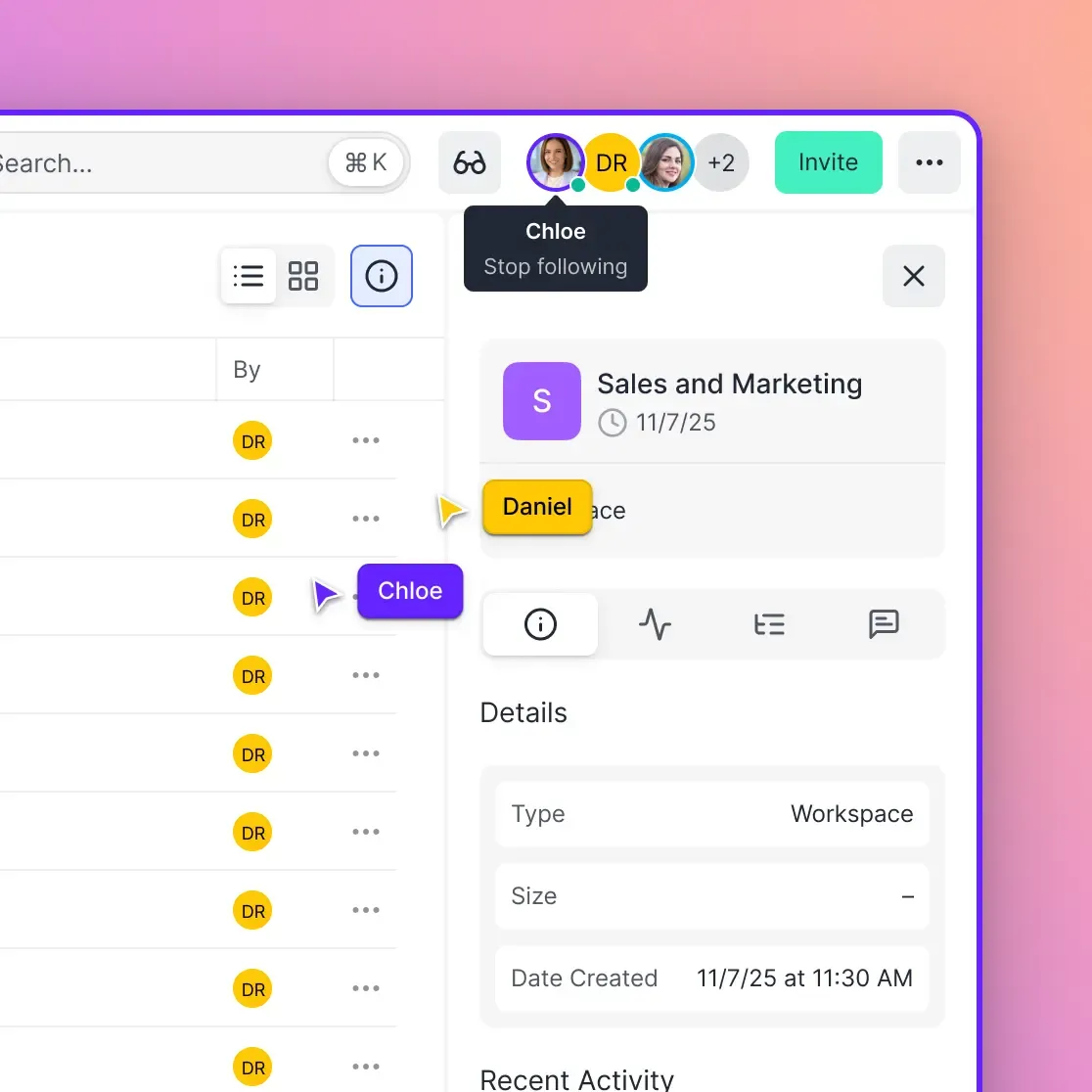
- Collaborative Notes Beside Files: Team members record operational context, meeting summaries, and procedural notes in markdown documents stored directly beside working files. Notes co-edit live, displaying labeled cursors and real-time edits as people and agents type.
- Structured Data Extraction: High-volume document collections (such as agreements or vendor invoices) are parsed into typed database schemas using Metadata Views, providing instant visibility across operational metrics.
When documentation and working files share the same environment, notes and the files they describe are updated in one place, so the knowledge base stays closer to real-world operations.
Step-by-Step Blueprint for Deploying an Intelligent Knowledge Workspace
Transitioning from a lightweight note tool like Nuclino to an intelligent company brain does not require a disruptive overhaul. Teams achieve the best results by establishing clear workspace boundaries, synchronizing existing cloud archives, and connecting developer tools in methodical stages.
A disciplined rollout ensures that document repositories are categorized properly, legacy cloud drives are connected securely, semantic indexes are built accurately, and team members transition without workflow interruptions. By defining workspace boundaries before inviting team members, organizations maintain clean security tiers and avoid administrative clutter. Following this structured deployment blueprint enables teams to set up an agent-ready company brain while background indexing processes documents without interrupting active operations.
Step 1: Structure Workspaces Around Operational Domains
Begin by organizing workspaces around functional domains and confidentiality levels rather than loose personal notebooks.
Create public team workspaces for shared organizational assets, such as /product-specifications/, /engineering-architecture/, and /company-handbook/. For sensitive records, create isolated workspaces such as /legal-contracts/ or /executive-briefs/, restricting the workspace join settings to named team members. Because permissions apply to entire workspaces rather than individual folders, keeping sensitive domains in separate workspaces with restricted join settings keeps them out of other members' search results and AI answers.
Step 2: Connect Existing Drives with Cloud Sync
Avoid tedious manual file transfers by linking existing cloud storage repositories directly to your workspaces.
Configure Cloud Sync to connect target folders from Google Drive, Dropbox, Box, or OneDrive. Set up scheduled or on-demand synchronization, either one-way for read-only reference libraries or two-way for active working directories. As files sync into the workspace, background services automatically index their contents for hybrid search, converting static cloud archives into queryable intelligence.
Step 3: Enable Intelligence Mode and Configure Metadata Views
Turn on Intelligence Mode across your workspaces to activate automated vector embedding and natural language search capabilities.
For document-dense folders such as customer agreements or vendor contracts, configure Metadata Views. Define the specific data fields you need to extract (such as effective dates, counterparties, or payment milestones) using plain English prompts. The platform matches files, extracts typed data into a structured spreadsheet view, and allows team members to filter and sort document metadata without opening individual files.
Step 4: Connect Team Members and AI Workflows via MCP
Invite colleagues to the organization, assigning appropriate roles (owner, admin, or member at the organization level; owner, admin, member, guest, or view at the workspace level). Review plan options and storage allocations on the Fastio pricing page.
Next, configure AI tool connections for your engineering and operational teams:
- Interactive Clients (Claude, Cursor): Configure connection settings to point to
https://mcp.fast.io/mcp/tools(for general assistants) orhttps://mcp.fast.io/mcp/code(for coding agents). Complete the browser OAuth prompt to grant access to designated workspaces. - Headless and Automated Agents: For background scripts, CI/CD pipelines, or autonomous agent runtimes, generate a scoped API key and include it in the connection header:
Authorization: Bearer <your_api_key>
Detailed setup instructions for all supported clients are maintained at https://mcp.fast.io/docs.
Step 5: Establish Governance with Version History and Activity Logging
Maintain operational integrity across human and AI contributions using built-in governance tools.
Fastio automatically tracks per-file version history on every modification, allowing teams to review earlier versions and restore one whenever necessary. The detailed activity log records all storage modifications and membership adjustments, providing clear operational visibility into who changed what across the organization.
Sources
References used to verify factual claims in this guide.
-
Nuclino limits file storage to 10GB per user on its Starter plan and 20GB per user on its Business plan.
Frequently Asked Questions
What are the best alternatives to Nuclino?
The best alternatives to Nuclino depend on organizational priorities. Fastio is the top alternative for teams needing an intelligent company brain that combines large file storage, hybrid search, and Model Context Protocol (MCP) connectivity for AI agents. Notion is ideal for teams wanting relational databases and project management alongside notes. Confluence suits enterprises embedded in the Atlassian Jira ecosystem. Slite serves remote teams prioritizing document verification cycles, and Outline offers a fast, self-hostable markdown wiki for developers.
Why do teams switch from Nuclino to a company brain?
Teams switch from Nuclino to a company brain when card-based notes can no longer support their operational complexity. Nuclino caps storage at 10GB per user on Starter and 20GB per user on Business, so large working files often end up in separate cloud drives. An intelligent company brain hosts working files (PDFs, spreadsheets, code specs, media), automatically indexes text for hybrid semantic search, provides structured data extraction via Metadata Views, and connects directly to autonomous AI agents via MCP.
Is Nuclino suitable for large enterprise documentation?
Nuclino is effective for lightweight team wikis and visual card-based notes, but faces constraints in large enterprises. Its per-user storage limits and the separation of large working files from notes can make it harder to scale across cross-functional operations that run on large, varied document sets.
How do file attachment limits impact team documentation tools?
File attachment limits force teams to split their knowledge architecture. When a wiki limits storage, teams keep working documents in third-party cloud drives and paste web links into notes. This separation causes documentation drift, as links break and notes fail to reflect updates in working files. Dedicated document workspaces reduce this drift by indexing working files directly where they live.
How do AI agents access knowledge bases and company brains?
AI agents interact with intelligent workspaces using the Model Context Protocol (MCP) or standard REST APIs. Through endpoints such as `https://mcp.fast.io/mcp/tools` or `https://mcp.fast.io/mcp/code`, agents run semantic search queries, retrieve source document citations, inspect metadata, manage advisory file locks, and write outputs directly into the workspace.
Can an intelligent knowledge base sync with existing cloud drives?
Yes. Through Cloud Sync, workspaces connect to Google Drive, Dropbox, Box, and OneDrive folders. Synchronization functions one-way or two-way, on a schedule or on demand, never continuous, live, or real-time. Synced files automatically adopt the destination workspace's role-based permissions.
Related Resources

Compare Modern Nuclino Alternatives for Your Team
Upgrade from lightweight card notes to an intelligent company brain where operational documents and notes live together and AI agents connect directly via MCP. Start your 14-day free trial on any monthly plan.