Managing ChatGPT Box Permissions: Secure Access Guide
ChatGPT Box permissions determine which enterprise folders, files, and metadata an AI assistant can read or modify when connected to a Box corporate account. Granting OpenAI models broad storage access exposes confidential directories through downward inheritance, while restrictive collaborator roles trigger silent extraction failures. This guide details Box Shield policy boundaries, ChatGPT app permission tiers, and workspace isolation patterns that protect corporate files.

Understanding ChatGPT Box Permissions and Enterprise Access Risks
When an enterprise worker connects ChatGPT to a corporate Box repository, the conversational interface turns company archives into an unconstrained retrieval surface. Unlike conventional enterprise software systems that query structured databases using rigid SQL schemas and view boundaries, large language models operate on open-ended conversational prompts. When a user asks an exploratory question, ChatGPT generates search queries across all files and folders that the user token can inspect. If a financial analyst with wide departmental privileges asks the assistant to summarize vendor payment terms, ChatGPT scans broadly across company storage. In an unpartitioned environment, that query easily surfaces executive compensation records, pending patent filings, and acquisition proposals that the employee had permission to browse in Box but never intended to submit into a generative AI prompt context.
ChatGPT Box permissions determine which enterprise folders, files, and metadata an AI assistant can read or modify when connected to a Box corporate account. Organizations deploying OpenAI models such as GPT-4o across business operations aim to accelerate contract review, draft technical specifications, and synthesize research records without manual copy-pasting. However, cloud file systems built for human workers follow assumptions that fail when automated conversational agents interact with raw file repositories.
In enterprise deployments, ChatGPT interacts with Box through OAuth tokens, custom GPT actions, or custom Model Context Protocol (MCP) servers. Once authorized, the integration operates across two governance planes:
- User Identity Delegation: The session executes using the authenticated worker's personal credentials. ChatGPT inherits the employee's entire accessible folder tree, shared team links, and collaborator privileges across the enterprise tenant.
- Dedicated Service Accounts: The integration runs via a custom Box enterprise application tied to a service account, restricted to specific folder shares and administrative scopes.
When organizations fail to establish clear boundary controls around these connection paths, teams encounter severe operational vulnerabilities:
- Broad Semantic Data Sprawl: Because workers formulate queries using generalized natural language ("review our supplier commitments"), ChatGPT runs broad searches. Box returns matching records from every folder the delegated token touches, pulling private records into the chat stream.
- Context Retention in Chat Logs: Documents ingested into a ChatGPT session become part of the ongoing prompt context. When team members share conversational threads across an enterprise workspace, or when chat logs are exported, sensitive file contents travel beyond their intended audience.
- Silent API Extraction Failures: Security filters such as Box Shield can allow an initial search request while stripping out the underlying document text. ChatGPT receives a blank payload and tells the user that the file has no content, generating frustrating analysis errors.
- API Quota Depletion: Multi-turn conversational research requires sequential folder indexing, metadata lookups, and multiple document downloads. Box developer documentation notes that rate limits are initiated when a user exceeds approximately 1000 API calls per minute, a ceiling that iterative conversational browsing quickly exhausts.
- Indirect Prompt Injection: Enterprise file repositories regularly store documents uploaded by third-party vendors, clients, or external partners. If an external PDF or spreadsheet contains hidden prompt injection instructions, ChatGPT can ingest and execute those directives, potentially leaking proprietary data or triggering unauthorized tool calls.
Protecting confidential business records requires understanding how Box calculates permissions down its folder trees and where automated security filters intervene.
Related guides
- How to Fix AutoGen Rate Limits: Handling 429 Errors in Multi-Agent WorkflowsAn AutoGen rate limit occurs when multiple autonomous agents in a group chat collectively exceed host model request or...
- Cerebras Rate Limits: Wafer-Scale Inference Tiers, TPM Caps, and Payload OptimizationCerebras rate limits govern the frequency of requests and token throughput permissible per minute when querying...
- Cohere Rate Limits: API Keys, Production Tiers, and 429 HandlingCohere rate limits are programmatic caps on the number of requests per minute (RPM) and tokens per minute (TPM) that a...
- DeepSeek R1 Rate Limits: API Quotas, Concurrency & Server Busy FixesDeepSeek R1 rate limits govern the concurrent requests and tokens per minute enforced on the deepseek-reasoner...
- DeepSeek Rate Limits: API Quotas, Concurrency Caps, and MCP WorkaroundsDeepSeek rate limits are API throughput controls that restrict the frequency of client requests (RPM), token processing...
- Gemini API Rate Limits: Tier Quotas, 429 Handling, and Large-Payload WorkflowsGemini API rate limits govern requests per minute (RPM), tokens per minute (TPM), and requests per day (RPD) across...
More on this subject: Agent Security and Governance (71 guides)
How Box Waterfall Inheritance and Collaborator Tiers Restrict ChatGPT Tool Calls
Many security exposures and retrieval breakdowns in AI deployments stem from a fundamental mismatch between conversational agent retrieval patterns and Box's hierarchical access controls. Box enforces permissions using a downward cascading model known as waterfall permissions.
Downward Inheritance and the Negative Access Restriction Dilemma
In the Box architecture, access privileges flow strictly downward from higher-level folders to child subfolders and files. When an administrator grants an account access to a directory, that permission applies across all nested subfolders, documents, and future additions within that subtree.
Two structural principles define this structure:
- Unbroken Downward Inheritance: An access grant applied at any level in the folder structure propagates automatically to all subdirectories below it. An account added as an Editor at the department root retains Editor rights across every project folder nested underneath.
- The Absence of Negative Permissions: Box does not support negative access controls or downward permission revocations. If an account has Editor rights on a primary department directory, an administrator cannot demote that account to Viewer or block access on a sensitive subfolder inside that branch.
This design presents an acute challenge for ChatGPT integrations. If an IT team connects ChatGPT to a high-level department folder to enable broad document lookup, the assistant automatically inherits visibility into confidential subfolders holding payroll spreadsheets, audit records, or strategic plans. Conversely, if administrators invite ChatGPT only to specific leaf folders, the assistant loses root directory context. When a user asks the model to locate a document without providing an explicit folder ID, directory search queries fail to discover the file.
Evaluating Box Collaborator Roles for OpenAI Tool Calls
Box provides seven distinct collaborator roles to govern account permissions. While these tiers serve human teammates using web browsers, they exhibit distinct operational behaviors when queried by automated LLM tools:
The Programmatic Extraction Hurdle
The operational trap in Box role assignment stems from the technical distinction between human visual inspection and programmatic machine ingestion. When a human employee receives a Previewer role, they open the Box web interface in a browser. The Box web application renders visual SVG or raster page tiles. The human reads the rendered text on their monitor without downloading the raw source file to their local drive.
Large language models cannot read web browser rendering tiles. To parse legal clauses, extract invoice balances, or generate research summaries, ChatGPT must ingest either the raw document file stream (such as a PDF, DOCX, or XLSX file) or a structured text payload returned by an extraction endpoint.
When security teams assign ChatGPT a Previewer or Previewer Uploader role to prevent data exfiltration, the Box API rejects all file download and content extraction requests with an HTTP 403 authorization error. The agent cannot read the document because it cannot access the underlying byte stream. Conversely, assigning the Viewer role grants full file download rights across the entire folder branch. If an enterprise requires ChatGPT to inspect files without giving it unrestricted access to an entire tree, standard Box folder sharing cannot provide that boundary.
Box Shield Integration Restrictions, Silent Payload Redaction, and API Quotas
Even when an account holds an approved Viewer or Editor role across target Box folders, ChatGPT can still encounter unexpected document processing failures. In enterprise accounts, these disruptions are often caused by Box Shield automated classification and access policies.
Box Shield scans corporate repositories for sensitive data patterns, including payment details, national identity numbers, health information, and proprietary code. Once detected, Box Shield assigns automated classification metadata, such as Internal, Confidential, or Highly Restricted.
Integration Restriction Policies for External AI Tools
Box Shield enforces governance through Integration Restriction policies, which regulate how third-party applications, API services, and AI assistants interact with classified records.
Within Box Shield, security teams manage third-party access using two independent policy controls:
- Download Restrictions: Dictates whether external integrations can pull raw document files based on their security classification level.
- Read Restrictions: Regulates whether third-party tools, API endpoints, and AI assistants can preview, search, or read the textual representation of classified files.
This distinction is key for generative AI governance. Box Support notes in its announcement of classification-based access policy for AI agents in Box Shield that "Classification-Based Access Policy gives admins a new control in Box Shield to govern exactly what AI agents and application integrations can access, not just what they can download." An AI assistant does not need to download a full file to compromise sensitive data; reading text representations through search or preview endpoints brings confidential content straight into the model prompt context. Security teams therefore routinely enable both download and read restrictions on classified materials.
The Silent Content Redaction Dilemma
When Box Shield blocks ChatGPT from accessing a classified document, the resulting failure mode is frequently invisible in standard API logs. Rather than returning an explicit HTTP 403 Forbidden code that alerts the system to an authorization denial, the Box API often responds with an HTTP 200 OK status containing an empty or redacted text body.
ChatGPT receives a successful response indicating that the file was located, but finds zero readable characters inside the payload. The assistant then responds to the user: "This document appears to be empty" or "I cannot find any relevant text in the selected file." In some multi-turn sessions, the model may attempt to confabulate an answer based solely on the filename or previous conversational context, leading to inaccurate answers. This silent redaction masks the underlying security policy block, leading users to assume the file is corrupt or that the AI is malfunctioning.
Rate Limiting During Deep Folder Crawling
Beyond classification barriers, direct conversational querying across enterprise Box folders introduces acute rate limiting challenges. Box organizes documents hierarchically rather than as a unified, pre-indexed vector corpus. When an employee asks ChatGPT a question that requires searching across corporate projects, the agent must perform iterative tool calls: enumerating top-level folders, listing nested subfolders, inspecting metadata, and downloading candidate documents.
Box developer documentation notes that rate limits are initiated when a user exceeds approximately 1000 API calls per minute, with specific endpoints enforcing lower thresholds. A multi-step research prompt traversing deep nested folder trees can burn through hundreds of API calls in seconds. When the threshold is breached, Box returns an HTTP 429 Too Many Requests response with a retry-after header, stalling the chat interaction and causing prompt timeouts.
Decoupling Box Storage from ChatGPT with Fast.io Workspaces
Attempting to resolve Box permission errors by assigning broad Editor roles or disabling Box Shield policies introduces unacceptable security exposure. Bypassing corporate data classification to accommodate an AI tool invites regulatory non-compliance and data leakage.
The effective enterprise architecture decouples long-term corporate storage from conversational AI retrieval: maintain Box as your central enterprise system of record, while using Fast.io as an isolated workspace for AI agents that manages document indexing and model retrieval.
Scheduled Cloud Synchronization for Folder Isolation
Fast.io connects to corporate cloud storage through Cloud Sync. Administrators link specific Box project folders directly to an organization-owned Fast.io workspace.
Cloud Sync connects Google Drive, Dropbox, Box and OneDrive folders to a workspace, one-way or two-way, on a schedule or on demand. It is never continuous, live, or real-time. By configuring scheduled synchronization, organizations establish deterministic control over file movement while respecting API rate quotas.
Most importantly, this synchronization pattern creates a strict boundary for the AI agent. Instead of granting ChatGPT access to the entire Box tenant or a broad department directory, administrators sync only the specific project folder required for the task. The model is scoped entirely to the Fast.io workspace, eliminating recursive directory traversal across corporate Box repositories.
Workspace-Level Role-Based Access Controls
In Fast.io, permissions are set per organization, workspace, and share through member roles, rather than fragile individual file settings. Every workspace member reaches the whole workspace according to their role.
When connecting ChatGPT, administrators grant the assistant access strictly to a dedicated project workspace. The model cannot see, query, or traverse other workspaces within the organization. When human teams need to share specific files or an individual folder with external auditors or clients, they create a share holding those files or that folder without exposing the rest of the workspace.
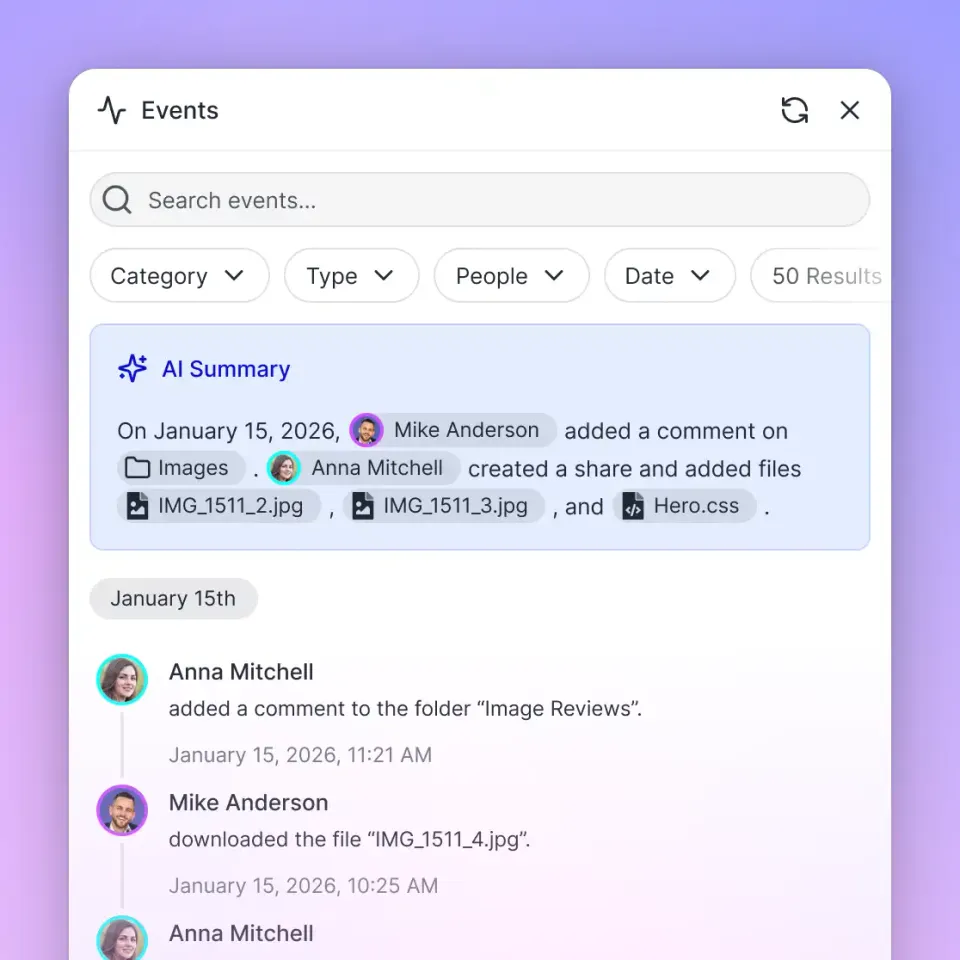
All workspace modifications, such as uploads, edits, moves, deletions, membership changes, and share creations, are recorded in a detailed activity log of changes. The activity log tracks modifications rather than read-only file views or downloads, providing a verifiable operational trail of agent and user activities.
Hybrid Search in Intelligence Mode
When Box files synchronize into Fast.io, Intelligence Mode automatically indexes the content for hybrid retrieval. Fast.io combines full-text lexical search, semantic vector embeddings, and search-by-metadata-value into a unified search layer.
When ChatGPT needs information, it does not execute dozens of API calls crawling folder paths. Instead, the model connects to Fast.io via remote MCP and issues targeted semantic queries. The search engine returns concise text passages with document titles and exact source citations, keeping prompt context focused and eliminating directory traversal overhead.
Connector Performance Benchmarks
The operational benefits of this decoupled approach were evaluated in published connector benchmarks at Fast.io Benchmarks. In those published results, Fastio was measured the fastest and the lowest cost of the providers tested. The benchmark evaluated native cloud storage connectors in Claude Cowork across multi-document retrieval tasks against identical document collections. Accuracy across tested providers showed parity, demonstrating that pre-indexed workspace retrieval matches the precision of direct file downloads while avoiding prompt bloat and API latency.
Structured Extraction with Metadata Views
For workflows involving contracts, invoices, or compliance documents, Fast.io provides Metadata Views. Instead of writing complex prompts to parse unstructured documents, teams define desired fields using natural language, such as contract values, renewal dates, governing jurisdictions, or counterparty names.
Fast.io builds a live, queryable database supporting Text, Integer, Decimal, Boolean, URL, JSON, and Date & Time types across synced PDFs, spreadsheets, and scanned documents without OCR templates. ChatGPT can query these structured views directly through MCP, extracting precise table records without consuming context window capacity on unneeded paragraphs.
Advisory File Locking for Collaborative Multi-Agent Safety
When employees and automated agents work together within the same workspace, concurrent updates can lead to race conditions. Fast.io includes advisory per-file leases in workspace and share storage to coordinate multi-agent operations.
An agent acquires, heartbeats, and releases an advisory lease through MCP actions: lock-acquire and lock-release on the storage_manage tool, and lock-status on the storage tool. The lease signals that an agent is actively working on a document and expires automatically unless heartbeated. The advisory lock does not grant exclusive write rights or block concurrent writes; concurrent updates both land safely, and per-file version history preserves every revision.
Workspace Plans and Trial Pricing
Monthly plans start with a 14-day free trial, which requires a credit card. Subscriptions are structured into clear tiers with included seats, storage, and monthly AI credit allowances:
Fast.io meters AI operations through credit allowances, while storage and seat allocations come standard with each plan. Explore complete plan parameters and enterprise expansion options on the pricing page.



Isolate Agent Retrieval with Secure Workspaces
Connect designated Box folders to Fast.io workspaces with scheduled Cloud Sync, query indexed documents through remote MCP, and restrict ChatGPT to project files. Starts with a 14-day free trial.
Step-by-Step Configuration Checklist for ChatGPT and Box Governance
To secure Box enterprise repositories and give ChatGPT reliable document retrieval, follow this configuration procedure across the Box Admin Console, OpenAI app settings, and Fast.io workspace integration.
1. Authorize Applications in the Box Admin Console
If ChatGPT or custom connectors cannot authenticate via OAuth, verify tenant-level permissions:
- Sign in to the Box Admin Console with enterprise administrative privileges.
- Navigate to Apps in the left navigation menu, or select Platform and choose Platform Apps.
- For custom integrations or hosted MCP connectors, open Custom Apps Manager.
- Locate the integration by Client ID or application title.
- Inspect the requested authorization scopes to confirm read permissions such as
Read all files and folders stored in Boxare approved. - Select Authorize or Enable Application to permit OAuth handshakes across the enterprise tenant.
- Restrict app authorization to verified organizational email domains to prevent employees from connecting unmanaged personal accounts.
2. Scope Collaborator Invitations to Specific Project Folders
Avoid inviting integration accounts at the root level of your corporate Box account:
- In the Box web console, browse to the designated project folder requiring AI analysis, such as
/Legal/Vendor_Agreements/2026. - Click Share and select Invite Collaborators.
- Enter the email address of the service account or integration profile.
- Assign the Viewer role for read-only query workflows, or the Editor role if ChatGPT must save generated summaries back to Box. Never assign Previewer, Previewer Uploader, or Uploader roles to an AI agent account.
- Complete the invitation. The agent inherits access to all documents within that specific folder branch, but cannot view parent or sibling directories.
3. Establish Box Shield Policy Exceptions
If classified documents return empty responses or trigger security blocks:
- In the Box Admin Console, select Shield and open Access Policies.
- Select active Integration Restriction policies tied to your data classification labels (such as Confidential or Restricted).
- Review the Download restriction and Read restriction controls.
- If the policy is configured to Block all integrations except selected integrations, add your approved application Client ID to the exception allowlist.
- Save changes and allow policy updates to distribute across the tenant.
4. Configure App Permissions in ChatGPT
OpenAI provides granular security controls for connected accounts, outlined in the OpenAI Help Center guide on Managing app permissions in ChatGPT. To manage app permissions:
- Open Settings in ChatGPT.
- Choose Apps or Plugins depending on your workspace version.
- Select the connected application from the list.
- If Connected accounts appears, select the options menu (
•••) beside the account and choose Settings. - Inspect and update the Permissions configured for that connection.
OpenAI organizes app permissions into four operational tiers:
- Always ask: ChatGPT must request explicit confirmation before accessing data or performing changes.
- Allow read actions: ChatGPT can search and read content without prompting, but requires user confirmation before executing write or modify operations.
- Allow low-risk actions: ChatGPT automatically runs actions categorized as low-risk, prompting only for sensitive modifications.
- Allow all actions: ChatGPT executes all read and write capabilities without human confirmation. Enterprise environments generally restrict this tier.
For enterprise research and document analysis, selecting Allow read actions or Always ask provides an essential human-in-the-loop safeguard against unreviewed modifications.
5. Connect ChatGPT to Fast.io via Remote MCP
To eliminate Box API rate limit throttling and bypass recursive directory searches, connect ChatGPT directly to an indexed Fast.io workspace.
The Fast.io MCP server is remote, hosted at mcp.fast.io, and operates over Streamable HTTP. Depending on your ChatGPT configuration, choose one of two setup methods:
- ChatGPT with the Fastio plugin (preferred): Open the plugin directory at chatgpt.com/plugins, find Fastio, select Install plugin, and sign in to Fastio when prompted. Then mention
@Fastioin a chat. - ChatGPT with a custom MCP server (alternative): In Settings, open Security and login and turn on Developer mode (availability can depend on the workspace's policy). Go to chatgpt.com/plugins and select the plus button. Name it Fastio, enter
https://mcp.fast.io/mcp/operationsas the MCP server URL, and create the connection. Sign in to Fastio when prompted.
During the OAuth sign-in flow, the browser opens a Review Permissions screen where you choose Read Only or Read & Write and select which organizations and workspaces the connection can access. This restricts ChatGPT to designated workspaces.
For full tool schemas and setup parameters, reference the Fast.io MCP setup guide, the MCP developer skill guide, and the agent onboarding guide.
6. Query Synchronized Files in ChatGPT
Once connected, ChatGPT can query synchronized Box documents directly from chat without directory traversal:
@Fastio Search the workspace for our 2026 data governance guidelines.
Extract the specific retention periods for employee records and cite the source document.
ChatGPT executes hybrid retrieval across the indexed Box files via MCP and returns targeted passages with document titles and exact citations, avoiding Box rate limits and permission traversal failures.
Sources
References used to verify factual claims in this guide.
-
Box Shield allows administrators to restrict third-party application integrations and AI agents from reading or downloading classified content.
-
Box initiates rate limits when API requests exceed approximately 1000 calls per minute per user.
Frequently Asked Questions
How do I control what ChatGPT can see in Box?
To control what ChatGPT can see in Box, avoid inviting integration accounts at the root level of your account. Restrict collaborator invitations to specific subfolders containing project documents. Because Box enforces downward waterfall inheritance, an account invited to a subfolder cannot see parent or sibling directories. Also configure Box Shield Integration Restriction policies to block unapproved external tools from reading classified documents, and manage ChatGPT app permissions in Settings to enforce user confirmation before tool calls.
What permissions does ChatGPT need to access Box?
ChatGPT requires at least the Viewer role in Box folders to read and analyze files. Roles like Previewer, Previewer Uploader, and Uploader are incompatible with AI agents because they block raw file downloads, preventing API text extraction. If ChatGPT must generate and save summary files back into Box, assign the Editor role on the specific destination folder.
Is it safe to give ChatGPT access to enterprise Box files?
Connecting ChatGPT directly to enterprise Box files carries risks of data overexposure and API rate limit throttling if permissions are unmanaged. Access is safe when organizations scope collaborator roles to isolated project folders, configure Box Shield read restrictions on sensitive data classifications, and enforce corporate domain controls in the Box Admin Console. Using an intermediate Fast.io workspace establishes a secure retrieval boundary that prevents the agent from crawling broader corporate storage.
Why does ChatGPT report that a Box file is empty when reading sensitive documents?
ChatGPT often reports that a file is empty or contains no readable text when Box Shield classification policies block third-party application reads. When an active Read restriction policy applies to a classified document, the Box API may return an HTTP 200 OK status with an empty or redacted payload rather than an explicit error, leaving the model with no text to process.
How does Fast.io Cloud Sync isolate ChatGPT from general Box storage?
Fast.io Cloud Sync connects directly to designated Box folders and synchronizes files into an organization-owned Fast.io workspace on a schedule or on demand. Permissions in Fast.io are set per organization, workspace, and share through member roles. Because ChatGPT connects strictly to the project workspace via remote MCP, the agent cannot discover, traverse, or query other corporate Box folders.
Can ChatGPT edit documents in Box through Fast.io?
Yes, when two-way Cloud Sync is enabled, ChatGPT can update workspace files or save notes via MCP, and Fast.io synchronizes modifications back to Box on a schedule or on demand. Per-file version history preserves all revisions, protecting corporate repositories from unintended overwrites.
Related Resources

Isolate Agent Retrieval with Secure Workspaces
Connect designated Box folders to Fast.io workspaces with scheduled Cloud Sync, query indexed documents through remote MCP, and restrict ChatGPT to project files. Starts with a 14-day free trial.