How to Run a GPT-2 Output Detector Workflow in Hermes Agent
OpenAI's GPT-2 output detector reaches about 95% accuracy on 1.5B GPT-2 text and still is not safe as a standalone verdict engine. Most pages demo a Hugging Face pipeline and stop. This guide packages the RoBERTa OpenAI detector as a Nous Research Hermes Agent skill, batch-scans folders, and sets hard limits for ChatGPT-era text.

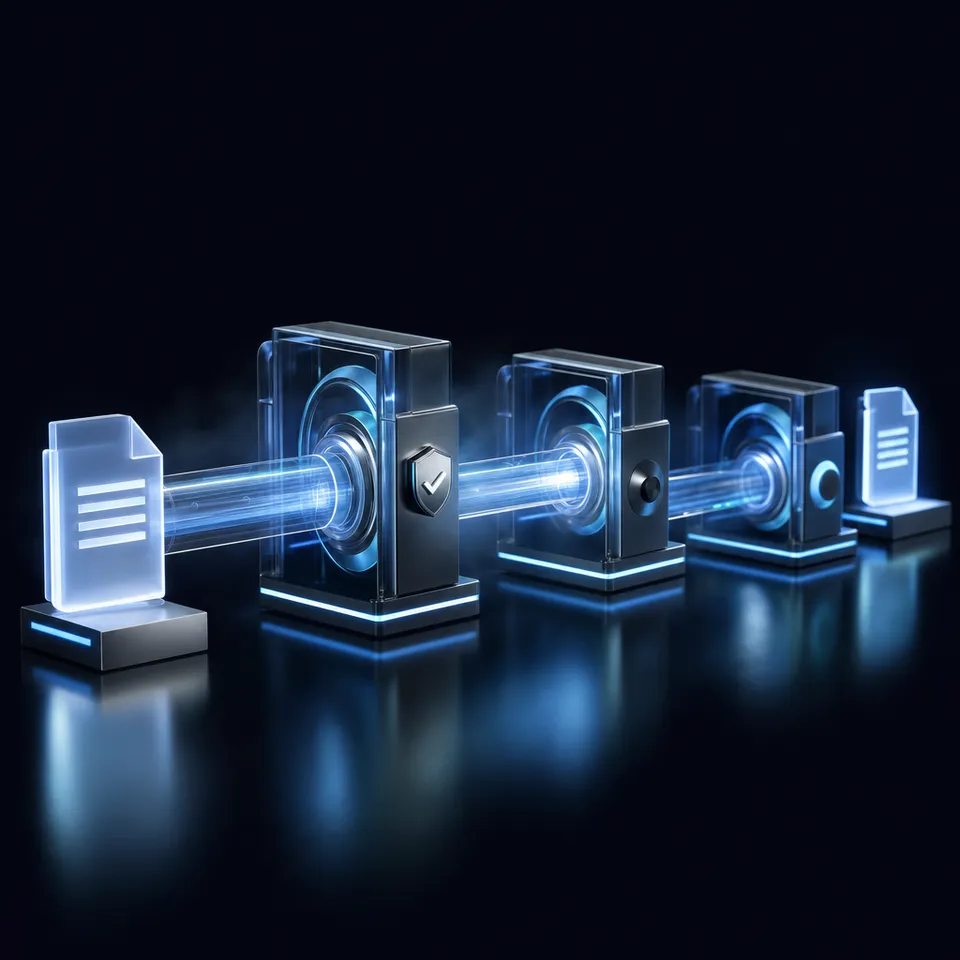
What the GPT-2 Output Detector actually measures
OpenAI's own detector research reported roughly 95% accuracy on 1.5B-parameter GPT-2-generated text, then stated that figure is not high enough for standalone detection and should be paired with metadata, human judgment, and public education. That single finding is why a Hermes Agent workflow exists: a classifier score without packaging, batch logging, and review rules is a demo, not a process.
Search demand still points at the original model. "gpt-2 output detector" draws about 260 monthly US searches at keyword difficulty 12, with "gpt2 output detector" near 40 and "huggingface ai detector" near 30. Competitor pages almost always show the Hugging Face Space or a one-line Transformers pipeline. They rarely show agent packaging, folder batch scans, or when not to trust scores on modern chat models. That packaging gap is the job of this guide.
The GPT-2 Output Detector is an open RoBERTa classifier released with OpenAI GPT-2 research to estimate whether text was produced by GPT-2-class models. On Hugging Face it ships as openai-community/roberta-base-openai-detector under the MIT license. The model card describes a RoBERTa base sequence classifier fine-tuned on 1.5B GPT-2 outputs versus WebText, English-only, released alongside the large GPT-2 weights. Direct use is "predict if text was generated by a GPT-2 model." The same card warns against using it as a ChatGPT detector for academic misconduct allegations, because accuracy can be wrong on that class of input.
A useful mental model:
- In scope: GPT-2-era synthetic English, research demos, local first-pass triage on long passages
- Out of scope: court-style authorship proof, ChatGPT misconduct decisions, short tweets, non-English text, heavily edited hybrid drafts
Labels from the public pipeline example look like Real or Fake with a confidence score (for example [{'label': 'Real', 'score': 0.80...}]). Treat Fake as "looks like GPT-2-class synthetic text under this model," not "this person cheated." Nous Research Hermes Agent is the orchestration layer around that score: terminal and code execution to run inference, skills to freeze the procedure, file tools to walk folders, and a report store so humans can reopen the result next week.
Four-step path at a glance
- Install Hermes Agent and enable terminal, file, and skills toolsets.
- Install Transformers and warm
openai-community/roberta-base-openai-detectoronce. - Author a Hermes skill that scores text, writes JSON reports, and never overclaims accuracy.
- Batch-scan an inbox folder, escalate mid-band scores to humans, and store reports where the team can search them.
The sections below expand each step with code patterns grounded in the Hugging Face model card and official Hermes tools and skills docs.

Related guides
- 10 Raspberry Pi 5 Projects That Run OpenClaw AI AgentsRaspberry Pi's AI HAT+ 2 brought 40 TOPS of on-device inference to the Pi 5 for $130, turning a single-board computer...
- How to Run Cline in GitHub CodespacesRunning Cline in GitHub Codespaces lets developers spin up cloud-hosted container environments containing the AI coding...
- How to Integrate an AI Detector API with Hermes AgentThis guide shows how to wire third-party AI detection APIs into Nous Research Hermes Agent through MCP and skills, run...
- How to Build a Hermes Agent AI Copy Checker WorkflowAutomated copy checking speeds up editorial review cycles by 70% while catching tone drift, AI writing patterns, and...
- How to Build an Automated AI Detection Checker Pipeline with Hermes AgentAn AI detection checker pipeline in Hermes Agent automates text validation across multiple detection models using MCP...
- How to Check If Code Is AI Generated with Hermes AgentEighty-four percent of developers use AI tools in their work, yet 46% distrust the accuracy of what those tools...
More on this subject: Hermes Agent (100 guides)
Run the OpenAI RoBERTa detector locally first
Before you wrap Hermes around anything, prove the model on your machine. The Hugging Face model card documents a Transformers pipeline start path.
1. Dependencies and first score
python -m venv .venv-detector
source .venv-detector/bin/activate
pip install "transformers" "torch"
from transformers import pipeline

pipe = pipeline(
    "text-classification",
    model="openai-community/roberta-base-openai-detector",
)
print(pipe("Hello world! Is this content AI-generated?"))
Expected shape is a list of label/score dicts. The card's sample returns a Real label with a score near 0.80 for that short greeting. Short inputs are noisy; for workflow use, set a minimum character threshold (many teams start around 300 to 500 characters) before you store a decision.
Prefer the fully qualified id openai-community/roberta-base-openai-detector in scripts so model cards, caches, and report provenance stay unambiguous. Pin library versions after you validate once on your fixture set.
2. A small scorer script Hermes can call
Agents work better with a script that accepts a path and emits JSON than with free-form chat. Example pattern:
# scripts/score_gpt2_detector.py
import hashlib
import json
import sys
from datetime import datetime, timezone
from pathlib import Path

from transformers import pipeline

MODEL_ID = "openai-community/roberta-base-openai-detector"
MIN_CHARS = 300

def score_text(text: str) -> dict:
    text = text.strip()
    if len(text) < MIN_CHARS:
        return {
            "ok": False,
            "error": "text_too_short",
            "char_count": len(text),
            "min_chars": MIN_CHARS,
        }
    pipe = pipeline("text-classification", model=MODEL_ID)
    result = pipe(text[:5120])[0]  # keep a practical length cap
    digest = hashlib.sha256(text.encode("utf-8")).hexdigest()
    return {
        "ok": True,
        "model_id": MODEL_ID,
        "label": result["label"],
        "score": float(result["score"]),
        "char_count": len(text),
        "text_sha256": digest,
        "scored_at": datetime.now(timezone.utc).isoformat(),
    }

def main() -> None:
    path = Path(sys.argv[1])
    text = path.read_text(encoding="utf-8", errors="replace")
    report = score_text(text)
    report["source_path"] = str(path)
    print(json.dumps(report, indent=2))

if __name__ == "__main__":
    main()
Run it once by hand:
python scripts/score_gpt2_detector.py samples/fixture-human.md
python scripts/score_gpt2_detector.py samples/fixture-gpt2ish.md
Keep a tiny fixture set of known human, known GPT-2-style, and hybrid drafts. When you upgrade Transformers or the weights, re-score fixtures before you trust batch jobs again.
3. Optional web demo for humans
OpenAI still exposes a public detector Space on Hugging Face for interactive checks. That is fine for demos. It is a poor primary path for private client text, batch work, or audit trails. Local inference plus agent packaging keeps content off a shared demo host.
4. Isolate inference when samples are untrusted
Hermes Agent documents terminal backends including local, docker, ssh, singularity, modal, and daytona. For detector installs, Docker is a strong default so pip install, model caches, and sample text stay inside one long-lived container for the Hermes process. Official tools docs describe routing terminal, file, and execute_code calls into that container, with packages and /workspace files surviving across tool calls when persistence is enabled.
Example config pattern (under terminal in ~/.hermes/config.yaml):
terminal:
  backend: docker
  docker_image: python:3.11-slim
  timeout: 300
  container_cpu: 2
  container_memory: 8192
  container_disk: 51200
  container_persistent: true
Use local only on machines where the sample corpus is trusted. Use ssh when a dedicated GPU or CPU host should own inference and the agent host should not hold model weights.

Package the detector as a Hermes Agent skill
Hermes Agent skills are on-demand procedure documents compatible with the agentskills.io standard. Official skills docs place them under ~/.hermes/skills/, with progressive disclosure so the agent loads a short description first and the full body only when needed. Skills can declare required toolsets, environment variables, and helper scripts. That is the right place to freeze GPT-2 detector policy instead of re-prompting every session.
Skill layout
~/.hermes/skills/
└── content/
    └── gpt2-output-detector/
        ├── SKILL.md
        ├── references/
        │   └── trust-limits.md
        └── scripts/
            └── score_gpt2_detector.py
SKILL.md outline (author your own)
Hermes does not ship a built-in GPT-2 detector product. You author the skill. Frontmatter should stay short:
---
name: gpt2-output-detector
description: Score English text with the OpenAI RoBERTa GPT-2 output detector and write JSON reports
version: 1.0.0
metadata:
  hermes:
    tags: [nlp, detection, transformers]
    category: content
    requires_toolsets: [terminal, file]
---

# GPT-2 Output Detector

## When to Use
User asks to score text or files for GPT-2-class synthetic likelihood,
or new `.md`/`.txt` files appear under `inbox/`.

## Procedure
1. Confirm English prose and minimum character count.
2. Run scripts/score_gpt2_detector.py on each path.
3. Write JSON under detector-reports/ keyed by text hash.
4. Mark review_status pending_human for mid-band scores.
5. Never claim ChatGPT authorship or academic misconduct.

## Pitfalls
- Short text and non-English text produce noisy labels.
- Modern chat models are outside the original training target.
- Mid-band scores are triage signals, not verdicts.

## Verification
Re-score the fixture set and compare labels to the last known good run.
You can bootstrap with Hermes /learn after walking through one successful scoring session, then edit the generated skill so it never invents accuracy percentages. Official docs describe /learn as gathering material with existing tools and writing a skill that follows house authoring standards, without inventing commands.
Invoke it like a tool, not a one-off chat
With the skills toolset available:
hermes tools
hermes chat --toolsets "terminal,file,skills" -q "List skills related to detectors"
In CLI or messaging, skills become slash commands once installed. A natural pattern is /gpt2-output-detector score inbox/draft.md after you name the skill that way. For repeated multi-step work, Hermes skill bundles can group this skill with report upload or review helpers under one slash command.
Keep the policy in the report
Every run should emit the model id, score, label, text hash, skill version, and decision rule. When policy changes next quarter, old reports still explain why a file was held. Example decision bands many teams start with (tune on your fixtures):
- Low risk: strong
Realwith high score, long human-like prose, no escalation - Review: mid-band scores, short docs that barely clear the minimum length, mixed human/AI drafts
- Hold for human: strong
Fakeon regulated or academic content before any human-facing action
Encode those bands in the skill, not in tribal knowledge.



Keep detector reports next to the source files
Give Hermes Agent a shared workspace for inbox text, JSON scores, and human review notes, with MCP access, version history, and search. Start with a 14-day free trial on Starter ($9.99/mo), Business ($49.99/mo), or Enterprise ($199.99/mo).
Batch folder scans and durable report storage
Paste-box demos score one string. Real work is a directory of submissions. Hermes file and terminal tools make folder walks straightforward once the scorer script is stable.
Batch runner pattern
# scripts/batch_scan_inbox.py
import json
import subprocess
from pathlib import Path

INBOX = Path("inbox")
OUT = Path("detector-reports")
OUT.mkdir(exist_ok=True)

for path in sorted(INBOX.rglob("*")):
    if path.suffix.lower() not in {".md", ".txt"}:
        continue
    raw = subprocess.check_output(
        ["python", "scripts/score_gpt2_detector.py", str(path)],
        text=True,
    )
    report = json.loads(raw)
    if not report.get("ok"):
        target = OUT / f"{path.stem}.error.json"
    else:
        target = OUT / f"{report['text_sha256'][:16]}.json"
    if target.exists():
        continue  # idempotent: skip already scored content
    target.write_text(json.dumps(report, indent=2), encoding="utf-8")
    print(target)
Ask Hermes to run that script via terminal, or put the loop inside the skill procedure and walk inbox/ with read_file plus execute_code. Prefer hash-keyed report names so re-scans of the same bytes stay idempotent.
Hermes also documents cron-style scheduled automation for recurring jobs. A practical pattern is a nightly scan of anything not yet present under detector-reports/, then a notification only when scores cross a threshold. Keep the first week advisory: write reports, do not auto-discipline anyone.
Where reports should live
Local ./detector-reports/ is fine for solo experiments. S3 or another object bucket works for batch archives. For team review, you need comments, permissions, and search.
Alternatives first:
- Local disk or git for small private corpora and offline air-gapped hosts
- S3 / MinIO when automation already speaks object storage
- Nextcloud or similar when the team already lives in a self-hosted drive
Fast.io is a strong option when agents and humans share the same files. Put source text and JSON reports in an org-owned workspace, enable Intelligence Mode so reports become searchable by meaning, and keep per-file version history when scorers or humans revise notes. Agents can use the Fast.io MCP server over Streamable HTTP at /mcp (legacy SSE at /sse) to upload reports into a folder such as detector-reports/2026-07/. Humans review in the UI; agents keep writing through consolidated MCP tools. Ownership transfer helps when an agent bootstraps the workspace and a human compliance owner takes over.
For structured triage boards, Metadata Views can extract fields such as label, score, model_id, and review_status into a sortable grid. That is the structured extraction layer. Intelligence Mode remains the search and citation-backed chat layer. See also Fast.io workspaces, Fast.io AI, and storage for agents.
Human review handoff
Route only the files that need attention:
- Agent scores inbox and writes JSON + short markdown summaries.
- Mid-band and high-risk files go into a review folder with the report attached.
- Humans leave comments on the source passage, not only on the score.
- Audit history records who scored, who reviewed, and what action followed.
Fast.io comments and the activity feed cover that handoff when you want the review queue in the same place as the files. Brand-controlled Send shares work when an external reviewer needs one report without full workspace access.

When GPT-2 detector scores fail on modern LLMs
The model card is explicit: use the classifier for GPT-2-related detection research, not as a ChatGPT misconduct oracle. OpenAI's public discussion of the ~95% GPT-2 figure also notes that classifying text from larger models is harder, and that automated detection alone is incomplete.
Failure modes to design around
Model generation mismatch. ChatGPT, Claude, Gemini, and other 2024-2026 systems were not the training adversary. A high Fake score on modern prose can be wrong. A high Real score does not prove human authorship either.
Length and truncation. Very short samples are unstable. Very long samples need chunking strategies; naive truncation can hide the synthetic section.
Editing and paraphrasing. Light human rewrite, translation round-trips, and "humanizer" tools routinely break older detectors. If your process only sees final polished drafts, expect lower precision.
Domain shift. Code, legal templates, and non-English text are outside the English GPT-2 research framing on the model card. Use a different tool or no automated detector.
Adversarial awareness. Open detectors also help people study evasion. Assume motivated writers can reduce signal.
Policy that survives bad scores
- Print model id, skill version, and "GPT-2-era classifier" on every report footer.
- Require dual control before any action that affects a person (education, employment, contracts).
- Prefer disclosure ("AI-assisted") over black-box accusations.
- Re-benchmark quarterly on your own fixtures, including modern LLM samples you expect in production.
- Escalate to a second opinion (human expert, newer commercial ensemble, or provenance metadata) when stakes are high.
If your real question is "was this written in ChatGPT last night?", the honest answer is that this open RoBERTa GPT-2 detector is the wrong primary instrument. Keep it for research continuity, local first-pass triage on long English text, and agent pipeline practice. Pair it with process controls instead of treating the score as a verdict.
For teams that still need document-scale review queues, the durable part is the workflow: Hermes skill, batch scans, versioned reports, and human approvals. The model can be swapped later without rewriting the packaging layer.

Sources
References used to verify factual claims in this guide.
-
OpenAI detector research reported approximately 95% accuracy on 1.5B GPT-2-generated text and stated that accuracy is not high enough for standalone detection without human judgment and other signals. The model card strongly suggests not using the RoBERTa OpenAI detector as a ChatGPT detector for grave academic misconduct allegations because results can be inaccurate on ChatGPT-generated input. The detector is MIT-licensed, English-only, and implemented as a RoBERTa base model fine-tuned on 1.5B GPT-2 outputs versus WebText.
-
Hermes Agent documents terminal backends (local, docker, ssh, singularity, modal, daytona), toolsets including terminal and skills, and skills packaging under ~/.hermes/skills/ with agentskills.io-compatible SKILL.md files.
Frequently Asked Questions
What is the GPT-2 Output Detector?
The GPT-2 Output Detector is an open RoBERTa classifier released with OpenAI GPT-2 research to estimate whether text was produced by GPT-2-class models. On Hugging Face it is published as openai-community/roberta-base-openai-detector under the MIT license. It returns labels such as Real or Fake with a confidence score. It is a research classifier for GPT-2-era synthetic English, not a universal AI authorship oracle.
Does the GPT-2 detector work on ChatGPT text?
Not reliably enough for misconduct decisions. The Hugging Face model card explicitly warns against using this model as a ChatGPT detector for academic misconduct allegations. The original ~95% figure refers to 1.5B GPT-2-generated text under research conditions. Modern chat models differ in distribution, so treat any ChatGPT-era score as a weak triage signal only and require human review for high-stakes cases.
How do I run the OpenAI detector model locally?
Install Transformers and PyTorch, then run a text-classification pipeline with model openai-community/roberta-base-openai-detector. The official model card shows a one-line pipeline example that prints a label and score. For workflows, wrap that call in a script that enforces a minimum character count, records a text hash, and writes JSON. Optional Docker isolation keeps model caches and sample text off the host agent process.
Can Hermes Agent batch-scan files with an open-source detector?
Yes, as a composed workflow rather than a built-in product switch. Hermes Agent provides terminal execution, file tools, code execution, skills, and optional scheduled jobs. You install the open detector in the agent runtime, package scoring steps in a skill under ~/.hermes/skills/, and walk an inbox folder with a batch script that writes one report per file. Use hash-based report names so rescans stay idempotent.
What accuracy should I claim for the RoBERTa OpenAI detector?
Stick to the primary sources. OpenAI-associated research and the Hugging Face model card discuss roughly 95% accuracy on specific 1.5B GPT-2 detection tests, while stating that rate is not high enough for standalone detection without human judgment and other signals. Do not market that number as overall "AI detection accuracy" for 2026 chat models.
Where should Hermes store detector reports for a team?
Solo experiments can use a local detector-reports directory or an S3-compatible bucket. Teams usually need shared permissions, comments, and search. Fast.io workspaces keep source files and JSON reports together with Intelligence Mode for semantic search, version history, and agent access through MCP. Metadata Views can turn score fields into a filterable grid when you need operational dashboards.
Related Resources

Keep detector reports next to the source files
Give Hermes Agent a shared workspace for inbox text, JSON scores, and human review notes, with MCP access, version history, and search. Start with a 14-day free trial on Starter ($9.99/mo), Business ($49.99/mo), or Enterprise ($199.99/mo).