How to Connect Hermes Agent to Google Drive
Connecting Hermes Agent to Google Drive via Fast.io lets the autonomous agent query indexed drive files over the Model Context Protocol without pulling entire directories into local context. While native Hermes skills require maintaining custom Google Cloud OAuth credentials and local file dumps, syncing Google Drive folders into a Fast.io workspace gives the agent semantic search and persistent storage across sessions.

Why Direct Google Drive Integrations Bottleneck Hermes Agent
Connecting an autonomous agent directly to Google Drive through raw API scripts creates an immediate context bottleneck: when an agent searches for information across a corporate drive, downloading raw documents into prompt memory rapidly burns token budgets and truncates reasoning capacity. In contrast, querying pre-indexed document collections over an intelligent retrieval layer returns only the exact paragraphs required for the task.
Autonomous agents like Nous Research Hermes Agent need fast, reliable access to corporate files. Hermes Agent is an open source autonomous agent runtime designed for multi-step reasoning, persistent operation, and flexible skill execution. In typical deployments, developers run Hermes Agent on local machines, Docker containers, remote virtual machines, or cloud servers. The agent manages long-running tasks, interacts through messaging gateways, and orchestrates subagents.
Most teams already maintain their primary document repository in Google Drive, Dropbox, Box, or OneDrive. When developers attempt to give Hermes Agent access to Google Drive, they usually follow tutorials that wire custom Google Workspace API scripts or run local command line tools. While this approach allows basic file reading, it introduces severe operational friction. Understanding how native Google Workspace skills function in Hermes Agent clarifies why direct API connections struggle with scale.
Establishing an effective hermes agent google drive workflow means moving past raw file downloads. Connecting Hermes Agent to Google Drive via Fast.io lets the autonomous agent query indexed drive files over the Model Context Protocol without pulling entire directories into local context. By decoupling cloud file synchronization from inference, agents maintain clean context windows and avoid hitting third-party API rate limits.
How the Native Hermes Google Workspace Skill Operates
Nous Research Hermes Agent includes a modular skill architecture compatible with the open agentskills standard. Under this structure, developers can enable a dedicated Google Workspace skill located at skills/productivity/google-workspace/ to interact with Drive, Docs, Sheets, and Gmail.
The official Google Workspace skill for Hermes Agent relies on OAuth2 with automatic token refresh to connect Drive, Docs, and Gmail. In practice, setting up this skill requires a multi-step administrative workflow:
- Create a Google Cloud project within the Google Cloud Console.
- Enable the Google Drive API, Google Docs API, Google Sheets API, and Gmail API.
- Configure an OAuth consent screen and create OAuth 2.0 Desktop credentials.
- Download the resulting client secrets JSON file and store it in the agent runtime environment.
- Initiate the authorization handshake where Hermes generates an authorization URL, prompt the operator to open the URL in a browser, grant permissions, and paste the redirect URL back to the agent.
Once authorized, Hermes uses the Google Workspace CLI tool (gws) or falls back to Google's official Python client libraries. The agent can run command-line searches like:
$GAPI drive search "quarterly report" --max 10
$GAPI drive search "mimeType='application/pdf'" --raw-query --max 5
The output returned to Hermes contains metadata fields: file ID, name, MIME type, modified timestamp, and web view link. To inspect the actual contents of any file, the agent must make a secondary call to download the raw binary payload or export a Google Doc into plain text. While functional for isolated lookups, this mechanical pipeline breaks down during complex autonomous workflows.
Where Direct Google Drive Ingestion Breaks Down for Autonomous Workflows
Direct API interactions with Google Drive reveal three significant bottlenecks when deployed in production agent systems:
- Prompt Context Exhaustion: When Hermes Agent downloads a multi-page PDF, an engineering specification, or a financial spreadsheet directly from Google Drive, the entire text content gets injected into the agent conversation history. A single 40-page contract or presentation deck can consume tens of thousands of tokens, leaving little room for reasoning, multi-step planning, or subagent message exchanges.
- Unstructured File Formats and Parsing Limits: Google Drive stores files as raw objects. Raw API calls return unprocessed binary streams for PDFs, images, and presentation decks. Unless the developer equips Hermes with local parsing libraries like PyPDF, OCR engines for scanned documents, and tabular parsers for spreadsheets, the agent cannot extract meaningful information from non-text files.
- Ephemeral Server File Systems: Hermes Agent is designed to run persistently on remote cloud infrastructure, such as Docker hosts or compute instances. When an agent downloads files from Google Drive to local disk for processing, those files remain trapped in temporary container storage. If the container restarts or crashes, local scratch files vanish. Furthermore, human colleagues have no shared visibility into what the agent downloaded, modified, or evaluated.
These challenges highlight why building a production hermes agent google drive integration demands an intermediate workspace layer that handles document ingestion, semantic indexing, and persistence before the agent queries the data.
Related guides
- How to Connect Devin AI to Google DriveConnecting Devin AI to Google Drive allows the autonomous engineer to parse and edit your organization's documentation...
- How to Connect Claude Code to Google DriveConnecting Claude Code to Google Drive links Anthropic's command-line coding agent to Google Workspace documents,...
- Best Hermes Agent Alternatives for Autonomous AI in 2026Nous Research Hermes Agent is an open-source autonomous AI agent with self-improving skills and persistent memory, but...
- How to Connect Hermes Agent to n8n With Webhooksn8n has 400+ integrations but every workflow follows a predetermined path. Hermes Agent adds reasoning to those...
- Hermes Agent vs Google ADK: Turnkey Agent or Build-Your-Own FrameworkGoogle ADK crossed 19,000 GitHub stars as a build-your-own framework while Hermes Agent passed 100,000 as a...
- How to Connect Hermes Agent to Linky AI ChatbotGartner reports that more than 40% of agentic AI projects will be canceled by 2027 due to integration complexities and...
More on this subject: Hermes Agent (101 guides)
Compare Direct Drive Tooling with Cloud-Synced MCP Workspaces
When designing an integration between Nous Research Hermes Agent and Google Drive, engineering teams generally evaluate three distinct architectural patterns: direct script execution, hosted tool routers, and workspace-mediated Model Context Protocol retrieval. Each architecture addresses authentication, file parsing, and tool execution differently, with direct consequences for agent latency, token expenditure, and overall reliability.
Direct scripts push all operational complexity into the agent runtime, requiring local credential handling and manual text extraction. Hosted tool routers simplify the OAuth authorization handshake but still leave the agent responsible for managing raw document payloads. In contrast, workspace-mediated retrieval offloads ingestion, semantic indexing, and file synchronization to a dedicated cloud storage layer, presenting clean, structured tools to the agent.
Evaluating a hermes agent google drive integration across these three models clarifies the performance tradeoffs between raw API scripts and workspace-mediated retrieval. Choosing the right architecture ensures that autonomous agents remain focused on task completion rather than file transport mechanics.
Evaluating Direct Scripts, Tool Gateways, and Intelligent Workspaces
The first approach relies on direct scripting and local CLI execution, as demonstrated by the native Hermes Google Workspace skill. Developers configure personal OAuth client secrets and grant the agent broad access to their entire Google Drive account. While direct scripts avoid external subscription costs, they burden the agent with local file parsing, token refresh maintenance, and full-document context loading.
The second approach uses hosted tool routers and gateway proxies, such as Composio or ClawLink. These services manage the Google Cloud OAuth handshake and provide pre-built tool endpoints for Hermes. However, standard Google Drive MCP server deployments restrict agents to a fixed collection of storage tools tied to that specific server. While hosted tool routers eliminate the initial Google Cloud project setup, the fundamental retrieval pattern remains primitive: the agent still executes directory listings, downloads raw files, and pushes entire file bodies into its prompt context.
The third approach connects Google Drive to a dedicated cloud workspace platform like Fast.io workspaces using Cloud Sync. Instead of exposing raw drive APIs directly to the agent, folders in Google Drive synchronize into a Fast.io workspace on demand or on a recurring schedule. Fast.io automatically extracts text, runs hybrid indexing, and provides a remote Model Context Protocol (MCP) server. Hermes Agent connects to the MCP server via Streamable HTTP, issuing natural language queries that return concise, relevant document excerpts with citations rather than raw file payloads.
A production hermes agent mcp google drive deployment benefits significantly from this decoupled architecture.
Decoupling Autonomous Reasoning from File Processing
Autonomous agents perform best when their compute budget is dedicated to task planning, logic synthesis, and verification. Forcing an LLM to act as a document parser, chunking engine, and file synchronization manager squanders compute and increases hallucination risks.
By placing an intelligent workspace between Google Drive and Hermes Agent, teams decouple reasoning from storage management:
- Storage Remains in Place: Team members continue saving files, proposals, and spreadsheets in Google Drive folders without altering their established habits.
- Ingestion and Indexing Run Automatically: Fast.io Cloud Sync pulls new and updated files from Google Drive on a scheduled or on-demand basis. Intelligence Mode indexes content on arrival, combining full-text keyword matching, semantic vector embeddings, and structured metadata extraction.
- Agents Query Over MCP: Hermes Agent queries the workspace using standard MCP tools. It searches for specific topics or clauses and receives targeted text chunks with file citations, preserving prompt context for multi-step reasoning.
Connector Performance and Operating Realities
Performance and operational cost vary dramatically depending on whether an agent downloads raw files or queries pre-indexed endpoints. Performance comparisons and testing methodology are published at Fast.io Benchmarks.
When an agent calls raw storage APIs to find information, it must list directory trees, fetch file objects, and pass large text blocks through the model context window. This process generates high token usage and slows down agent response times. In contrast, an indexed workspace handles chunking and embedding retrieval before inference occurs. Hermes Agent makes a single lightweight tool call, retrieves the precise passage needed to answer a question, and proceeds with task execution.
Step-by-Step Setup: Connecting Hermes Agent to Google Drive via Fast.io MCP
Connecting Nous Research Hermes Agent to Google Drive through Fast.io takes four straightforward configuration steps. The process preserves existing Google Drive storage while establishing a secure, persistent MCP bridge for your agent. Instead of writing custom API scripts or maintaining ephemeral tokens on remote servers, developers configure a managed cloud link that syncs drive assets automatically.
This integration model ensures that your agent interacts only with authenticated, pre-indexed documents through standardized MCP tool calls. You keep complete administrative control over folder synchronization schedules, workspace boundaries, and agent access keys.
Follow these numbered steps to configure folder synchronization and connect Hermes Agent to your workspace:
Step 1: Connect Google Drive to a Fast.io Workspace Using Cloud Sync
Begin by establishing the connection between your Google Drive folders and Fast.io:
- Log in to your Fast.io account and open the target workspace, or create a new workspace dedicated to your agent workflow.
- In the workspace navigation, select Cloud Sync. Fast.io Cloud Sync connects Google Drive, Dropbox, Box and OneDrive folders to a workspace, one-way or two-way, on a schedule or on demand.
- Choose Google Drive from the provider list and authenticate through Google's OAuth consent screen. Grant access to the specific folder or shared drive your agent needs to inspect.
- Select your synchronization direction (one-way from Google Drive to Fast.io, or two-way if your agent will write deliverables back to Drive).
- Configure the synchronization frequency to run on demand or on a recurring schedule (such as hourly or daily). Cloud Sync handles file transfers directly between cloud backends without requiring local disk input or output.
If you only need to ingest an existing folder without ongoing updates, you can also use a one-time import to pull files directly from Google Drive, Dropbox, Box, or OneDrive without local input or output.
Step 2: Enable Intelligence Mode for Hybrid Search
Once your Google Drive folder is connected, activate the intelligence layer:
- Open workspace settings in Fast.io.
- Toggle Intelligence Mode to enabled.
- Fast.io automatically processes files as they arrive from Cloud Sync. The platform generates semantic vector embeddings, extracts document text, and builds full-text search indices across PDFs, Word documents, spreadsheets, presentations, and images.
With Intelligence Mode active, the workspace supports hybrid search, combining full-text keyword search, semantic search, and metadata value filtering. Hermes Agent can query across hundreds of synced documents without loading raw files into its prompt memory.
Step 3: Generate a Scoped API Key for Server-Side Agent Authentication
Because Hermes Agent runs on a server, virtual machine, or Docker container, it authenticates to the Fast.io remote MCP server using an API token rather than an interactive browser sign-in:
- In Fast.io, navigate to Settings, then open Devices & Agents.
- Select Create API Key.
- Assign a descriptive label, such as
hermes-agent-drive-bridge. - Scope the key permissions to the specific organization and workspace holding your synced Google Drive files. You can configure Read Only access for research agents or Read & Write access for agents that produce deliverables.
- Copy the generated API key and store it securely in your environment configuration (for example, as
FASTIO_API_KEY).
Step 4: Configure Hermes Agent with the Fast.io Remote MCP Endpoint
Nous Research Hermes Agent connects to external tools and MCP servers through its configuration file.
The Fast.io MCP server is remote, hosted at mcp.fast.io, and communicates over Streamable HTTP without requiring local bridge packages. For general autonomous agents like Hermes Agent, use the endpoint address https://mcp.fast.io/mcp/tools.
Add the Fast.io MCP server to your Hermes Agent configuration (such as config.yaml or your runtime MCP profile):
mcp_servers:
  fastio:
    url: "https://mcp.fast.io/mcp/tools"
    headers:
      Authorization: "Bearer your-fastio-api-key"
Replace your-fastio-api-key with your scoped Fast.io API key, or reference an environment variable from your deployment system. For setup documentation and server verification steps, refer to Fast.io MCP documentation and the Fast.io MCP skill guide.
On the https://mcp.fast.io/mcp/tools endpoint, Fast.io provides consolidated tools organized into functional pairs:
storagehandles read operations, including directory navigation, file status, and hybrid semantic search.storage_managehandles write operations, including file creation, folder updates, deletions, and advisory locking.workspaceandworkspace_managehandle workspace-level queries and administrative settings.
Once saved, start or restart Hermes Agent. The agent detects the Fast.io MCP tools automatically and can immediately query synced Google Drive files.


Connect Hermes Agent to Your Cloud Workspaces
Sync folders from Google Drive, Dropbox, Box, and OneDrive into Fast.io workspaces with built-in hybrid search and direct MCP access for your AI agents. Monthly plans start with a 14-day free trial, credit card required.
How to Query, Modify, and Lock Drive Documents via MCP
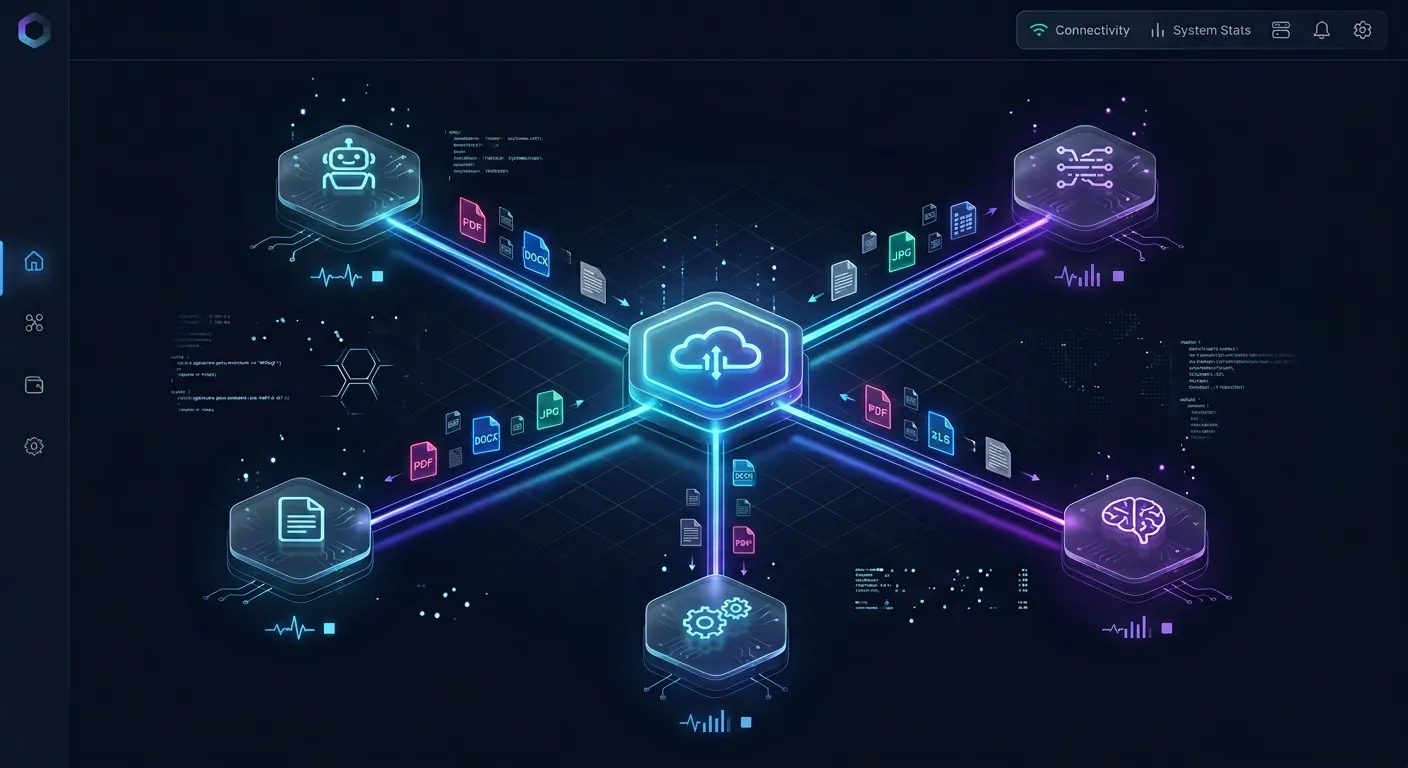
With Hermes Agent connected to Fast.io over MCP, the agent can interact with your synced Google Drive content through structured tool calls. This workflow eliminates token waste while ensuring safe collaboration across human team members and other autonomous agents. The agent issues remote function calls over Streamable HTTP, allowing developers to inspect exact tool arguments and outputs.
By querying pre-indexed document chunks, Hermes Agent avoids loading unnecessary file data into its active conversation thread. When modifications are required, write tools update workspace files and record distinct revisions, ensuring complete auditability across the file lifecycle.
The following subsections examine retrieval mechanics, safe write patterns, and audit capabilities in detail.
Targeted Retrieval Versus Full-Document Context Dumps
When an operator asks Hermes Agent a question about project status, legal agreements, or technical designs stored in Google Drive, the agent calls the storage read tool rather than downloading full files.
For example, when Hermes receives a prompt like "Find the indemnification terms in our master services agreement," it executes an MCP tool call against Fast.io:
{
  "name": "storage",
  "arguments": {
    "action": "search",
    "query": "indemnification liabilities and caps in master services agreement",
    "limit": 3
  }
}
The workspace executes a hybrid semantic and keyword search across all indexed Google Drive documents. Instead of returning a 50-page PDF string, Fast.io returns the exact matching passages along with source file names, page numbers, and document citations.
Hermes Agent consumes only a minimal fraction of its prompt tokens to absorb the precise answer, allowing it to formulate a factual response and cite the exact file without context pollution.
Writing Deliverables Back and Managing Advisory File Locks
When Hermes Agent completes a task, such as drafting a research summary, compiling data, or generating an incident brief, it can save the result directly back to the workspace.
If Cloud Sync is configured for two-way synchronization, files created or updated by Hermes in Fast.io synchronize back to the corresponding Google Drive folder on the next scheduled or on-demand sync run.
To write or update files, Hermes calls the storage_manage tool:
{
  "name": "storage_manage",
  "arguments": {
    "action": "addfile",
    "path": "/Research/Q4-Analysis-Summary.md",
    "content": "# Q4 Market Analysis

Summary of findings based on synced Drive data..."
  }
}
When multiple agents or humans work within the same workspace, simultaneous writes could cause confusion. Fast.io provides advisory per-file locks to coordinate concurrent operations:
- An agent acquires a lock using the
lock-acquireaction onstorage_manage. - Other members and agents can inspect who holds the lock using
lock-statuson thestoragetool. - When the write is complete, the agent releases the lock using
lock-releaseonstorage_manage.
Advisory locks signal active editing without blocking underlying writes. If two operations land simultaneously, Fast.io's per-file version history preserves every version, ensuring no work is lost.
Safe Handoff and Auditability with the Detailed Activity Log
In autonomous agent deployments, team members need complete transparency into what the agent has created, altered, or moved.
Fast.io provides three foundational safeguards for human-agent collaboration:
- Per-File Version History: Every time Hermes Agent updates a document or notes file, Fast.io records a new version while retaining all previous iterations. Team members can inspect diffs and restore any earlier revision directly from the Fast.io interface.
- Detailed Activity Log: Fast.io maintains a detailed activity log of changes across the entire organization. The log tracks file uploads, modifications, renames, moves, deletions, membership changes, and share creation for people and agents alike.
- Ownership Transfer: When an agent creates an organization, workspace, or collection of shares on behalf of a human client, it can transfer ownership of the organization to the human principal with a claim link. The agent retains its administrative role to continue maintenance while legal and financial ownership moves to the human.
Multi-Agent Collaboration, Structured Views, and Governance
As engineering teams deploy fleets of specialized agents, individual agents rarely operate in isolation. A research agent running Hermes Agent might analyze market briefs, while a coding agent running Claude Code or Cursor implements product features, and human project managers review progress.
Fast.io serves as the shared substrate where people and multiple agents coordinate across shared files, context, and intelligence. Instead of each agent establishing isolated, redundant cloud connections, the entire team works against unified workspaces backed by consistent security controls.
The sections below outline how structured data extraction, role-based access models, and subscription plans support scalable multi-agent operations. This unified workspace model eliminates synchronization race conditions, ensures consistent access boundaries across tools, and allows teams to scale autonomous agent workflows with complete audit visibility.
Structured Document Extraction with Metadata Views
Beyond unstructured text search, business workflows often require converting messy Google Drive documents into structured data tables.
Fast.io includes Metadata Views, a feature that turns collections of documents into a live, queryable database. Rather than relying on rigid OCR templates or regular expressions, operators describe the fields they want extracted in natural language. Fast.io designs a typed schema (such as Text, Integer, Decimal, Boolean, URL, JSON, and Date & Time), matches relevant files in the workspace, and populates a filterable spreadsheet view.
Metadata Views work across PDFs, images, scanned pages, Word documents, and spreadsheets. Agents can create Views, trigger extraction, and query structured records over MCP. For example, when Hermes Agent processes invoices synced from Google Drive, it can query total amounts, invoice dates, and vendor names directly from Metadata Views without reading raw PDF bytes.
Access Control and Branded External Shares
Security and access governance in Fast.io are structured to prevent accidental exposure while simplifying collaboration:
- Role-Based Permissions: Permissions are configured per organization, workspace, and share. Fast.io does not use folder-level or file-level permissions; every workspace member reaches all content within that workspace according to their assigned role.
- Branded Shares for Scoped Delivery: When you need to deliver specific files or an individual folder to external stakeholders without granting access to the entire workspace, you create a branded share. Shares can be configured as Send (deliver files), Receive (collect uploads from partners without email attachments), or Exchange (bidirectional collaboration). Shares can include recipient access controls, expiration dates, and disabled file downloads. External guests who access a share do not consume an organization seat and do not require an account.
Subscription Plans, Usage Credits, and 14-Day Trial
Fast.io operates on a transparent subscription model designed for teams and agent deployments. Creating a user account is free, while running workspaces and production storage requires an organization on a paid subscription.
Monthly plans start with a 14-day free trial that requires a credit card:
- Starter Plan: Available at
$9.99/mo($99per year). Includes3 seats,250 GBof storage,5 workspaces, a maximum upload size of25 GB, and100,000 creditsper month. - Business Plan: Available at
$49.99/mo($499per year). Includes10 seats,5 TBof storage,50 workspaces, a maximum upload size of50 GB, and600,000 creditsper month. - Enterprise Plan: Available at
$199.99/mo($1,999per year). Includes30 seats(extra seats$1a month each, up to200),25 TBof storage,200 workspaces, a maximum upload size of100 GB, and3,000,000 creditsper month.
Credits meter AI work only. Additional usage beyond plan limits is billed at $10 per 100,000 credits. Storage beyond the plan is $0.015 per GB a month and extra bandwidth $0.04 per GB, billed in money.
Sources
References used to verify factual claims in this guide.
-
The official Google Workspace skill for Hermes Agent relies on OAuth2 with automatic token refresh to connect Drive, Docs, and Gmail.
-
Standard Google Drive MCP server deployments restrict agents to a fixed collection of storage tools tied to that specific server.
Frequently Asked Questions
How do I connect Hermes Agent to Google Drive?
You can connect Hermes Agent to Google Drive by syncing your Google Drive folder into a Fast.io workspace using Cloud Sync, then pointing Hermes Agent to the Fast.io remote MCP server at `https://mcp.fast.io/mcp/tools` with a scoped Bearer API token. This allows Hermes to query indexed drive files via MCP without pulling entire folders into local context.
Can Hermes Agent search Google Drive files via MCP?
Yes. Once Google Drive folders sync into Fast.io and Intelligence Mode is enabled, Hermes Agent queries documents using the storage tool over the Model Context Protocol. The workspace executes hybrid search across text, PDFs, and spreadsheets, returning relevant excerpts with file citations.
Does Fast.io Cloud Sync support Google Drive for AI agents?
Yes. Fast.io Cloud Sync connects Google Drive, Dropbox, Box and OneDrive folders to a workspace, one-way or two-way, on a schedule or on demand. Files sync directly between cloud repositories, allowing AI agents to read and write content through MCP.
What is the difference between direct Google Drive API access and Fast.io MCP integration for Hermes?
Direct API access requires configuring Google Cloud OAuth credentials and forces the agent to download entire files into prompt context. Fast.io MCP integration pre-indexes Drive files with hybrid search, allowing the agent to retrieve only the relevant passages needed for its reasoning.
Does Fast.io Cloud Sync run in real time?
No. Cloud Sync runs one-way or two-way on a schedule or on demand for Google Drive, Dropbox, Box and OneDrive. It is never continuous, live, or real-time.
How do multiple agents avoid overwriting files in a shared Google Drive workspace?
Agents coordinate concurrent updates using advisory file locks through MCP actions lock-acquire and lock-release on the storage_manage tool. Fast.io also preserves per-file version history for every edit, ensuring prior versions can be inspected or restored.
Related Resources

Connect Hermes Agent to Your Cloud Workspaces
Sync folders from Google Drive, Dropbox, Box, and OneDrive into Fast.io workspaces with built-in hybrid search and direct MCP access for your AI agents. Monthly plans start with a 14-day free trial, credit card required.