Devin AI File Limits: Upload Caps, Repository Sizes, and Sandbox Storage
Understanding every Devin AI file limit, from sandbox virtual machine storage to repository clone boundaries and file attachment caps, prevents failed builds and aborted sessions. When projects require massive repositories or external datasets, connecting an intelligent cloud workspace over the Model Context Protocol provides searchable access without saturating the local sandbox.


What Shapes Devin AI Sandbox Storage and Virtual Machine Limits?
Devin AI file limits denote the constraints on file attachment sizes, Git repository clone volumes, and disk storage within Devin's virtual machine sandbox. Cognition documents that the base operating system occupies approximately 15 GB, with typical user development environments adding incremental diffs of roughly 1 GB. Understanding how Devin allocates and meters this storage is critical for software engineering teams deploying the agent on complex codebases.
Devin does not run code inside standard, shared container instances. Untrusted code execution, complex dependency chains, and nested build tools require strict operating system isolation. To provide this environment, Cognition engineered a proprietary microVM hypervisor called otterlink to power production workloads. Inside the virtual machine, Devin runs an Ubuntu Linux environment formatted with an ext4 filesystem. Outside the guest, the host hypervisor operates on an XFS filesystem using copy-on-write reflink metadata. This design allows disk images to share identical storage blocks by default and greedily allocate new blocks only when write operations occur. For technical background on these disk diff mechanics, see the Cognition Blockdiff technical details.
Hypervisor Isolation and Ephemeral Storage
The primary consequence of Devin's virtualization architecture is that sandbox disk storage is ephemeral. Every new session boots from a designated base state. Any files generated, packages compiled, or binaries downloaded during a task exist only within the active session's copy-on-write disk diff. If a session concludes without committing changes to a remote Git branch or generating a machine snapshot, those local files disappear permanently when the virtual machine terminates.
Devin maintains baseline virtual machine storage through copy-on-write diffs, but developer workloads can expand disk usage rapidly. Installing heavy system dependencies, compiling large C++ or Rust binaries, caching multiple container images via Docker-in-Docker, or generating massive test artifacts will quickly consume available disk blocks. When the sandbox runs out of physical space, shell commands fail with write errors, background language servers crash, and test suites abort mid-run.
Machine Sizing and Resource Monitoring in Devin
To accommodate projects with heavy resource demands, Cognition provides controls to adjust virtual machine capacity. Administrators can configure hardware allocations by opening Settings, choosing the workspace section, and navigating to the Danger Zone settings panel. Within this panel, teams can increase machine size allocations, provisioning higher allocations of CPU cores, system RAM, and disk storage space. Switching to larger performance configurations resets the workspace machine setup, requiring a fresh baseline snapshot.
During an active session, developers can monitor real-time resource consumption through the telemetry indicator located in the top-right corner of the session page. This monitor reflects live CPU load, memory utilization, and storage capacity. Tracking these metrics during dependency installation or test compilation reveals whether an unexpected task failure stems from a code bug or hardware saturation within the sandbox.
Related guides
- Claude Image Limits: Upload Caps, File Sizes, and Vision Token MathThe Claude image limit restricts uploads to 5 images per prompt, 30MB per image file, and maximum dimensions of...
- How to Work Around Claude's File Upload LimitsClaude takes files of up to 500MB each and 20 per chat, but Project files cap at 30MB. Here are the exact limits by...
- How to Try Devin AI for FreeA Devin AI free trial is Free at $0 per month with limited agent usage, not a short coupon clock. Pro starts at $20 per...
- How to Install and Use the Devin AI CLICognition positions Devin AI CLI as a local coding agent that runs on your machine, separate from cloud Devin in a VM....
- Devin AI Docs: Map of Official DocumentationCognition publishes 537 documentation entries at docs.devin.ai, and more than half of that index is API reference...
- How to Configure MCP Servers in Devin AIConfiguring Model Context Protocol servers in Devin AI requires editing the devin mcp config files. This guide details...
More on this subject: Devin (105 guides)
How Devin AI Enforces File Upload Limits and Attachment Constraints
Beyond internal virtual machine disk limits, getting external files into Devin introduces another set of operational constraints. Teams interact with Devin through multiple interfaces, including the web application, Slack, and the programmatic REST API. Each channel enforces distinct file upload boundaries and transmission mechanisms documented in the official Devin documentation.
In the web interface and Slack, users can attach files directly to session prompts. This mechanism is suitable for individual configuration files, patch diffs, schema definitions, or bug screenshots. However, standard HTTP payload limits apply to these entry points. Webhook triggers configured to launch automated Devin sessions, for example, typically enforce payload limits around 200 KB. Attempting to post multi-megabyte JSON payloads or raw binary files through an automation webhook results in rejected HTTP requests.
Interactive Attachments and API Payload Constraints
For programmatic workflows, Devin provides a dedicated Attachments API. Rather than embedding raw file bytes directly into prompt text, developers upload files to the attachment endpoint using multipart form data and a bearer token. The API writes the file to cloud storage and returns an attachment reference URL. Developers then pass this URL into the session creation request:
curl -X POST "https://api.devin.ai/v1/attachments" \
  -H "Authorization: Bearer $DEVIN_API_KEY" \
  -F "file=@./project-specifications.pdf"
The returned attachment URL allows Devin to download and inspect the file inside its sandbox. While the API handles larger individual files than an interactive chat prompt, it is not designed as a bulk data pipeline. Direct uploads of multi-gigabyte ZIP archives, raw video recordings, or comprehensive database backups frequently hit gateway timeouts or network interruption errors.
Context Capture Thresholds and Large Document Ingestion
Uploading a file is only the first hurdle; Devin must also read and interpret its contents. Ingesting large text documents, extensive architectural specifications, or detailed API schemas directly into session context triggers strict capture limits. Automated scrapers and tooling pipelines tracking coding agents observe that documentation sources exceeding 200,000 characters trigger capture truncation and processing errors.
When an attached document exceeds these context boundaries, Devin cannot ingest the entire document into active memory simultaneously. The model either truncates the trailing text, missing critical requirements placed late in the file, or spends substantial token allowances parsing unstructured prose instead of executing code. Passing large documentation libraries into Devin as raw file attachments is inefficient and costly. Large reference corpora require an external retrieval architecture rather than direct file uploads.
Why Monorepos and Deep Codebases Trigger File Watcher Errors in Devin
The primary way Devin accesses source code is by cloning Git repositories. Devin connects to GitHub, GitLab, and enterprise Git providers to pull source trees directly into its sandbox. While this integration works cleanly for standard repositories, enterprise monorepos and data-heavy projects expose distinct operational limits.
Devin meters work based on autonomous compute units, but repository cloning and initial environment setup do not draw down compute credits. Cognition documents that setting up the environment and performing initial repository clones are not metered against session usage. However, the physical mechanics of cloning multi-gigabyte repositories introduce significant friction.
+------------------------------------+------------------------------------------+----------------------------------------+
| Storage or Resource Layer          | Documented / Operational Limit           | Behavioral Impact on Devin             |
+------------------------------------+------------------------------------------+----------------------------------------+
| Base OS Disk Image                 | ~15 GB (ext4 guest on XFS host)          | Standard operating system footprint    |
| User Session Diff Storage          | Typically starts around 1 GB             | Tracks session modifications via CoW   |
| Inactive Session Idle Timeout      | 30 minutes (5 minutes for Lite/API)      | Devin enters sleep mode automatically  |
| Automation Webhook Payload         | ~200 KB standard payload boundary        | Direct event triggers reject large data|
| Document Context Capture Threshold | ~200,000 characters                      | Truncation on large documentation files|
| Linux Kernel Watchers (inotify)    | 65,536 watches (default kernel setting)  | Monorepos trigger ENOSPC write errors  |
| Custom Machine Sizing              | Configurable in Danger Zone settings     | Provision higher CPU, RAM, and disk    |
+------------------------------------+------------------------------------------+----------------------------------------+
Monorepo Cloning and DeepWiki Indexing Overhead
Cloning a repository that exceeds several gigabytes consumes substantial disk space inside Devin's virtual machine. Large Git histories, unpruned feature branches, and accidental commits of compiled binaries or machine learning weights inflate the local .git directory. When Devin executes git clone, network transfer time increases, and the extracted working directory consumes sandbox disk blocks before any code has been analyzed.
Once cloned, Devin indexes connected codebases using DeepWiki to power semantic code comprehension and search. DeepWiki processes source files, analyzes symbol references, and builds architectural dependency graphs so Devin can answer questions and plan modifications. While DeepWiki handles complex code architectures effectively, pointing it at non-code assets creates unnecessary indexing overhead. Including extensive directories of generated assets, binary test fixtures, or raw logs slows down repository indexing and consumes background processing capacity.
The Inotify Watcher Bottleneck on Large Workspaces
A less obvious file limit stems from the Linux kernel rather than physical disk capacity. Modern development stacks rely heavily on language servers, file watchers, and bundlers like TypeScript, Vite, or Webpack to detect file modifications. On Linux, these tools rely on the kernel's inotify subsystem.
When Devin operates on a massive repository or monorepo containing hundreds of thousands of files, language server processes attempt to register inotify watches for every directory and file. If the project exceeds the kernel ceiling, typically configured around 65,536 watches in fs.inotify.max_user_watches, the system fails with an error:
Error: ENOSPC: System limit for number of file watchers reached, watch '/home/ubuntu/repos/monorepo/packages/core'
This error frequently confuses developers because df -h reports plenty of free disk space. The failure is not an exhausted disk, but an exhausted kernel table. Resolving this issue requires increasing system parameters using sysctl -w fs.inotify.max_user_watches=524288 within Devin's environment blueprint or excluding non-essential directories from the workspace watcher scope.
Session activity is bounded by idle timeouts. Devin automatically enters sleep mode after 30 minutes of inactivity by default, or 5 minutes for Lite and API sessions. While sleeping, the agent halts command execution and ceases compute consumption until a user or webhook sends a new instruction.


Connect Large Codebase Assets to Devin AI
Provide Devin AI with instant search and document retrieval across multi-gigabyte repositories and documentation sets without overloading sandbox storage. Monthly plans start with a 14-day free trial, which requires a credit card.
How to Manage Large Repositories and Datasets in Devin Workflows
When codebases and supporting assets exceed the practical constraints of Devin's sandbox, engineering teams must implement strategies to isolate relevant code and decouple heavy data from the agent's local filesystem. Several established techniques mitigate storage bottlenecks.
Sparse Checkouts and Targeted Git History
Cloning the entirety of a multi-gigabyte monorepo is rarely necessary for an isolated feature, bug fix, or refactor. Teams can configure Devin's repository setup scripts to perform shallow clones and sparse checkouts, downloading only the specific packages required for the task.
git clone --depth 1 --filter=blob:none --no-checkout https://github.com/org/enterprise-monorepo.git
cd enterprise-monorepo
git sparse-checkout init --cone
git sparse-checkout set services/billing packages/common
git checkout main
Using shallow clones with --depth 1 discards historic commit objects, saving hundreds of megabytes of Git history. Initializing a sparse checkout restricts the local working directory to the target service and its direct dependencies. This keeps disk consumption low, speeds up clone execution, and prevents language servers from exhausting inotify watches on unrelated code.
Pre-baked Blueprints and Snapshot Caching
For environments requiring extensive toolchains, compiling dependencies inside every new Devin session wastes time and risks disk bloat. Cognition supports repository blueprints and custom machine snapshots that capture pre-configured execution environments.
Using Cognition's blockdiff snapshot format, administrators can boot a baseline environment, install required runtimes, pre-build core packages, and take a machine snapshot. Subsequent Devin sessions boot directly from this cached image in seconds. Because blockdiff captures block-level copy-on-write diffs, the system stores only the changes made on top of the base operating system. Teams can update repository code in the snapshot startup commands with a quick git pull, ensuring Devin starts with fresh code on a pre-warmed machine.
Decoupling Non-Code Assets from Source Control
A common cause of repository bloat is storing test data, sample media, database snapshots, and documentation PDFs directly inside Git. Repositories should contain source code and configuration, while heavy assets belong in external storage.
Teams traditionally address this by hosting datasets in Amazon S3 buckets or Google Cloud Storage, passing pre-signed download URLs to Devin when a specific test file is needed. While object storage solves the disk capacity problem by keeping files off Git, it introduces significant friction. Devin must download files over HTTP whenever it needs to inspect them, and object storage provides no native indexing or search capabilities. If Devin needs to query a 500-page regulatory specification or search across a corpus of legacy architecture docs, downloading raw PDFs into its sandbox consumes disk space and burns context tokens without delivering targeted answers.
How to Connect Fastio Workspaces to Devin AI over MCP
The most effective architecture for handling large files and extensive documentation with Devin AI is connecting an intelligent external workspace through the Model Context Protocol. Rather than copying multi-gigabyte repositories, test datasets, and technical documentation into Devin's local sandbox, teams maintain their assets in Fastio workspaces. Devin queries this external corpus dynamically, retrieving only the precise information needed for the active task. Learn more about configuring dedicated agent environments on Fastio agent storage solutions.
Fastio provides persistent, cloud-based workspaces designed for human teams and autonomous AI agents. When files are uploaded to a workspace, built-in Intelligence indexes them automatically for hybrid search, combining full-text search, semantic vector retrieval, and metadata filtering. This eliminates the need to maintain a separate vector database or chunking pipeline. Devin can inspect, search, and extract data from massive files without storing them locally or exceeding context limits.
Streamable HTTP Configuration for Coding Agents
Devin connects to Fastio using the remote Model Context Protocol server over Streamable HTTP. Fastio serves distinct endpoints tailored to different client types. For autonomous coding agents like Devin, GitHub Copilot, and Cline, Fastio provides the dedicated coding endpoint at https://mcp.fast.io/mcp/code. Step-by-step setup guides are available in the Fastio MCP setup documentation and the Fastio MCP skill guide.
Because Devin operates as a headless cloud agent inside an isolated virtual machine, it connects using a scoped API key rather than an interactive browser OAuth handshake. The API key is passed in the HTTP Authorization header on the connection. Teams configure Devin to connect to Fastio by adding the MCP server configuration into Devin's workspace settings or repository blueprint:
{
  "mcpServers": {
    "fast-io": {
      "url": "https://mcp.fast.io/mcp/code",
      "headers": {
        "Authorization": "Bearer FASTIO_API_KEY"
      }
    }
  }
}
The coding endpoint exposes a consolidated MCP toolset designed specifically for code-centric workflows: auth, auth_manage, upload, upload_manage, search, execute, execute_manage, and how-to. When Devin needs information from project documentation, it calls search to run semantic queries across the workspace. Fastio returns relevant text excerpts accompanied by source citations, allowing Devin to verify facts against the original document without ingesting hundreds of thousands of raw characters.
Semantic Document Retrieval and Metadata Views
Connecting Devin to a Fastio workspace enables productive workflows for large-scale software engineering:
- Dynamic Documentation Lookups: Instead of attaching massive API specifications, compliance manuals, or internal architecture guidelines to prompts, store them in a shared workspace. Devin queries the documentation on demand using natural language questions, receiving precise, citation-backed answers.
- Structured Data Extraction with Metadata Views: When dealing with collections of invoices, technical datasheets, legal contracts, or test outputs, Fastio's Metadata Views turn documents into queryable, typed spreadsheets. Users describe the fields they need in plain language, and the system extracts structured values (Text, Integer, Decimal, Boolean, URL, JSON, Date & Time). Devin queries this extracted tabular data directly through MCP without scanning raw documents.
- External Artifact Handoffs: When Devin generates large outputs that do not belong in Git, such as benchmark logs, compiled build bundles, or video recordings of test runs, it uploads them directly to Fastio using the
upload_managetool. Fastio supports chunked uploads up to plan maximums:25 GBon Starter,50 GBon Business, and100 GBon Enterprise. - Advisory File Locks: When multiple agents or colleagues collaborate within the same workspace, Devin can acquire advisory file leases using
lock-acquireandlock-releasethrough MCP. These advisory locks indicate active editing to other organization members while preserving full version history for every save. - Cloud Sync Integration: Fastio connects to existing corporate storage repositories. Cloud Sync connects Google Drive, Dropbox, Box, and OneDrive folders to a workspace, one-way or two-way, on a schedule or on demand. Documentation and design files updated by human colleagues sync into the workspace, where they are indexed and made available to Devin.
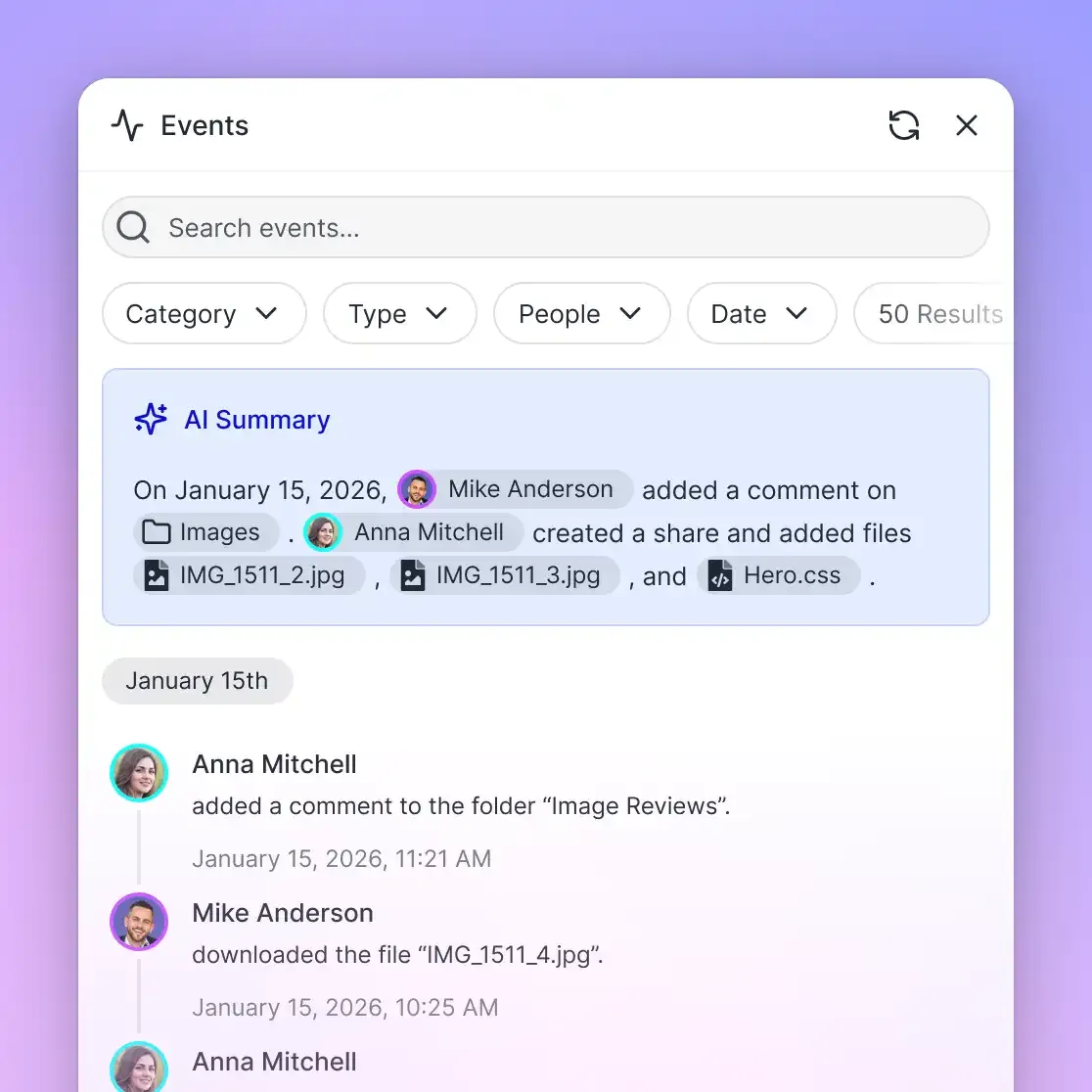
Fastio provides full per-file version history and a detailed activity log that records uploads, edits, moves, deletions, and membership changes made by both humans and agents. Permissions are managed cleanly per organization, workspace, and share through member roles.
Monthly plans start with a 14-day free trial, which requires a credit card. Plans are Starter at $9.99/mo (3 seats, 250 GB storage, 5 workspaces, 100,000 credits a month), Business at $49.99/mo (10 seats, 5 TB storage, 50 workspaces, 600,000 credits a month), and Enterprise at $199.99/mo (30 seats included, extra seats $1 a month each up to 200, 25 TB storage, 200 workspaces, 3,000,000 credits a month). Extra storage beyond plan limits is $0.015 per GB a month, and extra bandwidth $0.04 per GB, keeping infrastructure costs transparent while giving Devin unlimited room to operate. Review complete details on the Fastio pricing page.
Sources
References used to verify factual claims in this guide.
-
Devin's base operating system image consumes approximately 15 GB, with typical user environments adding 1 GB of diff storage.
-
Devin automatically enters sleep mode after 30 minutes of inactivity by default, or 5 minutes for Lite and API sessions.
Frequently Asked Questions
What is the file upload limit in Devin AI?
Devin AI accepts file attachments through its web interface, Slack, and REST API. Automation webhooks typically enforce payload limits around 200 KB. For larger files, the Attachments API allows uploading files via multipart form data to generate an attachment reference URL for session prompts. Direct uploads of multi-gigabyte archives or datasets fail due to gateway timeouts, making external cloud storage or MCP-connected workspaces necessary.
Can Devin AI handle multi-gigabyte repositories?
Devin can clone multi-gigabyte repositories, and repository cloning does not consume compute usage or credits. However, huge repositories risk exhausting the virtual machine's local disk capacity, increasing clone latency, and saturating DeepWiki indexing. Best practices for large codebases include using Git shallow clones with depth 1, configuring sparse checkouts, and storing large binary assets in external workspaces.
What causes the No space left on device error in Devin when disk space is available?
This error is typically caused by exhausting Linux kernel inotify file watchers rather than physical disk storage. When language servers or build tools watch extensive directories in large monorepos, they exceed fs.inotify.max_user_watches (often defaulting to 65,536). Increasing this kernel limit via sysctl or configuring sparse checkouts resolves the issue.
How do you give Devin AI access to large external files?
The most effective method is connecting an external workspace like Fastio via the Model Context Protocol. Files stored in the workspace are indexed for hybrid search, allowing Devin to query documentation, specifications, or datasets dynamically using natural language over MCP without copying heavy files into its local sandbox.
How does Fastio connect to Devin AI over MCP?
Devin connects to Fastio over Streamable HTTP using the coding agent endpoint at `https://mcp.fast.io/mcp/code`. Because Devin runs headlessly in the cloud, it authenticates using a scoped API key passed in the Authorization header. For setup steps, refer to the Fastio MCP setup documentation at https://mcp.fast.io/docs and the agent guide at https://mcp.fast.io/skill.md.
Does repository cloning consume Devin compute credits?
No. Cognition explicitly documents that setting up the environment and performing initial repository clones do not draw down compute usage or credits. Compute consumption begins when Devin actively plans, edits code, runs commands, or browses the web during a session.
Related Resources

Connect Large Codebase Assets to Devin AI
Provide Devin AI with instant search and document retrieval across multi-gigabyte repositories and documentation sets without overloading sandbox storage. Monthly plans start with a 14-day free trial, which requires a credit card.