Best OpenClaw Workflows for AI Headshot Generation
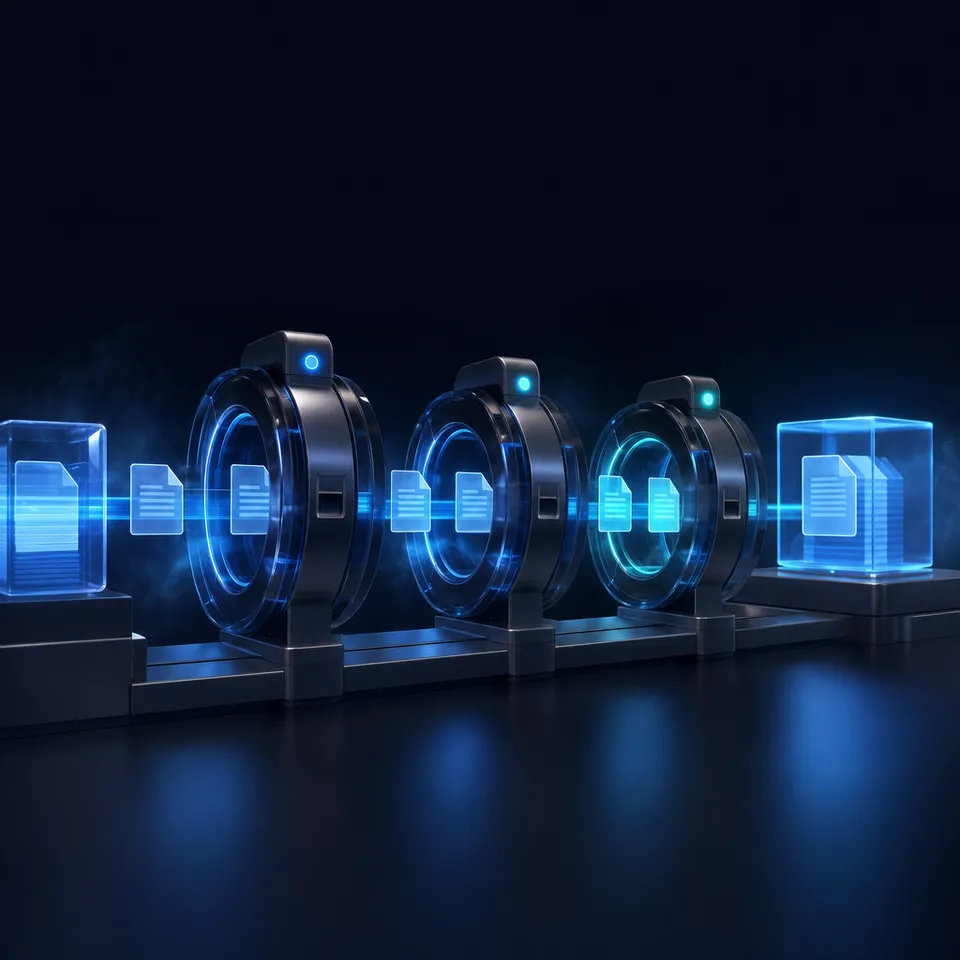
OpenClaw turns AI headshot generation into a repeatable, chat-driven workflow. Dedicated skills like ai-headshot-generation and google-imagen-3-portrait-photography handle the model work, while Lobster pipelines and shared workspaces let you batch-generate team headshots, review results, and hand off finals to stakeholders without leaving the agent session.

Why Run Headshot Generation Through an AI Agent
Professional headshots used to mean booking a photographer, coordinating schedules, and waiting for retouched deliverables. AI headshot generators changed the economics: upload a few selfies, pick a style, and get studio-quality portraits in minutes for $29-59 instead of $200-500.
But standalone headshot tools still require manual effort for each person. You upload photos one at a time, download results, rename files, organize them by employee, and distribute finals. For a team of 30, that's an afternoon of clicking through web UIs.
OpenClaw moves this entire workflow into a single agent conversation. You describe what you need, the agent picks the right skill and model, generates portraits, names the outputs, and delivers them to a shared workspace. For batch runs, Lobster workflows automate the full pipeline from photo intake to final delivery, with approval gates so a human reviews results before distribution.
The parent keyword "ai headshot generator" draws 27,100 monthly searches, and the market is projected to exceed $450 million in 2026. Most of that demand comes from professionals who need LinkedIn photos, corporate directories, and team pages. OpenClaw skills bring this capability to any chat interface where an agent is already doing work.
Related guides
- How to Build Scalable Lead Generation Workflows in ClayWaterfall enrichment increases contact find rates by up to 80%, yet many sales teams fail to scale outbound workflows...
- How to Use DALL-E 3 Image Generation in Clay GTM WorkflowsThe query "dall-e 3 ai image generator" draws about 60,500 monthly US searches at a keyword difficulty of 53 and...
- Best OpenClaw Workflows for AI Image Generation PipelinesOpenClaw 2026.4.5 turned agents into image producers. The native image_generate tool supports 10 providers out of the...
- 8 OpenClaw Workflows for AI Batch Image Generation at ScaleAI platforms produce over 34 million images per day, but most batch generation guides only cover single-tool setups....
- Top OpenClaw Workflows for AI Image Generation with Brand ConsistencyAbout one in four companies have AI agents fully integrated into their marketing stack. For the rest, brand consistency...
- Best OpenClaw Workflows for AI Interior Design and Room RenderingAI rendering runs 100 to 500 times faster than traditional methods, yet only 20% of design professionals have fully...
More on this subject: OpenClaw Workflows and Integrations (69 guides)
Which ClawHub Skills Handle AI Headshots Best
ClawHub's skill registry lists two skills purpose-built for portrait generation. Both install from ClawHub in a single step and expose their capabilities as tools the agent can call during conversation.
ai-headshot-generation
Built by eftalyurtseven, this skill generates professional AI headshots from casual photos using the each::sense AI backend. You provide a selfie or informal photo, specify the style you want (corporate, creative, casual), and the skill returns a polished headshot with proper lighting, background, and framing.
The each::sense API handles face detection, pose normalization, and style transfer. The skill wraps this into a single tool call that accepts an input image and style parameters, then returns the generated headshot as a media attachment in the agent's response. After installing the skill through ClawHub, you configure your each::sense API key in the skill's environment settings, and it's ready to use in any OpenClaw conversation.
Best for: Individual headshots where you have a source photo and want a polished, professional result without configuring multiple providers.
google-imagen-3-portrait-photography
Built by questlmuc, this skill routes portrait generation through Google's Imagen 3 model. Imagen 3 ranks among the top photorealistic AI image generators globally, with particular strength in facial symmetry, skin tone accuracy, and depth-of-field effects that mimic studio photography.
Imagen 3 supports output up to 2048px and five aspect ratios (1:1, 9:16, 16:9, 3:4, 4:3), which covers standard headshot formats from square social media crops to vertical portrait prints. Every generated image includes Google's SynthID digital watermark, an invisible marker that survives cropping, resizing, and compression. Install it from ClawHub the same way, add your Google Cloud credentials, and the skill becomes available as a tool in your agent sessions.
Best for: Text-to-image headshot generation where you describe the subject and style in a prompt rather than providing a source photo. Also strong for teams that need consistent output quality across large batches.

Native image_generate for Flexible Portrait Workflows
If you don't need a headshot-specific skill, OpenClaw's built-in image_generate tool connects to 10 providers and handles portrait generation with the right prompt engineering. This approach gives you more control over model selection, resolution, and output format.
The most effective providers for headshot-quality portraits are OpenAI's gpt-image-2 (strong photorealism, handles reference images), Google's gemini-3.1-flash-image-preview (good skin tones, fast generation), and fal's FLUX models (consistent style, lower cost per image).
A practical headshot prompt includes specific details about lighting, background, framing, and clothing. Instead of "professional headshot," write something like "Professional corporate headshot, subject facing camera at slight angle, neutral gray background, soft studio lighting, wearing navy blazer, shallow depth of field, shot at 85mm equivalent." The more specific your prompt, the fewer iterations you need.
OpenClaw lets you configure a fallback chain across providers, so generation doesn't stall if one provider is temporarily unavailable. Set a primary model and one or two fallbacks in your agent's image generation settings.
Key parameters for headshot work:
- size: 1024x1024 or higher for print-quality output
- aspectRatio: 1:1 for social profiles, 3:4 for traditional portrait framing
- quality: high (worth the extra generation time for headshots)
- count: generate 3-4 variations per prompt, then pick the best
- outputFormat: png for lossless quality, webp for web delivery
For reference-based generation, some providers accept up to 5 input images. Upload existing team photos as references and ask the agent to generate headshots that match the style, lighting, and background of your current corporate photo set. This keeps new headshots visually consistent with existing ones on your company page.
Best for: Teams that want model flexibility and already use image_generate for other workflows. No additional skill installation required.


Store and deliver AI headshots from one shared workspace
Upload source photos, generate headshots through OpenClaw, and hand off polished results to your team. Fastio gives you generous storage, MCP server access, and branded share links.
Batch Generation with Lobster Workflows
Generating one headshot is a conversation. Generating 50 is a pipeline. Lobster, OpenClaw's built-in workflow engine, turns multi-step headshot runs into repeatable, reviewable automations with approval gates.
A Lobster workflow for batch headshots typically follows this pattern: ingest a folder of source photos, generate headshots for each person, present results for review, then deliver approved outputs to a shared workspace. Each step runs as a discrete operation, and the workflow pauses at approval gates so a human can review quality before the pipeline continues.
Lobster workflows are defined in YAML and chain steps together: a generate step processes each source photo, an approval gate pauses for human review, and a deliver step uploads approved outputs to the target workspace. You parameterize the style and output destination so the same workflow serves different teams or projects.
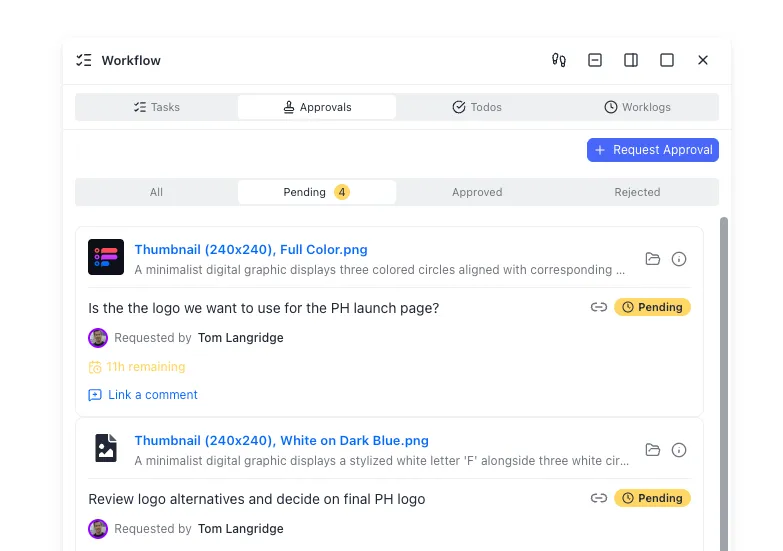
The approval gate is what separates this from a blind batch script. After generation, the workflow pauses and presents results for human review. You can reject individual headshots and send them back for regeneration with adjusted prompts, then approve the rest for delivery. This prevents bad outputs from reaching stakeholders.
For teams spread across time zones, Lobster workflows are resumable. A reviewer in London can approve the first batch in the morning, and the pipeline picks up where it left off without re-running completed steps.
Practical tip: Run a small test batch of 3-5 photos first to dial in the style parameters. Once you're happy with the output quality, scale to the full team roster. This front-loads the quality decision and avoids wasting credits on a 50-person batch that needs style adjustments.
How to Store and Deliver Generated Headshots
Generated headshots need to go somewhere accessible. Dumping them into a local folder works for personal use, but team headshot projects need organized storage, version control, and stakeholder access.
Local storage is the simplest option. The agent saves output to a project directory, and you distribute files manually. This works for small runs but breaks down when multiple people need access or when you're iterating on styles across several sessions.
Cloud storage services like S3, Google Drive, or Dropbox provide shared access but require separate configuration and manual file management. You'd need to set up API credentials, write upload scripts, and manage folder structures outside the agent workflow.
Fastio workspaces handle the delivery layer without leaving the agent session. The MCP server lets your OpenClaw agent upload headshots directly to a shared workspace, organize them by person or department, and create branded share links for stakeholder review. Intelligence Mode auto-indexes uploaded images, so team members can search for headshots by name or description without scrolling through folders.
The ownership transfer pattern works well for headshot projects: the agent creates a workspace, generates and organizes all headshots, then transfers ownership to the project manager. The manager gets a ready-to-use collection with proper naming, folder structure, and share links already configured. The agent retains admin access for future updates.
Fastio offers a 14-day Business Trial, card required; see /pricing/. For larger organizations running ongoing headshot generation, workspaces handle versioning so you can track which headshots replaced older ones and roll back if needed.
Practical tip: Create a naming convention before starting batch generation. Something like lastname-firstname-style-v1.png makes it easy to find specific headshots later and keeps the workspace browsable for non-technical stakeholders.
Choosing the Right Workflow for Your Team
The best workflow depends on your volume, source material, and quality requirements. Here's a decision framework:
You have source photos and need 1-5 headshots: Install the ai-headshot-generation skill. Upload each photo, specify the style, and let the skill handle the rest. Total setup time is under 10 minutes.
You need text-to-image headshots without source photos: Use the google-imagen-3-portrait-photography skill or the native image_generate tool with a detailed prompt. Imagen 3's photorealism and facial accuracy make it the stronger choice for portraits generated purely from text descriptions.
You need 10-50 headshots with consistent style: Build a Lobster workflow that batches source photos, generates headshots with locked-in style parameters, and pauses for human review before delivery. The approval gate prevents bad outputs from shipping, and the resumable pipeline handles multi-day review cycles.
You want to compare models before committing: Use the native image_generate tool with manual model overrides. Generate the same headshot across OpenAI, Imagen, and FLUX, compare the results, then lock in the winner for your batch run. This takes 15 minutes upfront but saves credits on a full run with the wrong model.
You need ongoing headshot generation for new hires: Combine a Lobster workflow with a Fastio workspace. New hire photos go into an input folder, the workflow generates headshots on a schedule, a manager reviews and approves, and finals land in the team's shared workspace. The Fastio MCP server handles file operations so the agent can read inputs and write outputs without leaving the conversation.
Regardless of which path you choose, always generate multiple variations per person and let a human pick the best one. AI headshot quality varies by face shape, lighting in the source photo, and prompt specificity. Generating 3-4 options per person and spending 30 seconds choosing beats generating one and hoping it works.
Sources
References used to verify factual claims in this guide.
-
The parent keyword "ai headshot generator" draws 27,100 monthly searches
-
The AI headshot market is projected to exceed $450 million in 2026
-
Professional headshot sessions typically cost $200-500 while AI tools charge $29-59
-
Imagen 3 supports output up to 2048px and ranks among the top photorealistic AI image generators globally
-
The awesome-openclaw-skills registry lists 5,400+ skills including dedicated headshot generation skills
Frequently Asked Questions
Can OpenClaw generate professional headshots?
Yes. OpenClaw supports headshot generation through dedicated ClawHub skills like ai-headshot-generation (photo-to-headshot via each::sense AI) and google-imagen-3-portrait-photography (text-to-portrait via Imagen 3). The built-in image_generate tool also handles portrait generation across 10 providers including OpenAI, Google, and fal.
Which OpenClaw skill makes the best AI headshots?
For photo-based headshots where you upload a selfie and get a polished portrait, the ai-headshot-generation skill from eftalyurtseven produces consistent results. For text-to-image portraits without a source photo, the google-imagen-3-portrait-photography skill uses Imagen 3's photorealism and facial accuracy. Both install from ClawHub in one command.
How much does AI headshot generation cost on OpenClaw?
OpenClaw itself is free and open source. Costs come from the image generation providers behind each skill. Standalone AI headshot services typically charge $29-59 per session for 40-200 outputs. Using OpenClaw with provider APIs directly can cost less per image, particularly with budget-oriented providers like DeepInfra's FLUX models or fal.ai.
Can I batch generate team headshots with OpenClaw?
Yes. Lobster, OpenClaw's built-in workflow engine, lets you define multi-step pipelines in YAML that process a folder of source photos, generate headshots for each person, pause for human review at approval gates, and deliver approved outputs to a shared workspace. Workflows are resumable, so reviewers can approve in stages without re-running completed steps.
What image quality can I expect from OpenClaw headshot skills?
Quality depends on the provider and model. Google Imagen 3 supports output up to 2048px with strong facial symmetry and natural skin tones. OpenAI's gpt-image-2 handles reference-based generation well, accepting up to 5 input images for style matching. For best results, generate 3-4 variations per person at high quality settings and pick the strongest output.
How do I store and share generated headshots with my team?
Fastio workspaces let your OpenClaw agent upload headshots directly via the MCP server, organize them by person or department, and create branded share links. Intelligence Mode indexes images for search, and ownership transfer lets the agent hand off the completed workspace to a project manager. Fastio offers a 14-day Business Trial (card required; see /pricing/).
Related Resources

Store and deliver AI headshots from one shared workspace
Upload source photos, generate headshots through OpenClaw, and hand off polished results to your team. Fastio gives you generous storage, MCP server access, and branded share links.