How to Secure AI Data Room Sharing for Teams
Secure AI data room sharing protects sensitive files shared between human teams and AI agents during collaborative projects. Traditional data rooms provide controlled access for due diligence, but AI-enhanced versions add intelligent processing without exposing raw data externally.

What Is Secure AI Data Room Sharing?
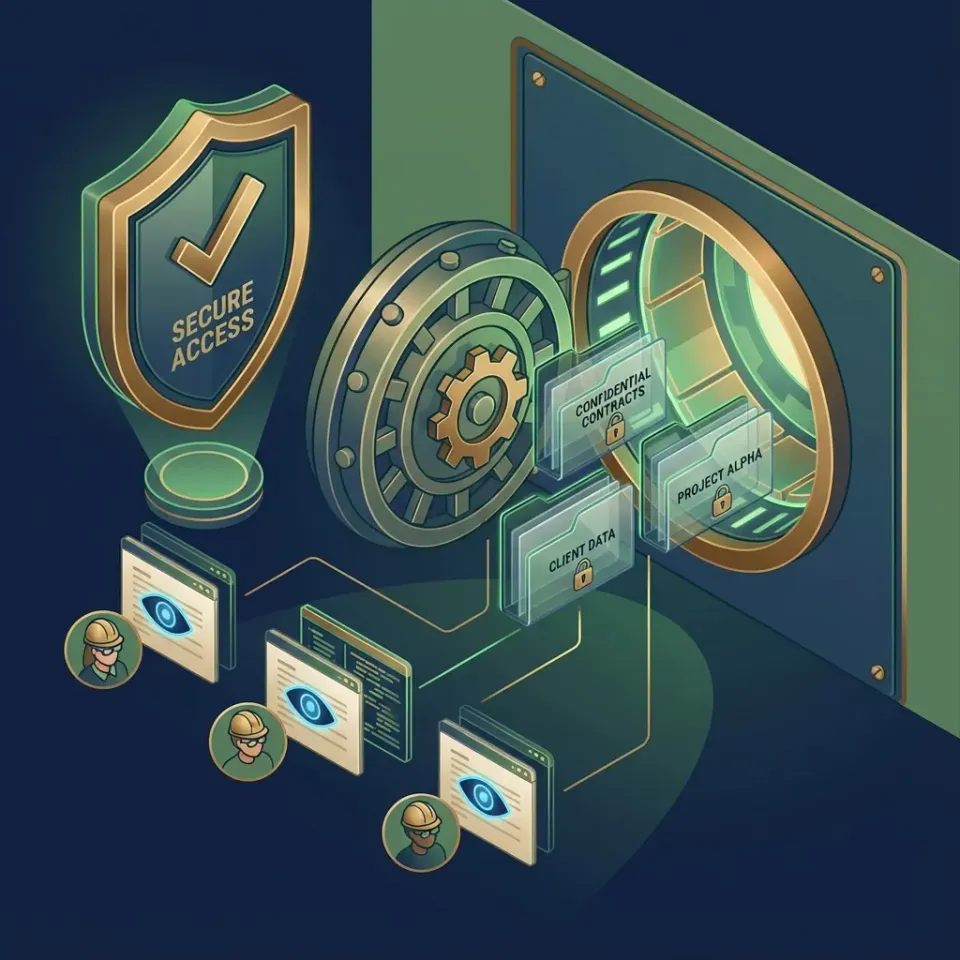
Secure AI data room sharing combines encryption with agent intelligence to enable safe, efficient collaboration on sensitive documents. Traditional data rooms, or virtual data rooms (VDRs), originated in the 1990s for mergers and acquisitions (M&A) due diligence processes. In these setups, potential buyers gain controlled access to a seller's confidential documents like financial statements, contracts, and intellectual property disclosures. Key controls include time-limited access that automatically expires after the deal closes, detailed activity logs tracking every document view and download, watermarking on PDFs to deter leaks, and permissions that restrict printing, copying, or forwarding.
Modern AI data rooms extend this foundation to support agentic workflows, where AI agents perform in-place analysis without exporting files. Agents can summarize lengthy contracts, extract key clauses from legal agreements, run compliance checks on datasets, or generate executive summaries - all while the original files remain securely within the room. Advisory file locks play a key role here: an agent acquires a file lock before writing and heartbeats it while working, signaling who is editing so others can wait or read. If another agent attempts to lock the same file, it receives an HTTP 409 status, while automatic version history preserves every version.
Consider a real-world example: A private equity firm preparing for due diligence uploads quarterly financials, cap tables, and loan agreements to a Fastio data room. An invited AI agent, using MCP tools, reads the financial model spreadsheet, updates projections based on new inputs, creates a new recoverable version, and generates a risk assessment report with citations from multiple source files. Human lawyers then use the built-in RAG chat to query "What are the top three indemnity risks across all contracts?" receiving pinpointed responses. Throughout, no raw data leaves the controlled environment.
Fastio data rooms feature branded portals for a professional experience. Clients access via a share link, authenticating with password or SSO without needing accounts. Workspace owners monitor detailed analytics, including time spent per file, peak access hours, download frequencies, and geographic viewer locations. Guests interact only with permitted folders, seeing previews for media files or paginated views for documents.
These capabilities suit legal teams managing case files, finance professionals handling investor data rooms, research groups sharing datasets, and any operation requiring secure external collaboration with AI assistance. Unlike standard VDRs from providers like Intralinks or Datasite, which focus solely on human access and lack native AI tools, Fastio supports agents too, letting them contribute without compromising security.
For deeper reading, explore Fastio Workspaces, Fastio Collaboration, and Fastio AI.

Related guides
- Open Source Data Room Options for Secure Document SharingThere is no single open source tool that replicates every feature of a commercial virtual data room. But several...
- Best Data Room Software for Secure Document SharingData room software provides secure, permission-controlled workspaces for sharing confidential documents during M&A,...
- How to Set Up a Multi-Agent Data Room for Secure CollaborationA multi-agent data room gives AI agents a secure place to work together on files. Version history and permissions...
- How to Build an AI Data Room for Agentic TeamsAn AI data room is a secure workspace with embedded AI for semantic search, file locking, and multi-agent workflows....
- How to Set Up a Secure Data Room for Confidential TransactionsA secure data room protects confidential documents during M&A deals, fundraising rounds, and legal proceedings. This...
- Best Virtual Data Room Providers for Every Deal TypeChoosing a virtual data room provider depends on what kind of deal you are running. This guide breaks down the top VDR...
More on this subject: Data Rooms and Due Diligence (53 guides)
Why Teams and Agents Need Secure Data Rooms
Basic file sharing methods prove inadequate for high-stakes sensitive work. Email attachments face strict size limits, typically 25MB, and offer no automatic expiration or access revocation. Public shared links from Google Drive or Dropbox remain active indefinitely unless manually disabled, creating lingering exposure risks. Consumer tools lack built-in file locking, so when multiple AI agents attempt simultaneous edits on the same document, conflicts lead to overwritten data or corrupted versions.
Data breaches impose severe consequences, averaging $4.4 million per incident according to IBM's 2025 Cost of a Data Breach Report. Secure data rooms mitigate these risks by centralizing access controls in a single, auditable environment. Fastio captures a full audit trail for every interaction, including workspace joins, file uploads, views, downloads, permission modifications, and file updates. Teams can reconstruct events and prove accountability during audits or incidents.
AI agents require persistent, stateful access to workspaces for iterative tasks like refining analyses over multiple passes. Humans provide oversight by reviewing agent outputs in context, using the same interface. Advisory file locks ensure orderly coordination: an agent acquires a lock via MCP (storage_manage action lock-acquire), performs edits, and releases it, while an HTTP 409 status signals to others that the file is in use. Branded portals enhance professionalism, presenting shares with your logo and colors, fostering greater client trust than impersonal generic links.
Pricing differences compound over time. Traditional per-seat services like Dropbox Business charge around $18 per user monthly, totaling over $400 for a 25-person team. Fastio's Enterprise plan includes 30 seats for $199.99/mo, with extra seats at $1 each.
In practice, well-implemented data rooms speed up business processes. Buyers in M&A deals spend far less time chasing missing files through email chains. Sellers gain visibility into buyer engagement, prioritizing responses to hot documents. AI integration further speeds up timelines: what once took days of manual review now happens in hours, as agents extract insights from hundreds of pages instantly while humans focus on high-level strategy.



Try it yourself
See how Fastio handles your files.
Step-by-Step Setup for Secure AI Data Room Sharing
Follow these numbered steps to set up a secure AI data room on Fastio, from account creation to full testing.
Step 1: Sign up and create your organization. Head to Fastio and start a 14-day Business Trial (credit card required; see pricing). Once logged in, create a new organization to centralize billing and permissions. Name it after your firm or project, like "Acme Investments Org."
Step 2: Create the data room workspace. From the organization dashboard, click "New Workspace" and name it descriptively, such as "Q1-2026-DueDiligence-Room." Immediately toggle "Intelligence Mode" in workspace settings. This auto-indexes all uploaded files for semantic search and RAG chat, typically completing within 5-10 minutes for 100 documents.
Step 3: Upload and organize files. Use the drag-and-drop uploader for convenience, or chunked uploads via API for files up to 1GB on the Business Trial (larger on paid plans). Structure folders logically: /incoming-documents for seller uploads, /financial-models for spreadsheets, /legal-contracts for agreements, /agent-analyses for AI outputs, and /final-reports for approved versions. Use descriptive names like "2025-Q4-CapTable-v2.xlsx" to aid AI search.
Step 4: Configure granular permissions. Assign organization admins to your core team. For agents, create service accounts with read-write access limited to /agent-analyses and read-only elsewhere. Invite via email or generate API tokens for programmatic access. For clients, set up view-only folder shares with download restrictions. Permissions cascade: organization > workspace > folder > file, allowing fine-tuned control.
Step 5: Coordinate agent updates with version history. Fastio automatically maintains full per-file version history with restore. When multiple agents collaborate on models or documents, revisions are tracked in the activity log, enabling teams to restore prior versions if conflicting edits occur.
Step 6: Build the branded client portal. In share settings, upload your logo, select brand colors, enable password protection, set domain restrictions (e.g., @acmelaw.com only), and expiration (e.g., 90 days post-close). Test the portal preview on desktop and mobile.
Step 7: Test end-to-end workflow. Upload sample files, index them, have an agent query "Summarize revenue risks in Q4 financials" via RAG: verify citations point to exact pages. Simulate client access, check audit logs for views/downloads, and verify version history captures each update. Common pitfalls: Forgetting Intelligence Mode (no AI search), insufficient permissions for agents, or untested mobile previews leading to client frustration.
This setup typically takes 30-60 minutes and supports dozens of concurrent users/agents securely.

Folder Structure Best Practices
Use this consistent hierarchy for optimal AI usability and human navigation:
/incoming: For client or external uploads: set to upload-only permissions./analysis: Agent-generated summaries, extractions, and reports: updated with version history and permissions. folder./approved: Final human-reviewed versions ready for download or archive./raw-data: Unprocessed originals: read-only after initial review./logs: Audit exports and activity feeds: auto-archive after 90 days.
Limit top-level folders to 7-10 max. Fastio's semantic search excels with deep nesting, surfacing relevant files regardless of path via natural language queries like "Show indemnity clauses from all contracts."
Key Security Features in AI Data Rooms
Encryption protects data at rest and in transit. Files stay safe even if storage is compromised.
MFA and SSO work alongside Okta, Google, or Azure AD. Logins require multiple factors.
Granular permissions cascade: org > workspace > folder > file. Revoke instantly without deleting files.
Audit logs capture everything. Query via API for "who viewed contract.pdf last week". AI summarizes activity.
Advisory file locks coordinate edits. Acquire via MCP or REST before writing; locks expire automatically unless renewed by heartbeat or can be overridden by anyone with write permission.
View analytics show heatmaps of time per file and peak hours. Spot unusual patterns like late-night access.
Data rooms add one-click revoke. Expire all links at deal close.

AI Integration in Secure Data Rooms
Files are indexed once Intelligence is enabled for the workspace, generating semantic embeddings for search. Semantic search finds meaning: "Acme indemnity clauses Q3". Beats keyword matching. RAG chat answers questions with citations: "Page 3 of contract.pdf mentions...". Fastio's remote MCP server offers a consolidated toolset. Agents list files, search, upload, and query via Streamable HTTP. Ownership transfer lets an agent build a room and transfer it to a human through a claim link, while the agent retains admin access. Teams can follow updates through the realtime activity feed or WebSocket events feed.
Supports any LLM: Claude, GPT, Gemini.

Best Practices and Troubleshooting
Organize by project phase. Name folders descriptively for AI.
Rotate passwords monthly. Expire links post-deal.
Review audit logs weekly. Set alerts for high-risk actions.
Train agents: verify file versions before updates and track revisions in the audit log.
Test mobile access. Ensure previews load fast.
One workspace per deal. Archive completed ones.
Troubleshooting:
- Upload issue? Check folder permissions or API key scope.
- Search pending? Wait for indexing once Intelligence is enabled.
- Share not branding? Verify logo upload in portal settings.
Monitor updates: poll the activity feed or subscribe to the WebSocket events feed.

Sources
Frequently Asked Questions
How to secure AI data rooms?
Apply encryption, MFA, granular permissions, audit logs, and automatic file versioning. Enable Intelligence Mode on Fastio for secure AI querying.
What are AI data room best practices?
Use structured folders, regular audits, expiring links, branded portals, and scoped access controls. Limit one project per workspace.
How does Fastio handle concurrent agent edits?
Agents can acquire an advisory file lock before writing, signaling active edits while others receive an HTTP 409 status. Fastio also preserves complete per-file version history and logs every change to a detailed activity log.
Can agents collaborate in data rooms?
Yes. Add as members with role-based access. They use MCP tools mirroring UI.
What is RAG in data rooms?
Retrieval Augmented Generation queries indexed files for cited answers. No external vector DB needed.
How much does Fastio Business Trial cost?
Fastio offers a 14-day Business Trial, credit card required; see /pricing/ for Starter, Business, and Enterprise plans.
How to revoke data room access quickly?
One-click expire all links or remove user. Audit logs confirm.
Does Fastio support large files in data rooms?
Fastio supports large files with chunked uploads and in-browser streaming previews. See /pricing/ for plan storage details.

Ready to get started?
See how Fastio can help your team collaborate more efficiently.