How to Build a Customer Support Chatbot with OpenClaw
OpenClaw turns a local AI agent into a customer support chatbot that monitors WhatsApp, Telegram, Slack, and dozens of other messaging channels. This guide walks through configuring OpenClaw's gateway, writing support-focused agent instructions, building a knowledge base for accurate answers, and routing complex issues to human agents. You keep full control of your data because everything runs on your own infrastructure.

What Makes OpenClaw a Good Fit for Customer Support
Most customer support chatbot platforms are SaaS products. You send your conversation data to a vendor, configure flows in a proprietary builder, and pay per-seat or per-resolution fees. OpenClaw takes a different approach: it runs on your own machine or server, connects to your existing messaging channels, and uses whichever LLM you prefer.
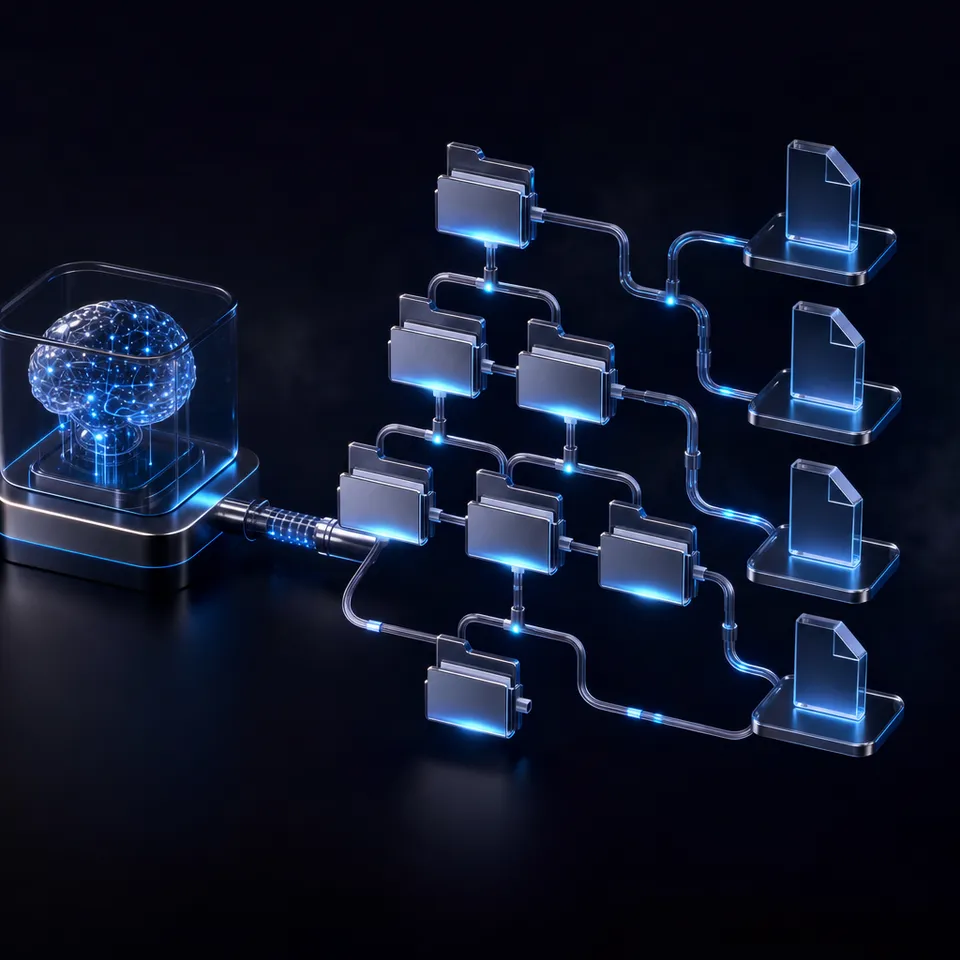
OpenClaw is an open-source personal AI agent that hit 100,000 GitHub stars within its first week of release in early 2026. Its architecture splits into three layers. The Channel Layer normalizes messages from WhatsApp, Telegram, Slack, Discord, Signal, iMessage, and other platforms into a consistent format. The Brain Layer holds your agent's instructions, personality, and model configuration. The Body Layer handles tools, file access, browser automation, and long-term memory.
For customer support, this architecture means you can deploy one agent that monitors multiple messaging channels simultaneously. Customers reach out on WhatsApp, your team checks Slack, and the same agent handles both. The gateway runs as a background daemon (systemd on Linux, LaunchAgent on macOS), so it stays active without manual intervention.
The self-hosted model matters for support teams handling sensitive data. Customer conversations, order details, and account information never leave your infrastructure unless you explicitly route them to an external LLM. You can even run local models through Ollama to keep everything on-premises.

Related guides
- How to Build a Customer Support Agent With Hermes AgentGartner projects conversational AI will cut contact center labor costs by $80 billion in 2026, but most support teams...
- How to Build a Hermes Agent AI Code CheckerThe proportion of copy-pasted code in repositories rose from 8% in 2020 to 12% in 2024, representing a 48% relative...
- How to Build RAG Pipelines with OpenClawOpenClaw RAG pipelines index documents into embeddings for semantic retrieval. This helps agents be more accurate with...
- How to Build a Web Scraping Agent with OpenClawOpenClaw's browsing skill turns your AI agent into a web scraper that can navigate pages, handle JavaScript rendering,...
- How to Build Custom Agents in OpenClawOpenClaw hit 3.2 million monthly active users in April 2026, yet most deployments still run a single default agent...
- Best OpenClaw Projects to Build: Beginner to Advanced Ideas for 2026OpenClaw crossed 250,000 GitHub stars faster than any software project in history, but most developers stall after the...
More on this subject: OpenClaw Setup and Guides (199 guides)
How to Set Up the OpenClaw Gateway for Support Channels
The gateway is OpenClaw's control plane. It manages sessions, channels, tools, and events. Getting it running is the first step toward a working support chatbot.
Install OpenClaw by running the one-line installer for your platform. On macOS or Linux, the installer sets up the daemon automatically. You can verify the installation is healthy by checking the status output afterward.
Configure your LLM provider through OpenClaw's main configuration file. OpenClaw supports Claude, GPT-4o, Gemini, and locally-hosted Ollama models. For customer support, a model like Claude Sonnet handles the balance between response quality and speed well. You can also set up fallback models so the agent switches to a secondary provider if the primary is unavailable.
Connect messaging channels based on where your customers reach you. For WhatsApp, you link your account by scanning a QR code from the terminal. For Telegram, you register a bot through BotFather and provide the token. Slack and Discord use their standard bot token and automation hooks flows.
The channel configuration lets you control who the agent responds to. For customer support, you typically want the DM policy set to accept messages from anyone (rather than the default pairing mode that requires approval). You can also configure group policies if you want the agent to participate in team channels where it's mentioned.
OpenClaw supports 20+ messaging platforms through its adapter system, including Microsoft Teams, Google Chat, LINE, Matrix, and Mattermost. Each adapter normalizes protocol differences so your agent logic stays the same regardless of which channel a message arrives on.


Give your support chatbot a persistent knowledge base
Fastio workspaces with Intelligence Mode index your support documents for semantic search. Your OpenClaw agent queries them through MCP with cited answers. generous storage.
Writing Agent Instructions for Customer Support
OpenClaw agents are configured through markdown files in the local workspace directory. For customer support, three files do most of the work.
SOUL.md defines your agent's personality, tone, and hard boundaries. A support agent needs clear constraints: it should never process payments directly, never share other customers' data, and never make promises about timelines your team cannot keep. This file is where you set the communication style, whether that is formal and precise or casual and conversational. A good practice is to write the SOUL.md as if you are training a new support hire. Explain the voice, the priorities, and the lines that should never be crossed.
AGENTS.md acts as the operational runbook. This is where you define how the agent handles different request types. You specify triage rules (collect the customer's name and order ID before investigating), escalation triggers (phrases like "speak to a manager" or issues involving refunds above a threshold), and session behavior (how long to wait before asking a follow-up question). The agent follows these instructions during its reasoning loop, so concrete rules produce more consistent behavior than vague guidelines.
TOOLS.md restricts what the agent can actually do. For a support chatbot, you might whitelist specific HTTP endpoints, such as your order lookup API, your ticketing system's create-ticket endpoint, and your CRM's customer search. By restricting the tool list to exactly what the agent needs, you prevent it from accessing systems it should not touch. This is the "least privilege" principle applied to AI agents.
The key advantage of markdown-based configuration is version control. You can track every change to your agent's behavior in git, review changes through pull requests, and roll back if a new instruction causes problems. That is a significant upgrade over clicking through a SaaS dashboard where configuration history is opaque.
Conversation patterns worth codifying in your AGENTS.md:
- Ask for identifying information (order number, email, account ID) before attempting any lookup
- Keep responses under three sentences for mobile readability
- Offer 3-4 quick options when the customer's intent is ambiguous
- Create a ticket in your helpdesk system when the agent cannot resolve an issue
- Never guess at information the agent does not have access to

How to Build a Knowledge Base for Accurate Answers
A support chatbot is only as good as the information it can access. Without a knowledge base, the agent relies entirely on its training data, which means it will confidently answer questions about your product using information it does not actually have. That is worse than saying "I don't know."
OpenClaw stores long-term facts in markdown files within the workspace directory, using embedding-based search through sqlite-vec for retrieval. You can populate this with your FAQ documents, product documentation, return policies, and troubleshooting guides. The agent loads relevant context during its reasoning loop, so answers stay grounded in your actual documentation.
For teams with larger document collections, a dedicated storage and retrieval layer works better than local files. Fastio workspaces with Intelligence Mode enabled handle the full RAG pipeline automatically: upload your support documents, and they are indexed for semantic search without managing embeddings or vector databases separately. Your agent queries the workspace through the Fastio MCP server and receives answers with citations pointing to specific files and pages.
Other options include connecting to a vector database like Pinecone or Weaviate through custom MCP servers, or using S3-backed document stores with your own embedding pipeline. The tradeoff is setup complexity versus control. Fastio handles indexing and retrieval as a managed service with a 14-day Business Trial and plans starting at $9.99/mo (see /pricing/), while self-managed solutions give you more flexibility at the cost of infrastructure maintenance.
Whichever approach you choose, structure your knowledge base around how customers actually ask questions. Group documents by topic (billing, shipping, returns, product setup) rather than by internal department. Write FAQ entries in the customer's language, not your team's jargon. The retrieval system matches on meaning, so documents written from the customer's perspective produce better search results.
Keep the knowledge base current. Stale documentation is a common failure mode for support chatbots. When your team updates a return policy or launches a new feature, the corresponding documents need to be updated in the agent's knowledge base at the same time. If you use Fastio, re-uploading the updated document automatically re-indexes it.
Handling Escalation and Human Handoff
No chatbot should try to handle everything. The best support chatbots know when to step aside and bring in a human. OpenClaw's skill system and tool restrictions make escalation logic straightforward to implement.
Define escalation triggers in your AGENTS.md. These fall into two categories: explicit requests ("let me talk to a person") and implicit signals (the customer has repeated the same question three times, the issue involves a billing dispute above a dollar threshold, or the agent's confidence in its answer is low). Write these triggers as concrete rules, not suggestions. "If the customer asks for a human twice, create a ticket and stop trying to resolve" is better than "escalate when appropriate."
Create tickets automatically. When escalation triggers fire, the agent should create a ticket in your helpdesk system (Zendesk, Linear, Freshdesk, or whatever your team uses) with the full conversation history attached. OpenClaw's tool system lets you configure HTTP endpoints for ticket creation, so the agent can POST to your helpdesk API with the customer's details, conversation transcript, and a summary of what was attempted.
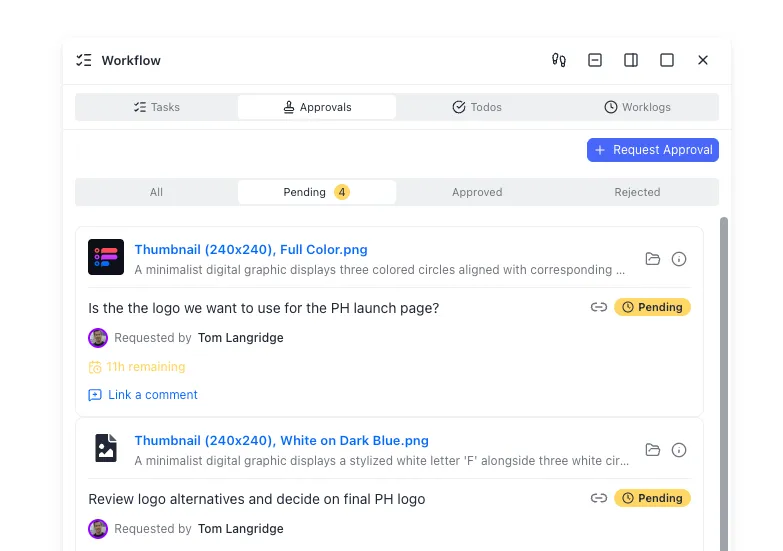
Preserve conversation context. When a human agent picks up an escalated conversation, they need the full picture. The chatbot should hand over what the customer asked, what the bot tried, and what failed. If you store conversation logs in a Fastio workspace, both the chatbot and human agents can access the same files. The workspace's audit trail tracks every file access and modification, so you have a record of who read what and when.
Ownership transfer is a pattern that works well for agencies or consultancies building support systems for clients. An OpenClaw agent creates a Fastio workspace, populates it with conversation logs and knowledge base documents, and then transfers ownership to the client. The agent keeps admin access for ongoing maintenance, but the client controls their own data.
Monitor escalation rates. OpenClaw supports heartbeat checks through HEARTBEAT.md, where you can schedule the agent to send daily summaries of how many conversations it handled, how many escalated, and what topics caused the most handoffs. High escalation rates on a specific topic signal a gap in your knowledge base.
Deploying to Production and Monitoring Performance
A support chatbot running on your laptop works for testing, but production deployment needs a few more considerations.
Choose your hosting environment. A small VPS (2 CPU, 4 GB RAM) handles moderate support volume comfortably. OpenClaw's gateway runs as a systemd service on Linux, so it starts automatically after reboots and restarts on crashes. For higher availability, you can run OpenClaw in Docker with health check configurations that restart the container if the gateway becomes unresponsive.
Security hardening matters more for a customer-facing agent than a personal assistant. Bind the gateway to localhost only, never expose it to the public internet. Set a strong authentication token in your configuration. Lock down file permissions on the workspace directory so only your user account can read credentials. Review your configuration for common misconfigurations like overly permissive DM policies or exposed API tokens before going live.
Monitor conversation quality beyond just uptime. Track metrics that matter for support:
- Resolution rate: what percentage of conversations does the bot resolve without escalation?
- First response time: how quickly does the agent reply to new messages?
- Customer satisfaction: if your messaging platform supports reactions or ratings, log them
- Knowledge base hit rate: how often does the agent find relevant documents versus falling back to general knowledge?
Iterate on your instructions. The advantage of file-based configuration is that improving the agent is just editing markdown. Review escalated conversations weekly to identify patterns. If customers keep asking about a topic the bot handles poorly, add better documentation to your knowledge base or write more specific instructions in AGENTS.md. Treat your agent's configuration files like production code: review changes, test in a staging channel before rolling out, and keep a changelog.
Cost management varies by LLM provider. Real-world OpenClaw deployments report costs ranging from $1-5 per day for moderate use with Claude Sonnet, under $1/day with Haiku for simpler interactions, and near-zero with local models through Ollama. For high-volume support, a hybrid strategy works well: route simple FAQ-style questions to a faster, cheaper model, and escalate complex troubleshooting to a more capable one.
Sources
References used to verify factual claims in this guide.
-
OpenClaw achieved 100,000 GitHub stars within its first week of release Real-world OpenClaw deployments report costs of $1-5 per day for moderate use with Claude Sonnet OpenClaw operates as a local gateway process binding to ws://127.0.0.1:18789 by default
Frequently Asked Questions
How do I build a customer support chatbot with OpenClaw?
Install OpenClaw on your server or local machine, connect your messaging channels (WhatsApp, Telegram, Slack) through the gateway, and configure your agent's support behavior through markdown files. SOUL.md defines personality and boundaries, AGENTS.md sets triage and escalation rules, and TOOLS.md restricts which APIs the agent can call. Add your support documentation as a knowledge base so the agent gives accurate, grounded answers.
Can OpenClaw connect to WhatsApp for customer service?
Yes. OpenClaw supports WhatsApp through both the multi-device web protocol (for testing with personal accounts) and the WhatsApp Business API (for production deployments). You connect by scanning a QR code or configuring Business API credentials. The channel configuration lets you control DM policies, group behavior, and media handling.
Is OpenClaw good for helpdesk automation?
OpenClaw works well for helpdesk automation because it runs on your infrastructure (keeping customer data private), supports 20+ messaging platforms through a single gateway, and uses markdown-based configuration that you can version control. It handles FAQ responses, ticket creation via API integrations, and escalation to human agents. The main limitation is that it requires technical setup compared to turnkey SaaS chatbot platforms.
What LLMs does OpenClaw support for customer support?
OpenClaw supports Claude, GPT-4o, Gemini, and locally-hosted models through Ollama. You configure the provider and model in the main configuration file. For customer support, Claude Sonnet offers a good balance of quality and speed. You can set fallback models so the agent switches providers automatically if one becomes unavailable.
How much does it cost to run an OpenClaw support chatbot?
OpenClaw itself is free and open source. Your costs come from the LLM provider. Real-world deployments report $1-5 per day with Claude Sonnet for moderate volume, under $1/day with Haiku for simpler interactions, and near-zero with local models via Ollama. You can use a hybrid strategy that routes simple questions to cheaper models and complex issues to more capable ones.
How do I add a knowledge base to my OpenClaw support chatbot?
You can store FAQ documents and product documentation as markdown files in OpenClaw's workspace directory, where they are searched using embedded vectors through sqlite-vec. For larger document collections, connect a dedicated storage layer like Fastio with Intelligence Mode, which handles indexing and semantic search automatically. Upload your support documents and the agent queries them through MCP with cited answers.
Related Resources

Give your support chatbot a persistent knowledge base
Fastio workspaces with Intelligence Mode index your support documents for semantic search. Your OpenClaw agent queries them through MCP with cited answers. generous storage.