How to Integrate Fastio API with Cloudflare Workers
Integrating the Fastio API with Cloudflare Workers lets developers handle file routing, authentication, and activity polling directly at the edge. Running serverless functions close to your users cuts latency and offloads heavy I/O tasks from your primary backend. This guide covers setting up the integration, managing large file streams, and using edge intelligence.

Understanding Edge File Processing and Latency
Integrating the Fastio API with Cloudflare Workers lets developers handle file routing, authentication, and activity polling right at the network edge. Running code closer to the user cuts latency. Instead of making a user in Tokyo wait for a server in New York to authorize a file upload, you can process that request in a Tokyo data center. This approach changes how applications manage file transfers.
Cloudflare Workers run on V8 isolates instead of standard containers. This means your serverless functions boot almost instantly. According to Cloudflare Docs, Cloudflare Workers offer 0ms cold starts for edge execution. You avoid the slow boot times common with older serverless platforms. Pairing this fast environment with the Fastio API gives you a quick way to intercept uploads. You can validate security tokens and apply business logic before any files touch your main servers.
This setup helps when building data-intensive applications. Bad or unauthenticated file uploads eat up bandwidth and memory. Catching these invalid requests at the edge protects your core application and keeps it responsive. Processing files at the edge also gives your users the lowest possible latency. They get faster upload speeds and a better experience.
Related guides
- Cloudflare Workers Limits: Memory, CPU Time, and Large File WorkaroundsCloudflare Workers limits restrict execution resources to `128 MB` of memory per isolate and `10 ms` of CPU time on...
- Best Edge AI Platforms in 2026: Hardware, Software, and Fleet Management ComparedThe edge AI market reached $24.91 billion in 2025, yet most comparisons still separate hardware from software, leaving...
- Fastio API vs Cloudflare R2: Best Storage for AI AgentsCloudflare R2 works well for egress-free blob storage, but Fastio provides the structured workspaces, RAG integration,...
- How to Integrate Fastio API with Deno DeployIntegrating the Fastio API with Deno Deploy lets you trigger file operations and AI workflows globally from the edge....
- How to Integrate Fastio API with Supabase Edge FunctionsConnecting the Fastio API with Supabase Edge Functions lets you process file uploads and metadata without heavy backend...
- How to Integrate AI Agents with Argo CDAI agent Argo CD integration enables autonomous continuous deployment management through GitOps principles. Agents can...
More on this subject: Agent Infrastructure and Deployment (55 guides)
Why Combine Fastio API with Cloudflare Workers?
Using the Fastio API in Cloudflare Workers removes the need for a standard middleware server. In a typical setup, you have to route file uploads through a backend framework like Node.js, Express, Django, or Ruby on Rails. You do this just to authenticate the session or check the payload. That old method adds extra network hops, increases latency, and struggles to scale with large files.
Moving this logic to the edge lets the Cloudflare Worker catch the client request right away. The Worker can check the user's JWT or session token on its own. It then makes a secure server-to-server fetch call to https://api.fast.io/current/upload/ with Authorization: Bearer {api_key} and a multipart/form-data body. Finally, it forwards the incoming file into that upload. This direct path cuts transfer times and lowers the load on your main servers.
The operational benefits also stand out. The Fastio Business Trial includes the REST API and MCP tools, so you can build edge-native workflows without a large upfront commitment. You get reliable storage backed by Cloudflare's global network, while keeping strict control over your data routing.
Architecture: How Fastio Integrates at the Edge
An edge-first file integration separates the work into three parts: the client application, the Cloudflare Worker, and the Fastio API infrastructure. Knowing how data flows between them helps you build better integrations.
When a user starts a file upload, the client application sends an HTTP POST request with the file data to your Cloudflare Worker endpoint. The Worker checks the incoming request headers. It validates the authentication credentials and confirms the request passes basic security checks. After that, the Worker posts the file to https://api.fast.io/current/upload/ as multipart/form-data with fields name, size, chunk (the bytes), action=create, instance_id set to the workspace ID, and folder_id=root.
For larger files, start an upload session with the same form fields and no chunk, then forward each slice to POST /current/upload/{id}/chunk/?order=N&size=N as multipart chunk. That keeps the Worker under isolate memory limits. Trying to load a large file into memory will crash the Worker. Using the Streams API, specifically the TransformStream interface, lets the Worker inspect file bytes as they pass through. You can reject bad file signatures or calculate checksums on the fly before the upload to Fastio finishes.
Prerequisites for Setting Up Your Edge Worker
Before writing any code, you need to set up your development environment and secure your credentials. This prep work prevents security issues down the line.
Start by creating a Cloudflare account if you lack one. Then, install the Wrangler CLI tool via npm. Wrangler is the official tool for building, testing, and deploying Cloudflare Workers. Run the init command to generate a new Worker project. This step creates your wrangler.toml config file and your main script.
You also need an active Fastio account. You can sign up for the Business Trial. Fastio supports single files up to 100 GB on the Enterprise plan (25 GB on Starter, 50 GB on Business). This makes it a good fit for heavy multimedia workloads. Go to Settings > Devices & Agents > API Keys and create a new API key, or create one with POST /current/user/auth/key/. Authenticated calls use Authorization: Bearer {api_key} against https://api.fast.io/current/. Keep the trailing slashes.
Keep your keys safe. Store your Fastio API key as an encrypted secret in your Cloudflare Worker environment. Never put your API credentials in your wrangler.toml file or commit them to version control. Use the Wrangler CLI to bind the secret to your Worker so it only loads during runtime.
Implementing the Fastio API Integration
Let's look at the implementation steps. Cloudflare Workers run on the standard Fetch API, which pairs well with Fastio's REST endpoints. In your Worker's index.js or index.ts file, export a default fetch handler to catch incoming network traffic.
When a POST request hits your Worker, read the filename and byte size from the incoming file. Then post a multipart/form-data body to https://api.fast.io/current/upload/ with Authorization: Bearer {api_key}. Include name, size, chunk (the file bytes), action=create, instance_id (the 19-digit workspace ID), and folder_id=root. A successful small upload returns HTTP 201: {"result":true,"id":"<upload_id>","new_file_id":"<node_id>"}.
const form = new FormData();
form.append('name', filename);
form.append('size', String(size));
form.append('chunk', file);
form.append('action', 'create');
form.append('instance_id', workspaceId);
form.append('folder_id', 'root');

const res = await fetch('https://api.fast.io/current/upload/', {
  method: 'POST',
  headers: { Authorization: `Bearer ${env.FASTIO_API_KEY}` },
  body: form.
});
Wrap your external API calls in try/catch blocks so you can handle network timeouts, dropped connections, or HTTP 429 with error code 1671. On 429, back off until the x-ve-limit-expires header. Then send a proper HTTP status code back to the client.


Ready to build intelligent edge workflows?
Start integrating Fastio with your Cloudflare Workers today. Get shared workspaces and a consolidated MCP toolset during the trial.
Handling Large File Uploads and Streaming Data
Streaming data correctly is a core part of edge file processing. Cloudflare Workers cannot buffer large payloads. If a user uploads a large video, loading that file into a JavaScript variable will crash the V8 isolate because of memory limits.
Pipe the incoming request through Fastio's chunked upload session. Start with POST https://api.fast.io/current/upload/ using the same form fields and no chunk. The response includes an upload id. Then send each slice with POST https://api.fast.io/current/upload/{id}/chunk/?order=N&size=N (multipart field chunk). Finish with POST https://api.fast.io/current/upload/{id}/complete/ (HTTP 202) and wait on GET https://api.fast.io/current/upload/{id}/details/?wait=60 for {session:{status,new_file_id}}.
Beyond basic proxying, you can add a TransformStream to your Worker. This setup lets your Worker inspect data chunks as they move through the edge node. You can calculate SHA-256 file hashes, check for bad byte patterns, or remove metadata on the fly without holding the whole file in memory.
For massive files, use the Cloudflare Worker as an orchestration layer. The Worker authenticates the user, opens the upload session, and forwards each chunk. Fastio stores the bytes. Same-name upload into the same folder overwrites in place and keeps the old content as a recoverable version. The node_id stays stable.

Polling Fastio Activity at the Edge
File activity at the edge starts with Fastio's activity feed. Cloudflare Workers are a strong place to watch that feed because of their high uptime and low latency.
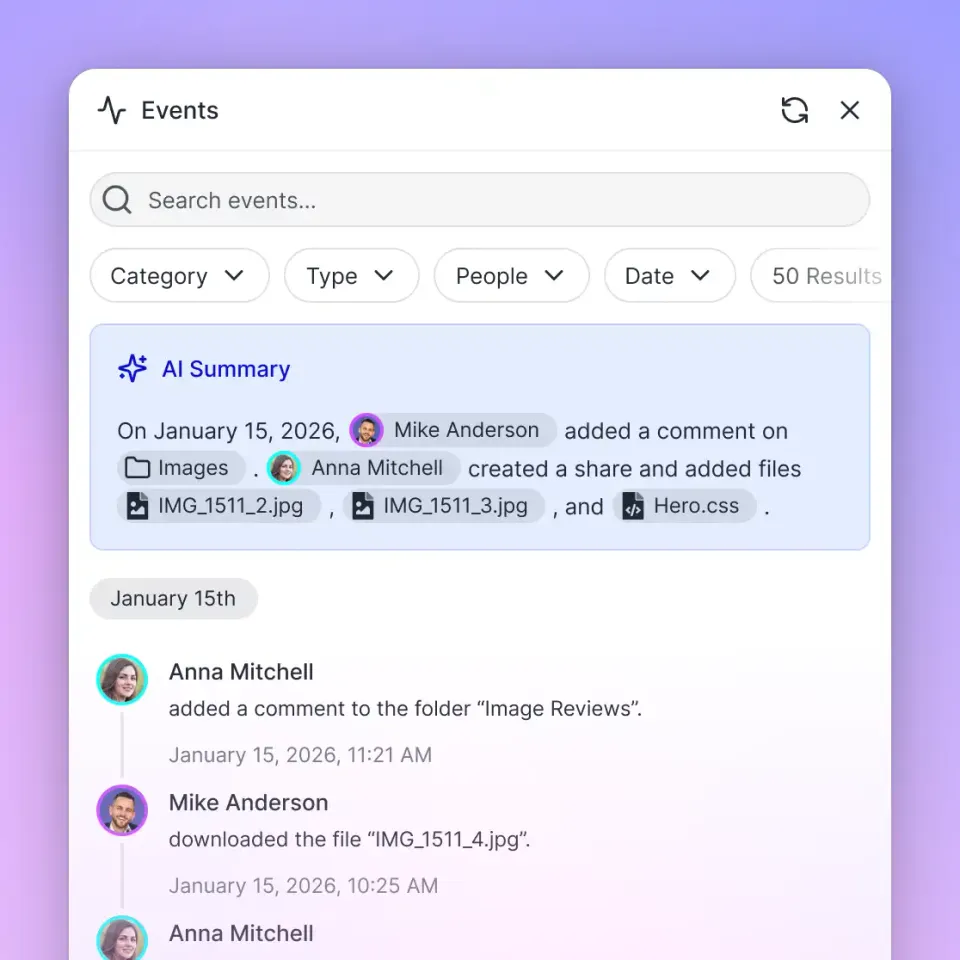
Long-poll GET https://api.fast.io/current/activity/poll/{entityId}?wait=95&lastactivity={timestamp} with Authorization: Bearer {api_key}. The call waits for the next event, then your Worker can continue. The same history lives in the audit log at GET https://api.fast.io/current/events/search/.
When activity arrives, the Worker can run your business logic. It might update an SQL database or start an AI pass on the new file through OpenClaw or Ripley, the built-in RAG agent. This event-driven setup keeps your systems in sync as files land in the workspace.
Integrating Edge Intelligence and AI Agents
Fastio acts as an intelligent workspace, not just a plain storage bucket. When you route files through Cloudflare Workers into Fastio, the platform indexes the content. Turning on Intelligence Mode for a workspace lets AI agents query the files using built-in RAG (Retrieval-Augmented Generation) capabilities. Ripley is the built-in RAG agent.
If you build with agent frameworks like OpenClaw, you can configure your agents to connect directly to the remote Fastio MCP server at https://mcp.fast.io/mcp/tools, sending a Fastio API key as an Authorization: Bearer header on the connection. This gives your edge functions access to a consolidated toolset built for file management and analysis.
One useful pattern starts with a Cloudflare Worker receiving an upload. It posts the file to https://api.fast.io/current/upload/, then starts a Ripley chat with POST /current/workspace/{workspace_id}/ai/agent/ and sends a follow-up at POST /current/workspace/{workspace_id}/ai/agent/{chat_id}/message/. You can also extract structured fields with POST /current/workspace/{workspace_id}/storage/{node_id}/metadata/extract/. This turns a basic file upload into an automated data pipeline running from the edge.
Troubleshooting Common API Integration Errors
While integrating the Fastio API with Cloudflare Workers, you might run into errors linked to the serverless environment. The most frequent issue is the CPU Time Exceeded error. Cloudflare Workers place strict limits on how much synchronous CPU time your code can use per request.
To prevent CPU timeouts, avoid running heavy synchronous tasks, like hashing large files with standard JavaScript libraries. Instead, use the native Web Crypto API built into the edge runtime. It runs asynchronously outside the main V8 isolate thread and handles the math much faster.
CORS (Cross-Origin Resource Sharing) issues also trip up many developers. If a web browser calls your Worker directly, your response must include the correct Access-Control-Allow-Origin and Access-Control-Allow-Methods headers. Also, keep an eye on your Worker's performance using the Cloudflare analytics dashboard. Watching latency metrics, checking error rates by region, and reading logs keeps your edge API integration running well.
Sources
References used to verify factual claims in this guide.
-
Cloudflare Workers offer 0ms cold starts for edge execution
-
Fastio supports single files up to 100 GB on the Enterprise plan
Frequently Asked Questions
How do I use Fastio API in Cloudflare Workers?
You can use the Fastio API in Cloudflare Workers by calling https://api.fast.io/current/upload/ with the standard Fetch API. Store your Fastio API key as an encrypted secret, send Authorization Bearer, and post multipart fields name, size, chunk, action=create, instance_id, and folder_id.
Can Cloudflare Workers handle file uploads?
Yes. Post small files to https://api.fast.io/current/upload/ as multipart form data. For large files, open an upload session, then forward each slice to /current/upload/{id}/chunk/ so the Worker never buffers the whole file.
What is the memory limit for Cloudflare Workers?
Cloudflare Workers usually have a hard memory limit of 128MB per execution context. Due to this cap, developers need to stream large file uploads instead of buffering the whole file into memory when calling storage APIs.
How do I secure my Fastio API keys in Cloudflare?
Secure your Fastio API keys using Cloudflare Worker Secrets. Run the Wrangler CLI to bind your API key as an encrypted environment variable. This keeps it out of your source code and makes it accessible only during runtime.
Related Resources

Ready to build intelligent edge workflows?
Start integrating Fastio with your Cloudflare Workers today. Get shared workspaces and a consolidated MCP toolset during the trial.