Best OpenClaw Skills for Technical Writers
Technical documentation requires precision, constant updates, and deep codebase integration. For technical writers, OpenClaw skills enable agents to parse codebases, generate API docs, and maintain knowledge bases automatically. This guide explores the most effective OpenClaw capabilities for documentation teams, including how to connect these agent workflows to Fastio's intelligent workspaces for smooth human-agent collaboration.

What is OpenClaw for Technical Writing?
OpenClaw is an open-source AI automation framework that allows technical writers to deploy agents for research, content generation, and file management. By using specific OpenClaw skills, technical writing teams can automate the repetitive aspects of API documentation, release notes, and user manuals. Instead of starting from a blank page or manually extracting parameter definitions from source code, writers can delegate these data-gathering tasks to an AI agent.
According to DEV Community, technical writers use AI to draft 50% of initial API documentation. This shift doesn't replace writers; it elevates them. When agents handle the tedious extraction of endpoint details, technical writers can focus on higher-level structural design, audience analysis, and narrative flow.
The challenge for most documentation teams is not generating text, but keeping AI-generated docs accurate. This is where OpenClaw's integration with secure, persistent storage becomes important. By connecting OpenClaw to an intelligent workspace like Fastio, agents can perform Retrieval-Augmented Generation (RAG) against verified company documents rather than relying on outdated training data.
Related guides
- How to Use Claude Code Skills in ClineAccording to GitHub's Octoverse 2024 report, the number of developers building with generative AI on the platform...
- How to Install and Manage Cline Agent SkillsAI coding agents boost code volume by 180%, but shipped code rises by only 30%, showing a critical gap in development...
- Best OpenClaw Skills for Web ResearchWeb research skills let OpenClaw agents find and read information on the live web. Without them, your AI is stuck with...
- Top 7 OpenClaw Skills for Growth HackersThese top OpenClaw skills help growth hackers automate experimentation and analytics. They scale campaigns faster. Real...
- How to Automate Infrastructure: Top OpenClaw Skills for Network EngineersNetwork automation used to require writing complex Python scripts or wrestling with Ansible playbooks. Today, OpenClaw...
- Top OpenClaw Skills for Video ProductionOpenClaw skills automate video production tasks like editing, asset management, and reviews with MCP tools. Video teams...
More on this subject: OpenClaw Skills (109 guides)
Why AI-Generated Documentation Fails Without Persistent Workspaces
Most technical writers abandon AI documentation tools because the outputs quickly become inaccurate. An LLM operating in isolation cannot see your private GitHub repositories, your latest OpenAPI specifications, or your internal style guides. As a result, the generated content requires so much editing that it negates the initial time savings.
Persistent agent workspaces solve this accuracy problem. Fastio provides intelligent workspaces where human writers and AI agents collaborate side-by-side. When you upload your style guides, architectural diagrams, and code specifications into a Fastio workspace, Intelligence Mode automatically indexes every file.
Agents powered by OpenClaw can then query this index. Instead of hallucinating a response, the agent pulls precise parameter constraints and authentication methods directly from your verified files. This ensures that every piece of drafted content aligns with your actual product state. Fastio's advisory file locks also let agents signal active edits before updating docs, while automatic version history preserves every revision.
1. Fastio - Persistent Workspace and RAG Storage
The foundation of any documentation workflow is a reliable place to store, index, and retrieve verified source material. Fastio provides that for OpenClaw agents.
Connection: Connect your agent via the remote MCP server:
https://mcp.fast.io/mcp/tools
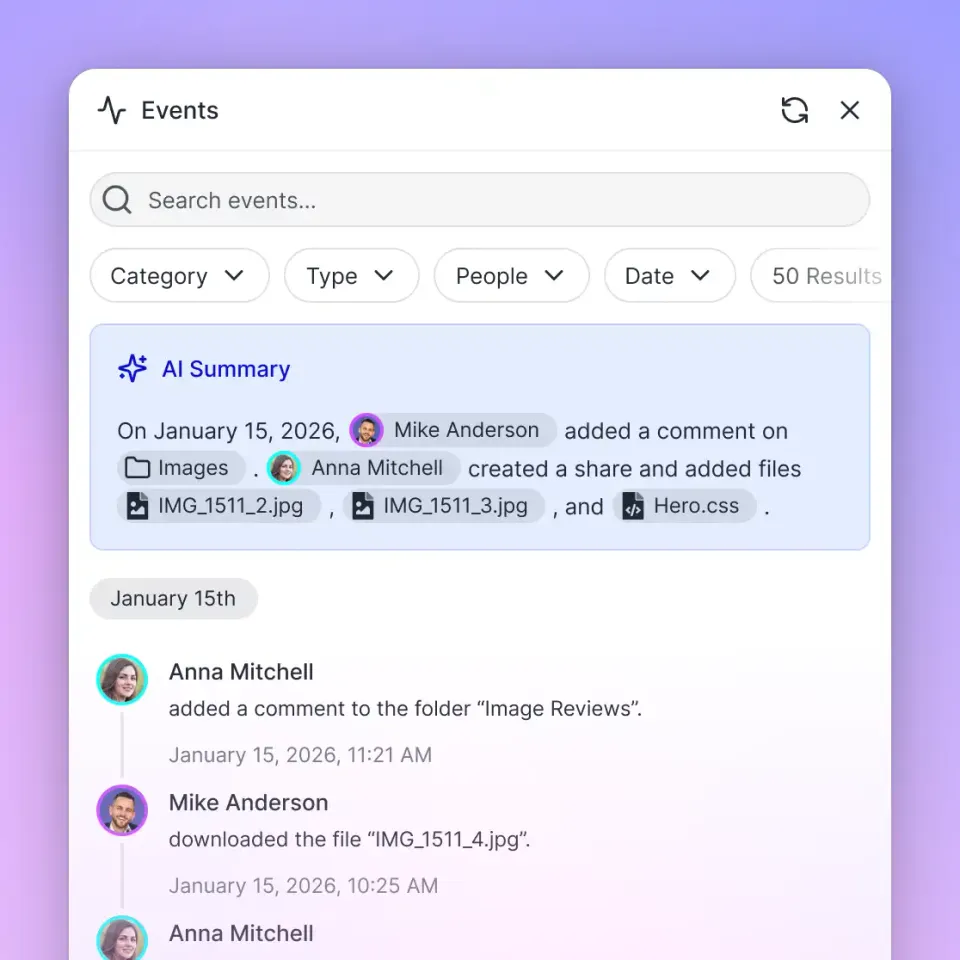
Fastio provides a consolidated MCP toolset covering file uploads, workspace management, branded sharing, AI-powered RAG chat, contextual comments, and audit logs. When you toggle Intelligence Mode ON in a workspace, every uploaded file is auto-indexed. Agents can then run semantic searches against style guides, API specs, and architectural diagrams , returning cited answers rather than hallucinated content.
Why it matters for technical writers: Instead of re-uploading reference documents every session, your entire documentation knowledge base lives persistently in Fastio. Agents query it via RAG. Humans review drafts and leave contextual comments on specific paragraphs. The ownership transfer feature lets an agent build and organize a documentation workspace, then hand admin rights to the lead writer.
Best for: Teams that need a shared, searchable source of truth for documentation projects.

2. GitHub - Codebase Access for API Documentation
The most time-consuming task for any technical writer is hunting down engineering changes. The GitHub skill connects your agent directly to repositories, pull requests, CI runs, and issues via the gh CLI.
Install:
clawhub install steipete/github
ClawHub Page: clawhub.ai/steipete/github
Your agent can scan repositories for new endpoints, updated function signatures, and inline developer comments. It pulls structured data from TypeScript, Python, or Go source files and converts it into standardized JSON or YAML that feeds directly into an OpenAPI drafting workflow. The gh api command with --json and --jq flags makes it easy to extract specific fields from PR metadata and issue histories for release note generation.
Best for: Agents that need direct read access to code repositories to extract API changes and translate commit history into human-readable documentation.
3. Brave Search - Web Research and Competitor Analysis
Technical writers frequently need to research industry standards or compare their documentation structure against competitors. Brave Search gives agents lightweight web search and content extraction without spinning up a full browser.
Install:
clawhub install steipete/brave-search
ClawHub Page: clawhub.ai/steipete/brave-search
The agent can search for documentation best practices, retrieve competitor developer portal pages as clean markdown, and compile findings into a structured research report. Results include titles, links, and snippets, with an option to pull full page content alongside each result.
Best for: Quick research tasks where a full headless browser isn't needed , looking up standards, checking competitor API reference structures, or gathering context for a new documentation topic.


Give Your AI Agents Persistent Storage
Connect OpenClaw to Fastio's intelligent workspaces. Built for openclaw skills technical writers workflows.
4. Playwright - Deep Browser Research and Screenshot Capture
For research tasks that require navigating complex JavaScript-heavy developer portals, Playwright gives agents full browser automation capabilities.
Install:
clawhub install ivangdavila/playwright
ClawHub Page: clawhub.ai/ivangdavila/playwright
Your agent can navigate competitor API references, click through multi-step authentication guides, take full-page screenshots of effective UI layouts, and extract structured data from rendered pages. The screenshots can be saved directly to a Fastio workspace so writers can preview them in the browser without downloading.
Best for: In-depth competitor analysis and documentation research where pages require JavaScript rendering or multi-step navigation.

5. AgentMail - Email-Based Notifications and Draft Delivery
Release notes and documentation updates often need to reach stakeholders the moment they are ready. AgentMail gives OpenClaw agents a programmatic email platform designed specifically for agent use.
Install:
clawhub install adboio/agentmail
ClawHub Page: clawhub.ai/adboio/agentmail
Agents can create dedicated inboxes, send drafts to reviewers with attachments, receive replies via webhook, and use semantic search to find past threads. No rate limits make it suitable for automated documentation release pipelines. When a new release manifest is uploaded to a Fastio folder, activity feed polling or the WebSocket events feed can notify the agent to generate release notes and email them to the documentation team.
Best for: Documentation workflows that require automated draft delivery, reviewer notifications, or email-based approval loops.
Getting Started with OpenClaw for Documentation
Setting up OpenClaw for your technical writing team requires connecting the agent to a persistent storage environment. Fastio provides a zero-configuration path to get agents running immediately.
Step 1: Create an Agent Workspace Sign up for Fastio's 14-day Business Trial at our pricing page (credit card required). Create a dedicated workspace for your documentation project.
Step 2: Connect Fastio and Install Skills
Connect your OpenClaw agent to https://mcp.fast.io/mcp/tools, and install the skills you need:
clawhub install steipete/github
clawhub install steipete/brave-search
Step 3: Enable Intelligence Mode In the Fastio UI, toggle Intelligence Mode ON for your documentation workspace. Upload your existing style guides, API specs, and architectural diagrams. Fastio will automatically index these files for semantic search.
Step 4: Execute Agent Prompts You can now instruct your OpenClaw agent using natural language. For example: "Use the GitHub skill to review the new endpoints in the v3 API, then draft an OpenAPI reference document and save it to the 'Drafts' folder in the Fastio workspace." The agent reads the specs, generates the markdown, and saves it directly to the workspace for your review.
Evaluating AI Tools for Technical Writing
When selecting an AI framework for technical documentation, it is essential to compare the available options based on their storage integration and workflow flexibility.
Standalone LLM Chatbots (ChatGPT, Claude)
- Summary: Generic web interfaces for interacting with underlying AI models.
- Strengths: Excellent natural language processing and zero setup required.
- Limitations: Ephemeral memory; files must be re-uploaded each session. No automated file management.
- Best for: One-off brainstorming and quick grammar checks.
- Pricing: Free tiers available, with paid subscriptions billed monthly; see vendor pricing.
OpenClaw with Fastio
- Summary: An open-source agent framework connected to persistent, intelligent cloud workspaces.
- Strengths: Consolidated MCP toolset, built-in RAG with citations, files remain in persistent storage, agents and humans share the exact same workspace.
- Limitations: Requires configuring the remote MCP server URL.
- Best for: Technical writing teams that need reliable, repeatable documentation pipelines.
- Pricing: 14-day Business Trial (credit card required); paid plans start at $9.99/mo (Starter).
Custom Python Scripts (LangChain/LlamaIndex)
- Summary: Bespoke code written to orchestrate LLM calls and file operations.
- Strengths: Infinite customization and integration with proprietary internal systems.
- Limitations: High maintenance burden; requires engineering resources to build and maintain the vector database infrastructure.
- Best for: Enterprise teams with dedicated AI engineering staff.
- Pricing: Varies based on infrastructure and API token usage.
For most technical writing teams, combining OpenClaw with Fastio provides the ideal balance of powerful automation without the infrastructure overhead of custom development.
Sources
References used to verify factual claims in this guide.
-
Technical writers use AI to draft 50% of initial API documentation.
Frequently Asked Questions
How can technical writers use OpenClaw?
Technical writers use OpenClaw to automate the extraction of data from codebases, draft initial API documentation, and perform web research. By using specific OpenClaw skills, writers can delegate repetitive formatting tasks to AI agents, allowing the human writer to focus on content strategy and narrative flow.
What are the best AI tools for API documentation?
The best AI tools for API documentation integrate directly with persistent storage and codebase repositories. OpenClaw, when connected to Fastio workspaces via the Model Context Protocol (MCP), is highly effective because it can read source files, generate OpenAPI specs, and perform RAG against verified internal style guides.
Does AI replace technical writers?
No, AI acts as an augmentation tool that enhances productivity. While agents can parse code and generate boilerplate drafts, human technical writers are required to ensure accuracy, understand user needs, provide contextual examples, and validate that the generated documentation aligns with the product's strategic goals.
How does Fastio improve OpenClaw's accuracy?
Fastio improves agent accuracy through its Intelligence Mode, which automatically indexes uploaded files for Retrieval-Augmented Generation (RAG). Instead of relying on general training data, the OpenClaw agent queries this secure index to pull precise, cited information directly from your verified engineering documents.
What are Fastio's pricing options for OpenClaw workflows?
Fastio offers a 14-day Business Trial (credit card required), with paid plans starting at $9.99/month for Starter (3 seats, 250 GB). See /pricing/ for details.
Related Resources

Give Your AI Agents Persistent Storage
Connect OpenClaw to Fastio's intelligent workspaces. Built for openclaw skills technical writers workflows.