How to Manage AI Agent Fleets: Operate and Scale Agent Deployments
Managing a fleet of AI agents requires more than just running a few scripts. You must deploy, monitor, and scale multiple autonomous units as a cohesive team to maintain performance and control costs. This guide explores the architectural patterns and operational pillars needed to move from single-agent experiments to production-grade agent fleet management.


What Is AI Agent Fleet Management?
AI agent fleet management is the discipline of deploying, monitoring, updating, and scaling groups of autonomous AI agents as a cohesive unit. This approach borrows heavily from DevOps and IoT fleet management to handle agent-specific challenges like model versioning, tool access, and shared state. As organizations move beyond single-agent prototypes, they encounter the complexity of coordinating hundreds or thousands of independent AI processes. Without a formal fleet management strategy, these deployments quickly become fragmented, leading to configuration drift, security vulnerabilities, and uncontrolled costs.
Managing a fleet means treating agents as modular components rather than isolated scripts. For example, a customer support fleet might consist of dozens of specialized agents, each handling a different product line or language. These agents must share access to the same knowledge bases, follow the same security protocols, and report metrics to a central dashboard. By managing them as a fleet, you can roll out updates across the entire group simultaneously, ensuring consistency in behavior and performance.
Effective fleet operations focus on stability and repeatability. In practice, this involves defining a baseline process for agent identity and permissions, then documenting fallback behaviors when external dependencies fail. Teams that ignore these fundamentals often find themselves spending more time on maintenance than on building new features. According to New Relic, organizations running complex digital systems without effective management tools spend 40% of their engineering time addressing outages and disruptions. Fleet management aims to reclaim this capacity by automating the "busy work" of agent operations.

Related guides
- Best Edge AI Platforms in 2026: Hardware, Software, and Fleet Management ComparedThe edge AI market reached $24.91 billion in 2025, yet most comparisons still separate hardware from software, leaving...
- Best AI Knowledge Management Tools for Teams in 2026AI knowledge management tools organize and retrieve organizational knowledge using natural language, semantic search,...
- How to Scale AI Agents with Ray ClustersRay AI agent clusters distribute workloads across multiple nodes to scale beyond single-machine limits. Ray clusters...
- How to Implement AI Agent GitOps: Declarative Agent DeploymentsAI Agent GitOps applies the principles of GitOps, version control, declarative definitions, and automated...
- 10 Best Platforms for Scaling AI Agent FleetsPlatforms manage AI agent fleets from 1 to 1000+ concurrent agents. Production scaling often fails due to state...
- Best AI Agent Hosting Platforms in 2026AI agent hosting platforms provide compute, storage, and orchestration for deploying autonomous agents in production....
More on this subject: Agent Infrastructure and Deployment (55 guides)
Why Manage Multiple AI Agents as a Fleet?
Scaling from a single agent to a large deployment introduces several operational hurdles that manual processes cannot solve. One of the primary challenges is coordination. When multiple agents work on related tasks, they often need to share data or avoid redundant work. Without a fleet management layer, agents may overwrite each other's progress or process the same input twice, leading to wasted credits and inconsistent results. Fleet management provides the coordination layer needed to manage these interactions safely.
Cost control is another critical factor. Individual AI agents can be expensive to run, especially if they use high-latency frontier models for every task. A fleet approach allows you to implement intelligent routing, sending simpler tasks to smaller, more efficient models while reserving expensive models for complex reasoning. This optimization reduces the total cost of ownership as you scale. Also, fleet tools provide visibility into token usage and credit consumption across the entire estate, making it easier to set and enforce budgets.
Security and governance also become more difficult at scale. Giving every agent broad access to your systems is a significant risk. Fleet management enables granular permissioning, where agents only have access to the tools and data they need for their specific role. This "least privilege" approach is essential for maintaining a secure environment. According to DAC.digital, implementing predictive maintenance and managed operations can reduce unexpected failures by 55%, a metric that directly translates to agent reliability and system uptime.

Operational Pillars of AI Agent Fleets
To build a reliable agent deployment, you must address core operational pillars. Each pillar represents a critical stage in the agent lifecycle, from initial rollout to eventual retirement.
Deploy: The deployment phase is about consistency. You should use standardized templates or containers to ensure that every agent in the fleet starts with the same environment and dependencies. This prevents "it works on my machine" errors and makes it easier to track which version of your code is running in production.
Configure: Configuration involves setting the specific tools, models, and permissions for each agent. Instead of hard-coding these values, use a centralized configuration service or shared workspace. This allows you to update an agent's capabilities without redeploying the entire code base. For example, you might toggle an agent's access to a new search tool via a simple YAML update in a shared Fastio workspace.
Monitor: Monitoring is the heartbeat of fleet management. You need real-time visibility into agent health, success rates, and resource consumption. Key metrics to track include latency, error frequency, and token usage per task. Dashboards that aggregate these metrics across the fleet help you identify patterns and catch issues before they affect your users.
Update: Updating agents in a fleet requires a gradual approach. Blue-green deployments or canary rollouts allow you to test new model versions or prompts on a small subset of agents before updating the entire fleet. This minimizes the risk of a widespread failure if an update behaves unexpectedly.
Scale: Scaling involves adding or removing agent capacity based on the current workload. Horizontal scaling, adding more instances of an agent, is the most common approach for handling spikes in demand. Orchestration tools can automatically trigger scaling events based on queue length or CPU usage.
Retire: The retirement phase ensures that agents are shut down cleanly. This includes draining any active tasks, revoking permissions, and archiving the agent's final state for future audit. Proper retirement prevents "ghost agents" from continuing to consume resources or pose a security risk.



Give Your AI Agents Persistent Storage
Deploy your agents with persistent workspaces, granular permissions, and a consolidated MCP toolset built for scalable fleet management workflows.
Architecture Patterns for Scalable Agent Fleets
Choosing the right architecture is fundamental to how your fleet will operate and scale. There are three primary patterns used in modern AI agent deployments: Centralized Orchestration, Decentralized Choreography, and Swarm Intelligence.
Centralized Orchestration uses a manager agent or a central controller to dictate the workflow. The manager receives the high-level goal and delegates specific sub-tasks to specialized worker agents. This pattern is highly predictable and easier to debug because the entire plan is visible in one place. However, the manager can become a bottleneck if it has to coordinate too many workers at once. This is the most common pattern for goal-oriented tasks like research or coding assistance.
Decentralized Choreography relies on event-driven communication. Instead of a central manager, agents react to signals on a message bus. For example, a "Summary Agent" might trigger automatically whenever a "Research Agent" uploads a new file to a shared folder. This pattern is highly scalable and resilient, as there is no single point of failure. The downside is that it can be harder to trace the "why" behind a specific fleet action, making debugging more complex.
Swarm Intelligence involves many peer agents working together without a strict hierarchy. Agents may collaborate, compete, or vote to reach a consensus on the best output. This pattern is excellent for creative tasks or problems with many possible solutions. Coordination often happens through a "Blackboard" system, where agents read from and write to a shared space. This shared memory allows the fleet to build on each other's ideas in real-time. Fastio workspaces are ideal for this, providing the shared, persistent storage agents need to maintain their collective state.

Scaling with Fastio: The Fleet Hub
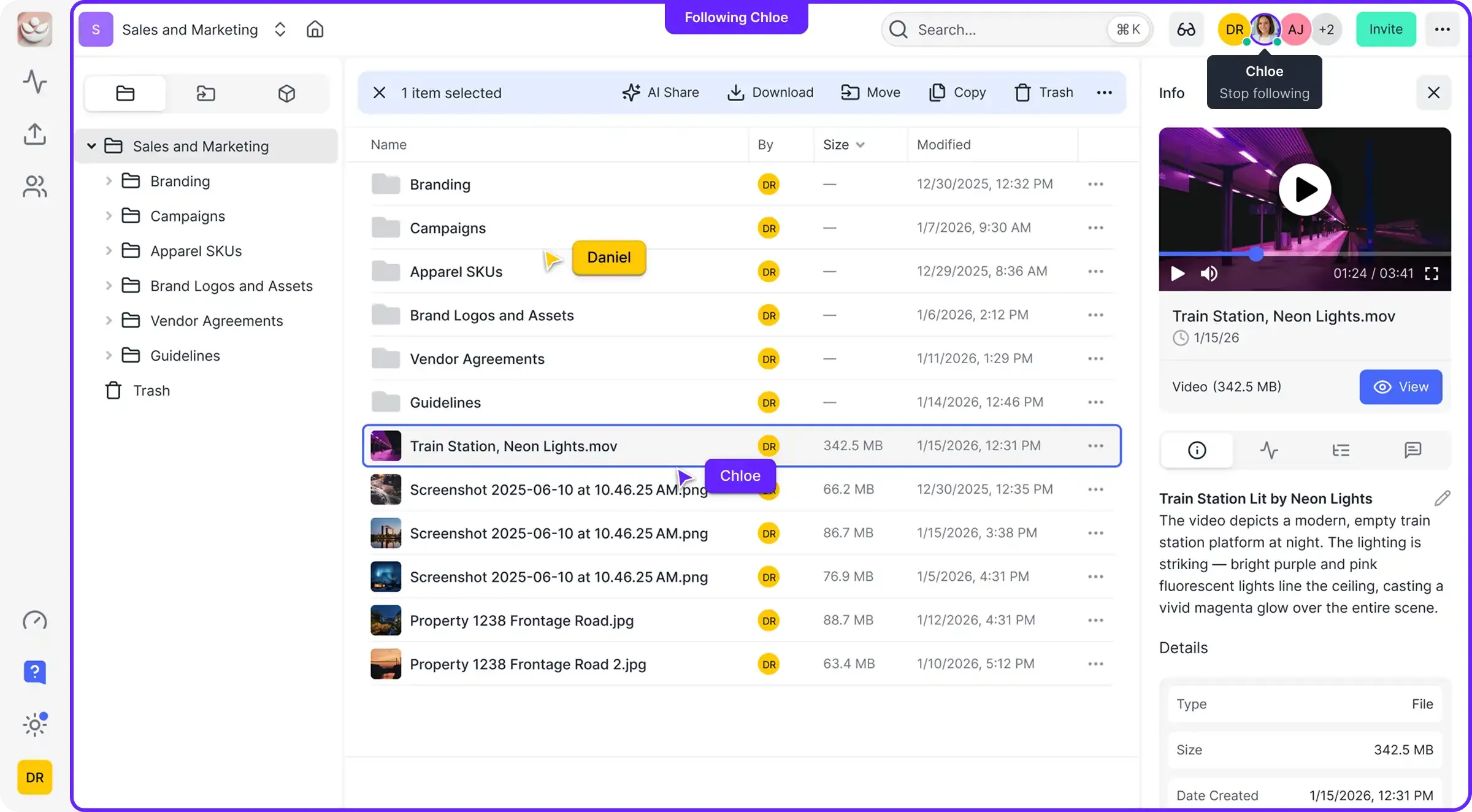
Fastio workspaces provide the foundational infrastructure needed to operate a professional AI agent fleet. By combining persistent storage, a consolidated Model Context Protocol (MCP) toolset, and built-in intelligence, Fastio acts as the central hub for agent coordination.
One of the powerful features for fleet management is Advisory File Locks, Version History, and Permissions. When multiple agents access the same workspace, agents can acquire advisory file locks before modifying shared files. Fastio also maintains a detailed activity log and file version history with restore. Agents can be scoped to specific directories, ensuring team actions remain auditable and previous versions can be restored instantly if overwrites occur.
Intelligence further enhances fleet operations by indexing files once enabled for the workspace. This creates a shared knowledge base that all agents can query via semantic search. Instead of each agent building its own local index, the entire fleet shares a single, up-to-date source of truth. This reduces redundant indexing costs and ensures that every agent has access to the latest information.
Fastio also provides WebSocket event feeds and activity polling, which are essential for reactive fleet workflows. You can stream events to your orchestration layer whenever a file is created, modified, or deleted. This allows you to build event-driven systems that scale smoothly. For example, a file event could trigger the deployment of additional worker agents when new data arrives in an intake folder.
The 14-day Business Trial makes it easy to start building and testing your fleet. With persistent storage, usage-based credits, and access to a consolidated MCP toolset, developers can prototype multi-agent systems with confidence (credit card required). As your fleet grows, Fastio offers Starter, Business, and Enterprise plans.

Consolidated MCP Tools
Fastio offers a consolidated toolset accessible via the Model Context Protocol at https://mcp.fast.io/mcp/tools. These tools allow agents to perform file operations, manage permissions, and query workspace contents directly. In a fleet environment, you can use these tools to automate administrative tasks, such as provisioning workspaces or auditing access logs across the deployment.
Ownership Transfer and Collaboration
A unique advantage of Fastio is the ability to transfer ownership from an agent to a human. An agent can build a complete organizational structure, including folders, files, and permissions, and then hand over the keys to a human user through a claim link. The agent can remain as an administrator, allowing ongoing collaboration between humans and their agent fleets in the same workspace.
Evidence and Benchmarks: The ROI of Fleet Management
The transition to formal fleet management is often driven by the need for efficiency and reliability. Organizations that implement structured operations see significant improvements in both developer productivity and system uptime.
- Reduction in Management Overhead: According to New Relic's 2024 research, engineering teams spend 40% of their time managing outages and system disruptions in unmanaged environments. Fleet management tools reduce this overhead by automating deployment, monitoring, and recovery processes.
- Downtime Reduction: Managed agent fleets experience far fewer unexpected failures. Industry benchmarks from DAC.digital show that predictive maintenance and structured operational management can reduce system downtime by up to 55%.
- Resource Optimization: By using centralized configuration and intelligent routing, fleets can reduce token costs compared to unmanaged agents that default to the most expensive models for every task.
These metrics demonstrate that fleet management is not just an organizational preference, but a technical necessity for any team scaling AI agent deployments into production.
Best Practices for Growing Your Agent Fleet
As you scale your deployment, follow these best practices to maintain control and performance. First, Start Small. Don't try to deploy a multiple-agent fleet on day one. Start with a single specialized group, refine your monitoring and deployment processes, and then scale horizontally.
Implement Granular Permissions. Never give an agent more access than it needs. Use Fastio's workspace permissions to restrict agents to specific folders and tools. This limits the "blast radius" if an agent behaves unexpectedly or is compromised.
Use Version Control for Prompts and Configs. Treat your prompts as code. Store them in a version-controlled repository and use your fleet management tools to roll them out to agents. This ensures that you can always roll back to a known-good state if a new prompt version causes issues.
Monitor Your Budgets. AI costs can spiral quickly if left unchecked. Set hard limits on credit and token usage at the fleet level, and use real-time monitoring to alert you when you are approaching those limits. Fastio provides the visibility needed to track these costs in real-time.
Finally, Document Everything. As your fleet grows more complex, documentation becomes your most valuable tool. Document your agent roles, tool definitions, and failure recovery steps. This ensures that your team can maintain and scale the fleet even as it evolves over time.
Sources
References used to verify factual claims in this guide.
-
Organizations spend 40% of engineering time addressing outages and disruptions
-
Predictive maintenance and managed operations can reduce unexpected failures by 55%
Frequently Asked Questions
How do you manage multiple AI agents effectively?
Effective management requires a fleet-based approach using operational pillars: deploy, configure, monitor, update, scale, and retire. Using a centralized hub like Fastio allows you to manage these pillars through shared workspaces, advisory file locks, file version history, granular permissions, and a consolidated MCP toolset that ensure consistency across all agent units.
What is AI agent fleet management?
AI agent fleet management is the discipline of orchestrating groups of autonomous agents as a single, cohesive system. It adapts DevOps principles to the unique needs of AI, focusing on model versioning, state management, and coordinated tool access to prevent configuration drift and control costs.
How do you scale AI agent deployments?
Scale by moving from single scripts to architectural patterns like centralized orchestration or decentralized choreography. Use horizontal scaling to add agent instances as load increases, and use persistent storage hubs like Fastio to maintain shared state and knowledge across the entire fleet.
What tools exist for managing AI agent fleets?
Management tools include orchestrators like [LangGraph](https://langchain-ai.github.io/langgraph/) and [CrewAI](https://www.crewai.com/) for workflow design, and infrastructure hubs like Fastio for persistent storage, RAG search, and a consolidated MCP toolset. Monitoring solutions like Prometheus or LangSmith are also critical for tracking health and token usage.
Why is coordination important in an agent fleet?
Coordination prevents agents from performing redundant tasks or overwriting each other's work. In a fleet environment, Fastio provides advisory file locks so agents can coordinate writes before updating shared files. Competing agents receive an HTTP 409 and can wait, while a detailed activity log and version history ensure all modifications are tracked and reversible.
How can Fastio help with agent fleet security?
Fastio enables granular permissioning and audit logs, allowing you to follow the principle of least privilege. You can restrict each agent in your fleet to specific workspaces or folders, ensuring they only have access to the data and tools required for their specific role.
Related Resources

Give Your AI Agents Persistent Storage
Deploy your agents with persistent workspaces, granular permissions, and a consolidated MCP toolset built for scalable fleet management workflows.