How to Build a Wealth Management Client Portal That HNW Clients Actually Use
A wealth management client portal is a branded digital workspace where wealth managers securely share portfolio reports, financial plans, and investment documents with high-net-worth clients. This guide covers the five features every portal needs beyond basic file sharing, how to structure folders for multi-generational households, and how to pick the right platform without overpaying for features you won't use.


What a Wealth Management Client Portal Actually Does
Most search results for "wealth management client portal" lead to custodian login pages or enterprise platforms like Envestnet that cater to large firms with dedicated IT departments. Independent wealth managers and boutique advisory firms get left out of the conversation, even though they manage a growing share of HNW assets.
A wealth management client portal is a branded digital workspace where advisors securely share portfolio reports, financial plans, and investment documents with high-net-worth clients. It replaces the cycle of emailing password-protected PDFs, fielding calls from clients who can't find last quarter's statement, and hoping sensitive documents don't get forwarded to the wrong email thread.
The distinction between a wealth management portal and a generic file-sharing tool matters. HNW clients expect a polished, private experience that reflects the quality of your advisory relationship. According to a 2024 IFA Magazine survey, two-thirds of HNW investors say they would switch providers if improvements are not made to digital services. A Dropbox link or a Google Drive folder doesn't communicate the same level of care as a branded portal with your firm's logo, controlled access, and organized document structure.
Global assets under management reached $139 trillion in 2024 according to PwC's 2025 Global Asset & Wealth Management Report, and independent wealth managers are competing for a larger slice of that total. A well-built client portal is one of the few investments that improves both client retention and operational efficiency at the same time. It reduces support calls, creates an automatic audit trail, and gives clients the 24/7 document access they get from every other financial service they use.
Helpful references: Fastio Workspaces, Fastio Collaboration, and Fastio AI.
Related guides
- How to Build a Salesforce Client Portal (And What It Actually Costs)Salesforce Experience Cloud lets you build branded customer portals for case management, knowledge bases, and partner...
- How to Build a Client Portal in ClickUp (And Where It Breaks Down)ClickUp does not ship with a dedicated client portal, but you can assemble one using guest permissions, shared views,...
- How to Build a Client Portal in WordPressA WordPress client portal is a password-protected area on your WordPress site where clients access shared files,...
- Best Free Client Portal Tools in 2026Most free client portal lists skip the fine print. This guide compares seven free client portal tools with their actual...
- Best Client Portal Software for Agencies in 2026Client portal software provides a branded, secure space where businesses share files, collect feedback, and collaborate...
- Best Client Portal Apps for Teams and AgenciesA client portal app is a mobile or web application that gives clients a dedicated space to access files, track project...
More on this subject: Team Collaboration (125 guides)
Five Features Wealth Management Portals Need Beyond File Sharing
Generic file sharing covers the basics, but wealth management clients have specific needs that require more than a shared folder. These five features separate a real wealth management portal from a file dump.
1. Branded, password-protected access
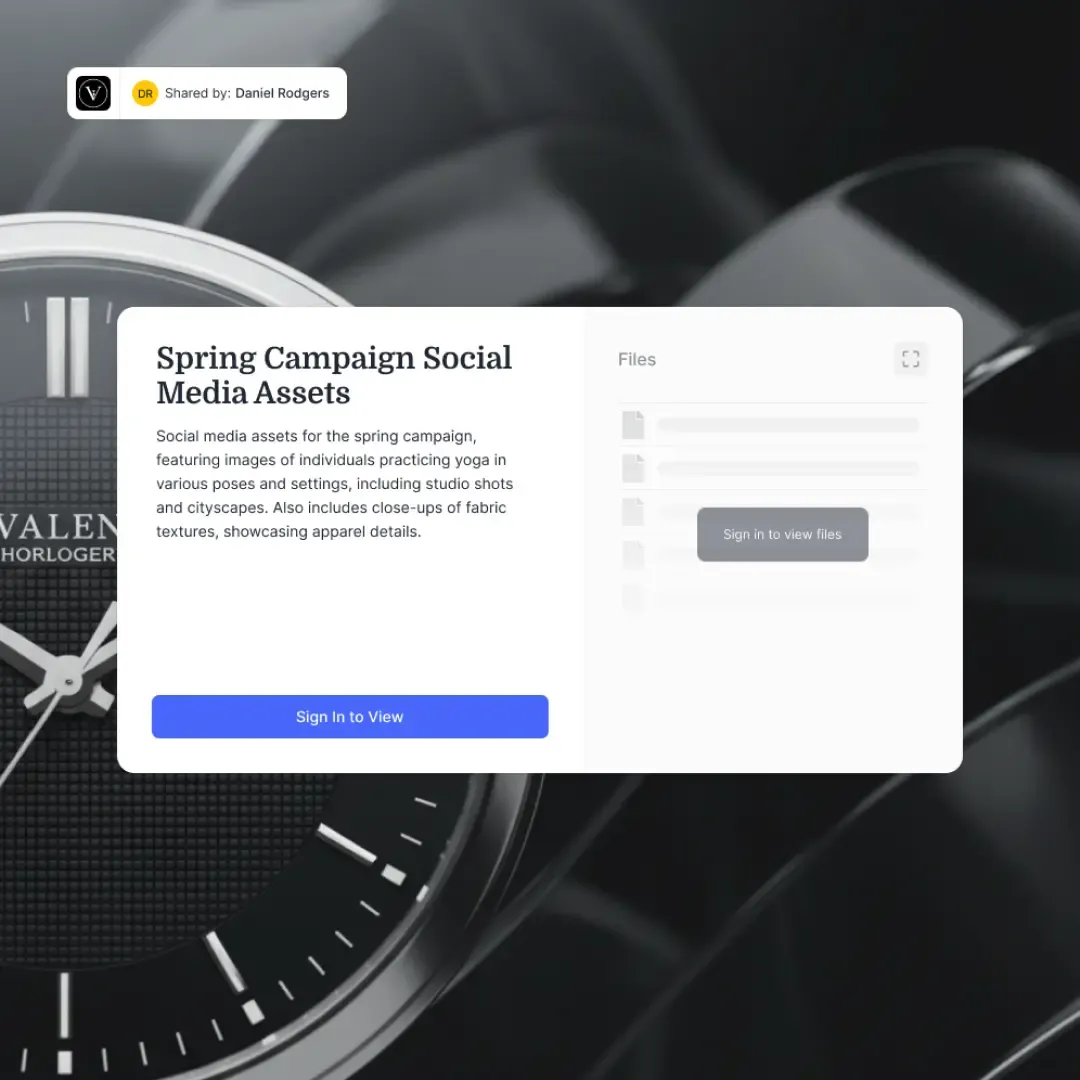
Your portal is often the most frequent digital touchpoint clients have with your firm between meetings. It should carry your logo and colors. Password protection and expiring access links add security for sensitive financial data while reducing the "is this a phishing link?" hesitation that comes with generic sharing URLs. Platforms like Fastio support custom branding and guest access without requiring clients to create an account.
2. Granular permissions per household
Wealth management involves complex household structures. A married couple needs shared access to joint account documents, but their children's trust documents should be separate. An estate attorney might need read-only access to planning documents but not to tax returns. Look for folder-level or workspace-level permissions that support this kind of segmentation, not just all-or-nothing sharing.
3. Document versioning and audit trails
Financial plans get revised after life events, market shifts, and annual reviews. A client's investment policy statement from January may look different by June. Version control prevents confusion about which document is current. Every document share, download, and view should generate a log entry, because when a compliance review happens or a client disputes what they received, you need more than "I think I emailed it."
4. Secure document collection, not just delivery
Wealth management isn't one-directional. You send quarterly reports out, but you also need signed agreements, tax documents, estate planning forms, and beneficiary designations back. A portal that only handles outbound sharing forces you back to email for inbound collection, creating the exact security gap you were trying to close. Receive or Exchange workflows that let clients upload into a controlled space solve this problem.
5. AI-powered document search and Q&A
As document libraries grow over years of advisory relationships, finding specific information gets harder for both advisors and clients. A portal with built-in intelligence lets clients ask questions like "What was my asset allocation last quarter?" and get answers with citations to the actual documents. This reduces the volume of routine calls your team handles and gives clients faster access to the information they need. Fastio's Ripley AI provides this capability inside content portals, answering questions about shared documents without requiring clients to dig through folder structures.



Give Your Clients a Portal Worth Logging Into
Fastio content portals give wealth managers branded, AI-powered document sharing with guest access, granular permissions, and audit trails. Explore plans at /pricing/. Built for wealth management client portal workflows.
How to Structure Your Portal for Wealth Management Clients
The folder structure inside your portal determines whether clients can actually find what they need. Get this wrong and you'll spend more time answering "where's my statement?" calls than you did before the portal existed.
Organize by household, then by document type. Each client household gets its own workspace or top-level folder. Inside that, create consistent subfolders that clients can navigate without guidance.
A practical folder structure looks like this:
Smith Household/
├── Portfolio Reports/
│   ├── Q1 2026 Performance Summary.pdf
│   └── Q4 2025 Performance Summary.pdf
├── Financial Plans/
│   ├── Comprehensive Plan v3 (June 2026).pdf
│   └── Retirement Projection Update.pdf
├── Tax Documents/
│   ├── 2025 1099 Consolidated.pdf
│   └── 2025 Tax Planning Memo.pdf
├── Estate Planning/
│   ├── Trust Agreement (Draft).pdf
│   └── Beneficiary Designations.pdf
└── Agreements/
    ├── Advisory Agreement (Signed).pdf
    └── Fee Schedule 2026.pdf
Set permissions at the household level. Both spouses get access to the entire household workspace. Their estate attorney gets read-only access to the Estate Planning folder only. Their CPA gets access to Tax Documents. This prevents the common mistake of sharing everything with everyone or creating separate portals for each person involved.
Use consistent naming conventions. Include dates and version numbers in filenames so clients can identify the most recent document without opening each one. "Q1 2026 Performance Summary" is clearer than "Report_final_v2_REVISED."
Archive completed years. After tax season ends and annual reviews are done, move prior-year documents into an Archive folder. This keeps the active view clean while maintaining the full history for compliance and reference.
Choosing the Right Platform for Your Practice
The wealth management portal market splits into three tiers, and picking the wrong one wastes either money or time.
Custodian-integrated portals like those from Schwab, Fidelity, or Pershing come bundled with your custodial relationship. They handle account statements and performance reporting automatically but offer limited branding, no inbound document collection, and minimal customization. If your clients only need to view statements, these work. If you want to deliver a branded experience with financial plans, tax documents, and estate planning materials alongside those statements, you'll hit limits quickly.
All-in-one wealth platforms like Advyzon, Orion, or AdvisorEngine bundle portals with CRM, financial planning, portfolio management, and billing. They're powerful but expensive, typically starting at $5,000 or more annually for a small firm. The portals inside these platforms are a feature, not the product, so they tend to lag behind dedicated portal tools in design and flexibility.
Dedicated portal and workspace platforms like Fastio, Clinked, or SuiteDash focus specifically on document sharing, branding, and client access. They're less expensive, faster to set up, and more flexible on branding. The tradeoff is that they don't replace your CRM or portfolio management system. They complement them.
For independent wealth managers running 50 to 200 client households, the dedicated portal approach usually makes the most sense. You already have a CRM and a portfolio management tool. What you need is a clean, branded space to share documents that your existing tools can't deliver well.
What to evaluate in a demo:
- Can clients access documents without creating an account?
- Can you control permissions at the folder level, not just the portal level?
- Does the platform support both sending and receiving documents?
- Is there an activity log showing who accessed what and when?
- Can you customize branding with your logo and colors?
- What does the mobile experience look like for clients?
Fastio handles all of these through its content portal feature, with branded portals, guest access without account creation, granular permissions, and Ripley AI for document Q&A. Fastio offers a 14-day Business Trial (card required; see /pricing/) followed by paid plans starting at $9.99/mo.
Setting Up Your First Wealth Management Portal
Getting a portal running doesn't require an IT department or a multi-month implementation. Here's a practical walkthrough for independent wealth managers.
Step 1: Create your workspace structure. Set up one workspace per client household, or use a single workspace with folder-level permissions if you prefer fewer workspaces. The right approach depends on how many households you manage. Under 50 households, individual workspaces give you the cleanest separation. Above 50, a folder-based approach inside fewer workspaces may be easier to manage.
Step 2: Configure branding. Upload your firm's logo and set your brand colors. This takes about 15 minutes and makes a significant difference in how clients perceive the portal. First impressions matter, and a branded portal signals professionalism.
Step 3: Upload your initial document set. Start with the documents clients ask about most often: the latest quarterly performance report, their current financial plan, and their advisory agreement. Don't try to backfill five years of history on day one. Add historical documents gradually.
Step 4: Set permissions and invite clients. Configure who can see what at the folder level. Send portal invitations to a small group of tech-comfortable clients first. Their feedback will help you refine the experience before rolling out to your full client base.
Step 5: Establish your update cadence. The portal is only useful if it stays current. Set a recurring task to upload new quarterly reports within a week of generation. If your performance reporting tool can export PDFs automatically, batch the uploads at the start of each quarter.
Step 6: Enable AI features. If your platform supports document intelligence, turn it on. When clients can search across their documents or ask questions about their portfolio through the portal, the portal becomes more than a file cabinet. It becomes a resource they actually use between meetings. Enabling Intelligence Mode in Fastio auto-indexes every uploaded file, so clients can ask Ripley questions like "What fees did I pay last year?" and get cited answers.
The biggest mistake wealth managers make with portals is treating the launch as a one-time project. The portal needs to become part of your workflow: upload new documents as you produce them, archive old ones as years close, and reference the portal in client meetings so it becomes the expected place to find documents.
Measuring Whether Your Portal Is Working
A portal you built but clients don't use is worse than no portal at all, because it still costs you time to maintain. Track these signals to know if your portal is delivering value.
Login frequency. If clients log in at least once per quarter around reporting periods, the portal is working as a document delivery channel. If you see weekly logins, clients are using it as an ongoing reference point, which is the ideal state.
Support call reduction. Track how many "can you resend my statement?" or "where's my tax form?" calls your team handles per quarter. A working portal should reduce these noticeably within two quarters of launch.
Document access patterns. Look at which documents get viewed most. If clients consistently access performance reports but never open their financial plan, that tells you something about what they value and possibly about how you're communicating the plan's importance.
Client feedback. Ask directly during review meetings. "Have you used the portal since our last meeting?" is a better question than "Do you like the portal?" because it measures behavior, not sentiment.
Adoption rate. Track what percentage of your client base has logged in at least once. Aim for 70% within the first six months. Clients who haven't logged in may need a personal walkthrough during their next meeting, or they may prefer the old way of receiving documents. Both are fine, but you should know which is which.
Platforms with built-in analytics, like Fastio's portal analytics, make this tracking automatic. You can see who accessed which documents and when, without maintaining a separate spreadsheet.
Sources
References used to verify factual claims in this guide.
-
Global AUM reached $139 trillion in 2024
-
Two-thirds of HNW investors say they would switch providers if improvements are not made to digital services
Frequently Asked Questions
What is a wealth management client portal?
A wealth management client portal is a branded digital workspace where wealth managers securely share portfolio reports, financial plans, and investment documents with high-net-worth clients. It replaces email-based document sharing with organized, permission-controlled access that clients can reach anytime from any device.
How do wealth managers share documents with clients?
Most wealth managers use a combination of email, custodian portals, and cloud storage. A dedicated client portal consolidates these into one branded location where clients find everything in one place. The best portals support both outbound document delivery and inbound document collection through receive or exchange workflows.
What should a wealth management portal include?
At minimum, a wealth management portal needs branded access, granular permissions per household, document versioning, audit trails, and secure two-way document exchange. Advanced portals also include AI-powered document search and Q&A, allowing clients to ask questions about their financial documents and get cited answers.
How much does a wealth management client portal cost?
Costs vary widely. Custodian-integrated portals are typically included in your custody fees but offer limited customization. All-in-one wealth platforms run $5,000 or more annually for small firms. Dedicated portal platforms like Fastio offer paid plans starting at $9.99/mo after a 14-day Business Trial, making them accessible to practices of any size.
Do clients need to create an account to access a wealth management portal?
Not necessarily. Platforms like Fastio support guest portal access where clients receive a secure link and can view documents without creating a separate account. This reduces friction, especially for clients who are less comfortable with technology.
Can AI help with wealth management document portals?
Yes. AI-powered portals can auto-index uploaded documents for semantic search, let clients ask natural language questions about their portfolio documents, and provide answers with citations to specific pages. This turns a static file repository into an interactive knowledge base that reduces routine advisor calls.
Related Resources

Give Your Clients a Portal Worth Logging Into
Fastio content portals give wealth managers branded, AI-powered document sharing with guest access, granular permissions, and audit trails. Explore plans at /pricing/. Built for wealth management client portal workflows.