How to Implement Secure MCP Tool Storage
Secure MCP tool storage protects agent tools from unauthorized access. It combines RBAC, encryption at rest and in transit, MFA, an append-only audit log, granular permissions, an activity feed, and file version history for multi-agent coordination.

What Is Secure MCP Tool Storage?
Secure MCP tool storage protects the tools MCP servers expose. AI agents call them for file operations, queries, and workflows. The point is to stop unauthorized access and abuse.
MCP means Model Context Protocol. It lets agents use standardized tools with storage. Security covers authentication (JWT/API keys), RBAC (roles like owner, admin, member), encryption (at rest and in transit), logging (track every action), and granular permissions with version history for coordination.
Fastio's hosted MCP server provides these tools to match UI functions. Sessions maintain state without manual token handling.
Agent teams use it to build workspaces, upload outputs, run RAG queries on files, and transfer ownership to humans.
Related pages: Fastio Workspaces, Fastio Collaboration, Fastio AI, and the Fastio MCP server integration guide for developers for connection and authentication basics.
Risks of Insecure MCP Tool Storage
Insecure MCP tool storage exposes AI agent operations to serious threats. Attackers target MCP endpoints because they provide direct access to file systems, workspaces, and sensitive data without traditional web app protections.
Security incidents often begin with weak credentials, excessive permissions, or API misconfigurations. Connected services such as storage APIs need the same authentication, authorization, and monitoring discipline as the rest of the application.
IBM's 2025 Cost of a Data Breach Report reveals that 97% of organizations experiencing AI-related security incidents lacked proper AI access controls, contributing to an average breach cost of $4.4 million globally. Many data breaches come from poor tool storage practices like weak access management and missing logs. That makes MCP servers top targets.
Common risks specific to MCP tool storage include:
- Tool Enumeration: Attackers query /tools endpoints to discover available functions, mapping out capabilities for targeted exploitation.
- RBAC Bypass: Weak role definitions allow escalation from read-only to delete permissions, enabling data theft or destruction.
- Session Hijacking: Long-lived sessions without expiry or rotation enable persistent unauthorized access.
- Race Conditions: Concurrent agent calls without scoped permissions and version history can lead to data corruption, overwrites, or incomplete operations.
- Rate Limiting Absence: Unthrottled calls enable denial-of-service or brute-force enumeration.
- Log Gaps: No auditing hides reconnaissance and low-and-slow attacks.
These vulnerabilities make agent-generated content easy targets, such as production assets, reports, or client deliverables. Without protections, a compromised MCP tool can cascade to full workspace compromise.
Fastio includes these controls by default. Custom or self-hosted setups need careful audits.
Real-World Breach Examples
Verizon's 2025 DBIR documents a doubling of third-party breaches, with 30% tied to misconfigured APIs and storage services. Self-hosted MCP servers frequently omit MFA, comprehensive logging, or rate limits, amplifying risks.
Case Study 1: API Enumeration Attack Hypothetical scenario: a development team exposes a custom MCP endpoint without proper authentication scoping. Attackers enumerate exposed tools and exfiltrate configuration files, forcing the team to investigate and recover affected systems.
Case Study 2: Concurrent Access Corruption Hypothetical scenario: in a multi-agent RAG pipeline, missing write coordination allows overlapping uploads to corrupt a dataset. The team must stop the pipeline, inspect file version history, and restore an available prior version before resuming work.
Hypothetical Scenario 3: Shadow AI Access An unauthorized agent tool accesses customer data after a team deploys it without appropriate governance. The organization must revoke access, investigate the activity, and follow its incident-response process.
Fastio's hosted MCP includes granular permissions, an append-only audit log, an activity feed, and file version history. Teams should combine those controls with their own access, retention, and incident-response policies.
MCP Security Fundamentals
Build a secure MCP foundation with these core principles.
Authentication Mechanisms Use revocable API keys for long-running agents and PKCE OAuth flows for browser-integrated tools. Rotate keys on a schedule you keep. Fastio supports scoped access to specific organizations, workspaces, and shares.
Role-Based Access Control (RBAC) Define least-privilege roles and apply them from the organization down to workspaces, folders, and files. Test permission cascades regularly.
Encryption Everywhere Use encryption at rest and modern TLS in transit. Never log plaintext secrets. Fastio encrypts data in transit and at rest by default.
Append-Only Audit Logging Review the append-only audit log and activity feed for file operations and permission changes. Set your own retention and incident-response policies.
Concurrency Coordination Scope write access narrowly with granular permissions, and use file version history to inspect or restore available prior content after overlapping writes. Add idempotency keys for retries.
Session Isolation Scoped authentication limits tools to permitted resources. Establish access rules and incident-response playbooks upfront. Test in staging to mirror production behavior.
Fastio's Built-in MCP Security
Fastio MCP secures agent access:
Consolidated Toolset: Covers files, shares, metadata, and activity via Streamable HTTP and legacy SSE.
RBAC: Permissions cascade org > workspace > folder > file.
Encryption & 2FA: Encryption always on, with 2FA available on sign-in and for API-key management.
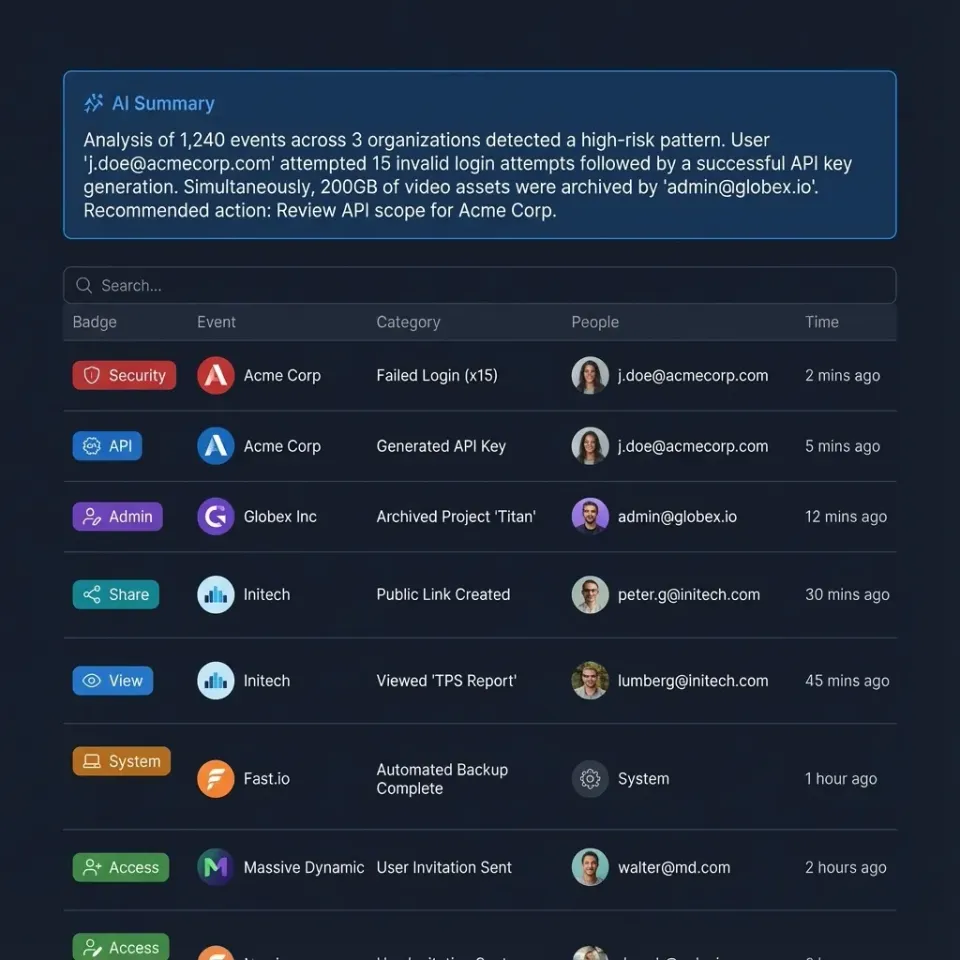
Audit Logs: Covers tool calls, AI queries, transfers. AI summaries available.
Version History: Every file keeps its full version history, so concurrent writes are recoverable.
Ownership Transfer: Agent creates content, hands to human, retains admin.
Scoped Access: PKCE with org/workspace/share selectors.
Trial: 14 days per organization, credit card required.
Code example (pseudocode):
// Modify file; Fastio keeps a full version history automatically
storage.call("upload", {...});
Document access rules, audit trails, and retention policies before rollout so staging results are repeatable in production. This avoids late surprises and helps teams debug issues with confidence.



Start Secure MCP Storage
A consolidated MCP toolset with full security, generous storage. Start secure agent workflows today. Built for secure mcp tool storage workflows.
Implementing Secure MCP Storage Step-by-Step
Follow this complete workflow to deploy secure MCP tool storage on Fastio, from signup to production monitoring.
Step 1: Agent Account Creation Agents register like humans. No special setup needed.
const signupResponse = await mcp.auth.signUp({
  first_name: 'Agent',
  last_name: 'SecureMCP',
  email: 'agent@yourteam.com',
  password: 'StrongPass123!'
});
// Verify email (automated or manual token)
await mcp.auth.emailVerify({email_token: signupResponse.token});
Step 2: Organization Setup Create a dedicated org on the agent plan for isolation.
const org = await mcp.org.create({
  name: 'SecureMCPTools'
});
Step 3: Secure Workspace Provisioning Enable Intelligence Mode for RAG and search.
const workspace = await mcp.workspace.create({
  org_id: org.id,
  name: 'SecureAgentTools',
  intelligence: true   // Auto-index for search and citation-backed chat
});
Step 4: RBAC Configuration Add humans/agents with precise roles.
await mcp.member.add({
  profile_type: 'workspace',
  profile_id: workspace.id.
  email: 'human@team.com',
  role: 'admin'
});
// Verify permissions
const perms = await mcp.member.permissions({
  profile_type: 'workspace',
  profile_id: workspace.id
});
console.log(perms); // Confirm 'edit', 'delete', etc.
Step 5: Secure File Operations with Version History Demonstrate an upload backed by version history and the audit log instead of a lock cycle.
// Upload; Fastio keeps every prior version automatically
await mcp.storage.upload({
  workspace_id: workspace.id,
  parent_id: 'root',
  name: 'secure-report.pdf',
  content: fileBuffer  // chunked for large files
});
// Discover the activity-review action from the server's consolidated MCP tool list.
const activity = await callDiscoveredTool({
  action: discoveredActivityAction,
  scope: 'workspace',
  workspace_id: workspace.id,
  node_id: 'secure-report.pdf'
});
Step 6: Intelligence and Monitoring Scoped RAG chat, audit review.
const chat = await mcp.ai.chatCreate({
  context_type: 'workspace',
  workspace_id: workspace.id.
  type: 'chat_with_files',
  folders_scope: 'root'
});
// Resolve the real action name from the server's tool list before calling it.
const activity = await callDiscoveredTool({
  action: discoveredActivityAction,
  scope: 'workspace',
  workspace_id: workspace.id.
  limit: 50
});
Full documentation: Fastio MCP Skill Guide, Agents Page.
Troubleshooting Common Issues
Permission Denied (403):
Query member.permissions() to audit. Ensure role grants required actions (e.g., 'storage.write'). Update with member.updateRole({role: 'member'}).
Concurrent Write Conflicts: If two agents wrote to the same file, review the workspace activity feed to understand the write order, then use file version history to inspect or restore the version you need.
Rate Limits Hit (429): Honor rate-limit responses and implement exponential backoff.
if (response.status === 429) {
  await new Promise(r => setTimeout(r, 2 ** retryCount * 1000));
}
Missing Audit Logs: Review the workspace activity feed and append-only audit log. Your integration can summarize the returned activity into a natural-language account of what happened.
Connecting an MCP client:
Point the client at https://mcp.fast.io/mcp, or at https://mcp.fast.io/mcp/key when it sends a scoped API key as an Authorization: Bearer header. The server is remote, so the config carries a url and there is nothing to install.
Test: "List files in my secure workspace."
Edge Case: Concurrent Failures
Use idempotency: include idempotency_key in calls. Retries safe.
Always test in a staging org with separate billing. Simulate failures: revoke perms, overload rates, concurrent locks.
Comparisons: Fastio MCP vs Alternatives
vs Self-Hosted MCP (Docker/Fly.io):
- Fastio: Managed hosting, a consolidated MCP toolset, and security controls.
- Self-host: You handle infra, RBAC, logs.
vs S3 + Custom MCP:
- Fastio: Native MCP, RAG, previews, version history.
- S3: Basic storage, you build rest.
vs OpenAI Files API:
- Fastio: Files persist, any LLM, human handoff.
- OpenAI: Temporary, OpenAI only.
Ultimate MCP Security Checklist
Run this 25-point checklist:
Authentication (4 points):
- MFA for human users
- Rotate API keys every 90 days
- PKCE/OAuth for browser agents
- JWT max 1 hour expiry
RBAC & Permissions (5 points):
- Least privilege (agents member role)
- Review roles quarterly
- Test permission cascade
- Guests upload/view only
- Tools check permissions first
Encryption & Secrets (3 points):
- encryption at rest and in transit
- No secrets in code (use a secrets manager)
- Documented key rotation
Monitoring & Logging (4 points):
- Logs enabled, alerts on odd activity
- Weekly AI log summaries
- Review activity for permission and access failures
- Track usage (credits, rate)
Multi-Agent (4 points):
- Scope write access narrowly before every change
- Idempotent ops
- Conflict plan
- Rely on version history and the audit log for concurrent writes
Shares & Transfers (3 points):
- Password/time-bound shares
- Audit before transfer
- Test ownership transfer
Extra (2 points):
- Intelligence Mode for RAG logs
- Document and test a recovery plan
Test in small setup first. Roll out once stable.
Sources
References used to verify factual claims in this guide.
-
44% of breaches showed ransomware 30% of breaches were linked to third-party involvement
-
97% AI incidents lacked controls, avg cost $4.4M
-
generous storage, included credits/month agent plan
Frequently Asked Questions
What makes MCP storage insecure?
No RBAC lets anyone in. Missing logs hide attacks. Unscoped write access causes overwrites. Fastio includes RBAC, logs, granular permissions, and MFA.
Best practices for MCP RBAC?
Least privilege roles. Quarterly audits. Test org-to-file flow. Fastio supports granular permissions.
What are the Fastio MCP trial limits?
Every organization can activate a 14-day Business Trial with a credit card. It runs with Business-plan capabilities for those 14 days; see the [pricing page](/pricing/) for current details. Afterward, pricing uses usage-based credits with per-plan seat and storage limits. Starter is $29 per month for 5 seats, 1 TB, and 300,000 credits per month.
How do I prevent write conflicts in multi-agent workflows?
Scope write access narrowly with granular permissions so only the responsible agent can modify a given file. Use file version history to inspect or restore available prior content, and review the append-only audit log and activity feed for relevant changes.
Does Fastio log MCP calls?
Fastio provides an append-only audit log and an activity feed for reviewing recorded actions.
Secure transfer to human?
Use org.transfer_token_create for claim URL after agent builds.
MCP vs function calling?
MCP has stateful sessions and multiple tools. Functions are stateless single calls.
Works with OpenClaw?
Yes, like any MCP client. Point it at the remote server URL, https://mcp.fast.io/mcp, and authenticate with OAuth or a scoped API key. There is no package to install.
Related Resources

Start Secure MCP Storage
A consolidated MCP toolset with full security, generous storage. Start secure agent workflows today. Built for secure mcp tool storage workflows.