How to Build a Secure Document Portal for External Stakeholders
A secure document portal is a branded, permission-controlled web interface where organizations share confidential files with external parties without exposing internal systems. This guide covers the security features every portal needs, how portals differ from generic file sharing and data rooms, and how to set one up step by step.


What Is a Secure Document Portal?
A secure document portal is a branded, permission-controlled web interface where organizations share confidential files with external parties. Clients, partners, investors, and regulators each get access to exactly the documents they need, without seeing anything else and without requiring access to your internal systems.
The distinction matters because most teams default to one of two bad options: emailing attachments (no access control, no audit trail, files live in inboxes forever) or adding external users to internal tools like SharePoint or Google Drive (over-permissioned, hard to manage, risky).
Document portals solve both problems. They sit between your internal file storage and the outside world, giving you a controlled handoff point where you decide who sees what, for how long, and under what conditions.
According to the Verizon 2024 Data Breach Investigations Report, 35.5% of all breaches involved third-party access, up from 29% the previous year. That increase tracks with how much sensitive document exchange happens externally. When your sharing method lacks access controls and audit trails, every file sent outside your organization is a potential breach vector.
The core difference between a document portal and a shared Google Drive folder is intent. A portal is designed for external audiences from the start: branded, locked down, and trackable. A shared folder is an internal tool with external access bolted on.
Helpful references: Fastio Workspaces, Fastio Collaboration, and Fastio AI.
Related guides
- How to Compare File Metadata and Detect Changes Between VersionsFile metadata comparison tools let you spot changes in authorship, timestamps, permissions, and embedded data between...
- How to Share Files with External Stakeholders SecurelyExternal file sharing is the secure exchange of documents and digital assets with people outside your organization,...
- How to Choose Document Tracking Software That Shows Who Opened Your FilesDocument tracking software monitors who accesses, views, downloads, and edits shared documents, providing an audit...
- How to Set Up Secure File Sharing for Your Law FirmLaw firm file sharing refers to secure systems that enable attorneys to exchange confidential documents with clients...
- How to Set Up Secure File Sharing for Your Accounting FirmAccounting firms handle thousands of sensitive documents every tax season, from W-2s and 1099s to bank statements and...
- How to Set Up Secure File Sharing for Your BusinessSecure file sharing for business is the practice of transferring sensitive documents between team members, clients, and...
More on this subject: Security and Access Control (32 guides)
Portal vs. Data Room vs. File Sharing: When You Need What
These three categories get conflated constantly, but they serve different purposes at different price points.
Generic file sharing (Dropbox, Google Drive, OneDrive) is built for internal collaboration. You get real-time co-editing, sync across devices, and easy link sharing. Security is basic: link passwords, maybe an expiration date. There's no meaningful audit trail for compliance purposes, and branding is limited to whatever the provider allows. Cost runs $0-15 per user per month.
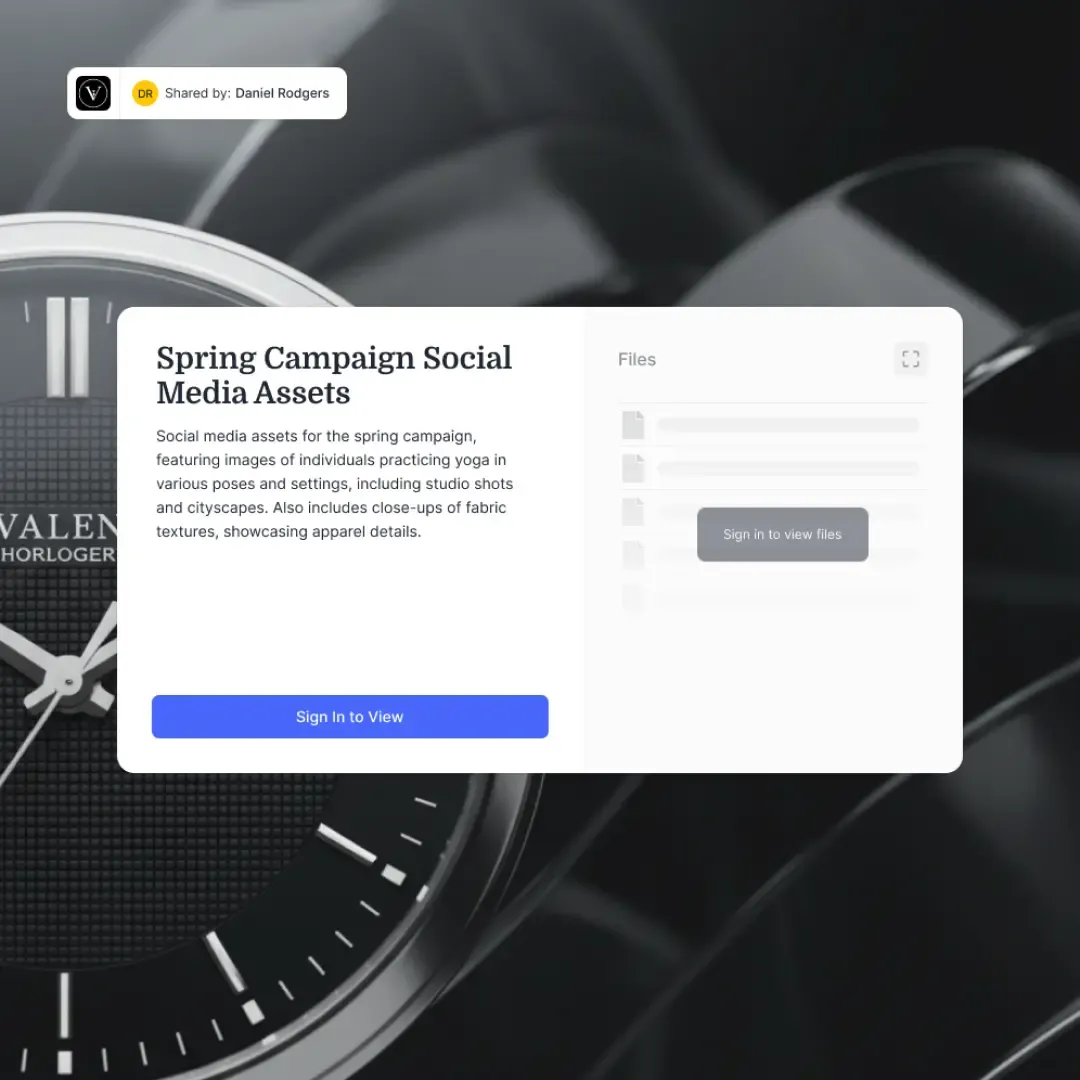
Secure document portals occupy the middle ground. They're built specifically for external stakeholder access. You get granular permissions, full audit trails, branding with your logo and colors, and guest access without requiring account creation. Portals work well for ongoing client relationships where you regularly share and collect documents: accounting firms sending tax packages, agencies delivering campaign assets, consultants sharing project reports. Cost typically runs $10-30 per user per month, though Fastio uses flat plans with seats included.
Virtual data rooms (iDeals, Diligent, ShareVault) are the heavy end. They're designed for high-stakes transactions like M&A due diligence, legal discovery, and fundraising. You get forensic-grade audit trails that track time spent per page, dynamic watermarking, fence-view controls, NDA tracking, and Q&A modules. The trade-off is complexity and cost: $100-500+ per month, often with per-page pricing.
The decision comes down to two questions. First, are you sharing documents for an ongoing relationship or a one-time transaction? Portals handle ongoing; data rooms handle transactions. Second, do you need forensic-level tracking or standard audit trails? If a regulator needs to know which page a reviewer looked at and for how long, you need a data room. If you need to prove who accessed which files and when, a portal is sufficient.
Most organizations that think they need a data room actually need a well-configured document portal. The $4.88 million average breach cost reported by IBM in 2024 makes the investment in proper access controls worthwhile, but you don't need to overspend on data room features you won't use.

Security Features Every Document Portal Needs
Not all portals are equally secure. Here are the features that separate a genuinely secure portal from a file sharing tool with a password field.
Granular access controls
"View-only" and "edit" aren't granular enough. You need permissions at the folder and file level, with the ability to control who can download, print, and share. Some documents should be viewable but never downloadable. Others should be available for a limited window and then automatically expire.
Fastio handles this through layered permissions at the organization, workspace, share, folder, and file level. Each layer can restrict access independently, so a workspace admin can set broad rules while individual shares enforce stricter limits for external guests.
Encryption in transit and at rest
This is table stakes, but verify it. Files should be encrypted with AES-256 at rest and TLS 1.3 during transfer. Ask your portal provider whether they can access your unencrypted files on their servers. If the answer is ambiguous, look elsewhere.
Audit trails that hold up to scrutiny
A useful audit trail records every login attempt, file access, download, permission change, and share modification with timestamps and IP addresses. Fastio's audit system covers file operations, membership changes, comments, AI activity, and billing events. These logs should be searchable and exportable for compliance reporting.
Authentication and identity verification
At minimum, you need two-factor authentication (2FA) for admin accounts. For external access, the best portals offer guest access via secure, auto-expiring links so clients don't need to create accounts. This removes friction while maintaining security. Avoid portals that require external users to sign up for a full account just to view a few documents.
Password protection and link expiration
Every shared portal should support password protection and configurable expiration dates. Auto-expiring access links are particularly useful for time-sensitive documents like quarterly reports, contract drafts, or compliance filings. When the window closes, access reverts automatically without anyone having to remember to revoke it.
Branding
This sounds cosmetic, but it's a security feature in practice. When clients see your logo, colors, and domain on the portal, they can distinguish legitimate access from phishing attempts. A branded portal builds trust and reduces the chance that clients will click on spoofed links from attackers.


Share Confidential Documents Without the Risk
Fastio Content Portals give your clients branded, password-protected access to files with full audit trails and AI-powered search. Guest access, auto-expiring links, and granular permissions included. Built for secure document portal workflows.
How to Set Up a Secure Document Portal Step by Step
Setting up a portal takes less time than most teams expect. Here's the process broken into concrete steps.
1. Define your access model
Before you touch any software, map out who needs access to what. Create a simple grid:
- Stakeholder groups: Clients, investors, legal counsel, regulators, vendors
- Document types per group: Contracts, financial reports, deliverables, compliance docs
- Permission levels: View only, download allowed, upload allowed, comment allowed
- Time constraints: Ongoing access, project-duration access, single-session access
This grid becomes your permission template. Most portals let you save permission sets as templates so you don't reconfigure from scratch for every new client.
2. Choose your portal platform
Evaluate platforms against your access model. Key criteria to compare:
- Guest access without account creation: Reduces friction for external users. Fastio supports guest portal access where clients use auto-expiring links without signing up.
- Granular permissions: Can you control access at the folder and file level? Some platforms only offer workspace-level controls.
- Branding options: Logo, colors, and background image support. Fastio's Content Portals include custom logo, colors, and background image.
- Audit trail depth: Does it log just logins, or every file interaction?
- AI features: Can clients search and ask questions about the documents? Fastio's Portal AI (Ripley) lets clients ask questions about shared documents directly inside portals.
Alternatives worth evaluating include Citrix ShareFile (strong in regulated industries, $10-25 per user per month), Huddle (document-centric with Office co-authoring), and Box (broad integrations, Box AI for search).
3. Organize your document structure
Create a folder structure that makes sense to external users, not just your internal team. A common pattern:
- By client or project: Top-level folders per client, subfolders per engagement
- By document type: Contracts, deliverables, reports, reference materials
- By status: Draft, under review, approved, archived
Keep it shallow. Two levels deep is ideal. Three is acceptable. Anything deeper and clients get lost.
4. Configure security settings
Walk through each security layer:
- Enable 2FA for all admin and team accounts
- Set default permissions to the most restrictive level, then open up as needed
- Configure auto-expiring access links with appropriate durations
- Add password protection for portals containing highly sensitive content
- Set up branding so the portal is immediately recognizable as yours
5. Test with a pilot group
Before rolling out broadly, invite 2-3 trusted clients to test the portal. Ask them to:
- Access the portal from different devices (laptop, phone, tablet)
- Download a test document
- Upload a test file if your workflow requires inbound documents (Fastio supports this through Receive and Exchange shares)
- Report any confusion about navigation or permissions
Fix issues before broader launch. The biggest failure mode for document portals is low adoption because external users find them confusing.
6. Monitor and iterate
After launch, review your audit logs weekly for the first month. Look for:
- Failed login attempts (potential security concern or usability issue)
- Documents that get zero views (maybe they're in the wrong folder)
- Access patterns that suggest permission misconfigurations
- Client feedback about missing documents or confusing organization
Portal analytics, like the engagement tracking available in Fastio, help you understand which documents clients actually look at and which they ignore.
Common Mistakes That Undermine Portal Security
Even well-intentioned portal setups fail when teams make these mistakes.
Over-permissioning by default. The easiest setup gives everyone access to everything. Resist this. Start restrictive and grant access as needed. It's much harder to revoke access after someone has already downloaded a file than to grant it when they ask.
Forgetting to revoke access. Projects end. Client relationships change. Vendors get replaced. If you don't have a process for reviewing and revoking access, former stakeholders retain access to confidential documents indefinitely. Set calendar reminders for quarterly access reviews, or use portals with auto-expiring links to handle this automatically.
Relying on email for document requests. If your portal is the secure channel but you still collect documents via email, you've created a gap. Use portals that support inbound document collection, not just outbound sharing. Fastio's Receive and Exchange shares handle this by giving clients a secure upload point.
Ignoring mobile access. Clients don't always sit at desks. If your portal doesn't work well on phones and tablets, clients will ask you to email them the files instead, defeating the entire purpose. Test on mobile before launch.
Skipping the audit trail review. Audit logs are only useful if someone reads them. Assign a team member to review portal access logs at least monthly. Look for anomalies: access from unusual locations, bulk downloads, or repeated failed login attempts.
Treating the portal as set-and-forget. Document structures change as projects evolve. A portal organized for the kickoff phase of a project may not make sense during delivery. Reorganize folders and update permissions as the engagement progresses.
Making Your Portal Smarter with AI
Traditional document portals are file cabinets with locks. Clients open them, scroll through folders, and download what they need. That works, but it puts the burden on clients to know what they're looking for and where to find it.
AI changes this dynamic. When you enable intelligence features on a portal, documents get indexed for semantic search and natural language queries. Instead of digging through folders, a client can ask "What were the Q3 revenue projections?" and get an answer with citations pointing to the specific document and page.
Fastio's Portal AI, powered by Ripley, does this inside Content Portals. When Intelligence is enabled on a workspace, files are automatically indexed. Clients can ask questions about shared documents and get citation-backed answers without downloading or opening anything. This is particularly useful for portals with large document sets where finding the right file manually would take significant time.
This also helps with onboarding new stakeholders. When a new board member joins and needs to get up to speed on company financials, they can ask questions of the portal rather than scheduling briefing calls or reading through dozens of documents sequentially.
The security model still applies. AI responses respect the same permissions as the underlying files. A client who can only access Project A documents won't get AI answers that reference Project B files, even if both live in the same workspace.
If workspace intelligence isn't a priority for your use case, even basic search functionality dramatically improves the portal experience. Clients who can search by filename and metadata spend less time asking your team where to find things.

Sources
References used to verify factual claims in this guide.
-
35.5% of all breaches in 2024 were third-party related, up from 29% the previous year
-
Average breach cost of $4.88 million in 2024
Frequently Asked Questions
What is a secure document portal?
A secure document portal is a branded, permission-controlled web interface where organizations share confidential files with external parties like clients, partners, investors, or regulators. Unlike email or generic file sharing, portals provide granular access controls, full audit trails, and branding, all without exposing your internal systems.
How do you share documents securely with clients?
Set up a document portal with granular permissions, guest access via auto-expiring links, and password protection. Organize documents by client or project, restrict downloads where appropriate, and monitor access through audit logs. Avoid email attachments for anything confidential since they lack access controls and create permanent copies in inboxes.
What security features should a document portal have?
At minimum, look for AES-256 encryption at rest, TLS encryption in transit, granular file-level permissions, two-factor authentication, comprehensive audit trails, password-protected access, auto-expiring links, and custom branding. Advanced portals also offer AI-powered document search and analytics to track engagement.
What is the difference between a document portal and a data room?
Document portals are designed for ongoing external file sharing with clients and partners. They offer strong security at moderate cost. Data rooms are built for high-stakes, time-limited transactions like M&A due diligence, with forensic-grade audit trails, dynamic watermarking, and per-page tracking. Most ongoing client relationships need a portal, not a data room.
Can clients access a document portal without creating an account?
Yes, many portals support guest access. Fastio's Content Portals let clients access files through secure, auto-expiring links without signing up for an account. This reduces friction while maintaining security through link expiration and password protection.
How much does a secure document portal cost?
Costs vary widely by platform. Generic file sharing runs $0-15 per user per month. Dedicated document portals typically cost $10-30 per user per month. Virtual data rooms start at $100-500+ per month. Fastio sells flat plans with seats included, and guests on shares do not take a seat, which can be more cost-effective for teams with many external collaborators.
Related Resources

Share Confidential Documents Without the Risk
Fastio Content Portals give your clients branded, password-protected access to files with full audit trails and AI-powered search. Guest access, auto-expiring links, and granular permissions included. Built for secure document portal workflows.