How to Choose Partner Portal Software That Actually Gets Used
Partner portal software gives channel partners, resellers, and distributors a single branded workspace to find sales collateral, product docs, pricing, and co-marketing assets. This guide covers what to look for, how the major platforms compare, and how to build a portal that partners actually log into.

What Partner Portal Software Does
Partner portal software provides a branded, permission-controlled workspace where channel partners, resellers, and distributors can access sales collateral, product documentation, pricing sheets, and co-marketing materials. Instead of emailing ZIP files or sharing Google Drive folders with inconsistent permissions, you give each partner a single login to everything they need.
The reason this matters: roughly 75% of world trade flows through indirect channels and partner ecosystems, according to Forrester. If you sell through partners, the speed at which those partners can find the right asset, understand your product, and close a deal directly affects your revenue. Companies with structured partner portals report onboarding new partners up to 2.5x faster than those relying on email and shared drives.
A partner portal sits between your internal systems and your external partners. It pulls from your content library, CRM, and training materials, then presents a curated view based on each partner's tier, region, or product focus. The simplest version is a branded file-sharing workspace with permissions. The most complex version is a full Partner Relationship Management (PRM) suite with deal registration, MDF tracking, and certification management.
Most organizations fall somewhere in between, and picking the right level of complexity is the single biggest decision you'll make.
Helpful references: Fastio Workspaces, Fastio Collaboration, and Fastio AI.
Related guides
- How to Choose a Board Portal for Your Credit UnionA board portal for credit unions is a secure digital platform that helps volunteer boards manage meeting documents,...
- How to Set Up a Tax Preparation Client PortalA tax preparation client portal is a secure online workspace where tax preparers collect documents, share returns for...
- How to Set Up a Client Portal for Financial AdvisorsFinancial advisors juggle hundreds of client households, each needing secure access to statements, planning documents,...
- How to Choose Private Video Hosting for Your BusinessPrivate video hosting allows businesses to store and share video content with controlled access, keeping videos hidden...
- How to Choose and Set Up Supplier Portal SoftwareSupplier portal software gives procurement teams a central place to exchange documents, onboard vendors, and track...
- How to Build a Salesforce Client Portal (And What It Actually Costs)Salesforce Experience Cloud lets you build branded customer portals for case management, knowledge bases, and partner...
More on this subject: Team Collaboration (125 guides)
Features That Separate Good Portals from Shelfware
The PRM market is full of platforms with long feature lists. But the features that determine whether partners actually use the portal come down to a shorter list.
Branded experience with single sign-on
Partners work with multiple vendors. If your portal requires a separate username and password with no SSO option, login friction alone will kill adoption. The portal should carry your branding (logo, colors) so partners recognize it instantly. This sounds cosmetic, but brand consistency builds trust and makes the portal feel like an extension of your business rather than a generic tool.
Granular, role-based permissions
Not every partner should see everything. A regional reseller needs different pricing sheets than a global distributor. Your portal needs folder-level or workspace-level permissions that let you control access by partner tier, geography, product line, or custom segments. Flat "everyone sees everything" access creates noise and compliance risk.
Content organization that scales
When you have 50 assets, any folder structure works. When you have 500, partners can't find what they need. Look for portals that support search (ideally semantic search, not just filename matching), nested folder hierarchies, and tagging. The goal is to make finding the right sales deck take seconds, not minutes of clicking through folders.
File versioning and freshness indicators
Partners using outdated pricing sheets or last quarter's product specs will damage deals. The portal should version files automatically, surface the most recent version by default, and ideally flag when content has been updated since the partner last accessed it.
Analytics on partner engagement
You need to know which partners are logging in, what they're downloading, and what they're ignoring. This data tells you which partners are engaged, which need attention, and which content assets are actually useful. Without analytics, you're guessing.
Guest access without account creation
Some partners will have a handful of people who need occasional access. Requiring every person to create an account adds friction. The best portals offer link-based guest access with optional password protection and expiration dates, so you can share specific folders or files without a full onboarding process.

Full PRM Suites vs. Lightweight Portal Platforms
The partner portal market splits into two camps, and understanding the difference will save you months of evaluation.
Full PRM suites like Impartner, Zinfi, and Allbound bundle the portal with deal registration, MDF (Market Development Fund) management, through-channel marketing automation, partner tiering, LMS training modules, and CRM integration. These platforms typically start around $2,000 per month and can run $10,000 or more for enterprise deployments with implementation fees on top.
They make sense when you have a mature channel program with dozens or hundreds of partners, complex tier structures, and dedicated channel managers. If you need to track deal registration pipelines, manage co-op marketing funds, and run certification programs, a full PRM is the right tool.
Lightweight portal platforms focus on the content-sharing and collaboration layer. They give you branded workspaces, file management, permissions, and analytics without the deal registration and MDF overhead. These are cheaper (often offering a 14-day trial with affordable monthly plans) and can be set up in hours rather than weeks.
They make sense when your primary goal is getting the right content to the right partners. If your partners need sales collateral, product documentation, training videos, and pricing sheets in a branded, organized workspace, a lightweight portal covers that without the complexity tax of a full PRM.
The gap in the market is real: most "partner portal software" search results push you toward full PRM suites even when you just need a well-organized, branded content workspace. If your channel program is still growing, starting with a lightweight portal and graduating to a PRM later is a lower-risk path than buying enterprise software you'll use 20%.



Build a Partner Portal Your Channel Will Actually Use
Fastio gives you branded portals, granular permissions, AI-powered search, and engagement analytics. Built for partner portal software workflows.
How to Set Up a Partner Portal in Practice
Whether you choose a full PRM or a lightweight platform, the setup process follows the same general steps.
Define your partner segments
Before you touch any software, map out who your partners are and what they need access to. Common segmentation dimensions include partner tier (Silver, Gold, Platinum), geography, product line, and partner type (reseller, distributor, referral, technology partner). Each segment will get a different view of your portal.
Organize your content library
Audit your existing partner-facing content. Most organizations discover they have assets scattered across Google Drive, Dropbox, SharePoint, email threads, and individual laptops. Consolidate everything into a single source of truth, then organize it into categories that match how partners think, not how your internal teams are structured.
A practical folder structure might look like:
- Sales Collateral (by product line)
- Pricing and Quoting (by region or tier)
- Technical Documentation
- Training and Certification
- Co-Marketing Assets (templates, logos, brand guidelines)
- Competitive Intelligence
Set up permissions and access rules
Map your partner segments to content access. Tier 1 partners might see everything including competitive intelligence and advance product roadmaps. Tier 3 partners might only see general sales collateral and standard pricing. Build these rules into your portal's permission system.
Brand the portal
Add your logo and colors. If the platform supports it, create a welcome page or landing experience that orients new partners. This first impression matters for adoption.
Onboard your first partner cohort
Don't launch to all partners at once. Pick 5 to 10 engaged partners, give them access, and ask for feedback. What can't they find? What's confusing? What's missing? Use their input to refine the structure before a broader rollout.
Track and iterate
After launch, check your analytics weekly. Which assets get downloaded most? Which partners haven't logged in? Use this data to improve content organization, identify partners who need outreach, and retire assets nobody uses.
Using Fastio as a Partner Content Portal
Fastio's workspace and portal features map well to the lightweight partner portal use case, especially if your channel program is content-heavy.
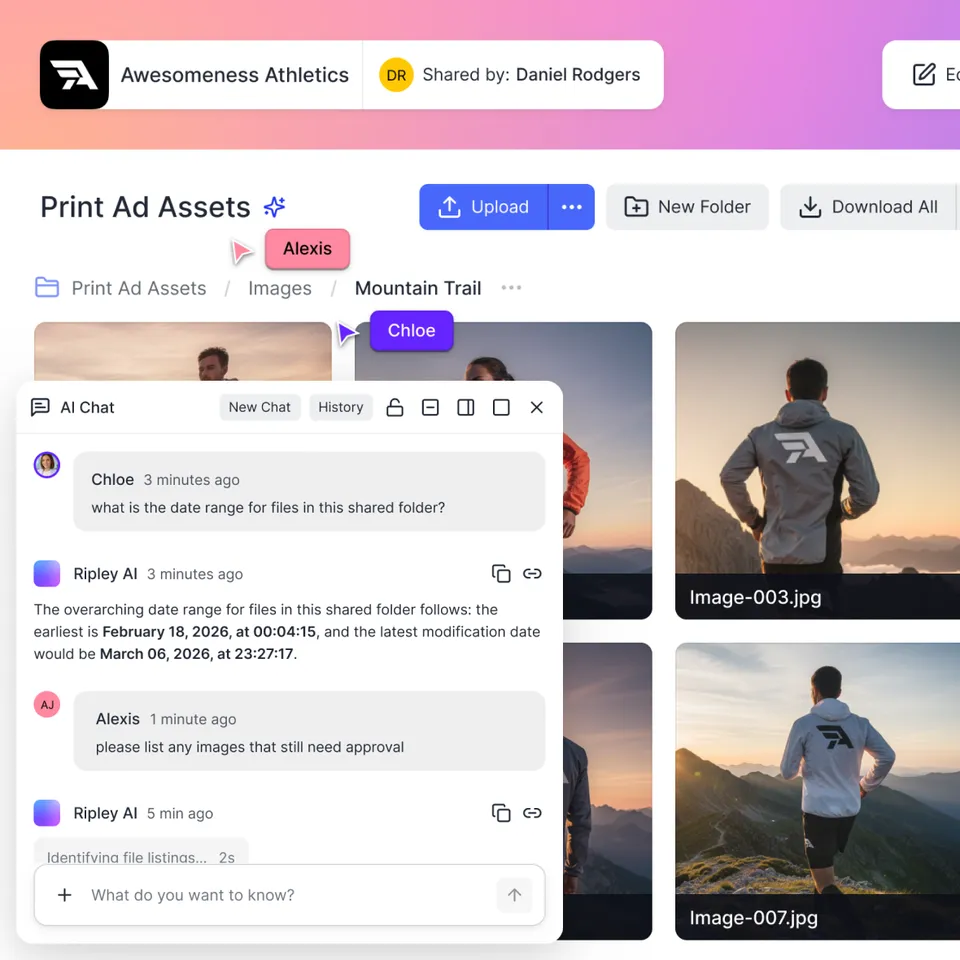
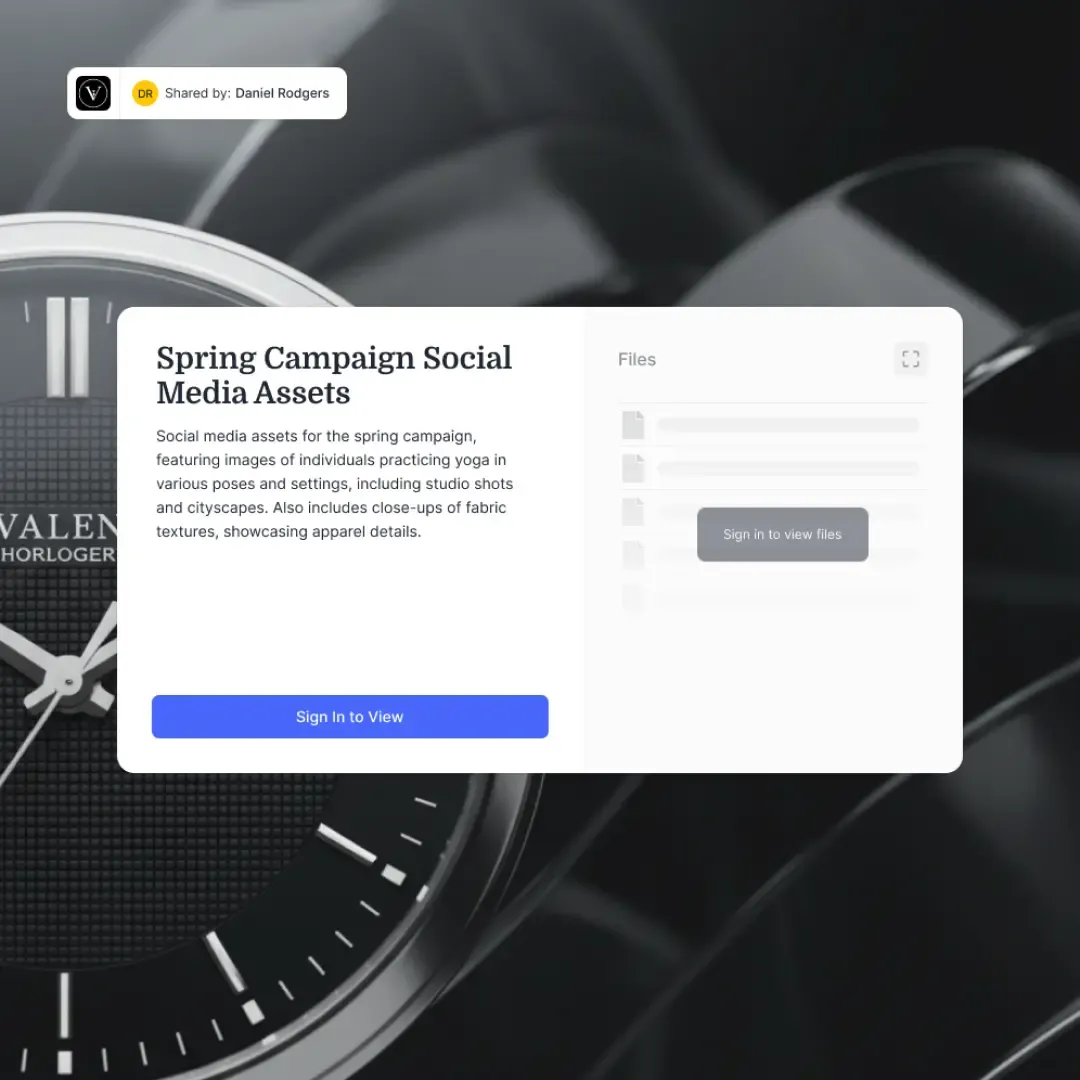
Branded content portals let you create a dedicated space for each partner segment with your logo, colors, and custom background. Partners access the portal through a link, with optional password protection and expiration dates for time-sensitive content. No account creation required for guest access.
Granular permissions work at the organization, workspace, folder, and file level. You can create separate workspaces for each partner tier and control exactly who sees what. Shared Folder mode keeps a portal automatically synced with a live workspace folder, so updates you make internally appear in the partner portal without manual re-uploading.
Ripley AI is the built-in intelligence layer. When Intelligence is enabled on a workspace, every file is automatically indexed for semantic search and RAG-powered chat. Partners can ask questions like "What's our margin on the Enterprise tier in EMEA?" and get answers with citations pointing to the specific document and page. This turns a static file repository into an interactive knowledge base.
Audit trails log every file access, download, and interaction. You can see which partners accessed which content and when, giving you the engagement analytics you need without a separate analytics tool.
Cloud Import lets you pull existing partner content from Google Drive, Dropbox, OneDrive, or Box into Fastio workspaces. OAuth-based, folder structure preserved. If your content is currently spread across multiple cloud storage services, you can consolidate without downloading and re-uploading everything.
For teams building automated partner workflows, Fastio also exposes an API and MCP server. An agent can create partner workspaces, upload updated collateral, set permissions, and notify partners, all programmatically. When the setup is complete, ownership transfer hands off the organization to a human channel manager through a claim link, letting them take over the relationship.
Fastio offers a 14-day Business Trial, card required; see pricing. Paid plans start at $9.99 per month with Starter, Business, and Enterprise tiers.
Partner Portal vs. Client Portal: Knowing the Difference
These terms get used interchangeably, but they serve different audiences with different needs.
A client portal is outward-facing to your customers. It's where clients access deliverables, review proofs, approve assets, and download final files. The relationship is vendor-to-client, and the content flows primarily from you to them.
A partner portal is outward-facing to your channel. It's where resellers, distributors, and referral partners access the tools they need to sell your product on your behalf. The relationship is vendor-to-partner, and the content flows in both directions: you provide sales materials and they submit deal registrations, market feedback, and co-marketing requests.
The key differences in practice:
- Content type: Client portals hold project deliverables. Partner portals hold sales enablement materials, training content, and competitive intelligence.
- Access patterns: Clients access portals for specific projects with defined timelines. Partners access portals continuously as part of their ongoing sales process.
- Collaboration direction: Client portals are mostly one-way delivery. Partner portals need two-way exchange, with partners uploading deal registrations, co-branded materials, and market feedback.
- Scale: You might have hundreds of client portals (one per project or engagement). You typically have one partner portal with segmented access for different partner tiers.
Some platforms handle both use cases. Fastio's content portals and Exchange shares work for client delivery, while workspaces with Shared Folder mode work for ongoing partner enablement. The underlying infrastructure (permissions, branding, analytics, AI search) is the same. The difference is how you configure access and organize content.
Sources
References used to verify factual claims in this guide.
-
75% of world trade flows through indirect channels and partner ecosystems
-
Companies with mature partner portals see 2.5x faster partner onboarding
-
PRM market approximately $776 million in 2024 growing at 14.3% CAGR
Frequently Asked Questions
What is partner portal software?
Partner portal software is a platform that gives channel partners, resellers, and distributors a branded workspace to access sales collateral, product documentation, pricing, training materials, and co-marketing assets. It replaces scattered email attachments and shared drive folders with a centralized, permission-controlled hub.
What should a partner portal include?
At minimum, a partner portal should include branded access with SSO, role-based permissions, a searchable content library with versioning, engagement analytics, and guest access options. More mature programs may also need deal registration, MDF management, training modules, and CRM integration.
How do you set up a partner portal?
Start by mapping your partner segments and the content each segment needs. Consolidate your existing partner-facing assets into a single platform, organize them by how partners search for content, set up permissions by segment, brand the portal, and pilot with a small group of partners before a full rollout.
What is the difference between a partner portal and a client portal?
A client portal delivers project-specific files to customers, typically for a defined engagement. A partner portal provides ongoing sales enablement materials to resellers and distributors who sell your product. Partner portals need two-way content exchange and continuous access, while client portals are mostly one-way delivery with project timelines.
How much does partner portal software cost?
Costs range widely. Lightweight file-sharing portals often offer a free trial with affordable monthly plans. Mid-market PRM platforms like Channeltivity and Allbound typically start around $1,500 per month. Enterprise PRM suites like Impartner and Zinfi can exceed $10,000 with implementation fees on top.
Can I use a partner portal without a full PRM system?
Yes. If your primary need is distributing content to partners in a branded, organized workspace, a lightweight portal platform covers that without the complexity of deal registration, MDF management, and tiering features. You can always add a full PRM later as your channel program matures.
Related Resources

Build a Partner Portal Your Channel Will Actually Use
Fastio gives you branded portals, granular permissions, AI-powered search, and engagement analytics. Built for partner portal software workflows.