How to Create Branded Shares in OpenClaw
OpenClaw branded shares let agents deliver outputs through branded portals instead of generic links. They combine OpenClaw's skills with Fastio's branded portals for sharing agent outputs. This guide covers setup and creation steps.


What Are Branded Shares in OpenClaw?
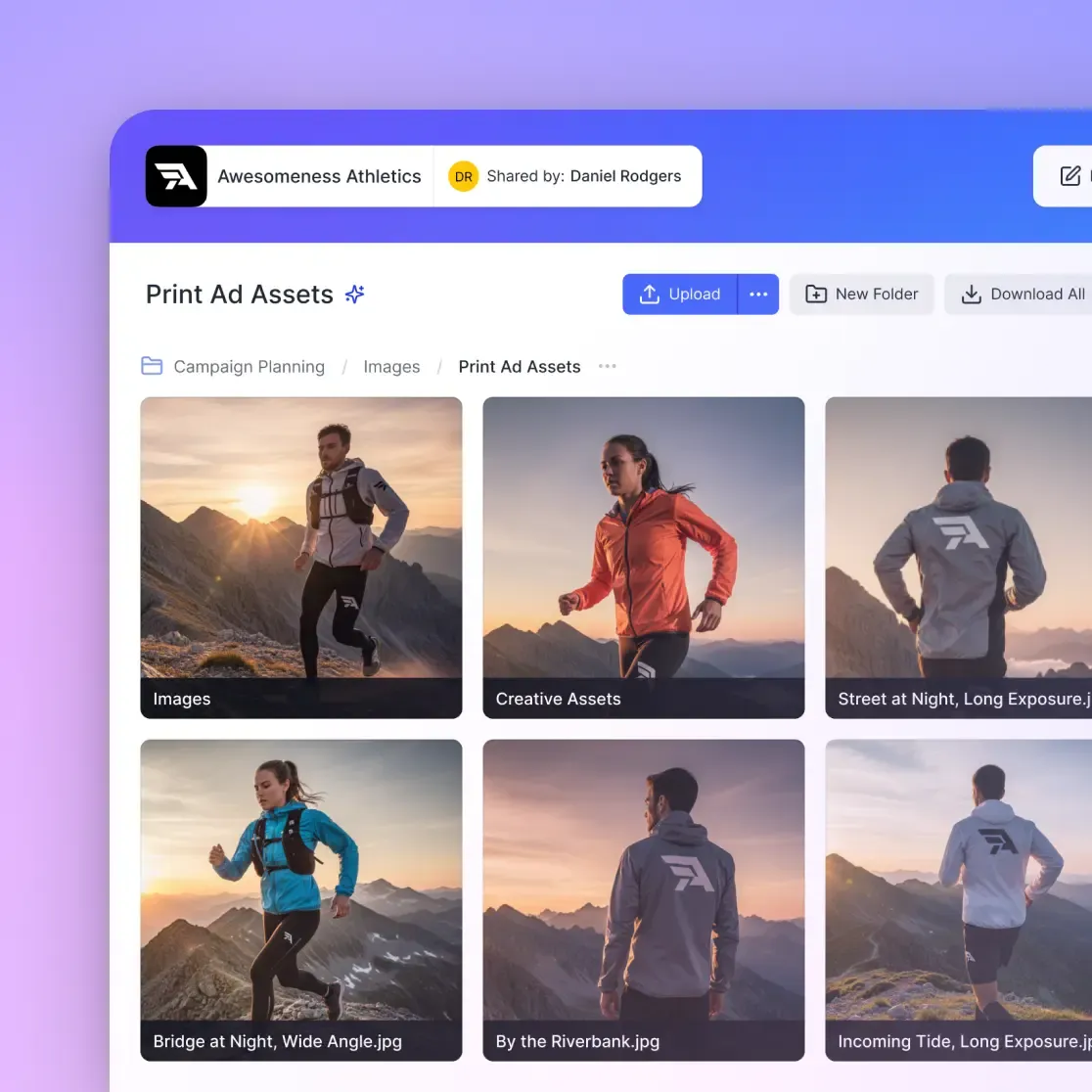
Branded shares in OpenClaw let agents deliver outputs through branded portals that match your brand. OpenClaw users connect to Fastio remote MCP to access branded portals powered by Fastio. This packages agent-generated files into branded deliveries with your logo and colors.
Start by connecting to the MCP server:
# Connect OpenClaw to Fastio remote MCP at https://mcp.fast.io/mcp/tools
This gives access to comprehensive tools for file operations, workspace management, and sharing. Authentication happens on the connection, with a Fastio API key sent as an Authorization: Bearer header; the key never passes through the chat.
The workflow looks like this: Your agent generates a deliverable, such as a data analysis report or design mockup. It uploads the file to a Fastio workspace. Then, it creates a branded share with your logo, colors, and security settings. The recipient receives a Fastio share link, protected by password if needed.
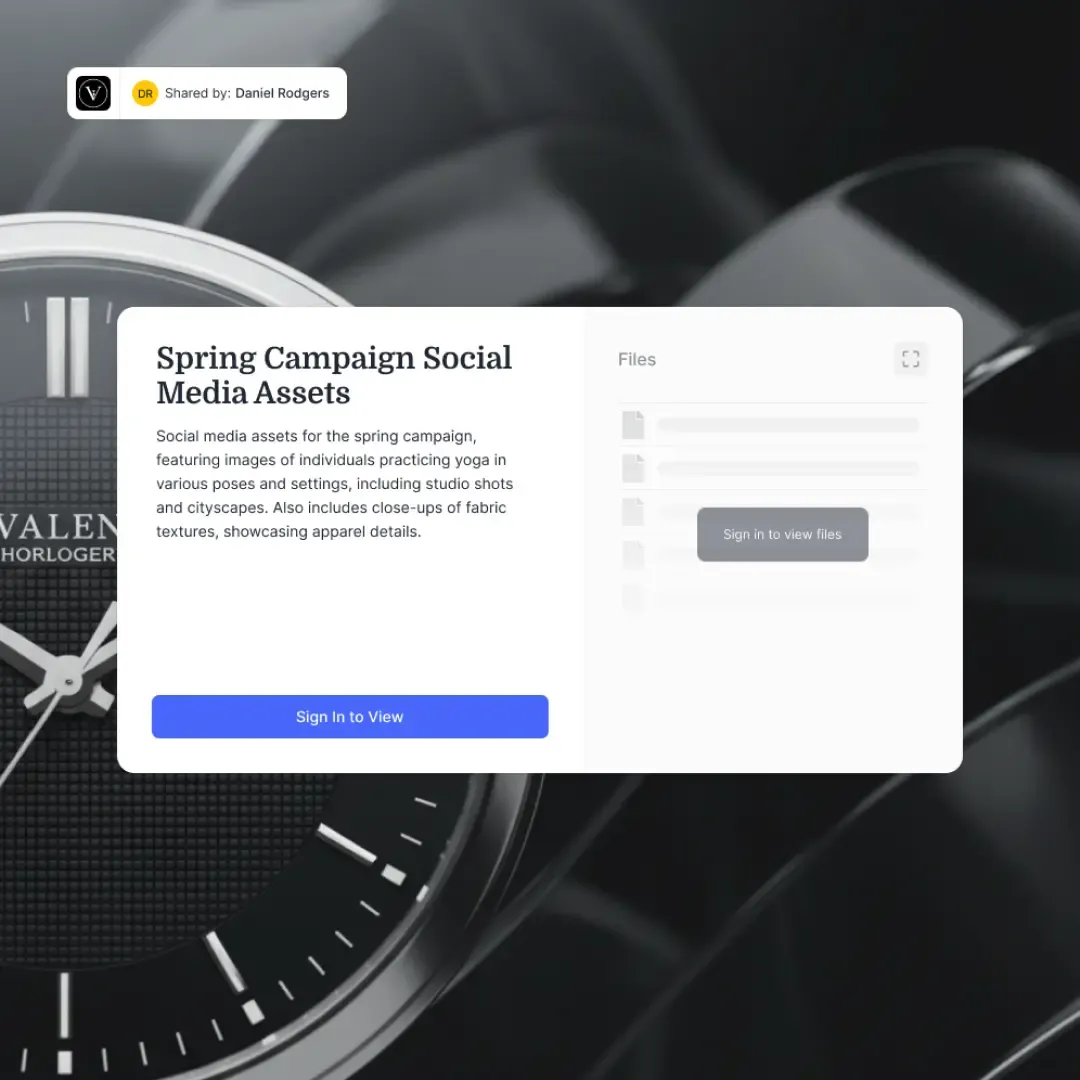
Recipients see a branded portal. They get your logo on login, your color scheme throughout, file previews without downloads, and analytics that track engagement, with no extra setup needed.
For developers building agentic workflows, this eliminates the 'amateur hour' feel of random unbranded links. Branded shares integrate with enterprise tools, support domain restrictions, and provide audit logs for compliance checks.
Pair with Fastio activity polling to trigger follow-ups. For example, notify your CRM when a client opens the share.
Developers value the zero-config setup. OpenClaw handles API keys securely, and tools work across LLMs like Claude, GPT-4, or Gemini.
Key Advantages:
- Branded portals: Your logo and colors throughout the share experience.
- Password protection: Secures sensitive agent outputs like financial models.
- Built-in analytics: Deal intelligence shows opens, time spent, downloads.
- File previews: View videos, PDFs, images without full download.
- Expiration and revocation: Set time limits or revoke instantly.
Branded shares fit right into agent pipelines. Agents create the content, humans review if needed, and clients receive a professional delivery.
Start small: Test generic shares, then layer on branding for client-facing work. This scales from solo devs to agency teams running multiple agents.
Related guides
- How to Create and Use Devin AI PlaybooksA Devin AI playbook is a reusable, shareable prompt that steers Devin through a repeated multi-step engineering...
- Claude Code Subagents: How to Create and Use Specialized AI AgentsMost AI coding sessions degrade after an hour because file reads, search results, and test output flood the context...
- How to Set Up OpenClaw with Google Gemini ModelsOpenClaw's Gemini integration connects your agent to Google's full model family, including Gemini 3.1 Pro for chat,...
- How to Set Up ClawHub for OpenClawClawHub is the public skill registry for OpenClaw, with over 13,000 community skills available. This guide walks...
- How to Set Up an RAG Knowledge Base in OpenClawConnect your agents to your proprietary data with automated indexing and semantic retrieval. Enable Intelligence Mode...
- Best OpenClaw MCP Integrations: Top Skills for Claude CodeOpenClaw MCP integrations are skills that wrap Model Context Protocol servers into installable, zero-config packages...
More on this subject: OpenClaw Setup and Guides (199 guides)
Why Use Branded Shares?
Default sharing links can come across as temporary or unbranded. Branded shares change that. Recipients get a polished portal complete with your logo and colors instead of a generic page.
Security starts with password protection for agent outputs containing proprietary data, like competitive analysis or custom code. Add expiration dates to limit access. Domain restrictions ensure only company emails can view.
Analytics come built-in through Fastio's deal intelligence. Track who opens the share, how long they spend reviewing files, which ones they download. Export data to your BI tools or poll the activity feed for sales follow-ups.
This scales across teams and agents. One agent handles research reports, another design assets. They create dedicated workspaces, populate with outputs, and generate branded shares. Humans join for final approval or take ownership via transfer.
Ownership transfer lets agents build complete packages (workspaces, files, shares) then hand off to clients while retaining admin rights.
Generic vs Branded Shares Comparison:
Agents handle the full pipeline automatically. Say "Create branded share for all files in workspace." Done. Human oversight stays optional but easy when needed.
Real teams use this for client reports, asset delivery, and internal handoffs. It turns agent outputs into branded deliverables.


Ready for Branded Agent Outputs?
Start with generous storage and a consolidated MCP toolset for OpenClaw with persistent workspaces.
Prerequisites for OpenClaw Branded Shares
Install OpenClaw locally. Supports Claude, GPT, Gemini. Chat via Telegram/WhatsApp/Discord.
Create a Fastio account on the 14-day Business Trial (credit card required, see /pricing/).
Connect OpenClaw to Fastio remote MCP at https://mcp.fast.io/mcp/tools. Generate an API key at the dashboard and send it as an Authorization: Bearer header on the connection to authenticate.
Verify with "List my workspaces". See agent org ready.
Step-by-Step Guide to Create Branded Shares
Step 1: Connect to Fastio MCP and Authenticate
Connect OpenClaw to Fastio remote MCP server at https://mcp.fast.io/mcp/tools, with your Fastio API key from https://go.fast.io/settings/api-keys set as an Authorization: Bearer header in the server's MCP configuration.
You: Connect to Fastio MCP server.
OpenClaw: Connected to the remote MCP endpoint at https://mcp.fast.io/mcp/tools. Ready to use Fastio tools.
The key stays in the MCP configuration and never passes through the chat.
Step 2: Set Up Your Workspace
Workspaces act as project containers for agent outputs.
You: List my Fastio workspaces.
OpenClaw: No workspaces found. Agent org created.

You: Create Fastio workspace \"q1-sales-deliverables\".
OpenClaw: Workspace created (ID: ws_xyz123). Permissions: private.
Verify with "Show workspace details." Note the ID for later.
Step 3: Generate Content and Upload Files
Agents excel at creating artifacts. Upload directly.
You: Generate Q1 sales performance PDF report and upload to q1-sales-deliverables workspace.
OpenClaw: Analyzing data... Report generated (sales-q1.pdf, 1.8MB). Uploading...
Upload complete. File ID: file_abc456.
Handles large files with chunked uploads, up to 100 GB per file on the Enterprise plan. Supports any format.
Step 4: Create the Branded Share
Combine files into a branded portal.
You: Create branded share for all files in q1-sales-deliverables. Name: Q1 Sales, logo: /assets/logo.png, primary color #1e40af, password: sales2026.
OpenClaw: Share created (ID: sh_def789).
Preview: Logo applied, colors set, password enabled.
Fastio applies branding instantly.
Step 5: Enhance with Security and Analytics
You: Update share sh_def789: expire in 30 days, enable download logs, restrict to @acmeagency.com domains.
OpenClaw: Updated. Deal intelligence active (track views and engagement).
Analytics dashboard shows metrics. Realtime activity feed for event tracking.
Step 6: Test and Share
Visit the URL, test password and previews. Distribute to clients.
The full cycle is quick once set up. Scales to dozens of deliveries daily.
Customize Branding
Upload logo/colors to Fastio. Agent applies to share: "Set share logo to my-logo.png, colors blue/white."
Advanced Features for Shares
Take shares further with data rooms for high-stakes deliveries. Data rooms bundle multiple files into secure, branded spaces with advanced controls.
Enable deal intelligence for detailed metrics: page views per file, session duration, download timestamps. Ideal for sales proposals or legal docs.
Activity polling adds reactivity. Poll the activity feed or WebSocket events for access notifications.
You: Poll activity for share sh_def789.
OpenClaw: Activity retrieved. Events include viewer IP, timestamp, and files accessed.
Ownership transfer completes the handoff. Agents construct everything, then transfer the organization via claim link.
You: Transfer organization ownership to email client@acme.com.
OpenClaw: Ownership claim link generated. You retain admin access.
Advisory file locks coordinate multi-agent work before writing, backed by automatic version history.
You: Check lock status and version history on sales-q1.pdf.
OpenClaw: File unlocked. Version history retrieved; revisions tracked in audit log.
Combine these for production workflows: generate, version, edit, share, activity tracking, transfer.

Troubleshooting Common Issues
API Authentication Issues
Symptom: "Invalid API key" errors.
Fix: Regenerate key at https://go.fast.io/settings/api-keys. Put the fresh one in the Authorization: Bearer header of OpenClaw's MCP configuration.
Credit or Limit Exceeded
Symptom: Uploads fail after storage limits are reached.
Fix: Fastio plans provide generous storage and seat allowances (see /pricing/). Monitor usage in dashboard.
Tool Execution Failures
Symptom: OpenClaw says "Tool failed" without details.
Fix: Check OpenClaw logs (usually ~/.openclaw/logs). Common: network issues, file larger than your plan's upload limit, invalid workspace ID.
Branding Not Applying
Symptom: Share shows default Fastio theme.
Fix: Verify logo URL accessible, colors valid hex. Re-create share after upload.
Analytics Missing
Symptom: No data in dashboard.
Fix: Ensure deal intelligence enabled during share creation. Wait a moment for processing.
Pro tip: Always test end-to-end with a dummy project before client delivery. Use OpenClaw's verbose mode for debugging.
Sources
References used to verify factual claims in this guide.
-
Fastio offers an official 14-day Business Trial Fastio plans include monthly usage credits Fastio supports branded share links with granular access controls Fastio MCP server offers a consolidated toolset
-
Fastio provides a consolidated toolset for agent operations
-
Fastio provides a consolidated toolset for OpenClaw
Frequently Asked Questions
How to create branded shares in OpenClaw?
Connect to Fastio via MCP, create a workspace, upload files, and generate a branded share with your logo, colors, and password.
What is OpenClaw share customization?
Customize logos, colors, passwords, expirations. Analytics track views. Use Fastio tools via remote MCP.
Does OpenClaw branded shares support password protection?
Yes. Set passwords on shares for security. Combine with domain restrictions.
How to add analytics to OpenClaw shares?
Enable in share creation. Fastio provides view counts, time spent via dashboard or the activity feed.
What plan options exist for OpenClaw Fastio integration?
Fastio offers an official 14-day Business Trial requiring a credit card, followed by plans starting with Starter at $9.99/mo (see /pricing/).
Related Resources

Ready for Branded Agent Outputs?
Start with generous storage and a consolidated MCP toolset for OpenClaw with persistent workspaces.