How to Configure OpenClaw Agent Memory Management Patterns
OpenClaw's memory system uses a layered architecture where short-term conversation context, mid-term Markdown files, and long-term vector-indexed memory work together to give agents persistent recall across sessions. This guide walks through each memory tier, explains dreaming consolidation, covers LanceDB hybrid retrieval setup, and shows how to prevent context loss during compaction.

Why Agent Memory Matters
AI agents forget everything when a session ends. Without persistent memory, an agent that spent two hours learning your codebase starts fresh the next morning. OpenClaw solves this with a file-based memory system where the model only "remembers" what gets saved to disk. There is no hidden state.
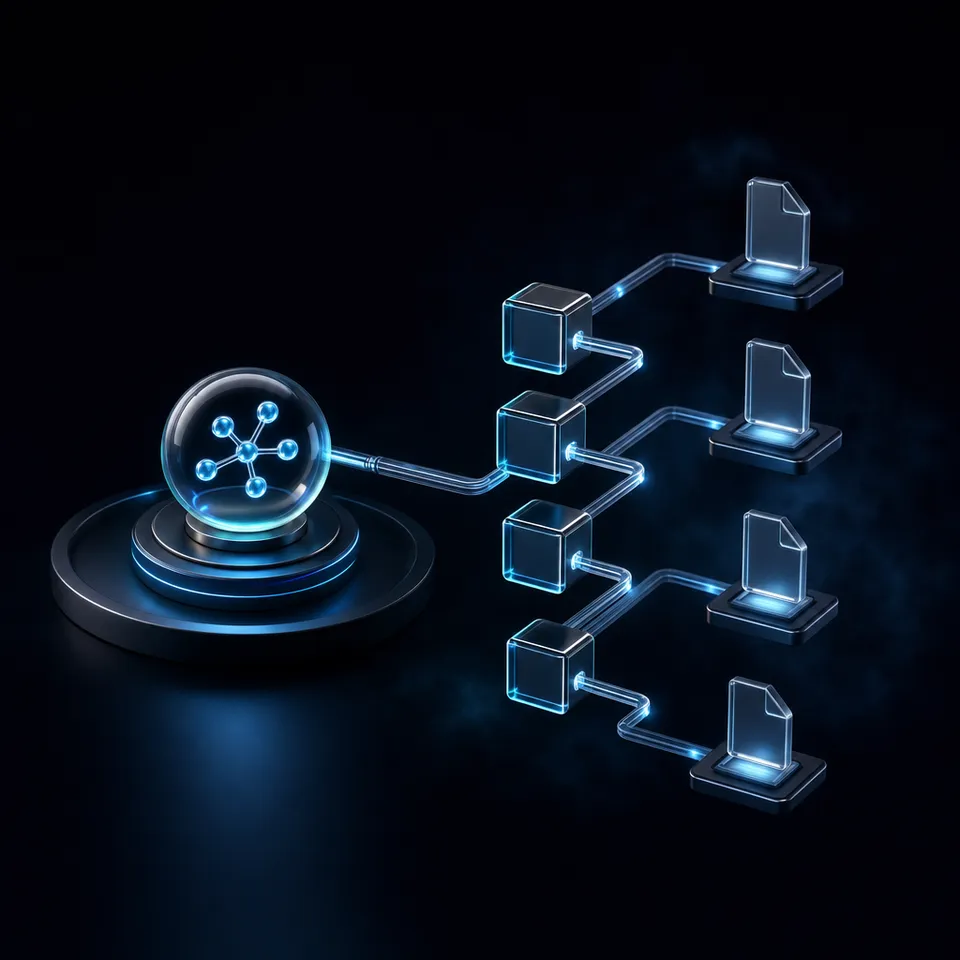
OpenClaw organizes memory into distinct tiers, each serving a different recall pattern:
- Bootstrap files (MEMORY.md, SOUL.md, AGENTS.md) load into context at every session start
- Daily notes (memory/YYYY-MM-DD.md) capture running context for the current and previous day
- Retrieval index enables semantic search across older memories via memory_search and memory_get
- LLM context window holds the active conversation, with a 200K token ceiling for Claude-backed agents
The challenge is managing these tiers so important information persists without bloating the context window. Files over 20,000 characters get truncated per file, with an aggregate cap of 150,000 characters across all bootstrap files. That means every byte in your bootstrap files needs to earn its place.
Most guides stop at "put stuff in MEMORY.md." This article covers the full system: automatic memory flush before compaction, dreaming consolidation for promoting short-term signals into durable storage, and LanceDB hybrid retrieval for semantic recall at scale.
Related guides
- How to Configure Persistent Memory in Hermes AgentHermes Agent ships with a dual-layer memory system: bounded local files for curated facts and FTS5 full-text search...
- How to Configure Hermes Agent Database Storage for Persistent MemoryImplementing hermes agent database storage for persistent memory requires a structured approach to local SQLite...
- How to Configure OpenClaw Streaming and Response ChunkingOpenClaw ships two independent streaming layers, block streaming and preview streaming, but the docs drop you into a...
- How to Configure OpenClaw Thinking Levels for Better Agent ReasoningOpenClaw ships with eight thinking levels that control how deeply an AI model reasons before responding, but each LLM...
- OpenClaw Examples: Practical Configurations, Skills, and Automation PatternsOpenClaw's ClawHub registry hosts over 44,000 skills, but finding complete, production-ready configurations still means...
- OpenClaw Best Practices for Setup, Security, and Agent ManagementSecurity researchers found over 42,000 OpenClaw Gateway instances exposed on the public internet in early 2026, most...
More on this subject: OpenClaw Setup and Guides (199 guides)
Each Tier's Role in Practice
Understanding each tier's role prevents the most common memory failures, like storing transient data in bootstrap files or expecting daily notes to survive indefinitely without retrieval indexing.
Bootstrap Files
Bootstrap files load into the agent's context at every session start and survive compaction by reloading from disk. The key files are:
- MEMORY.md: Durable facts, learned preferences, and behavioral rules. Keep this under 100 lines. Think of it as your agent's long-term personality and knowledge.
- SOUL.md: Identity and communication style. How the agent introduces itself and interacts.
- AGENTS.md: Operating rules, decision frameworks, and explicit constraints ("never do X").
- USER.md: Your projects, priorities, and working relationships.
The 20K character per-file limit and 150K aggregate limit mean you cannot dump entire documentation sets into bootstrap files. Be selective. If a fact belongs in a reference document, put it there and let retrieval find it.
Daily Notes
The memory/YYYY-MM-DD.md files capture working context for active sessions. OpenClaw automatically loads today's and yesterday's notes at session start. Older daily notes are not injected into context but remain searchable through the retrieval index.
Daily notes receive automatic flush outputs when compaction approaches. They are the safety net that catches context before it disappears.
Retrieval Index
The retrieval layer enables on-demand search across all memory files using two tools:
- memory_search: Combines semantic search (when embeddings are enabled) with keyword matching for hybrid retrieval
- memory_get: Reads specific memory files or line ranges for targeted recall
This layer makes older daily notes and external Markdown collections accessible without consuming bootstrap budget.
Memory Hygiene Practices
A well-maintained memory system follows a regular cadence:
- Daily: Let automatic flush handle working context. The agent writes to today's daily note throughout the session.
- Weekly: Distill recurring patterns from daily logs into MEMORY.md. If you keep telling the agent the same thing, it belongs in a bootstrap file.
- Ongoing: Keep MEMORY.md concise. When it grows past 100 lines, move reference material to the memory directory or external indexed paths.
Add explicit rules to AGENTS.md that shape memory behavior: "Search memory before acting on non-trivial tasks," "Write lasting notes to daily logs when context grows large," and "When corrected, add the correction as a rule to MEMORY.md." These rules give the agent clear guidelines for when to read and write memory rather than relying on its own judgment about what matters.
Run /context list to verify which files load, truncate, or inject properly. This is the fast diagnostic when an agent forgets preferences or ignores instructions that you added to a bootstrap file.

Context Compaction and Automatic Memory Flush
When a session approaches the context window limit, OpenClaw triggers compaction. The full conversation history gets summarized, the message list clears, and the session continues from the summary rather than the detailed record. This is lossy and permanent. Details that existed only in conversation vanish.
The automatic memory flush is the safety mechanism. Before compaction runs, OpenClaw triggers a silent internal turn where the agent is prompted to preserve important context to memory files. The agent writes lasting facts to MEMORY.md and working context to the current daily note.
Configuring the Memory Flush
The default reserve floor of 20K tokens is often insufficient for complex workflows. The VelvetShark Memory Masterclass recommends upgrading to 40K tokens to give the agent more time to save context before compaction triggers.
Key configuration parameters:
- enabled: Turn the automatic flush on or off (default: on)
- softThresholdTokens: How many tokens before the reserve floor to start the flush (default: 4,000)
- reserveTokensFloor: The minimum token reserve that triggers compaction (recommended: 40,000)
Manual Compaction Strategy
Do not wait for automatic compaction. Use manual /compact before overflow, not after. This gives you control over timing and lets you verify what the agent saved before context clears.
A practical three-layer defense:
- Automated flush catches context at the threshold
- Manual discipline saves important facts before task switches
- Strategic /compact triggers compaction at convenient breakpoints rather than mid-task
The core principle: if it is not written to a file, it does not exist after compaction. Instructions given only in conversation will disappear.
Session Pruning vs. Compaction
These are distinct mechanisms that serve different purposes. Compaction rewrites conversation history into a summary. It is lossy and permanent, triggered when context approaches its limit. Pruning trims one of the few tools results per-request. It is lossless and temporary, enabled via cache-ttl mode.
Enable pruning to reduce context bloat from large tool outputs (shell results, file reads, API responses) without destroying conversational context. This extends the useful life of a session before compaction becomes necessary. The combination of pruning for tool results and compaction for conversation history gives you two independent levers for context management.


Persist Your OpenClaw Agent Memory Across Sessions
Back up MEMORY.md, share knowledge bases between agents, and transfer project context to clients. Fastio gives your OpenClaw agents versioned, searchable storage.
Dreaming and Memory Consolidation
Dreaming is OpenClaw's background consolidation process that promotes qualified short-term signals into long-term memory. It runs in three stages:
- Light Sleep: Ingests and stages candidate memories from recent sessions
- REM Sleep: Reflects on candidates, extracts patterns, and scores them
- Deep Sleep: Promotes qualifying entries to MEMORY.md
Not everything gets promoted. Dreaming uses evidence-based scoring with six weighted signals to filter noise from durable knowledge:
- Relevance (0.30 weight): How closely the memory matches the agent's core tasks
- Frequency (0.24): How often the topic appeared across sessions
- Query diversity (0.15): Whether different types of questions triggered the memory
- Recency (0.15): How recently the information was relevant
- Consolidation (0.10): Whether the memory connects to existing long-term knowledge
- Conceptual richness (0.06): How much useful detail the memory contains
Three threshold gates ensure only genuinely valuable entries pass: recall frequency, query diversity, and a minimum composite score. This prevents the common failure mode where agents accumulate thousands of low-value memories that degrade retrieval quality.
Reviewing Dream Output
Dreaming outputs appear in DREAMS.md for human review. This file acts as a transparent audit trail showing what the agent considered worth remembering and why. You can edit DREAMS.md to correct mischaracterizations or remove entries before they propagate to MEMORY.md.
Grounded Backfill
For agents with extensive daily note history, grounded backfill replays historical notes to identify durable candidates without directly editing MEMORY.md. This is useful when onboarding an existing agent to the dreaming system or recovering from a corrupted MEMORY.md.

LanceDB Hybrid Retrieval Setup
The built-in memory-lancedb plugin stores long-term memory in a local vector database using embeddings for semantic recall. It provides three agent tools: memory_recall, memory_store, and memory_forget.
Supported embedding providers include OpenAI (text-embedding-3-small, text-embedding-3-large), Ollama for local inference, GitHub Copilot, and any OpenAI-compatible endpoint. Storage defaults to ~/.openclaw/memory/lancedb but supports S3 and other backends.
Key configuration parameters:
- recallMaxChars: Maximum characters per embedding query (default: 1,000, range: 100 to 10,000)
- captureMaxChars: Response length threshold for automatic capture (default: 500)
Upgrading to Hybrid Retrieval
The community-maintained memory-lancedb-pro plugin adds capabilities absent from the standard plugin. It combines vector search (semantic similarity via cosine distance) with BM25 full-text search for exact keyword matching. Results undergo hybrid fusion where vector scores serve as the baseline and BM25 hits receive weighted boosts.
Cross-encoder reranking further refines results using a scoring formula of 60% cross-encoder plus 40% original fused score. Supported reranking providers include Jina, SiliconFlow (which offers a free tier), Voyage AI, and Pinecone.
Default retrieval weights are 0.7 for vector search and 0.3 for BM25, configurable per deployment. The plugin also adds recency boost with Weibull decay modeling, length normalization, and MMR diversity filtering to prevent redundant results.
Choosing Between Standard and Pro
The standard memory-lancedb plugin works well for single-agent setups with moderate memory volumes. Switch to memory-lancedb-pro when you need:
- Exact keyword recall alongside semantic search (BM25 hybrid)
- Cross-encoder reranking for higher precision in large memory stores
- Time decay modeling where recent memories should rank higher
- Multi-scope isolation for access control across agent teams
Both plugins require CPUs with AVX/AVX2 instruction support due to LanceDB's native vector engine.
Alternative Memory Backends
LanceDB is not the only option. OpenClaw supports several memory backends depending on your deployment needs:
- Builtin (SQLite): The default backend. Zero configuration, local-first, and sufficient for most single-agent workflows. No embedding setup required for basic keyword search.
- QMD (Query Markdown Documents): A local-first sidecar that indexes Markdown collections. Useful for searching Obsidian vaults, past session transcripts, and documentation sets alongside agent memory.
- Honcho: An AI-native cross-session memory backend designed for multi-agent architectures. Handles session isolation and shared memory across agent teams.
- Wiki: A wiki-style backend for collaborative knowledge management.
You can also extend retrieval without changing backends by adding extraPaths to your configuration. This indexes external Markdown collections (project documentation, team wikis, reference material) alongside agent memory, making them searchable through the same memory_search interface.

Storing Agent Memory in Fastio Workspaces
OpenClaw's file-based memory system means agent knowledge lives as Markdown files on disk. For production deployments, that raises practical questions: where do you back up memory files, how do multiple agents share knowledge, and what happens when an agent hands off work to a human?
Local filesystems work for single-developer setups, but they create problems at scale. Memory files are not versioned by default. There is no access control between agents. And when an agent finishes a project, transferring the accumulated knowledge to a client or teammate requires manual file copying.
Fastio workspaces solve these problems with versioned, permission-controlled cloud storage that agents access through the MCP server. An agent writes memory snapshots, daily notes, and consolidated knowledge to a shared workspace. Teammates and clients access the same files through the web UI or API.
The workflow fits naturally into OpenClaw's existing memory architecture:
- Bootstrap file backups: Version MEMORY.md and AGENTS.md in a Fastio workspace for recovery after corruption or accidental overwrites
- Shared knowledge bases: Multiple agents reading from the same workspace can access a common memory index, using advisory file locks to signal in-flight edits on shared memory files while automatic version history preserves every write
- Ownership transfer: An agent builds a knowledge workspace during a project, then transfers ownership to the client while retaining admin access for future sessions
- Audit trail: Fastio's audit logs track every file change, creating a transparent record of what the agent remembered and when
Enable Intelligence Mode on the workspace and uploaded memory files become searchable by meaning. This creates a second retrieval layer alongside OpenClaw's built-in memory_search, useful when agents need to query knowledge bases that other agents or humans maintain.
A 14-day Business Trial (card required) lets you evaluate shared workspaces, automated version history, and semantic search for agent memory.
Sources
References used to verify factual claims in this guide.
-
Files over 20K characters are truncated per file with an aggregate cap of 150K characters across bootstrap files
-
Dreaming scoring uses six weighted signals: Relevance (0.30), Frequency (0.24), Query diversity (0.15), Recency (0.15), Consolidation (0.10), Conceptual richness (0.06)
-
memory-lancedb-pro adds hybrid retrieval with Vector + BM25 and cross-encoder reranking at 60%/40% scoring split
Frequently Asked Questions
How does OpenClaw remember things between sessions?
OpenClaw uses file-based memory stored as Markdown. Bootstrap files like MEMORY.md load into context at every session start. Daily notes from the current and previous day auto-load as well. Older memories are accessible through the retrieval index using memory_search and memory_get tools. There is no hidden state: the model only remembers what has been written to disk.
What is OpenClaw dreaming?
Dreaming is a background consolidation process that promotes short-term memory signals into long-term storage. It runs in three stages (Light Sleep, REM Sleep, Deep Sleep) and uses six weighted scoring signals to filter noise from durable knowledge. Qualifying entries get written to MEMORY.md. Dream output appears in DREAMS.md for human review before propagation.
How do I set up LanceDB memory for OpenClaw?
Enable the memory-lancedb plugin by setting plugins.slots.memory to memory-lancedb in your OpenClaw configuration. Configure an embedding provider (OpenAI, Ollama, or any OpenAI-compatible endpoint) and set recallMaxChars and captureMaxChars to control retrieval behavior. For hybrid retrieval with BM25 keyword search, install the community memory-lancedb-pro plugin instead.
What is the difference between OpenClaw memory and context?
Context is the active conversation window (up to 200K tokens for Claude-backed agents) that gets cleared during compaction. Memory is persistent data stored in Markdown files on disk that survives across sessions. Bootstrap files reload into context at session start, while older memories are accessible through retrieval tools. Context is temporary; memory is durable.
What happens when OpenClaw runs out of context space?
OpenClaw triggers compaction, which summarizes the conversation history and clears the message list. Before compaction runs, an automatic memory flush prompts the agent to save important context to disk. The session continues from the summary. Any information that was only in the conversation and not saved to a file is permanently lost.
How large can OpenClaw bootstrap files be?
Individual bootstrap files are truncated at 20,000 characters. The aggregate limit across all bootstrap files is 150,000 characters. Keep MEMORY.md under 100 lines and store reference material in the memory directory or external indexed paths instead of bootstrap files.
Related Resources

Persist Your OpenClaw Agent Memory Across Sessions
Back up MEMORY.md, share knowledge bases between agents, and transfer project context to clients. Fastio gives your OpenClaw agents versioned, searchable storage.