How to Manage BOM Files in Manufacturing: Best Practices
Managing BOM files in manufacturing keeps bills of materials organized for accurate procurement and assembly. Errors lead to production delays, scrap parts, and extra costs. This guide shares practical tips for BOM structure, sharing, and team collaboration to keep manufacturing teams efficient. Check out checklists, workflows, and tools for cloud workspaces.

What Is BOM File Management?
A Bill of Materials (BOM) lists all parts, quantities, and assemblies needed to build a product. In manufacturing, BOM file management means organizing, versioning, and sharing these lists across design, procurement, production, and supply chain teams.
BOMs come from CAD or ERP systems but often end up as spreadsheets, CSVs, or XML files for sharing. Good management ensures everyone uses the latest version. Changes update without mixups.
Poor handling causes mismatches between design and build. Teams waste time chasing updates. Procurement orders wrong parts.
Helpful references: Fastio Workspaces, Fastio Collaboration, and Fastio AI.

Related guides
- How to Set Up Supply Chain File Collaboration in ManufacturingSupply chain file collaboration in manufacturing involves sharing documents with suppliers, vendors, and teams to speed...
- How to Collaborate on Industrial Design Files for Manufacturing TeamsIndustrial design file collaboration manufacturing bridges creative ideation and manufacturable prototypes through...
- How to Build Supplier Portals for Manufacturing File ExchangeManufacturing supplier portals let companies securely share CAD drawings, BOMs, quality docs, and specs for...
- How to Share Production Workflow Files in ManufacturingProduction workflow file sharing in manufacturing gives planners, operators, and inspectors the latest CAD drawings,...
- How to Improve Manufacturing Quality Control File ReviewQC file review platforms help manufacturing teams digitize inspections. They share reports securely and work together...
- How to Simplify Engineering Drawing Reviews in ManufacturingEngineering drawing review in manufacturing checks designs for production readiness. Engineers, shop floor workers, and...
More on this subject: Manufacturing (15 guides)
Challenges in BOM File Management
Manufacturing teams often struggle with version chaos from emailed Excel files. Suppliers receive outdated copies, leading to production shortages on fasteners or wrong specs.
BOMs for complex assemblies can run thousands of lines long. Manual edits introduce typos, and without version history, changes get lost easily.
Sharing files with vendors carries leak risks, as basic drives offer few controls. Proving compliance through access tracking is difficult.
These issues slow down production and drive up costs. BOM errors are a leading cause of production delays. Arena Solutions reports that digital BOMs improve accuracy. Teams need a central spot to store and share BOM files. This links PLM/ERP workflows with organized sharing and version control.



Improve BOM Management Today
Secure workspaces for manufacturing teams with vendor sharing and audit logs. Built for manufacturing BOM file management workflows.
BOM File Structure Checklist
Use this checklist for reliable BOM files. Follow it to avoid common errors and improve search visibility.
- Header Info: Product name, revision, date, owner.
- Part Columns: Part number, description, quantity, unit, supplier, cost.
- Hierarchy Levels: Assembly > subassembly > component.
- Reference Designators: For PCBs or wiring.
- Standards: Use IPC or Excel templates.
- Validation: Formulas check totals, unique IDs.
- Formats: CSV for import, PDF for review.
Set up files this way before sharing. It cuts errors later. For complex products, use multi-level BOMs where assemblies reference sub-BOMs via part numbers. Maintain unique IDs across the organization to prevent duplicates. Regularly test imports into ERP systems like SAP for compatibility. Include alternate parts columns for supply chain resilience. This approach supports automation and reduces procurement errors by standardizing data.

Best Practices for Team BOM Collaboration
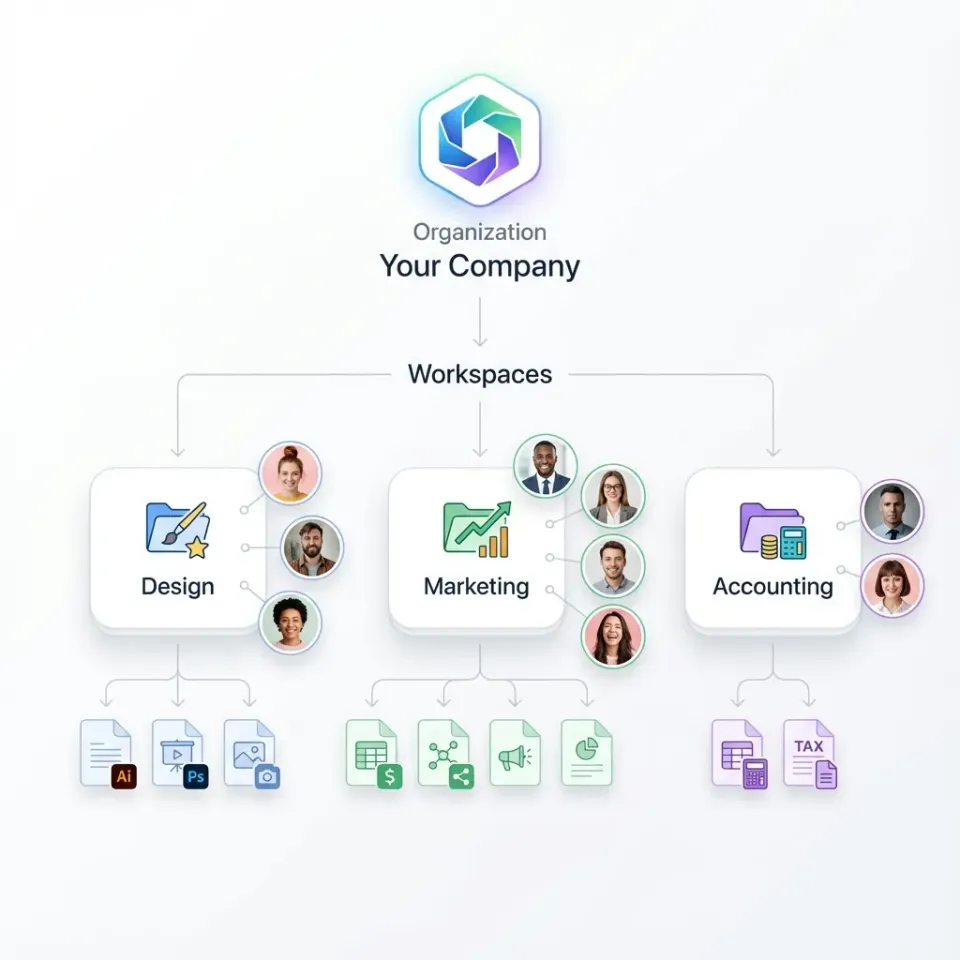
Keep BOMs in shared workspaces, one per product line. Assign clear roles: edit access to designers, view access to procurement, read-only for production.
Turn on versioning to track every change, who made it, and why. Teams can add comments right on rows for questions.
Link to PLM systems for automated exports when possible, but use cloud workspaces for daily tasks. Run weekly reviews before production starts, using previews to spot issues fast.
Train your team on the workflow and keep docs in the workspace, like a README with the checklist, change process, and contacts. Schedule monthly audits. Teams report fewer version conflicts and quicker onboarding. Handle substitutions through row comments, not email. Export latest BOM weekly for CAD.
Secure BOM Sharing with Suppliers
External shares need controls. Create branded portals for vendors. Password protect, set expirations, block downloads if needed.
Domain restrict to company emails. Track views and downloads in logs.
Put quality docs in the same folder. Suppliers confirm receipt.
This setup supports supply chain safely. Send a branded link to their folder with BOM, specs, drawings. View-only with limits. Match expirations to POs. Logs confirm review for audits. Pair with NDAs. Builds reliable partners while protecting designs.
One contract manufacturer set up view-only folders per supplier -- BOM, inspection specs, and the active PO in one place, password-protected with a comment thread for receipt confirmation. That comment becomes the audit evidence for ISO 9001. The thing that bit them early: links expiring before the PO closed. Supplier emails asking for re-access mid-production create gaps in the access log and slow things down. Tying the expiration date to the delivery window plus two weeks fixed it. The volume of "can you resend that?" emails dropped off noticeably once suppliers knew where to find everything.

Using Fastio Workspaces for BOM Management
Fastio offers shared workspaces for manufacturing teams. Set up by product line, folders for revisions and suppliers. Permissions match needs: engineers edit, procurement view/comment, production read-only. Secure vendor shares. Logs record access. Org-owned files stay if staff leaves. Browser previews for large BOMs, no extra software. Vendors collaborate via branded links, no seat costs. Real-time presence cuts communication lags.
Here's how one electronics team does it: one workspace per product family, engineers export the BOM table from SolidWorks as a CSV on every revision, drop it in, and procurement comments substitutions directly on the file. No separate email thread. The gotcha to check before committing to this: your CSV column headers need to match exactly what your ERP expects on import. SAP and NetSuite both have specific field name requirements. Find that out before you build the whole workflow around a format that needs manual reformatting every time. Teams that sort this out upfront tend to see BOM-related production snags drop off significantly after the first full launch cycle.
Step-by-Step BOM Workflow Setup
Follow this workflow to set up BOM management:
Create dedicated workspace: Name it after the product, e.g., 'WidgetX-BOM-Mgmt'. This is your main BOM spot.
Upload initial BOM: Export from CAD or ERP as Excel/CSV. Check sums and IDs with formulas.
Organize folders: 'Current/', 'Revisions/', 'Suppliers/', 'Supporting-Docs/'. Set permission inheritance.
Invite and assign roles: Engineers edit, procurement view/comment, production read-only. Doc roles in README.
Create supplier shares: Password-protected, expiring links to folders. Put in POs.
Set up monitoring: Weekly activity review. Notify on big changes.
Archiving: Monthly move stables to 'Archive/' like 'v1.2-Approved-2026-03'.
Test on one line first. Track errors and times for improvements.
Frequently Asked Questions
How to manage BOM files in manufacturing?
Centralize in cloud workspaces with version control, permissions, audit logs. Checklists for structure, secure shares for teams/vendors.
What are the best BOM collaboration tools?
Tools like Fastio with workspaces, real-time view, comments, secure external sharing. Skip email or basic drives for manufacturing.
What format should BOM files use?
CSV/Excel for edits, PDF reviews. Include hierarchy, quantities, suppliers. Check totals/IDs.
How to avoid BOM errors?
Versioning, reviews, links to design tools. Central storage stops version hunts.
Can vendors access BOMs securely?
Yes, password links, expirations, view-only, logs. No accounts.
What features help BOM accuracy?
Audit trails, comments, previews, role access. Org-owned files avoid loss.
Related Resources

Improve BOM Management Today
Secure workspaces for manufacturing teams with vendor sharing and audit logs. Built for manufacturing BOM file management workflows.