How to Set Up an HOA Document Portal for Board Members and Homeowners
An HOA document portal is a secure online hub where homeowners associations share governing documents, meeting minutes, financial reports, and violation notices with residents and board members. This guide covers which documents to include, how to structure access for different roles, and how to pick the right platform for your community.

What Is an HOA Document Portal?
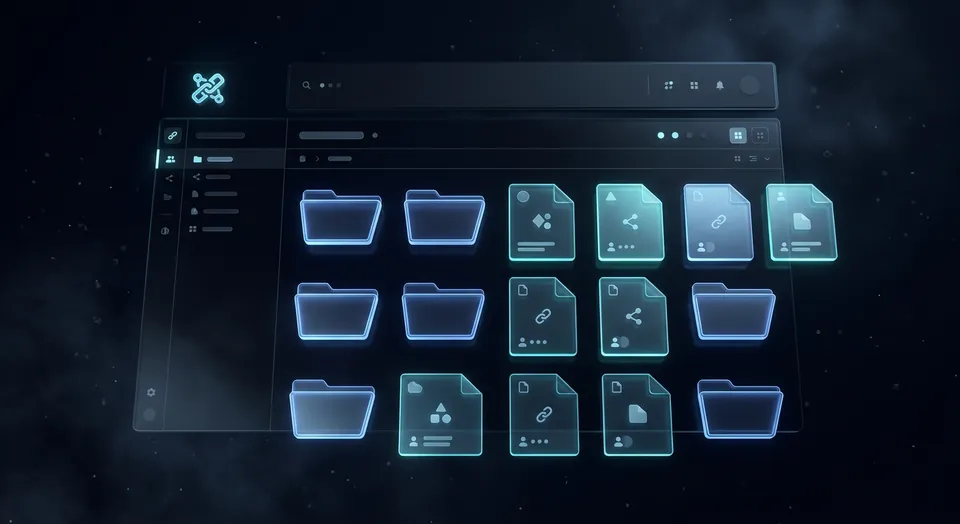
An HOA document portal is a centralized online space where a homeowners association stores and shares its governing documents, financial records, meeting minutes, and community notices. Instead of homeowners emailing the board or visiting an office to request copies, they log into the portal and find what they need on their own.
This solves a real problem. According to the Foundation for Community Association Research, roughly 373,000 community associations operate in the United States, serving over 77 million residents. Most of those associations still rely on email attachments, physical binders, or basic websites to distribute documents. When a homeowner needs a copy of the CC&Rs before a renovation, or wants to review last quarter's financials before an annual meeting, the process usually involves emailing a board member and waiting.
A document portal eliminates that back-and-forth. The board uploads documents once, sets permissions for who can see what, and homeowners access everything through a browser. Board members stop fielding document requests. Homeowners stop waiting for responses. And the association has a clear record of what was shared and when.
The difference between an HOA portal and a generic shared drive is access control. Board members need to see draft budgets and legal correspondence that homeowners shouldn't. Committee members need access to their specific files without seeing unrelated board materials. A proper portal handles these distinctions without the board manually managing permissions for every request.
Related guides
- How to Create an Upload Portal for ClientsAn upload portal is a dedicated web page where clients send files directly to your organization without needing an...
- How to Set Up File Sharing for Business Without the HeadachesBusiness file sharing is how organizations get files to the right people, inside and outside the company. Most tools...
- How to Choose an Enterprise File Sharing Solution That Actually WorksEnterprises share 2.5 billion files per day, yet 60% of data breaches involve file sharing gone wrong. This guide...
- How to Share Files TemporarilyTemporary file sharing creates time-limited access to files that automatically expires after a set period. This...
- How to Set Up a Client File Sharing Portal That Actually Gets UsedA client file sharing portal is a secure, branded digital space where businesses share files with clients, collect...
- How to Build a Franchise Document Portal That Keeps Every Location CompliantA franchise document portal centralizes the distribution of operations manuals, franchise disclosure documents,...
More on this subject: File Sharing (155 guides)
Essential Documents Every HOA Portal Should Include
Every HOA generates a specific set of documents that homeowners have a legal right to access. Most state statutes require associations to make governing documents available upon request, and many now require electronic access. Here's what belongs in your portal.
Governing Documents
- Declaration of Covenants, Conditions, and Restrictions (CC&Rs)
- Association bylaws
- Articles of incorporation
- Rules and regulations
- Architectural review committee (ARC) guidelines and application forms
- Amendments to any of the above
Financial Records
- Annual operating budget
- Reserve study and reserve fund balance
- Year-end financial statements (audited or reviewed)
- Monthly or quarterly financial reports
- Assessment schedules and special assessment notices
- Accounts receivable aging reports (redacted for privacy)
Meeting Records
- Board meeting agendas and minutes
- Annual meeting agendas and minutes
- Committee meeting minutes
- Voting records and election results
- Proxy forms and ballot templates
Community Management
- Violation notice templates and appeal procedures
- Maintenance request forms
- Vendor contracts and insurance certificates
- Community maps, plat maps, and common area diagrams
- Emergency contact lists and disaster preparedness plans
- Pool, clubhouse, and amenity reservation policies
Legal and Insurance
- Current insurance policies (general liability, D&O, fidelity bond)
- Pending litigation disclosures (as required by state law)
- Collection policies and lien procedures
- Dispute resolution procedures
Organizing these into clear categories with plain-language folder names matters more than most boards realize. "2026 Budget" is better than "FY26_OpBudget_v3_FINAL_revised.pdf." Homeowners shouldn't need to decode file names to find what they're looking.

How Homeowners Currently Access HOA Documents (and Why It Fails)
Most associations distribute documents through one of four channels, and each has problems.
Email attachments. The board secretary emails documents to the membership list. Large files bounce. New homeowners miss older distributions. Nobody can find the email six months later. The board has no way to confirm who actually received the documents.
Physical copies. Some associations still keep binders at a management company office or community clubhouse. Homeowners must visit during business hours to review them. Copying fees add friction. And the binders are often incomplete or outdated.
Basic websites. A static HOA website with a "Documents" page is better than email, but most lack access controls. Either everything is public (including financials that should be restricted) or nothing is online. Version control is manual, so outdated documents linger alongside current ones.
Property management software. Platforms like AppFolio, Buildium, and TownSq bundle document storage with accounting, maintenance tracking, and communication tools. They solve the access problem, but they cost $1 to $3 per unit per month and lock the association into a full management platform when the real need is just document access. For self-managed HOAs, that's overhead that doesn't make sense.
The common thread is that none of these approaches give homeowners reliable, self-service access to current documents while also giving the board control over what's visible to whom. That's the gap a dedicated document portal fills.


Give Your Homeowners a Better Way to Access HOA Documents
Set up a branded document portal with folder-level permissions, guest access, and built-in document search. Plans start at $9.99/mo with 250 GB storage. Built for hoa document portal workflows.
How to Structure Your HOA Document Portal
The biggest structural decision is how to separate access between board members, committee members, and general homeowners. Most HOAs need three permission tiers.
Tier 1: Public/Homeowner Access
Every homeowner in the association gets access to this tier. It includes governing documents (CC&Rs, bylaws, rules), approved meeting minutes, the current budget, reserve study, and community forms. This is the self-service layer that eliminates most document requests.
Tier 2: Committee Access
Committee members need access to their specific working documents. The ARC committee needs submitted applications and review templates. The landscape committee needs vendor bids and maintenance schedules. Each committee gets a folder they can access without seeing other committees' files.
Tier 3: Board-Only Access
Draft budgets, legal correspondence, collection matters, personnel files for employees, and executive session minutes stay restricted to board members. This tier should also include documents under attorney-client privilege.
Within each tier, organize by document type rather than by date. A homeowner looking for the CC&Rs wants to navigate to "Governing Documents" and find the current version, not scroll through a chronological feed of everything the board has ever uploaded.
Version control matters. When the board amends the rules, the current version should replace the old one in the main folder. Keep an archive subfolder for superseded documents so there's a historical record, but make the current version the default.
Naming conventions. Use plain language and include dates in file names. "Board Meeting Minutes - March 2026.pdf" is instantly clear. "BMM_0326_draft_v2_approved_FINAL.pdf" is not. Pick a convention and document it so every board member who uploads files follows the same pattern.
Platforms like Fastio handle this structure well because workspaces support granular folder-level permissions. You create one workspace for the HOA, set up folders for each access tier, and assign permissions so homeowners see their layer while board members see everything. The Content Portals feature adds branding with your community's logo and colors, which helps homeowners recognize the portal as an official association resource.

Choosing a Platform for Your HOA Document Portal
Not every HOA needs a full management platform. If your main problem is document access, here are the categories worth evaluating.
Full HOA management platforms like AppFolio, Buildium, and TownSq bundle document storage with accounting, dues collection, maintenance tracking, and communication. They're well-suited for large communities with professional management companies. The tradeoff is cost and complexity. Pricing typically starts at $1 to $3 per unit per month, and smaller self-managed HOAs often pay for features they never use.
Generic cloud storage services like Google Drive, Dropbox, and OneDrive are inexpensive and familiar. The limitation is access control. Sharing a Google Drive folder gives everyone the same level of access unless you manually manage individual sharing permissions for every subfolder. That's manageable for a 20-unit condo association but breaks down at scale. There's also no branding, no portal experience, and no way for homeowners to interact with documents without a Google account.
Dedicated document portal platforms sit between those extremes. They provide the folder structure, permissions, and branded access that HOAs need without the accounting and maintenance modules that inflate cost.
Fastio fits this middle category. You set up a workspace for your HOA, organize documents into folders with the appropriate permissions, and create a branded Content Portal that homeowners access through a link. The portal supports custom logos, colors, and guest access without requiring homeowners to create an account. Password protection adds a layer of security for sensitive materials. And once Intelligence is enabled for the workspace, homeowners can search across all portal documents by meaning, not just file names. A homeowner who searches "what are the rules about fences" gets relevant results even if the word "fence" only appears inside the ARC guidelines PDF.
Other platforms worth evaluating include Boardable (designed for nonprofit and association boards), BoardBookit, and dedicated HOA website providers like HOA Express that include basic document hosting.
What to look for in any platform:
- Folder-level permissions (not just all-or-nothing sharing)
- Guest access without requiring account creation
- Branding options so homeowners recognize the portal
- Search that works inside documents, not just file names
- Audit trail showing who accessed what and when
- Version history so superseded documents are preserved
- Reasonable cost for the association's size and budget
Maintaining Your Portal After Launch
Setting up the portal is the easy part. Keeping it current is where most associations fall short. A portal with outdated documents is worse than no portal at all because homeowners assume what they find there is accurate.
Assign document ownership. Every document category should have a named person responsible for keeping it current. The treasurer owns financial reports. The secretary owns meeting minutes. The ARC chair owns architectural guidelines. When responsibility is diffuse, updates don't happen.
Set a review schedule. Review portal contents quarterly at minimum. After every board meeting, upload approved minutes within two weeks. After budget approval, replace the prior year's budget with the current one. After any rule amendment, update the governing documents folder immediately.
Communicate the portal to homeowners. Add the portal link to every official communication: meeting notices, assessment invoices, welcome packets for new owners, and the association's website. The portal only reduces document requests if homeowners know it exists. Include a brief FAQ explaining how to log in, where to find specific documents, and who to contact if something is missing.
Audit access quarterly. When board members rotate off, remove their elevated access. When new homeowners close on a property, add them. If your platform supports auto-expiring access links, use them for time-sensitive documents like proxy forms that are only relevant during election season.
Handle sensitive documents carefully. Some states, like California under the Davis-Stirling Act, require associations to redact member personal information from certain records before providing access. Financial records should never include individual homeowner payment details visible to other homeowners. Review your state's HOA disclosure laws with legal counsel and configure your portal's permissions accordingly.
A well-maintained portal becomes the association's institutional memory. Board members turn over, management companies change, but the portal preserves the complete document history of the community.
Sources
References used to verify factual claims in this guide.
-
Roughly 373,000 community associations operate in the United States Over 77 million residents live in HOA-governed communities
Frequently Asked Questions
What documents should an HOA make available online?
At minimum, CC&Rs, bylaws, rules and regulations, meeting minutes, annual budgets, reserve studies, and ARC application forms. Most states require associations to provide these upon request, and an online portal makes access instant without board involvement.
How do HOA boards share documents with homeowners?
Common methods include email attachments, physical binders at an office, static websites, and management platform portals. A dedicated document portal is the most effective approach because it provides organized, self-service access with appropriate permission levels for different roles.
What is the best document portal for HOA management?
It depends on your association's size and budget. Large communities with professional management often use AppFolio or Buildium. Smaller self-managed HOAs benefit from dedicated portal platforms like Fastio that provide branded access, folder permissions, and document search without the cost of a full management suite.
Does an HOA have to provide documents to homeowners?
Yes, in most states. HOA members generally have the right to inspect and copy association records including financial statements, meeting minutes, and governing documents. Specific requirements vary by state. California's Davis-Stirling Act and similar statutes in other states outline exactly which records must be available and any limitations on access.
How much does an HOA document portal cost?
Full management platforms cost $1 to $3 per unit per month. Generic cloud storage is inexpensive but lacks proper access controls and branding. Dedicated portal platforms vary; for example, Fast.io offers straightforward plans starting at $9.99 per month with 250 GB of storage and a 14-day Business Trial, providing branded portals and access controls.
Can homeowners access HOA documents without creating an account?
On most portal platforms, yes. Guest access features let homeowners view and download documents through a shared link without registering for an account. This reduces friction and increases adoption, especially for less tech-savvy residents.
Related Resources

Give Your Homeowners a Better Way to Access HOA Documents
Set up a branded document portal with folder-level permissions, guest access, and built-in document search. Plans start at $9.99/mo with 250 GB storage. Built for hoa document portal workflows.