How to Automate High-Volume AI Video Review via API
High-volume AI video review APIs help developers submit and analyze video assets generated by AI models at scale. As startups begin producing thousands of clips per day, manual review has become a major bottleneck for growth. This guide explains how to move from frame-by-frame QA to automated review workflows that can handle entire libraries in seconds.

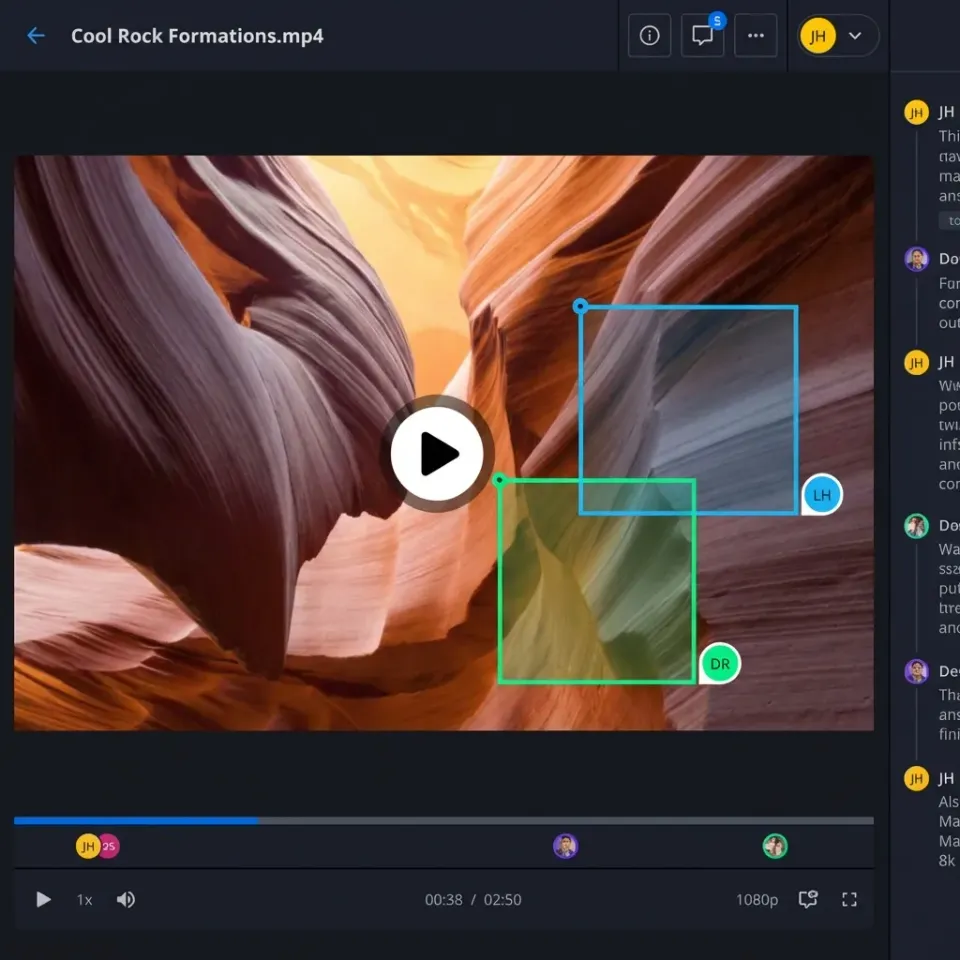
What is a High-Volume AI Video Review API?
A high-volume AI video review API is a tool for verifying large amounts of video content for quality, safety, and brand compliance. Reviewing video by hand doesn't work when you're producing thousands of clips. These APIs use multimodal models to analyze footage in seconds rather than hours. Modern APIs go beyond simple object detection. They use low-latency reasoning to understand what's actually happening in a scene.
Teams working with generative tools like Sora or Runway use these APIs to approve clips automatically. The system looks at the relationship between visuals, audio, and text rather than just checking frames. This helps catch subtle errors that simpler tools miss, such as a mismatched soundtrack or a brief flickering glitch.
A modern API can spot a brand safety violation in under multiple milliseconds. When you're producing video at this speed, automation is the only realistic way to keep quality high without hiring an army of moderators. This lets your creative team focus on making content while the API handles the repetitive QA work.
Helpful references for building these systems include Fastio Workspaces, Fastio Collaboration, and Fastio AI.
Related guides
- How to Build Branded Stakeholder Portals for Video Review and ApprovalStakeholder video approval portals are secure, white-labeled web environments where clients and executives can review...
- How to Clean Video Metadata and Remove PII for AI Model TrainingGuide to video metadata cleaning: Video datasets for AI model training often contain hidden personal information and...
- Video Editing Storage Solutions: Best Options for EditorsVideo editing storage solutions are specialized systems designed to handle the massive bandwidth and file sizes...
- How to Review and Share Film Dailies During ProductionManaging terabytes of raw footage daily is one of the biggest logistical challenges in film production.
- How to Set Up Identity-Locked Character Asset Management for AI VideoIdentity-locked character asset management is the secure storage and retrieval of the digital DNA, including models,...
- Best Iconik Alternatives for Video Teams in 2026Iconik is a powerful hybrid cloud media management hub, but its complexity and pricing don't fit every video team. This...
More on this subject: Video and Media Production (36 guides)
The Scale Gap: Why Manual Review Fails at 5,000 Clips per Day
The main reason to switch to an API is the gap between what humans can handle and what machines can process. Manual review typically takes five to ten minutes per clip once you include quality checks, tagging, and approval decisions. While a team can manage a few dozen videos a week manually, managing five thousand is physically impossible without hiring hundreds of people.
According to industry data from Twelve Labs, AI analysis tools can process video over 100 times faster than manual review. A person is limited by the real-time playback speed of the video file. High-performance APIs work differently. They can scan thousands of frames per second, allowing a startup to review a whole day of production in the time it takes a human to watch a single social media ad. This speed doesn't just save time; it changes the entire math behind video production.
When review costs drop from roughly $multiple.multiple per minute for human QA to just $multiple.multiple per minute via API, the investment pays for itself almost immediately. This allows startups to run programmatic A/B testing where they generate hundreds of variations of a video and use an API to filter for only the top three percent that meet strict brand guidelines. The API serves as a fast gatekeeper, making sure only the best clips ever reach your audience.
Core Features of a High-Volume Video Review API
Handling the flood of generative video in 2026 requires more than just identifying objects in a frame. Developers should look for a few key features that define a high-performance system. These features allow your pipeline to manage complex video without a human needing to watch every second.
- Multimodal Analysis: The API should analyze frames, audio, and text in one pass to ensure all elements match.
- Semantic Understanding: The system must understand context, such as a dog running on a beach at sunset, rather than just identifying a list of objects like "dog" and "beach."
- Shot Change Detection: Finding transitions is key to keeping consistency between different scenes in a compiled video.
- Low-Latency Throughput: Your infrastructure needs to handle thousands of requests at once during peak production runs without timing out.
- Custom Classifiers: Training the API on your specific style guides ensures every clip stays on-brand and follows your aesthetic.
These features allow for exception-based workflows. Humans only step in when the API reports a low confidence score or flags a complex ambiguity. This reduces the human workload by over multiple percent in most production environments.



Scale Your Video Review Pipeline with Fastio
Stop wasting hours on manual QA and start automating your workflow. Connect Fastio's consolidated MCP toolset to build a reliable, high-volume video review system. Built for high volume video review api workflows.
Architectural Patterns: Batch, Streaming, and Agentic Workflows
There are three ways to implement an automated review pipeline. The choice depends on your production speed and what your application needs. Most teams start with batch processing and move toward agentic systems as they scale up.
Batch Processing Patterns Batch processing is standard for startups that generate content in large runs. For example, a marketing agency might generate multiple personalized videos overnight. These files are stored in a centralized workspace, and a script calls the review API to process the folder. Fastio is useful here because your generation engine and the review API both interact with the same workspace. This cuts out the need to move massive files between buckets, saving you money and reducing lag.
Real-Time Streaming Patterns Streaming review is used for live moderation or interactive apps where the video must be checked as it renders. This requires sub-second latency and is usually more expensive. Developers use this for platforms where user content must be approved before it goes public.
Agentic Workflows More advanced teams use AI agents to run the whole show. Instead of writing custom glue code, you deploy an agent that monitors a workspace for new uploads. When a file arrives, the agent calls the review API, parses the JSON results, and decides where to move the file. If the video passes, the agent can automatically transfer ownership to the client. If it fails, the agent can trigger a re-generation or notify an editor.

Metadata Management: Turning Review Data into Actionable Insights
One thing people often overlook is what happens to the data the API sends back. Each API call generates metadata like timestamps, confidence scores, and content tags. When you process multiple videos a day, you need a way to organize and search that data.
A successful setup involves attaching the API results directly to the file as metadata. This lets your team search the whole library for specific content without having to re-process everything. For instance, you could query your workspace for all videos that feature a "sunset" with a confidence score higher than multiple percent. It turns a massive pile of files into a structured, searchable database.
In multiple, many teams use Intelligence Mode in their workspaces to auto-index these results. This allows the built-in RAG system to answer questions about the video library. You can ask, "Which of our latest social ads had the highest visual quality score?" and get an answer backed by the review API's data. This insight is only possible when metadata is a priority in your pipeline.
Scaling with AI Agents and a Consolidated MCP Toolset
Advanced teams use the Model Context Protocol (MCP) to bridge the gap between storage and review logic. Fastio offers a consolidated MCP toolset that lets agents handle files just like a human would, but at computer speeds. This allows the agent to perform complex operations beyond simple uploading.
An agent can acquire an advisory file lock using the storage tool's lock-acquire action to signal that a video is under review, renew it with heartbeats, and release it when complete. Concurrent processes attempting to acquire the lock receive HTTP 409 and can wait, while version history preserves every write regardless. Once the review API returns results, the agent updates file status and, if approved, can use the ownership transfer feature to hand the organization to a client via a claim link.
This is a great approach for startups that are growing fast. Fastio offers a 14-day Business Trial (card required; see /pricing/). It gives you an environment to test different APIs until you find the one that fits your workflow.
Overcoming Engineering Challenges: Latency and "AI Slop"
Scaling up your pipeline brings a set of challenges you won't see in smaller setups. The first is latency. When processing thousands of files, even a one-second delay per file adds up to hours of lag. To solve this, developers use asynchronous processing where the review request is sent and the system waits for a webhook notification.
The second challenge is AI slop. This refers to low-quality or nonsensical content from poorly tuned models. Review APIs are increasingly used to detect artifacts like six-fingered hands or gravity-defying objects. By setting high standards for visual quality, you can automatically toss out bad generations before a human ever looks at them.
Finally, handling rate limits is a constant concern. Most APIs limit the number of concurrent requests you can make. A queueing system with retry logic ensures that if an API is overloaded, your pipeline doesn't crash. You can store pending files in a dedicated folder and have your agent work through the queue as capacity allows. This builds a reliable system that can handle sudden spikes in production without losing a single file.
Evidence and Benchmarks for Automated Review
The numbers from 2026 show exactly why everyone is moving toward automation. These benchmarks demonstrate the efficiency gains achieved when moving away from manual QA.
- Processing Throughput: Specialized APIs like Unitary or Hive process over multiple frames per second. That's a huge jump compared to a human, who is stuck at multiple to multiple frames per second.
- Cost Reduction: Moving to automated moderation reduces operational costs by multiple to multiple percent. The cost per minute drops from dollars to cents.
- Production Capacity: Startups using these APIs now generate up to multiple video clips per day. This volume would require over multiple human hours to review manually every day.
- Accuracy Levels: Modern multimodal models achieve between multiple and multiple percent accuracy. This is often more consistent than human reviewers who suffer from fatigue.
For any team producing more than multiple clips a month, the math for an API-first review model is a no-brainer. The speed and cost savings let teams focus on creation instead of hiring more reviewers.
Sources
References used to verify factual claims in this guide.
-
AI analysis tools can process video over 100x faster than manual review
Frequently Asked Questions
How do I automate video review for my startup?
You can automate your review by integrating a video intelligence API into your production pipeline. Use an AI agent to monitor your workspace for new uploads. When a file arrives, the agent sends it to the API for analysis, parses the results, and moves the file to an approved or rejected folder. This removes the manual QA bottleneck.
What is the best API for batch video processing?
The best choice depends on your requirements. AWS Rekognition is a leader for heavy pipelines, while Google Cloud Video Intelligence is good for deep metadata extraction. For semantic understanding and natural language search, specialized providers like Twelve Labs offer more advanced capabilities.
How much faster is AI video review compared to human review?
AI video review is typically 100 times faster than human review. A person must watch video in real-time to check for errors, which is slow and prone to fatigue. An API can process thousands of frames per second, allowing a three-minute video to be analyzed for quality and safety in under a second.
Can AI agents perform video QA?
Yes, AI agents are often used for video QA. By using MCP tools, an agent can retrieve a file from a workspace, call a review API, and coordinate actions using version history, permissions, and the audit log.
How many videos can a high-volume API handle daily?
Most high-volume APIs scale to handle hundreds of thousands of videos per day. Many startups use these systems to process between multiple and multiple clips daily for social media or marketing workflows. The system scales automatically as your production volume grows.
What is multimodal video analysis?
Multimodal analysis is a technique where the AI examines multiple signals at once, such as visual frames, the audio track, and on-screen text. This allows the API to understand the full context of a scene. For example, it can verify that spoken words match the visual action, which is key for detecting high-quality generative content.
Related Resources

Scale Your Video Review Pipeline with Fastio
Stop wasting hours on manual QA and start automating your workflow. Connect Fastio's consolidated MCP toolset to build a reliable, high-volume video review system. Built for high volume video review api workflows.