Digital Matter Files: Structuring Electronic Client Records for Law Firms
Digital matter files consolidate pleadings, discovery, client communications, work product, and evidence into an organized electronic workspace. Moving from scattered drives and paper binders to a structured matter-centric repository eliminates document retrieval delays and protects sensitive case materials. This operational guide details standard directory schemas, role-based permission hierarchies, media handling, and metadata extraction for law firms.


Why Modern Law Firms Require Digital Matter Files
When a litigation team prepares for an evidentiary hearing, locating the operative pleading or an executed settlement agreement across scattered inboxes, unorganized shared drives, and physical banker boxes is an immediate operational failure. In litigation and transactional legal practice, document fragmentation creates missed filing deadlines, version confusion, and serious confidentiality exposures. The solution is not another generic cloud folder; it is a dedicated, matter-centric electronic workspace where every record associated with a legal engagement lives in one predictable location.
A digital matter file is an organized, secure electronic repository containing all pleadings, correspondence, discovery, work product, and evidence associated with a specific legal matter, replacing physical paper case binders.
For decades, law firms organized casework inside physical redweld accordion binders and color-coded file folders. While physical folders provided a tangible boundary for case materials, they also introduced severe operational liabilities: files could only exist in one physical place at a time, paper documents degraded or went missing, physical storage required expensive real estate, and locating a single contract clause required manual page-by-page review. Early transitions to digital storage frequently replicated these exact problems in electronic form. Without strict governance, attorneys dumped scanned PDFs into personal desktop folders, exchanged draft agreements over unencrypted email attachments, and created duplicate copies across personal cloud accounts.
In civil litigation, unstructured discovery archives present a massive administrative burden. A classic study by the RAND Corporation found that document review typically consumed about 73% of all production costs in eDiscovery. When an electronic matter file is unorganized, litigation teams spend disproportionate billable hours locating and categorizing productions before substantive legal analysis can begin.
A true digital matter file establishes a matter-centric architecture as the fundamental organizing unit of legal operations. Rather than organizing records by individual attorney, file type, or arbitrary department folders, every single document, communication, and piece of evidence belongs to an isolated matter record. Under American Bar Association Model Rules of Professional Conduct, including Rule 1.1 on technological competence and Rule 1.6 on confidentiality, law firms have an ethical obligation to protect client files and maintain competent control over electronic case records. Standardizing on dedicated, matter-centric workspaces gives firms a defensible record of activity, uniform folder hierarchies, and dependable access boundaries across all active matters.
Related guides
- Paralegal Case File Management: Structuring Active Litigation FilesParalegal case file management establishes uniform folder hierarchies, standardized naming conventions, and disciplined...
- Productivity Software for Law Firms: Modern Workspaces and Case File ManagementLegal productivity software organizes case files, client communications, and document extraction across modern law...
- Cloud Storage for Lawyers: Matter Workspaces and Case File ManagementCloud storage for lawyers provides encrypted, remote-accessible digital workspaces configured with matter-level...
- Client Intake Software for Law Firms: Automating Onboarding & Case FilesClient intake software for law firms automates client screening, conflict verification, and case file creation. While...
- How to Evaluate CARET Legal: Features, Pricing, and ReviewsChoosing the right legal case management software requires balancing practice management features against deployment...
- Casepoint eDiscovery: Cloud Platform Review, Legal Hold, and Review ToolsEvaluating enterprise eDiscovery software requires assessing how well preservation workflows bridge into document...
More on this subject: Legal Teams (270 guides)
How to Structure the 5-Part Directory Schema for Law Firms
Predictability is the primary defense against operational chaos. When an attorney, paralegal, or litigation support specialist opens an electronic case file, they should immediately know where every document resides without asking a colleague or conducting broad, imprecise drive searches. A standardized directory schema eliminates file placement ambiguity and guarantees that all matters follow an identical structural blueprint.
Every litigation and transactional matter should use a standardized 5-part directory schema:
- 01_Pleadings. Contains all formal court filings, summons, complaints, answers, counterclaims, cross-claims, third-party complaints, formal motions, responses, replies, court notices, and judicial orders. In complex cases, this folder can contain subfolders grouped chronologically or by motion type.
- 02_Discovery. Dedicated to all formal discovery exchanges. Subdirectories hold written interrogatories, requests for production of documents, requests for admissions, deposition notices, subpoenas, verified discovery responses, deposition transcripts, errata sheets, expert disclosures, and Bates-stamped production volumes received from opposing counsel or produced by the firm.
- 03_Client_Communications. Houses all client-facing documentation, including signed engagement letters, fee agreements, retainer receipts, intake questionnaires, client-submitted background materials, formal advice letters, and substantive case status updates.
- 04_Work_Product. Reserved exclusively for internal attorney work product protected from disclosure. Subfolders contain legal research memoranda, case law digests, draft pleadings, internal strategy notes, witness interview summaries, deposition examination outlines, trial binders, and damage calculation models.
- 05_Exhibits. Stores documentary and physical evidence prepared for depositions, hearings, and trial. This includes marked deposition exhibits, trial exhibits, photographic records, audio recordings, video files, forensic reports, chain-of-custody documentation, and master exhibit indices.
Firms handling complex billing arrangements often add an optional 00_Admin directory to store conflict checks, billing memos, and administrative closing checklists, keeping financial operations distinct from substantive legal records.
Standardizing folder hierarchies solves only half the problem; firms must also enforce uniform file-naming conventions. A chaotic naming habit where files are saved as "Brief_Final_v2_edit.docx" destroys version clarity and breaks search indexes. Legal teams should implement a strict date-first convention: YYYY-MM-DD_DocType_Description_Version.ext.
Using the ISO 8601 date standard (YYYY-MM-DD) forces file systems to sort records in exact chronological order regardless of operating system defaults. Standard document type codes clarify file functions immediately: PLD for pleadings, DISC for discovery, CORR for correspondence, WP for work product, and EXH for exhibits. For example, a filed motion to dismiss should be saved as 2026-10-11_PLD_Motion-to-Dismiss_v02.pdf. This uniform naming syntax enables instant identification in file lists, prevents accidental overwrites, and keeps case archives organized for the life of the representation.
How to Manage Permissions Across Partners, Associates, Experts, and Clients
The most dangerous operational defect in traditional law firm file storage is flat permission inheritance. On standard consumer cloud drives or local network shares, access permissions are frequently applied at the root directory. If an external expert witness, co-counsel, or client is invited to access a folder, they often receive visibility into parent directories or neighboring folders containing privileged work product, billing records, or unrelated client files.
A compliant digital matter file requires granular access control applied across internal roles and external participants. Operations managers should configure four distinct tiers of access within every matter workspace:
1. Managing and Billing Partners
Partners responsible for the matter require full workspace administrative rights. They maintain unrestricted access to all five core directories, as well as administrative billing folders, trust accounting ledgers, fee agreements, and settlement negotiation records. Partners hold exclusive authority to modify workspace security settings, approve external share links, manage workspace membership, and archive the matter upon conclusion.
2. Associate Attorneys and Paralegals
Associates and paralegals assigned to the case collaborate across the matter workspace to draft motions, compile exhibit binders, review incoming discovery, and organize client records. To keep firm financial ledgers and partner realization reports confidential, firms maintain sensitive billing records in separate administrative workspaces or restricted shares.
3. External Consulting Experts and Co-Counsel
External medical experts, forensic accountants, technical specialists, and co-counsel require access to specific evidentiary sets, but exposing attorney work product or client billing records destroys confidentiality and invites discovery disputes. External professionals must receive tightly scoped access restricted exclusively to 05_Exhibits or a dedicated expert collaboration folder. They must have zero visibility into 04_Work_Product (protecting attorney work product privilege) and 03_Client_Communications (protecting attorney-client communications).
4. Clients and External Counterparties
Clients need a dependable mechanism to review filed pleadings, receive formal updates, and upload sensitive financial or personal records without the friction of complex software account requirements. Rather than emailing sensitive tax records or medical charts as unencrypted email attachments, firms should deploy branded client portals. Clients access a dedicated, branded web interface to upload requested intake documents directly into 03_Client_Communications while reviewing final, filed versions of court documents. They never see draft pleadings, research memos, or internal litigation strategy.
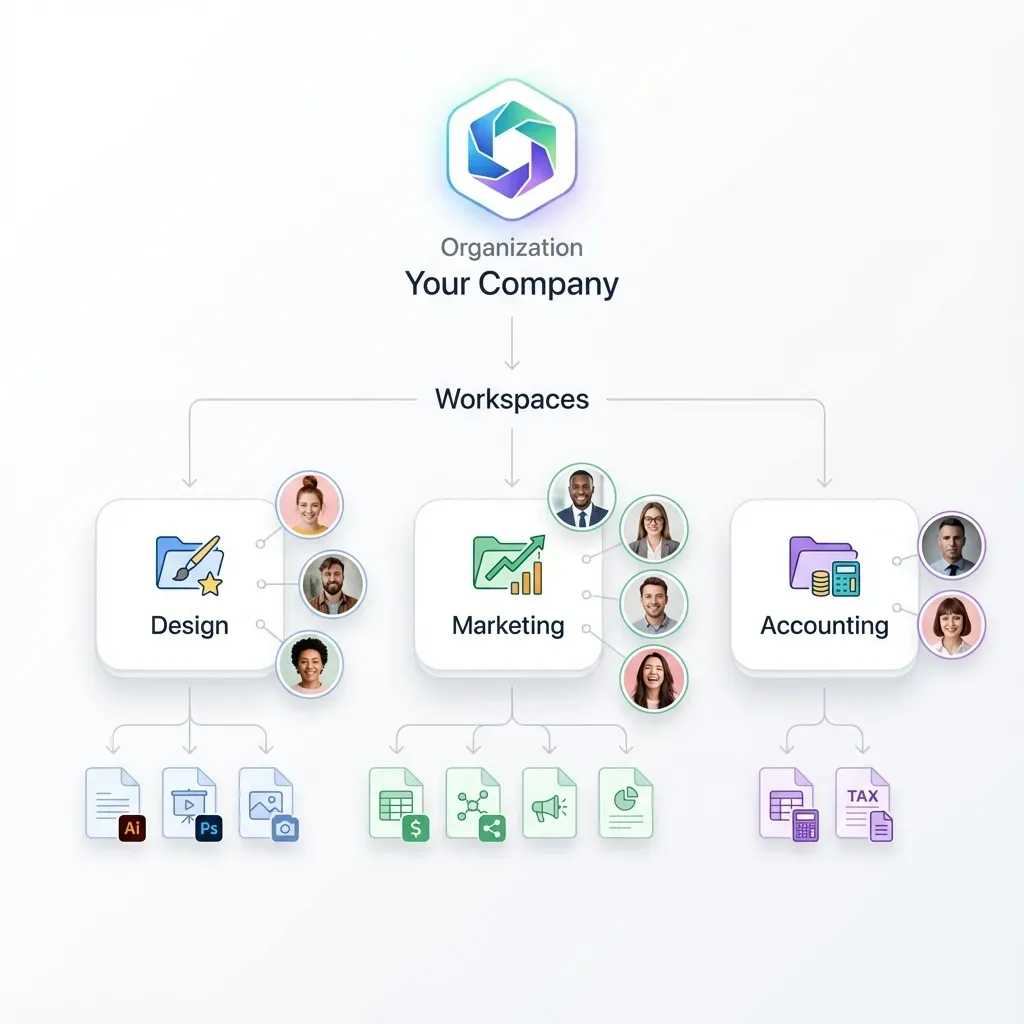
Fastio provides the role-based permissions and scoped shares required to manage these four tiers cleanly. Security policies are enforced at the organization, workspace, and share levels. Rather than creating duplicate folder structures to hide files from external reviewers, legal teams maintain one centralized matter workspace and issue scoped, expiring share links for specific directories. External shares can disable file downloads to keep draft documents preview-only in the browser, preventing unmonitored file distribution.


Organize your firm's digital matter files in structured workspaces
Centralize case records, establish role-based permission boundaries, stream deposition videos in-browser, and extract contract metadata automatically. Monthly plans start with a 14-day free trial that requires a credit card.
Why Legacy Repositories Struggle with Heavy Discovery and Video
Modern litigation and transactional casework extend far beyond text-based documents. Today, an electronic matter file frequently contains gigabytes of high-definition deposition video recordings, body-worn camera footage, digital forensic phone extractions, surveillance video, and thousands of high-resolution photographic exhibits.
Legacy legal document management systems and traditional practice management platforms struggle under the weight of these modern data formats. Most incumbent systems were engineered decades ago for text PDFs and word-processing files. When legal teams attempt to upload a multi-gigabyte forensic smartphone dump or high-resolution deposition recording, they encounter restrictive file size limits, connection timeouts, and system crashes. As a result, legal staff often resort to mailing unencrypted USB thumb drives or using unvetted consumer file transfer tools, creating severe data security risks and breaking the firm's chain of custody.
Even when legacy cloud storage tools accept large media files, reviewing them creates another bottleneck. On standard storage platforms, an attorney or paralegal who needs to check a five-minute segment of a six-hour deposition video must download an entire multi-gigabyte file to their local computer. This process consumes hours of download time, exhausts local hard drive capacity, and leaves unencrypted, ungoverned copies of confidential discovery materials on portable laptops.
Fastio eliminates these media management bottlenecks through dedicated large-file infrastructure:
- High-Capacity Chunked Uploads. Fastio breaks large files into managed chunks during transmission, allowing legal teams to upload massive discovery productions and video files reliably without timeout failures. Upload limits scale across subscription plans:
- In-Browser HTTP Live Streaming (HLS). When video recordings are added to a matter workspace, Fastio automatically encodes and streams them using HLS. Attorneys, paralegals, and expert witnesses can watch, scrub, and review deposition footage directly within their web browser without waiting for multi-gigabyte downloads.
- Cloud Sync and Migration Paths. Law firms with existing discovery archives stored in legacy repositories can transition records smoothly. Fastio supports Cloud Sync for Google Drive, Dropbox, Box, and OneDrive on a scheduled or on-demand basis, along with direct cloud import for one-time transfers. This allows legal operations teams to ingest historical case files into organized matter workspaces without exhausting local bandwidth.
How to Automate Case Intake, Document Delivery, and Structured Metadata
Structuring a digital matter file is not merely a passive storage exercise; it is the operational core of active legal casework. Once a structured workspace is established, legal teams can automate case intake, client document execution, and evidentiary review without manual clerical handoffs.
Client onboarding traditionally involves significant administrative delay. A paralegal emails an engagement letter to a new client, who must print the document, sign it by hand, scan the pages, and email the attachment back to the firm. The paralegal then manually renames the file and saves it into the client folder.
Fastio removes this friction with integrated e-signature built directly into every workspace on every plan. Legal teams can send fee agreements, conflict waivers, medical release authorizations, and settlement agreements for signature directly from the matter file. Signers can be configured in sequence or parallel, with optional one-time passcodes per signer for identity verification. Once signed, the executed agreement is filed directly back into the designated matter workspace, accompanied by a tamper-evident audit certificate that records who signed, when, and from which IP address and browser.
Beyond agreement execution, finding specific clauses or comparing contract terms across hundreds of discovery documents is one of the most labor-intensive tasks in legal practice. Fastio addresses this with Metadata Views, turning static document repositories into live, queryable databases.
Instead of relying on rigid OCR templates or manual data entry, legal teams describe the fields they want extracted in natural language, such as contract execution dates, counterparty legal names, governing jurisdictions, liability limits, and termination notice requirements. Fastio automatically designs a typed schema (supporting Text, Integer, Decimal, Boolean, URL, JSON, and Date & Time fields), inspects the files in the workspace, and populates a filterable, sortable spreadsheet grid. Metadata Views work across PDFs, Word documents, spreadsheets, scanned discovery pages, and handwritten notes. When additional discovery productions are added to the matter, new fields can be extracted across the entire archive without reprocessing files.
For deeper evidentiary analysis, enabling Intelligence Mode indexes the entire matter workspace for hybrid search, combining full-text keyword matching with semantic understanding. Attorneys can query case files using conceptual questions and receive answers backed by precise document citations. Furthermore, legal operations teams running specialized legal research agents or custom document processing scripts can connect to Fastio via its remote Model Context Protocol (MCP) server at https://mcp.fast.io/mcp/tools. AI tools and automated agents operate within assigned workspace permission boundaries, reading discovery archives and extracting structured insights without risking unauthorized access to adjacent firm matters.
How to Establish Retention Schedules, Archiving, and Post-Closure Governance
A digital matter file does not end when a judgment is satisfied or a transaction closes. Effective legal operations require clear governance policies that span the entire lifecycle of client records, from active representation to closed archive and defensible destruction.
Firms frequently ask how long digital matter files should be retained after case closure. There is no universal federal or state timeline that applies to all legal records. Mandatory retention periods vary substantially based on state bar ethics opinions, the substantive area of law, applicable legal malpractice statutes of limitations, and specific terms in the firm's legal malpractice insurance policy. For example, estate planning records and litigation involving minor clients frequently require retention periods extending decades, whereas routine contract disputes may follow shorter schedules. Firms must check with their own legal counsel, state bar ethics committee guidance, and insurance carriers to establish a formal written records retention schedule.
When a matter concludes, legal operations teams should execute a formal post-closure protocol:
- Conduct a Pre-Closure Audit. Review the matter workspace to confirm that all filed pleadings, executed orders, formal discovery responses, and final settlement agreements are properly filed in their designated subfolders with standard naming conventions.
- Surrender Original Client Property. Under American Bar Association Model Rules of Professional Conduct Rule 1.16(d), attorneys must surrender papers and property to which the client is entitled upon termination of representation. If the client provided original physical deeds, corporate seals, or paper certificates, return them promptly with a written transmittal letter and save a copy of the acknowledgment in
03_Client_Communications. - Finalize Financial Records. Confirm that all client trust accounts are fully reconciled, client funds disbursed, and outstanding billing statements accounted for.
- Lock Workspace Permissions. Transition the active matter workspace into a read-only archive state. Restricting edit and upload permissions prevents accidental file modifications, file deletions, or version overwrites while keeping the entire matter fully searchable for future conflict checks or precedent research.
Throughout the life of the matter, maintaining a clear record of document modifications is essential for firm accountability and ethical compliance. Fastio tracks workspace activity with a detailed activity log that records file uploads, edits, moves, deletions, membership and permission changes, and share creation. Fastio runs on cloud infrastructure partners, including Google Cloud Platform and Cloudflare, that are certified to industry security standards. Combining role-based access, version history, and detailed activity tracking guarantees that law firms can defend the integrity and confidentiality of their electronic matter files at every stage of the legal lifecycle.
Sources
References used to verify factual claims in this guide.
-
A classic study by the RAND Corporation found that document review typically consumed about 73% of all production costs in eDiscovery.
Frequently Asked Questions
What belongs in a digital matter file?
A complete digital matter file contains all substantive and administrative records related to a legal representation. This includes formal court pleadings and orders, written discovery requests and responses, deposition transcripts, client engagement agreements, formal correspondence, protected attorney work product, legal research memos, and evidentiary exhibits. Maintaining all case materials in one standardized repository replaces paper binders and eliminates file fragmentation.
How should a law firm organize digital client files?
Law firms should organize digital client files using a standardized, matter-centric folder hierarchy. Each client matter receives a dedicated workspace with uniform subfolders: Pleadings, Discovery, Client Communications, Work Product, and Exhibits. Files should follow a strict chronological naming convention (YYYY-MM-DD_DocType_Description_Version.ext) to maintain consistent order across operating systems and team members.
How long should digital matter files be retained after case closure?
Retention periods for digital matter files depend on state bar ethics rules, applicable statutes of limitations for legal malpractice, the specific practice area, and terms mandated by the firm's malpractice insurance policy. Certain matters, such as estate planning or cases involving minors, require extended retention. Firms should consult with their own legal counsel and state bar guidance to establish a written records retention policy.
How do law firms configure access permissions for external expert witnesses?
Law firms configure access for external experts by using scoped shares rather than granting full workspace access. Experts should be restricted exclusively to evidentiary exhibits or designated discovery folders, with zero visibility into internal attorney work product, client communications, or billing records. Using scoped, expiring share links ensures that external specialists access only the documents necessary for their analysis.
What is the difference between legal practice management software and a digital matter repository?
Legal practice management software focuses primarily on firm operations such as time tracking, billing, trust accounting, calendar management, and client intake. A digital matter repository is a dedicated, high-capacity file workspace designed to store, organize, index, and retrieve heavy case documents, multi-gigabyte deposition videos, and massive discovery productions that overwhelm standard practice management tools.
How do law firms handle large deposition videos and discovery archives?
Law firms handle large media files by using modern cloud workspaces that support chunked uploads for massive discovery archives and offer in-browser video streaming. Streaming deposition footage via HTTP Live Streaming allows attorneys and experts to review testimony directly in the web browser without downloading multi-gigabyte files to local hard drives.
Related Resources

Organize your firm's digital matter files in structured workspaces
Centralize case records, establish role-based permission boundaries, stream deposition videos in-browser, and extract contract metadata automatically. Monthly plans start with a 14-day free trial that requires a credit card.