How to Build an Agentic Invoice Processor using Fastio API
An agentic invoice processor uses Fastio realtime events to detect new files, triggers an LLM to extract data, and stores the structured output securely in the workspace. Discover how to transition from rigid OCR tools to a flexible AI workflow that automates 90% of manual invoice data entry tasks.

The Evolution of Document Processing
The traditional approach to extracting data from invoices relies on rigid Optical Character Recognition (OCR) tools. These systems require complex templates for every vendor layout. If a vendor moves their total amount field one inch to the left, the extraction fails completely. Modern teams are replacing these fragile pipelines with AI agents. An agentic invoice processor uses Fastio event feeds to detect new files, triggers an LLM to extract data, and stores the structured output securely in the workspace.
According to Sage, businesses can automate up to 90% of data-entry tasks and reporting by modernizing their accounts payable workflows. This shift reduces manual review costs and accelerates payment cycles. It scales easily across unpredictable invoice formats. Unlike traditional OCR software, AI agents read the document semantically. They understand that "Total Due", "Please Pay", and "Amount Remitted" all mean the same thing in different contexts.
As businesses process more documents, the overhead of maintaining OCR templates becomes unsustainable. Vendors constantly update their billing software, which breaks extraction rules. AI agents eliminate this maintenance burden entirely, because the language model reasons about the invoice just like a human accountant would. It finds the line items, matches them to the final total, and validates everything before saving it back to your system. This flexibility makes agentic processing the most resilient architecture for modern finance teams.
Related guides
- How to Build an AI Agent Supervisor Pattern for Complex WorkflowsThe AI agent supervisor pattern provides a centralized management layer for coordinating multiple specialized worker...
- Agentic AI Design Patterns: Proven Patterns for Building Autonomous SystemsAgentic AI design patterns are reusable architectural templates for building autonomous AI systems that can plan, use...
- Agentic AI Use Cases: 12 Real-World Applications in 2026Agentic AI has moved from experimental pilots to production deployments across financial services, healthcare, and...
- Agentic AI vs Generative AI: Key Differences ExplainedGenerative AI creates content from prompts. Agentic AI takes goals, breaks them into steps, uses tools, and delivers...
- How to Implement the Reflection Pattern for Self-Correcting AgentsThe Reflection pattern lets AI agents review their own work, catch errors, and fix them without human help. By...
- Top 10 Slack AI Bot Frameworks for Developers 2026Slack AI bot frameworks offer the components developers need to build chatbots that retrieve data, run actions, and...
More on this subject: Agent Frameworks and Patterns (52 guides)
What is an Agentic Invoice Processor?
An agentic invoice processor uses Fastio event feeds to detect new files, triggers an LLM to extract data, and stores the structured output securely in the workspace. Unlike a static script, an AI agent understands context. It can identify a specific date whether it is formatted as "Jan 5th" or "01/05/2026", and it can normalize that data into a strict JSON schema without manual intervention.
This intelligence is powered by Large Language Models connected to a file system through the Model Context Protocol. When you use Fastio for developers, the workspace acts as the coordinating layer. The agent does not need to download the file locally or manage raw bytes. It reads the document directly through the protocol and writes the results back as a structured file. The agent operates autonomously based on the instructions you provide in its system prompt.
The architecture of an agentic processor relies on three distinct components. First, a reliable storage layer holds the documents securely. Second, an event-driven notification system alerts the agent when new work arrives. Third, the language model executes tools to read the file and format the data. By combining these three elements, developers can build a hands-off pipeline that processes thousands of invoices a day. The system only flags a human when it encounters a ambiguous document, leaving the routine work to the AI.
Why Rigid OCR Fails at Scale
Legacy systems fail because invoices are inherently unstructured and highly variable. Even if a business uses standardized procurement, vendors send invoices in hundreds of different formats. Some arrive as clear digital PDFs, while others are low-quality scanned images or text embedded in email bodies. Traditional tools struggle to handle this level of variety.
Templates break easily in older systems. OCR systems require bounding boxes or regex rules to find specific pieces of data. A slight formatting change from the vendor breaks the rule, triggering an exception that requires human review. If a vendor adds a new tax line or changes their company name format, the engineering team must manually update the extraction template. This creates a major bottleneck for fast-growing companies trying to automate their accounts payable operations.
Agents handle ambiguity well. An AI agent processes the whole document. It can reason about the contents, match line items to subtotals, and normalize currencies without strict spatial rules. This eliminates the maintenance burden of updating templates every time a vendor updates their billing software. The agent understands the difference between a shipping address and a billing address based on the surrounding text, not just where the text sits on the page. This semantic understanding reduces error rates.
Fastio Core Architecture for AI Agents
Fastio is an intelligent workspace, not just storage. Intelligence is native: files are auto-indexed once Intelligence is enabled for the workspace, searchable by meaning, and queryable through chat. For developers building agentic document processing with Fastio, the architecture relies on three core primitives that work together.
First, Workspaces provide the secure boundary. Agents and humans share the same workspaces. You can set granular permissions so the agent only accesses the ingestion folder. Because Fastio offers a 14-day Business Trial with generous storage, you can test this processor in a real environment before deploying to production. Second, Realtime Events provide the trigger layer. Fastio emits notifications over a WebSocket events feed or activity stream the moment a new invoice arrives.
Third, the Model Context Protocol provides the tool execution layer. Fastio exposes a consolidated MCP toolset via Streamable HTTP and server-sent events. This allows the agent to read the PDF and write the extracted JSON without managing raw file bytes. The protocol handles the secure connection between the language model and the workspace. You do not have to write custom API wrappers for every file operation. The agent requests the tool, and Fastio delivers the parsed text into the model context window.


Ready to build your agentic invoice processor?
Get generous storage and a consolidated MCP toolset to build your agentic invoice processor.
Step 1: Configuring the Fastio Workspace for Ingestion
The first step is establishing the ingestion point. You will create a dedicated Fastio workspace where vendors or employees can upload invoices. This workspace serves as the single source of truth for all incoming financial documents. Organizing the workspace with clear folders like "Inbox", "Processing", and "Completed" helps keep the pipeline clean and auditable.
You can configure URL Import to pull files directly from email attachments, Google Drive, or OneDrive. This means you do not have to handle local input and output operations. Alternatively, vendors can use a branded Fastio upload portal to submit their invoices directly. Once the file enters the workspace with Intelligence Mode enabled, Fastio automatically indexes it. The agent immediately has access to the semantic content of the file, setting the stage for the extraction step. The built-in Retrieval-Augmented Generation capabilities mean you do not need to set up a separate vector database.
Permissions play an important role here. You should generate an API key for your agent application. Restrict this key so it only has read and write access to the invoice workspace. This isolation ensures that if the agent fails, it cannot access other sensitive company data. By setting up the workspace securely from the start, you create a secure automation system.

Step 2: Setting Up the Fastio Event Trigger
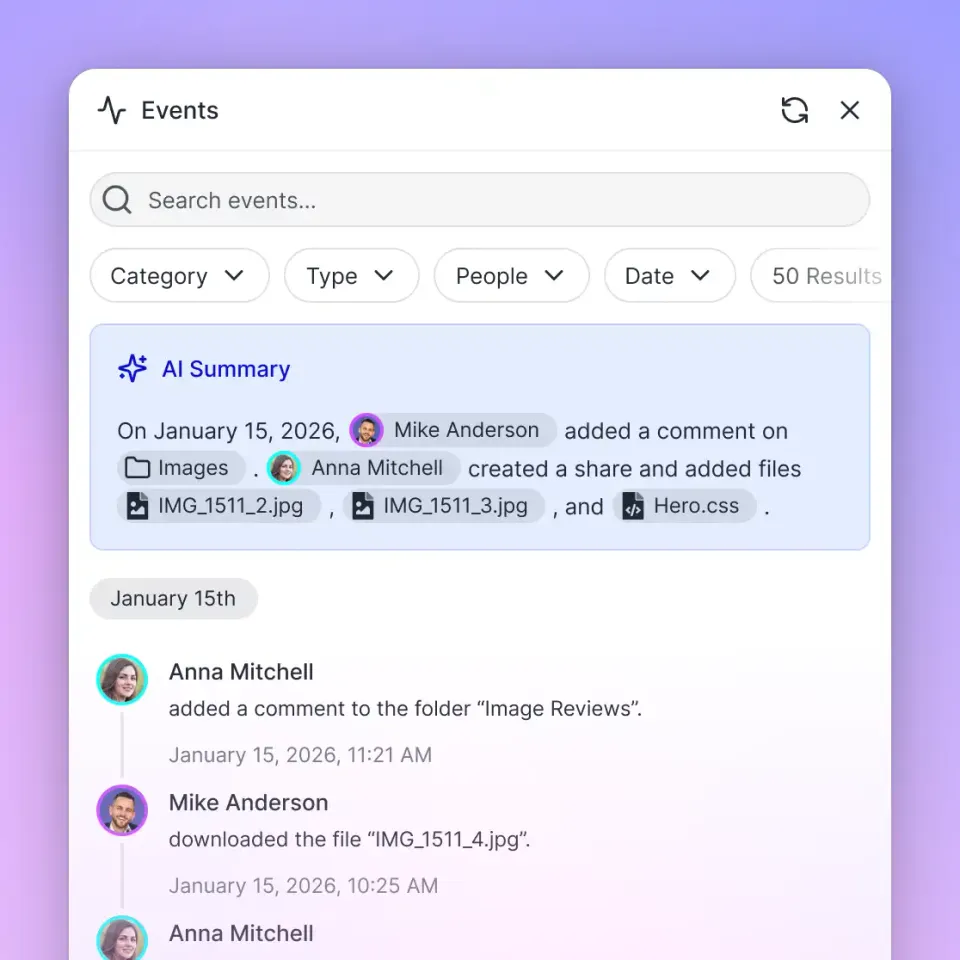
To build a reactive system, listen for file creation events in your ingestion workspace using Fastio's WebSocket events feed or activity polling endpoint. This prevents you from writing busy loops that waste compute resources. When an invoice is uploaded, Fastio emits an event notification.
The payload includes the file ID, the workspace ID, and metadata like the file name and size. Your service receives the event notification and acknowledges the delivery. This confirms to the event stream that the notification was received.
After receiving the event, your application should place the task onto an asynchronous queue. This design pattern prevents bottlenecks while the language model processes the document. The queue worker then picks up the job and triggers the agent workflow. This architecture handles spikes in traffic. If a vendor uploads fifty invoices at once, events are queued and processed sequentially without overwhelming API limits.
Step 3: Giving Your Agent Access via MCP
Once the workflow is triggered, your AI agent needs to read the invoice. Fastio provides a consolidated MCP toolset out of the box, so you do not need to write custom API wrappers to download the file. If you are using an MCP-compatible client like Claude Desktop, the integration connects directly.
The agent connects to Fastio via server-sent events or Streamable HTTP. It requests the file content using the file ID received from the event stream. Because Fastio indexes documents once Intelligence is enabled on the workspace, the agent receives clean, parsed text. This bypasses the need for a separate text extraction library. The agent uses Fastio MCP tools to inspect files and search the workspace.
This tool-based approach gives the agent flexibility. If the invoice is missing a page, the agent can search the workspace to see if a second PDF was uploaded by the same vendor. The language model acts as the brain, while the Fastio MCP tools act as the hands. This separation of concerns makes the code much easier to maintain, as you are orchestrating standard tools rather than writing file parsing logic.
Step 4: Extracting JSON Data Using LLMs
The extraction phase is where the agentic logic does the heavy lifting. You provide the language model with a strict system prompt and a JSON schema. The prompt instructs the agent to read the Fastio file content and map the information to your required fields. A typical extraction schema requires the vendor name, invoice date, due date, total amount, tax amount, and an array of individual line items.
Because the agent can reason, it handles edge cases well. If the invoice lacks a due date, the agent can infer it based on standard net payment terms or return a null value, exactly as defined in your schema. You should instruct the model to use structured outputs or tool calling to guarantee that the response always matches your format. This prevents the application from crashing when trying to parse the output.
Good prompt engineering is important here. You should tell the agent how to format dates, how to handle multiple currencies, and what to do if a value is illegible. For example, instruct the agent to return a confidence score alongside the extracted data. If the confidence score drops below a certain threshold, your application can route that specific invoice to a human for manual review. This guarantees that your automated system maintains high accuracy.
Step 5: Storing Structured Data Back to Fastio
After the language model extracts the data into a structured object, the agent must save its work. Fastio acts as the coordination layer where agent output becomes team output. The agent writes the resulting JSON file back into the workspace using Fastio's MCP tools.
Typically, you will want to save this file in a dedicated processed directory. For example, an invoice named billing_march.pdf might result in a file named billing_march_extracted.json. This step completes the automation loop. The structured data is now stored in Fastio, ready to be ingested by your enterprise software or accounting tools.
Because Fastio supports ownership transfer, the agent can build these structured records and hand them off to human accountants. The human team can open the Fastio web interface, review the extracted JSON alongside the original PDF, and approve the payment. This shared workspace model bridges the gap between automated backend processes and human workflows, ensuring everyone has access to the same source of truth.

Handling Errors, Retries, and Edge Cases
Production systems require resilience to handle the unpredictable nature of real-world documents. When building an agentic invoice processor using the Fastio API, you must handle API rate limits, file locks, and ambiguous vendor formats. If multiple agents operate concurrently on the same workspace, use Fastio file locks alongside dedicated status folders.
An agent can acquire an advisory file lock before writing, heartbeat it while working, and release it when done. Fastio's granular permissions and file version history provide a safety net for concurrent access. If the language model fails to return valid data, your application should catch the parsing error and trigger a retry with a slightly modified prompt. Sometimes asking the model to think step-by-step before outputting the final JSON can resolve extraction failures.
For documents that are illegible or password-protected, the agent should use the Fastio tools to move the file to a manual review folder. The system can then trigger an email notification to the finance team. This hybrid approach guarantees that your pipeline never stalls. The AI handles the vast majority of standard invoices, while escalating complex edge cases to a human professional. This improves efficiency while maintaining financial controls.
Evidence and Benchmarks for Agentic Processing
Data shows that agentic processing outperforms traditional template-based extraction. According to Sage, businesses can automate up to 90% of data-entry tasks and reporting by implementing these advanced workflows. This translates to lower operational costs and fewer late payment penalties.
When an AI agent replaces manual entry, the average processing time per invoice drops from several days to minutes. This speed allows finance teams to capture early payment discounts that were previously impossible to achieve. The error rate also drops. Because the language model cross-references the extracted total against the sum of the line items, it can catch discrepancies that a tired human might miss.
Fastio enhances these benchmarks by removing the latency of downloading and uploading files. Because the agent reads the document directly in the workspace via the Model Context Protocol, the entire extraction loop executes fast. The combination of high-speed file access and intelligent language models creates an efficient processing pipeline.
Real-World Architecture Patterns and Security
Security is important when handling sensitive financial data. Fastio provides granular permissions, ensuring the agent only has access to the specific ingestion workspace. The platform features detailed AI audit logs, tracking which file the agent read, what tools it executed, and when the operations occurred. This level of traceability is essential for compliance and internal auditing.
This architecture scales from small businesses processing fifty invoices a month to enterprise teams handling tens of thousands. By replacing rigid extraction templates with an agentic workflow, engineering teams reduce their maintenance overhead. The agent adapts to new vendor formats automatically, making this a reliable solution for automated document processing.
Fastio provides the primitives developers need to build these systems quickly. By combining realtime event streams with the Model Context Protocol, you can deploy a reliable invoice processor in days rather than months. The result is a more accurate accounts payable pipeline that frees your team from manual data entry.
Sources
References used to verify factual claims in this guide.
-
Agentic processors can automate 90% of manual invoice data entry tasks.
Frequently Asked Questions
How do I automate invoice processing with AI?
You can automate invoice processing by using Fastio's realtime event stream or polling activity feeds to detect new file uploads. The event triggers an AI agent that uses the Model Context Protocol to read the invoice semantically. The agent extracts the required fields and writes a structured JSON file back to the workspace for your accounting software to ingest.
Can an AI agent read PDFs?
Yes, an AI agent can read PDFs when connected to Fastio. The platform indexes PDF files once Intelligence is enabled on the workspace. The agent then accesses the parsed text through the consolidated MCP toolset, bypassing the need for external text extraction libraries.
Why use Fastio instead of traditional extraction tools?
Fastio is an intelligent workspace that natively supports AI agents through the Model Context Protocol. Traditional tools require you to build custom API wrappers and manage raw file bytes. Fastio provides a consolidated toolset, realtime event streams, and secure storage, allowing you to build agentic workflows much faster.
Is my financial data secure in this workflow?
Yes, Fastio provides granular permissions and detailed AI audit logs. You can restrict your agent's API key to a single ingestion workspace, ensuring it cannot access other company files. The audit log tracks which documents the agent read and when the extraction occurred, maintaining strict accountability.
What happens if the AI cannot read the invoice?
If the document is illegible or the layout is unusual, the agent can be programmed to fail safely. The agent uses Fastio file tools to move the problematic invoice into a dedicated manual review folder. The system then alerts a human accountant to step in, ensuring the pipeline never stops.
Related Resources

Ready to build your agentic invoice processor?
Get generous storage and a consolidated MCP toolset to build your agentic invoice processor.