How to Choose a Board Portal for Your Nonprofit
Guide to board portal nonprofits: Nonprofit boards need the same secure document access, meeting management, and governance tools, but at a fraction of the cost and with onboarding simple enough for volunteer directors who serve on the board part-time.

What Nonprofit Boards Actually Need from a Portal: board portal nonprofits
A board portal for nonprofits is a secure digital workspace where volunteer board members can access meeting agendas, financial reports, bylaws, and governance documents without requiring enterprise software budgets. The roughly 1.8 million nonprofits in the United States rely on volunteer boards to govern their organizations. Between meetings, directors need access to financial statements, committee reports, policy documents, and strategic plans. Most boards start with email. Someone sends a PDF board pack before the meeting, a few directors reply-all with questions, and the cycle repeats. This works until it doesn't. Version confusion leads to directors reading outdated financials. Sensitive compensation data gets forwarded accidentally. New board members can't find last quarter's minutes. A board portal solves these problems by giving every director a single, secure location to access current materials. But nonprofit boards have constraints that corporate boards don't. Directors are unpaid volunteers with varying comfort levels around technology. Budgets are tight, and every dollar spent on software is a dollar not spent on mission. IT support is minimal or nonexistent. The right board portal for a nonprofit is one that directors actually use. That means simple onboarding, clear navigation, and a price that the finance committee won't flag during budget review.
Helpful references: Fastio Workspaces, Fastio Collaboration, and Fastio AI.

Related guides
- How to Choose Board Management Software That Actually Gets UsedBoard management software centralizes meeting preparation, document distribution, voting, and governance records in one...
- Best Ansarada Alternatives for Virtual Data Rooms in 2026Ansarada was a well-regarded virtual data room for M&A and due diligence, but Datasite's 2024 acquisition has raised...
- How to Use Data Room Analytics and Reporting to Close Deals FasterData room analytics track how participants interact with documents during due diligence, giving deal teams visibility...
- How to Choose a White Label Data Room for Client-Facing DealsA white label data room lets advisory firms, investment banks, and service providers rebrand a virtual data room with...
- Best Virtual Data Room Providers for Every Deal TypeChoosing a virtual data room provider depends on what kind of deal you are running. This guide breaks down the top VDR...
- How to Set Up a Private Placement Data RoomA private placement data room is a secure virtual workspace where issuers share private placement memorandums,...
More on this subject: Data Rooms and Due Diligence (53 guides)
Core Features Worth Paying For
Not every feature in an enterprise board portal matters for nonprofits. Here's what actually moves the needle for volunteer-led boards.
Secure document library Board members need one place to find current bylaws, meeting minutes, financial reports, Form 990s, conflict-of-interest policies, and strategic plans. The library should support version control so directors always see the latest document. Permissions matter too. Finance committee members may need access to detailed budget spreadsheets that the full board doesn't see.
Meeting management Building agendas, attaching supporting documents, and distributing board packs ahead of meetings saves hours of administrative work. Some portals include RSVP tracking and calendar integration with Outlook and Google Calendar.
Electronic voting Nonprofits often need to pass resolutions between meetings. Email voting is technically possible, but it creates compliance headaches.
Annotation and comments Directors who can highlight a passage in the treasurer's report and leave a comment are more likely to engage with materials before the meeting. This turns passive document reading into active governance.
Audit trail Knowing who accessed which document and when protects the organization during audits and disputes. For nonprofits handling donor data or grant funds, this is a governance requirement, not a nice-to-have.
Simple onboarding The best portals let someone log in and locate their next meeting's materials within a minute or two.


Give your board a secure home for governance documents
Fastio workspaces offer generous storage, branded portals, granular permissions, and AI-powered document search. Built for board portal nonprofits workflows.
What Dedicated Board Portals Cost
Pricing is where nonprofits hit a wall. Most board portal vendors target corporate boards with budgets that dwarf a typical nonprofit's entire technology spend.
Enterprise tier ($15,000 to $100,000+ per year) Diligent Boards, the market leader with over 700,000 users globally, starts around $15,000 for smaller implementations and scales well above $100,000 for large organizations. BoardEffect, Diligent's nonprofit-specific brand, doesn't publish pricing but operates on a tiered model based on user count. These platforms offer deep governance features like D&O questionnaires, entity management, and compliance tracking, but the cost is prohibitive for most nonprofits.
Mid-market tier ($3,000 and up) Per-user options typically run up to $35.99 per user per month billed annually. OnBoard offers special nonprofit pricing through TechSoup but requires a quote. Aprio charges a monthly fee that puts a 15-member board at about $9,000 annually.
Budget tier (entry-level) BoardSpot and a handful of newer entrants offer streamlined portals at lower price points, though feature depth varies. Some nonprofits use general-purpose tools like Google Workspace with shared drives and Google Meet instead of a dedicated portal. The real question isn't which portal has the most features. It's which one provides enough governance structure to satisfy your board's needs without consuming a disproportionate share of your operating budget.

How General-Purpose Platforms Compare
Dedicated board portals aren't the only option. Many nonprofits use general-purpose collaboration and document sharing tools and add governance structure through process rather than software.
Google Workspace Shared Drives give board members access to organized folders. Google Meet handles virtual meetings. Google Forms can collect votes. The cost is low (free for qualifying nonprofits through Google for Nonprofits), but there's no built-in agenda builder, no audit trail beyond file activity, and permissions management gets unwieldy across multiple committees.
Microsoft 365 Similar to Google Workspace, with SharePoint for document management and Teams for meetings. Microsoft offers nonprofit pricing through its Tech for Social Impact program. The governance layer is DIY: you'll need to create your own templates, folder structures, and voting processes.
Dropbox or Box Both offer nonprofit discounts. They handle document storage and sharing well, but lack meeting management, voting, and annotation features that make a board portal useful for governance.
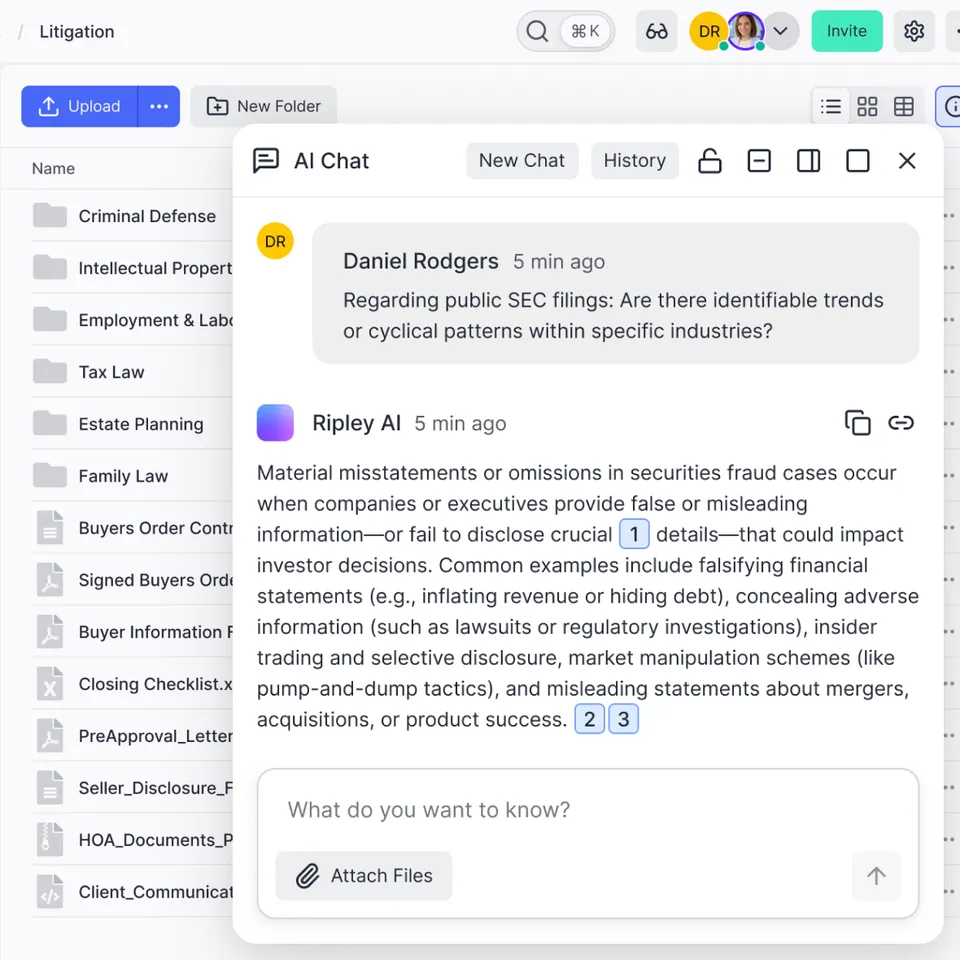
Fastio Fastio takes a different approach. Instead of building a dedicated board portal, it provides secure workspaces with granular permissions, branded content portals, and built-in AI that indexes documents for search and Q&A. A board administrator can create a workspace for the full board, set up separate folders for each committee with appropriate permissions, and share materials through a branded portal that directors access without needing an account. The portal AI feature (Ripley) lets directors ask questions about board materials in natural language, like "What was our program expense ratio last quarter?" and get answers with citations to the source document. For boards managing large volumes of financial reports and policy documents, this saves significant preparation time. Fast.Fastio offers a Business Trial with storage and agent tooling for testing this workflow. That's enough for most nonprofit boards to store several years of governance documents.
Setting Up a Board Portal Without Dedicated Software
If your nonprofit isn't ready to commit to a dedicated board portal, you can build an effective governance workflow using document-sharing tools. Here's a practical approach.
Organize your document library Create a clear folder structure: one top-level folder per fiscal year, with subfolders for board meetings (by date), committees, policies, and financials. Name files consistently. pdf" is findable. "Agenda final v3 UPDATED.docx" is not.
Standardize your board pack Before each meeting, compile a single PDF or folder containing the agenda, previous meeting minutes, financial reports, committee updates, and any documents requiring a vote. Distribute this at least one week before the meeting. A branded portal or shared workspace link is cleaner than email attachments.
Track attendance and votes Keep a running spreadsheet or use a form tool to record meeting attendance, quorum verification, and vote outcomes. This creates the audit trail that a dedicated portal would automate.
Manage committee access Not every board member needs access to every document. If your finance committee is reviewing executive compensation, those documents should be in a folder with restricted access. Tools with granular permissions, like Fastio's workspace and folder-level controls, make this straightforward without needing separate systems for different committees.
Onboard new members Create a "Board Member Welcome" folder containing bylaws, the conflict-of-interest policy, recent meeting minutes, the current strategic plan, and a roster with contact information. When someone joins the board, share this folder. With a tool that supports workspace-level AI, new members can ask questions about existing documents instead of reading hundreds of pages. This approach won't replace every feature of a dedicated board portal, but it covers the fundamentals that most small and mid-size nonprofit boards need.

How to Evaluate What Your Board Needs
The decision between a dedicated board portal, a general-purpose tool, and a hybrid approach depends on a few practical factors.
Board size and complexity The larger and more active the board, the more value a purpose-built tool provides.
Director technology comfort Survey your board. If half your directors struggle with basic cloud storage, a complex portal will go unused. Start with something simple and upgrade when the board outgrows it. The average nonprofit board member is 51 years old, and 60% are over 55, so assume a range of comfort levels with new software.
Compliance requirements Healthcare nonprofits may have additional requirements around patient data. If your compliance needs are significant, a dedicated portal with built-in audit trails is worth the investment.
Budget reality Calculate what you're currently spending on board administration in staff time.
Growth trajectory If your organization is growing, your governance needs will grow too. Choosing a platform that can scale from basic document sharing to full governance management avoids the pain of migrating years of board records later. Look for tools that offer a capable free or low-cost tier now, with paid features available when you need them. Start with the pain points your board actually has today. If directors are complaining about finding documents, solve that first. If between-meeting voting is the bottleneck, prioritize that. The goal is functional governance, not a feature checklist.
Sources
References used to verify factual claims in this guide.
-
1.8 million nonprofits in the United States rely on volunteer boards
-
Boardable charges $20.99 to $35.99 per user per month billed annually
-
Diligent Boards starts around $15,000 per year
-
Average nonprofit board member is 51 years old and 60% are over 55
Frequently Asked Questions
What should a nonprofit board portal include?
At minimum, a nonprofit board portal needs a secure document library with version control, meeting agenda management, and an audit trail showing who accessed what. Electronic voting, annotation tools, and committee-level permissions are valuable additions. The most important factor is usability. If volunteer directors can't find what they need in under a minute, adoption will fail regardless of features.
What is the best free board portal for nonprofits?
There's no fully featured free board portal designed specifically for nonprofit governance. Google Workspace (free through Google for Nonprofits) is the most common free option, though it lacks governance-specific features. Fast. For dedicated board portal features like agenda building and electronic voting, Boardable's Essentials plan offers an accessible entry tier for nonprofits.
Do nonprofits need board management software?
It depends on board size and complexity. Board management software reduces prep time, creates automatic audit trails, and keeps governance organized, all of which matter for IRS compliance and fiduciary responsibility.
How do nonprofit boards share documents securely?
The most common approaches are dedicated board portals with built-in encryption and access controls, enterprise cloud storage (Google Drive, SharePoint, Box) with restricted sharing settings, or secure content portals with guest access and password protection. Email is the least secure option since forwarded attachments can't be revoked. Look for tools that offer granular permissions at the folder level, access expiration for time-sensitive documents, and activity logs showing who viewed what.
How much does board portal software cost for nonprofits?
Pricing ranges from free (general-purpose tools) to over $100,000 annually (enterprise governance suites). Enterprise platforms like Diligent start around $15,000 per year. Many vendors offer nonprofit discounts but require a sales conversation to get pricing.
Related Resources

Give your board a secure home for governance documents
Fastio workspaces offer generous storage, branded portals, granular permissions, and AI-powered document search. Built for board portal nonprofits workflows.