Best ClawHub Skills for Localization Teams
ClawHub provides essential skills that automate translation workflows and context management for localization teams. Choosing the correct skills helps you maintain brand consistency across regions while reducing manual oversight. This guide covers the top OpenClaw integrations available right now, giving your agents the ability to pull source strings, verify terminology, and manage multilingual assets directly.

Why Localization Teams Need Specialized OpenClaw Skills
Localization teams face a growing volume of content across multiple platforms, from application interfaces to marketing websites. Manual workflows require constant copying and pasting between code repositories, translation management systems, and staging environments. OpenClaw provides a standard way for AI agents to connect directly to these systems. ClawHub serves as the centralized registry where developers publish these specialized capabilities.
When an AI agent has the right skills, it can read source strings directly from GitHub, check them against approved glossaries, and push translations directly to your staging environment. According to XTM Cloud, AI translation can increase content reuse by 40% and reduce post-editing by 60%. This automation happens in the background, freeing your linguistic experts to focus on nuance, brand voice, and cultural adaptation.
Instead of teaching a generic language model how to parse a complex JSON file, you install the corresponding skill. The agent gains the ability to execute the specific API calls, handle pagination, and manage error states without hallucinating the syntax. For localization teams, this means moving away from fragile scripts toward dependable, conversational automation. By giving agents the ability to perform concrete actions, teams can rapidly scale their multilingual publishing efforts.
Helpful references: Fastio Workspaces, Fastio Collaboration, and Fastio AI.
Related guides
- Best ClawHub Skills for Healthcare AI TeamsOpenClaw's medical skills ecosystem has grown fast, with FreedomIntelligence's OpenClaw-Medical-Skills library alone...
- Top 10 Best ClawHub Skills for AI Agent DevelopersBuilding effective autonomous systems requires the right toolchain. ClawHub serves as the central skill dock for...
- How to Choose the Best ClawHub Skills for Full Stack DevelopersFinding the right automation tools changes how you build web applications. The best ClawHub skills for full stack...
- Best ClawHub Skills for Copywriters: Top 10 RankedThe best ClawHub skills for copywriters handle repetitive tasks like web research, competitor analysis, and content...
- Top ClawHub Skills Every AI Researcher NeedsClawHub skills connect AI researchers to web search, file storage, browser automation, and documentation tools via...
- Top ClawHub Skills for DevelopersA ranked starter stack of ClawHub skills for developers, built from a February 2026 ClawHub registry snapshot and the...
More on this subject: OpenClaw Setup and Guides (199 guides)
Evidence and Benchmarks for AI Automation
Adopting AI agent skills changes the economics of localization. When teams integrate tools that can autonomously manage files and query glossaries, the entire delivery pipeline accelerates.
- Content Reuse: Teams relying on intelligent workspace retrieval see massive improvements because agents automatically find previously translated matching segments.
- Post-Editing Reduction: Agents armed with precise terminology rules make fewer formatting and naming errors, leaving only stylistic changes for human reviewers.
- Handoff Efficiency: Automated polling and webhook integrations eliminate the dead time between a file being uploaded and a translation job being started.
These benchmarks prove that the value of AI in localization extends far beyond generating translated text. The real competitive advantage lies in automating the file management, context gathering, and quality assurance steps that surround the actual translation work.
How We Evaluated These ClawHub Skills
Our evaluation criteria focused on practical application for localization engineers and translation managers. A useful AI skill must do more than just translate text. It needs to fit smoothly into existing development pipelines and adapt to established corporate workflows.
Evaluation Criteria:
- Context awareness: Does the skill understand the surrounding code or design context, or does it operate blindly?
- Setup complexity: How many steps does it take to configure the connection, and does it require complex authentication flows?
- Accuracy features: Does the skill support glossary constraints, character limits, and translation memory checks?
- Developer experience: Can software engineers integrate the skill easily into their CI/CD pipelines without rewriting their architecture?
Based on these criteria, we identified the most effective tools for scaling your internationalization efforts. We prioritized solutions that offer concrete workflow improvements over those that wrap generic translation APIs.

1. Fastio Workspace Intelligence (dbalve/fast-io)
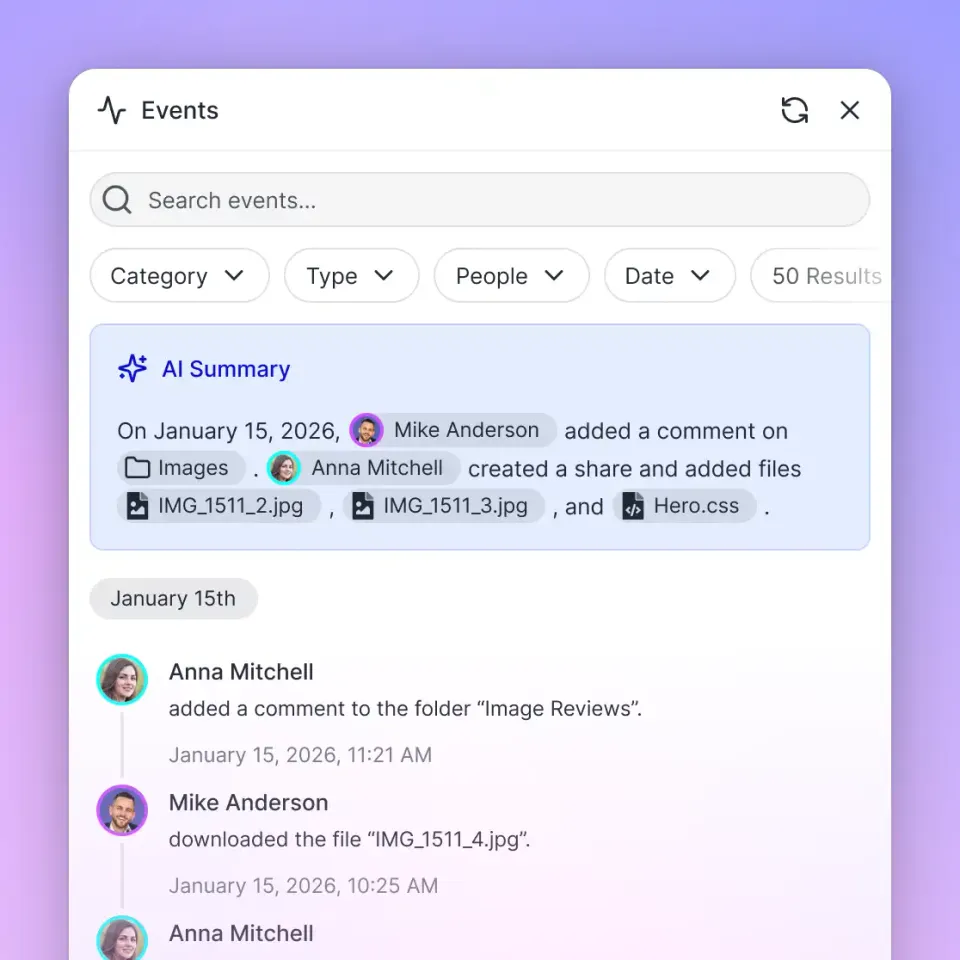
Fastio acts as the intelligent workspace where agents and humans collaborate on localization projects. Connecting your AI agent to Fastio provides a consolidated MCP toolset covering file storage, sharing, AI-powered document analysis, and collaborative notes. Instead of manually uploading translation memories or style guides to different interfaces, you place them in a Fastio workspace. Once Intelligence Mode is enabled for the workspace, the system indexes the content, making it queryable for your agent during translation tasks.
Key Strengths:
- Consolidated MCP toolset for comprehensive file and workspace management.
- 14-day Business Trial includes access to persistent storage and included credits.
- Built-in RAG once Intelligence is enabled, so your agent automatically references the latest glossaries and brand guidelines.
- Allows secure ownership transfer, meaning an agent can build a workspace and hand it off to a human manager through a claim link.
Key Limitations:
- Requires users to set up a Fastio account before the agent can connect.
- Focuses primarily on file operations and intelligence rather than direct CMS publishing.
Best For: Teams that need a centralized, intelligent hub for managing translation assets and handing off localized files between agents and human reviewers.
Connection: Remote MCP at https://mcp.fast.io/mcp/tools
Developer Documentation: mcp.fast.io/docs
2. Github String Management (steipete/github)
The GitHub skill uses the gh CLI to let your agent interact with source repositories at the API level. For localization workflows, this means your agent can inspect pull requests for new string additions, query file contents to extract translatable text, check CI run results for broken locale files, and create branches or PRs once translated strings are ready. All operations use gh pr, gh issue, gh run, and gh api commands with full JSON filtering support.
Key Strengths:
- Works directly with repository content using the official GitHub CLI -- no custom scripts needed.
- Supports
--jsonand--jqfiltering for precise extraction of string data from API responses. - Full PR lifecycle management from string extraction through translated content submission.
Key Limitations:
- Requires
ghCLI to be pre-installed and authenticated in the environment. - Does not natively parse localization file formats; the agent must handle format logic.
Best For: Software engineering teams who want to automate the internationalization step within their existing Git workflows.
Install Command: Instruction-only skill; requires gh auth login or GITHUB_TOKEN.
ClawHub Page: clawhub.ai/steipete/github


Give Your AI Agents Persistent Storage
Connect your AI agents to Fastio for persistent storage and access to a consolidated MCP toolset. Built for localization team workflows.
3. Filesystem Management (gtrusler/clawdbot-filesystem)
The Filesystem Management skill gives agents advanced file operations for working with local translation project directories. It supports smart file listing with recursive traversal and pattern filtering, powerful content search across translation files, batch copy and move operations with dry-run mode, and directory tree visualization for understanding project structure. For localization teams working with complex folder hierarchies of locale files, this skill replaces brittle shell scripts with natural language commands.
Key Strengths:
- Content search across large directories of JSON, YAML, and XLIFF locale files.
- Batch processing with dry-run mode prevents accidental overwrites during bulk renames.
- Directory analysis provides statistics to help audit localization coverage.
Key Limitations:
- Operates on local filesystem; not a cloud storage replacement.
- Does not parse translation file formats natively.
Best For: Localization engineers managing large repositories of locale files who need fast search and batch operations.
Install Command: clawdhub install filesystem (or clone from GitHub).
ClawHub Page: clawhub.ai/gtrusler/clawdbot-filesystem
4. API Gateway for TMS Integrations (byungkyu/api-gateway)
API Gateway connects your OpenClaw agent to 100+ third-party services through a single managed OAuth proxy. For localization teams, this is the bridge to the platforms already embedded in your workflow: Google Workspace for shared glossaries and style guides, Notion for project wikis and terminology databases, Airtable for translation tracking spreadsheets, and Slack for handoff notifications. The skill manages OAuth token refresh automatically, so your agent never loses access mid-workflow.
Key Strengths:
- Single consistent interface for 100+ services eliminates per-service wrapper configuration.
- Managed OAuth handles authentication for Google, Microsoft, Notion, Airtable, HubSpot, and more.
- Multi-connection support allows routing to different accounts or regions within the same session.
Key Limitations:
- Requires a Maton API key from maton.ai/settings.
- Acts as a passthrough proxy, so rate limits of the underlying services still apply.
Best For: Teams whose translation workflow spans multiple SaaS platforms and need a single authentication layer for all of them.
Install Command: Set MATON_API_KEY environment variable.
ClawHub Page: clawhub.ai/byungkyu/api-gateway
5. Brave Search for Terminology Research (steipete/brave-search)
The Brave Search skill enables your agent to search the web and extract page content as markdown without requiring a browser session. For localization teams, this is useful during terminology research: your agent can search for how a product term is used in a target locale's market, verify official brand names in a given language, or fetch competitor localization pages for reference. Results can be piped directly into glossary-building workflows.
Key Strengths:
- Lightweight web search with no browser overhead -- fast and suitable for high-frequency lookups.
- Optional page content extraction as markdown for deeper review of specific pages.
- Works via the Brave Search API with configurable result counts.
Key Limitations:
- Requires a
BRAVE_API_KEYenvironment variable. - Not a real-time news source; results reflect Brave's index freshness.
Best For: Linguists and terminology managers who need agents to research authentic usage of terms in target markets.
Install Command: cd ~/Projects/agent-scripts/skills/brave-search && npm ci
ClawHub Page: clawhub.ai/steipete/brave-search
6. Gog Google Workspace Integration (steipete/gog)
The Gog skill provides a full Google Workspace CLI covering Gmail, Calendar, Drive, Contacts, Sheets, and Docs. For localization teams, the Sheets integration is especially powerful: your agent can read source string tables, write back translated strings, append reviewer notes, and clear staging rows -- all using natural language. Drive file searching lets agents locate the latest glossary or style guide without manual navigation. Docs export gives agents access to reference materials stored in Google Docs format.
Key Strengths:
- Native Google Sheets read/write/append/clear operations for translation tracking spreadsheets.
- Drive search for locating reference files without manual folder navigation.
- Gmail send capability for automated handoff notifications to translation vendors.
Key Limitations:
- Requires initial OAuth setup with a client secret file and account configuration.
- JSON output format requires some familiarity with
jqfor downstream processing.
Best For: Teams whose translation project management lives in Google Sheets and who want agents to interact with those files directly.
Install Command: brew install steipete/tap/gogcli
ClawHub Page: clawhub.ai/steipete/gog
7. AgentMail for Vendor Communication (adboio/agentmail)
AgentMail is an API-first email platform designed specifically for AI agents. For localization teams, it provides programmatic inbox management so your agent can receive translated file deliveries from vendors, send review requests to linguists, and manage approval loops via email -- all without human intervention. Real-time webhook notifications trigger the agent immediately when a vendor replies or submits a completed file, eliminating the manual checking cycle.
Key Strengths:
- Programmatic inbox creation per project, vendor, or language pair keeps communications organized.
- Real-time webhook notifications for incoming messages enable immediate agent action.
- AI-native semantic search across inbox history to locate previous translation deliveries.
- No rate limits for high-volume agent workflows.
Key Limitations:
- Requires an account at console.agentmail.to and an API key.
- Review the security guidance around prompt injection risks from incoming emails before deploying.
Best For: Localization operations teams running high-volume vendor workflows where email-based handoffs are the established standard.
Install Command: pip install agentmail python-dotenv
ClawHub Page: clawhub.ai/adboio/agentmail
Which ClawHub Skill Should You Choose?
Selecting the best ClawHub skills for localization teams depends entirely on your specific bottlenecks. If your developers spend hours manually extracting strings from code, the GitHub skill provides the most immediate, measurable value for repository-based workflows. If your project management lives in spreadsheets, the Gog Google Workspace integration lets agents read and write directly to your tracking sheets. For teams with complex vendor email loops, AgentMail automates the entire communication cycle.
However, almost all localization workflows require a central repository for assets, reference materials, and file handoffs. Starting with Fastio's remote MCP connection creates a solid, secure foundation. It gives your AI agents a persistent workspace to store translation memories and style guides, ensuring that every subsequent skill has the context it needs to operate accurately. By combining a shared intelligent workspace with specialized extraction, communication, and API integration skills, your team can achieve faster turnarounds without sacrificing linguistic quality.
Sources
References used to verify factual claims in this guide.
-
AI translation can increase content reuse by 40% and reduce post-editing by 60%
Frequently Asked Questions
What are the best ClawHub skills for translation?
The best ClawHub skills for localization include Fastio for workspace intelligence and asset storage, GitHub for repository string management, and Gog for Google Workspace integration with translation tracking sheets. These tools automate the manual parts of the localization process so teams can focus on quality.
How can localization teams use ClawHub?
Localization teams use ClawHub to install specialized agent skills that automate file handoffs, manage vendor email communication, extract strings from code repositories, and interact with project management tools. This allows AI assistants to handle repetitive administrative tasks while humans focus on cultural adaptation and nuance.
Does ClawHub translate content automatically?
ClawHub itself is a registry for agent skills, not a translation engine. You install skills from ClawHub to give your preferred LLM the ability to connect to your translation tools, manage files, and interact with your corporate glossary and project management systems.
Is technical knowledge required to use OpenClaw skills?
Basic technical knowledge is helpful for initial configuration, such as setting up API keys or running the installation commands in a terminal. However, once installed, the skills allow users to interact with complex localization tools using plain natural language.
Related Resources

Give Your AI Agents Persistent Storage
Connect your AI agents to Fastio for persistent storage and access to a consolidated MCP toolset. Built for localization team workflows.