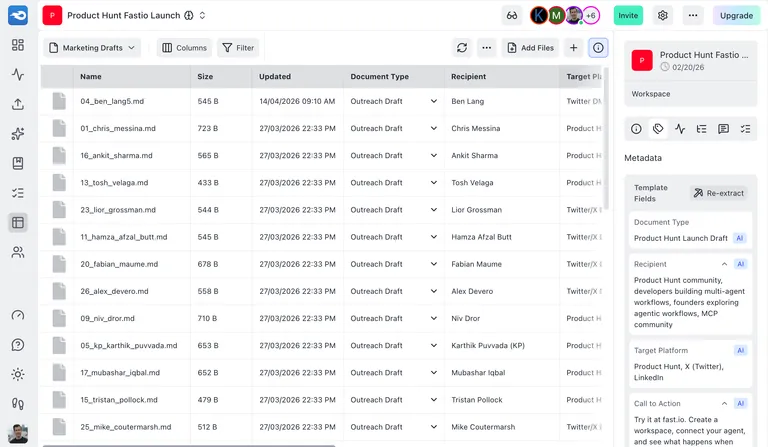
Introducing Metadata Views: AI-Powered Structured Data Extraction
Views use AI to extract structured fields from your documents, images, and PDFs into a searchable, filterable grid. Available on all plans.
Today we’re launching Views, a new way to extract structured data from unstructured files using AI.
You have hundreds of contracts, insurance documents, product photos, or research papers in a workspace. You need specific fields from each one: effective dates, policy numbers, product names, author affiliations. Until now, someone had to open each file and pull that data out manually.
Views does it automatically. Describe what you’re looking for, and AI reads your files and extracts the fields you care about into a searchable, sortable grid.
How It Works
The workflow has three steps: describe, match, extract.
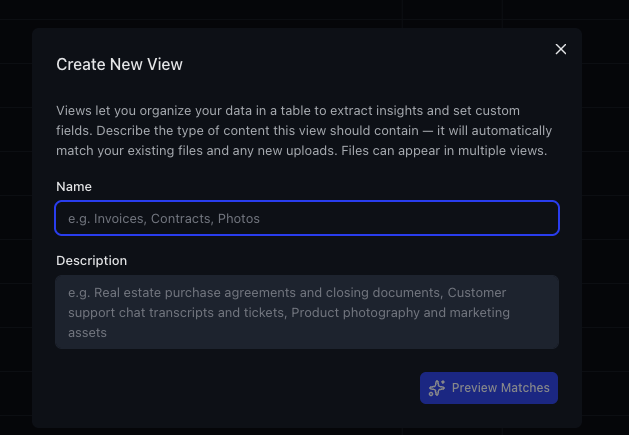
Step 1: Describe your View. Give it a name and describe the type of content it should cover. “Real estate purchase agreements and closing documents” or “Product photography and marketing assets” or “Customer support chat transcripts and tickets.”
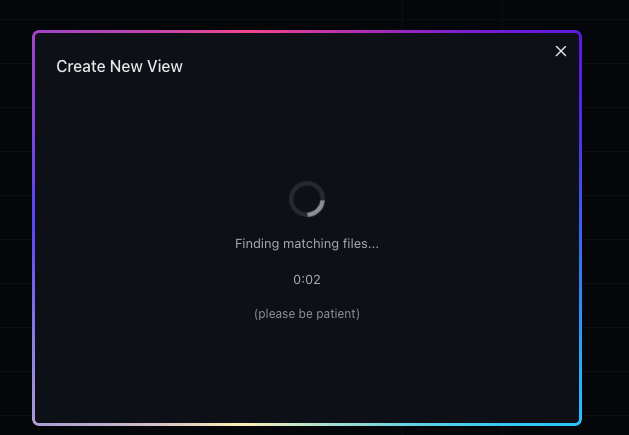
Step 2: AI matches your files. Fastio scans your workspace and uses AI to classify which files belong in the View. You see a preview of matched files before anything happens, so you can verify the matches are right.
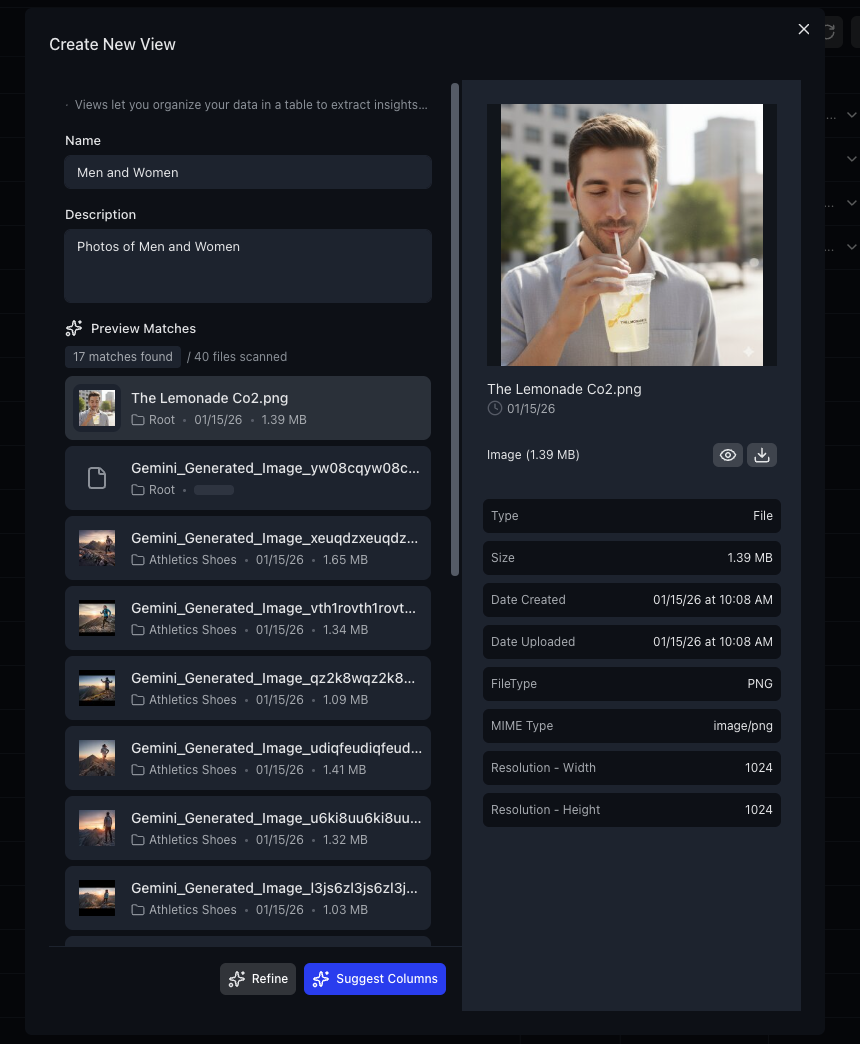
Step 3: AI suggests and extracts columns. Based on the actual content of your matched files, Gemini 2.5 Pro suggests relevant columns with types, descriptions, and example values. You can edit, add, or remove columns before creating the View.
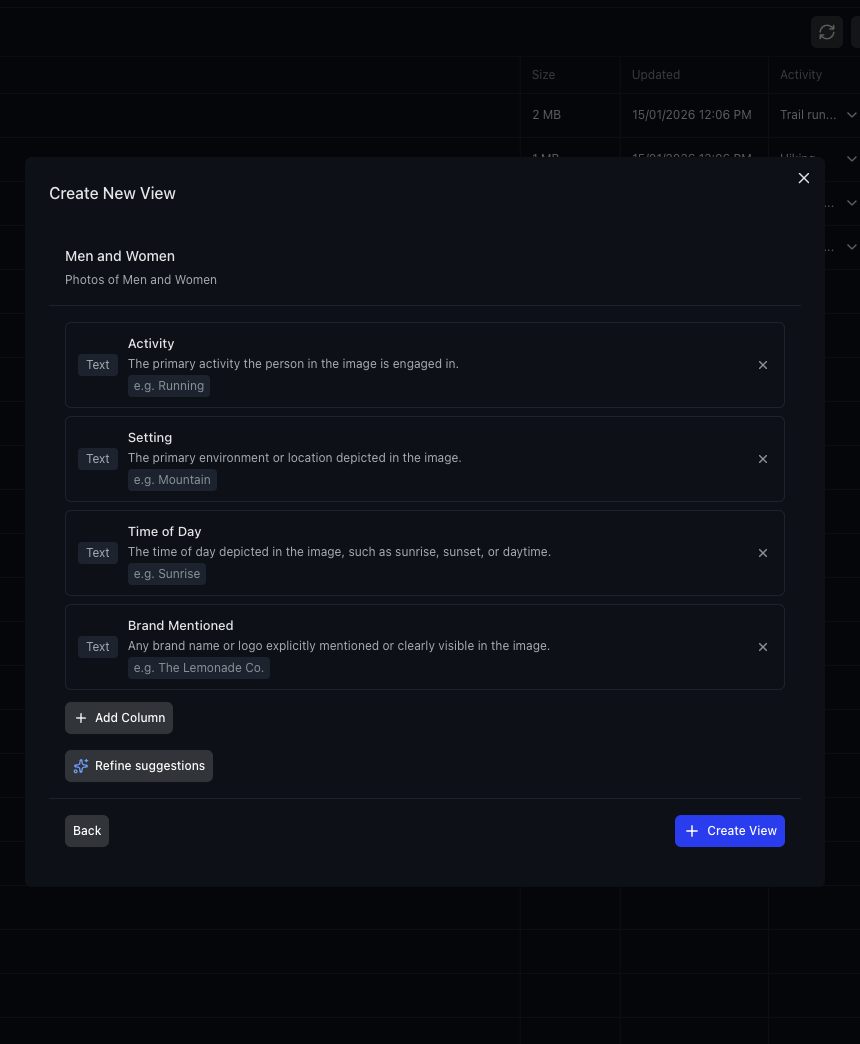
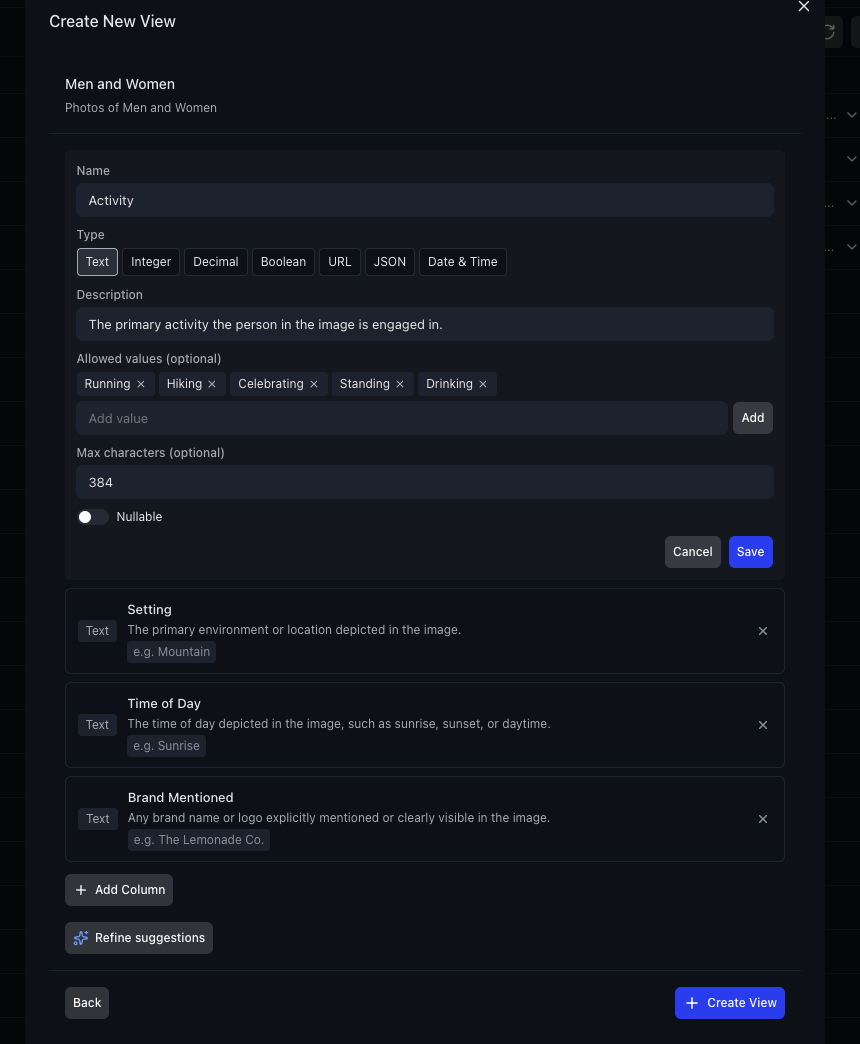
Each column has a type (Text, Integer, Decimal, Boolean, URL, JSON, Date & Time), an optional description, allowed values, and constraints. You have full control over the schema before extraction begins.
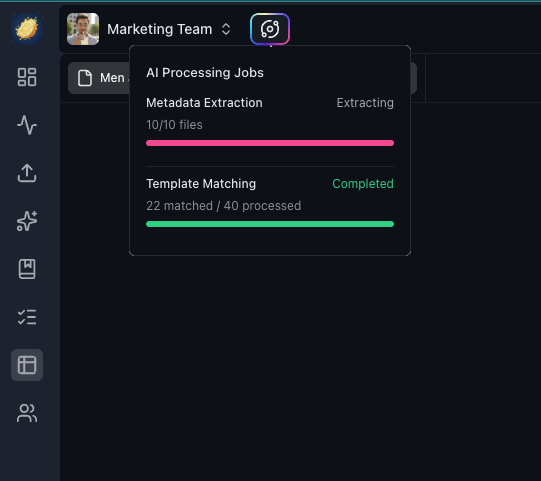
Once you create the View, AI reads each matched file and extracts the specified fields. Progress is tracked in real time via the AI Jobs Status indicator.
What You Can Extract
Views work on any file type that Fastio can read: PDFs, Word documents, spreadsheets, images, presentations, text files, and more. The AI extraction handles:
- Contracts and legal documents. Pull out effective dates, counterparties, renewal terms, governing law, payment amounts.
- Insurance documents. Extract policy numbers, coverage limits, deductibles, named insureds, expiration dates.
- Product photos and marketing assets. Tag images with subjects, settings, brand mentions, activity types, visual descriptions.
- Research papers and reports. Extract authors, institutions, methodologies, key findings, publication dates.
- Invoices and financial documents. Pull line items, totals, vendor names, due dates, payment terms.
- Support tickets and transcripts. Categorize by topic, sentiment, resolution status, customer tier.
The extraction is powered by the same AI pipeline that handles Fastio’s document intelligence, with the added ability to define custom schemas that map your exact domain knowledge onto your files.
Working with Your Data
Once extraction is complete, you have a full spreadsheet interface.
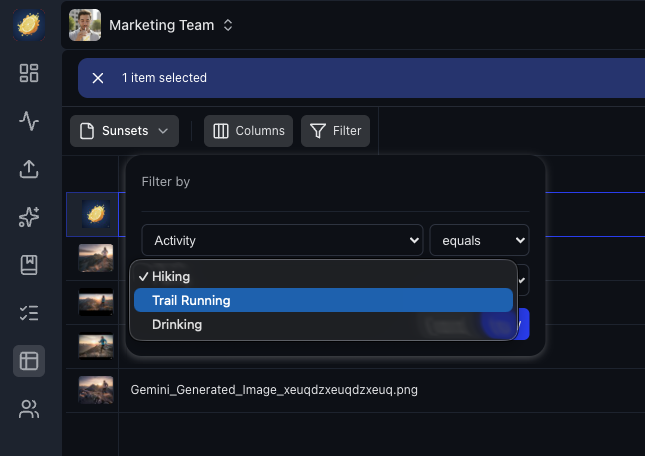
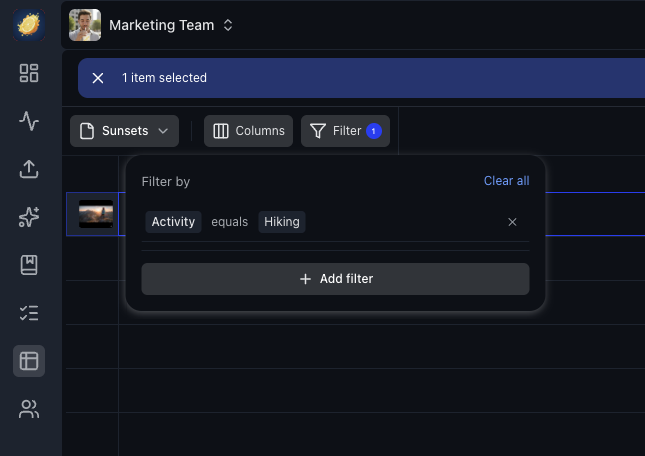
Filter and sort. Use the filter builder to query any extracted field. Find all contracts expiring before a date, all photos tagged with a specific location, all invoices above a threshold.
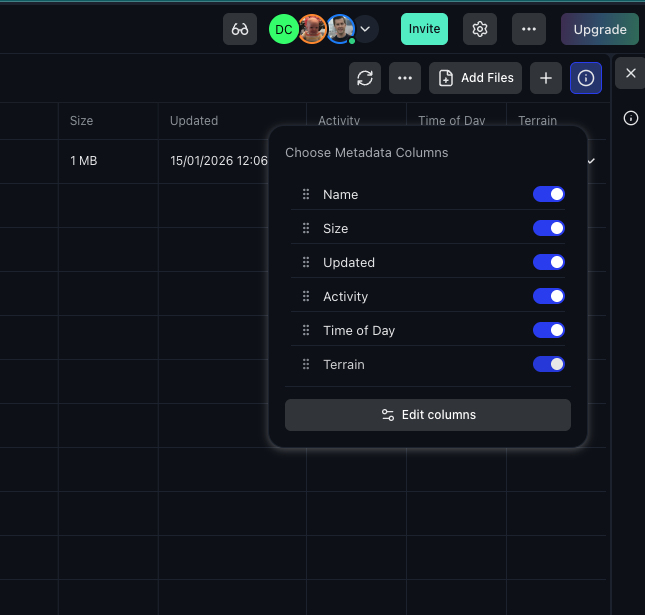
Manage columns. Toggle columns on and off, drag to reorder, resize widths. Your layout is saved per workspace and template.
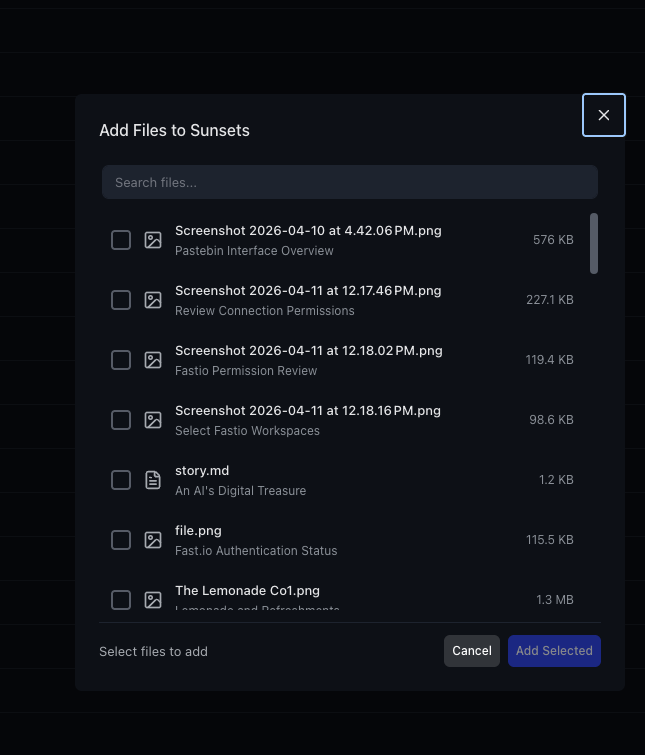
Add files manually. Beyond automatic matching, you can manually add specific files to any View.
Edit inline. Boolean fields are click-to-toggle. Double-click any thumbnail to open the file preview. Right-click rows or column headers for context actions including re-extraction.
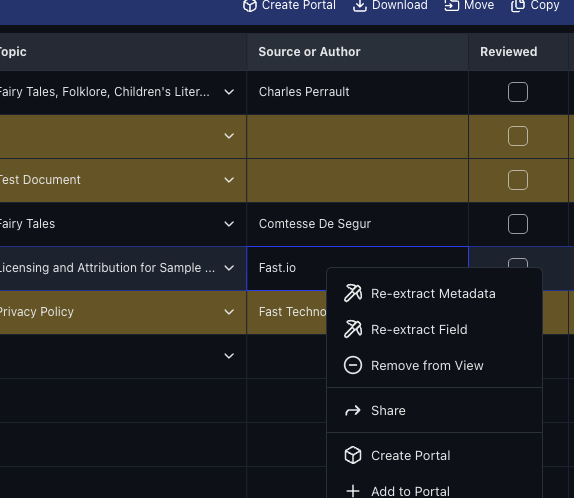
Re-extract on demand. Changed a file? Added new columns? Right-click to re-extract individual fields or entire rows without reprocessing everything. When you add new columns to a schema, only the new fields are extracted, leaving existing data untouched.
Under the Hood
The extraction pipeline supports multiple Views per file. The same document can appear in different Views with different fields extracted. A contract could be in a “Legal Review” View tracking renewal dates and a “Finance” View tracking payment terms.
Auto-matching uses an LLM to classify files against your View description, ranking candidates before applying per-plan node caps. Extraction runs as async background jobs with WebSocket progress updates, so you see live status without polling.
Duplicate jobs are detected automatically. If the same extraction is triggered twice, you get a notification pointing to the running job instead of a redundant parallel run. Stale or failed extraction transactions are cleaned up automatically so they don’t block future runs.
Template field type changes trigger automatic re-extraction, so updating a column from Text to Date reprocesses without manual intervention. Oversized files are rejected before extraction jobs start, and extraction progress is collapsed into a single status indicator row rather than per-file noise.
For Developers
The MCP server exposes Views through the workspace tool:
preview-match— AI-match files against a View description, returns ranked candidatessuggest-fields— Get AI-suggested columns with types and example valuesextract-all— Trigger batch extraction (async, returns job ID)jobs-status— Poll extraction progress
The API endpoints follow the same pattern: POST /workspace/{id}/metadata/templates/suggest-fields/ for column suggestions, POST /workspace/{id}/metadata/templates/{template_id}/auto-match/ for file matching, and POST /workspace/{id}/metadata/templates/{template_id}/extract-all/ for batch extraction.
All extraction endpoints return HTTP 202 with a job_id for async polling.
Available on All Plans
Views are available on every plan. Free through Pro plans get up to 10 custom columns per View. Business plans get 50. Per-plan node caps determine how many files can be assigned to a View. If your matches exceed the cap, the UI shows a clear message with an upgrade path.
Get Started
Open any workspace, click the metadata icon in the sidebar, and create your first View. The whole flow takes under a minute, and extraction typically completes in seconds per file.
Related Posts
One Tool per Operation and Read-Only MCP Sessions
A new MCP endpoint gives agents one tool per operation, and every Fastio tool now comes as a read tool and a separate write tool, each labeled with hints.
Claude Sonnet 5.5 vs Sonnet 5 on Fastio's Agent Benchmark
Claude Sonnet 5 found 4 to 14 of 17 contract contradictions, depending on the run. Claude Sonnet 5.5 found all 17 in six of seven runs and 16 in the other.
Gemini 3.6 Flash by Default, Plus Upload and Workspace Fixes
Gemini 3.6 Flash is now the default across AI features, alongside fixes to uploads, deletes, previews, and the workspace join gate.