What Is MCP (Model Context Protocol)? A Developer's Guide
Model Context Protocol (MCP) is an open standard that lets AI models securely connect to external data sources and tools through a unified interface. Instead of building custom integrations for every AI application, MCP provides a standardized protocol that cuts integration time while giving AI assistants access to live data, APIs, and services.
What Is Model Context Protocol?
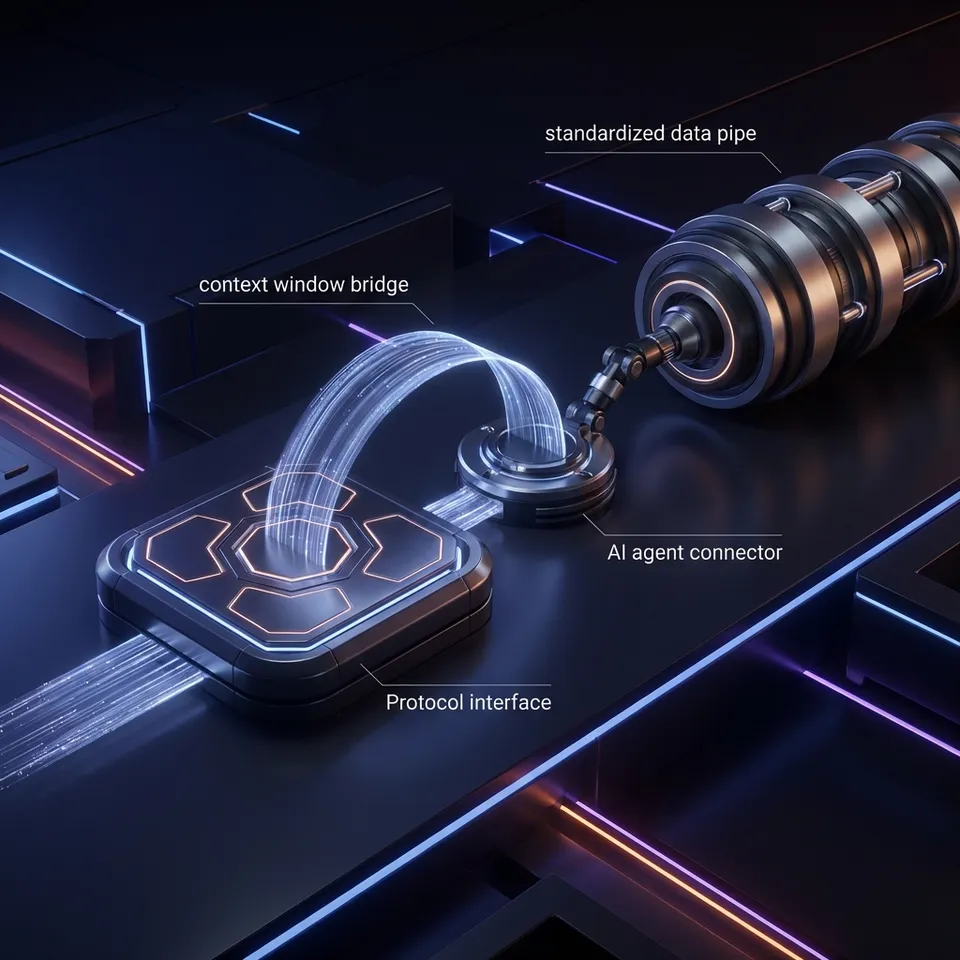
Model Context Protocol (MCP) is an open-source standard introduced by Anthropic in November 2024 that defines how AI applications communicate with external systems. Think of it as a USB-C port for AI: just as USB-C provides a standardized way to connect electronic devices, MCP provides a standardized way to connect AI applications to external data, tools, and services. Before MCP, developers building AI applications faced a challenge: every data source required custom integration code. Connecting Claude to Google Drive required one implementation, connecting it to Slack required another, and connecting it to your company's database required yet another. This created massive duplication of effort across the AI ecosystem.
MCP solves this with a simple architecture. MCP servers expose data and tools, while MCP clients (AI applications) connect to these servers using a standard protocol. Once you build an MCP server for your database, any MCP-compatible AI assistant can connect to it without additional integration work. The protocol is model-agnostic, meaning it works with Claude, GPT-4, Gemini, LLaMA, and any other language model that supports the standard. This universality is what makes MCP powerful: build once, connect everywhere.
Helpful references: Fast.io Workspaces, Fast.io Collaboration, and Fast.io AI.

How MCP Works: The Architecture
MCP uses a client-server architecture built on JSON-RPC 2.0, a lightweight remote procedure call protocol that's simple to implement and debug.
The Three Core Components
MCP Servers expose capabilities to AI applications. A server can provide:
- Resources: Structured data like files, database records, or API responses
- Tools: Functions the AI can invoke (search, calculate, send email, create records)
- Prompts: Pre-built prompt templates for common workflows
MCP Clients are AI applications that connect to servers. Claude Desktop, Cursor, and VS Code with MCP extensions are examples of clients. These applications discover available servers, request their capabilities, and invoke tools or access resources on behalf of the user.
Transport Layer handles communication between client and server. MCP supports two transport mechanisms:
- Standard I/O (stdio): Local connections where the client spawns the server as a subprocess
- Streamable HTTP/SSE: Remote connections over HTTP with server-sent events for streaming responses
How a Request Flows
When you ask Claude Desktop to "find my latest contract files," here's what happens:
- Claude (the client) identifies that it needs file system access
- It connects to an MCP server that exposes file operations
- The client sends a JSON-RPC request invoking the server's "search_files" tool with parameters like query="contract" and date="recent"
- The server executes the search and returns structured results
- Claude processes the results and presents them to you in natural language
This entire exchange happens in milliseconds, and the protocol is stateless. Each request is independent, making it simple to scale and debug.

Why MCP Matters for AI Development
MCP addresses a fundamental challenge in AI development: the gap between what language models know (training data) and what they need to know (current, private, or dynamic information).
The Context Problem
Language models are trained on static datasets with knowledge cutoffs. GPT-4 knows about events up to its training date, but it doesn't know what's in your company's database, your current email inbox, or today's stock prices. Before MCP, bridging this gap meant either:
- Manually copying data into prompts (tedious and limited by context windows)
- Building custom integrations for each data source (expensive and slow)
- Using RAG (Retrieval Augmented Generation) systems with custom vector databases (complex infrastructure)
MCP provides a fourth option: standardized, on-demand access to live data through a protocol that any AI can use.
Faster Integration Time
Early adopters report that MCP cuts integration time compared to custom solutions. Instead of writing hundreds of lines of integration code for each AI application, you write one MCP server and any compatible AI can use it immediately. This compounds as the ecosystem grows. With over 100 MCP servers now available for tools like Google Drive, Slack, GitHub, Postgres, and Puppeteer, developers can connect AI applications to common services in minutes instead of days.
Security by Design
MCP includes built-in security controls:
- Explicit user approval for tool invocations (users see what the AI wants to do before it happens)
- Granular permissions defined at the server level
- Audit trails showing what data the AI accessed
- Sandboxed execution for server operations
Security researchers have identified risks including prompt injection attacks, tool permission combinations that could exfiltrate data, and lookalike servers that could replace trusted ones. As with any protocol handling sensitive data, proper implementation and review of server code is important.


Start with what is mcp model context protocol on Fast.io
Fast.io's MCP server gives AI agents 251 tools for file operations, built-in RAG, and human-agent collaboration. Start with 50GB free storage, no credit card required.
Real-World MCP Use Cases
MCP enables practical AI applications that weren't feasible before standardization.
Code Editors with Context
Cursor and VS Code with MCP can access your entire codebase, documentation, and issue tracker simultaneously. Ask "Why is this API endpoint failing in production?" and the AI can check logs, recent commits, and related test files to give you a complete answer with citations.
File Operations for AI Agents
Fast.io's MCP server provides 251 tools for file storage and collaboration, giving AI agents the ability to:
- Upload and organize files in workspaces
- Create branded client portals with custom permissions
- Search file contents semantically using built-in RAG
- Transfer ownership of complete projects to human users
- Set up webhooks for reactive workflows
An AI agent can build an entire deal room with organized files, branded portal, and custom permissions, then hand it off to a human client while maintaining admin access for updates.
Database Access with Safety Rails
Connect Claude to your Postgres database via an MCP server that enforces read-only access and row-level security. The AI can answer complex questions about your data ("Show me the top 10 customers by lifetime value in Q4") without risk of modifying records.
Browser Automation
Puppeteer MCP servers let AI applications control headless browsers to extract data from websites, fill forms, or test web applications. The AI can navigate multi-step workflows that would be tedious to script manually.
Multi-System Workflows
MCP standardization lets AI orchestrate actions across multiple systems in one conversation. "Create a GitHub issue for this bug, then send a Slack message to the team, and add the issue link to our project tracker" becomes a simple natural language request that the AI executes across three different MCP servers.

Building Your First MCP Server
Creating an MCP server is straightforward with official SDKs available for TypeScript and Python.
Basic Server Structure
An MCP server defines three things:
- Resources it exposes (data the AI can access)
- Tools it provides (actions the AI can invoke)
- Prompts it offers (templates for common tasks)
Here's a minimal Python MCP server that exposes a file search tool:
from mcp import Server, Tool
import os

server = Server("file-search")

@server.tool()
async def search_files(query: str, path: str = ".") -> list[dict]:
    """Search for files matching a query in a directory."""
    results = []
    for root, dirs, files in os.walk(path):
        for file in files:
            if query.lower() in file.lower():
                results.append({
                    "path": os.path.join(root, file),
                    "name": file,
                    "size": os.path.getsize(os.path.join(root, file))
                })
    return results

if __name__ == "__main__":
    server.run()
Transport Configuration
For local development, use stdio transport (the client spawns your server as a subprocess). For production deployments, use HTTP transport with server-sent events for streaming. Fast.io's MCP server uses Cloudflare Durable Objects to maintain session state across HTTP requests, enabling stateful file operations over a stateless protocol.
Publishing Your Server
Once built, publish your server to the community MCP registry so other developers can discover and use it. The ecosystem benefits when servers are reusable. A well-built database connector or API wrapper becomes infrastructure for thousands of AI applications.
MCP Client Integration
Adding MCP support to your AI application gives it instant access to the growing ecosystem of servers.
Client Configuration
MCP clients discover servers through a configuration file. Here's how Claude Desktop connects to an MCP server:
{
  "mcpServers": {
    "fast-io": {
      "command": "npx",
      "args": ["-y", "@fast-io/mcp-server"],
      "env": {
        "FAST_API_KEY": "your-api-key"
      }
    }
  }
}
The client spawns the server when needed and maintains the connection for the session.
Tool Discovery
When connected, the client requests the server's capabilities using the tools/list RPC method. The server responds with a manifest of available tools, including their names, descriptions, and parameter schemas. The AI model uses this manifest to understand what actions it can take. When a user's request matches a tool's capability, the model generates an invocation request that the client sends to the server.
Permission Models
Different clients handle permissions differently:
- Claude Desktop prompts users before invoking any tool (explicit approval)
- Cursor allows auto-approval for specific tools in trusted servers
- Custom clients can implement role-based access control or audit logging
The protocol doesn't mandate a specific permission model, giving client developers flexibility to match their security requirements.
MCP vs. Alternatives: When to Use Which
MCP isn't the only way to connect AI to data. Here's how it compares to alternatives.
MCP vs. Function Calling
Function calling (like OpenAI's function calling or Anthropic's tool use) is a feature of language models that lets them invoke functions during generation.
MCP is a protocol for standardizing how those functions are exposed.
You can use MCP with function calling. The MCP server's tools become the functions the model can call. MCP adds standardization and reusability on top of model-specific function calling features.
MCP vs. GPT Actions
GPT Actions are OpenAI-specific custom integrations for ChatGPT. They're tied to the OpenAI ecosystem and require hosting an OpenAPI-compliant server.
MCP is model-agnostic and works with any AI that supports the protocol. A single MCP server works with Claude, GPT-4, Gemini, and local models. If you need your integration to work across different AI platforms, MCP is the better choice.
MCP vs. Custom RAG Pipelines
RAG pipelines (Retrieval Augmented Generation) typically involve:
- Chunking documents and generating embeddings
- Storing embeddings in a vector database (Pinecone, Weaviate, etc.)
- Querying the vector DB during AI requests
- Injecting retrieved chunks into prompts
MCP with built-in RAG (like Fast.io's Intelligence Mode) simplifies this:
- Toggle RAG on for a workspace
- Files are automatically indexed
- AI can query with natural language and get cited answers
- No separate vector database to manage
If you need semantic search over file content, MCP servers with integrated RAG cut out the infrastructure complexity.
MCP Ecosystem and Adoption
The MCP ecosystem is growing rapidly since its November 2024 launch.
Available Servers
Over 100 MCP servers are now available, including:
- Cloud storage: Google Drive, Dropbox, OneDrive, Fast.io (251 tools for file operations and RAG)
- Communication: Slack, Discord, email
- Databases: Postgres, MySQL, SQLite
- Development: GitHub, GitLab, Jira
- Web automation: Puppeteer, Playwright
- Search: Google Search, documentation search
The community maintains a registry at modelcontextprotocol.io where you can browse and install servers.
Client Support
MCP-compatible AI applications include:
- Claude Desktop (native support)
- Cursor (code editor with AI)
- VS Code (via extensions)
- Windsurf (AI-native editor)
- Custom agents built with LangChain, LlamaIndex, CrewAI, or Anthropic's Agent SDK
Enterprise Adoption
Companies are using MCP to connect proprietary systems to AI. Salesforce Admins use MCP to connect Claude to Salesforce data, Databricks provides MCP servers for data lakehouse access, and Red Hat published security guidance for MCP deployment. The protocol's standardization makes it attractive for enterprises that need to audit and control AI access to sensitive systems.
Security Considerations
MCP servers handle sensitive data and powerful operations. Understanding the security model matters.
Identified Risks
Security researchers analyzing MCP identified several risk categories:
Prompt Injection: A malicious document could contain instructions that trick the AI into misusing MCP tools (e.g., "Delete all files" embedded in a PDF). Input sanitization and user confirmation for destructive operations can prevent this.
Tool Permission Combinations: Even if individual tools are safe, combinations can be risky. A "read_file" tool and "send_email" tool together could exfiltrate data if the AI is manipulated.
Lookalike Servers: A malicious server could impersonate a trusted one (e.g., "github-official" vs "github-0fficial"). Clients should verify server sources and use registry signing to prevent this.
Best Practices
When building or using MCP servers:
- Review server code before installation (open source enables auditing)
- Use explicit permissions (don't auto-approve tool invocations)
- Implement audit logging to track what data the AI accessed
- Sandbox server execution to limit blast radius of bugs
- Use environment-based credentials (not hardcoded API keys)
- Version pin servers to avoid supply chain attacks
Fast.io's MCP server implements role-based access control, audit logs for all file operations, and optional webhooks so you can monitor AI activity in real time.
The Future of MCP
MCP is becoming foundational infrastructure for AI applications.
Standardization Benefits
As more AI models and tools adopt MCP, network effects kick in. Every new MCP server instantly becomes available to all compatible clients. Every new client gains access to the existing ecosystem of servers. Each addition to the ecosystem makes the protocol more valuable for everyone else. Before MCP, each AI tool needed custom integrations with each data source. With N tools and M data sources, that's N × M integrations to maintain. With MCP, it's N clients + M servers. Linear scaling instead of quadratic.
What's Next
The MCP specification is evolving to add:
- Bidirectional streaming for real-time collaboration
- Federated servers that route requests to multiple backends
- Enhanced security with signed tool manifests and permission scopes
- Performance improvements with caching and connection pooling
Anthropic is working with the community to develop the spec based on real-world usage. As the standard matures, expect enterprise-grade features like SLAs, monitoring, and compliance certifications.
OpenClaw Integration
Projects like OpenClaw make MCP even more accessible. With OpenClaw, you can install Fast.io's file storage via clawhub install dbalve/fast-io and get 14 natural language tools with zero configuration. This abstraction layer means developers don't need to understand MCP internals to benefit from its capabilities.
Frequently Asked Questions
What is MCP in AI?
MCP (Model Context Protocol) is an open standard that lets AI models connect to external data sources and tools through a unified interface. Instead of building custom integrations for each AI application, MCP provides a standardized protocol where servers expose capabilities and clients (AI applications) consume them. This cuts integration time and works with any LLM that supports the standard.
How does Model Context Protocol work?
MCP uses a client-server architecture built on JSON-RPC 2.0. MCP servers expose resources (data), tools (functions), and prompts (templates). MCP clients (AI applications) connect to servers, discover their capabilities, and invoke tools on behalf of users. The protocol supports two transport mechanisms: stdio for local connections and HTTP with server-sent events for remote connections. Each request is stateless, making it simple to scale and debug.
What is MCP used for?
MCP is used to connect AI applications to live data and services. Common use cases include: giving code editors access to codebases and issue trackers, enabling AI agents to manage files and build client portals, connecting AI to databases with safety rails, browser automation for data extraction, and orchestrating multi-system workflows. Any scenario where AI needs current or private data benefits from MCP.
Is MCP better than function calling?
MCP and function calling solve different problems. Function calling is a language model feature that lets AI invoke functions during generation. MCP is a protocol for standardizing how those functions are exposed. You use them together: MCP servers define the tools, and the model's function calling invokes them. MCP adds reusability and standardization on top of model-specific function calling.
How do I build an MCP server?
Building an MCP server requires choosing a transport (stdio for local, HTTP for remote), defining your tools with JSON schemas, and implementing the tool logic. Official SDKs for TypeScript and Python handle the protocol details. A basic server can be built in under 100 lines of code. Once built, publish it to the community registry so other developers can use it with their AI applications.
What are the security risks of MCP?
Security researchers identified several risks: prompt injection (malicious documents tricking AI into misusing tools), tool permission combinations (safe tools becoming risky together), and lookalike servers (malicious servers impersonating trusted ones). Mitigations include reviewing server code before use, requiring explicit user approval for tool invocations, implementing audit logging, and sandboxing server execution.
Which AI models support MCP?
MCP is model-agnostic and works with Claude, GPT-4, Gemini, LLaMA, and local models. The protocol is implemented at the application level (clients like Claude Desktop, Cursor, VS Code) rather than the model level. Any AI application can add MCP support by implementing the client protocol, giving it instant access to the ecosystem of MCP servers.
Can I use MCP with OpenAI's API?
Yes, you can use MCP with OpenAI's API by building a client that connects to MCP servers and translates their tools into OpenAI function calls. The MCP server exposes tools, your client fetches the tool manifest, and you pass those functions to OpenAI's API. When the model wants to invoke a tool, your client sends the request to the MCP server and returns results to OpenAI.
How does Fast.io's MCP server work?
Fast.io provides an MCP server with 251 tools for file storage, collaboration, and RAG. It uses Streamable HTTP and SSE transport with session state in Cloudflare Durable Objects. AI agents can upload files, create workspaces, build branded client portals, search content semantically using Intelligence Mode, and transfer ownership to humans. The free agent tier includes 50GB storage, 5,000 monthly credits, and no credit card requirement.
What's the difference between MCP and RAG?
RAG (Retrieval Augmented Generation) is a technique for giving AI access to document knowledge by chunking files, generating embeddings, storing them in a vector database, and injecting relevant chunks into prompts. MCP is a protocol for standardizing how AI accesses external systems. Some MCP servers (like Fast.io) include built-in RAG, eliminating the need to manage separate vector databases. You toggle Intelligence Mode on a workspace and files are automatically indexed for semantic search.
Related Resources

Start with what is mcp model context protocol on Fast.io
Fast.io's MCP server gives AI agents 251 tools for file operations, built-in RAG, and human-agent collaboration. Start with 50GB free storage, no credit card required.