How to Use OpenClaw for Education: Top 7 Skills for Educators
The top OpenClaw skills for educators help create personalized lessons and handle admin tasks. By using these open-source agents, teachers can save hours on grading, simplify planning, and provide 1-on-1 student support without burnout.

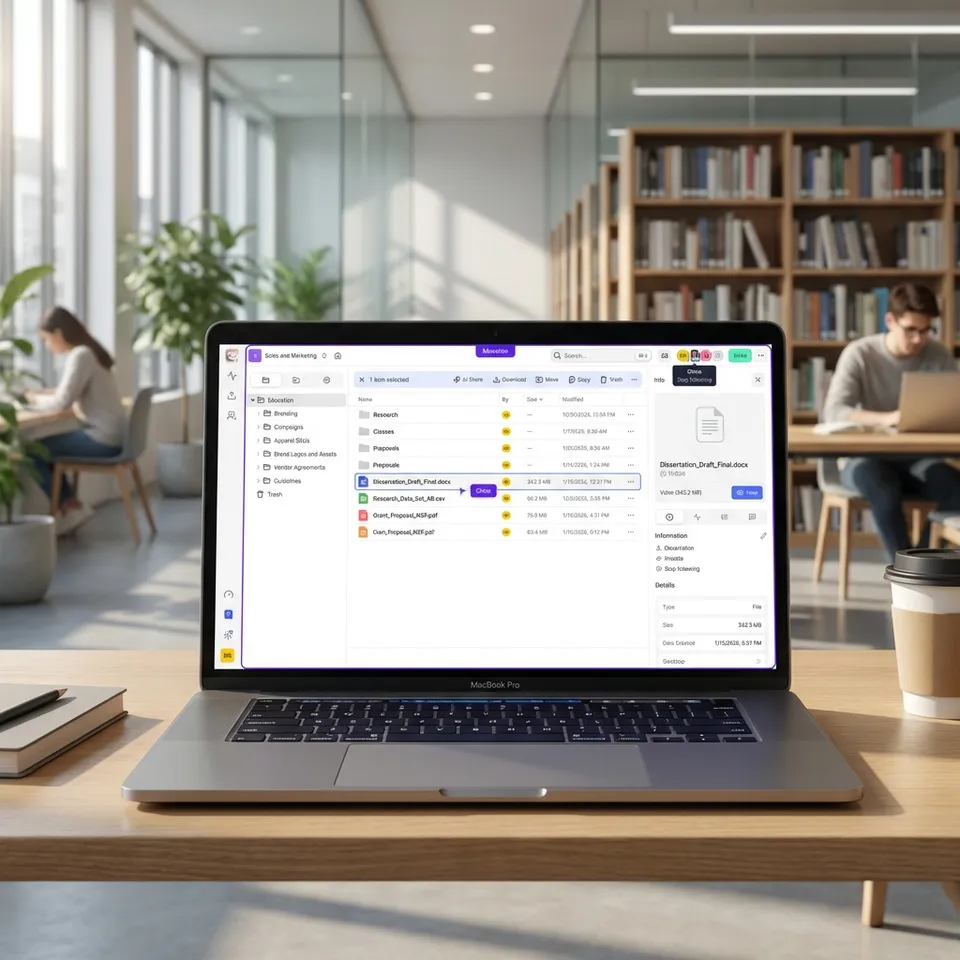
Why Educators Need OpenClaw Agents to Reclaim Their Time
Teaching involves more than just classroom instruction. Between grading, lesson planning, email, and paperwork, educators often work well beyond school hours. OpenClaw provides a private framework for running autonomous AI agents that can handle these repetitive tasks.
Unlike standard chatbots, OpenClaw agents can use "skills." These modular tools allow them to interact with the real world. They can browse the web, manage files, send emails, and work alongside your existing software. For educators, this means having a digital assistant to handle the busywork so you can focus on teaching and your students.
Reports show AI automation can cut grading time by up to 80%, leaving more hours for students. OpenClaw offers this ability while keeping data private and under your control.
Helpful references: Fastio Workspaces, Fastio Collaboration, and Fastio AI.

Related guides
- How to Use Claude Code Skills in ClineAccording to GitHub's Octoverse 2024 report, the number of developers building with generative AI on the platform...
- How to Install and Manage Cline Agent SkillsAI coding agents boost code volume by 180%, but shipped code rises by only 30%, showing a critical gap in development...
- Best OpenClaw Skills for AI Study Guide and Flashcard GenerationOpenClaw's skill registry includes dedicated tools that turn lecture notes and textbook PDFs into structured Anki...
- Top OpenClaw Skills for AI Lesson Plan and Teaching Material GenerationTeachers who use AI tools weekly save an average of 5.9 hours per week, yet most AI lesson plan generators produce flat...
- Best OpenClaw Skills for Web ResearchWeb research skills let OpenClaw agents find and read information on the live web. Without them, your AI is stuck with...
- Top OpenClaw Skills for Interior DesignersInterior design is half creativity and half administration. OpenClaw skills help designers automate sourcing, organize...
More on this subject: OpenClaw Skills (109 guides)
What is OpenClaw?
OpenClaw is an open-source framework that runs independent AI agents. Think of it as an operating system for your AI helpers. Instead of just chatting with a bot in a browser window, OpenClaw allows you to build agents that live on your computer or server and do things for you.
Key differences from ChatGPT or Claude:
- Autonomy: OpenClaw agents can run in the background, checking for tasks or waiting for triggers (like a new email or a file upload).
- Privacy: Because it is open-source and self-hosted, you keep your data on your own infrastructure rather than sending everything to a centralized cloud service by default.
- Extensibility: The "skills" system allows developers and community members to write custom tools (like a skill to grade papers or a skill to organize files) that anyone can install.
For educators concerned about student data privacy and budget constraints, OpenClaw is a sustainable way to adopt AI. You aren't locked into a subscription SaaS platform that might disappear; you own the agent infrastructure.
1. Brave Search - Finding Current Resources and Primary Sources
Keeping course materials current is one of the most time-consuming parts of teaching. The Brave Search skill by steipete provides web search and content extraction via the Brave Search API. It's lightweight - no browser required - and lets your agent search documentation, facts, and any web content quickly.
Educators can use this skill to find current news articles, scientific papers, primary sources, or curriculum updates without manually browsing dozens of sites.
What it does:
- Performs headless searches with customizable result counts and optional full-page content extraction as markdown.
- Fetches and converts web pages into readable markdown for easy agent processing.
- Lets you task the agent: "Find five primary source letters from the Civil War era in the public domain and save them as PDFs."
Why it matters: Instead of spending an hour browsing library databases, you give the agent a topic and it returns a curated packet of resources ready for class. This works for any subject where current events or recent research add value.
ClawHub Page: https://clawhub.ai/steipete/brave-search
Pro Tip: Ask the agent to generate three variations of the same activity alongside its research: one for students who need extra support, one for on-level students, and one extension for advanced learners. This makes differentiation instant.
2. Filesystem Management - Organizing Student Submissions and Resources
Grading and file management are often the biggest bottlenecks for educators. The Filesystem Management skill by gtrusler provides advanced filesystem operations - listing, searching, batch processing, and directory analysis - that let your agent act as a classroom file organizer.
Instead of manually sorting hundreds of submitted PDFs into the right folders, the agent watches your submissions directory and moves, renames, and deduplicates files according to your rules.
Capabilities:
- Batch Operations: Pattern-based file copying with dry-run preview and error recovery - perfect for sorting submissions by class period or student name.
- Smart Search: Glob and regex pattern matching plus full-text content search to find specific assignments instantly.
- Directory Analysis: ASCII tree visualization and space usage reports help you see the state of your entire course folder at a glance.
While the final grade always remains your decision, a well-organized file system means the agent can hand you a clean folder of papers to review, each named consistently, rather than a jumbled downloads folder.
Implementation Strategy:
- Upload the rubric as a reference file in your Fastio workspace.
- Point the agent to a folder of student submissions using the Filesystem Management skill.
- Command: "Review these essays against the rubric. Create a feedback file for each student highlighting strengths and one area for growth."
ClawHub Page: https://clawhub.ai/gtrusler/clawdbot-filesystem
3. Fastio - Persistent Classroom Storage with Built-In RAG
Managing hundreds of student submissions, handouts, and resource files requires a reliable system. Fastio provides a remote MCP server at https://mcp.fast.io/mcp/tools that gives your OpenClaw agent persistent classroom storage with a consolidated MCP toolset covering file upload, semantic search, AI-powered document chat, and secure sharing.
Key Features:
- Natural Language Management: Tell your agent, "Archive all Grade 10 assignments from last semester" or "Create a shared folder for the Science Fair."
- Intelligence Mode: Fastio indexes uploaded documents and files once Intelligence is enabled for the workspace. You can then ask your agent, "Which student papers mentioned 'photosynthesis'?" and get cited answers instantly.
- Secure Sharing: Agents can create password-protected links or branded portals for sharing resources with parents or students without exposing your entire drive. The ownership transfer feature lets the agent hand a completed workspace over to you or a department head.
This integration gives your agent persistent memory. Lesson plans, student records, and research materials are kept safe in the cloud but remain easy to retrieve for future tasks.
Setting Up Fastio:
- Obtain Scoped Key: Create a scoped API key for your Fastio account.
- Connect MCP: Point OpenClaw to
https://mcp.fast.io/mcp/toolsand send the key as a Bearer token. - Usage: Start chatting. "Upload this lesson plan to the 'History' workspace" or "Find the permission slip template."
Documentation: Fast.io for Agents


Give Your AI Agents Persistent Storage
Equip your OpenClaw agents with persistent, intelligent storage. Store lesson plans, grade books, and research in secure workspaces that both you and your agents can access. Built for smooth education workflows. Built for openclaw skills educators workflows.
4. Playwright - Automating Form-Heavy Educational Portals
Keeping course materials up to date and managing school information systems takes time. The Playwright skill by ivangdavila provides browser automation via Playwright MCP: your agent can navigate websites, click elements, fill forms, take screenshots, extract data, and debug real browser workflows.
How it helps:
- Portal Automation: Navigates form-heavy school information systems to export grade data, attendance records, or enrollment lists without manual clicking.
- Content Extraction: Extracts structured data from JavaScript-rendered curriculum databases or standards websites.
- Curriculum Monitoring: Checks educational standards websites for requirement changes and saves the updated pages as PDFs for your records.
For example, you can task the agent to log into your district's LMS, download all pending assignment submissions, and save them to your Fastio workspace - the agent handles the navigation, authentication, and file saving automatically.
ClawHub Page: https://clawhub.ai/ivangdavila/playwright
5. AgentMail - Managing Parent and Student Communications
Communication with families is important but time-consuming. The AgentMail skill by adboio is an API-first email platform designed for AI agents. It lets your OpenClaw agent create and manage dedicated email inboxes, send and receive emails programmatically, and handle email-based workflows with webhooks and real-time events.
Use Cases:
- Drafting Newsletters: The agent compiles class highlights and upcoming dates into a weekly update and prepares it for your review before sending.
- Scheduling: Coordinates parent-teacher conference slots via email back-and-forth using real-time event handling for incoming replies.
- FAQ Responses: Automatically drafts responses to common questions about homework policies or field trip details - the agent prepares the reply, you approve it.
The agent drafts the emails but you hit send. AgentMail's semantic search and automatic labeling help the agent triage incoming messages by priority, so you only see the items that need your attention.
ClawHub Page: https://clawhub.ai/adboio/agentmail
6. Gog - Syncing Lessons and Resources Across Google Workspace
Most educators already live in Google Workspace - Gmail, Calendar, Drive, Sheets, and Docs. The Gog skill by steipete provides a Google Workspace CLI that lets your OpenClaw agent interact with all of these services via structured commands.
Student Benefits:
- Calendar Sync: The agent checks your Google Calendar to draft reminders for upcoming assignment due dates or parent-teacher conferences.
- Drive Organization: Agents can search Google Drive for lesson materials, move files to shared class folders, and ensure students always have access to the latest version.
- Sheets Updates: Grade trackers or attendance sheets stored in Google Sheets can be read and updated directly by the agent.
This integration means students can ask the agent where the study guide is, and it retrieves the right file from your Google Drive or Fastio workspace without requiring you to send links manually.
ClawHub Page: https://clawhub.ai/steipete/gog
7. Clawdbot Docs - Navigating the OpenClaw Documentation
Getting up to speed with OpenClaw can take time, especially for educators who aren't deeply technical. The Clawdbot Docs skill by NicholasSpisak is a Clawdbot documentation expert with decision tree navigation, search scripts, doc fetching, version tracking, and config snippets for all Clawdbot features.
Workflow:
- Guided Setup: The skill's decision tree routes your questions about setup, troubleshooting, configuration, and automation to the right documentation sections immediately.
- Config Snippets: Ready-to-use configuration examples for providers, gateway setup, and deployment across Docker, Linux, and macOS mean you spend less time reading docs and more time teaching.
- Version Tracking: Change history monitoring means the agent can alert you when documentation for a skill you rely on has been updated.
This skill is particularly useful for educators setting up OpenClaw for the first time, or for department technology coordinators supporting multiple teachers. It turns the entire Clawdbot documentation into a conversational knowledge base.
ClawHub Page: https://clawhub.ai/NicholasSpisak/clawddocs
How to Choose the Right Skills
With so many options, it's easy to get overwhelmed. Here is a simple framework for selecting the right OpenClaw skills for your classroom:
1. Identify Your Bottleneck:
- If you spend time hunting for current resources, start with Brave Search.
- If file organization is chaotic, prioritize Filesystem Management.
- If email is burying you, look at AgentMail.
- If you already work in Google Workspace daily, add Gog first.
2. Check Privacy Requirements:
- For handling student data (grades, IEPs), make sure you use local models or enterprise-grade APIs with zero-retention policies.
- For general lesson planning and resource gathering, standard cloud models are usually fine.
3. Assess Technical Comfort:
- Some skills require API keys and configuration (like Playwright or Gog's OAuth setup).
- Others, like Fastio and Brave Search, are designed for quick setup and are easier for beginners.
Setting Up Your Digital Classroom
Ready to get started? Here is a roadmap for your first week with OpenClaw:
- Day 1: Installation. Download OpenClaw and set it up on your primary work computer. Install the Clawdbot Docs skill (
clawhub install NicholasSpisak/clawddocs) to have the documentation on hand. - Day 2: Basic Chat. Spend time chatting with the base agent to understand its capabilities.
- Day 3: Connect Storage. Connect Fastio via remote MCP to give your agent persistent cloud storage.
- Day 4: First Research Task. Add Brave Search (
clawhub install steipete/brave-search) and assign a low-stakes task, like "Find five recent articles on plate tectonics suitable for 8th graders." - Day 5: File Organization. Install Filesystem Management (
clawhub install gtrusler/clawdbot-filesystem) and let the agent organize your downloads folder into a clean course structure. - Day 6: Communication. Try a more complex workflow, like connecting AgentMail (
clawhub install adboio/agentmail) to draft responses to common parent questions.
The Future of AI in Education
We are just starting to see what autonomous agents can do in education. As these tools improve, we will move from simple tasks to personalized learning. Imagine an agent that tracks each student's progress individually, suggesting specific interventions to the teacher and curating custom reading lists for the student.
By using tools like OpenClaw and Fastio today, you are building the infrastructure for this future. Technology handles the logistics, so you can focus on the students.
Sources
References used to verify factual claims in this guide.
-
AI automation can reduce grading time by up to 80%
-
Save 10+ hours a week with AI agents
-
Fastio provides tiered cloud storage plans with usage-based credits and a 14-day Business Trial
Frequently Asked Questions
Is OpenClaw free for teachers to use?
OpenClaw itself is open-source and free to use. You will need to pay for the underlying LLM API costs (like OpenAI or Anthropic) and any hosting fees if you don't run it locally on your own computer.
Can OpenClaw grade handwritten student assignments?
Yes, if using vision-capable models (like GPT-4o or Claude Sonnet). You can scan or photograph handwritten work, and the agent can analyze the image text to provide feedback, though accuracy depends on handwriting legibility.
How do I connect OpenClaw to Fastio?
Connect OpenClaw to Fastio's remote MCP server at https://mcp.fast.io/mcp/tools, sending a scoped API key as a Bearer token. This gives your agent direct access to cloud storage, semantic search once Intelligence is enabled, and file management tools.
Is student data safe with AI agents?
OpenClaw is designed for privacy, running locally or on your chosen infrastructure. Always anonymize student data before sending it to any external LLM provider. Fastio improves security with organization-owned files and granular permission controls.
Do I need to know how to code to use OpenClaw?
No, basic usage relies on natural language commands. Installing specific skills might require using a terminal command line, and more advanced customizations can benefit from some technical knowledge.
Related Resources

Give Your AI Agents Persistent Storage
Equip your OpenClaw agents with persistent, intelligent storage. Store lesson plans, grade books, and research in secure workspaces that both you and your agents can access. Built for smooth education workflows. Built for openclaw skills educators workflows.