7 Best Send Anywhere Alternatives for Secure File Transfer in 2026
Send Anywhere popularized 6-digit key transfers for quick, device-to-device sharing. But its reliance on peer-to-peer connections and lack of persistent storage limits its use for professional teams. This guide compares the top alternatives for users who need more reliable storage, larger transfer limits, or better team collaboration features.
Why Users Switch from Send Anywhere
Send Anywhere built its reputation on a simple premise: generate a 6-digit code, share it with someone, and transfer files directly between devices. No accounts, no cloud storage, no waiting for uploads. For quick personal transfers between your own devices, it works well. But that simplicity comes with trade-offs that become painful in professional settings.
Both devices must be online simultaneously. Send Anywhere uses peer-to-peer (P2P) connections for most transfers. This means Device A and Device B need to be connected at the same time. If you send a large video file at 3pm and your client tries to download it at 6pm, they get nothing. The transfer window has closed. For teams working across time zones, this creates constant coordination headaches.
Files disappear quickly. Even when Send Anywhere does use cloud relay servers, links expire within 10 minutes to 48 hours depending on your plan. There is no "permanent link" option. If a client asks for that file you sent last week, you need to send it again. This creates unnecessary back-and-forth that wastes everyone's time.
No organizational structure. Send Anywhere treats every transfer as a one-time event. There is no folder structure, no project organization, and no way to see "all files I've shared with Client X." After a few months of heavy use, you have no record of what was sent where.
Free tier limitations. The free version shows ads, limits some features, and can throttle speeds during peak times. For business use, this looks unprofessional and creates friction.
Storage is not the point. Send Anywhere is a courier, not a warehouse. It moves files from A to B. If you need files to live somewhere accessible, you need a different tool entirely. Users typically start looking for alternatives when their needs evolve beyond simple device-to-device transfers. The triggers are usually: needing asynchronous transfers (upload now, recipient downloads later), wanting persistent storage (files that stay until you delete them), requiring team features (permissions, workspaces, branding), or wanting professional presentation (no third-party ads on download pages).
Helpful references: Fast.io Workspaces, Fast.io Collaboration, and Fast.io AI.
What to Look for in an Alternative
Choosing the right Send Anywhere replacement depends on which part of your workflow is broken. Before comparing tools, clarify what you need.
Transfer Model: P2P vs Cloud
Peer-to-peer transfers skip the cloud entirely, which can be faster on local networks and offers more privacy since files never touch a third-party server. But P2P requires both parties online simultaneously. Cloud-based transfer stores files on servers first, then delivers them when recipients are ready. This is more reliable for business use because it decouples sending from receiving. Your client in Tokyo can download that video file while you sleep in New York.
File Size Handling
Send Anywhere handles large files reasonably well, so any replacement needs to match or exceed that capability. Look for services supporting gigabyte-scale transfers, or unlimited sizes for enterprise use. Some services charge per-GB for large transfers (like MASV), while others include large file support in flat subscription pricing. Calculate what makes sense for your typical file sizes.
Security Requirements
For sensitive business documents, you need more than just encryption during transfer. Look for: encryption at rest (files protected on servers), granular permissions (control who can view vs. download), password protection on links, expiration dates you control, audit logs showing who accessed what and when, and the ability to revoke access after sending. P2P tools like Send Anywhere offer encryption in transit but lack the management features needed for compliance and accountability.
Ease of Use
One of Send Anywhere's best qualities is simplicity. You should not need to configure FTP servers, install desktop sync agents, or call IT just to share a file. The best alternatives maintain that low-friction experience while adding power underneath. If sharing a file takes more than three clicks, your team will not adopt the tool.
Cost Structure
File transfer tools price in different ways: per-user per-month (like Dropbox at published pricing/month), per-GB transferred (like MASV at roughly $0.25/GB), or usage-based with generous seat packages (like Fast.io with 25 seats included in Pro). The right choice depends on whether you have many users with moderate usage or few users with heavy transfer volumes.

Top Send Anywhere Alternatives Compared
Here is how the leading alternatives stack up against Send Anywhere's direct transfer model. Each tool takes a different approach, so the "best" choice depends on your specific workflow.
Quick Comparison
- Fast.io: Best for professional teams needing persistent workspaces, branded portals, and unlimited guest sharing. Cloud-native with HLS video streaming.
- WeTransfer: Best for simple one-off transfers. Upload, add an email, send. Files live in the cloud for 3 days (free) or longer (paid).
- Dropbox Transfer: Best for Dropbox users who want Send Anywhere-style transfers integrated with their existing storage.
- Resilio Sync: Best for users who want P2P sync without cloud dependency. Ideal for folder syncing across devices.
- MASV: Best for video professionals moving massive files (100GB+). Pay-per-GB model optimized for media workflows.
- Google Drive: Best when you need document collaboration alongside file sharing. Real-time editing trumps pure transfer.
- ShareDrop: Best for free, local-network transfers without installing anything. Browser-based P2P via WebRTC. The fundamental choice is whether you want a "courier" (moves files then forgets them) or a "warehouse" (stores files and manages access). Send Anywhere is purely a courier. Most alternatives add warehouse capabilities, which is exactly what business users need. For teams with ongoing client relationships, the ability to maintain organized workspaces where files persist beats sending the same assets repeatedly. For creative agencies and video production teams, streaming preview capabilities save hours of download time. For companies with external collaborators, branded portals create a professional experience that ad-supported transfer pages cannot match.


Share Files Without Limits on Fast.io
Stop relying on temporary codes and expiring links. Create organized, branded workspaces for your team's files with unlimited guest sharing.
Fast.io: Professional Team Storage with Unlimited Guest Sharing
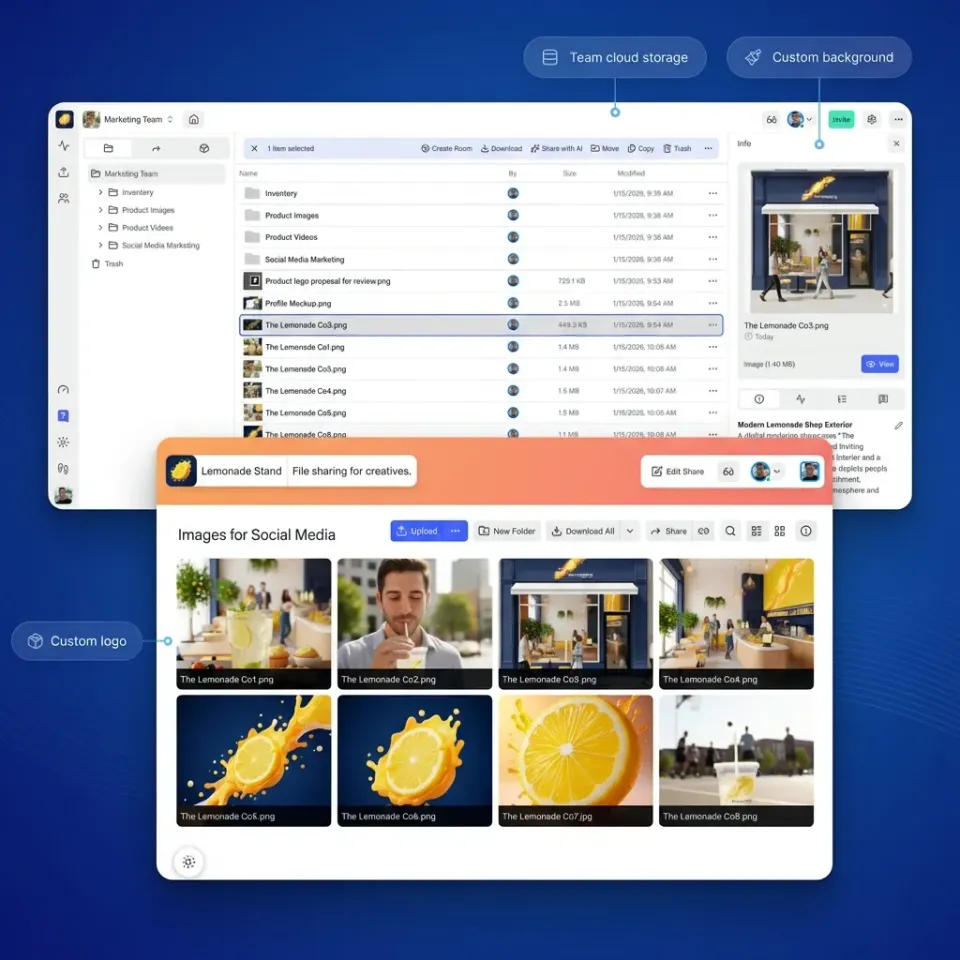
Fast.io takes the opposite approach from Send Anywhere. Instead of treating each transfer as a one-time event, Fast.io gives your files a permanent, organized home that you control.
Persistent Workspaces Replace Disposable Links
When you share files through Fast.io, they live in structured workspaces organized by project, client, or team. You can invite team members or external clients to these spaces with specific permissions. Files do not expire unless you want them to. A client asking "can you resend that file from last month?" becomes a non-issue because the file is still there, exactly where you put it. This matters for agencies, production companies, and any team managing ongoing relationships. The alternative is sending the same assets over and over, burning time and creating version confusion.
No Per-Seat Cost for External Collaborators
Most enterprise file sharing tools charge per user. At $15 to $24 per seat per month, giving 15 clients access to a project workspace costs $270 to $300 monthly just for external access. Fast.io includes unlimited guest sharing. Invite clients, vendors, and collaborators without watching seat counts or explaining to accounting why file sharing costs more. Pro plans include 25 seats with extra seats at published pricing. Business plans include 100 seats. For teams with many external collaborators, this pricing model saves 70% or more compared to per-seat alternatives.
Branded Client Portals
When clients download files from Fast.io, they see your branding, not third-party logos. You can customize portals with your logo, colors, and even custom domains. This creates a cohesive professional experience rather than the "I hope they don't notice the ads" moment of free transfer services.
Stream Instead of Download
For video teams, Fast.io's HLS (HTTP Live Streaming) capability changes the review workflow entirely. Clients can preview high-resolution video files directly in their browser without downloading gigabytes of data first. Scrubbing works instantly, there is no buffering, and you can pin comments to specific frames for precise feedback. Compare this to Send Anywhere, where viewing a video means downloading the full file and hoping the recipient has compatible playback software.
Organization-Owned Files
Files uploaded to Fast.io belong to the organization, not individual users. When an employee leaves, their files stay. No more scrambling to transfer ownership or losing access to critical assets because someone forgot to share a folder before departing.
WeTransfer: Simple Cloud Transfers Without the Complexity
If your main frustration with Send Anywhere is the "both devices must be online" requirement, WeTransfer offers the most direct solution. It is essentially Send Anywhere's simplicity with cloud reliability underneath.
How It Works
You upload files (up to 2GB free, larger with paid plans), enter the recipient's email, and click send. The file lives on WeTransfer's servers until the recipient downloads it or the link expires. No codes to coordinate timing, no connection timing to manage.
Why Choose WeTransfer
The core value is simplicity plus asynchronous delivery. You can close your laptop after uploading. The recipient downloads whenever convenient. For designers sending mockups, photographers delivering finals, or anyone doing occasional large-file handoffs, this workflow makes sense. WeTransfer Pro (published pricing) extends link expiration to 4 weeks and increases the transfer size to 200GB. You also get password protection and a custom background on your transfer pages, which adds a touch of professionalism.
Limitations to Consider
The 2GB free limit is restrictive compared to Send Anywhere's P2P capability, which can handle larger files without cloud limitations. If you regularly transfer video files or large project archives, the free tier becomes useless quickly. WeTransfer is also purely a transfer tool. There is no folder structure, no workspace organization, no team permissions. Each transfer is independent. After six months, you will have no organized record of what you sent to whom. For agencies managing multiple ongoing client relationships, this becomes a problem. Pricing per transfer (rather than per storage) also means you pay repeatedly to deliver the same large file to different recipients, or to resend files that recipients did not download in time.
Best For: Freelancers and small teams doing occasional large-file transfers who do not need ongoing storage or organization.
Resilio Sync: P2P Without the Cloud
If you specifically value Send Anywhere's peer-to-peer architecture and want to avoid cloud storage entirely, Resilio Sync (formerly BitTorrent Sync) deserves consideration. It builds on BitTorrent's proven P2P protocol to sync folders directly between your devices.
How It Works
You install Resilio on each device (Mac, Windows, Linux, mobile, NAS). You designate folders to sync, and Resilio keeps them identical across all devices. Drop a file in the folder on your laptop, and it appears on your desktop, phone, and home server without touching any third-party cloud.
The Privacy Advantage
Because data transfers directly between your devices using encrypted connections, your files never sit on someone else's servers. For sensitive materials, this offers a level of control that cloud services cannot match. You control the hardware, you control access, and there is no third party to subpoena or hack.
Speed on Local Networks
When syncing between devices on the same WiFi network or LAN, Resilio can saturate your local network bandwidth. A large folder (e.g. 50GB) syncs as fast as your network allows because data goes directly from one device to another without internet bottlenecks. This makes Resilio excellent for creative professionals with massive local archives who need identical copies across multiple workstations.
Limitations for Team Sharing
Resilio is fundamentally a sync tool, not a sharing tool. Syncing folders between your own devices works great. Sharing with external clients is awkward because they need to install Resilio, set up a folder, and accept your shared link. For ongoing relationships with the same collaborators, this initial setup is worthwhile. For one-off deliveries to new clients, asking someone to install software just to receive a file creates unnecessary friction. Also, like Send Anywhere, devices need to be online to sync. If your laptop is closed, files cannot flow to other devices (though Resilio can use a relay server if configured, adding complexity).
Best For: Power users managing large local archives across multiple personal devices who prioritize privacy and speed over sharing convenience.
When to Choose MASV, Dropbox, or Google Drive
Three other alternatives deserve mention, each solving a different piece of the file transfer puzzle.
MASV: Pay-Per-Gigabyte for Massive Files
MASV built its business around video professionals who routinely transfer 100GB to large files, sometimes measured in terabytes. Their infrastructure uses a global accelerated network designed specifically for large media files, often achieving faster long-distance transfers than standard cloud services. The pricing model is pay-per-GB (roughly $0.25/GB for downloads), which makes sense for heavy-but-infrequent transfer needs. If you transfer 500GB once a month, MASV costs about $125 for that transfer. If you transfer 500GB daily, the costs add up fast. For episodic large transfers, MASV is exceptional. For ongoing storage and organization, look elsewhere. MASV also offers integrations with video production tools (Frame.io, DaVinci Resolve, Adobe Premiere) that simplify delivery into existing workflows.
Dropbox and Google Drive: The Ecosystem Play
For users already embedded in Dropbox or Google's ecosystem, both offer transfer features that works alongside existing storage. Dropbox Transfer lets you send files up to 100GB (on Professional and team plans) with tracking and branding options. Files can come from your existing Dropbox storage, meaning no re-upload required. If you already pay for Dropbox and want occasional large-file delivery, Transfer adds that capability without a separate service. Google Drive dominates when the "file" is a document, spreadsheet, or presentation that needs collaborative editing. Sending a Google Doc via P2P transfer is nonsensical since the value is real-time co-authoring that only cloud-native tools provide. If your workflow centers on documents rather than media files, Google's ecosystem solves problems that Send Anywhere never could.
The Trade-offs
Both Dropbox and Google Drive carry per-user pricing that gets expensive for teams with many collaborators. Both also suffer from folder sprawl. The "Shared with Me" folder becomes an unorganized graveyard of files from dozens of projects. Neither matches purpose-built transfer tools for speed or large-file handling.
Best For: Dropbox users wanting integrated transfer (Dropbox Transfer), document-centric teams needing real-time collaboration (Google Drive), or video professionals with huge files and bursty transfer patterns (MASV).
FAQ: Choosing a Send Anywhere Alternative
What is the best free alternative to Send Anywhere?
For cloud-based transfers, WeTransfer allows free transfers with one-week link expiration. For local P2P transfer without installing software, ShareDrop and Snapdrop are browser-based options that work on the same WiFi network. Fast.io offers trial credits to test professional features before committing.
Which alternative is safest for business files?
Managed cloud solutions like Fast.io or Dropbox provide more security controls than simple P2P tools. Key features to look for: audit logs (who downloaded what and when), password protection on links, expiration dates you control, and the ability to revoke access after sending. P2P transfers are encrypted in transit but lack the management features needed for compliance and accountability.
How do I send large files?
Fast.io and MASV handle large files efficiently. Fast.io uses a global CDN with no practical size limits. MASV specializes in massive media transfers (100GB+) with accelerated delivery. Paid plans from WeTransfer (large limit) and Dropbox Transfer (large limit) also support large files, though with size caps.
Can I transfer files without creating an account?
WeTransfer allows small transfers without an account. ShareDrop and Snapdrop require no account for local network transfers. However, for large, secure, or professional transfers, creating an account (as with Fast.io) enables tracking delivery, managing permissions, and maintaining organized records of what was sent.
What about mobile transfers?
Send Anywhere's mobile app is a strong point. For alternatives: Fast.io and Dropbox have mobile apps that maintain full functionality. WeTransfer's mobile app handles both sending and receiving. Resilio Sync runs on mobile for keeping folders synchronized across devices. MASV has mobile receiving but sending typically happens from desktop.
Frequently Asked Questions
Is there a free alternative to Send Anywhere?
Yes. WeTransfer allows free 2GB transfers with 7-day link expiration. ShareDrop and Snapdrop offer browser-based P2P on local networks with no size limits. Fast.io provides trial credits to test professional features including persistent workspaces and branded portals.
Which file transfer tool is safest for business use?
Managed cloud solutions like Fast.io or Dropbox provide more security controls than P2P tools. Look for audit logs, password protection, expiration dates, and access revocation. Fast.io adds granular permissions at organization, workspace, and file levels.
How can I send files larger than 10GB?
Fast.io handles large files via global CDN with no practical size limits. MASV specializes in massive media transfers (100GB+) with accelerated delivery. Paid WeTransfer and Dropbox plans support up to 200GB and 100GB respectively.
Do I need an account to send files?
Some services like WeTransfer allow account-free sending for small files. For professional use with tracking, permissions, and organized records, an account (like Fast.io) provides essential management capabilities.
What is the best alternative for video files?
Fast.io offers HLS streaming so recipients can preview video in-browser without downloading. MASV optimizes for raw speed on massive video files. Both handle 4K and larger formats efficiently, while WeTransfer requires full download before viewing.
Related Resources

Share Files Without Limits on Fast.io
Stop relying on temporary codes and expiring links. Create organized, branded workspaces for your team's files with unlimited guest sharing.