How to Set Up a Medical Simulation Video Storage and Review Portal
Medical simulation video storage lets educators archive high-fidelity training sessions for student review, debriefing, and long-term assessment. Using a centralized portal for these recordings keeps important learning moments accessible for performance reviews. This guide covers the technical requirements, workflows, and storage strategies for managing a professional simulation library.

Why Video Matters in Healthcare Simulation
Video recording is essential to modern healthcare simulation. It turns a single training session into a permanent educational asset that can be analyzed from multiple angles. In high-pressure clinical environments, the ability to play back a resident's movements or a surgical team's communication can reveal subtle errors that would otherwise go unnoticed. This record provides a clear look at what happened, so educators don't have to rely on memory alone.
The technology has a measurable impact on patient outcomes. According to research from Laerdal and other industry leaders, simulation-based training can reduce malpractice claim rates by nearly 50% in specific clinical settings. For example, a study involving 292 OB/GYN professionals showed a 49.1% reduction in claims after the implementation of structured simulation protocols. This improvement comes from the objective feedback provided by video playback, which removes the guesswork often found in verbal debriefing sessions. When students see their own performance, they are less likely to argue with the assessment and more likely to focus on the necessary behavioral changes.
Video typically serves three functions: immediate debriefing, assessment, and research. During debriefing, the instructor uses short clips to highlight key decision points. For assessment, video provides a verifiable record of competency that can be reviewed by external boards or department heads. For research, a library of simulation videos allows institutions to identify recurring patterns of error across entire classes of students. When a student watches their performance in high definition, they can see the difference between what they thought happened and the reality of the situation. This makes them more open to learning and less defensive during feedback sessions.
Helpful references: Fastio Workspaces, Fastio Collaboration, and Fastio AI.
Related guides
- How to Optimize Edge AI Video Storage and Cloud SyncEdge AI video storage lets AI models analyze high-bandwidth video locally before syncing metadata to a shared...
- How to Clean Video Metadata and Remove PII for AI Model TrainingGuide to video metadata cleaning: Video datasets for AI model training often contain hidden personal information and...
- Video Editing Storage Solutions: Best Options for EditorsVideo editing storage solutions are specialized systems designed to handle the massive bandwidth and file sizes...
- How to Set Up Identity-Locked Character Asset Management for AI VideoIdentity-locked character asset management is the secure storage and retrieval of the digital DNA, including models,...
- Building AI-Native Video Storage InfrastructureGuide to native video storage infrastructure: Traditional storage treats video as a playback stream. AI agents treat it...
- How to Automate High-Volume AI Video Review via APIHigh-volume AI video review APIs help developers submit and analyze video assets generated by AI models at scale. As...
More on this subject: Video and Media Production (36 guides)
Handling 500+ Hours of Simulation Video
Medical simulation centers produce a huge amount of data every year. Between surgical simulations, nursing skills labs, and emergency response drills, many mid-sized facilities generate over 500 hours of video annually. Managing this much content requires more than just a large hard drive; it requires a structured approach to healthcare simulation video management. If a center records from four different camera angles in a single room, those 500 hours of training time translate to 2,000+ hours of individual video streams.
Storing all this video takes a lot of space. Using modern IP camera systems like those from Intelligent Video Solutions (VALT), a single 1080p camera stream typically uses about 2 GB of storage per hour of recorded video. In a multi-camera simulation suite where four or five angles are recorded simultaneously, a single hour of training can easily use 10 GB of space. For a center running multiple rooms, this adds up to several terabytes of data per year. Besides space, you have to consider the bandwidth required for live streaming and concurrent review. If five different instructors are reviewing HD video at the same time, the local network and the storage gateway must be able to handle the throughput without lagging.
Beyond capacity, simulation centers need to account for metadata and searchability. A video file isn't much help if an instructor can't find it six months later. Professional portals must allow for tagging based on student ID, scenario type, clinical specialty, and performance metrics. Without these tools, the library quickly becomes a digital graveyard of unindexed files. You should also consider the frame rate and resolution. While 30 frames per second is standard, some surgical simulations involving fine motor skills may require 60 frames per second to capture the nuances of instrument handling. This increases the storage burden but provides the level of detail needed for advanced clinical training.
Why General Storage Fails for Simulation Teams
Many simulation centers start with consumer tools like Dropbox or Google Drive. While these services are excellent for basic file sharing, they often lack the shared workspace feel required for medical education. In a simulation environment, educators, technicians, and students need a unified platform where they can interact with the content, leave time-stamped comments, and manage permissions. General tools often struggle with the large file sizes inherent in multi-camera HD recordings, leading to slow upload times and playback stuttering.
Fastio fills this gap with a workspace built for high-performance teams. When you upload a simulation video, it is automatically indexed for search, allowing educators to query the library using natural language. For instance, an instructor could search for "all intubation sessions with high heart rate alerts" to find specific teaching moments across hundreds of hours of footage. This allows for the creation of virtual study groups where students can review peer performance and provide feedback within a controlled, secure environment.
Security is another major consideration. Fastio provides technical safeguards suited to internal educational use, including encryption in transit and at rest, detailed audit logs, and granular permissions. This lets coordinators keep things secure while giving students the access they need. For most educational institutions, the primary concern is protecting student privacy under FERPA regulations. By using a platform that provides granular permissions, you can ensure that only authorized faculty and the students involved in the scenario can view the footage. This builds trust within the training program and encourages students to take risks without the fear of unauthorized exposure.



Scale Your Simulation Center with High-Performance Storage
Stop juggling USB drives and slow network shares. Fastio provides the high-performance workspace your simulation team needs to archive, review, and debrief with precision. Built for medical simulation video storage training workflows.
Building a Simulation Debriefing Portal: A Step-by-Step Guide
Building a portal for simulation review doesn't have to take months. By following a clear plan, you can go from raw recordings to a searchable archive in a few days. The goal is to create a workflow so simple that instructors don't have to think about the technology during the session.
- Define Your Capture Workflow: Ensure your simulation cameras are outputting standard formats like MP4 or MKV. High-fidelity simulators often output separate important sign feeds as data files. These should be combined into a single video stream or kept in the same folder as the video for synchronized review. If your simulator supports it, use an HDMI capture device to record the patient monitor directly.
- Set Up Your Workspace: Create a workspace in Fastio for each cohort or specialty. This keeps surgical simulation video storage separate from nursing or emergency medicine content, making permissions easier to manage. You might also create workspaces for specific research projects or multi-center trials.
- Establish Tagging Protocols: Create a standard naming convention that is strictly followed. For example:
YYYY-MM-DD_Scenario_StudentName_Instructor. Consistency here saves time when searching later. Use the Fastio custom fields to add metadata like "Success Rate" or "Critical Failures" to make the library easier to filter. - Automate the Upload: Use the Fastio MCP tools or API to automatically move recordings from your capture hardware to the cloud workspace. This removes the manual technician bottleneck and ensures that the video is ready for review within minutes of the session ending.
- Invite Your Educators: Grant access to the instructors who will be performing the debriefing. They can use the built-in search and intelligence features to find specific clips and prepare for sessions. Encourage them to use the time-stamped commenting feature to mark areas for improvement before the student even arrives for the debrief.
By centralizing these steps, you create a single source of truth for the entire simulation center. This eliminates the need for USB drives or internal network shares that are difficult for remote students to access. It also provides a backup for your content, protecting years of educational assets from local hardware failure.
Using Debriefing Tools and Frameworks
Video storage is just as important as the debriefing process itself. To get the most value from simulation, educators should use structured tools like the PEARLS framework. This framework encourages a phased approach that starts with reactions, moves to description, and then focuses on analysis and summary. The goal is to move the student from an emotional response to a cognitive understanding of their performance.
Using a portal makes this framework more effective. During the analysis phase, the instructor can pull up specific video clips to highlight teachable moments. This approach is much more effective than trying to remember a stressful 20-minute session. For instance, if a student claims they checked the patient's pulse, but the video shows them focused on the monitor, the visual evidence provides a gentle but firm correction. Other tools, like the DASH evaluation, can be used to evaluate the instructors themselves, ensuring that the quality of debriefing remains high across the department.
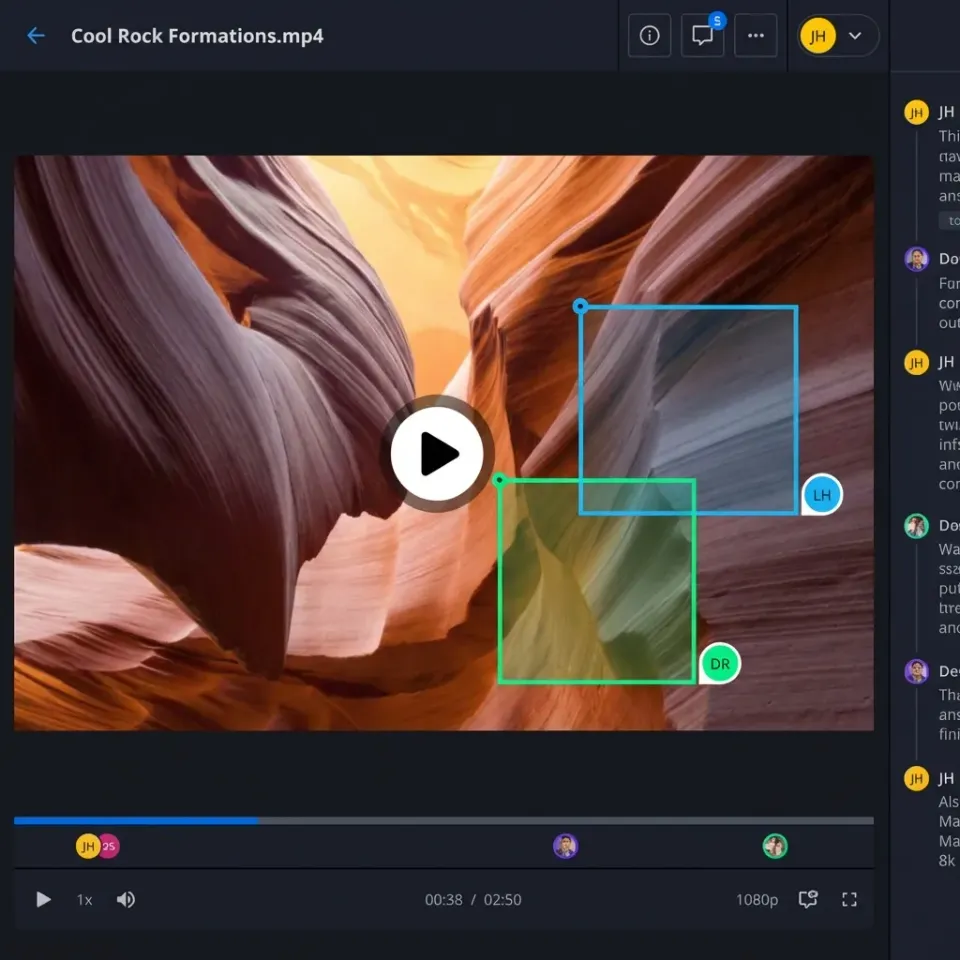
In practice, this means your video storage portal should support annotations and comments. When an educator identifies a key error or a brilliant recovery, they can mark the exact timestamp. This creates a highlight reel for the student, allowing them to focus on the most important learning objectives without watching the entire recording. For complex surgical procedures, this might involve zooming in on a specific hand movement or instrument placement. By providing this level of detail, the debriefing becomes a powerful tool for skill acquisition rather than just a general discussion about the scenario.
Evidence and Benchmarks for Simulation Centers
The transition to digital simulation archiving is backed by significant data. Centers that move from analog or manual storage to automated portals report a marked increase in the frequency of video-assisted debriefing. When the video is easy to find, educators are more likely to use it. In many centers, the percentage of sessions using video review significantly increases once a reliable portal is implemented.
Integrated video management systems also lead to substantial efficiencies in administrative workflows. This allows staff to focus on curriculum development and student engagement rather than troubleshooting file transfers or searching for lost recordings. For a large center running multiple simulations a week, these time savings can equal several days of staff time per month.
These archives also provide long-term value for the institution. By maintaining a multi-year record of student performance, institutions can find gaps in the curriculum. If a high percentage of students consistently struggle with a specific step in a surgical procedure, the faculty can adjust the classroom instruction to address the issue before it reaches the clinical floor. This data-driven approach ensures that the simulation program is always evolving to meet the needs of the learners and the demands of modern healthcare. Over time, these archives become a valuable resource for research, allowing for the study of teamwork, communication, and procedural efficiency at scale.
Sources
References used to verify factual claims in this guide.
-
Simulation-based training can reduce malpractice claim rates by nearly 50% for OB/GYNs. A study involving 292 OB/GYN professionals showed a 49.1% reduction in malpractice claims after simulation training.
-
A single 1080p camera stream typically uses about 2 GB of storage per hour of recorded video.
-
Mid-sized simulation facilities generate over 500 hours of video annually.
Frequently Asked Questions
How is video used in medical simulation?
Video is mostly used for debriefing, where students and instructors review recorded sessions to analyze performance, communication, and decision-making. It also serves as a tool for assessment and clinical research, providing an objective record of a practitioner's skills in a controlled environment.
What is the best way to store surgical simulation videos?
The best approach is to use a centralized, cloud-based workspace that supports high-definition video formats and granular access controls. This makes large files easy to access for review while keeping them secure and letting surgeons and residents add notes together.
How much storage does a typical simulation center need?
A typical center generates about 500 hours of video annually. At 2 GB per hour for a standard 1080p stream, this requires roughly 1 TB of storage per year per camera. Most centers should plan for 5-10 TB of scalable storage to account for multi-camera setups and multi-year retention.
Does simulation training actually reduce clinical errors?
Yes, studies have shown that simulation-based training can reduce malpractice claim rates by nearly 50%. Research involving 292 OB/GYN professionals demonstrated a 49.1% reduction in claims after structured simulation and video review protocols were implemented.
Can students access simulation videos remotely?
With a cloud-based portal, students can securely access their recordings from any device. This allows for 'self-debriefing' or asynchronous review, which is often more effective for learning than a single session immediately after the simulation.
Related Resources

Scale Your Simulation Center with High-Performance Storage
Stop juggling USB drives and slow network shares. Fastio provides the high-performance workspace your simulation team needs to archive, review, and debrief with precision. Built for medical simulation video storage training workflows.