HLS Streaming: How HTTP Live Streaming Works
HLS (HTTP Live Streaming) is the standard protocol for delivering high-quality video over the internet. It works by breaking video files into small segments and adjusting quality in real-time based on the viewer's internet speed. This guide explains the technical mechanics of HLS, how it compares to traditional MP4 downloads, and why it has become the default choice for professional video workflows.
What Is HLS Streaming?
HLS (HTTP Live Streaming) is an adaptive video streaming protocol developed by Apple. It breaks video content into small, downloadable file segments and delivers them over standard HTTP connections. This approach allows video players to request different quality levels depending on the viewer's current bandwidth, ensuring smooth playback without buffering. Before HLS became the standard, most video on the web relied on progressive download. This meant downloading a single large MP4 file. If your internet connection dropped or slowed down, the video would stop. HLS solves this by creating multiple versions of the same video at different bitrates and resolutions. The player constantly checks the connection speed and switches between these versions instantly. For creative professionals sharing video dailies or client reviews, HLS offers a significant advantage. It ensures that a client watching on a mobile phone over 4G gets a stream optimized for their connection, while a director watching on a fiber connection in the studio sees the full high-definition version.
Helpful references: Fast.io Workspaces, Fast.io Collaboration, and Fast.io AI.
How HLS Streaming Works
The HLS process involves three main steps: encoding, indexing, and distribution. Understanding this workflow explains why HLS is more strong than simple file transfer.
1. Encoding and Segmentation The source video file is encoded into H.264 or H.265 format. The encoder then creates multiple versions of this video at different bitrates (e.g., 480p, 720p, 1080p, 4K). Each version is chopped into short segments, typically 6 to 10 seconds long. These segments are saved as .ts (MPEG-2 Transport Stream) files.
2. Playlist Creation (M3U8) The system generates a master index file called an M3U8 playlist. This text file acts as a map for the video player. It lists the location of every segment for every quality level. When a user presses play, their device reads the M3U8 file to understand what options are available.
3. Adaptive Delivery As the video plays, the client device monitors network conditions. If the connection is strong, the player requests high-quality segments. If the network congests, the player smoothly switches to requesting lower-quality segments from the next chunk in the playlist. This switch happens between segments, so the viewer rarely notices a pause.
The Role of the M3U8 File
The M3U8 file is the brain of an HLS stream. It contains no video data itself. Instead, it directs the player to the correct .ts video chunks. This architecture is why HLS works over standard web servers (HTTP) without requiring specialized streaming hardware. If you can host a text file and small video clips, you can host an HLS stream.
HLS vs. MP4 Progressive Download
The difference between HLS and MP4 progressive download is the difference between a modern streaming experience and an old-school file transfer. While MP4 is excellent for storage, it struggles with playback over variable networks.
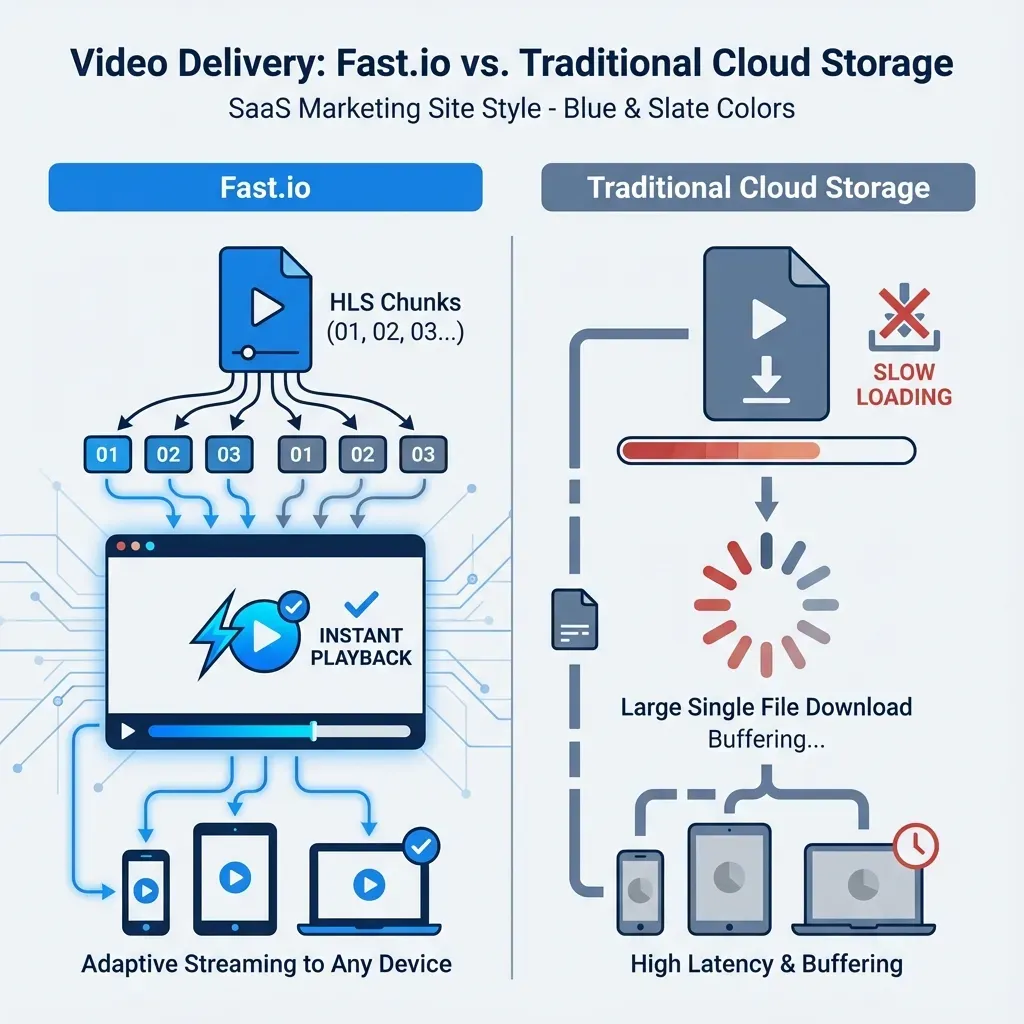
Buffering and Start Time MP4 files must buffer enough data before playback begins. On a slow connection, a 4K video might take minutes to start. HLS starts almost instantly because the player only needs to download the first small segment (often just a few megabytes) to begin playback.
Bandwidth Efficiency With progressive download, the device downloads the file as fast as possible, regardless of whether the user watches the whole thing. If a client watches the first 10 seconds of a large file and then closes the tab, they may have already downloaded 500MB of wasted data. HLS only downloads the segments the viewer actually watches, saving bandwidth for both the host and the viewer.
Device Compatibility HLS is natively supported by virtually every modern browser, smart TV, and mobile device. Apple requires HLS for video content on iOS apps, and Android has fully adopted the standard. MP4 files can be played universally, but they lack the adaptive quality switching that mobile users expect.


Stream Your Video Content Instantly for hls streaming
Stop waiting for buffering. Share high-resolution video with clients using Fast.io's Universal Media Engine.
Why Video Professionals Need HLS
For video editors, colorists, and agencies, HLS is not just a delivery method. It is a workflow necessity. Sending large video files via WeTransfer or Dropbox creates friction. The recipient must download the entire file before they can view it. This delay kills momentum during review cycles.
Security and Piracy Protection HLS adds a layer of security through segmentation. Since the video is broken into thousands of tiny files, a user cannot "Right Click -> Save As" to steal the full video file. While not impossible to rip, it deters casual theft compared to a single exposed MP4 link.
Live Streaming and Events While this guide focuses on on-demand video (VOD), HLS was built for live events. The playlist file can be updated dynamically as new segments are created in real-time. This is how live sports and concerts are broadcast over the internet. The same technology that powers the Super Bowl stream powers your client's video review link.
Fast.io's Universal Media Engine
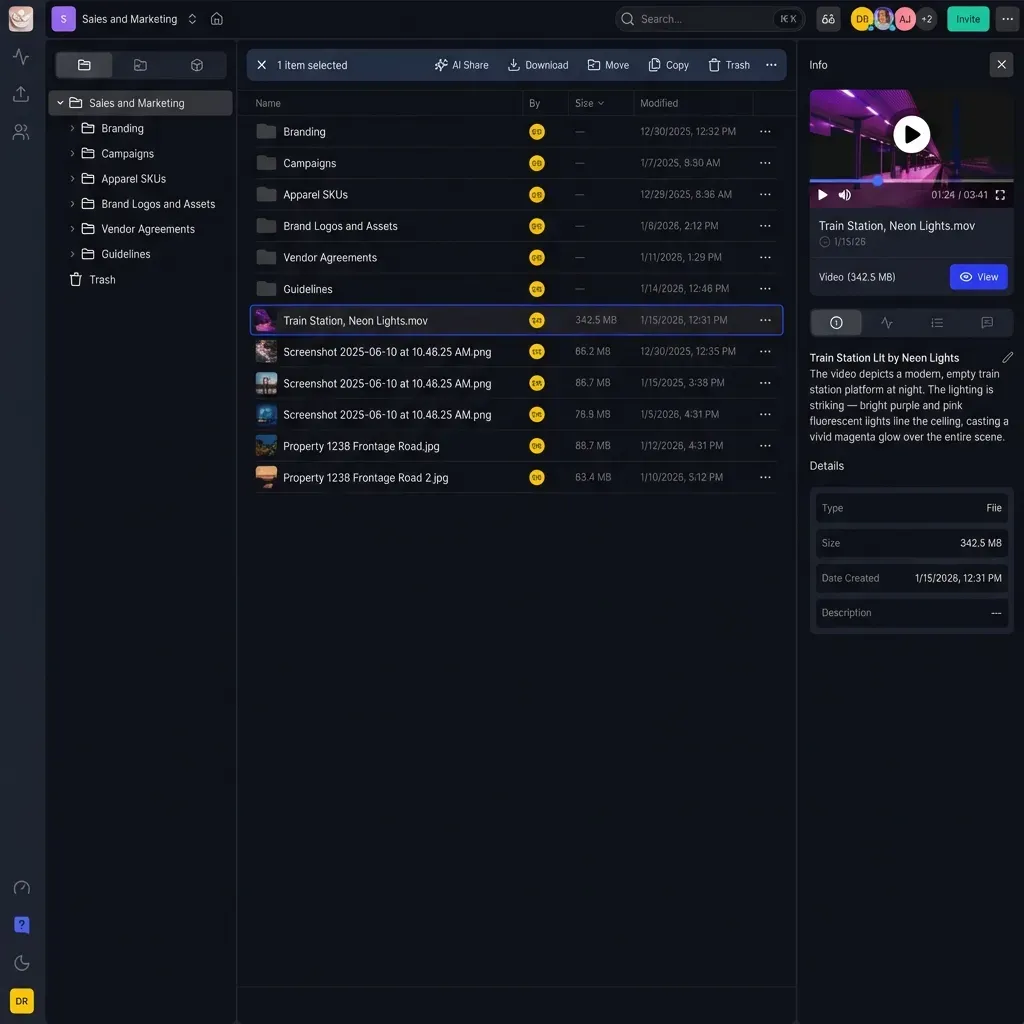
Fast.io implements HLS automatically through its Universal Media Engine. When you upload a video file to Fast.io, the system does not just store the file. It instantly prepares it for streaming.
Zero-Wait Transcoding Traditional platforms often make you wait while they process a video upload. Fast.io generates HLS playlists on the fly. You can share a link to a 100GB 8K raw file immediately after upload, and the recipient can stream it instantly on their phone. The original file remains untouched for download, while the HLS version serves the preview.
Frame-Accurate Scrubbing Because HLS segments are indexed precisely, scrubbing through a long timeline is smooth. Editors can jump to the 58-minute mark of a documentary and start playback instantly, without waiting for the browser to buffer the preceding hour of footage.
Cost-Effective Delivery Fast.io's architecture pushes HLS segments directly from the edge. This reduces latency and eliminates the need for expensive dedicated media servers. Creative teams get enterprise-grade streaming performance without the enterprise setup costs.

Frequently Asked Questions
What is HLS streaming used for?
HLS streaming is used to deliver video content over the internet to a wide range of devices. It is the standard for video on demand (VOD) services like Netflix and YouTube, as well as live broadcasts. It ensures video plays smoothly even on unstable mobile networks.
Is HLS better than MP4?
HLS is better than MP4 for playback and streaming, while MP4 is better for storage and editing. HLS adapts to the viewer's internet speed to prevent buffering. MP4 is a fixed-quality file that must be downloaded, which can cause delays and buffering on slow connections.
Does HLS reduce video quality?
HLS does not reduce the maximum quality of your video. It creates multiple quality versions, including the highest resolution. If your connection is fast, you see the full quality. It only reduces quality temporarily if your internet speed drops, ensuring the video keeps playing instead of freezing.
How do I create an HLS stream?
To create an HLS stream, you typically use video encoding software like FFmpeg or a cloud service. You convert your source video into an M3U8 playlist and a series of .ts video segments. Platforms like Fast.io handle this process automatically when you upload a video file.
Related Resources

Stream Your Video Content Instantly for hls streaming
Stop waiting for buffering. Share high-resolution video with clients using Fast.io's Universal Media Engine.