Dify vs n8n: Choosing the Right Orchestration Platform for Multi-Agent Systems
Choosing between Dify vs n8n depends on whether your multi-agent architecture prioritizes prompt engineering or complex API integrations. Dify excels at model management, vector indexing, and conversational bots, while n8n offers an established node ecosystem connecting hundreds of external services. For multi-agent systems generating persistent files, combining either engine with a shared workspace provides the auditability and state retention that workflow DAGs leave behind.

The Multi-Agent Coordination Bottleneck
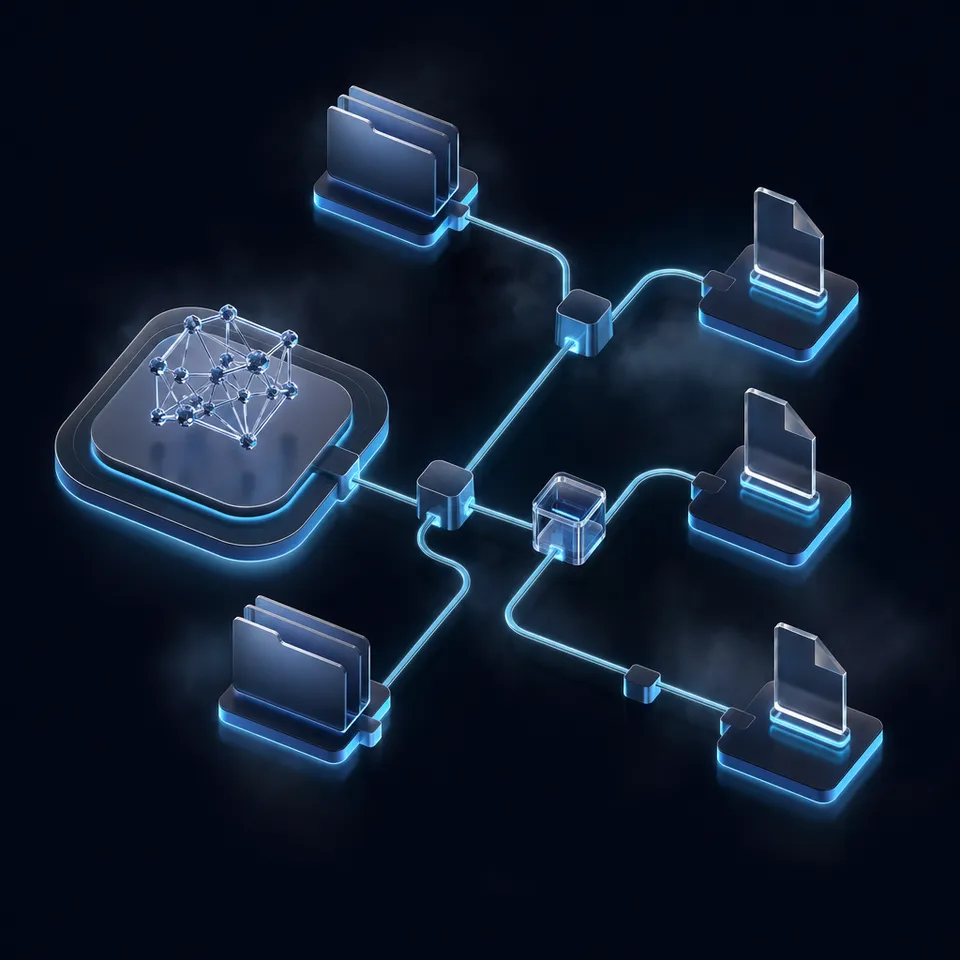
When a multi-agent system scales beyond isolated prompts, the primary point of failure is rarely model intelligence; it is state orchestration. Two autonomous agents operating across separate runtimes inevitably face the stranded context problem: a research agent generates analysis files, an extraction agent attempts to synthesize them, and neither has visibility into the intermediary files, execution logs, or manual review requirements. Without a unified coordination layer, agents either duplicate work or overwrite outputs in unversioned storage.
Dify is an LLM application development platform focused on prompt orchestration, RAG, and agent bots, while n8n is a general-purpose workflow automation platform that integrates LLMs alongside hundreds of SaaS APIs. Understanding how these two engines handle execution logic, data transformation, and external dependencies is essential for developers designing multi-agent workflows in 2026.
The Problem with Ephemeral Execution State
Most workflow frameworks treat execution state as temporary runtime memory. In a basic pipeline where an agent summarizes a block of text and returns a string response, passing variables from one node to the next inside a JavaScript Object Notation (JSON) payload works reliably. The model accepts a prompt string, queries an inference provider, receives a response, and passes that output down the directed acyclic graph (DAG).
However, autonomous multi-agent teams generate concrete artifacts rather than short text replies. A market research agent downloads financial statements, an extraction agent parses tables into structured datasets, and a drafting agent produces a multi-page client report. When workflow engines attempt to handle these files as base64-encoded strings or transient binary streams inside node memory buffers, several system bottlenecks emerge:
- Memory Exhaustion: Passing large binary payloads through node execution contexts creates memory pressure on self-hosted containers and serverless execution workers.
- Context Fragmentation: Downstream agents running in separate workflow branches or asynchronous schedules cannot inspect the raw source documents without redundant API downloads or re-ingestion steps.
- Version Collisions: If two agents update a summary document or structured dataset simultaneously, traditional workflow engines lack per-file version history, causing silent data loss.
- Missing Auditability: While orchestration platforms log execution events, they rarely provide a detailed activity log showing which agent created or modified specific project files over time.
Choosing between Dify and n8n requires evaluating not only their canvas interfaces and LLM integrations, but also how each platform manages artifact handoffs and coordinates with persistent shared storage.
Architectural Divergence: AI-First vs Automation-First
The fundamental divide between Dify and n8n stems from their origin and primary design philosophy:
- Dify (AI-First Application Lifecycle): Dify was engineered specifically for large language model application development. Its core abstractions revolve around prompt templates, context retrieval windows, vector database indexes, and conversational memory. In Dify, the model is the central actor, and workflows serve to guide prompt inputs, retrieve relevant knowledge chunks, and format model completions.
- n8n (Automation-First Integration Fabric): n8n originated as an open-source workflow automation platform designed to connect disparate software systems through webhooks, scheduled triggers, and pre-built API nodes. Rather than placing the model at the center, n8n treats language models as specialized processing steps within a broader operational workflow. LangChain-powered agent nodes operate alongside relational databases, cloud storage buckets, and enterprise communication channels.
This divergence dictates how each system approaches multi-agent coordination. Dify organizes multi-agent logic through specialized Agent nodes and ReAct loops within conversational apps or chat flows. In contrast, n8n builds agent systems by combining root agent nodes with sub-nodes for chat models, memory, and tools, allowing developers to trigger agent actions from any event across their software stack.
Related guides
- OpenClaw vs LangChain: Choosing the Right Agent Framework for 2026Choosing between OpenClaw and LangChain comes down to autonomy versus building blocks. LangChain provides broad tools...
- Claude Code Teams: Multi-Agent Orchestration GuideClaude Code agent teams split complex coding tasks across multiple independent AI sessions. Each teammate gets its own...
- How to Connect CrewAI to OneDrive: Multi-Agent Integration GuideConnecting CrewAI to Microsoft OneDrive enables autonomous multi-agent crews to search, read, and cross-reference...
- Google Agent Development Kit (ADK) vs. LangGraph: Framework ComparisonSelecting an AI agent orchestration framework involves weighing code-first modular software design against stateful...
- How to Use Google's A2A Protocol for Agent CommunicationGoogle's A2A (Agent-to-Agent) protocol is an open standard that lets AI agents from different frameworks discover each...
- Agent-to-Agent Communication: Protocols for Collaborative AI TeamsAgent-to-agent communication protocols enable collaborative AI teams to coordinate work without active context...
More on this subject: Multi-Agent Systems (63 guides)
Dify vs n8n: Comparing Architecture and Execution Models
Comparing Dify vs n8n requires inspecting how each engine handles model connectivity, retrieval pipelines, tool execution, and deployment overhead. While both platforms offer visual canvases and self-hosted deployments, their internal mechanics target distinct engineering problems.
The following structured comparison evaluates how Dify and n8n perform across the core architectural dimensions required for multi-agent systems:
Both platforms provide distinct strengths depending on whether your primary objective is refining model outputs or integrating complex backend architectures.
Dify: The Prompt-Centric Application Framework
Dify approaches agent orchestration from the perspective of an AI engineering studio. It consolidates prompt versioning, model benchmarking, and retrieval management into a single interface.
Dify includes native agent tooling with more than 50 pre-built tools for function calling and reasoning workflows. These tools cover public web search, mathematical calculation, image synthesis, and structured data handling. Developers can define custom tools by uploading standard OpenAPI JSON or YAML schemas, which Dify automatically parses into callable functions that LLMs can invoke during autonomous execution.
Key advantages of Dify for multi-agent architectures include:
- Integrated RAG Infrastructure: Dify eliminates the need to configure separate vector ingestion pipelines. When documents (such as PDF, DOCX, CSV, or Markdown files) are uploaded to a Dify dataset, the platform handles text extraction, cleaning, segmentation, and vector embedding automatically. It supports hybrid search combining dense vector embeddings with sparse keyword matching (BM25) and re-ranking models.
- Conversational Agent Memory: Dify provides built-in memory management, including TokenBufferMemory, allowing agents to retain conversational context without manual state serialization.
- LLMOps and Observability: Dify includes native tracing and monitoring integrations for tools like Langfuse and Arize Phoenix. Teams can inspect intermediate reasoning steps, track token consumption per agent, and annotate execution logs to fine-tune prompts over time.
Dify works best when your multi-agent system is primarily focused on document synthesis, question-answering over private knowledge bases, and conversational agent interfaces where prompt precision is the critical factor.
n8n: The Event-Driven Systems Integrator
n8n approaches multi-agent orchestration from the perspective of an integration engine. Rather than confining agents to a chat interface or prompt canvas, n8n allows agents to trigger and react to real-world system events.
n8n connects visual workflow automation and custom code across more than 1500 third-party integrations. This connectivity gives agents immediate access to relational databases (PostgreSQL, MySQL), message brokers (RabbitMQ, Kafka), issue trackers (GitHub, Jira), and hundreds of enterprise SaaS APIs without writing custom API wrapper code.
Key architectural advantages of n8n include:
- LangChain Node Modularity: In n8n, AI Agent root nodes connect modularly to separate sub-nodes for Chat Models, Memory Managers (such as Redis, Postgres, or MongoDB chat memory), Vector Stores (Qdrant, Pinecone, Milvus), and Tools. Any standard n8n node can serve as an agent tool, meaning an agent can query a database, post an update, or fetch a remote file simply by linking that node to the agent's tool input socket.
- Flexible Code Execution: When pre-built nodes do not satisfy custom requirements, developers can write arbitrary JavaScript or Python code directly within Code nodes. In self-hosted n8n instances, developers can import npm libraries and execute complex data munging operations.
- Sub-Workflows and Distributed Execution: Complex agent loops can be broken down into modular sub-workflows using the Execute Workflow node. This allows developers to build specialized worker agents that handle sub-tasks independently before returning structured results to the parent workflow.
- Deterministic Logic Flow: Unlike pure LLM frameworks that rely entirely on the model to decide every execution branch, n8n allows developers to interleave deterministic conditional logic (If, Switch, Filter) with probabilistic LLM reasoning. This ensures critical business guardrails remain enforced regardless of model hallucinations.
n8n is the superior choice when your multi-agent workflows must react to external webhooks, synchronize data across business systems, or execute complex operational routines.
Why Workflow Engines Struggle with Multi-Agent File Handoffs
While both Dify and n8n excel at their intended design goals, both engines encounter significant hurdles when multi-agent systems must create, share, and retain persistent file artifacts.
In production multi-agent systems, agents rarely operate in total isolation. A typical enterprise scenario involves multiple specialized agents working sequentially or in parallel:
- Ingestion Agent: Collects incoming documents from external partners, cleans metadata, and standardizes file formats.
- Research Agent: Queries search engines and vector stores, analyzes source material, and writes an initial brief.
- Critic or Editor Agent: Reviews the brief for factual accuracy, checks source citations, and suggests revisions.
- Delivery Agent: Compiles the approved brief into a polished client deliverable and notifies stakeholders.
When executing this pipeline across Dify or n8n alone, managing the intermediate files exposes critical infrastructure gaps.
The Memory and Buffer Trap in Workflow Engines
In n8n, binary data handling relies on temporary file storage or memory buffers tied to an individual execution ID. While binary files can be passed from one node to another during an active workflow run, that data is ephemeral. Once the execution concludes, the binary data is purged based on the instance's retention configuration. If a downstream agent needs to access that file hours or days later, the workflow must fetch or regenerate the asset from scratch.
In Dify, uploaded files enter the dataset knowledge base for document retrieval and vector search. However, Dify's internal storage is not designed as a dynamic, shared filesystem for collaborative read-write operations. An agent cannot easily update an existing document, track incremental revisions, or hand off working drafts to another agent without triggering a complete re-indexing process.
Why Commodity Cloud Storage Falls Short for Agents
To solve this storage gap, teams often connect workflow engines to commodity cloud storage services like Google Drive, Dropbox, or Box. While these tools provide persistent storage for human teams, retrofitting them for autonomous AI agents introduces friction:
- Sync Client Architecture: Commodity file storage platforms are built around desktop synchronization daemons and interactive user interfaces. Autonomous agents run headless in cloud containers and require direct API or Model Context Protocol (MCP) access rather than background folder mirroring.
- Aggressive API Rate Limiting: When multiple autonomous agents read, write, and poll storage directories simultaneously, standard cloud drive APIs quickly throttle requests. Agents generating dozens of temporary iterations can exhaust daily API quotas within hours.
- Lack of Real-Time Event Streaming: Traditional cloud drives offer webhook notifications that are often delayed, batch-processed, or difficult to scope to individual sub-folders. This forces orchestration engines to rely on wasteful polling mechanisms to detect when an agent has finished writing an output.
- No Native Semantic Layer: Files placed in standard cloud storage sit idle. Downstream agents cannot search across document contents by meaning without an external embedding pipeline and separate vector database.
Multi-agent systems require a coordination substrate that combines the speed and durability of cloud object storage with native AI intelligence, per-file version history, and real-time event distribution. Developers building agent infrastructure can explore dedicated storage for agents to bridge this gap.


Coordinate Multi-Agent Workflows in Shared Workspaces
Give Dify and n8n agents a persistent workspace for file handoffs, version history, and team review. Starts with a 14-day free trial.
How to Unify Dify, n8n, and Agent Coordination Rooms
The most effective multi-agent architectures do not force a binary choice between Dify and n8n. Instead, they implement a hybrid model that uses each engine where it is strongest, unified by a persistent workspace layer.
In this architecture:
- Dify acts as the cognitive engine: Managing specialized prompt templates, conversation context, and domain-specific knowledge retrieval.
- n8n acts as the integration engine: Handling external event triggers, SaaS API calls, deterministic business logic, and scheduling.
- A shared workspace acts as the neutral ground: Providing persistent file storage, semantic search indexing, per-file version history, and human-in-the-loop review.
By treating the workspace as neutral ground, teams can run Dify workflows, n8n pipelines, and external coding agents (such as Claude Code, Codex, or Cursor) side by side without coupling agent memory to any single vendor's database. Teams can review agent rooms to understand how shared workspaces coordinate multi-agent operations.
The Role of Agent Rooms in Multi-Tool Coordination
A Coordination Room provides an organized environment where human operators and autonomous agents collaborate around a shared set of files and activity feeds.
Unlike a passive folder, an intelligent room provides:
- Neutral Substrate for Heterogeneous Tools: A Dify workflow can write an output file via an API call, an n8n pipeline can read that file to trigger downstream actions, and a human team member can open the file in their browser without transferring credentials across platforms.
- Per-File Version History: Every time an agent updates an artifact, the workspace preserves full version history. If an agent hallucinates or overwrites valuable content, human reviewers can restore previous versions with a single action.
- Detailed Activity Log: Every file creation, modification, and permission change is recorded in a detailed activity log, providing complete operational transparency for multi-agent autonomous actions.
- Intelligence Mode with Built-In RAG: When files land in a workspace with Intelligence Mode enabled, the system automatically indexes their contents for full-text and semantic search. Downstream agents can query documents with natural language and receive answers backed by source citations without managing an external vector database.
Step-by-Step Multi-Agent Artifact Pipeline
Here is how a production-grade multi-agent document synthesis pipeline operates across Dify, n8n, and an intelligent workspace:
Step 1: Ingestion and Triggering (n8n)
An external event occurs, such as a customer submitting a request through a web portal or a webhook firing from a CRM. An n8n workflow captures the payload, validates the input schema, and downloads relevant source documents (such as financial records or vendor quotes).
Step 2: Specialized Analysis and Synthesis (Dify)
n8n makes an HTTP POST request to Dify's API, passing the task parameters and document context. Dify executes an Agent node running a ReAct reasoning loop. The agent queries internal prompt templates, extracts key data points, and synthesizes a structured markdown report.
Step 3: Artifact Persistence via MCP
Rather than returning the entire multi-page report inside a transient JSON response, the agent writes the finished deliverable into a shared workspace using the Fastio Model Context Protocol (MCP) server.
Agents connect to the MCP server endpoint at https://mcp.fast.io/mcp/tools over Streamable HTTP, authenticating with an Authorization: Bearer <api key> header on the connection. Setup guidance is available in the Fastio MCP documentation, while specifications for agent interaction are documented at https://mcp.fast.io/skill.md. The agent invokes the storage_manage tool to commit the report directly into the appropriate project folder:
{
  "jsonrpc": "2.0",
  "id": "write-artifact-1",
  "method": "tools/call",
  "params": {
    "name": "storage_manage",
    "arguments": {
      "workspace_id": "ws_enterprise_research",
      "path": "/reports/quarterly_audit_2026.md",
      "content": "Quarterly audit summary and document extraction findings."
    }
  }
}
The REST API at https://api.fast.io/current/ provides a direct programmatic alternative for systems that do not use MCP tooling.
Step 4: Downstream Agent Consumption
Once written to the workspace, Intelligence Mode indexes the report. A secondary agent, such as a compliance checker running in Claude Code or an automated translation agent in n8n, can immediately query the workspace. The agent uses hybrid search across the workspace to locate the file, verify regulatory claims, and append compliance notes.
Step 5: Human Oversight and Handoff
A human team member reviews the draft directly in the workspace. Using Collaborative Notes, the human editor leaves feedback alongside the agents. If revisions are required, the human updates the file, creating a new entry in the per-file version history. When the document is finalized, the team generates a branded share link with optional expiry to deliver the report directly to the client.
Structured Document Extraction with Metadata Views
When multi-agent pipelines process large volumes of unformatted documents, extracting structured fields manually through prompt parsing is prone to drift.
Using Metadata Views, agentic teams can turn workspace documents into live, queryable databases. Operators describe the required fields in natural language (such as contract renewal dates, counterparty names, invoice totals, or compliance scores), and the system designs a typed schema across text, integer, decimal, boolean, JSON, and timestamp fields.
Agents query and populate Metadata Views via the MCP server. This allows an n8n routing workflow to filter files by metadata values (for example, finding all contracts with renewal dates within thirty days) without reading and parsing every document manually.
When to Choose Dify vs n8n for Agent Workflows
Selecting the right workflow foundation depends on your team's technical background, integration requirements, and multi-agent complexity.
Use the following framework to guide your platform selection:
When to Choose Dify
- Your primary deliverable is an AI application: You are building customer-facing chatbots, internal knowledge assistants, or interactive research bots where prompt engineering and conversational context are the central focus.
- You need turnkey RAG without external databases: Your team wants to upload PDFs, Word documents, and text files and have them chunked, embedded, and retrieved without configuring a standalone vector database.
- You have prompt engineers who prefer a dedicated IDE: Your team includes non-engineering AI designers who need visual prompt comparison, model benchmarking, and output annotation tools.
- Your workflow starts with a user conversation: Interaction begins when a human submits a query in a chat interface, rather than from a system-level webhook or database trigger.
When to Choose n8n
- Your workflow starts with a system event: Interaction begins when a database record updates, a webhook receives a payload, a scheduled cron triggers, or a message arrives in an external queue.
- You need deep integration with existing software: Your multi-agent pipeline must interact directly with CRMs, ERPs, ticketing systems, and cloud databases using an established library of integration nodes.
- You require complex deterministic logic: Your process demands strict conditional branching, error handling, loop iteration, and custom JavaScript or Python code alongside model reasoning.
- You manage multi-step business process automation: AI is one component of an extensive end-to-end workflow that involves data transformation, system synchronization, and operational notifications.
When to Combine Both with Persistent Workspaces
- You run heterogeneous multi-agent teams: Your architecture leverages Dify for specialized prompt reasoning, n8n for system triggers, and external coding agents for autonomous analysis.
- Agents generate heavy, multi-file deliverables: Your workflows output multi-page reports, datasets, and presentation assets that cannot live in transient JSON payloads.
- Human-in-the-loop review is mandatory: Human stakeholders need to inspect, edit, and finalize agent artifacts in a version-controlled workspace before client delivery.
- Auditing and governance are critical: Your organization requires a detailed activity log recording every write and permission change across your agent ecosystem.
Infrastructure and Deployment Considerations
Both Dify and n8n offer flexible hosting options, allowing teams to self-host or rely on managed cloud platforms:
- Self-Hosted Deployments: Both engines can be deployed on private infrastructure using Docker Compose or Kubernetes. Self-hosting provides complete control over data privacy, custom network security, and internal API routing. n8n operates under its Sustainable Use License and enterprise tiers, while Dify is open source under the Apache 2.0 license.
- Managed Cloud Services: For teams seeking zero infrastructure maintenance, both platforms offer managed cloud hosting with scalable compute and automatic updates.
- Workspace Infrastructure: To support persistent multi-agent collaboration, Fastio provides cloud workspaces built for agentic teams. Every organization starts with a 14-day free trial, which requires a credit card. Subscriptions are organized into Starter, Business, and Enterprise tiers, providing persistent team workspaces, per-file version history, Intelligence Mode semantic search, and consolidated MCP tooling.
Explore complete tier details on the Fastio pricing page to select the right workspace configuration for your agentic team.
Sources
References used to verify factual claims in this guide.
-
n8n connects visual workflow automation and custom code across more than 1500 third-party integrations.
-
Dify includes native agent tooling with more than 50 pre-built tools for function calling and reasoning workflows.
Frequently Asked Questions
What is the difference between Dify and n8n?
Dify is an AI-first application development platform tailored for prompt engineering, RAG pipelines, and conversational agent creation. n8n is an event-driven workflow automation platform that connects over 1500 third-party APIs and services, incorporating LangChain nodes to execute AI tasks within broader business workflows.
Is Dify better than n8n for building AI agents?
Dify is better for conversational AI agents, prompt optimization, and turnkey knowledge base retrieval. n8n is superior when agents must trigger from external system events, connect to complex SaaS APIs, or execute deterministic business logic alongside LLM reasoning.
Can n8n and Dify work together in an agent room?
Yes. A proven architecture uses n8n to listen for inbound system triggers and route data, Dify to perform specialized cognitive analysis and prompt synthesis, and a shared workspace (Agent Room) where both engines read, write, and version deliverables collaboratively.
How do Dify and n8n handle persistent file storage across multi-agent workflows?
n8n stores binary data ephemerally during workflow execution, purging files once runs conclude. Dify stores documents within dataset knowledge bases for vector retrieval rather than dynamic file collaboration. Production systems connect both engines to a persistent workspace via MCP or API to retain version history and enable cross-agent file sharing.
Which platform is easier to self-host for local agent development?
Both platforms deploy locally via Docker Compose. n8n can also run as a lightweight single container or npm package, making it quick to spin up. Dify requires several interconnected services, including PostgreSQL, Redis, Weaviate or another vector store, and a sandbox container, requiring slightly more local resources.
How do multi-agent systems handle human review before acting on workflow outputs?
In n8n, workflows can pause at interactive wait nodes until a human clicks an approval link. In shared workspace architectures, agents deposit drafts directly into a project folder, allowing human reviewers to inspect per-file version history, add Collaborative Notes, and finalize files before final delivery.
Related Resources

Coordinate Multi-Agent Workflows in Shared Workspaces
Give Dify and n8n agents a persistent workspace for file handoffs, version history, and team review. Starts with a 14-day free trial.