10 Client Portal Examples by Industry and Use Case
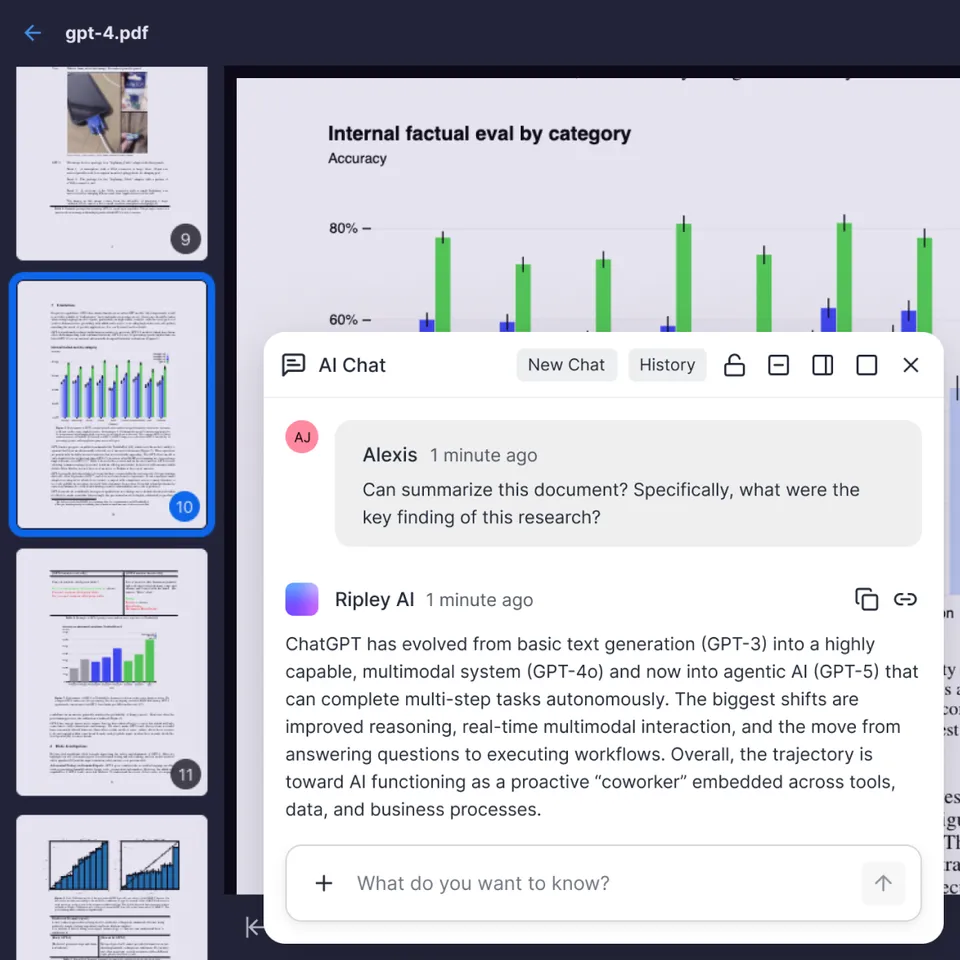
Most "client portal examples" articles just list software. This one shows what real portals look like across ten industries, from law firm document rooms to agency creative review spaces. Each example breaks down the workflow, the features that matter, and what makes clients actually use the portal instead of falling back to email.
What Makes a Client Portal Worth Using
A client portal is a secure, branded online space where businesses share files, collect feedback, and collaborate with clients. It replaces email attachments and shared drives with a professional delivery experience.
The difference between a portal that clients love and one they ignore comes down to three things: simplicity, speed, and relevance. If a client has to create yet another account, learn a new interface, and dig through folders to find their documents, they will email you instead.
Around 70% of clients prefer self-service portals over email for document access, and businesses using portals report 35% fewer support tickets about file access. Those numbers only hold when the portal is designed around how clients actually work, not around your internal org chart.
The examples below show what that looks like across ten different industries and workflows. Each one highlights a different pattern you can adapt for your own business.
What to check before scaling client portal examples
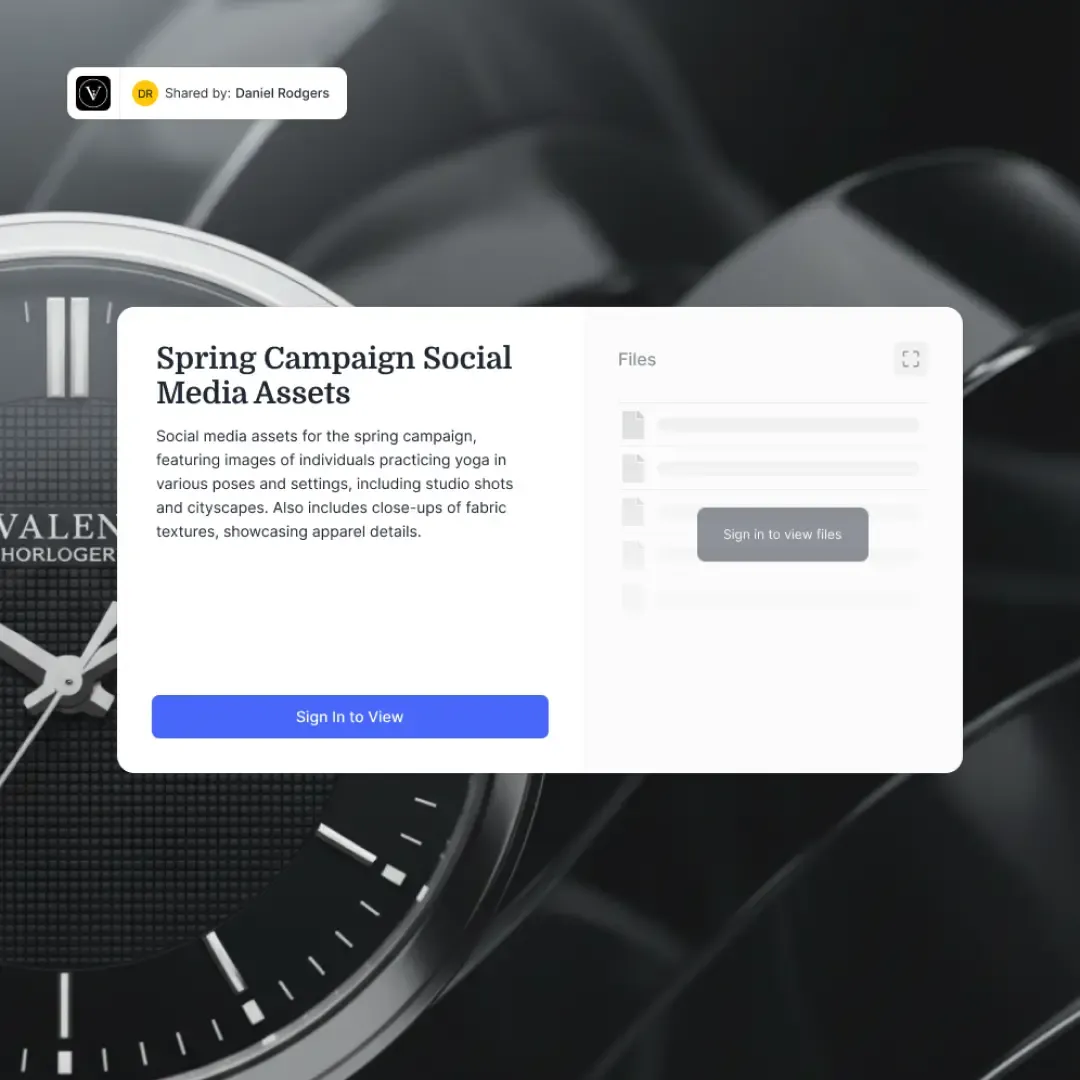
The workflow: An agency uploads campaign deliverables (ad mockups, social posts, video edits) into a branded workspace. The client logs in, reviews each asset, and leaves timestamped feedback directly on files. Revision rounds are tracked so both sides know which version is current.
What makes it work:
- File versioning that shows v1, v2, v3 side by side
- Comment threads tied to specific files, not buried in email
- Approval status on each deliverable (pending, approved, needs revision)
- Custom branding so the portal looks like an extension of the agency
One content marketing agency reported cutting 10 hours of work per week and reducing project costs by 58% after switching from email-based review to a structured portal. The biggest win was not the time savings but the elimination of "which version did you approve?" conversations.
Best for: Agencies delivering visual assets, video content, or campaign materials where feedback needs to be specific and version-tracked.

2. Law Firm Document Room
The workflow: A law firm organizes case files into folders by matter number. Clients access only their own cases through a secure login. They can upload requested documents (tax returns, contracts, evidence), download completed filings, and check case status without calling the office.
What makes it work:
- Folder-level permissions so Client A never sees Client B's files
- Audit trails logging every download and upload for compliance
- Encrypted file transfer for sensitive legal documents
- Status indicators showing where each matter stands
Law firm portals handle some of the most sensitive documents in any industry. The portal needs to feel secure and professional. Platforms like Clio and MyCase have built entire businesses around this pattern, but the core concept works with any workspace that supports granular permissions and audit logging.
Best for: Firms handling litigation, estate planning, or corporate transactions where clients need ongoing access to case documents.
3. Accounting Firm Tax Portal
The workflow: An accounting firm creates a workspace for each client, organized by tax year. Before filing season, the firm sends a checklist of required documents. Clients upload W-2s, 1099s, and receipts directly to their portal. The firm processes returns and uploads completed filings for e-signature.
What makes it work:
- Year-by-year folder structure that keeps long-term clients organized
- Document request checklists so clients know exactly what to upload
- E-signature integration for tax return approval
- Deadline visibility showing filing status and due dates
The seasonal crunch makes this example particularly interesting. During tax season, a single accountant might manage 200+ client portals simultaneously. The portal has to be simple enough that clients who only log in once a year can figure it out without a phone call.
Best for: CPA firms, bookkeepers, and tax preparers managing recurring annual engagements with document-heavy workflows.



Build a Client Portal in Minutes
Fast.io gives you branded workspaces with file sharing, permissions, and audit trails. Create Send, Receive, or Exchange shares for your clients. Free plan includes 50GB storage, no credit card required. Built for client portal examples workflows.
4. Real Estate Transaction Tracker
The workflow: A real estate agent creates a portal for each transaction. Buyers and sellers access their closing documents, inspection reports, appraisals, and contract amendments in one place. The portal shows where the transaction stands: under contract, inspection complete, clear to close.
What makes it work:
- Transaction timeline showing completed and upcoming milestones
- Separate sections for buyer documents vs. seller documents
- Secure storage for financial pre-approval letters and contracts
- Mobile access so clients can check status from anywhere
Over 60% of buyers and sellers want more visibility into transaction progress, according to the National Association of Realtors. A portal gives agents a professional edge while reducing the "any updates?" texts that pile up during a 45-day closing period.
Best for: Agents, brokerages, and title companies managing multi-party transactions with dozens of documents per deal.
5. Construction Project Dashboard
The workflow: A general contractor shares project plans, schedules, change orders, and progress photos through a client-facing portal. The client can see the current timeline, review invoices, and approve change orders without scheduling a site visit.
What makes it work:
- Progress photo galleries organized by project phase
- Change order approval workflow with cost impact details
- Shared schedule showing milestones and dependencies
- Invoice history with payment status
Construction portals solve a specific trust problem. Clients spending six or seven figures on a project want to know what is happening without having to call the foreman every week. A portal with regular photo updates and transparent billing builds the kind of confidence that turns one-time clients into referral sources.
Best for: General contractors, builders, and renovation firms managing projects where clients want visibility but cannot be on-site daily.
6. SaaS Customer Success Portal
The workflow: A B2B SaaS company gives each customer account a portal with their onboarding checklist, training resources, support ticket history, and usage reports. The customer success manager uses the same portal to share quarterly business reviews and renewal documents.
What makes it work:
- Onboarding checklists with completion tracking
- Knowledge base articles organized by feature area
- Support ticket history so clients do not repeat themselves
- Usage dashboards showing adoption metrics
Zendesk, Freshdesk, and similar platforms dominate this space, but the pattern works at any scale. Even a 10-person SaaS startup benefits from a shared space where customers can find answers before opening a ticket. The 35% reduction in support tickets that portal-using businesses report comes largely from this self-service pattern.
Best for: SaaS companies, managed service providers, and any subscription business where ongoing client engagement drives retention.

7. Financial Advisory Client Vault
The workflow: A wealth management firm stores each client's financial plan, investment statements, estate documents, and insurance policies in a secure vault. Clients access their complete financial picture in one place. Advisors share quarterly performance reports and planning updates through the same portal.
What makes it work:
- Bank-grade encryption for sensitive financial records
- Read-only sharing for statements (clients view but cannot modify)
- Multi-year document retention organized by category
- Shared access for spouse, accountant, or estate attorney
Financial portals carry the highest security expectations of any industry. Clients expect the same level of protection they get from their bank's online portal. Audit trails, two-factor authentication, and granular sharing permissions are table stakes here, not nice-to-haves.
Best for: Financial advisors, wealth managers, and insurance brokers managing long-term client relationships with sensitive financial data.
8. Healthcare Patient Portal
The workflow: A medical practice gives patients access to their lab results, visit summaries, prescriptions, and appointment schedule. Patients can upload forms, request prescription refills, and message their care team through the portal instead of calling the office.
What makes it work:
- Lab results delivered directly to patient accounts
- Appointment scheduling and reminders
- Secure messaging with care team
- Form uploads for intake paperwork before visits
Healthcare is one of the most mature portal markets. Torigen, a veterinary diagnostics lab, serves over 250 clinics through its portal, processing 600+ samples monthly. The pattern scales from solo practitioners to hospital networks, though compliance requirements (strict security requirements in the US) add significant complexity to the build.
Best for: Medical practices, dental offices, labs, and specialty clinics where patients need ongoing access to records and communication channels.
9. Consulting Engagement Workspace
The workflow: A management consulting firm creates a shared workspace for each engagement. Both the consulting team and the client team access the same space, uploading research, sharing slide decks, and collaborating on deliverables. The workspace persists after the engagement ends so the client retains all materials.
What makes it work:
- Shared access for both internal team and client stakeholders
- File versioning as deliverables go through review cycles
- Meeting notes and action items in one searchable location
- Post-engagement archive the client can access indefinitely
The consulting pattern differs from other examples because both sides are actively creating and editing content. This is not a one-way delivery channel. The portal needs to support true collaboration while still maintaining clear ownership of who produced what and when.
Best for: Management consultancies, IT consulting firms, and freelance strategists running multi-week engagements with active client participation.
10. Education and Coaching Resource Hub
The workflow: A coaching business or training company gives each client (or cohort) a portal with course materials, recorded sessions, worksheets, and progress tracking. Clients access resources on their own schedule and upload completed assignments for review.
What makes it work:
- Resource library organized by module or session
- Progress tracking showing completed vs. remaining materials
- Assignment upload and feedback workflow
- Session recordings with searchable timestamps
This pattern works equally well for executive coaches with 20 clients and online course creators with 2,000 students. The key difference from a generic LMS is the personal touch: each client's portal feels like their own space, not a classroom they share with hundreds of strangers.
Best for: Business coaches, corporate trainers, online course creators, and tutoring services that combine self-paced materials with personal feedback.
Common Patterns Across Every Portal
After looking at ten different industries, a few patterns show up everywhere:
Branding matters more than features. Clients judge portal quality by how it looks and feels, not by its feature list. A clean, branded interface with your logo and colors signals professionalism. A generic-looking shared drive does not.
Simplicity beats comprehensiveness. The best portals show clients only what they need. A law firm client does not need to see your internal task board. A tax client does not need a project management dashboard. Strip away everything that is not directly useful to the person logging in.
Structure prevents chaos. Every successful portal has a clear organizational logic: by client, by project, by year, or by transaction. Without structure, a portal becomes another messy folder that clients avoid.
Permissions build trust. Granular access controls are not just a security feature. When clients know that their documents are visible only to them and their team, they are more willing to upload sensitive materials instead of mailing paper copies.
These patterns apply whether you build a portal from scratch, use a no-code tool like Softr or Noloco, or set up a cloud workspace platform like Fast.io that handles file sharing, branding, permissions, and audit trails out of the box. Fast.io's branded Shares let you create Send, Receive, and Exchange portals where clients upload and download files in a workspace you control, with full version history and access logging. For teams using AI agents, workspaces can be built programmatically and transferred to clients when ready.
The right choice depends on how complex your workflow is and how much customization you need. Simple document sharing might only need a cloud workspace with branded access. A multi-step approval workflow with integrations might need dedicated portal software.
Frequently Asked Questions
What is a client portal example?
A client portal is a secure online space where a business shares files and communicates with a specific client. For example, a law firm might give each client a login where they can access case documents, upload requested files, and check their matter status. An accounting firm might create a portal organized by tax year where clients upload W-2s and download completed returns.
What should a client portal include?
At minimum, a client portal needs secure file sharing with access controls, custom branding, and a clear organizational structure. Most businesses also benefit from audit trails, version history, and some form of status tracking. The specific features depend on your industry. A creative agency needs visual review tools, while an accounting firm needs document request checklists and e-signature support.
How do I create a client portal?
You have three main options. First, use a cloud workspace platform like Fast.io that provides file sharing, permissions, and branding features you can configure as a portal. Second, use a no-code builder like Softr or Noloco to create a custom portal from a database. Third, use industry-specific software like Clio for law or Assembly for service businesses. The fast path is usually a workspace platform where you organize folders by client and set permissions.
What is the best client portal for small business?
For small businesses, the best portal is one that does not require a developer to set up or maintain. Cloud workspace platforms work well because they combine file sharing, permissions, and branding without requiring custom code. Look for a platform with a free tier so you can test the workflow before committing. Key features to prioritize: branded access links, folder-level permissions, and mobile access for clients.
How much does client portal software cost?
Costs range from free to several hundred dollars per month. Cloud workspace platforms like Fast.io offer free tiers with enough storage and features for small teams. Dedicated portal software typically starts at $20-50 per month for basic plans. Industry-specific tools like Clio for law firms can run $39-149 per user per month. No-code builders usually charge $25-100 per month depending on the number of users and records.
Related Resources

Build a Client Portal in Minutes
Fast.io gives you branded workspaces with file sharing, permissions, and audit trails. Create Send, Receive, or Exchange shares for your clients. Free plan includes 50GB storage, no credit card required. Built for client portal examples workflows.