How to Build a Client Onboarding Portal
A client onboarding portal is a dedicated workspace where new clients access welcome materials, submit required documents, and track their setup progress in one place. This guide walks through the seven components every portal needs, how to structure the onboarding flow for agencies and professional services firms, and how to avoid the email chaos that causes early client churn.

Why Client Onboarding Needs Its Own Portal
Most agencies and professional services firms start every new engagement the same way: a kickoff email with a list of things the client needs to send over. Login credentials, brand guidelines, legal documents, signed contracts, project briefs. Then the follow-up emails start. "Did you get a chance to send those brand assets?" "Can you re-send the contract? I think it went to spam."
This back-and-forth is where projects stall. According to research from Assembly, agency teams spend over four hours per client just tracking down onboarding information through email threads and chat messages. That adds up fast when you're onboarding several clients a month.
The fix isn't another email template or a longer checklist doc. It's a dedicated space, a portal, where the client can see exactly what's needed, upload files on their own schedule, and track where things stand. You get a single source of truth. They get clarity instead of confusion.
74% of customers say they'll switch providers if onboarding feels too difficult, according to Gitnux's customer onboarding research. A portal removes that friction by replacing scattered emails with a structured, self-service experience.
Seven Things Every Client Onboarding Portal Needs
Not every portal tool is built the same, but the best ones share these core components:
A branded welcome page. First impressions matter. Your portal should carry your logo, colors, and a brief welcome message that sets expectations for the onboarding timeline.
A document collection system. This is the most critical piece. Clients need a clear place to upload brand assets, signed agreements, credentials, and reference files. No email attachments, no "which Google Drive folder was that?"
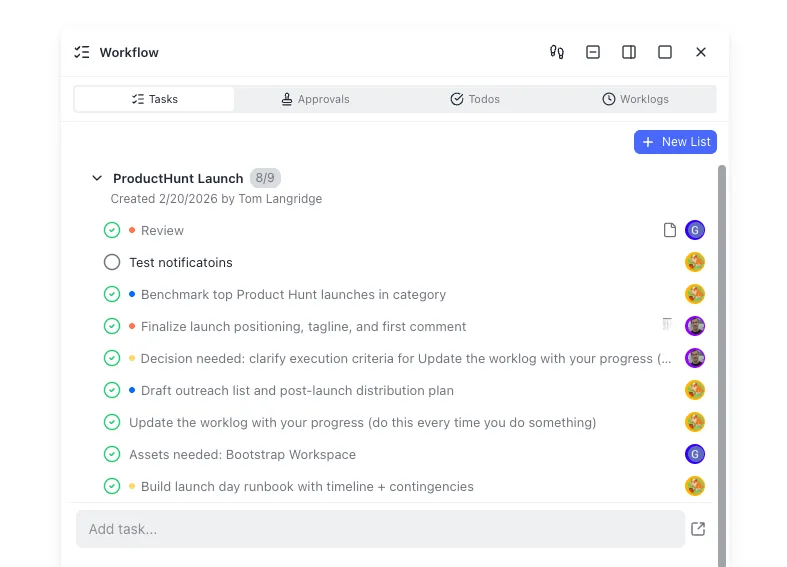
A task checklist with progress tracking. Break onboarding into discrete steps: "Upload brand guidelines," "Complete intake questionnaire," "Review project scope." Show completion status so both sides know what's done and what's pending.
Automated reminders. The number one cause of onboarding delays is waiting on the client. Automated nudges for incomplete tasks keep things moving without your team sending awkward follow-up emails.
Permission controls. Not every team member needs access to every client portal. Your onboarding portal should support role-based access so account managers see everything, but freelancers only see what's relevant to them.
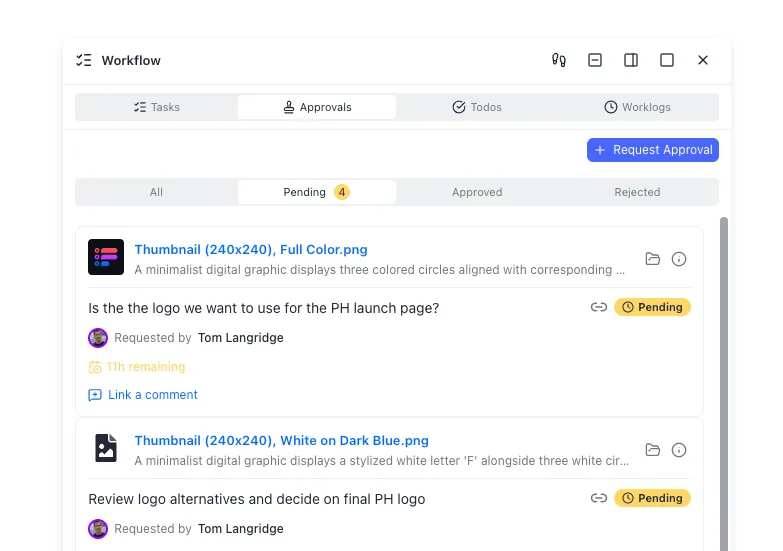
An activity log. When three people touch a client account, you need a record of who did what and when. This prevents the "I thought you handled that" problem and gives you an audit trail if questions come up later.
Secure file handling. Client onboarding often involves sensitive documents: contracts, financial data, credentials. Your portal needs proper access controls, not a shared Dropbox link with "anyone with the link can edit."
How to Structure the Onboarding Flow
A portal is only useful if it reflects a real process. Here's a structure that works for most agency and professional services engagements.
Phase 1: Pre-Kickoff (Before the First Call)
Send the portal link immediately after the contract is signed. Include:
- A welcome message with your team's contact info and expected timeline
- The signed contract or SOW for reference
- An intake questionnaire covering goals, stakeholders, and preferences
- A file upload area for brand assets, existing materials, and credentials
The goal is to collect everything you need before the kickoff call so that meeting is productive, not administrative.
Phase 2: Setup (Week 1)
After the kickoff call, update the portal with:
- Meeting notes and agreed-upon next steps
- Project timeline or Gantt chart
- Tool access requests (analytics platforms, CMS logins, ad accounts)
- Team introductions with roles and responsibilities
This phase is where most agencies lose momentum. Clients forget to send credentials, nobody follows up for a week, and suddenly you're three weeks in with nothing to show. Automated reminders on incomplete tasks solve this.
Phase 3: Handoff to Production (Week 2-3)
Transition the portal from onboarding mode to ongoing collaboration:
- Mark all onboarding tasks as complete
- Share the first deliverable or project milestone
- Introduce the ongoing communication channel (whether that's the same portal, Slack, or email)
- Archive onboarding materials but keep them accessible for reference
The key principle: each phase should have no more than 5-7 tasks visible to the client at any time. Long lists overwhelm people. Sequence the work so they see only what's relevant right now.


Build Your Client Onboarding Portal
Create branded portals with document collection, task tracking, and guest access. Free to start, no credit card required.
Choosing the Right Tool for Your Portal
You have three main approaches, each with real tradeoffs.
Dedicated Onboarding Platforms
Tools like Rocketlane, GuideCX, and OnRamp are purpose-built for client onboarding. They offer dual interfaces (one for your team, one for the client), built-in project management, and onboarding-specific analytics like time-to-value tracking.
Best for: Teams onboarding 10+ clients per month who need standardized, repeatable processes with reporting.
Tradeoff: These platforms typically start at $19-49 per user per month (Rocketlane) or $5,000+ per year (GuideCX), which is hard to justify for smaller teams.
Client Portal Software Platforms like Copilot, SuiteDash, and ManyRequests combine portals with billing, messaging, and project management. They give clients a single login for everything, not just onboarding.
Best for: Agencies that want a unified client experience beyond onboarding, including ongoing file sharing, invoicing, and communication.
Tradeoff: Jack-of-all-trades tools sometimes lack depth in any single area. The onboarding flow might feel generic compared to a dedicated platform.
Workspace-Based Portals
This approach uses a cloud workspace platform as the foundation. You create a branded workspace for each client, set up folder structures for document collection, and use built-in features like tasks, permissions, and file versioning to manage the onboarding flow.
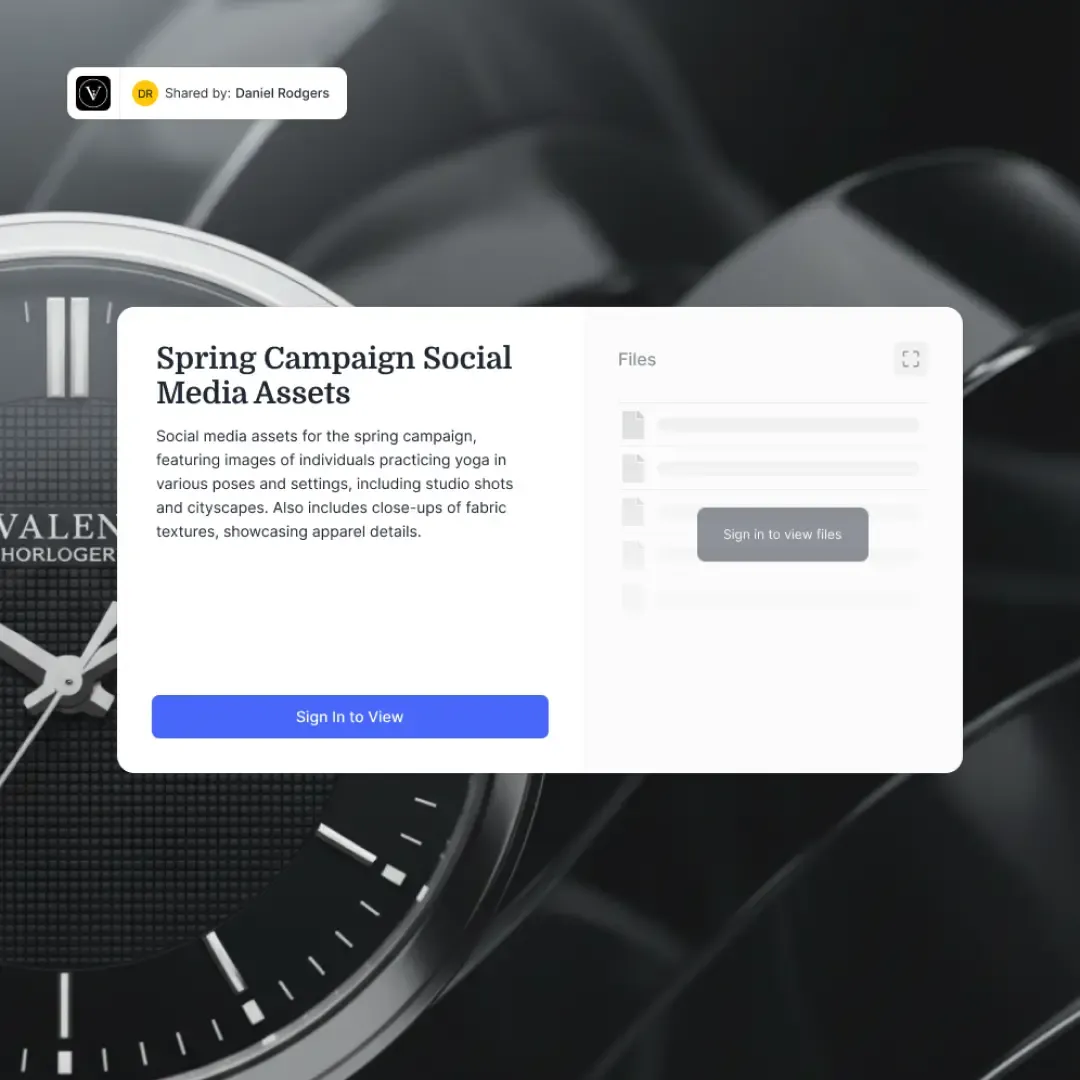
Fast.io works well for this approach. You can create a branded content portal with your logo and colors, set up Receive shares for document collection, and use the built-in task and workflow system to track onboarding steps. Clients access the portal without creating an account through guest access links, which removes a common friction point.
What sets this approach apart is that the onboarding portal becomes the ongoing workspace. You don't have to migrate files from an onboarding tool to a collaboration tool once setup is complete. The same workspace that collected intake documents becomes the place where you share deliverables, get approvals, and manage the engagement long-term.
Best for: Teams that want onboarding and ongoing collaboration in the same place, especially when file collection and document handoff are central to the workflow.
Automating the Repetitive Parts
Manual onboarding doesn't scale. When you're onboarding two clients a month, copy-pasting a checklist works fine. At ten clients a month, it falls apart.
Here's what to automate first, in order of impact:
Document collection reminders. Set up automated nudges that fire when uploads are overdue. "Hi Sarah, we're still waiting on your brand guidelines. Upload them here." This single automation can cut onboarding time by days. UserGuiding's research found that automating onboarding tasks reduces the overall timeline by an average of five days.
Welcome sequences. When a new portal is created, automatically send the client an email with their portal link, a quick video walkthrough, and the first set of tasks. Don't make your account manager do this manually every time.
Task assignments. When the client completes their intake questionnaire, automatically assign internal tasks to the right team members. The designer gets notified to review brand assets. The strategist gets the project brief. No one has to read through an email chain to figure out what's ready.
Status updates. Send automated progress summaries to the client and your internal team. "3 of 7 onboarding tasks complete. Next up: finalize project scope." This keeps everyone aligned without scheduling check-in meetings.
If you're using Fast.io, you can build these automations using webhooks that trigger when files are uploaded or tasks change status. For teams using AI agents in their workflow, the Fast.io MCP server lets agents monitor portal activity and respond to events programmatically.
Common Mistakes That Derail Onboarding Portals
Building the portal is the easy part. Here's where teams actually get stuck:
Overloading the client on day one. Showing 25 tasks and 10 upload fields on the first login is a guaranteed way to make clients close the tab and not come back. Start with 3-5 items. Unlock the next batch after those are complete.
No clear ownership. Every portal needs a named point of contact on your side. "The team" is not a contact. Assign one person who's responsible for moving onboarding forward and make their name and photo visible in the portal.
Treating it as a one-way street. Onboarding isn't just the client sending you things. It's a two-way exchange. Share your project plan, introduce your team, provide early value. If the portal only asks for things and never gives anything back, clients will resent the process.
Ignoring the "time to first value" metric. Track how long it takes from contract signing to the first meaningful deliverable. This is the number that predicts retention. Agencies that cut this window see measurably better retention rates. A 2024 Amplitude study found that reducing time-to-value by 20% correlated with 18% higher annual revenue growth.
Skipping the post-onboarding transition. Onboarding doesn't end when all the checkboxes are checked. There should be an explicit moment where you say "onboarding is complete, here's how we work together going forward." Without this, clients feel abandoned after the initial attention fades.
Using a tool the client has to learn. If your portal requires the client to create an account, install software, or watch a training video, you've added friction to a process meant to remove it. Guest access with a simple link is the minimum bar.
Frequently Asked Questions
What should a client onboarding portal include?
At minimum, a client onboarding portal needs a branded welcome page, a document collection system for file uploads, a task checklist with progress tracking, automated reminders for incomplete items, permission controls for team access, an activity log, and secure file handling. The best portals also include intake questionnaires, a project timeline, and a clear handoff process from onboarding to ongoing collaboration.
How do I automate client onboarding?
Start with the highest-impact automations: document collection reminders that fire when uploads are overdue, welcome email sequences triggered when a new portal is created, automatic task assignments based on completed intake forms, and progress summary emails. Most portal tools support these natively, or you can use webhook integrations to connect your portal to other tools in your stack.
What is the best client onboarding software?
It depends on your team size and needs. Dedicated platforms like Rocketlane and GuideCX work best for high-volume onboarding with reporting needs. Client portal tools like Copilot and SuiteDash combine onboarding with ongoing client management. Workspace platforms like Fast.io work well when file collection and document handoff are central to your process, since the onboarding portal becomes the ongoing collaboration space.
How long should client onboarding take?
For most agency and professional services engagements, aim for 2-3 weeks from contract signing to production-ready. The pre-kickoff phase (document collection and intake) should take 3-5 days, setup and tool access another 5-7 days, and the handoff to ongoing work rounds out the timeline. Track 'time to first value,' the interval from signing to first deliverable, as your key metric.
How do I get clients to actually use the portal?
Three things drive adoption: simplicity, no-login access, and showing value early. Use guest access links so clients don't need to create accounts. Keep the initial task list short (3-5 items max). And include something useful in the portal from day one, like the signed contract, meeting notes, or a project timeline, so clients have a reason to come back beyond just uploading files.
Related Resources

Build Your Client Onboarding Portal
Create branded portals with document collection, task tracking, and guest access. Free to start, no credit card required.